



一、问题背景
部署了mysql 8版本数据库,发现忘记root账号密码,需要进行重置操作。
二、问题分析
MySQL 8使用caching_sha2_password加密插件作为默认的身份验证插件,而MySQL 5.7使用mysql_native_password插件。这意味着在重置密码时,需要使用不同的命令和语法。
采用mysql 5.7的传统重置密码方式发现无法成功。
三、问题解决
1、修改my.cnf配置文件
找到my.cnf配置文件,进行编辑,添加
skip-grant-tables
然后重启MySQL 服务
systemctl restart mysqldsystemctl status mysqld
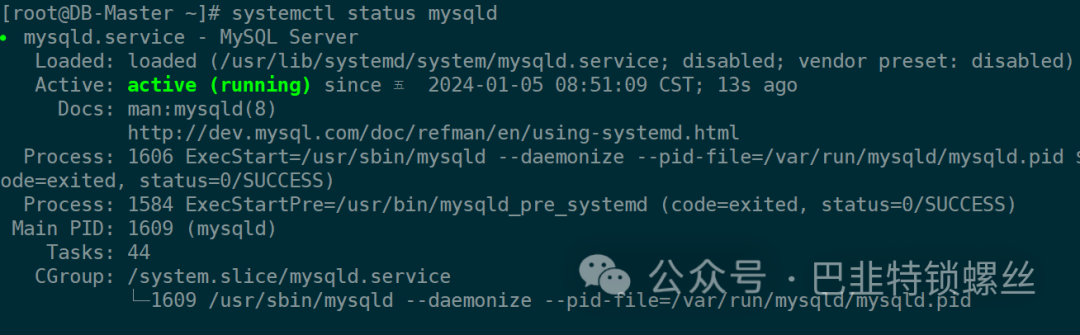
2、连接数据库,重置为空密码
mysql -u root -p #提示输入密码后直接回车。
use mysql #选择数据库
将密码置空:
update user set authentication_string = '' where user = 'root';
flush privileges;
3、去除免密登陆并重新修改密码
删除配置文件第1步增加的内容。
执行重启,重新连接。
修改为自己的密码:
flush privileges; #刷新权限ALTER USER 'root'@'localhost' IDENTIFIED BY 'aA@123456...';flush privileges;
4、使用新密码登陆验证
发现成功连接
5、其他命令
查看密码格式:
use mysql;
select host, user, authentication_string, plugin from user;
mysql> use mysql;Reading table information for completion of table and column namesYou can turn off this feature to get a quicker startup with -ADatabase changedmysql> select host, user, authentication_string, plugin from user;+-----------+---------------+-------------------------------------------+-----------------------+| host | user | authentication_string | plugin |+-----------+---------------+-------------------------------------------+-----------------------+| localhost | root | *6BB4837EB74329105EE4568DDA7DC67ED2CA2AD9 | mysql_native_password || localhost | mysql.session | *THISISNOTAVALIDPASSWORDTHATCANBEUSEDHERE | mysql_native_password || localhost | mysql.sys | *THISISNOTAVALIDPASSWORDTHATCANBEUSEDHERE | mysql_native_password || % | sync | *5EB972C7C52A0CE5CE7C54E6BB102A197E067201 | mysql_native_password |+-----------+---------------+-------------------------------------------+-----------------------+4 rows in set (0.00 sec)
修改密码格式为mysql_native_password:
update user set plugin = 'mysql_native_password' where user = 'root';
命令格式如下:清空旧密码:update user set authentication_string='' where user='USER';刷新权限:flush privileges;设置新密码:ALTER USER 'USER'@'HOST' IDENTIFIED WITH MYSQL_NATIVE_PASSWord BY 'NEWPASSWORD';刷新权限:flush privileges;

文章转载自巴韭特锁螺丝,如果涉嫌侵权,请发送邮件至:contact@modb.pro进行举报,并提供相关证据,一经查实,墨天轮将立刻删除相关内容。
