



相信大多数DBA都使用过透明网关,对异构数据库数据进行实时访问。在早些年,我也配置过oracle database gateway 11.2.0.4 for MySQL,在Oracle数据库端访问MySQL数据库的系统数据。Gateways并不像Goldentgate、Kettle和DataX等这些数据同步工具这样,能够实时(或者定时)在同构或者异构数据库之间同步复制数据,是一个数据搬运工具,前者是在源端发起访问的时候,直接访问到目标端的数据,没有对数据进行搬迁,也就是Oracle dblink这样的功能效果,当然读写权限都有。
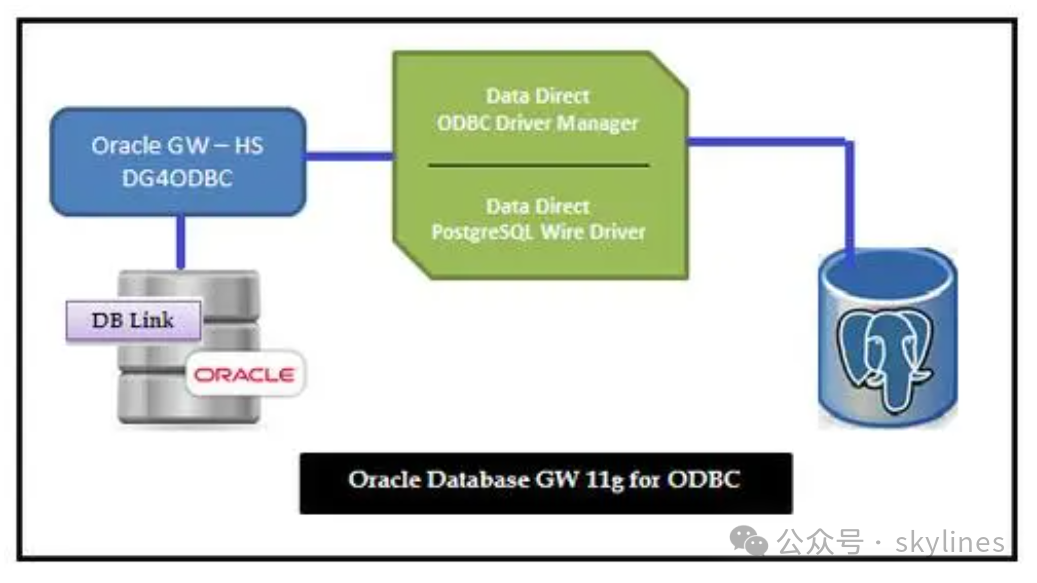
基于现在数据赋能生活和生产高度发展的时代,不同系统或者不同数据库跨域访问,是必不可少的事情。之前对国产数据库功能设计的时候,也建议,同构数据库跨实例实时访问的功能是一个必备的功能。MySQL和postgresql在同构数据库跨实例进行实时访问的时候,都有相应的引起或者工具支持。Oracle在同构的数据库间跨库实时访问,有dblink支持,对异构数据库进行跨库实时访问,有oracle database gateways。

以下,可以使用静默安装方式,进行安装与配置oracle database gateway11.2.0.4 for microsoft sql server。
--下载安装包
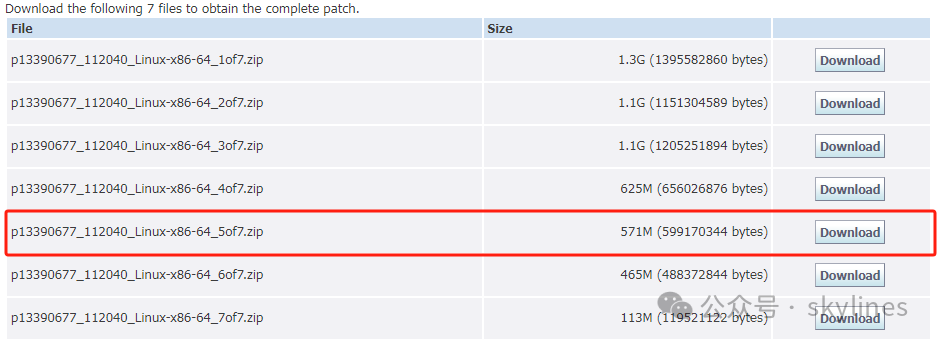
oracle database gateways 11.2.0.4的安装包就是Oracle database 11.2.0.4的第5个介质包p13390677_112040_Linux-x86-64_5of7.zip。
--解压并编写静默安装相应文件
unzip p13390677_112040_Linux-x86-64_5of7.zipcd /<package_path>/gatewayscat >tg.rpspRESPONSEFILE_VERSION=2.2.1.0.0UNIX_GROUP_NAME="oinstall"FROM_LOCATION="/u01/app/gateways/stage/products.xml"ORACLE_HOME="/u01/app/oracle/gateway/11.2.0/dghome_1"ORACLE_HOME_NAME="OHoraDg11g_home1"ORACLE_BASE="/u01/app/oracle"oracle.tg:DEPENDENCY_LIST={"oracle.rdbms.tg4msql:11.2.0.4.0","oracle.rdbms.hsodbc:11.2.0.4.0"}oracle.rdbms.tg4msql:sl_returnVal={"192.168.163.177","1433","MSSQLSERVER","mytestdb"}
--静默方式执行安装gateways
./runInstaller -silent -noconfig -responseFile soft/gateways/response/tg.rsp[oracle@susource gateways]$ ./runInstaller -silent -noconfig -responseFile soft/gateways/response/tg.rspStarting Oracle Universal Installer...Checking Temp space: must be greater than 120 MB. Actual 410305 MB PassedChecking swap space: must be greater than 150 MB. Actual 20390 MB PassedPreparing to launch Oracle Universal Installer from /tmp/OraInstall2024-03-03_08-52-09PM. Please wait ...[oracle@localhost gateways]$ Oracle Universal Installer, Version 11.2.0.1.0 ProductionCopyright (C) 1999, 2009, Oracle. All rights reserved.You can find the log of this install session at:/u01/app/oraInventory/logs/installActions2024-03-03_08-52-09PM.log.................................................................................................... 100% Done.Loading Product Information.................................................................................................... 100% Done.Analyzing dependencies........................................................................................................................ 100% Done.-----------------------------------------------------------------------------SummaryGlobal SettingsSource: soft/gateways/stage/products.xmlOracle Home: u01/app/gateway/product/11.2.0/dbhome_1 (oraDg11g_home1)Installation Type: CustomProduct LanguagesEnglishSpace RequirementsRequired 1.36GB (includes 132MB temporary) : Available 400.36GBNew Installations (67 products)Oracle Database Gateways 11.2.0.1.0Oracle Database Gateway for Microsoft SQL Server 11.2.0.1.0Oracle Database Gateway for ODBC 11.2.0.1.0Oracle Net Listener 11.2.0.1.0Oracle Internet Directory Client 11.2.0.1.0SQL*Plus 11.2.0.1.0Oracle Netca Client 11.2.0.1.0Oracle Net 11.2.0.1.0Oracle Database Utilities 11.2.0.1.0Generic Connectivity Common Files 11.2.0.1.0Oracle Recovery Manager 11.2.0.1.0Oracle JDBC/THIN Interfaces 11.2.0.1.0Assistant Common Files 11.2.0.1.0Installation Common Files 11.2.0.1.0Required Support Files 11.2.0.1.0Parser Generator Required Support Files 11.2.0.1.0Agent Required Support Files 10.2.0.4.2RDBMS Required Support Files 11.2.0.1.0RDBMS Required Support Files for Instant Client 11.2.0.1.0XDK Required Support Files 11.2.0.1.0SQL*Plus Required Support Files 11.2.0.1.0HAS Common Files 11.2.0.1.0Buildtools Common Files 11.2.0.1.0Oracle LDAP administration 11.2.0.1.0Oracle Globalization Support 11.2.0.1.0Platform Required Support Files 11.2.0.1.0Enterprise Manager plugin Common Files 11.2.0.1.0Oracle Locale Builder 11.2.0.1.0Oracle Clusterware RDBMS Files 11.2.0.1.0Cluster Verification Utility Common Files 11.2.0.1.0Oracle Wallet Manager 11.2.0.1.0Oracle Security Developer Tools 11.2.0.1.0XML Parser for Java 11.2.0.1.0Enterprise Manager Minimal Integration 11.2.0.1.0Oracle Notification Service 11.2.0.0.0Oracle Database User Interface 2.2.13.0.0Oracle Net Required Support Files 11.2.0.1.0SQL*Plus Files for Instant Client 11.2.0.1.0SSL Required Support Files for InstantClient 11.2.0.1.0Oracle Help For Java 4.2.9.0.0Oracle Java Client 11.2.0.1.0Oracle JDBC/OCI Instant Client 11.2.0.1.0Oracle Globalization Support 11.2.0.1.0Secure Socket Layer 11.2.0.1.0LDAP Required Support Files 11.2.0.1.0Oracle JFC Extended Windowing Toolkit 4.2.36.0.0Oracle Ice Browser 5.2.3.6.0Oracle Code Editor 1.2.1.0.0IPerl Interpreter 5.10.0.0.1Perl Modules 5.10.0.0.1Expat libraries 2.0.1.0.1Oracle Extended Windowing Toolkit 3.4.47.0.0Oracle Core Required Support Files 11.2.0.1.0Bali Share 1.1.18.0.0Oracle RAC Required Support Files-HAS 11.2.0.1.0Precompiler Required Support Files 11.2.0.1.0Deinstallation Tool 11.2.0.1.0Enterprise Manager Common Files 10.2.0.4.2Oracle RAC Deconfiguration 11.2.0.1.0Oracle DBCA Deconfiguration 11.2.0.1.0Oracle Database Deconfiguration 11.2.0.1.0Enterprise Manager Common Core Files 10.2.0.4.2Oracle Configuration Manager Deconfiguration 10.3.1.0.0Oracle Universal Installer 11.2.0.1.0Oracle One-Off Patch Installer 11.2.0.0.2Installer SDK Component 11.2.0.1.0Sun JDK 1.5.0.17.0-----------------------------------------------------------------------------Installation in progress (Tuesday, Mar 3, 2024 8:52:19 PM SGT)............................................................... 19% Done................................................................ 38% Done................................................................ 57% Done.................................................. 72% Done.Install successfulLinking in progress (Tuesday, Mar 3, 2024 8:52:39 PM SGT)Link successfulSetup in progress (Tuesday, Mar 3, 2024 8:52:51 PM SGT)................ 100% Done.Setup successfulEnd of install phases.(Tuesday, Mar 3, 2024 8:53:41 PM SGT)WARNING:The following configuration scripts need to be executed as the "root" user./u01/app/oracle/gateway/11.2.0/dghome_1/root.shTo execute the configuration scripts:1. Open a terminal window2. Log in as "root"3. Run the scriptsStarting to execute configuration assistantsThe following configuration assistants have not been run. This can happen for following reasons - either root.sh is to be run before config or Oracle Universal Installer was invoked with the -noConfig option.--------------------------------------The "/u01/app/gateway/product/11.2.0/dbhome_1/cfgtoollogs/configToolFailedCommands" script contains all commands that failed, were skipped or were cancelled. This file may be used to run these configuration assistants outside of OUI. Note that you may have to update this script with passwords (if any) before executing the same.The "/u01/app/gateway/product/11.2.0/dbhome_1/cfgtoollogs/configToolAllCommands" script contains all commands to be executed by the configuration assistants. This file may be used to run the configuration assistants outside of OUI. Note that you may have to update this script with passwords (if any) before executing the same.--------------------------------------The installation of Oracle Database Gateways was successful.Please check '/u01/app/oraInventory/logs/silentInstall2024-03-03_08-52-09PM.log' for more details.
--查看并配置dg4msql
cd /u01/app/oracle/gateway/11.2.0/dghome_1/dg4msql/admincat initdg4msql.ora# This is a customized agent init file that contains the HS parameters# that are needed for the Database Gateway for Microsoft SQL Server## HS init parameters#HS_FDS_CONNECT_INFO=[192.168.163.177]:1433//mytestdb# alternate connect format is hostname/serverinstance/databasenameHS_FDS_TRACE_LEVEL=OFFHS_FDS_RECOVERY_ACCOUNT=RECOVERHS_FDS_RECOVERY_PWD=RECOVER
--配置监听并启动
cat u01/app/oracle/product/11.2.0/dbhome_1/network/admin/listener.ora# listener.ora Network Configuration File: u01/app/oracle/product/11.2.0/dbhome_1/network/admin/listener.ora# Generated by Oracle configuration tools.LISTENER =(DESCRIPTION_LIST =(DESCRIPTION =(ADDRESS = (PROTOCOL = IPC)(KEY = EXTPROC1521))(ADDRESS = (PROTOCOL = TCP)(HOST = susource)(PORT = 1521))))LISTENER_22 =(DESCRIPTION_LIST =(DESCRIPTION =(ADDRESS = (PROTOCOL = TCP)(HOST = 192.168.163.2)(PORT = 1542))))SID_LIST_LISTENER=(SID_LIST=(SID_DESC=(GLOBAL_DBNAME=mysource)(ORACLE_HOME=/u01/app/oracle/product/11.2.0/dbhome_1)(SID_NAME=mysource))(SID_DESC=(SID_NAME=dg4msql)(ORACLE_HOME=/u01/app/oracle/gateway/11.2.0/dghome_1)(PROGRAM=dg4msql)))ADR_BASE_LISTENER = /u01/app/oracle
--配置tns
cat tnsnames.ora# tnsnames.ora Network Configuration File: /u01/app/oracle/product/11.2.0/dbhome_1/network/admin/tnsnames.ora# Generated by Oracle configuration tools.dg4msql =(DESCRIPTION=(ADDRESS=(PROTOCOL=tcp)(HOST=192.168.163.2)(PORT=1521))(CONNECT_DATA=(SID=dg4msql))(HS=OK))[oracle@susource admin]$
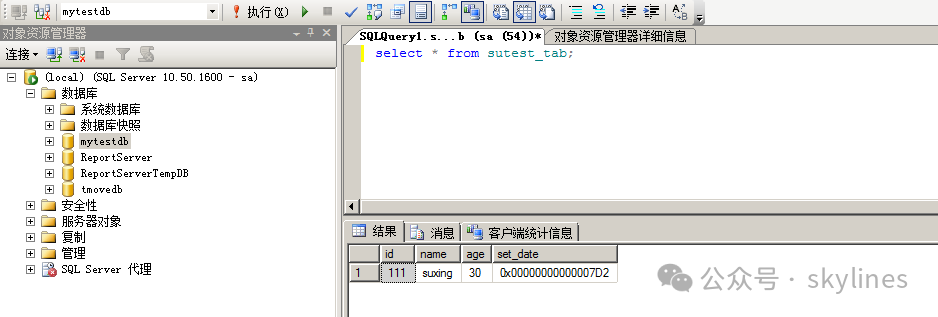
--创建连接 SQL Server的dblink并访问
create public database link ORATOSQLSERVER connect to sa identified by "XXXXXXXAAAAA" using 'dg4msql';
#oracle访问

#SQL Server访问
--总结
采用静默安装oracle database gateways方式,gateways的home目录不能放在 Oracle database soft的home目录下,但是图形安装方式可以放在database soft的home目录下。安装gateways 的版本要求和数据库引擎(database soft)的版本一致,如果不一致,后面通过dblink访问的时候就会报"ora-28500" and "ora-02063"的错误。如果Oracle 11.2.0.4y版本以下的数据库通过gateways访问SQL Server,比如Oracle 11.2.0.1或者Oracle 11.1.0.7,一个可以找到对应版本的gateways,另一个就是在同主机安装一个Oracle 11.2.04的软件,接着安装11.2.0.4版本的gateways,然后通过高版本的软件启动一个代理监听,在高版本的软件的tnsnames.ora文件下配置一个tns,通过这个tns创建连接SQL Server的dblink,这样就可以实现访问,并不会报错。
