



点击上方“IT那活儿”公众号--专注于企业全栈运维技术分享,不管IT什么活儿,干就完了!!!
1.1 基础环境
操作系统:CentOS7; CPU内存:1G; 磁盘:20G 缓存:虚拟机测试大小没有限制,正式环境请参考官网设置合适数值;
1.2 环境检查
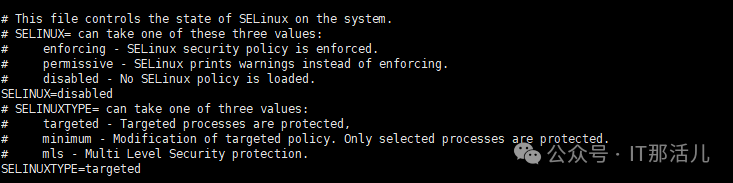
systemctl status firewalld.service

systemctl disable firewalld.service

systemctl stop firewalld.service
systemctl status firewalld.service

2.1 参数配置
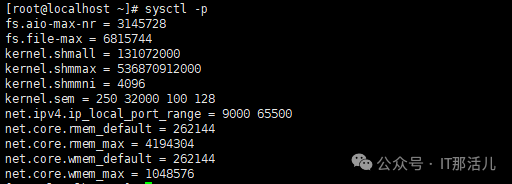
cat >> etc/sysctl.conf <<EOF
fs.aio-max-nr = 3145728
fs.file-max = 6815744
kernel.shmall = 131072000
kernel.shmmax = 536870912000
kernel.shmmni = 4096
kernel.sem = 250 32000 100 128
net.ipv4.ip_local_port_range = 9000 65500
net.core.rmem_default = 262144
net.core.rmem_max = 4194304
net.core.wmem_default = 262144
net.core.wmem_max = 1048576

#大页参数
vm.nr_hugepages = 1064   --根据实际内存设置适配值
EOF
cat >> /etc/security/limits.conf <<EOF
postgre soft nproc 20480
postgre hard nproc 65536
postgre soft nofile 20480
postgre hard nofile 65536
postgre hard memlock unlimited
postgre soft memlock unlimited
EOF
2.2 用户配置
groupadd -g 5432 postgre && useradd -u 5432 -g postgre postgre && echo postgre|passwd --stdin postgre
Id postgre

mkdir -p /usr/local/postgre/{db,data} && chown -R postgre:postgre /usr/local/postgre && chmod -R 775 /usr/local/postgre
yum -y install gcc readline-devel zlib-devel
cat >> .bash_profile <<EOF
export PGHOME=/usr/local/postgre/db
export PGDATA=/usr/local/postgre/data
export PGPORT=5432
export PGUSER=postgre
export PGLOG=\$PGDATA/postgre12.5.log
export PATH=\$PGHOME/bin:\$PATH
export LANG=en_US.utf8
export LD_LIBRARY_PATH=\$PGHOME/lib:\$LD_LIBRARY_PATH

alias pgstop='pg_ctl -D \$PGDATA -l \$PGLOG stop'
alias pgstart='pg_ctl -D \$PGDATA -l \$PGLOG start'
alias cdlog='cd \$PGDATA/log'
EOF
source .bash_profile
3.1 解压编译源码安装包
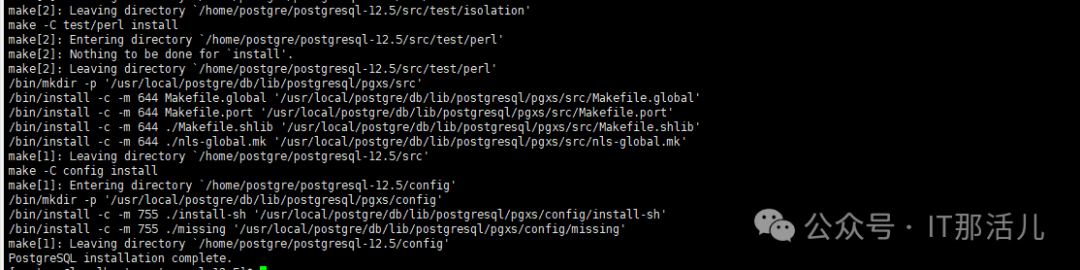
tar -zxf /home/postgre/postgresql-12.5.tar.gz -C /home/postgre && cd /home/postgre/postgresql-12.5 && ./configure --prefix=$PGHOME && make && make install
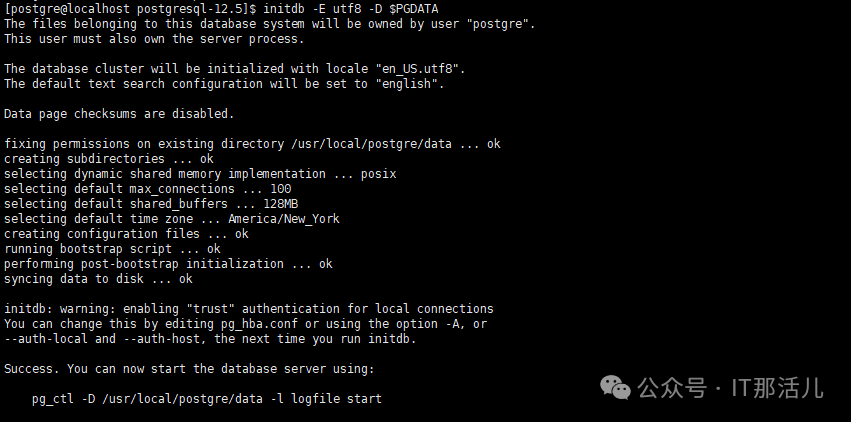
initdb -E utf8 -D $PGDATA
pg_ctl -D $PGDATA -l $PGLOG start

pg_ctl -D $PGDATA -l $PGLOG stop


本文作者:成 龙(上海新炬中北团队)
本文来源:“IT那活儿”公众号

文章转载自IT那活儿,如果涉嫌侵权,请发送邮件至:contact@modb.pro进行举报,并提供相关证据,一经查实,墨天轮将立刻删除相关内容。
