目录
3、配置客户端接入认证参数,IP为所要连接的主机IP。 14
一、前提条件
Linux环境安装了openssl组件(默认已安装)。
二、自认证证书生成过程
1、搭建CA环境
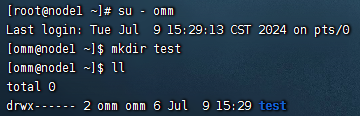
--以root用户身份登录数据库服务器环境,切换到用户omm
su - omm
--搭建CA的路径为test
mkdir test
--copy 配置文件openssl.cnf到test下
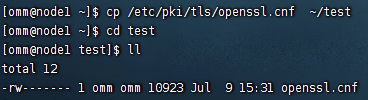
--到test文件夹下,开始搭建CA环境
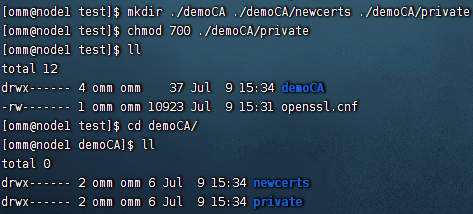
--创建文件夹demoCA./demoCA/newcerts./demoCA/private
mkdir ./demoCA ./demoCA/newcerts ./demoCA/private
chmod 777 ./demoCA/private
--创建serial文件,写入01
echo '01'>./demoCA/serial
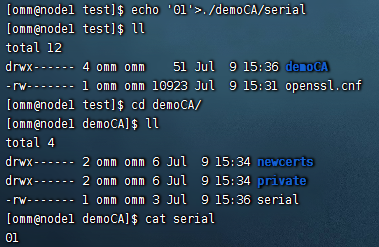
--创建文件index.txt
touch ./demoCA/index.txt
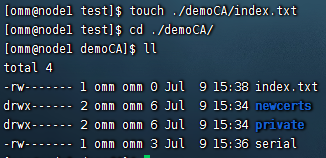
--修改openssl.cnf配置文件中的参数
dir = ./demoCA

default_md = sha256

--至此CA环境搭建完成
2、生成根私钥
--生成CA私钥
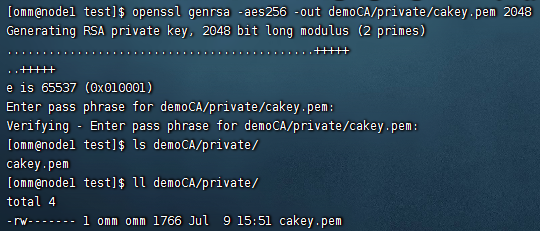
openssl genrsa -aes256 -out demoCA/private/cakey.pem 2048
Generating RSA private key, 2048 bit long modulus
.................+++
..................+++
e is 65537 (0x10001)
--设置根私钥的保护密码,假设为Test@123
Enter pass phrase for demoCA/private/cakey.pem:
--再次输入私钥密码 Test@123
Verifying - Enter pass phrase for demoCA/private/cakey.pem:
3、生成根证书请求文件
--生成CA根证书申请文件careq.pem
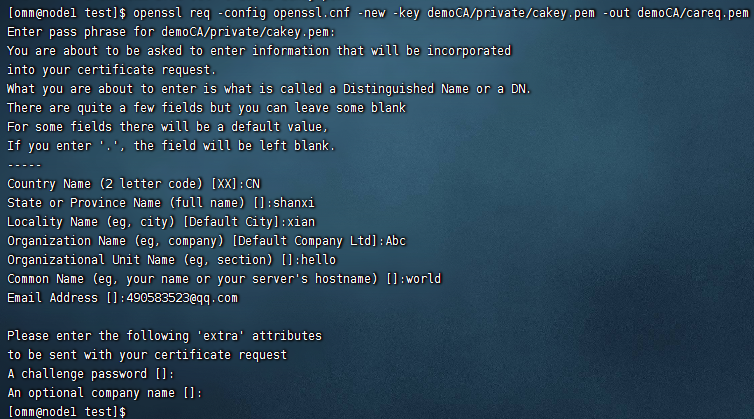
openssl req -config openssl.cnf -new -key demoCA/private/cakey.pem -out demoCA/careq.pem
Enter pass phrase for demoCA/private/cakey.pem:
--输入根私钥密码 Test@123
You are about to be asked to enter information that will be incorporated
into your certificate request.
What you are about to enter is what is called a Distinguished Name or a DN.
There are quite a few fields but you can leave some blank
For some fields there will be a default value,
If you enter '.', the field will be left blank.
-----
--以下名称请牢记,生成服务端证书和客户端证书时填写的信息需要与此处的一致
Country Name (2 letter code) [AU]:CN
State or Province Name (full name) [Some-State]:shanxi
Locality Name (eg, city) []:xian
Organization Name (eg, company) [Internet Widgits Pty Ltd]:Abc
Organizational Unit Name (eg, section) []:hello
--Common Name可以随意命名
Common Name (eg, YOUR name) []:world
--Email可以选择性填写
Email Address []:
Please enter the following 'extra' attributes
to be sent with your certificate request
A challenge password []:
An optional company name []:
4、生成自签发根证书
--生成根证书时,需要修改openssl.cnf文件,设置basicConstraints=CA:TRUE
vi openssl.cnf
--生成CA自签发根证书
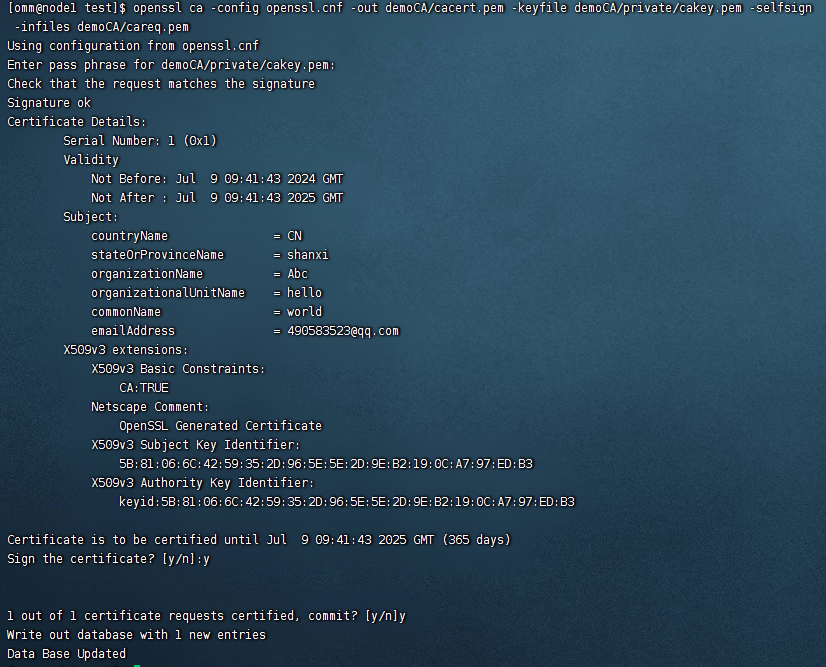
openssl ca -config openssl.cnf -out demoCA/cacert.pem -keyfile demoCA/private/cakey.pem -selfsign -infiles demoCA/careq.pem
Using configuration from openssl.cnf
Enter pass phrase for demoCA/private/cakey.pem:
--输入根私钥密码 Test@123
Check that the request matches the signature
Signature ok
Certificate Details:
Serial Number: 1 (0x1)
Validity
Not Before: Feb 28 02:17:11 2017 GMT
Not After : Feb 28 02:17:11 2018 GMT
Subject:
countryName = CN
stateOrProvinceName = shanxi
organizationName = Abc
organizationalUnitName = hello
commonName = world
X509v3 Extensions:
X509v3 Basic Constraints:
CA:FALSE
Netscape Comment:
OpenSSL Generated Certificate
X509v3 Subject Key Identifier:
F9:91:50:B2:42:8C:A8:D3:41:B0:E4:42:CB:C2:BE:8D:B7:8C:17:1F
X509v3 Authority Key Identifier:
keyid:F9:91:50:B2:42:8C:A8:D3:41:B0:E4:42:CB:C2:BE:8D:B7:8C:17:1F
Certificate is to be certified until Feb 28 02:17:11 2018 GMT (365 days)
Sign the certificate? [y/n]:y
1 out of 1 certificate requests certified, commit? [y/n]y
Write out database with 1 new entries
Data Base Updated
--至此CA根证书自签发完成,根证书demoCA/cacert.pem。
5、生成服务端证书私钥
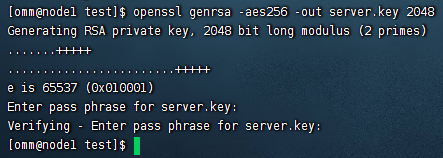
--生成服务端私钥文件server.key
openssl genrsa -aes256 -out server.key 2048
Generating a 2048 bit RSA private key
.......++++++
..++++++
e is 65537 (0x10001)
Enter pass phrase for server.key:
--服务端私钥的保护密码,假设为Test@123
Verifying - Enter pass phrase for server.key:
--再次确认服务端私钥的保护密码,即为Test@123
6、生成服务端证书请求文件
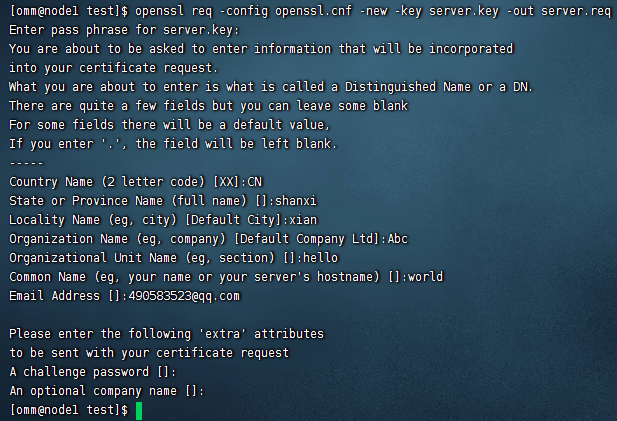
--生成服务端证书请求文件server.req
openssl req -config openssl.cnf -new -key server.key -out server.req
Enter pass phrase for server.key:
--输入Test@123
You are about to be asked to enter information that will be incorporated
into your certificate request.
What you are about to enter is what is called a Distinguished Name or a DN.
There are quite a few fields but you can leave some blank
For some fields there will be a default value,
If you enter '.', the field will be left blank.
-----
--以下填写的信息与创建CA时的信息一致
Country Name (2 letter code) [AU]:CN
State or Province Name (full name) [Some-State]:shanxi
Locality Name (eg, city) []:xian
Organization Name (eg, company) [Internet Widgits Pty Ltd]:Abc
Organizational Unit Name (eg, section) []:hello
--Common Name可以随意命名
Common Name (eg, YOUR name) []:world
Email Address []:
--以下信息可以选择性填写
Please enter the following 'extra' attributes
to be sent with your certificate request
A challenge password []:
An optional company name []:
7、生成服务端证书。
--生成服务端/客户端证书时,修改openssl.cnf文件,设置basicConstraints=CA:FALSE
vi openssl.cnf
--修改demoCA/index.txt.attr中属性为no。
vi demoCA/index.txt.attr
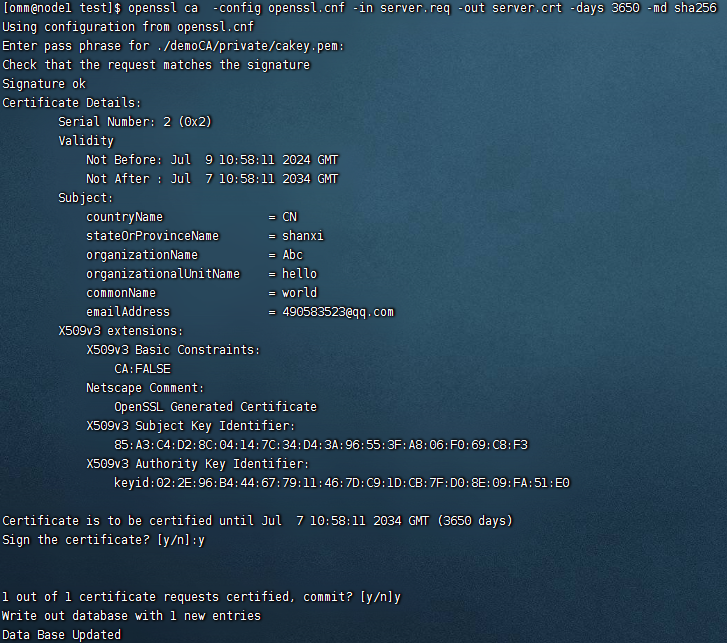
--对生成的服务端证书请求文件进行签发,签发后将生成正式的服务端证书server.crt
openssl ca -config openssl.cnf -in server.req -out server.crt -days 3650 -md sha256
Using configuration from /etc/ssl/openssl.cnf
Enter pass phrase for ./demoCA/private/cakey.pem:
--输入“Test@123”
Check that the request matches the signature
Signature ok
Certificate Details:
Serial Number: 2 (0x2)
Validity
Not Before: Feb 27 10:11:12 2017 GMT
Not After : Feb 25 10:11:12 2027 GMT
Subject:
countryName = CN
stateOrProvinceName = shanxi
organizationName = Abc
organizationalUnitName = hello
commonName = world
X509v3 Extensions:
X509v3 Basic Constraints:
CA:FALSE
Netscape Comment:
OpenSSL Generated Certificate
X509v3 Subject Key Identifier:
EB:D9:EE:C0:D2:14:48:AD:EB:BB:AD:B6:29:2C:6C:72:96:5C:38:35
X509v3 Authority Key Identifier:
keyid:84:F6:A1:65:16:1F:28:8A:B7:0D:CB:7E:19:76:2A:8B:F5:2B:5C:6A
Certificate is to be certified until Feb 25 10:11:12 2027 GMT (3650 days)
--选择y对证书进行签发
Sign the certificate? [y/n]:y
--选择y,证书签发结束
1 out of 1 certificate requests certified, commit? [y/n]y
Write out database with 1 new entries
Data Base Updated
--去掉私钥密码保护,方法如下:
--去掉服务端私钥的密码保护
openssl rsa -in server.key -out server.key

--如果不去掉服务端私钥的密码保护需要使用gs_guc工具对存储密码进行加密保护
gs_guc encrypt -M server -D ./
--根据提示输入服务端私钥的密码,加密后会生成server.key.cipher,server.key.rand两个私钥密码保护文件
8、客户端证书,私钥的生成
--生成客户端证书和客户端私钥的方法和要求与服务端相同。
--生成客户端私钥
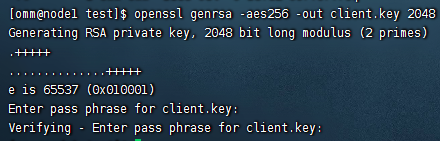
openssl genrsa -aes256 -out client.key 2048
Generating RSA private key, 2048 bit long modulus (2 primes)
.+++++
..............+++++
e is 65537 (0x010001)
Enter pass phrase for client.key:
--输入密码“Test@123”
Verifying - Enter pass phrase for client.key:
--再次输入密码“Test@123”
--生成客户端证书请求文件
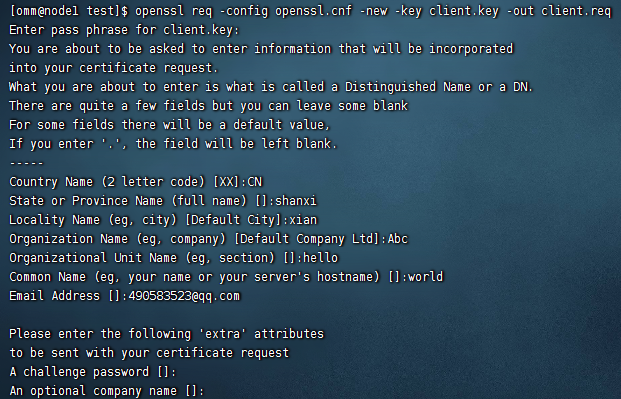
openssl req -config openssl.cnf -new -key client.key -out client.req
Enter pass phrase for client.key:
You are about to be asked to enter information that will be incorporated
into your certificate request.
What you are about to enter is what is called a Distinguished Name or a DN.
There are quite a few fields but you can leave some blank
For some fields there will be a default value,
If you enter '.', the field will be left blank.
-----
Country Name (2 letter code) [XX]:CN
State or Province Name (full name) []:shanxi
Locality Name (eg, city) [Default City]:xian
Organization Name (eg, company) [Default Company Ltd]:Abc
Organizational Unit Name (eg, section) []:hello
Common Name (eg, your name or your server's hostname) []:world
Email Address []:490583523@qq.com
Please enter the following 'extra' attributes
to be sent with your certificate request
A challenge password []:
An optional company name []:
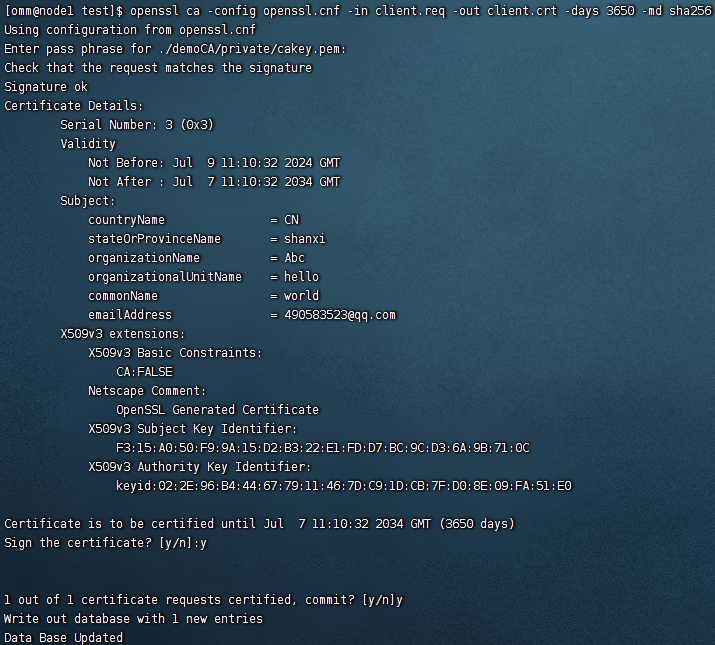
--对生成的客户端证书请求文件进行签发,签发后将生成正式的客户端证书client.crt
openssl ca -config openssl.cnf -in client.req -out client.crt -days 3650 -md sha256
--去掉私钥密码保护,方法如下:
--去掉客户端私钥的密码保护
openssl rsa -in client.key -out client.key

--如果不去掉客户端私钥的密码保护需要使用gs_guc工具对存储密码进行加密保护
gs_guc encrypt -M client -D ./
--根据提示输入客户端私钥的密码,加密后会生成client.key.cipher,client.key.rand两个私钥密码保护文件。
--将客户端密钥转化为DER格式,方法如下:
openssl pkcs8 -topk8 -outform DER -in client.key -out client.key.pk8 –nocrypt
三、用SSL进行安全的TCP/IP连接
openGauss支持SSL标准协议(TLS 1.2),SSL协议是安全性更高的协议标准,它们加入了数字签名和数字证书来实现客户端和服务器的双向身份验证,保证了通信双方更加安全的数据传输。
1、前提条件
从CA认证中心申请到正式的服务器、客户端的证书和密钥。(假设服务器的私钥为server.key,证书为server.crt,客户端的私钥为client.key,证书为client.crt,CA根证书名称为cacert.pem。)
- 当用户远程连接到数据库主节点时,需要使用sha256的认证方式。
- 当内部服务器之间连接时,需要使用trust的认证方式,支持IP白名单认证。
openGauss在数据库部署完成后,默认已开启SSL认证模式。服务器端证书,私钥以及根证书已经默认配置完成。用户需要配置客户端的相关参数。
2、开启SSL认证模式
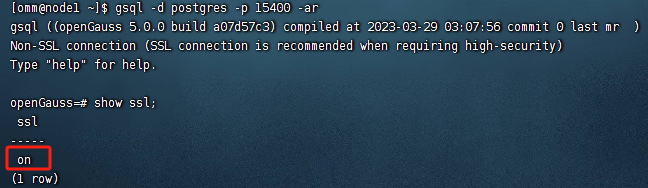
1) 查看
通过SQL命令行或者在openGauss的配置文件postgresql.conf中查看:
2)开启
gs_guc set -D /opt/openGauss/data/dn -c "ssl=on" (或者在openGauss的配置文件postgresql.conf 修改即可。)
3、配置客户端接入认证参数,IP为所要连接的主机IP。
gs_guc reload -D /opt/openGauss/data/dn -h "hostssl all all 0.0.0.0/0 md5"
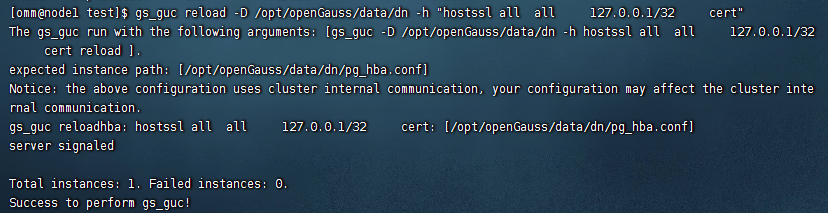
表示允许0.0.0.0/0网段的客户端以ssl认证方式连接到openGauss服务器。
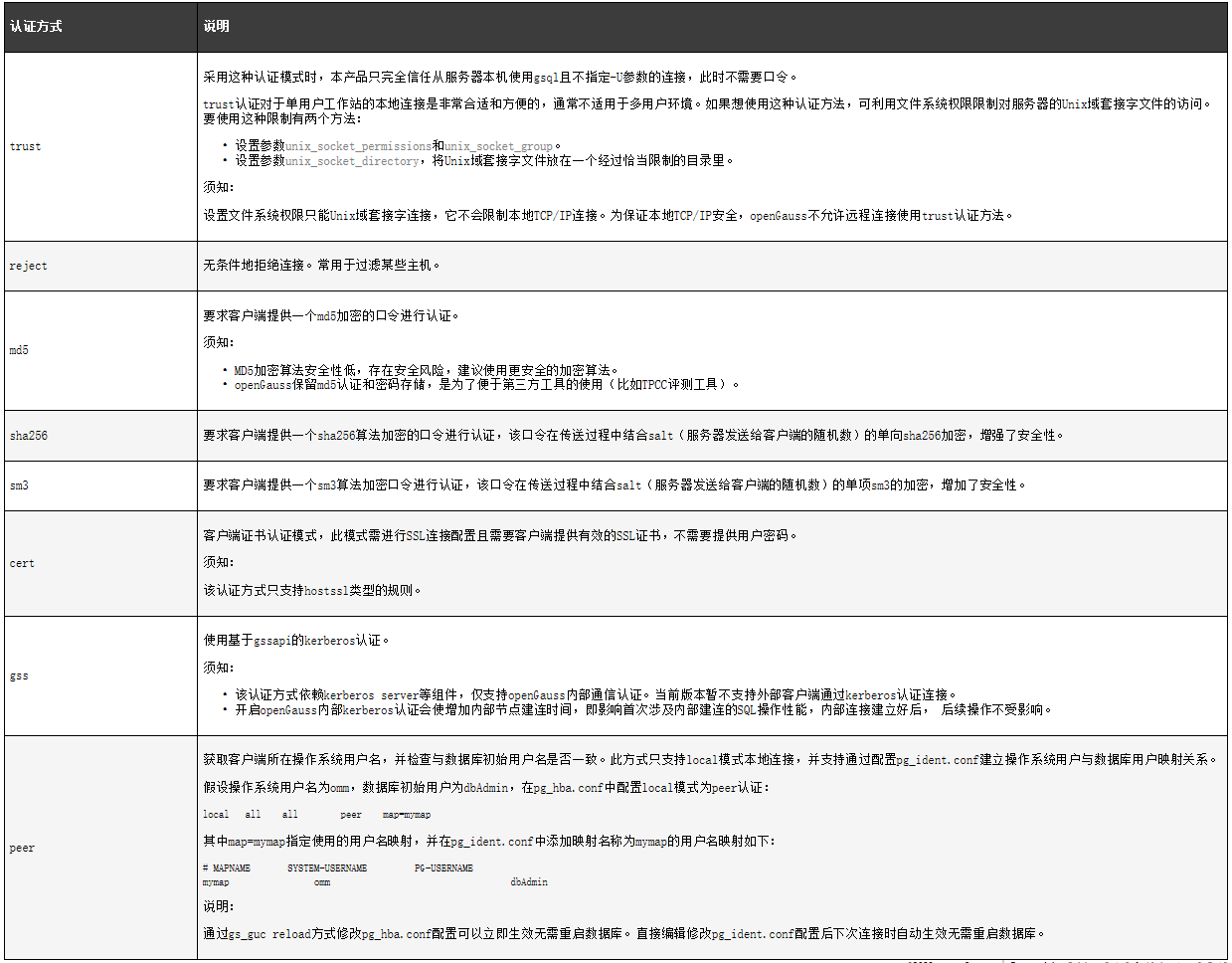
须知:如果服务端pg_hba.conf文件中METHOD配置为cert,则只有客户端使用证书(client.crt)中所设置的用户名(common name)才能够成功连接数据库。如果设置为md5、sm3或sha256则对连接数据库的用户没有限制。MD5加密算法安全性低,存在安全风险,建议使用更安全的加密算法。
4、配置SSL认证相关的数字证书参数
1)查看
cat /opt/openGauss/data/dn/postgresql.conf | grep ssl_cert_file
2)配置服务器端认证信息
gs_guc set -D /opt/openGauss/data/dn -c "ssl_cert_file='/home/omm/test/server.crt'"
gs_guc set -D /opt/openGauss/data/dn -c "ssl_key_file='/home/omm/test/server.key'"
gs_guc set -D /opt/openGauss/data/dn -c "ssl_ca_file='/home/omm/test/demoCA/cacert.pem'"
5、重启数据库
gs_om -t stop && gs_om -t start
如下命令只在当前会话有效
export PGSSLCERT="/home/omm/test/client.crt"
export PGSSLKEY="/home/omm/test/client.key"
export PGSSLMODE="verify-ca"
export PGSSLROOTCERT="/home/omm/test/demoCA/cacert.pem"
--或者将上面信息配置到环境变量文件中
vi /home/omm/.bashrc
source /home/omm/.bashrc
--修改客户端密钥的权限。客户端根证书,密钥,证书以及密钥密码加密文件的权限,需保证权限为600。如果权限不满足要求,则客户端无法以SSL连接到openGauss。
chmod 600 /home/omm/test/client.key
chmod 600 /home/omm/test/client.crt
chmod 600 /home/omm/test/demoCA/cacert.pem
chmod 600 /home/omm/test/client.key.cipher
chmod 600 /home/omm/test/client.key.rand
6、配置步骤如下
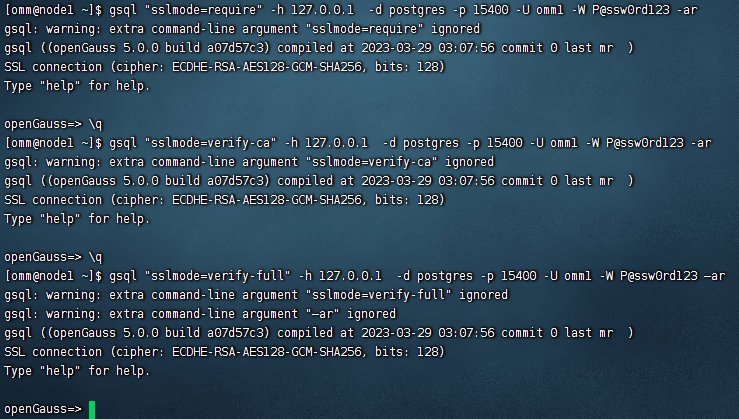
方式一:
gsql "sslmode=require" -h 127.0.0.1 -d postgres -p 15400 -U omm1 -W P@ssw0rd123 -ar
gsql "sslmode=verify-ca" -h 127.0.0.1 -d postgres -p 15400 -U omm1 -W P@ssw0rd123 -ar
gsql "sslmode=verify-full" -h 127.0.0.1 -d postgres -p 15400 -U omm1 -W P@ssw0rd123 –ar
……
方式二:上传证书文件,将在服务端配置章节生成出的文件client.key.pk8、client.crt、cacert.pem放置在客户端。
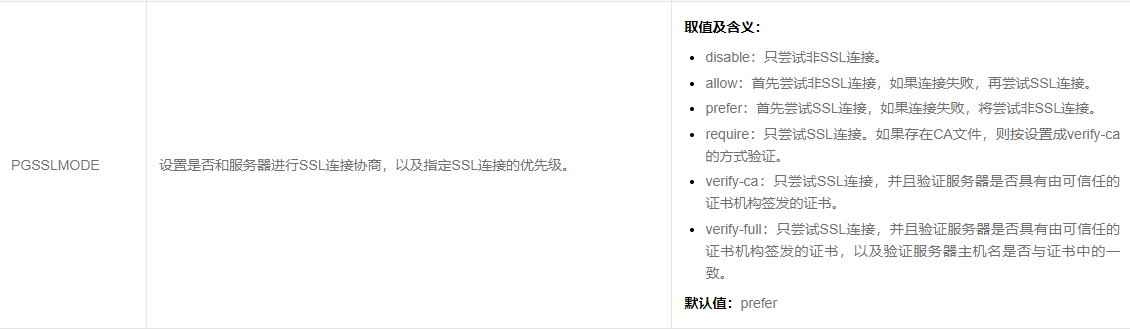
客户端参数环境变量参数PGSSLMODE: