



热衷于分享各种干货知识,大家有想看或者想学的可以评论区留言,秉承着“开源知识来源于互联网,回归于互联网”的理念,分享一些日常工作中能用到或者频率比较的内容,希望大家能够喜欢,并提出宝贵地意见,我们一起提升,守住自己的饭碗。
一、环境准备
只需要挂载镜像,或者上传镜像至指定目录进行挂载即可,上传安装包至任意目录,一键进行安装,此脚本的端口和密码大家可以自定义,备份的数据库名字也可以根据需要去修改,也包含了实例数据库的创建和巡检账号的创建。
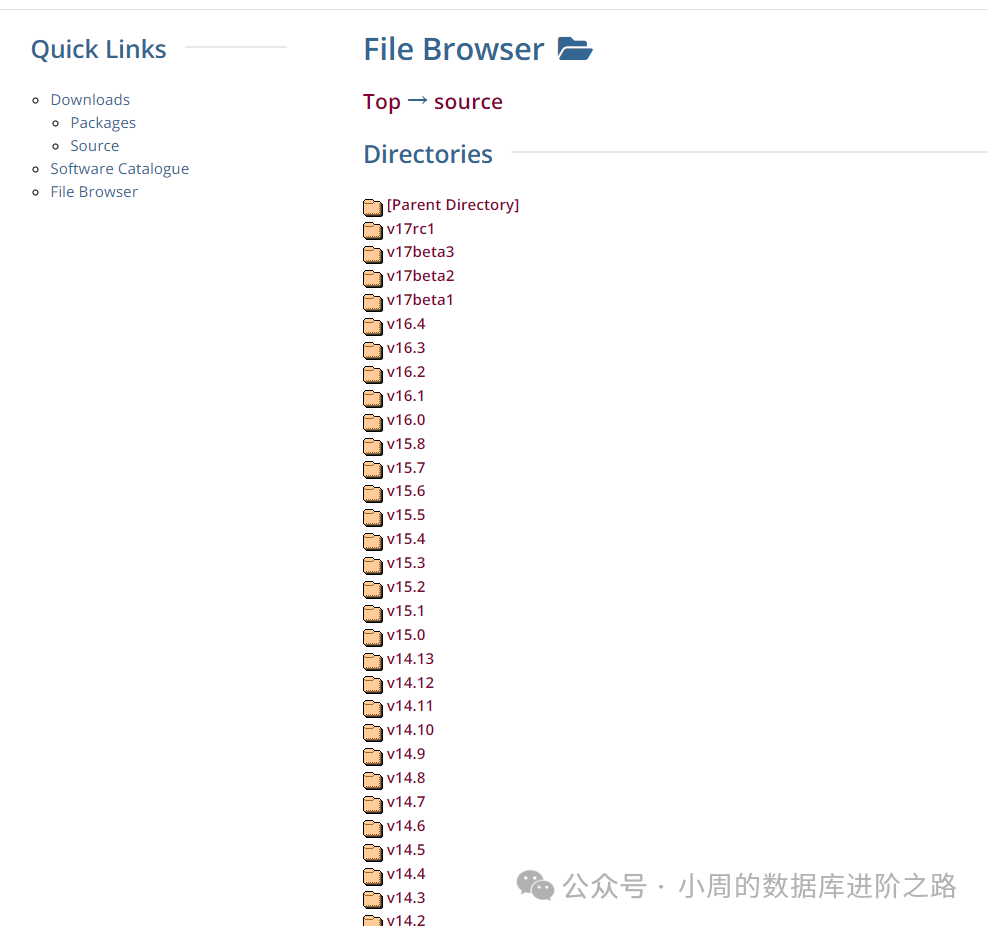
源码安装包下载地址:https://www.postgresql.org/ftp/source/
[root@localhost ~]# chmod +x pginstall.sh
[root@localhost ~]# cat pginstall.sh
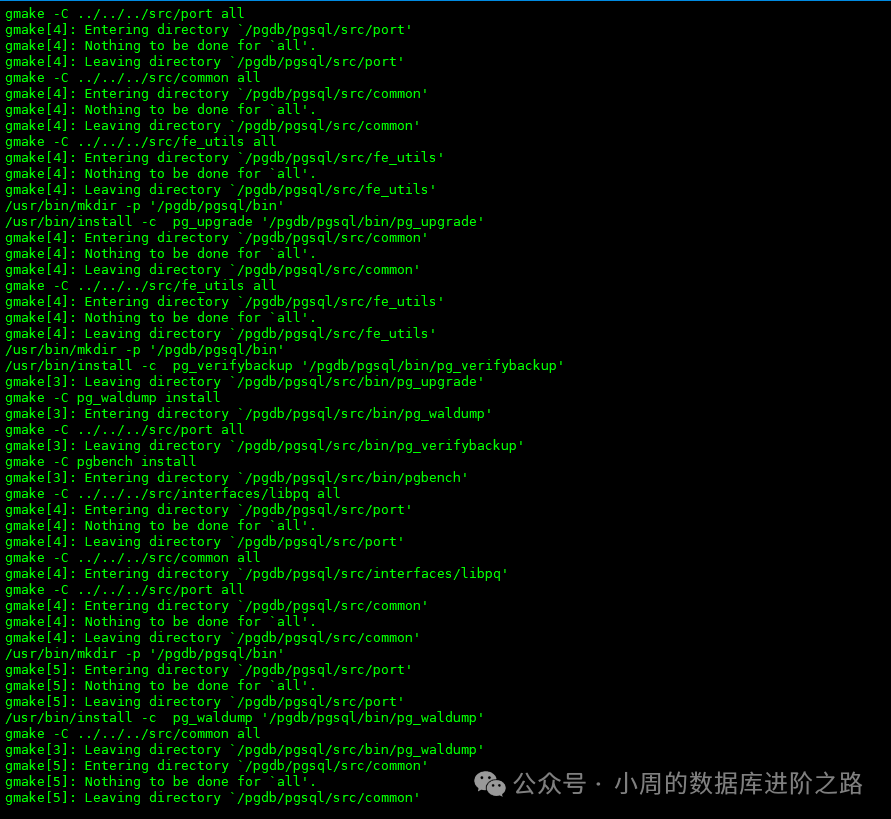
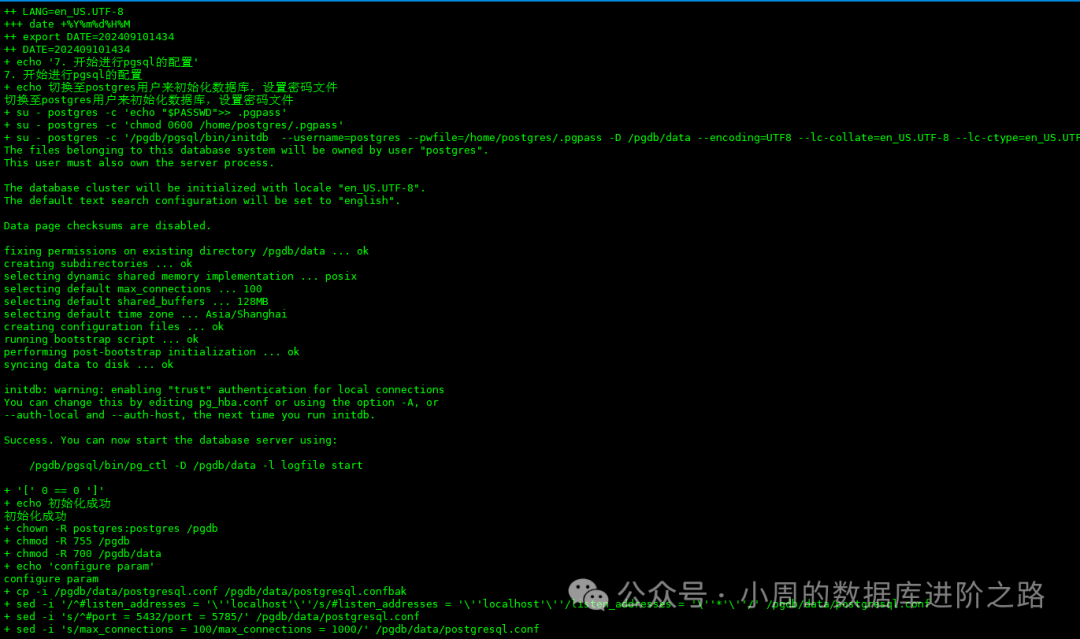
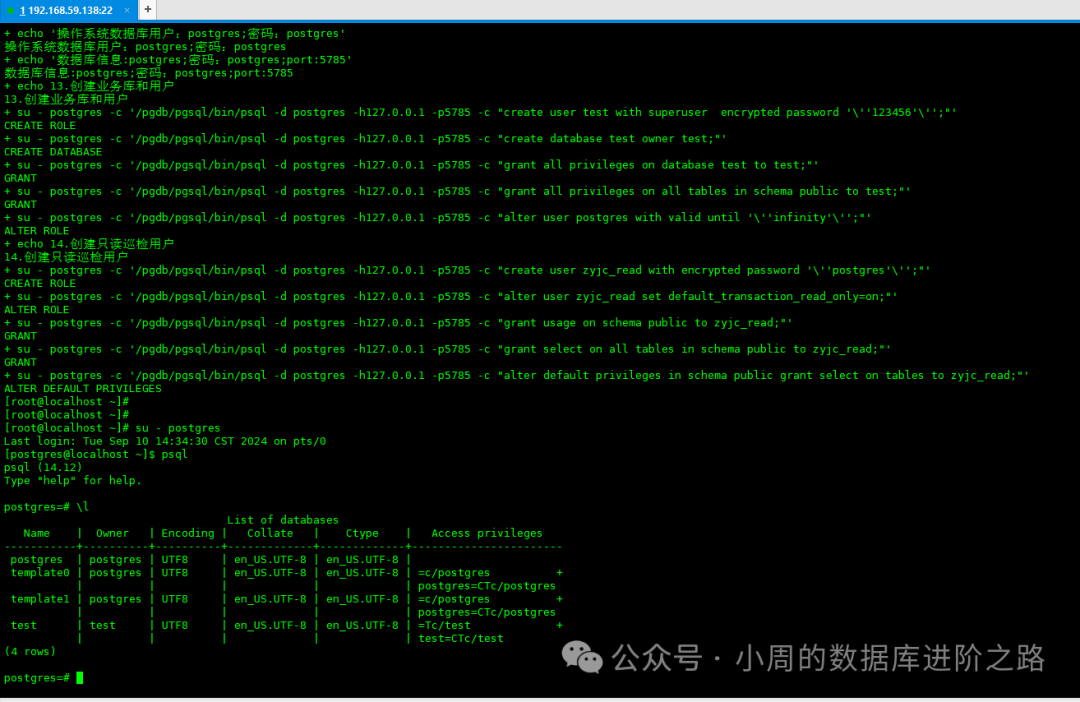
二、过程截图
三、脚本分享
#!/bin/bash
echo "-----------------------------开始PG数据库安装--------------------------------------"
systemctl stop firewalld
systemctl disable firewalld
dir=$(pwd)
echo  "db variable list"
BASEPATH=/pgdb
FILE_CONF=/pgdb/data/postgresql.conf
HBA_CONF=/pgdb/data/pg_hba.conf
PGDATA=/pgdb/data
PGHOME=/pgdb/pgsql
SCRIPTS_DIR=/pgdb/scripts
LOGPATH=/pgdb/data/log
PORT=5785
PASSWD="123456"
cpu=$(cat /proc/cpuinfo | grep 'physical id' | sort | uniq | wc -l)
sed -ri '/^root/a\postgres    ALL=(ALL)       NOPASSWD: ALL' /etc/sudoers
sed -i "s/SELINUX=enforcing/SELINUX=disabled/g" /etc/selinux/config
setenforce 0
systemctl daemon-reload
systemctl restart systemd-logind
echo  "安装相关依赖"
cd /etc/yum.repos.d/
rm -rf ./*
cat >> etc/yum.repos.d/centos.repo <<-EOF
[centos]
name=oracle
baseurl=file:///mnt
enabled=1
gpgcheck=0
EOF
cd
mount dev/sr0 mnt
yum clean all|wc -l
yum makecache
#当然大家也可以自定义目录上传iso镜像。进行挂载,比如上传到cdrom目录下,mount dev/cdrom mnt,修改repo文件,进行挂载即可。
yum install -y zlib-devel libaio cmake make gcc gcc-c++ readline readline-devel perl bison flex libyaml net-tools expect openssh-clients tcl openssl openssl-devel ncurses-devel python python-devel openldap pam systemtap-sdt-devel perl-ExtUtils-Embed libxml2 libxml2-devel libxslt libxslt-devel uuid-devel
echo  "postgres exits"
id $postgres >& dev/null
if [ $? -ne 0 ]
then
        echo "postgres already exits"
else
        echo "postgres not exits,please create"
        groupadd postgres
        useradd -g postgres postgres
        echo "$PASSWD"|passwd --stdin  postgres
        sed -ri '/^root/a\postgres ALL=(ALL) ALL' /etc/sudoers
fi

echo  "create directory"
if [ ! -d $BASEPATH ]
then
        mkdir -p $BASEPATH/{data,pg_archive,pg_backup,scripts,tmp}
fi


tar -zxf $dir/postgresql*.tar.gz -C $BASEPATH/
echo "pgsql upzip success"
echo "directory rights"
cd $BASEPATH
mv postgresql-*/ pgsql
chown -R postgres:postgres $BASEPATH
chmod -R 755 $BASEPATH

cd $PGHOME
./configure --prefix=$PGHOME --with-pgport=$PORT --with-openssl --with-perl --with-python --with-blocksize=32  --with-readline --with-libxml --with-libxslt
cd /home/postgres
postgresenvConf(){
conf_exist=$(cat .bash_profile |grep postgres|wc -l)
if [ $conf_exist -eq 0 ]; then
    echo "postgres user env configuration"
    cp .bash_profile .bash_profile.bak
    sed -i 's/^export PATH/#export PATH/' .bash_profile
    echo "#add by postgres" >> .bash_profile
    echo "export PGHOME=$PGHOME" >> .bash_profile
    echo "export PGDATA=$PGDATA" >> .bash_profile
    echo "export PGPORT=5785" >> .bash_profile
    echo "export PGPASSWORD=123456" >> .bash_profile
    echo 'export PATH=$PGHOME/bin:$PATH' >> .bash_profile
    echo 'export MANPATH=$PGHOME/share/man:$MANPATH' >> .bash_profile
    echo 'export LD_LIBRARY_PATH=$PGHOME/lib:$LD_LIBRARY_PATH' >> .bash_profile
    echo 'SCRIPTS_DIR=/pgdb/scripts' >> .bash_profile
    echo "export LANG="en_US.UTF-8"" >> .bash_profile
    echo 'export DATE=`date +"%Y%m%d%H%M"`' >> .bash_profile
    source /home/postgres/.bash_profile
else
    echo "postgres user env is already config, so we do nothing"
fi
}
postgresenvConf
su - postgres -c 'echo "$PASSWD">> .pgpass'
su - postgres -c "chmod 0600 /home/postgres/.pgpass"
su - postgres -c "$PGHOME/bin/initdb  --username=postgres --pwfile=/home/postgres/.pgpass -D $PGDATA --encoding=UTF8 --lc-collate=en_US.UTF-8 --lc-ctype=en_US.UTF-8"
if [ $? == 0 ]
 then
    echo "初始化成功"
    chown -R postgres:postgres $BASEPATH
    chmod -R 755 $BASEPATH
    chmod -R 700 $PGDATA
 else
    echo "初始化失败"
fi
echo "configure param"
cp $FILE_CONF $PGDATA/postgresql.confbak
sed -i "/^#listen_addresses = 'localhost'/s/#listen_addresses = 'localhost'/listen_addresses = '*'/" $FILE_CONF
sed -i "s/^#port = 5785/port = $PORT/" $FILE_CONF
sed -i 's/max_connections = 100/max_connections = 1000/' $FILE_CONF
sed -i 's/^#superuser_reserved_connections = 3/superuser_reserved_connections=10/' $FILE_CONF
sed -i "/^#max_prepared_transactions = 0/s/#max_prepared_transactions = 0/max_prepared_transactions = 500/" $FILE_CONF
sed -i "/^shared_buffers = 128MB/s/shared_buffers = 128MB/shared_buffers = 1024MB/" $FILE_CONF
sed -i "/^#effective_cache_size = 4GB/s/#effective_cache_size = 4GB/effective_cache_size = 3GB/" $FILE_CONF
sed -i "/^#work_mem = 4MB/s/^#work_mem = 4MB/work_mem = 30MB/" $FILE_CONF
sed -i "/^#maintenance_work_mem = 64MB/s/#maintenance_work_mem = 64MB/maintenance_work_mem = 256MB/" $FILE_CONF    # min( 8G, (主机内存*1/8)/max_parallel_maintenance_workers )
sed -i 's/^#vacuum_cost_limit = 200/vacuum_cost_limit = 500/' $FILE_CONF
sed -i "/^#max_parallel_maintenance_workers = 2/s/#max_parallel_maintenance_workers = 2/max_parallel_maintenance_workers = 4/" $FILE_CONF
sed -i "/^#max_parallel_workers_per_gather = 2/s/#max_parallel_workers_per_gather = 2/max_parallel_workers_per_gather = 4/" $FILE_CONF
sed -i "/^#max_parallel_workers = 8/s/^#//" $FILE_CONF
sed -i "/^#max_worker_processes = 8/s/^#//" $FILE_CONF
sed -i 's/^min_wal_size = 80MB/min_wal_size = 1GB/' $FILE_CONF
sed -i 's/^max_wal_size = 1GB/max_wal_size = 2GB/' $FILE_CONF
sed -i 's/^#checkpoint_timeout = 5min/checkpoint_timeout = 10min/' $FILE_CONF
sed -i "/^#checkpoint_completion_target = 0.9/s/^#//" $FILE_CONF
sed -i "/^#wal_level/s/^#//" $FILE_CONF
sed -i 's/#archive_mode = off/archive_mode = on/' $FILE_CONF
sed -i "/^#archive_command = ''/s/#archive_command = ''/archive_command ='\/usr\/bin\/lz4 -q -z %p \/pgdb\/pg_archive\/%f.lz4'/" $FILE_CONF
sed -i "/^#log_destination = 'stderr'/s/#log_destination = 'stderr'/log_destination = 'csvlog'/" $FILE_CONF
sed -i "/^#logging_collector = off/s/#logging_collector = off/logging_collector = on/" $FILE_CONF
sed -i "/^#log_disconnections = off/s/#log_disconnections = off/log_disconnections = on/" $FILE_CONF
sed -i "/^#log_connections = off/s/#log_connections = off/log_connections = on/" $FILE_CONF
sed -i "/^#authentication_timeout = 1min/s/#authentication_timeout = 1min/authentication_timeout = 59s/" $FILE_CONF
sed -i "/^#log_directory = 'log'/s/^#//" $FILE_CONF
sed -i "/^#log_filename/s/^#//" $FILE_CONF
sed -i "/^#log_file_mode/s/^#//" $FILE_CONF
sed -i "/^#log_rotation_age/s/^#//" $FILE_CONF
sed -i "/^#log_rotation_size/s/^#//" $FILE_CONF
sed -i "/^#temp_buffers = 8MB/s/#temp_buffers = 8MB/temp_buffers = 256MB/" $FILE_CONF
cp $HBA_CONF $PGDATA/pg_hba.confbak
echo "host    all             all             0.0.0.0/0               md5" >> $HBA_CONF
echo  "8. auto starting up"
cat > /usr/lib/systemd/system/postgres.service << "EOF"
[Unit]
Description=PostgreSQL database server
After=network.target
[Service]
Type=forking
User=postgres
Group=postgres
Environment=PGPORT=5785
Environment=PGDATA=/pgdb/data
OOMScoreAdjust=-1000
ExecStart=/pgdb/pgsql/bin/pg_ctl start -D $PGDATA
ExecStop=/pgdb/pgsql/bin/pg_ctl stop -D $PGDATA -s -m fast
ExecReload=/pgdb/pgsql/bin/pg_ctl reload -D $PGDATA -s
TimeoutSec=300
[Install]
WantedBy=multi-user.target
EOF
sed -i "s/^Environment=PGPORT=5785/Environment=PGPORT=$PORT/" /usr/lib/systemd/system/postgres.service
chmod +x /usr/lib/systemd/system/postgres.service
systemctl daemon-reload
systemctl start postgres.service
systemctl enable postgres.service
#判断是否启动成功
process=$(ps -ef | grep  -v 'grep'| grep  '$PGHOME/bin/postgres'|awk '{print $2}')
if [ -n "$process"  ];then  #检测字符串长度是否不为 0,不为 0 返回 true。
    echo "install success ans start success"
else
    echo "install fail"
fi
echo "-----------------------------恭喜完成安装--------------------------------------"
echo "---------------------------切换归档日志------------------------------------------------------"
su - postgres -c "$PGHOME/bin/psql -d postgres -h127.0.0.1 -p$PORT -c \"select pg_switch_wal();\""
echo "---------------------------------------------------------------------------------------"
echo "---------------------------添加备份任务------------------------------------------------------"
cat > $SCRIPTS_DIR/pg_backup.sh << "EOF"
#!/bin/bash
echo  "logical backup"
PG_HOME=/pgdb
PG_HOST="127.0.0.1"
PG_PORT="5785"
PG_USER="postgres"
PG_PASSWD="123456"
DATE="`date +%Y%m%d`"
DIR_BACKUP="${PG_HOME}/pg_backup"
DIR_LOG="${DIR_BACKUP}/logs"
FILE_LOG="${DIR_LOG}/db_backup.INFO.`date +%F`.log"
DAY=7
DAY_LOG="`expr ${DAY} + 7`"
DATABASES=("postgres" "test")
test -d ${DIR_LOG} || mkdir -p ${DIR_LOG}
test -d ${DIR_BACKUP}/${PG_USER}-${DATE} || mkdir -p ${DIR_BACKUP}/${PG_USER}-${DATE}
# -------------------  Start -------------------
echo -e "\n----------------- $(date +%F\ %T) Start -----------------"
echo -e "\n================= $(date +%F\ %T) Start =================" >> ${FILE_LOG}
for database in "${DATABASES[@]}"; do
    echo "---------- Current backup database: [ ${database} ] ----------"
    echo "----------- Backed-up database: [ ${database} ] -----------" >> ${FILE_LOG}
    ${PG_HOME}/pgsql/bin/pg_dump -h ${PG_HOST} -p ${PG_PORT} -U ${PG_USER} -w -Fc -d ${database}  -b -f ${DIR_BACKUP}/${PG_USER}-${DATE}/db_${database}_${DATE}.dmp
done
cd ${DIR_BACKUP}
tar -czf ${PG_USER}-${DATE}.tar.gz ${PG_USER}-${DATE}/
echo "---------- Backup file created: [ ${PG_USER}-${DATE}.tar.gz ]"
echo "Backup file created: ${DIR_BACKUP}/${PG_USER}-${DATE}.tar.gz" >> ${FILE_LOG}

rm -f ${DIR_BACKUP}/${PG_USER}-${DATE}/*
rmdir ${DIR_BACKUP}/${PG_USER}-${DATE}/
# ---------------------------------------------------------------------------------
echo "--------------------- Deleted old files ---------------------" >> ${FILE_LOG}
echo "`find ${DIR_BACKUP} -type f -mtime +${DAY} -iname ${PG_USER}-\*.gz`" >> ${FILE_LOG}
echo "`find ${DIR_LOG} -type f -mtime +${DAY_LOG} -iname db_backup.INFO.\*.log`" >> ${FILE_LOG}
find ${DIR_BACKUP} -type f -mtime +${DAY} -iname ${PG_USER}-\*.gz -exec rm -f {} \;
find ${DIR_LOG} -type f -mtime +${DAY_LOG} -iname db_backup.INFO.\*.log -exec rm -f {} \;
echo -e "------------------ $(date +%F\ %T) End ------------------\n"
echo -e "================== $(date +%F\ %T) End ==================\n" >> ${FILE_LOG}
EOF
echo "数据库逻辑备份:每日凌晨30分进行逻辑备份,保留7天备份文件"
echo  "11.configure crontab"
if [[ -e /var/spool/cron/postgres ]]; then
  cp /var/spool/cron/postgres /var/spool/cron/postgresbak
else
  touch /var/spool/cron/postgres
fi
chown -R postgres:postgres $SCRIPTS_DIR
chmod +x $SCRIPTS_DIR/*.sh
cat >> /var/spool/cron/postgres << "EOF"
# PostgresBegin
30 00 * * * /pgdb/scripts/pg_backup.sh > /dev/null 2>&1
10 00 * * * find /pgdb/data/pg_archive -type f -name "0000000*" -mtime +5 -exec rm {} \; > /pgdb/data/pg_archive/del_pgarchive_`date +%F`.log 2>&1
#00 01 * * * find /pgdb/data/pg_wal -type f -name "0000000*" -mtime +5 -exec rm {} \; > /pgdb/data/pg_wal/clean_pgwal_`date +%F`.log 2>&1
00 01 * * * find /pgdb/data/log -type f -name "postgresql*.log" -mtime +90 -exec rm {} \; > /pgdb/data/log/clean_log_`date +%F`.log 2>&1
00 01 * * * find /pgdb/data/log -type f -name "postgresql*.csv" -mtime +90 -exec rm {} \; > /pgdb/data/log/clean_csv_`date +%F`.log 2>&1
EOF
echo "--------------创建只读巡检用户-------------------"
su - postgres -c "$PGHOME/bin/psql -d postgres -h127.0.0.1 -p5785 -c \"create user zyjc_read with encrypted password 'postgres';\""
su - postgres -c "$PGHOME/bin/psql -d postgres -h127.0.0.1 -p5785 -c \"alter user zyjc_read set default_transaction_read_only=on;\""
su - postgres -c "$PGHOME/bin/psql -d postgres -h127.0.0.1 -p5785 -c \"grant select on all tables in schema public to zyjc_read;\""
su - postgres -c "$PGHOME/bin/psql -d postgres -h127.0.0.1 -p5785 -c \"alter default privileges in schema public grant select on tables to zyjc_read;\""
说明:本来想做个离线的rpm包,但因相互依赖的包太多,所以选择上传镜像作为rpm源。
文中的概念来源于互联网,如有侵权,请联系我删除。
欢迎关注公众号:小周的数据库进阶之路,一起交流数据库、中间件和云计算等技术。如果觉得读完本文有收获,可以转发给其他朋友,大家一起学习进步!感兴趣的朋友可以加我微信,拉您进群与业界的大佬们一起交流学习。
