



在PostgreSQL数据库定位问题时,可以使用pg_xlogdump/pg_waldump来解析XLOG/WAL日志,包括日志类型、对应的事务号、对应的操作等等。
openGauss在3.0.5版本,构建二进制工具的时候默认加上pg_xlogdump和pagehack工具。而MogDB是在 5.0.2版本开始引入。
一、pg_xlogdump的使用
1.pg_xlogdump的选项列表
pg_xlogdump的选项如下
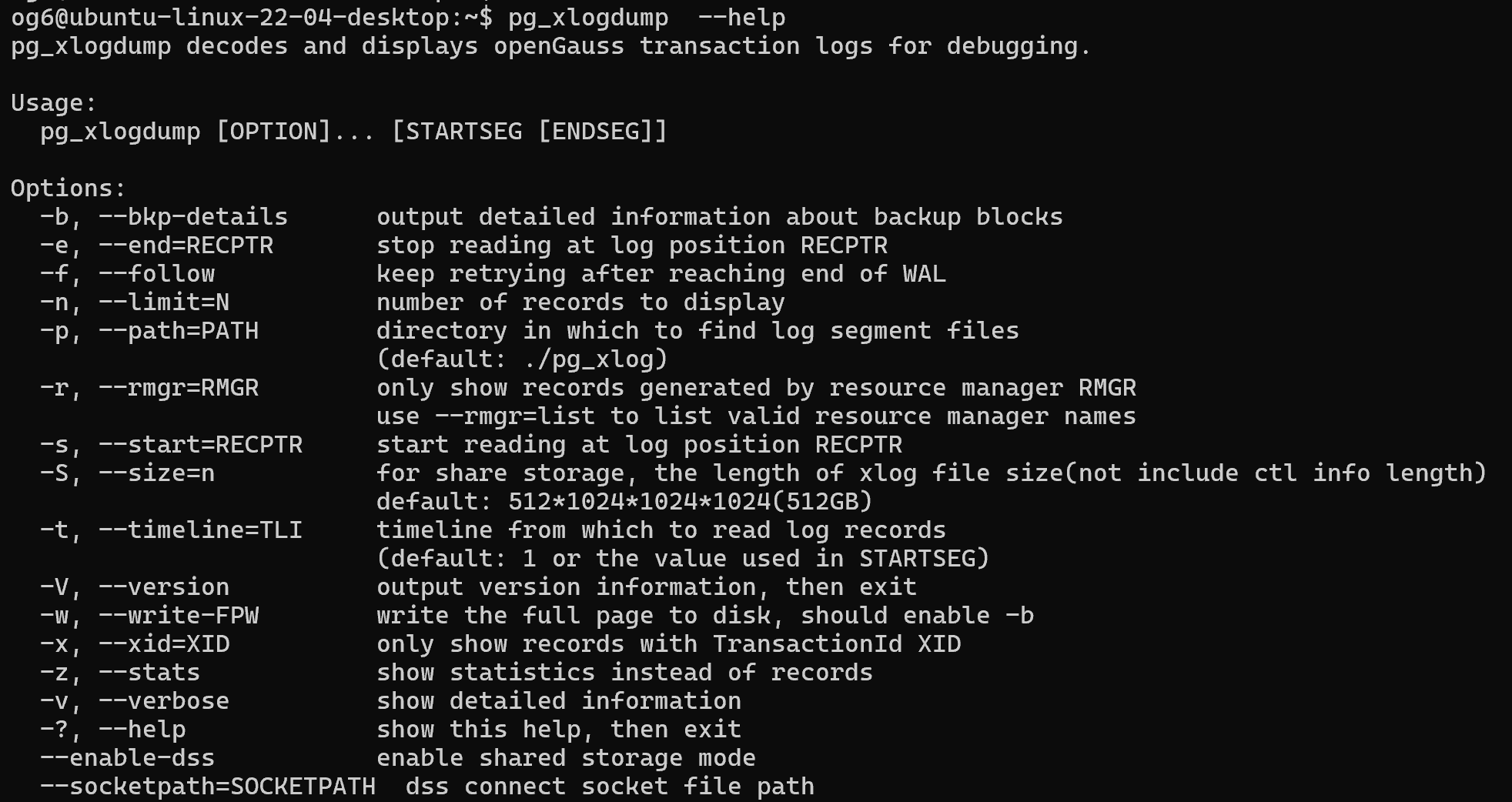
og6@ubuntu-linux-22-04-desktop:~$ pg_xlogdump  --help
pg_xlogdump decodes and displays openGauss transaction logs for debugging.

Usage:
  pg_xlogdump [OPTION]... [STARTSEG [ENDSEG]]

Options:
  -b, --bkp-details      输出文件块的详细信息。(默认显示block的id、rel、fork、blk、lastlsn,该参数会显示Block Image)
  -e, --end=RECPTR       指定解析wal日志的结束位置,LSN号
  -f, --follow           表示当指定的wal日志解析到结尾时,继续往下一个文件解析
  -n, --limit=N          指定输出数据记录的条数
  -p, --path=PATH        指定wal日志存放目录(default: ./pg_xlog)
  -r, --rmgr=RMGR        只显示资源管理器生成的记录内容
                         使用 --rmgr=list 列出有效的资源管理器名称
  -s, --start=RECPTR     指定解析wal日志的开始位置,LSN号
  -S, --size=n           对于共享存储,xlog文件大小的长度(不包括ctl信息长度)
                         default: 512*1024*1024*1024(512GB)
  -t, --timeline=TLI     指定开始读取wal日志的timeline
                         (default: 1 or the value used in STARTSEG)
  -V, --version          显示版本号
  -w, --write-FPW        显示全页写的信息,配合-b使用
  -x, --xid=XID          输出指定事务id的记录
  -z, --stats            输出插入记录的统计
  -v, --verbose          显示细节信息
  -?, --help             显示帮助信息并退出
  --enable-dss           启用共享存储模式
  --socketpath=SOCKETPATH  dss连接套接字文件路径
2.测试
创建表并增加主键(模拟数据)
gsql ((openGauss 6.0.0-RC1 build ed7f8e37) compiled at 2024-03-31 13:15:20 commit 0 last mr  )
Non-SSL connection (SSL connection is recommended when requiring high-security)
Type "help" for help.

openGauss=# create table test_tab1(id int, name varchar(20),insert_time timestamp not null default now());
CREATE TABLE
openGauss=# show wal_level ;
 wal_level
-----------
 logical
(1 row)
openGauss=#  alter table test_tab1 add primary key(id);
NOTICE:  ALTER TABLE / ADD PRIMARY KEY will create implicit index "test_tab1_pkey" for table "test_tab1"
ALTER TABLE
openGauss=# insert into test_tab1 values(1,'ysl');
INSERT 0 1
openGauss=# select xmin,xmax,* from test_tab1;
 xmin  | xmax | id | name |        insert_time
-------+------+----+------+----------------------------
 16211 |    0 |  1 | ysl  | 2024-09-23 11:53:55.534742
(1 row)

openGauss=# select pg_relation_filenode('test_tab1');
 pg_relation_filenode
----------------------
                46680
(1 row)

openGauss=# select pg_current_xlog_location();
 pg_current_xlog_location
--------------------------
 0/6000420
(1 row)

openGauss=# select pg_xlogfile_name(pg_current_xlog_location());
     pg_xlogfile_name
--------------------------
 000000010000000000000006
(1 row)
使用下面命令解析xlog文件
pg_xlogdump -x 16211 000000010000000000000006

使用-z选项看记录的统计
pg_xlogdump -z 000000010000000000000006
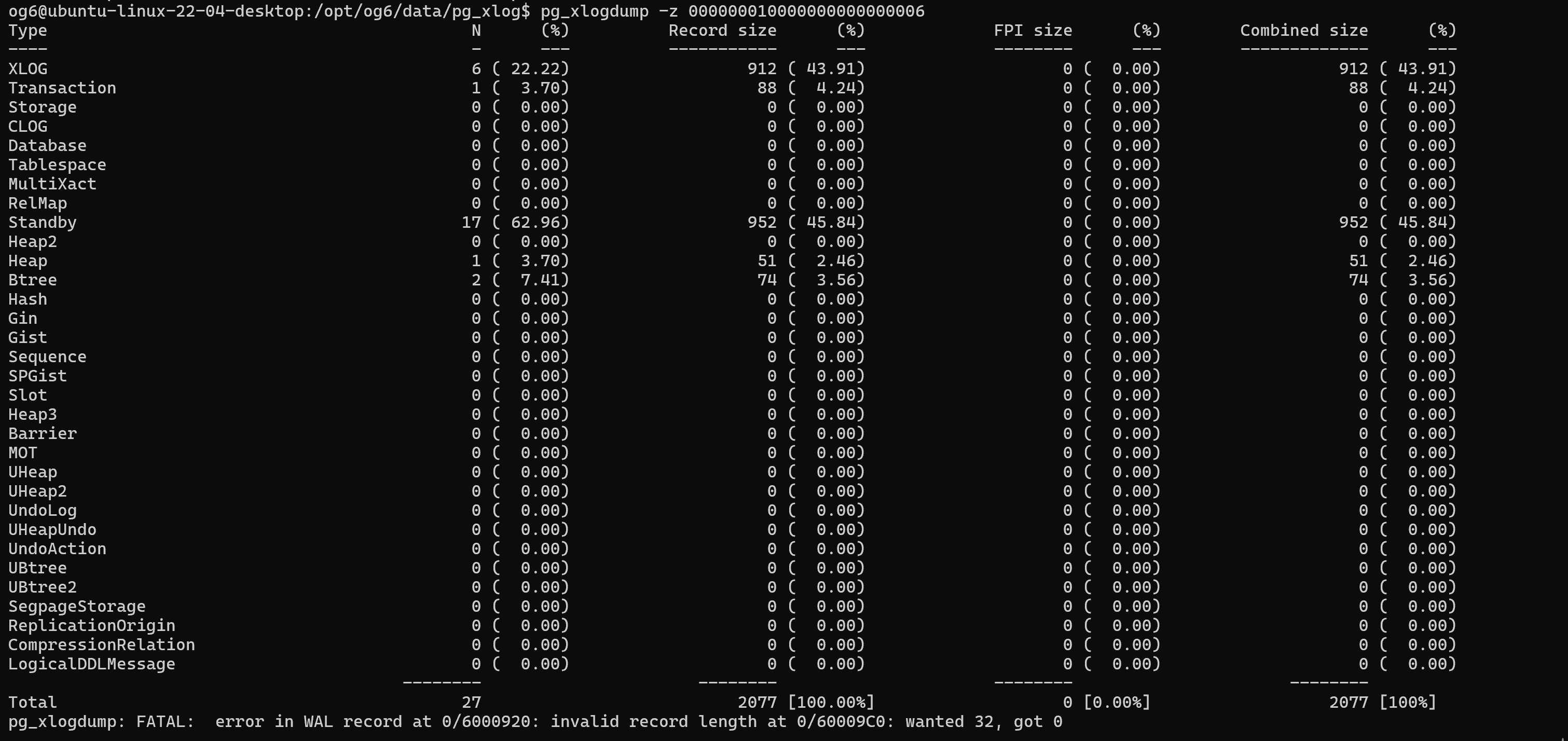
结果如下
Type                                           N      (%)          Record size      (%)             FPI size      (%)        Combined size      (%)
----                                           -      ---          -----------      ---             --------      ---        -------------      ---
XLOG                                           6 ( 22.22)                  912 ( 43.91)                    0 (  0.00)                  912 ( 43.91)
Transaction                                    1 (  3.70)                   88 (  4.24)                    0 (  0.00)                   88 (  4.24)
Storage                                        0 (  0.00)                    0 (  0.00)                    0 (  0.00)                    0 (  0.00)
CLOG                                           0 (  0.00)                    0 (  0.00)                    0 (  0.00)                    0 (  0.00)
Database                                       0 (  0.00)                    0 (  0.00)                    0 (  0.00)                    0 (  0.00)
Tablespace                                     0 (  0.00)                    0 (  0.00)                    0 (  0.00)                    0 (  0.00)
MultiXact                                      0 (  0.00)                    0 (  0.00)                    0 (  0.00)                    0 (  0.00)
RelMap                                         0 (  0.00)                    0 (  0.00)                    0 (  0.00)                    0 (  0.00)
Standby                                       17 ( 62.96)                  952 ( 45.84)                    0 (  0.00)                  952 ( 45.84)
Heap2                                          0 (  0.00)                    0 (  0.00)                    0 (  0.00)                    0 (  0.00)
Heap                                           1 (  3.70)                   51 (  2.46)                    0 (  0.00)                   51 (  2.46)
Btree                                          2 (  7.41)                   74 (  3.56)                    0 (  0.00)                   74 (  3.56)
Hash                                           0 (  0.00)                    0 (  0.00)                    0 (  0.00)                    0 (  0.00)
Gin                                            0 (  0.00)                    0 (  0.00)                    0 (  0.00)                    0 (  0.00)
Gist                                           0 (  0.00)                    0 (  0.00)                    0 (  0.00)                    0 (  0.00)
Sequence                                       0 (  0.00)                    0 (  0.00)                    0 (  0.00)                    0 (  0.00)
SPGist                                         0 (  0.00)                    0 (  0.00)                    0 (  0.00)                    0 (  0.00)
Slot                                           0 (  0.00)                    0 (  0.00)                    0 (  0.00)                    0 (  0.00)
Heap3                                          0 (  0.00)                    0 (  0.00)                    0 (  0.00)                    0 (  0.00)
Barrier                                        0 (  0.00)                    0 (  0.00)                    0 (  0.00)                    0 (  0.00)
MOT                                            0 (  0.00)                    0 (  0.00)                    0 (  0.00)                    0 (  0.00)
UHeap                                          0 (  0.00)                    0 (  0.00)                    0 (  0.00)                    0 (  0.00)
UHeap2                                         0 (  0.00)                    0 (  0.00)                    0 (  0.00)                    0 (  0.00)
UndoLog                                        0 (  0.00)                    0 (  0.00)                    0 (  0.00)                    0 (  0.00)
UHeapUndo                                      0 (  0.00)                    0 (  0.00)                    0 (  0.00)                    0 (  0.00)
UndoAction                                     0 (  0.00)                    0 (  0.00)                    0 (  0.00)                    0 (  0.00)
UBtree                                         0 (  0.00)                    0 (  0.00)                    0 (  0.00)                    0 (  0.00)
UBtree2                                        0 (  0.00)                    0 (  0.00)                    0 (  0.00)                    0 (  0.00)
SegpageStorage                                 0 (  0.00)                    0 (  0.00)                    0 (  0.00)                    0 (  0.00)
ReplicationOrigin                              0 (  0.00)                    0 (  0.00)                    0 (  0.00)                    0 (  0.00)
CompressionRelation                            0 (  0.00)                    0 (  0.00)                    0 (  0.00)                    0 (  0.00)
LogicalDDLMessage                              0 (  0.00)                    0 (  0.00)                    0 (  0.00)                    0 (  0.00)
                                        --------                      --------                      --------                      --------
Total                                         27                          2077 [100.00%]                   0 [0.00%]                  2077 [100%]
pg_xlogdump: FATAL:  error in WAL record at 0/6000920: invalid record length at 0/60009C0: wanted 32, got 0
二、pagehack的使用
pagehack工具用于对openGauss/MogDB实例中创建的行存表和BTree索引产生的离线文件进行解析。pagehack是一个二进制可执行工具,直接在终端命令行执行,参数为需要解析的文件(支持行存表和BTree索引文件),显示文件中page页面具体数据内容。
1.pagehack的选项
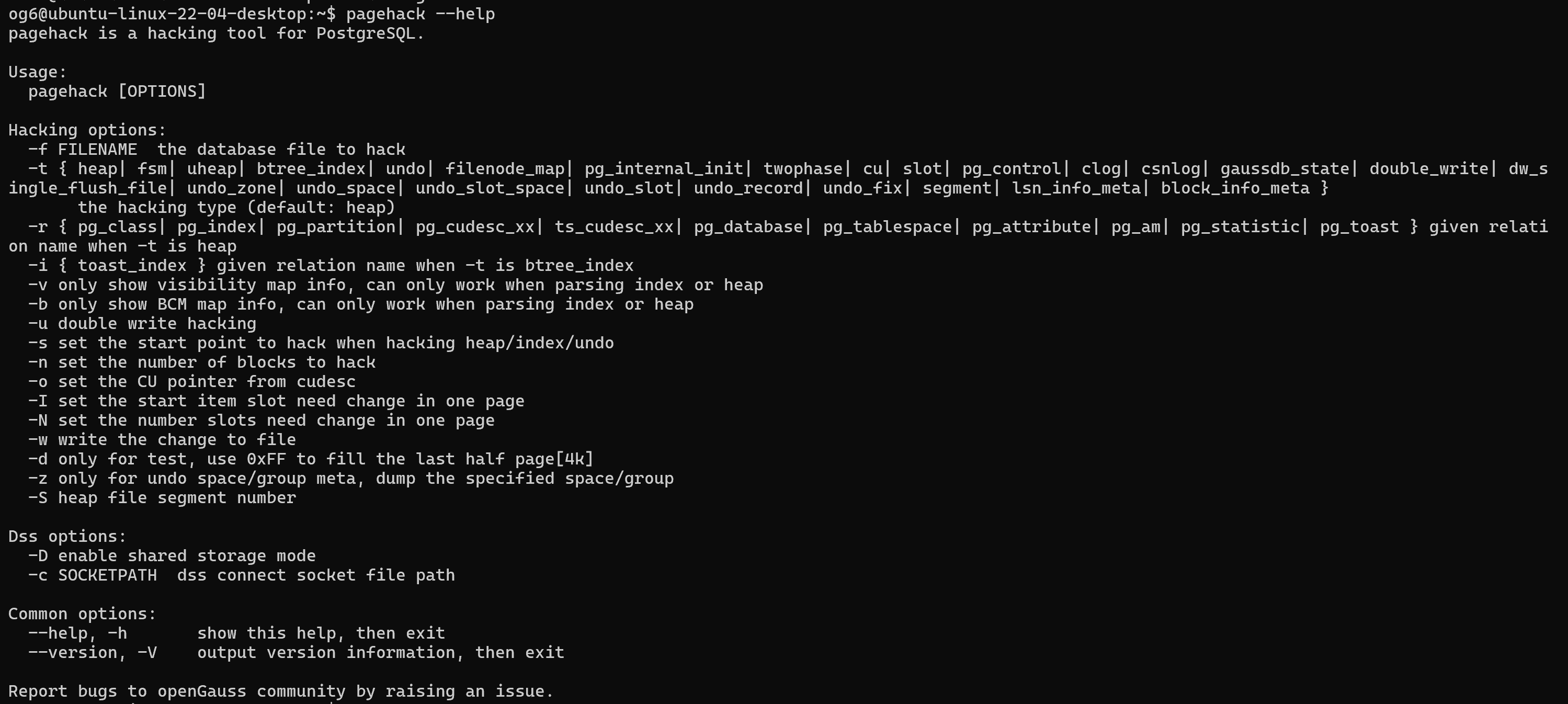
og6@ubuntu-linux-22-04-desktop:~$ pagehack --help
pagehack is a hacking tool for PostgreSQL.

Usage:
  pagehack [OPTIONS]

Hacking options:
  -f FILENAME  the database file to hack
  -t { heap| fsm| uheap| btree_index| undo| filenode_map| pg_internal_init| twophase| cu| slot| pg_control| clog| csnlog| gaussdb_state| double_write| dw_single_flush_file| undo_zone| undo_space| undo_slot_space| undo_slot| undo_record| undo_fix| segment| lsn_info_meta| block_info_meta }
       the hacking type (default: heap)
  -r { pg_class| pg_index| pg_partition| pg_cudesc_xx| ts_cudesc_xx| pg_database| pg_tablespace| pg_attribute| pg_am| pg_statistic| pg_toast } given relation name when -t is heap
  -i { toast_index } given relation name when -t is btree_index
  -v only show visibility map info, can only work when parsing index or heap
  -b only show BCM map info, can only work when parsing index or heap
  -u double write hacking
  -s set the start point to hack when hacking heap/index/undo
  -n set the number of blocks to hack
  -o set the CU pointer from cudesc
  -I set the start item slot need change in one page
  -N set the number slots need change in one page
  -w write the change to file
  -d only for test, use 0xFF to fill the last half page[4k]
  -z only for undo space/group meta, dump the specified space/group
  -S heap file segment number

Dss options:
  -D enable shared storage mode
  -c SOCKETPATH  dss connect socket file path

Common options:
  --help, -h       show this help, then exit
  --version, -V    output version information, then exit

Report bugs to openGauss community by raising an issue.
2.测试语句
2.1解析pca文件
pagehack -t pca -f 21950_pca >21950pca_0.data
2.2检查clog,查看事务状态
pagehack -t clog -f clog_name
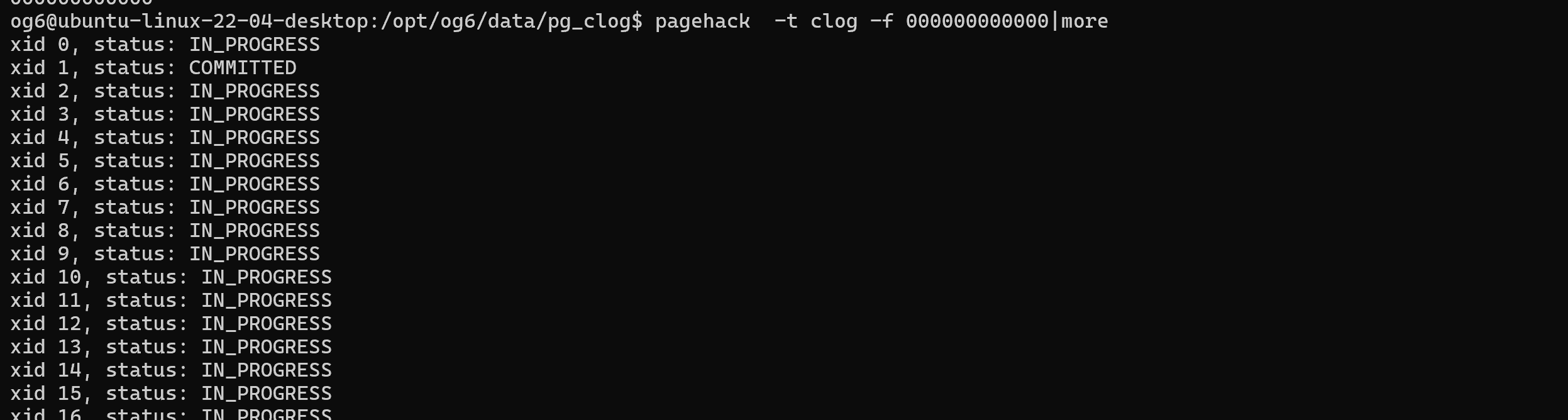
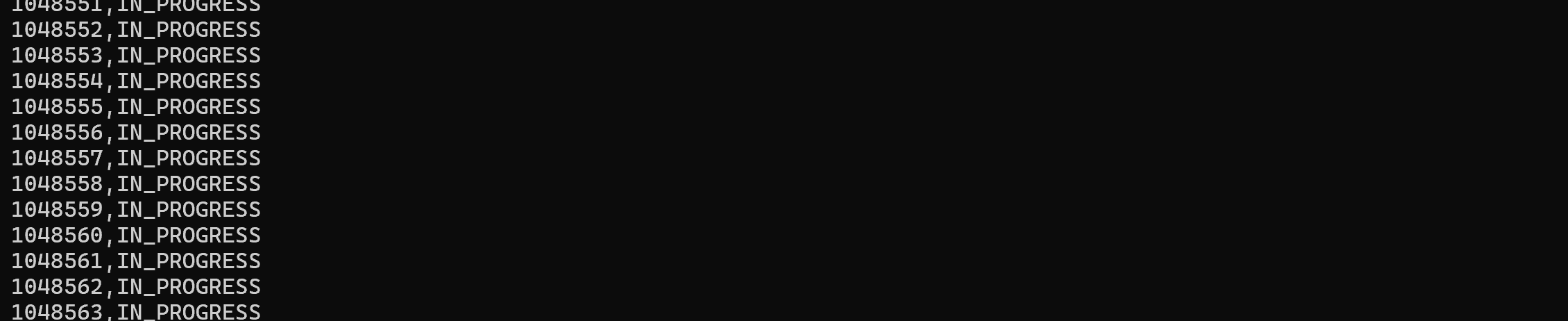
2.3循环检查全部clog,查看事务状态
for file in `ls /opt/og6/data/pg_clog`;
do
pagehack  -t clog -f $file | awk '{print $2$4}';
done > ../test
2.4 检查heap文件
pagehack -f $PGDATA/base/14847/46680
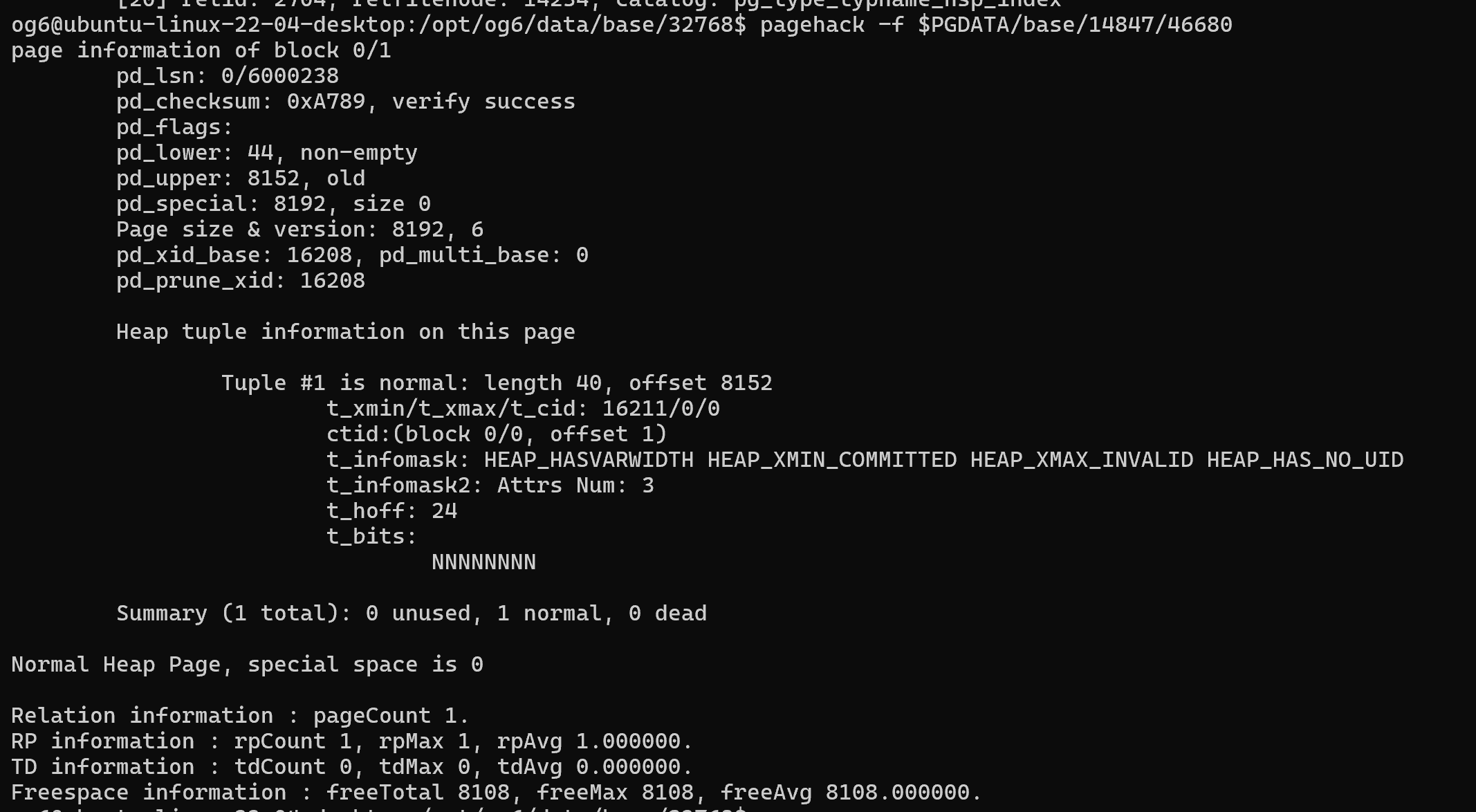
pagehack -f 254340 -t heap -s 3458 -n 1
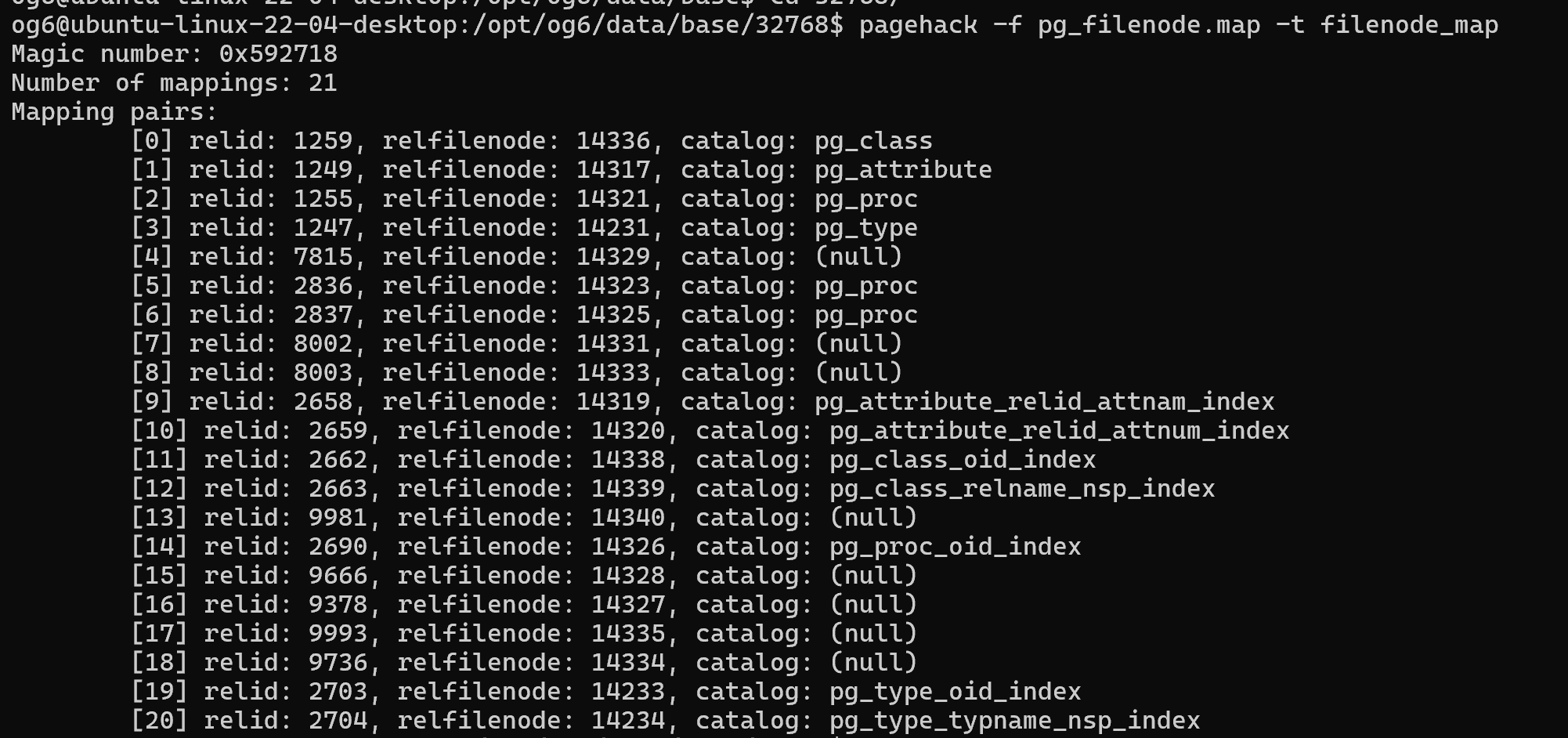
2.5 解析pg_filenode.map
pagehack -f pg_filenode.map -t filenode_map
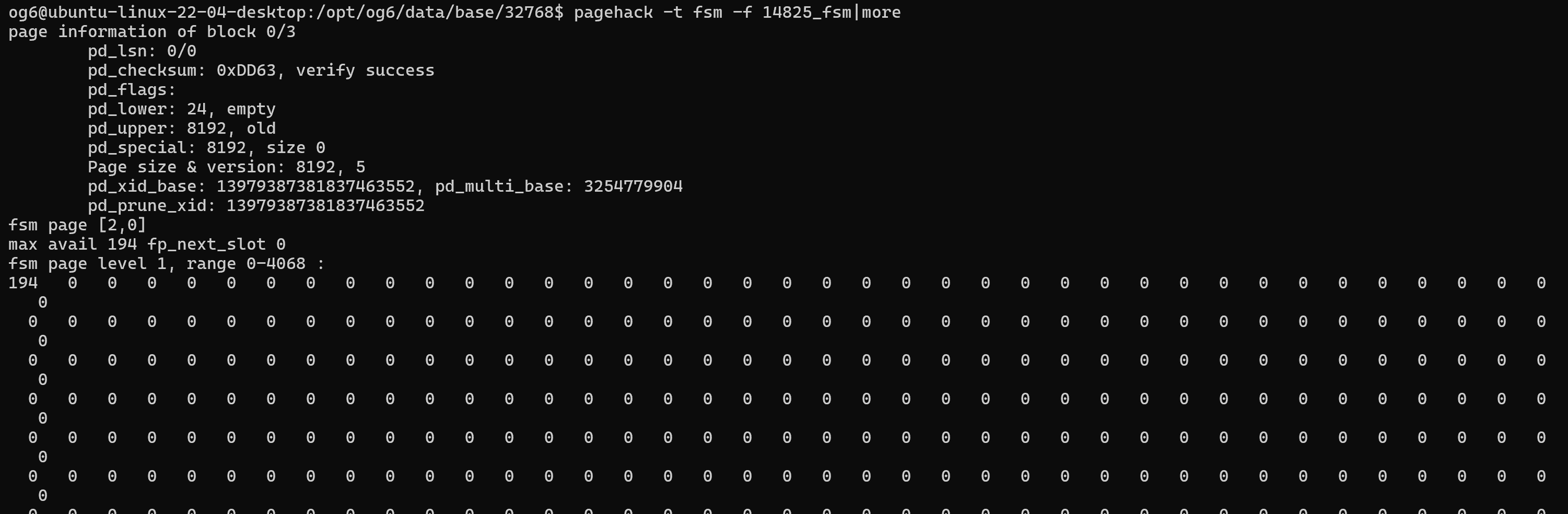
2.6 解析fsm文件
pagehack -t fsm -f 14825_fsm
「喜欢这篇文章,您的关注和赞赏是给作者最好的鼓励」
关注作者
【版权声明】本文为墨天轮用户原创内容,转载时必须标注文章的来源(墨天轮),文章链接,文章作者等基本信息,否则作者和墨天轮有权追究责任。如果您发现墨天轮中有涉嫌抄袭或者侵权的内容,欢迎发送邮件至:contact@modb.pro进行举报,并提供相关证据,一经查实,墨天轮将立刻删除相关内容。
