



01
MySQL端:源表
首先,看看MySQL这边我们需要迁移到Hadoop中的源表:
mysql> select database();+------------+| database() |+------------+| adamhuan |+------------+1 row in set (0.00 sec)mysql> show tables;+-------------------------------+| Tables_in_adamhuan |+-------------------------------+| wechat_record_detail_pingluns || wechat_records || wechat_records_per_day |+-------------------------------+3 rows in set (0.00 sec)mysql>mysql> select * from wechat_records limit 4;+-----------+---------------------+-----------------+----------------+----------------+------------+--------------+| record_id | record_create_date | counts_zhengwen | counts_dianzan | counts_pinglun | counts_pic | counts_video |+-----------+---------------------+-----------------+----------------+----------------+------------+--------------+| 3 | 2017-10-10 19:26:00 | 1 | 1 | 3 | 1 | 0 || 6 | 2017-10-10 19:29:00 | 1 | 0 | 0 | 0 | 0 || 9 | 2017-10-11 10:44:00 | 1 | 0 | 2 | 0 | 0 || 12 | 2017-10-11 11:18:00 | 1 | 0 | 0 | 0 | 0 |+-----------+---------------------+-----------------+----------------+----------------+------------+--------------+4 rows in set (0.01 sec)mysql>mysql> select count(*) from wechat_records;+----------+| count(*) |+----------+| 5925 |+----------+1 row in set (0.04 sec)mysql>
02
Cloudera:添加服务【Sqoop 1 client】
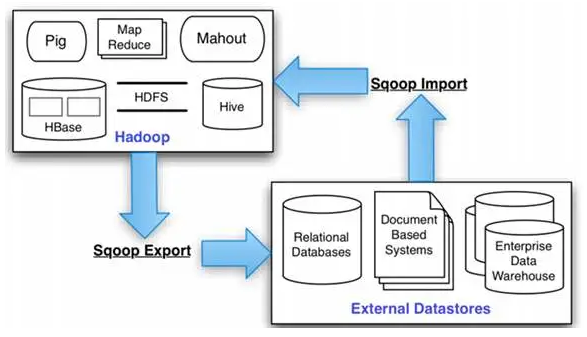
Sqoop,顾名思义:SQL[SQ] to Hadoop[OOP]
在Cloudera Manager的Web Portal中操作:
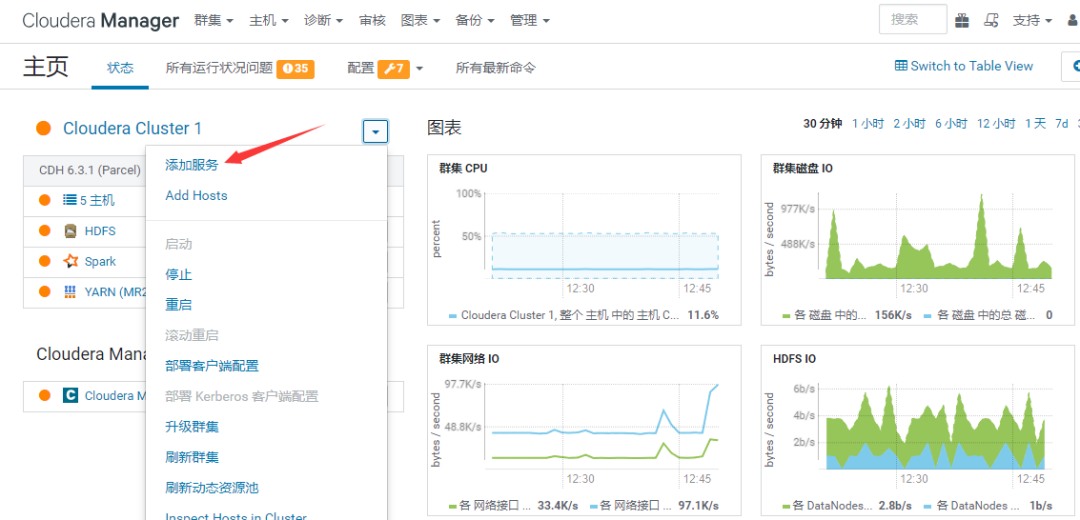
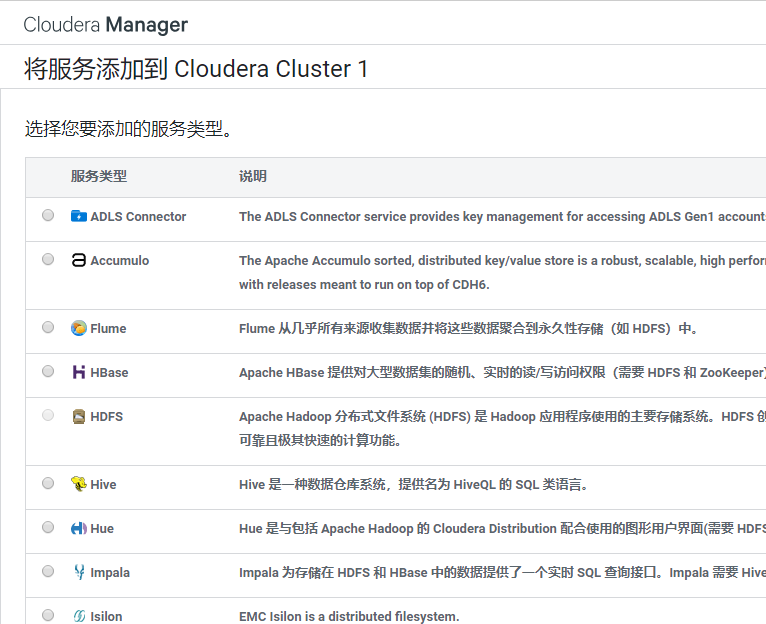
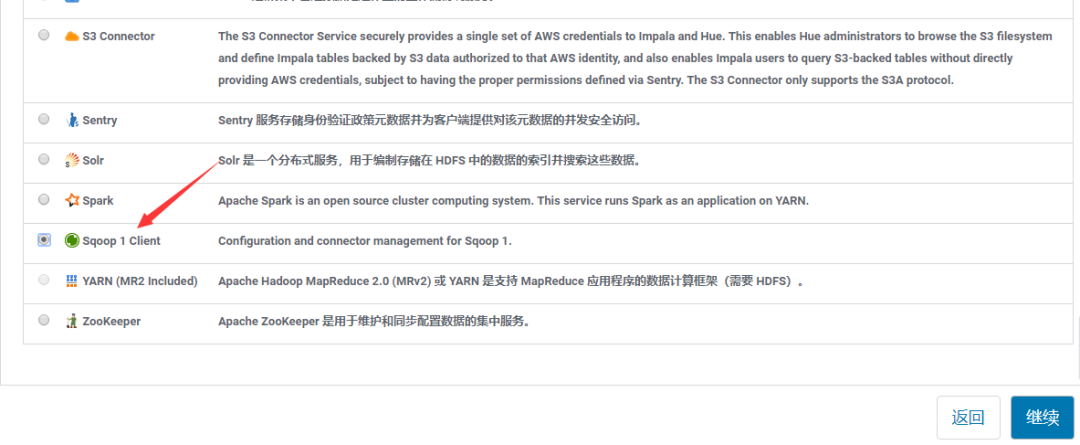
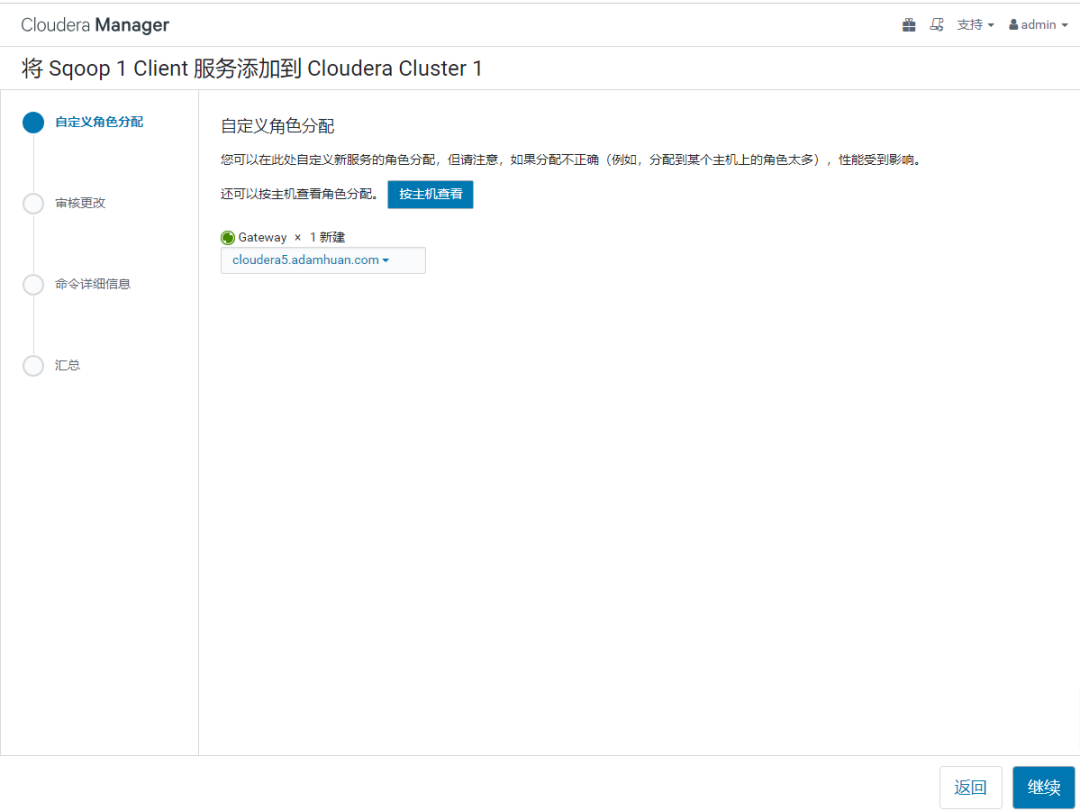
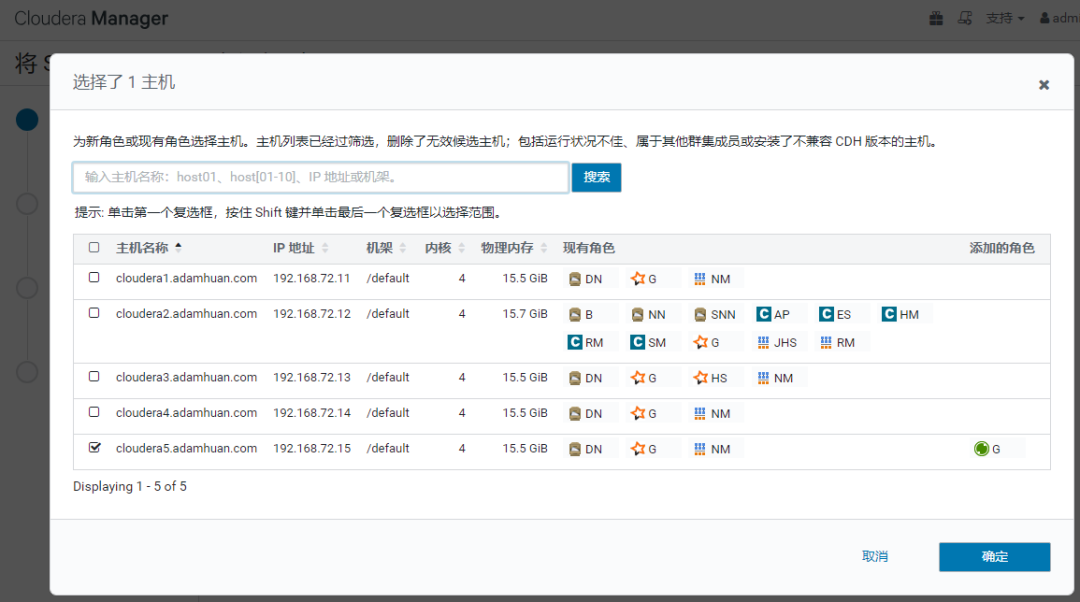
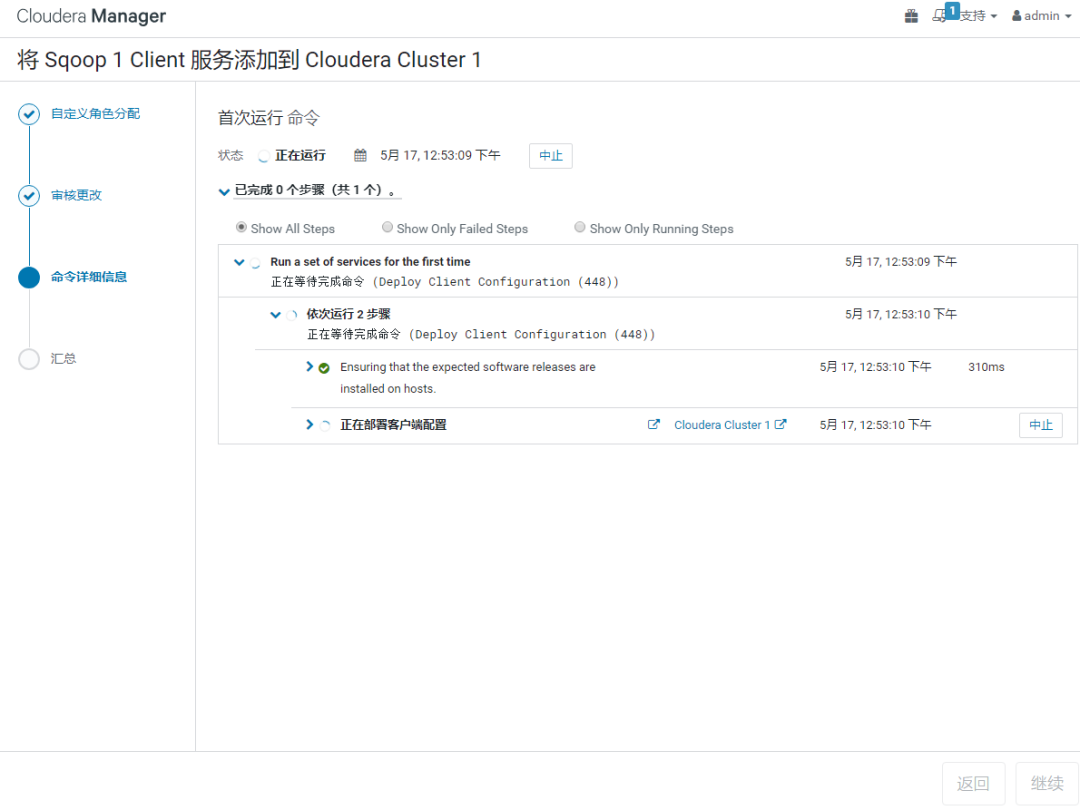
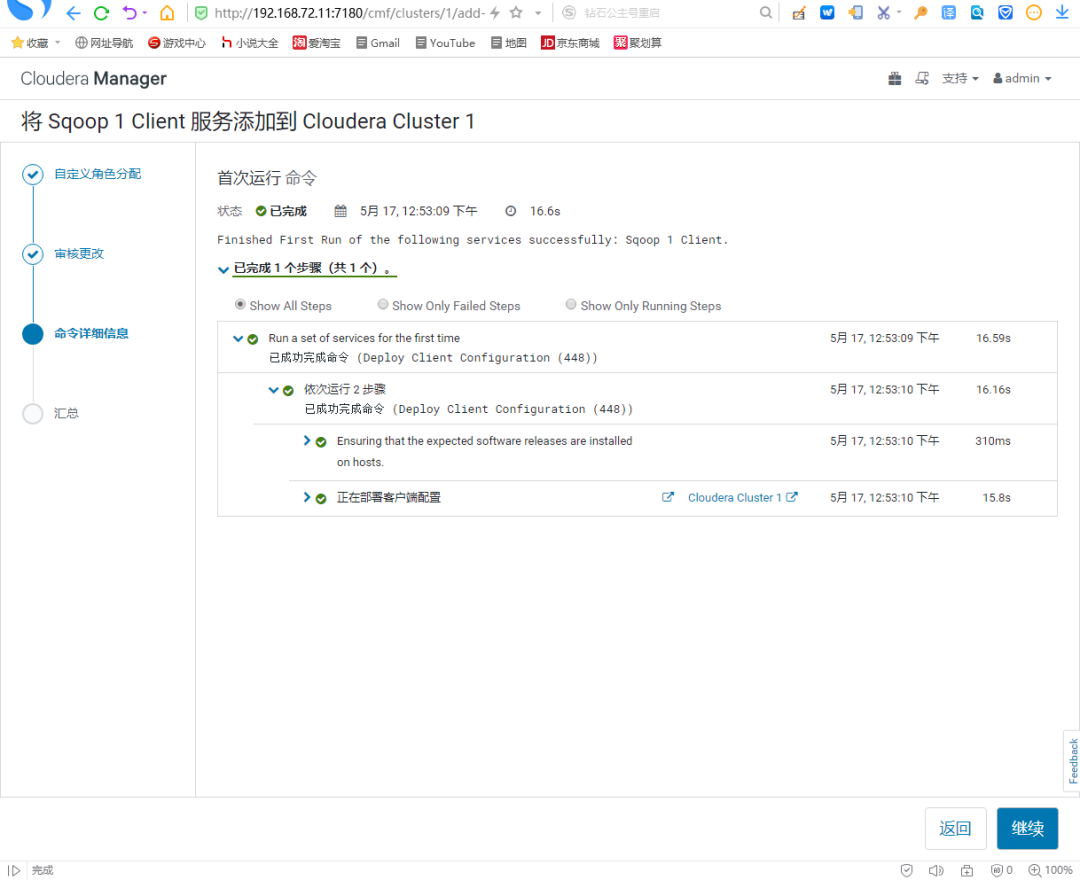
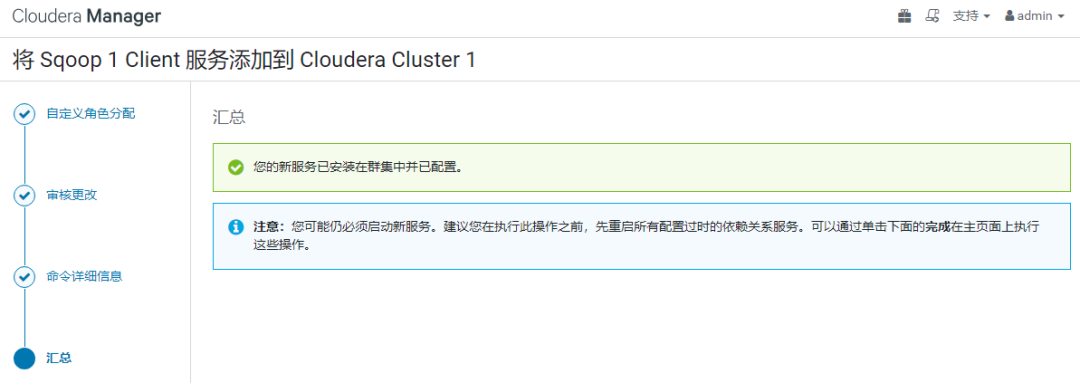
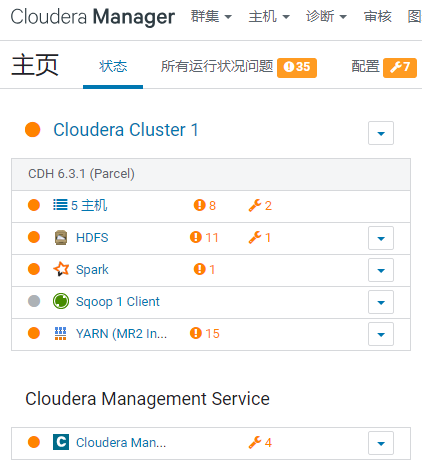
可以看到【Sqoop 1 Client】服务,添加成功。
03
Sqoop:MySQL Connector支持
在上面,我把【Sqoop】部署在了【节点5】的服务器上。
因此,这一步的操作应该在【节点5】上进行:
[root@cloudera5 ~]# find -name "mysql-connector-java.jar"/usr/share/java/mysql-connector-java.jar[root@cloudera5 ~]#[root@cloudera5 ~]# ls -ltr var/lib/sqoop/total 0[root@cloudera5 ~]#[root@cloudera5 ~]# ln -s usr/share/java/mysql-connector-java.jar var/lib/sqoop/[root@cloudera5 ~]#[root@cloudera5 ~]# ls -ltr var/lib/sqoop/total 0lrwxrwxrwx 1 root root 40 May 17 12:57 mysql-connector-java.jar -> /usr/share/java/mysql-connector-java.jar[root@cloudera5 ~]#
04
HDFS:创建存放MySQL数据的目录
在HDFS上创建用于存放MySQL迁移数据的目录:
[root@cloudera5 ~]# export HADOOP_USER_NAME=hdfs[root@cloudera5 ~]#[root@cloudera5 ~]# hdfs dfs -lsFound 2 itemsdrwxrwxrwt - hdfs supergroup 0 2020-04-09 20:36 tmpdrwxr-xr-x - hdfs supergroup 0 2020-04-10 17:20 user[root@cloudera5 ~]#[root@cloudera5 ~]# hdfs dfs -mkdir mysql_data[root@cloudera5 ~]#[root@cloudera5 ~]# hdfs dfs -lsFound 3 itemsdrwxr-xr-x - hdfs supergroup 0 2020-05-17 13:03 mysql_datadrwxrwxrwt - hdfs supergroup 0 2020-04-09 20:36 /tmpdrwxr-xr-x - hdfs supergroup 0 2020-04-10 17:20 /user[root@cloudera5 ~]#
05
Sqoop:导入MySQL数据
还是在【节点5】操作:
[root@cloudera5 ~]# sqoop import --connect jdbc:mysql://192.168.72.21:3306/adamhuan --table wechat_records --username root --password 你的口令 --target-dir /mysql_data/adamhuanWarning: /opt/cloudera/parcels/CDH-6.3.1-1.cdh6.3.1.p0.1470567/bin/../lib/sqoop/../accumulo does not exist! Accumulo imports will fail.Please set $ACCUMULO_HOME to the root of your Accumulo installation.SLF4J: Class path contains multiple SLF4J bindings.SLF4J: Found binding in [jar:file:/opt/cloudera/parcels/CDH-6.3.1-1.cdh6.3.1.p0.1470567/jars/slf4j-log4j12-1.7.25.jar!/org/slf4j/impl/StaticLoggerBinder.class]SLF4J: Found binding in [jar:file:/opt/cloudera/parcels/CDH-6.3.1-1.cdh6.3.1.p0.1470567/jars/log4j-slf4j-impl-2.8.2.jar!/org/slf4j/impl/StaticLoggerBinder.class]SLF4J: See http://www.slf4j.org/codes.html#multiple_bindings for an explanation.SLF4J: Actual binding is of type [org.slf4j.impl.Log4jLoggerFactory]20/05/17 13:09:33 INFO sqoop.Sqoop: Running Sqoop version: 1.4.7-cdh6.3.120/05/17 13:09:33 WARN tool.BaseSqoopTool: Setting your password on the command-line is insecure. Consider using -P instead.20/05/17 13:09:33 INFO manager.MySQLManager: Preparing to use a MySQL streaming resultset.20/05/17 13:09:33 INFO tool.CodeGenTool: Beginning code generation20/05/17 13:09:33 INFO manager.SqlManager: Executing SQL statement: SELECT t.* FROM `wechat_records` AS t LIMIT 120/05/17 13:09:33 INFO manager.SqlManager: Executing SQL statement: SELECT t.* FROM `wechat_records` AS t LIMIT 120/05/17 13:09:33 INFO orm.CompilationManager: HADOOP_MAPRED_HOME is /opt/cloudera/parcels/CDH/lib/hadoop-mapreduce20/05/17 13:09:36 ERROR orm.CompilationManager: Could not rename /tmp/sqoop-root/compile/40299f03a1a7f2c66c1b0882a8c35b33/wechat_records.java to /root/./wechat_records.java. Error: Destination '/root/./wechat_records.java' already exists20/05/17 13:09:36 INFO orm.CompilationManager: Writing jar file: /tmp/sqoop-root/compile/40299f03a1a7f2c66c1b0882a8c35b33/wechat_records.jar20/05/17 13:09:36 WARN manager.MySQLManager: It looks like you are importing from mysql.20/05/17 13:09:36 WARN manager.MySQLManager: This transfer can be faster! Use the --direct20/05/17 13:09:36 WARN manager.MySQLManager: option to exercise a MySQL-specific fast path.20/05/17 13:09:36 INFO manager.MySQLManager: Setting zero DATETIME behavior to convertToNull (mysql)20/05/17 13:09:36 INFO mapreduce.ImportJobBase: Beginning import of wechat_records20/05/17 13:09:36 INFO Configuration.deprecation: mapred.jar is deprecated. Instead, use mapreduce.job.jar20/05/17 13:09:38 INFO Configuration.deprecation: mapred.map.tasks is deprecated. Instead, use mapreduce.job.maps20/05/17 13:09:38 INFO client.RMProxy: Connecting to ResourceManager at cloudera2.adamhuan.com/192.168.72.12:803220/05/17 13:09:39 INFO mapreduce.JobResourceUploader: Disabling Erasure Coding for path: /user/hdfs/.staging/job_1587192075886_000120/05/17 13:09:54 INFO db.DBInputFormat: Using read commited transaction isolation20/05/17 13:09:54 INFO db.DataDrivenDBInputFormat: BoundingValsQuery: SELECT MIN(`record_id`), MAX(`record_id`) FROM `wechat_records`20/05/17 13:09:54 INFO db.IntegerSplitter: Split size: 4443; Num splits: 4 from: 3 to: 1777520/05/17 13:09:54 INFO mapreduce.JobSubmitter: number of splits:420/05/17 13:09:55 INFO Configuration.deprecation: yarn.resourcemanager.system-metrics-publisher.enabled is deprecated. Instead, use yarn.system-metrics-publisher.enabled20/05/17 13:09:56 INFO mapreduce.JobSubmitter: Submitting tokens for job: job_1587192075886_000120/05/17 13:09:56 INFO mapreduce.JobSubmitter: Executing with tokens: []20/05/17 13:09:56 INFO conf.Configuration: resource-types.xml not found20/05/17 13:09:56 INFO resource.ResourceUtils: Unable to find 'resource-types.xml'.20/05/17 13:09:57 INFO impl.YarnClientImpl: Submitted application application_1587192075886_000120/05/17 13:09:57 INFO mapreduce.Job: The url to track the job: http://cloudera2.adamhuan.com:8088/proxy/application_1587192075886_0001/20/05/17 13:09:57 INFO mapreduce.Job: Running job: job_1587192075886_000120/05/17 13:11:20 INFO mapreduce.Job: Job job_1587192075886_0001 running in uber mode : false20/05/17 13:11:20 INFO mapreduce.Job: map 0% reduce 0%20/05/17 13:11:55 INFO mapreduce.Job: map 25% reduce 0%20/05/17 13:13:19 INFO mapreduce.Job: map 50% reduce 0%20/05/17 13:13:22 INFO mapreduce.Job: map 75% reduce 0%20/05/17 13:13:23 INFO mapreduce.Job: map 100% reduce 0%20/05/17 13:13:25 INFO mapreduce.Job: Job job_1587192075886_0001 completed successfully20/05/17 13:13:25 INFO mapreduce.Job: Counters: 33File System CountersFILE: Number of bytes read=0FILE: Number of bytes written=974140FILE: Number of read operations=0FILE: Number of large read operations=0FILE: Number of write operations=0HDFS: Number of bytes read=465HDFS: Number of bytes written=221551HDFS: Number of read operations=24HDFS: Number of large read operations=0HDFS: Number of write operations=8HDFS: Number of bytes read erasure-coded=0Job CountersLaunched map tasks=4Other local map tasks=4Total time spent by all maps in occupied slots (ms)=376413Total time spent by all reduces in occupied slots (ms)=0Total time spent by all map tasks (ms)=376413Total vcore-milliseconds taken by all map tasks=376413Total megabyte-milliseconds taken by all map tasks=385446912Map-Reduce FrameworkMap input records=5925Map output records=5925Input split bytes=465Spilled Records=0Failed Shuffles=0Merged Map outputs=0GC time elapsed (ms)=24640CPU time spent (ms)=51840Physical memory (bytes) snapshot=1084702720Virtual memory (bytes) snapshot=10365595648Total committed heap usage (bytes)=897581056Peak Map Physical memory (bytes)=274231296Peak Map Virtual memory (bytes)=2595545088File Input Format CountersBytes Read=0File Output Format CountersBytes Written=22155120/05/17 13:13:25 INFO mapreduce.ImportJobBase: Transferred 216.3584 KB in 227.3224 seconds (974.6114 bytes/sec)20/05/17 13:13:25 INFO mapreduce.ImportJobBase: Retrieved 5925 records.[root@cloudera5 ~]#
这个过程,要等待一段时间。
这个过程中,可以在【YARN】的应用程序中看到后台的任务运行情况:
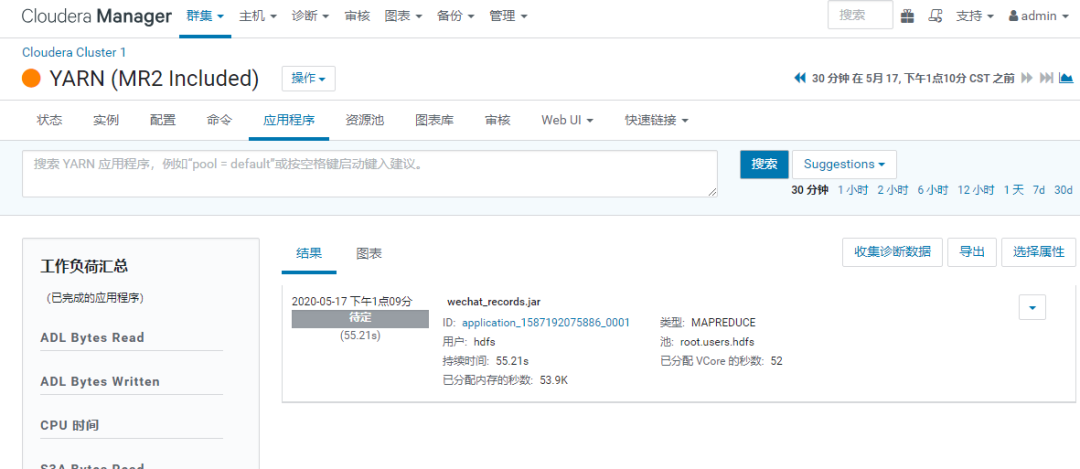
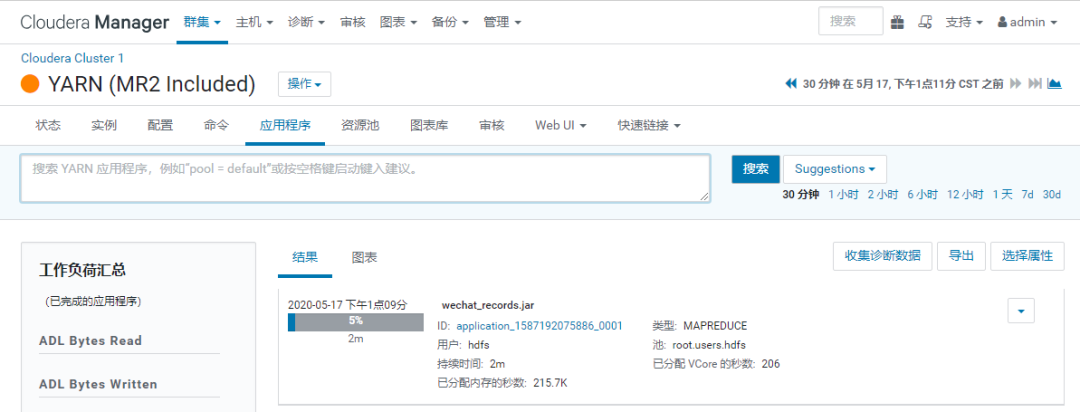
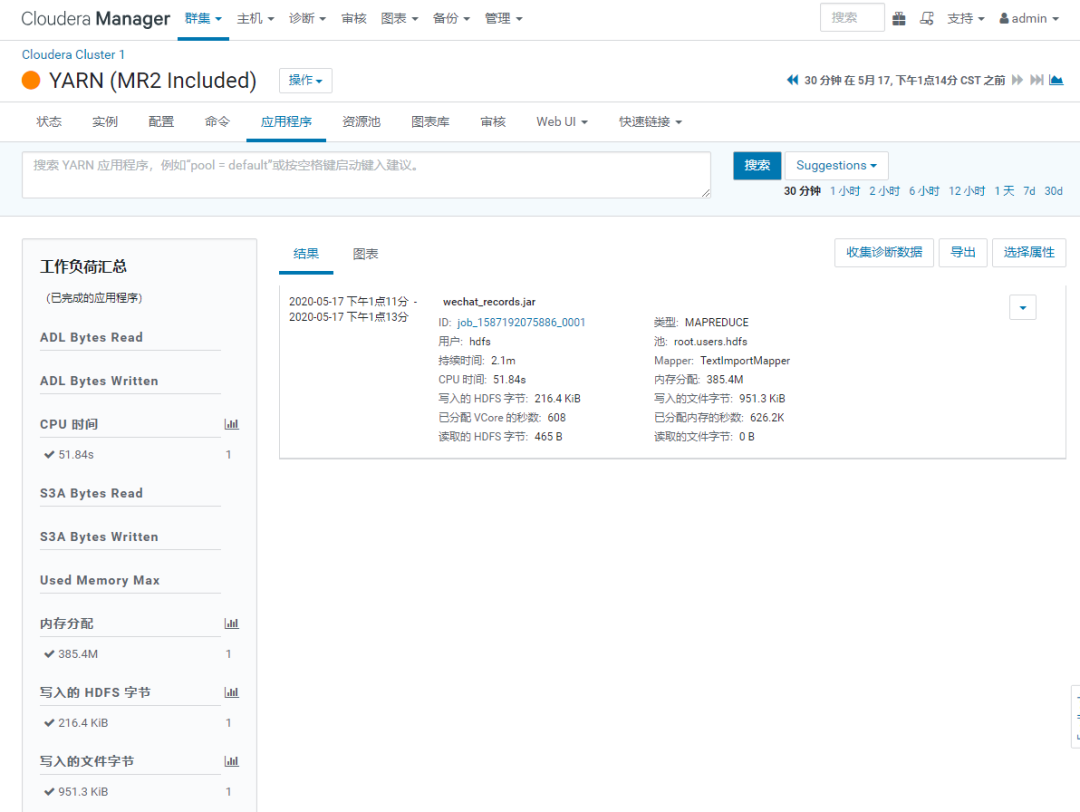
如上,Sqoop的导入,成功完成。
06
Sqoop导入成功后,查看HDFS的状态
这个时候,HDFS的状态:
[root@cloudera5 ~]# hdfs dfs -ls /mysql_dataFound 1 itemsdrwxr-xr-x - hdfs supergroup 0 2020-05-17 13:13 /mysql_data/adamhuan[root@cloudera5 ~]#[root@cloudera5 ~]# hdfs dfs -ls /mysql_data/adamhuanFound 5 items-rw-r--r-- 3 hdfs supergroup 0 2020-05-17 13:13 /mysql_data/adamhuan/_SUCCESS-rw-r--r-- 3 hdfs supergroup 54448 2020-05-17 13:13 /mysql_data/adamhuan/part-m-00000-rw-r--r-- 3 hdfs supergroup 54815 2020-05-17 13:13 /mysql_data/adamhuan/part-m-00001-rw-r--r-- 3 hdfs supergroup 55935 2020-05-17 13:13 /mysql_data/adamhuan/part-m-00002-rw-r--r-- 3 hdfs supergroup 56353 2020-05-17 13:11 /mysql_data/adamhuan/part-m-00003[root@cloudera5 ~]#[root@cloudera5 ~]# hdfs dfs -cat /mysql_data/adamhuan/part-m-00000 | head -n 83,2017-10-10 19:26:00.0,1,1,3,1,06,2017-10-10 19:29:00.0,1,0,0,0,09,2017-10-11 10:44:00.0,1,0,2,0,012,2017-10-11 11:18:00.0,1,0,0,0,015,2017-10-11 11:51:00.0,1,0,0,0,018,2017-10-11 11:55:00.0,1,1,0,1,021,2017-10-11 12:10:00.0,1,0,12,1,024,2017-10-11 13:03:00.0,1,1,1,0,0[root@cloudera5 ~]#[root@cloudera5 ~]# hdfs dfs -cat /mysql_data/adamhuan/part-m-00000 | wc -l1481[root@cloudera5 ~]#
07
终了
至此,简单的从MySQL导入Hadoop就操作完成了。
文章转载自Nephilim,如果涉嫌侵权,请发送邮件至:contact@modb.pro进行举报,并提供相关证据,一经查实,墨天轮将立刻删除相关内容。
