



oracle 11.2.0.4 一直以来都是最稳定,应用最广泛的oracle数据库版本,但是官方对其的支持仅仅到2018年12月31日就结束了,如果想要获得11.2.0.4之后的补丁,则必须和Oracle签订扩展服务协议,而且需要另外收费,现在对11g进行升级到19c,此次实验使用dbua工具进行升级,升级的19c数据库为非容器数据库
数据库版本:oracle 11.2.0.4
操作系统版本:redhat 7.3
一.升级准备
1.1数据库备份
rman target /
run {
allocate channel c1 device type disk;
allocate channel c2 device type disk;
BACKUP DATABASE FORMAT '/oracledba/rmanbackup/oracle_%U';
release channel c1;
release channel c2;
}
1.2创建目录授权
su - oracle
mkdir -p /u01/app/oracle/product/19.3.0/dbhome_1
1.3上传软件包解压
unzip LINUX.X64_193000_db_home.zip -d /u01/app/oracle/product/19.3.0/dbhome_1
1.4安装19c软件和升级之前执行预检查工具脚本对数据库升级的检查项做一个整体检查评估
$resource_home/jdk/bin/java -jar $target_home/rdbms/admin/preupgrade.jar TERMINAL TEXT //源库home目录和新库home目录如下
export ORACLE_HOME=/u01/app/oracle/product/11.2.0/db_1
/u01/app/oracle/product/11.2.0/db_1/jdk/bin/java -jar /u01/app/oracle/product/19.3.0/dbhome_1/rdbms/admin/preupgrade.jar TERMINAL TEXT
使用 TERMINAL 选项把脚本输出打印到屏幕上
执行结果:
Report generated by Oracle Database Pre-Upgrade Information Tool Version
19.0.0.0.0 Build: 1 on 2024-10-14T10:27:02
Upgrade-To version: 19.0.0.0.0
=======================================
Status of the database prior to upgrade
=======================================
Database Name: ORACLE11
Container Name: Not Applicable in Pre-12.1 database
Container ID: Not Applicable in Pre-12.1 database
Version: 11.2.0.4.0
DB Patch Level: No Patch Bundle applied
Compatible: 11.2.0.4.0
Blocksize: 8192
Platform: Linux x86 64-bit
Timezone File: 14
Database log mode: ARCHIVELOG
Readonly: FALSE
Edition: EE
Oracle Component Upgrade Action Current Status
---------------- -------------- --------------
Oracle Server [to be upgraded] VALID
JServer JAVA Virtual Machine [to be upgraded] VALID
Oracle XDK for Java [to be upgraded] VALID
Oracle Workspace Manager [to be upgraded] VALID
OLAP Analytic Workspace [to be upgraded] VALID
Oracle Enterprise Manager Repository [to be upgraded] VALID
Oracle Text [to be upgraded] VALID
Oracle XML Database [to be upgraded] VALID
Oracle Java Packages [to be upgraded] VALID
Oracle Multimedia [to be upgraded] VALID
Oracle Spatial [to be upgraded] VALID
Expression Filter [to be upgraded] VALID
Rule Manager [to be upgraded] VALID
Oracle OLAP API [to be upgraded] VALID
==============
BEFORE UPGRADE
==============
REQUIRED ACTIONS
================
1. (AUTOFIXUP) Empty the RECYCLEBIN immediately before database upgrade.
The database contains 19 objects in the recycle bin.
The recycle bin must be completely empty before database upgrade.
RECOMMENDED ACTIONS
===================
2. Update NUMERIC INITIALIZATION PARAMETERS to meet estimated minimums.
This action may be done now or when starting the database in upgrade mode
using the 19 ORACLE HOME.
Parameter Currently 19 minimum
--------- --------- ------------------
processes 150 300
The database upgrade process requires certain initialization parameters
to meet minimum values. The Oracle upgrade process itself has minimum
values which may be higher and are marked with an asterisk. After
upgrading, those asterisked parameter values may be reset if needed.
3. Ensure there is adequate tablespace for the upgrade.
Auto Min Size
Tablespace Size Extend For Upgrade Action
---------- ---------- -------- ----------- --------
TMP_GROUP[TEMP_GRP] 20 MB DISABLED 150 MB Extend
Tablespaces that are not AUTOEXTEND must have sufficient space for the
upgrade process. Minimum sizes are estimates.
If an AUTOEXTEND tablespace is listed above, it is because datafile
maximum size is limited and has to be increased to meet upgrade process
requirements.
4. Remove the EM repository.
- Copy the $ORACLE_HOME/rdbms/admin/emremove.sql script from the target
19 ORACLE_HOME into the source 11.2.0.4.0 ORACLE_HOME.
Step 1: If database control is configured, stop EM Database Control,
using the following command
$> emctl stop dbconsole
Step 2: Connect to the database using the SYS account AS SYSDBA
SET ECHO ON;
SET SERVEROUTPUT ON;
@emremove.sql
Without the set echo and serveroutput commands, you will not be able to
follow the progress of the script.
The database has an Enterprise Manager Database Control repository.
Starting with Oracle Database 12c, the local Enterprise Manager Database
Control does not exist anymore. The repository will be removed from your
database during the upgrade. This step can be manually performed before
the upgrade to reduce downtime.
5. Run 11.2.0.4.0 $ORACLE_HOME/rdbms/admin/utlrp.sql to recompile invalid
objects. You can view the individual invalid objects with
SET SERVEROUTPUT ON;
EXECUTE DBMS_PREUP.INVALID_OBJECTS;
64 objects are INVALID.
There should be no INVALID objects in SYS/SYSTEM or user schemas before
database upgrade.
6. Remove OLAP Catalog by running the 11.2.0.4.0 SQL script
$ORACLE_HOME/olap/admin/catnoamd.sql script.
The OLAP Catalog component, AMD, exists in the database.
Starting with Oracle Database 12c, the OLAP Catalog (OLAP AMD) is
desupported and will be automatically marked as OPTION OFF during the
database upgrade if present. Oracle recommends removing OLAP Catalog
(OLAP AMD) before database upgrade. This step can be manually performed
before the upgrade to reduce downtime.
7. Backup the existing ACLs and their assignments for reference. Use the new
DBMS_NETWORK_ACL_ADMIN interfaces and dictionary views to administer
network privileges after upgrade.
The database contains network ACLs with privileges that will be migrated
to a new format in 12c.
Network access control list (ACL) privileges in 11g will be migrated to a
new format in 12c. As part of the migration, new DBMS_NETWORK_ACL_ADMIN
interfaces and dictionary views are provided, and privileges in the
existing ACLs will be converted to the new format with new ACL names. The
old ACL names, DBMS_NETWORK_ACL_ADMIN interfaces and dictionary views may
continue to be used but are deprecated and their use is discouraged. For
further information, refer to My Oracle Support note number 2078710.1.
8. Upgrade Oracle Application Express (APEX) manually before the database
upgrade.
The database contains APEX version 3.2.1.00.12. Upgrade APEX to at least
version 18.2.0.00.12.
Starting with Oracle Database Release 18, APEX is not upgraded
automatically as part of the database upgrade. Refer to My Oracle Support
Note 1088970.1 for information about APEX installation and upgrades.
9. Remove Streams setup. For detailed steps, refer to the section "Removing
an Oracle Streams Configuration" in the Oracle Streams Concepts and
Administration Guide specific for the Oracle release from which you are
removing. For versions pre-12.1.0.2, the procedure
dbms_streams_adm.remove_streams_configuration must not be used as may
lead to unwanted results. Instead, use the other procedures
(dbms_capture_adm.drop_capture, dbms_apply_adm.drop_apply,
dbms_streams_adm.remove_queue, etc). For 12.1.0.2 and higher, procedure
dbms_streams_adm.remove_streams_configuration can be safely used.
Oracle Streams feature is configured in the database.
Starting with Oracle Database 19, Oracle Streams is desupported. It is
strongly advised to remove any streams configuration manually.
10. Review and remove any unnecessary EVENTS.
The database contains events.
There are events set that should be removed before upgrade, unless your
application vendors and/or Oracle Support state differently. Changes
will need to be made in the pfile/spfile.
11. (AUTOFIXUP) Gather stale data dictionary statistics prior to database
upgrade in off-peak time using:
EXECUTE DBMS_STATS.GATHER_DICTIONARY_STATS;
Dictionary statistics do not exist or are stale (not up-to-date).
Dictionary statistics help the Oracle optimizer find efficient SQL
execution plans and are essential for proper upgrade timing. Oracle
recommends gathering dictionary statistics in the last 24 hours before
database upgrade.
For information on managing optimizer statistics, refer to the 11.2.0.4
Oracle Database Performance Tuning Guide.
12. (AUTOFIXUP) Directly grant ADMINISTER DATABASE TRIGGER privilege to the
owner of the trigger or drop and re-create the trigger with a user that
was granted directly with such. You can list those triggers using: SELECT
OWNER, TRIGGER_NAME FROM DBA_TRIGGERS WHERE
TRIM(BASE_OBJECT_TYPE)='DATABASE' AND OWNER NOT IN (SELECT GRANTEE FROM
DBA_SYS_PRIVS WHERE PRIVILEGE='ADMINISTER DATABASE TRIGGER').
There is one or more database triggers whose owner does not have the
right privilege on the database.
The creation of database triggers must be done by users granted with
ADMINISTER DATABASE TRIGGER privilege. Privilege must have been granted
directly.
13. (AUTOFIXUP) Gather statistics on fixed objects prior the upgrade.
None of the fixed object tables have had stats collected.
Gathering statistics on fixed objects, if none have been gathered yet, is
recommended prior to upgrading.
For information on managing optimizer statistics, refer to the 11.2.0.4
Oracle Database Performance Tuning Guide.
INFORMATION ONLY
================
14. To help you keep track of your tablespace allocations, the following
AUTOEXTEND tablespaces are expected to successfully EXTEND during the
upgrade process.
Min Size
Tablespace Size For Upgrade
---------- ---------- -----------
SYSAUX 600 MB 800 MB
SYSTEM 910 MB 1335 MB
UNDOTBS1 360 MB 446 MB
Minimum tablespace sizes for upgrade are estimates.
15. Run $ORACLE_HOME/rdbms/admin/catnoexf.sql located in the new Oracle
Database Oracle home to remove both EXF and RUL.
Expression Filter (EXF) or Rules Manager (RUL) exist in the database.
Starting with Oracle Database release 12.1, the Expression Filter (EXF)
and Database Rules Manager (RUL) features are desupported, and are
removed during the upgrade process. This step can be manually performed
before the upgrade to reduce downtime.
16. Ensure there is additional disk space in LOG_ARCHIVE_DEST_1 for at least
4950 MB of archived logs. Check alert log during the upgrade that there
is no write error to the destination due to lack of disk space.
Archiving cannot proceed if the archive log destination is full during
upgrade.
Archive Log Destination:
Parameter : LOG_ARCHIVE_DEST_1
Destination : /u01/archlog
The database has archiving enabled. The upgrade process will need free
disk space in the archive log destination(s) to generate archived logs to.
17. Check the Oracle Backup and Recovery User's Guide for information on how
to manage an RMAN recovery catalog schema.
If you are using a version of the recovery catalog schema that is older
than that required by the RMAN client version, then you must upgrade the
catalog schema.
It is good practice to have the catalog schema the same or higher version
than the RMAN client version you are using.
ORACLE GENERATED FIXUP SCRIPT
=============================
All of the issues in database ORACLE11
which are identified above as BEFORE UPGRADE "(AUTOFIXUP)" can be resolved by
executing the following
SQL>@/u01/app/oracle/cfgtoollogs/oracle11g/preupgrade/preupgrade_fixups.sql
=============
AFTER UPGRADE
=============
REQUIRED ACTIONS
================
None
RECOMMENDED ACTIONS
===================
18. Upgrade the database time zone file using the DBMS_DST package.
The database is using time zone file version 14 and the target 19 release
ships with time zone file version 32.
Oracle recommends upgrading to the desired (latest) version of the time
zone file. For more information, refer to "Upgrading the Time Zone File
and Timestamp with Time Zone Data" in the 19 Oracle Database
Globalization Support Guide.
19. To identify directory objects with symbolic links in the path name, run
$ORACLE_HOME/rdbms/admin/utldirsymlink.sql AS SYSDBA after upgrade.
Recreate any directory objects listed, using path names that contain no
symbolic links.
Some directory object path names may currently contain symbolic links.
Starting in Release 18c, symbolic links are not allowed in directory
object path names used with BFILE data types, the UTL_FILE package, or
external tables.
20. (AUTOFIXUP) Gather dictionary statistics after the upgrade using the
command:
EXECUTE DBMS_STATS.GATHER_DICTIONARY_STATS;
Oracle recommends gathering dictionary statistics after upgrade.
Dictionary statistics provide essential information to the Oracle
optimizer to help it find efficient SQL execution plans. After a database
upgrade, statistics need to be re-gathered as there can now be tables
that have significantly changed during the upgrade or new tables that do
not have statistics gathered yet.
21. Gather statistics on fixed objects after the upgrade and when there is a
representative workload on the system using the command:
EXECUTE DBMS_STATS.GATHER_FIXED_OBJECTS_STATS;
This recommendation is given for all preupgrade runs.
Fixed object statistics provide essential information to the Oracle
optimizer to help it find efficient SQL execution plans. Those
statistics are specific to the Oracle Database release that generates
them, and can be stale upon database upgrade.
For information on managing optimizer statistics, refer to the 11.2.0.4
Oracle Database Performance Tuning Guide.
INFORMATION ONLY
================
22. Check the Oracle documentation for the identified components for their
specific upgrade procedure.
The database upgrade script will not upgrade the following Oracle
components: OLAP Catalog,OWB
The Oracle database upgrade script upgrades most, but not all Oracle
Database components that may be installed. Some components that are not
upgraded may have their own upgrade scripts, or they may be deprecated or
obsolete.
ORACLE GENERATED FIXUP SCRIPT
=============================
All of the issues in database ORACLE11
which are identified above as AFTER UPGRADE "(AUTOFIXUP)" can be resolved by
executing the following
SQL>@/u01/app/oracle/cfgtoollogs/oracle11g/preupgrade/postupgrade_fixups.sql
==================
PREUPGRADE SUMMARY
==================
/u01/app/oracle/cfgtoollogs/oracle11g/preupgrade/preupgrade.log
/u01/app/oracle/cfgtoollogs/oracle11g/preupgrade/preupgrade_fixups.sql
/u01/app/oracle/cfgtoollogs/oracle11g/preupgrade/postupgrade_fixups.sql
Execute fixup scripts as indicated below:
Before upgrade:
Log into the database and execute the preupgrade fixups
@/u01/app/oracle/cfgtoollogs/oracle11g/preupgrade/preupgrade_fixups.sql
After the upgrade:
Log into the database and execute the postupgrade fixups
@/u01/app/oracle/cfgtoollogs/oracle11g/preupgrade/postupgrade_fixups.sql
Preupgrade complete: 2024-10-14T10:27:03
根据预检查工具给出的升级修改建议对其待修改的项进行修改,如对进程数、表空间大小、预留足够归档存储磁盘空间等可以通过以下脚本对部分待优化项进行自动优化。不过像表空间,进程数优化我是手动修改的。
All of the issues in database ORACLE11
which are identified above as BEFORE UPGRADE "(AUTOFIXUP)" can be resolved by
executing the following
执行自动优化
su - oracle
sqlplus / as sysdba
@/u01/app/oracle/cfgtoollogs/oracle11g/preupgrade/preupgrade_fixups.sql
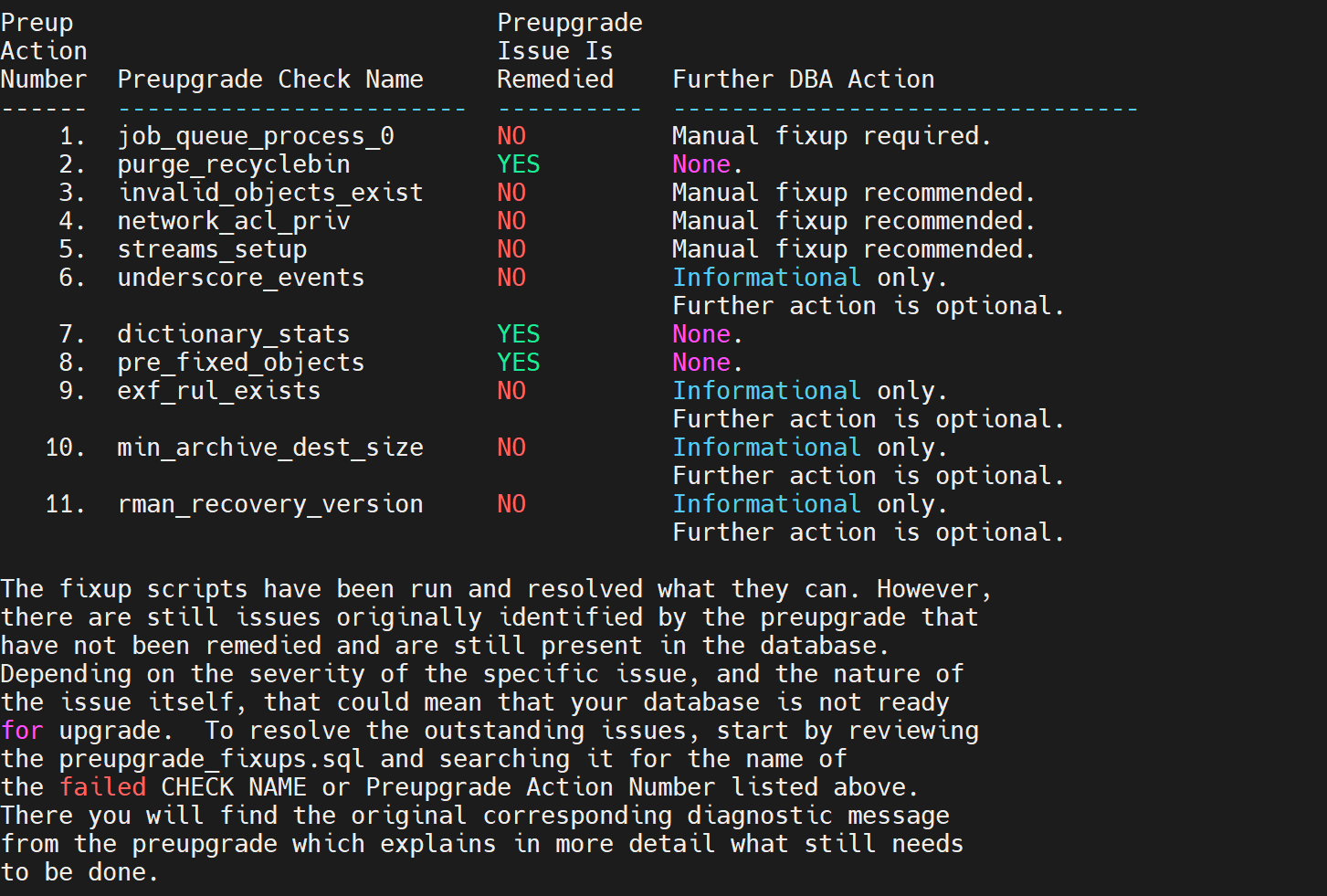
部分内容需要手动执行配置优化
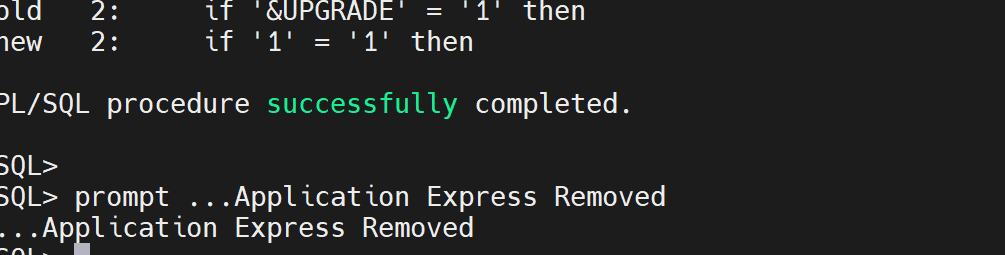
1.5移除apex
因为apex从18c开始,不再随着数据库升级自动升级,所以在升级19c之前需要把apex移除掉,需要再在升级完成后重新配置。
su - oracle
sqlplus / as sysdba
@$ORACLE_HOME/apex/apxremov.sql //u01/app/oracle/product/11.2.0/db_1/apex/apxremov.sql
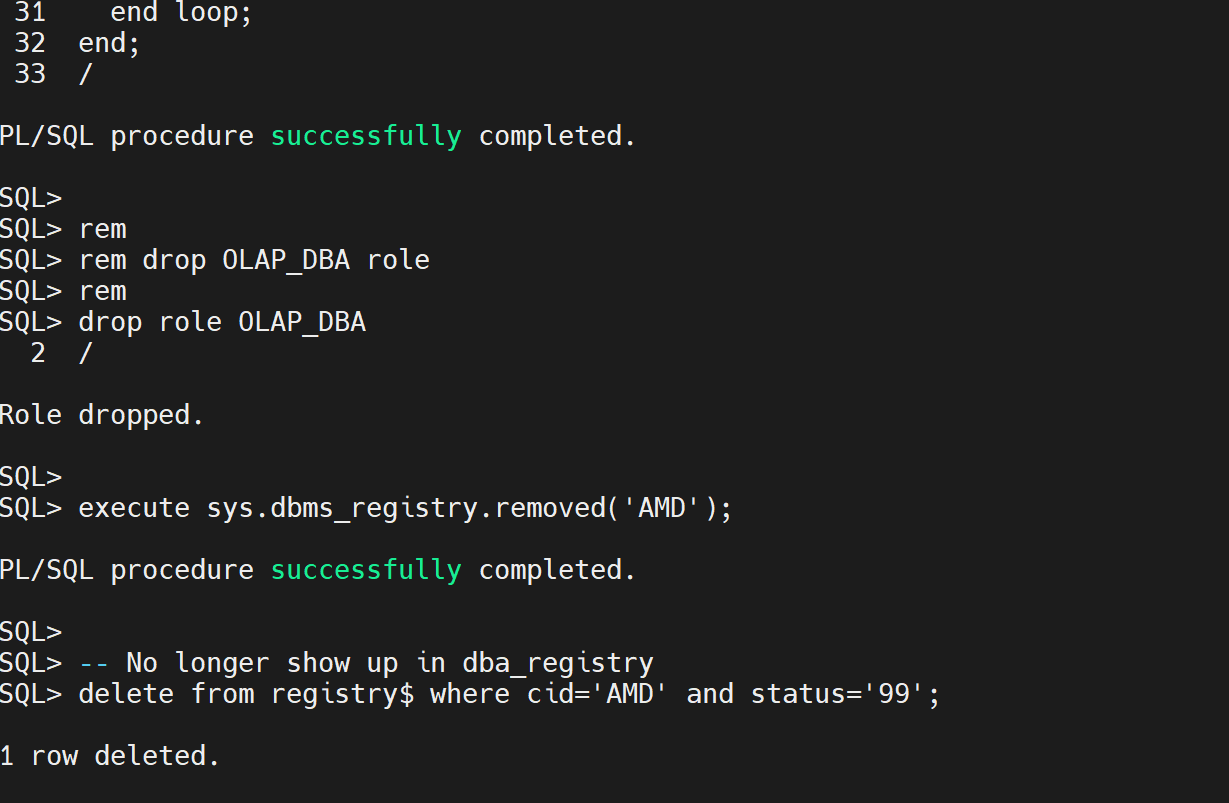
1.6移除OLAP Catalog(AMD)
当数据库软件从11g升级到19c原先olap组件会失效,所以需要手动移除节省升级时间。
su - oracle
sqlplus / as sysdba
@$ORACLE_HOME/olap/admin/catnoamd.sql
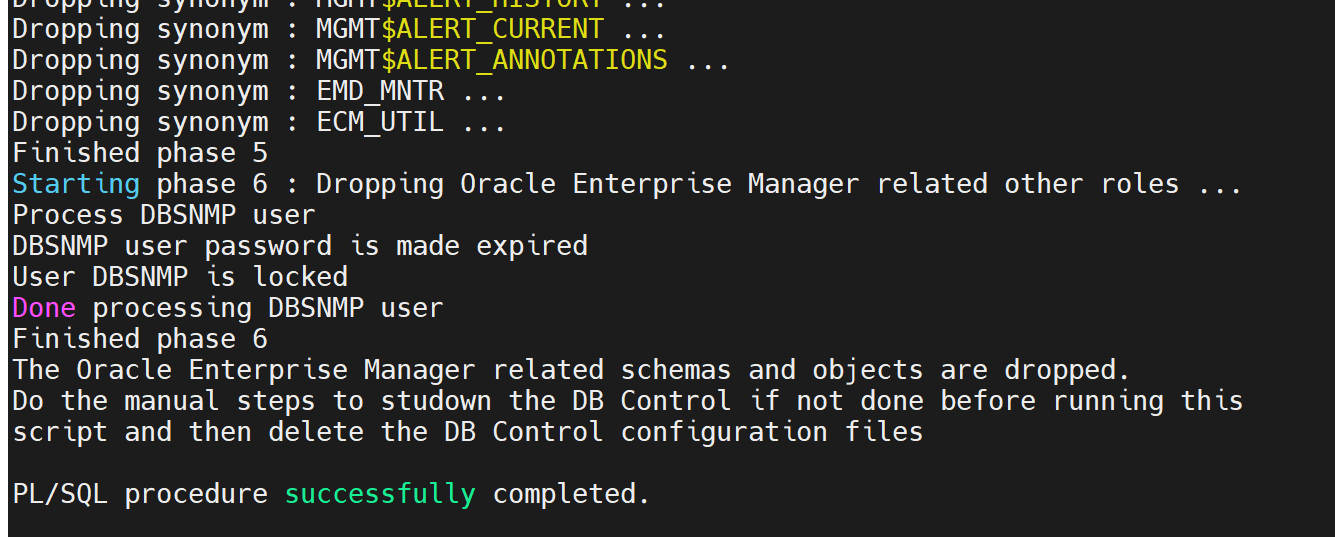
1.7移除EM
移除DB Control,EM;通过emctl status dbconsole可以确认EM组件是否运行,当数据库软件从11g升级到19c以后会失效,可以在升级后重新配置EM,emremove.sql脚本可以从目标库的路径下找到复制到原库的路径下执行,本例子中的路径是/u01/app/oracle/product/19.3.0/dbhome_1/rdbms/admin
su - oracle
cp /u01/app/oracle/product/19.3.0/dbhome_1/rdbms/admin/emremove.sql /u01/app/oracle/product/11.2.0/db_1/rdbms/admin/emremove.sql
sqlplus / as sysdba
SET ECHO ON;
SET SERVEROUTPUT ON;
@/u01/app/oracle/product/11.2.0/db_1/rdbms/admin/emremove.sql
1.8清空回收站
su - oracle
sqlplus / as sysdba
PURGE DBA_RECYCLEBIN;
1.9移除Expression Filter (EXF)
通过SELECT comp_name,version,STATUS FROM dba_registry;可以确认是否使用该组件,当数据库软件从11g升级到19c原先olap组件会失效,所以需要手动移除节省升级时间
su - oracle
sqlplus / as sysdba
@$ORACLE_HOME/rdbms/admin/catnoexf.sql
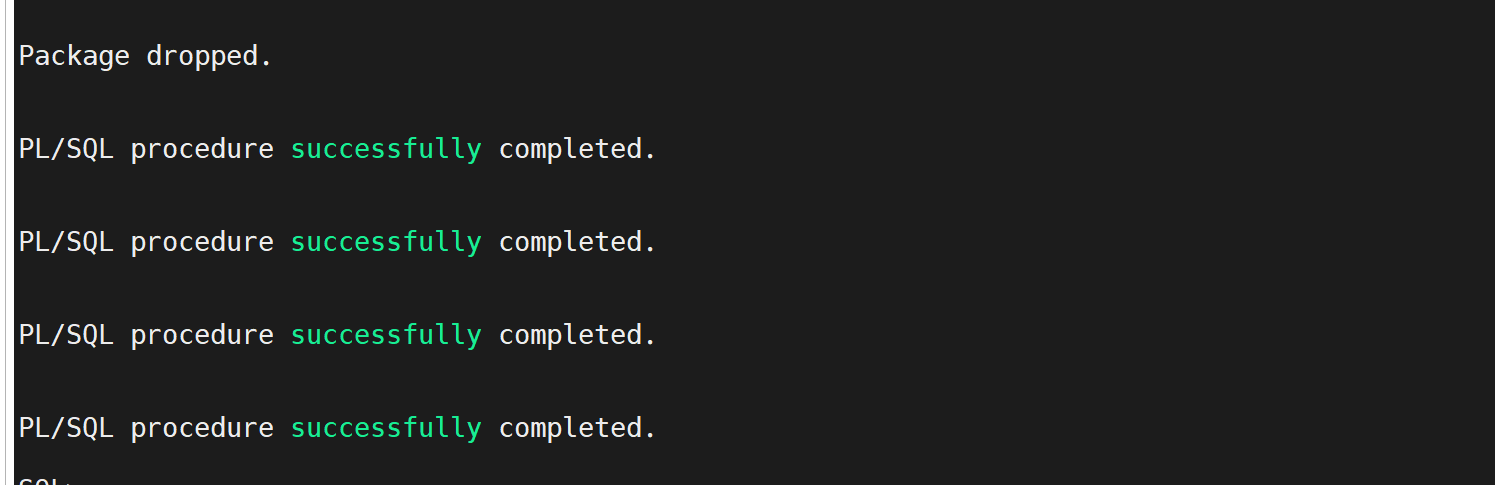
1.10执行utlrp.sql
根据预检查工具给出的检查结果,发现有64个对象是INVALID.
执行utlrp.sql脚本并检查sys/system用户下是否存在不可忽略的失效对象()
su - oracle
sqlplus / as sysdba
SET SERVEROUTPUT ON;
EXECUTE DBMS_PREUP.INVALID_OBJECTS;或
select owner,object_name,object_type from dba_objects where owner in ('SYS','SYSTEM') and status='INVALID';
@$ORACLE_HOME/rdbms/admin/utlrp.sql //重新编译
1.11job_queue_process设置
根据preupgrade_fixups.sql脚本执行的结果,需要对job_queue_process进行手动设置,数据库存在“JOB_QUEUE_PROCESSES=0”,而job_queue_processes参数决定了job作业能够使用的总进程数,当该参数为0值,任何job都不会被执行,需要将JOB_QUEUE_PROCESSES的值设置为非零值,或者完全删除该设置并接受Oracle的默认值。

alter system set job_queue_processes=3;
1.12 内存/归档容量确认
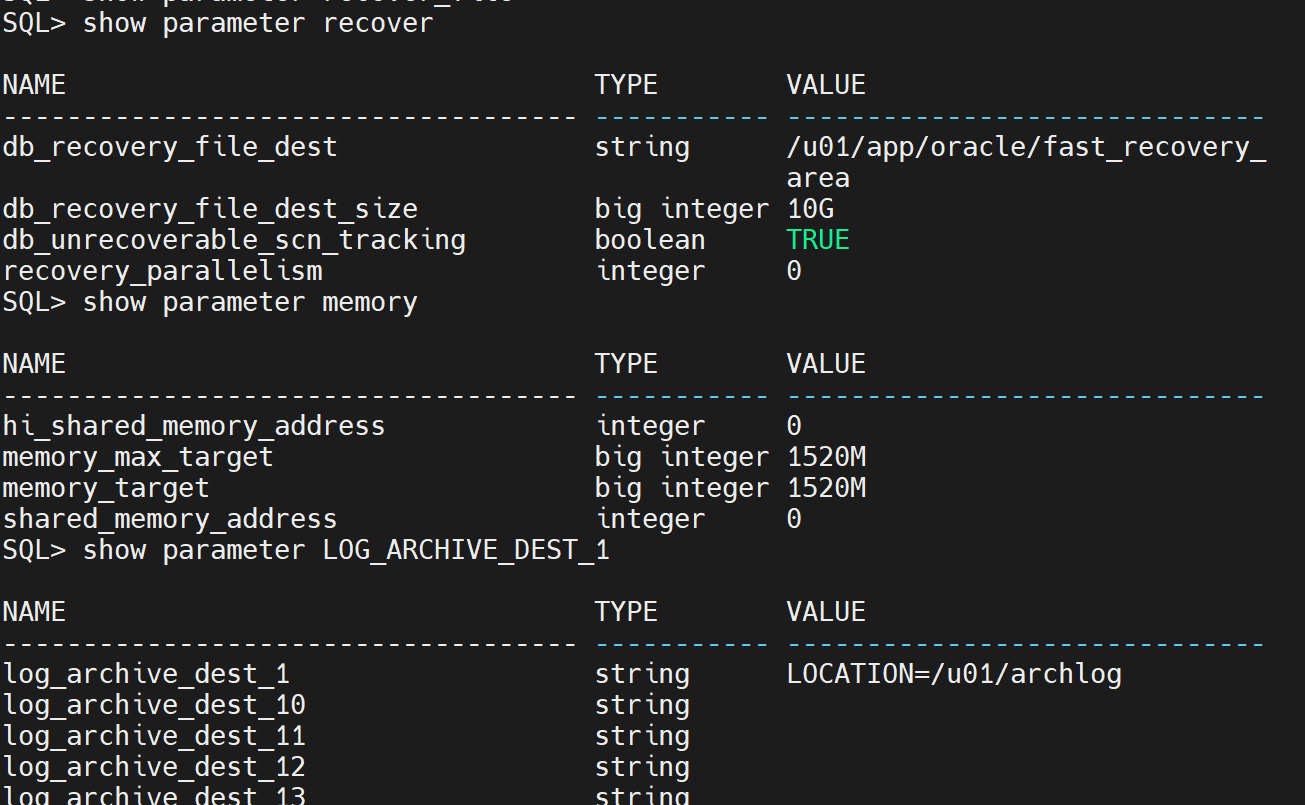
需要确保memory和db_recover_file以及LOG_ARCHIVE_DEST的大小,Memory必须大于1.2G,确保recover_file_dest值大于5G,LOG_ARCHIVE_DEST值大于5G。
注:
1.密码版本问题
从Oracle数据库12c第2版(12.2)开始,默认的基于密码的身份验证协议配置排除了不区分大小写的使用,只有10g版本的密码将会变得不可用。
并且确保SEC_CASE_SENSITIVE_LOGON这个参数没有被设为FALSE
SELECT USERNAME,PASSWORD_VERSIONS FROM DBA_USERS;
USERNAME PASSWORD
------------------------------ --------
LOGMINER 10G 11G
DMHS 10G 11G
USER5 10G 11G
USER3 10G 11G
USER2 10G 11G
USER1 10G 11G
GZGSCX_SHENJI 10G 11G
TEST 10G 11G
ORACLE_OCM 10G 11G
XS$NULL 11G
MDDATA 10G 11G
USERNAME PASSWORD
------------------------------ --------
DIP 10G 11G
APEX_PUBLIC_USER 10G 11G
SPATIAL_CSW_ADMIN_USR 10G 11G
SPATIAL_WFS_ADMIN_USR 10G 11G
DBSNMP 10G 11G
SYSMAN 10G 11G
FLOWS_FILES 10G 11G
MDSYS 10G 11G
ORDSYS 10G 11G
EXFSYS 10G 11G
WMSYS 10G 11G
show parameter sec_case_sensitive_logon
NAME TYPE VALUE
------------------------------------ ----------- ------
sec_case_sensitive_logon boolean TRUE如果为flase,修改为true
alter system set SEC_CASE_SENSITIVE_LOGON=true sid='*';
二.19c数据库软件安装
2.1 图形界面安装
修改环境变量
export ORACLE_HOME=/u01/app/oracle/product/19.3.0/dbhome_1
export DISPLAY=192.168.171.1:0.0 //mobaxterm配置图形
$ORACLE_HOME/runInstaller -ignoreInternalDriverError //图形安装
过程省略
2.2 静默安装
//响应文件
cd $ORACLE_HOME/install/response
echo '' > db_install.rsp
vi db_install.rsp
#软件版本信息
oracle.install.responseFileVersion=/oracle/install/rspfmt_dbinstall_response_schema_v19.3.0
#安装选项-仅安装数据库软件
oracle.install.option=INSTALL_DB_SWONLY
#oracle用户用于安装软件的组名
UNIX_GROUP_NAME=oinstall
#oracle产品清单目录
INVENTORY_LOCATION=/u01/app/oraInventory
#oracle安装目录
ORACLE_HOME=/u01/app/oracle/product/19.3.0/dbhome_1
#oracle基础目录
ORACLE_BASE=/u01/app/oracle
#安装版本类型:企业版
oracle.install.db.InstallEdition=EE
#指定组信息
oracle.install.db.OSDBA_GROUP=dba
oracle.install.db.OSOPER_GROUP=oper
oracle.install.db.OSBACKUPDBA_GROUP=dba
oracle.install.db.OSKMDBA_GROUP=dba
oracle.install.db.OSRACDBA_GROUP=dba
oracle.install.db.OSDGDBA_GROUP=dba
静默安装(比图形安装快),这里我是配置响应文件使用的静默安装
su - oracle
cd $ORACLE_HOME/
./runInstaller -silent -noconfig -responseFile /u01/app/oracle/product/19.3.0/dbhome_1/install/response/db_install.rsp //执行安装
su - root
/u01/app/oracle/product/19.3.0/dbhome_1/root.sh //root执行配置脚本
三.DBUA升级
3.1配置环境变量
su - oracle
cd /u01/app/oracle/product/19.3.0/dbhome_1
export ORACLE_HOME=/u01/app/oracle/product/19.3.0/dbhome_1
export DISPLAY=192.168.171.1:0.0 //mobaxterm配置图形
dbua //执行dbua升级工具
3.2 dbua升级
输入sysdba账户和密码,我的是sys/*********
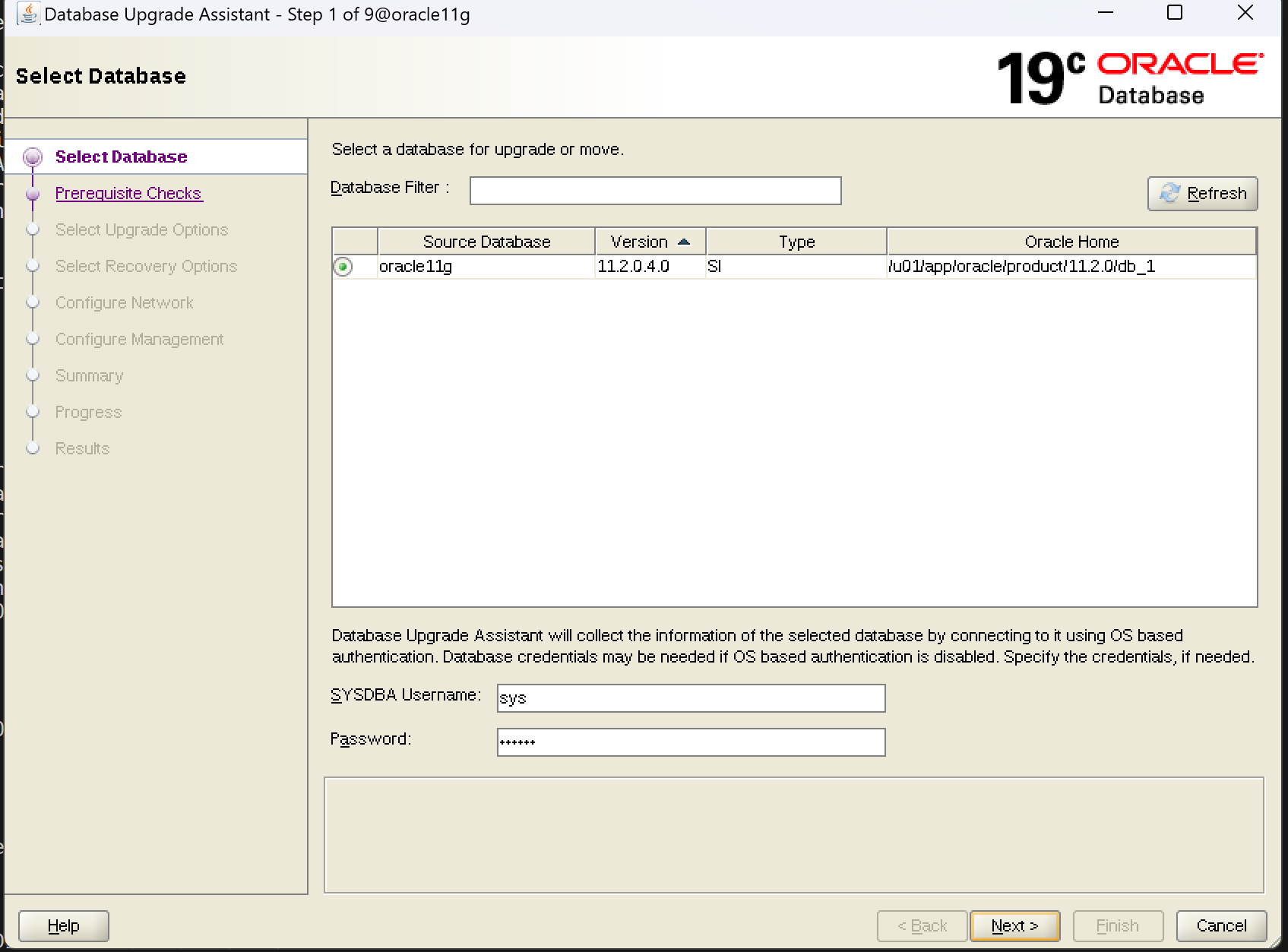
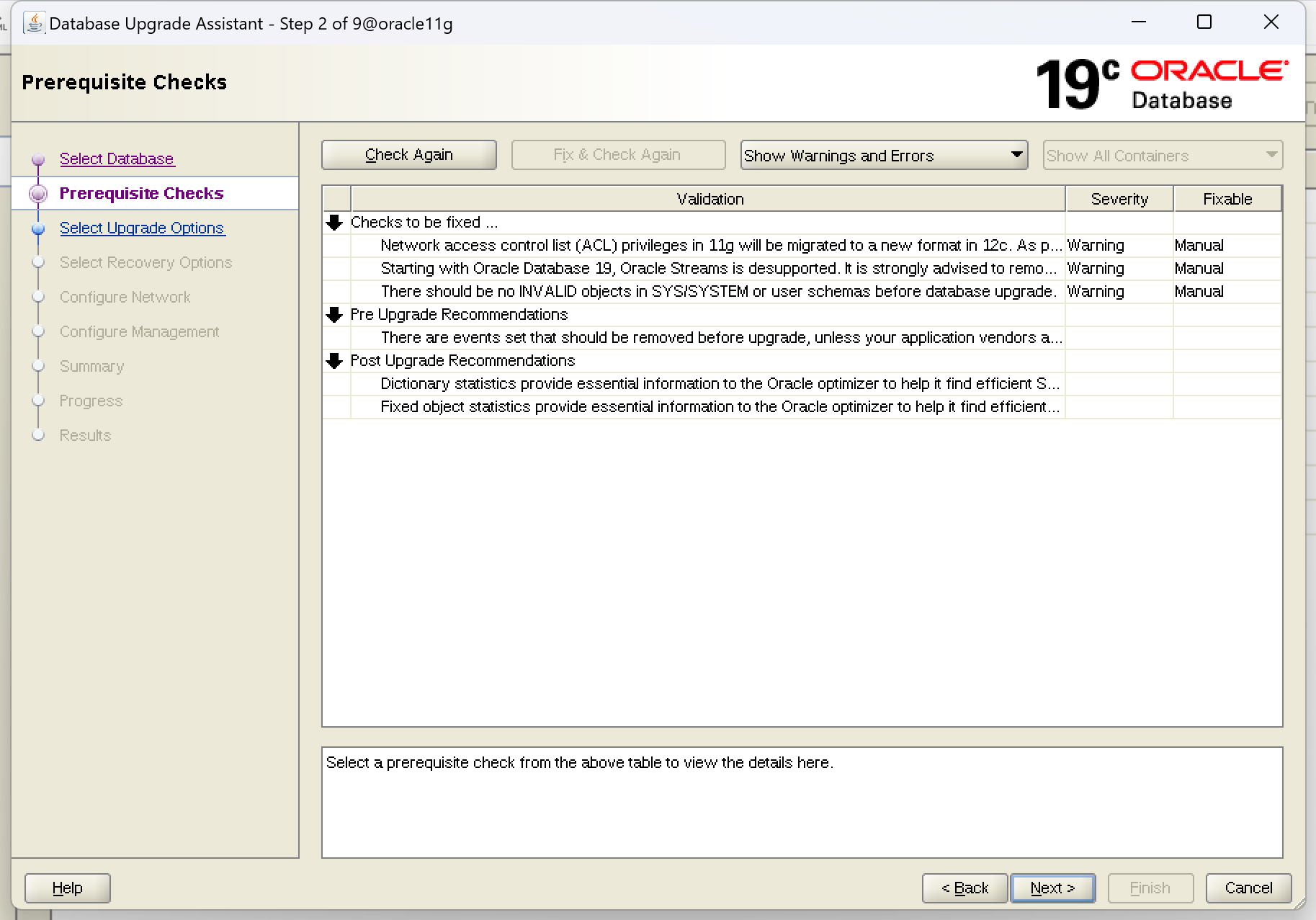
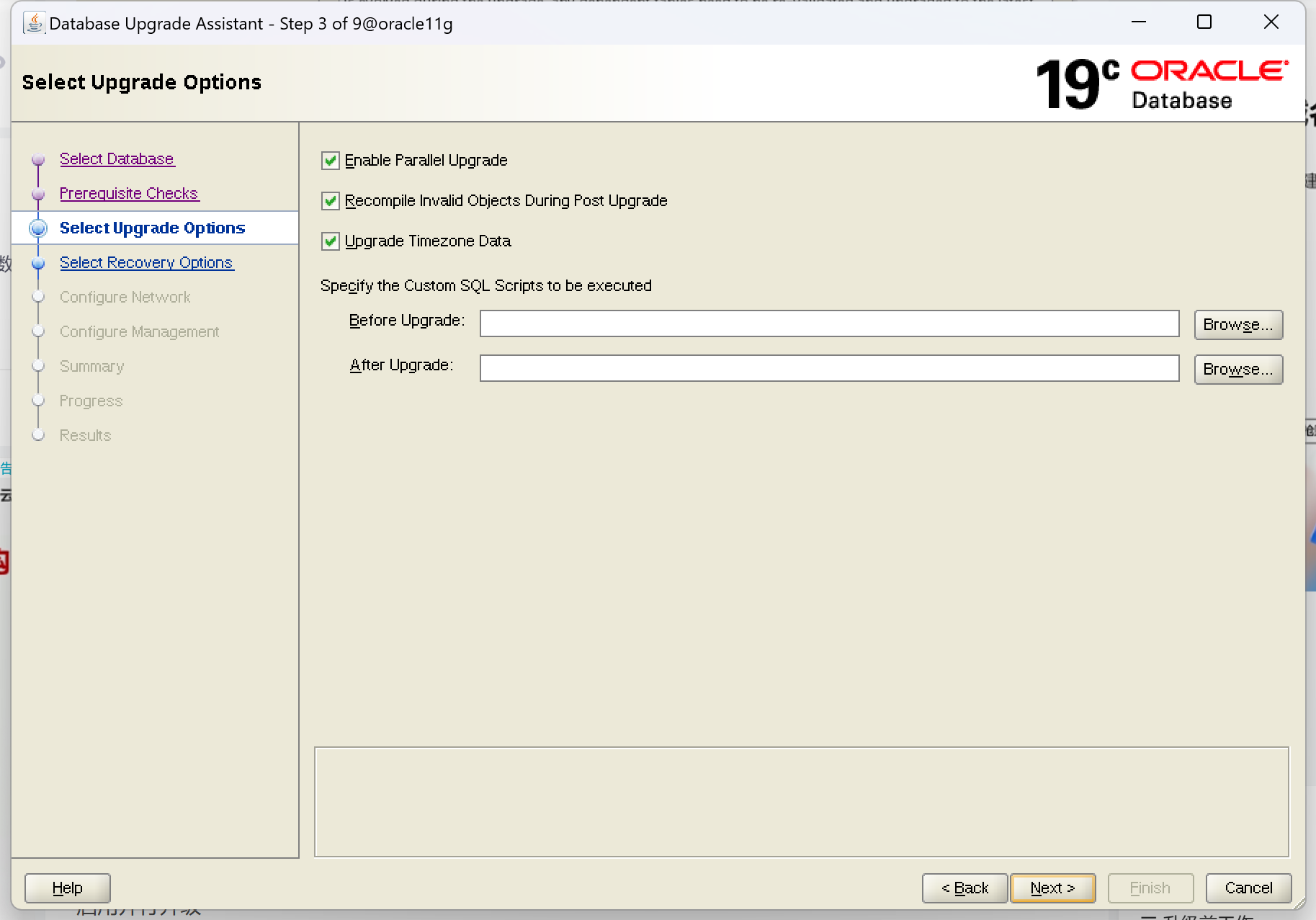
next 弹出预检查选项,根据预检查项进行优化(这与前面preupgrade.jar和preupgrade_fixups.sql 命令行效果一样的)
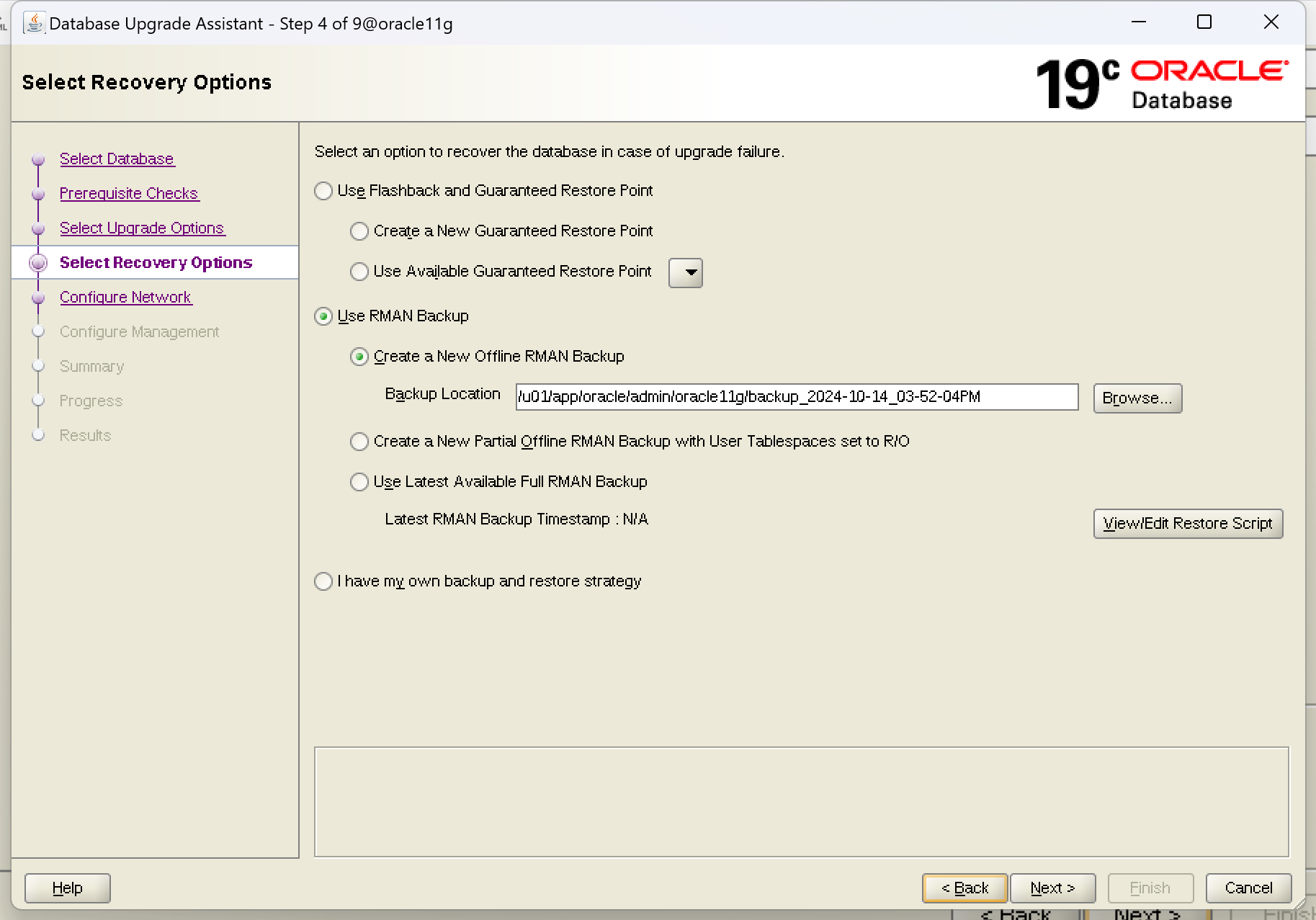
选择备份方法
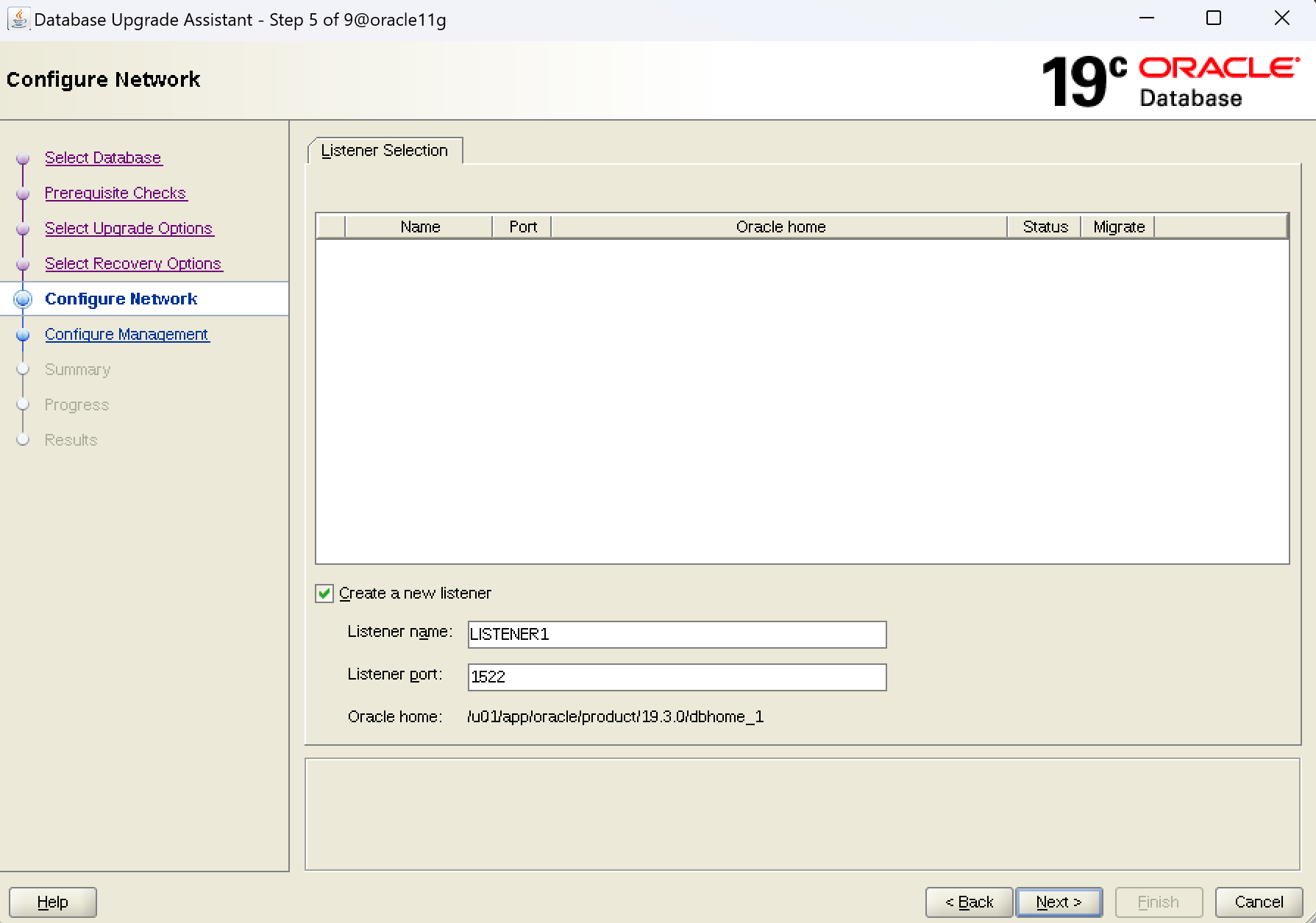
新建监听
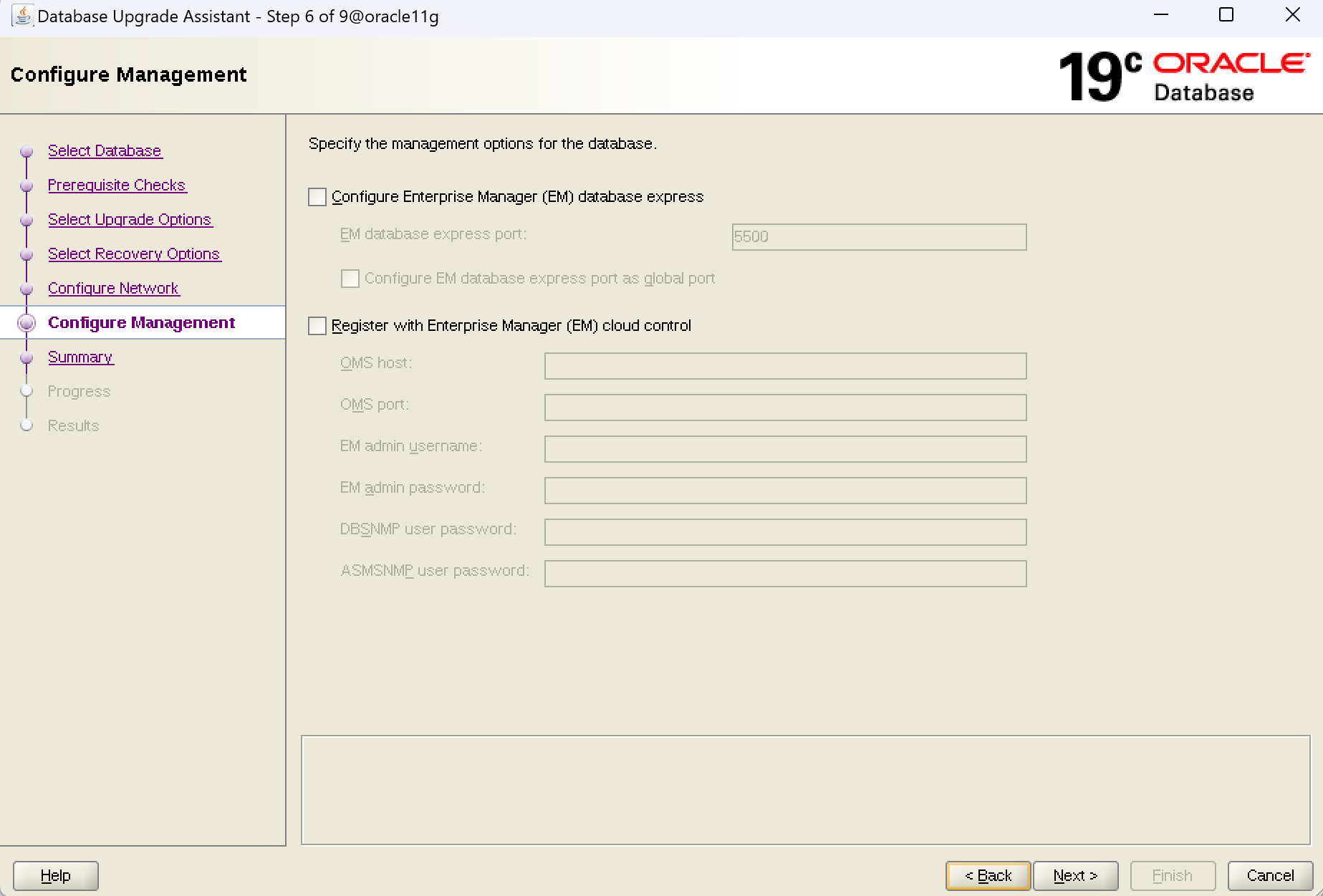
EM配置,这里不选择
next进行dbua升级,等待完成
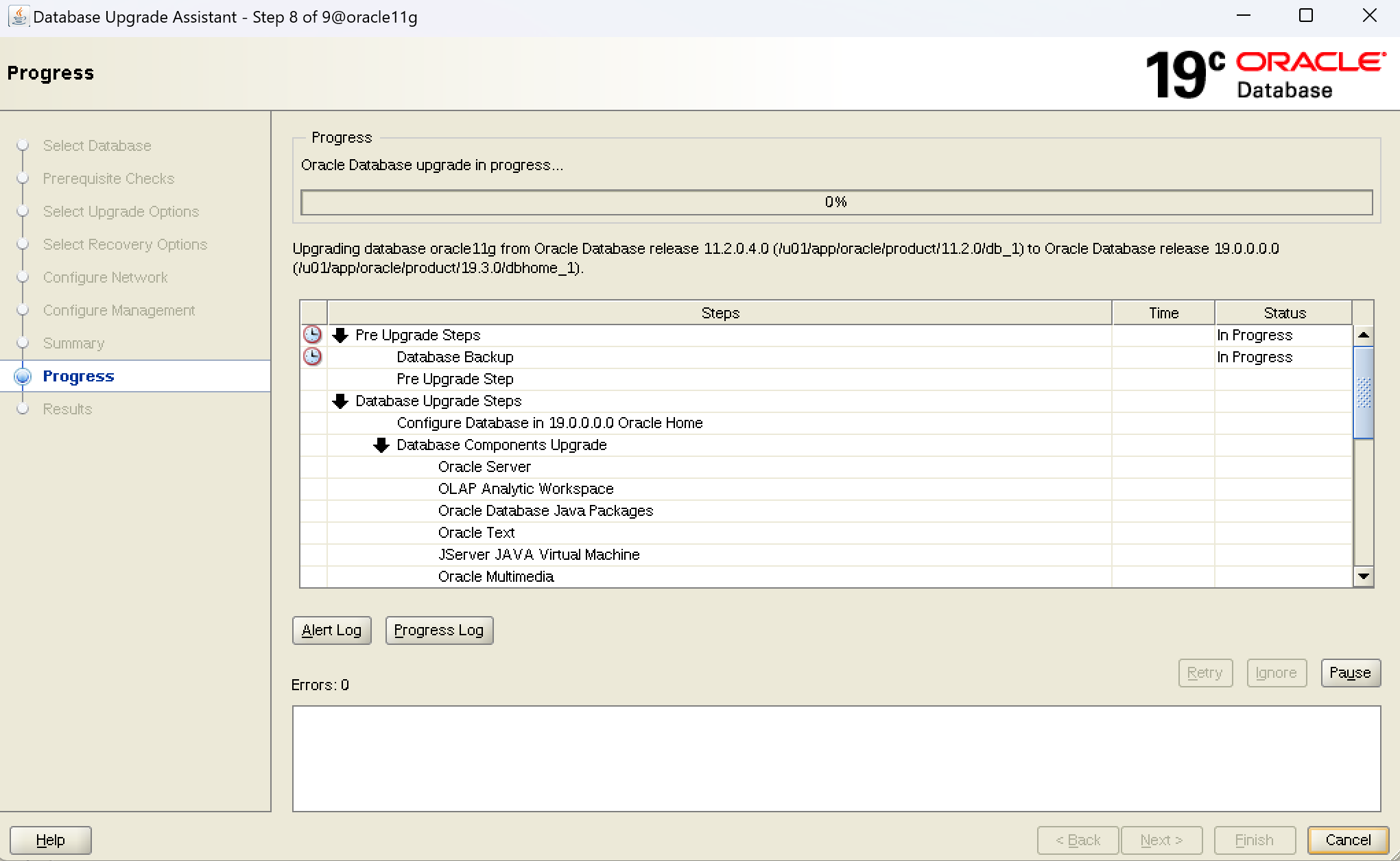
这里我出现一个故障,提示数据库不能备份,报ORA-00845:MEMORY_TARGET not supported on this system,指memory的值大于/dev/shm而报错,根据之前的配置,数据库是使用AMM管理的,奇怪的是memory的值</dev/shm的值,但还是报错,而现在在执行dbua,数据库已经被关闭,停止dbua,释放/dev/shm并增大/dev/shm值,重新启动dbua
跳过数据库备份失败的错误,不影响
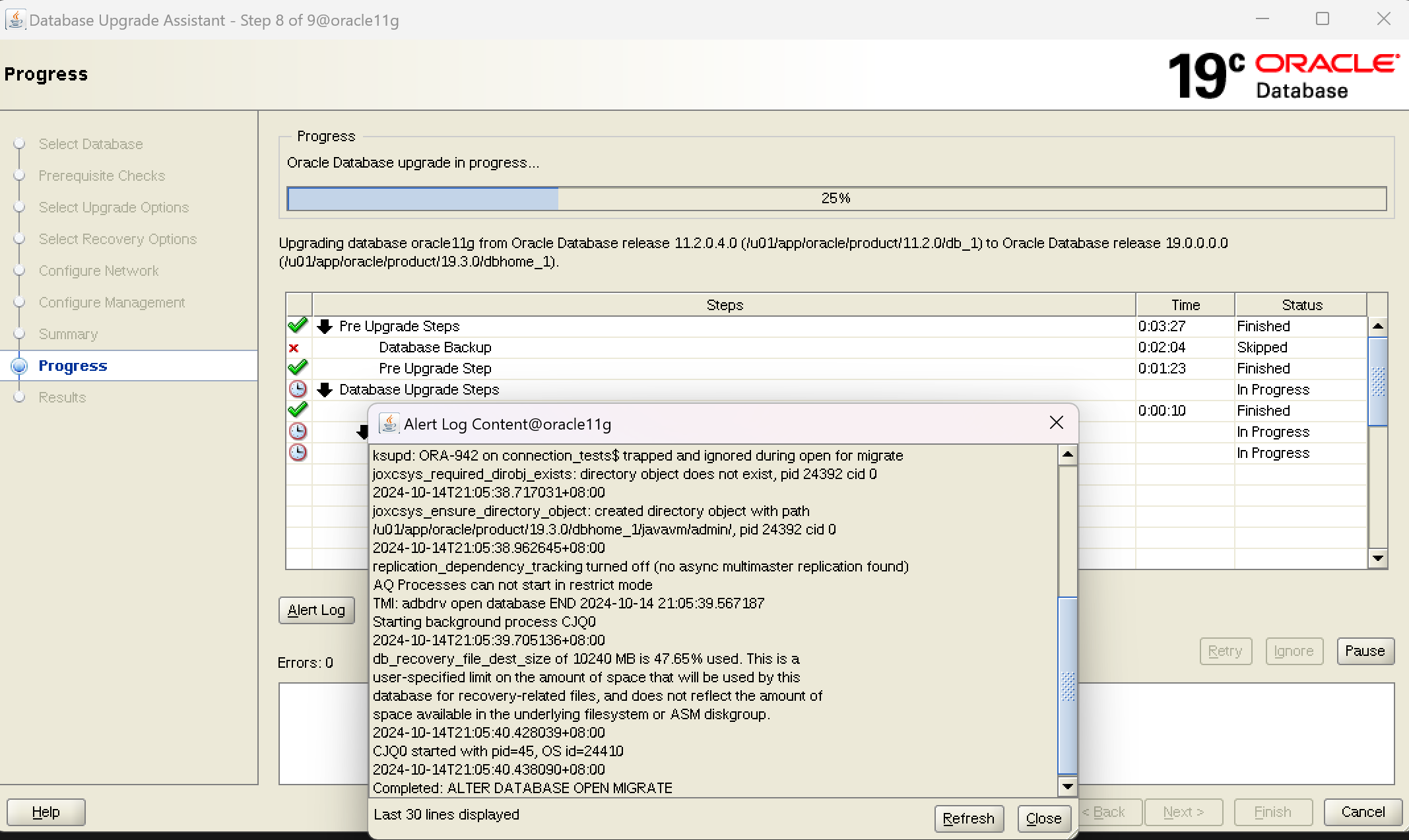
在使用 Oracle Database Upgrade Assistant (DBUA) 进行数据库升级时,出现报错提示ORA -04063:SYS.ALERT_QUE has error ORA-06512:at SYS.DBMS_AQADM_SYS line xx;出现报错之后升级没有被停止,dbua进程仍然在工作;失效对象通常不会直接阻碍升级过程。DBUA 的主要任务是升级数据库和相关组件的版本,它并不依赖于所有对象的状态是否有效。然而,SYS.DBMS_AQADM_SYS包出现错误,最突出的表现是执行expdp备份时出现问题,以下几点需要注意:
1. **升级后状态**:虽然失效对象不会直接影响升级,但在升级完成后,这些对象仍然会保持失效状态。因此,在升级后,可能需要手动重新编译这些对象,以确保它们能正常工作。
2. **依赖性问题**:某些失效对象可能是由于依赖的其他对象失效或缺失导致的。在升级后,可能会遇到更多的依赖性问题,需要进一步排查和解决。
等待dbua执行升级完后再处理包失效问题
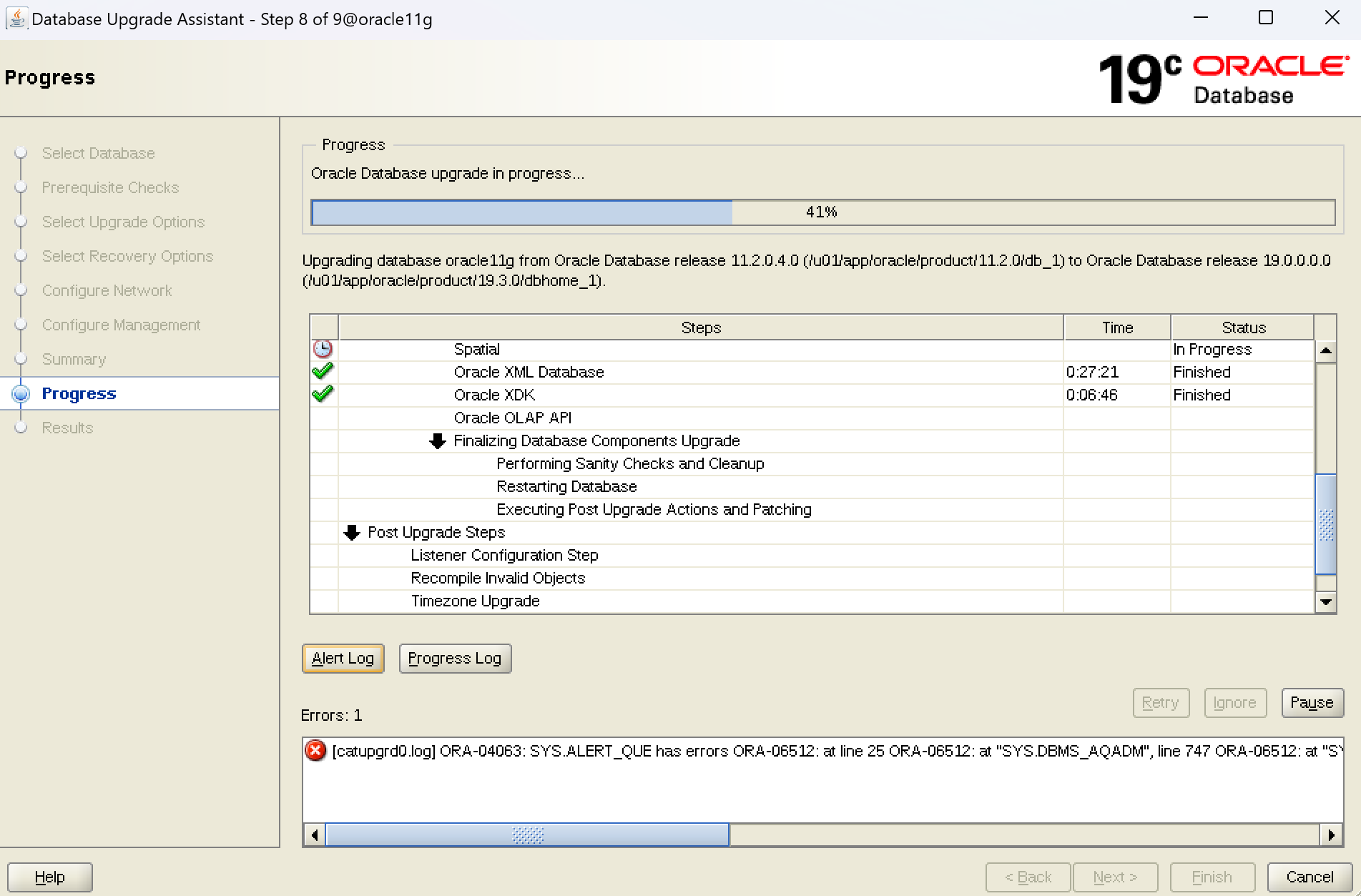
升级的时候dbua异常停止,需要进行以下操作
四.升级后续工作
1.升级终止后执行脚本@/u01/app/oracle/cfgtoollogs/oracle11g/preupgrade/postupgrade_fixups.sql
su - oracle
sqlplus / as sysdba
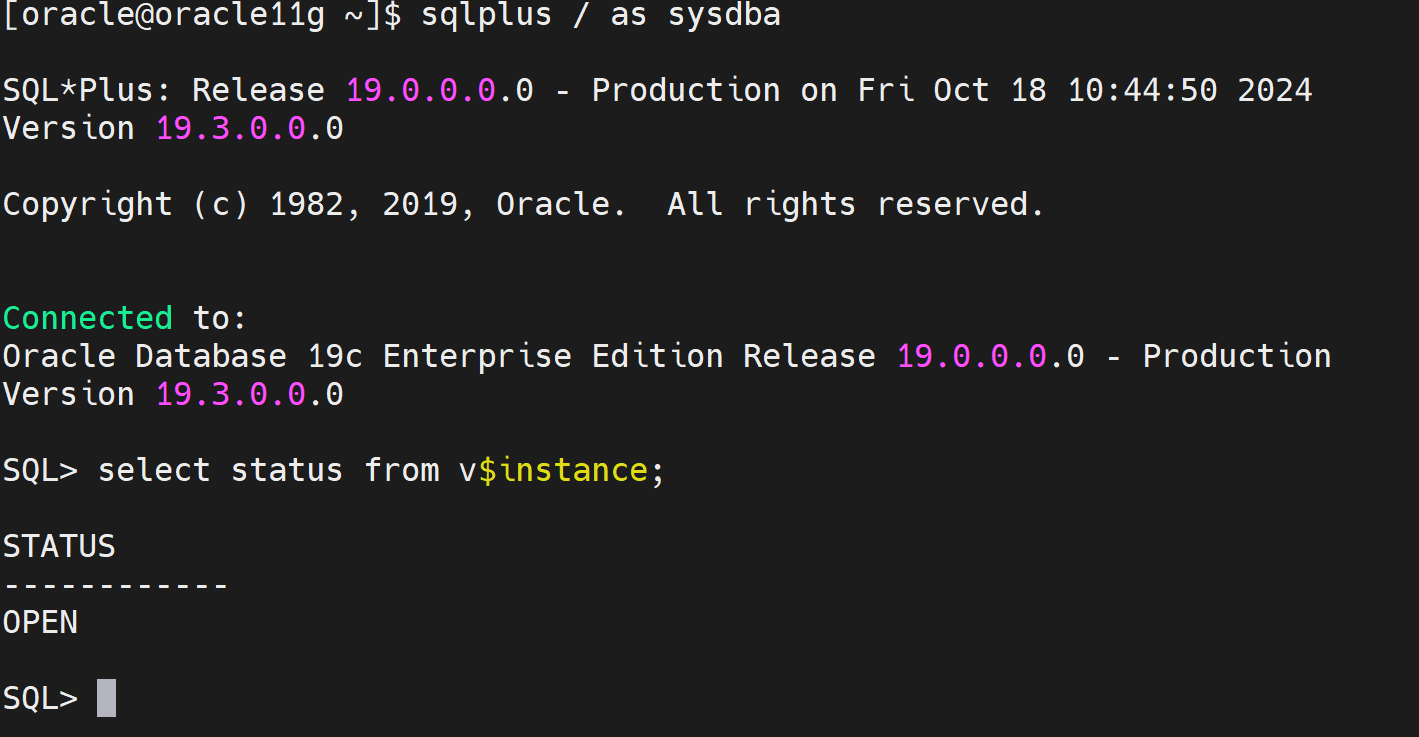
SQL> select status from v$instance;
STATUS
------------
OPENSQL>@/u01/app/oracle/cfgtoollogs/oracle11g/preupgrade/postupgrade_fixups.sql
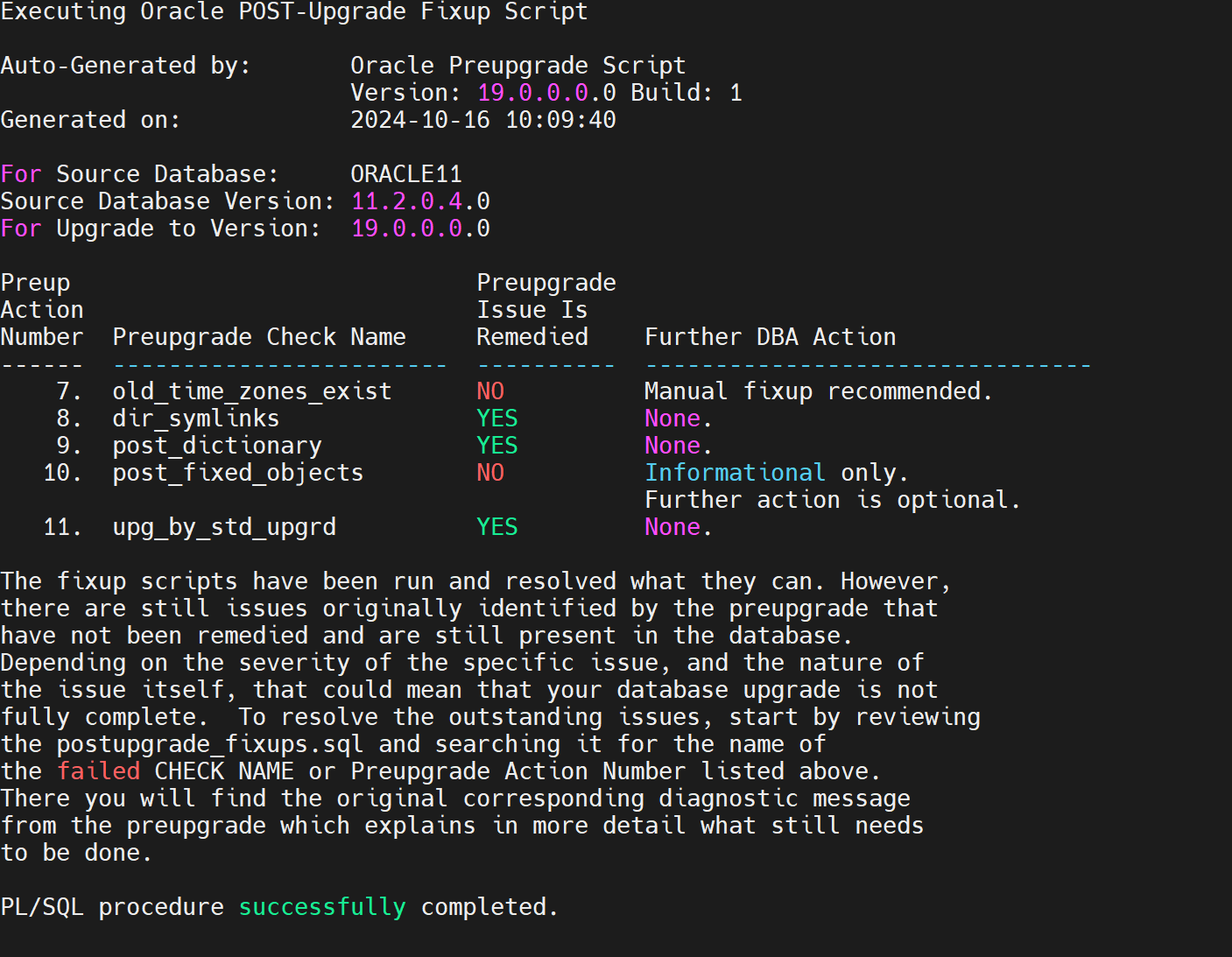
需要根据fixup脚本列出的更新状态检查进一步优化
2.数据字典更新
2.1检查数据字典状态
su - oracle
sqlplus / as sysdba
spool /tmp/regInvalid.out
set echo on
-- query registry
set lines 80 pages 100
select substr(comp_id,1,15) comp_id,substr(comp_name,1,30)
comp_name,substr(version,1,10) version,status
from dba_registry order by modified;
2.2更新数据字典
$ORACLE_HOME/rdbms/admin/catproc.sql //运行服务器端所需要的PL/SQL脚本
$ORACLE_HOME/rdbms/admin/utlrp.sql //刷新数据库其他功能的表和视图,编译无效对象
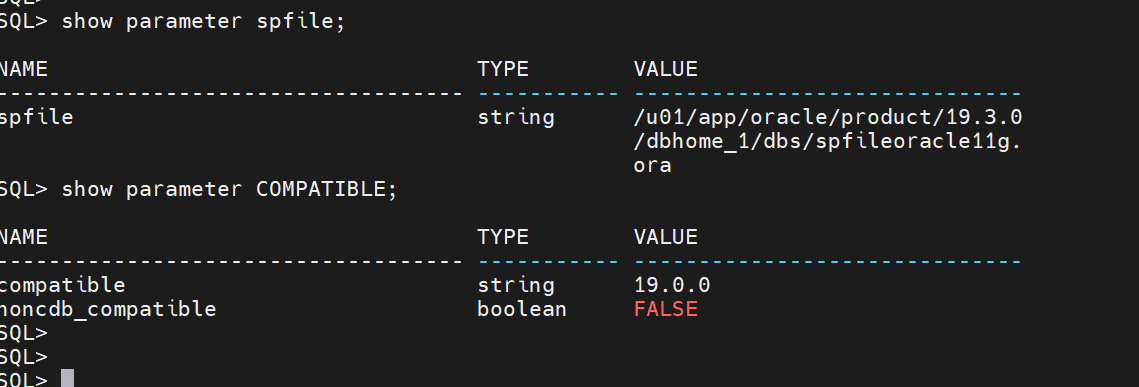
3.修改COMPATIBLE参数
SQL> show parameter COMPATIBLE;
NAME TYPE VALUE
------------------------------------ ----------- ------------------------------
compatible string 11.2.0.4.0
noncdb_compatible boolean FALSESQL>ALTER SYSTEM SET COMPATIBLE="19.0.0" SCOPE=SPFILE;
shutdown immediate
startup
4.Time Zone更新
SQL> SELECT * FROM v$timezone_file;
FILENAME VERSION CON_ID
-------------------- ---------- ----------
timezlrg_14.dat 14 0
等于14:这已经是11g需要的版本,但是需要升级到19c环境,version=32
4.1升级Time Zone
查找时区文件
find $ORACLE_HOME -name 'zoneinfo'
cd /u01/app/oracle/product/19.3.0/dbhome_1/oracore/zoneinfo
ll
total 33312
drwxr-xr-x 2 oracle oinstall 4096 Apr 17 2019 big
drwxr-xr-x 2 oracle oinstall 4096 Apr 17 2019 little
-rw-r--r-- 1 oracle oinstall 59574 Jun 14 2018 readme.txt
-rw-r--r-- 1 oracle oinstall 52931 Jun 14 2018 timezdif.csv
-rw-r--r-- 1 oracle oinstall 792894 Jun 18 2014 timezlrg_10.dat
-rw-r--r-- 1 oracle oinstall 787272 Aug 10 2016 timezlrg_11.dat
-rw-r--r-- 1 oracle oinstall 785621 Aug 10 2016 timezlrg_12.dat
-rw-r--r-- 1 oracle oinstall 782475 Aug 10 2016 timezlrg_13.dat
-rw-r--r-- 1 oracle oinstall 791430 Dec 18 2012 timezlrg_14.dat
-rw-r--r-- 1 oracle oinstall 791476 Aug 10 2016 timezlrg_15.dat
-rw-r--r-- 1 oracle oinstall 800913 Aug 10 2016 timezlrg_16.dat
-rw-r--r-- 1 oracle oinstall 779003 Aug 10 2016 timezlrg_17.dat
-rw-r--r-- 1 oracle oinstall 781669 Jun 22 2016 timezlrg_18.dat
-rw-r--r-- 1 oracle oinstall 785786 Aug 10 2016 timezlrg_19.dat
-rw-r--r-- 1 oracle oinstall 493675 Aug 10 2016 timezlrg_1.dat
-rw-r--r-- 1 oracle oinstall 789973 Aug 10 2016 timezlrg_20.dat
-rw-r--r-- 1 oracle oinstall 782517 Aug 10 2016 timezlrg_21.dat
-rw-r--r-- 1 oracle oinstall 784497 Aug 10 2016 timezlrg_22.dat
-rw-r--r-- 1 oracle oinstall 788897 Aug 10 2016 timezlrg_23.dat
-rw-r--r-- 1 oracle oinstall 777086 Aug 10 2016 timezlrg_24.dat
-rw-r--r-- 1 oracle oinstall 780468 Jun 22 2016 timezlrg_25.dat
-rw-r--r-- 1 oracle oinstall 785474 Aug 10 2016 timezlrg_26.dat
-rw-r--r-- 1 oracle oinstall 785408 Jul 25 2016 timezlrg_27.dat
-rw-r--r-- 1 oracle oinstall 782585 Sep 28 2016 timezlrg_28.dat
-rw-r--r-- 1 oracle oinstall 788462 Dec 5 2016 timezlrg_29.dat
-rw-r--r-- 1 oracle oinstall 507957 Aug 10 2016 timezlrg_2.dat
-rw-r--r-- 1 oracle oinstall 785841 May 3 2017 timezlrg_30.dat
-rw-r--r-- 1 oracle oinstall 786708 Nov 6 2017 timezlrg_31.dat
-rw-r--r-- 1 oracle oinstall 786909 Jun 20 2018 timezlrg_32.dat
-rw-r--r-- 1 oracle oinstall 527717 Aug 10 2016 timezlrg_3.dat
-rw-r--r-- 1 oracle oinstall 531137 Aug 10 2016 timezlrg_4.dat
-rw-r--r-- 1 oracle oinstall 587487 Aug 10 2016 timezlrg_5.dat
-rw-r--r-- 1 oracle oinstall 586750 Aug 10 2016 timezlrg_6.dat
-rw-r--r-- 1 oracle oinstall 601242 Aug 10 2016 timezlrg_7.dat
-rw-r--r-- 1 oracle oinstall 616723 Dec 9 2015 timezlrg_8.dat
-rw-r--r-- 1 oracle oinstall 801410 Aug 10 2016 timezlrg_9.dat
-rw-r--r-- 1 oracle oinstall 345637 Jun 22 2016 timezone_10.dat
-rw-r--r-- 1 oracle oinstall 345356 Dec 9 2015 timezone_11.dat
-rw-r--r-- 1 oracle oinstall 345024 Aug 10 2016 timezone_12.dat
-rw-r--r-- 1 oracle oinstall 344425 Dec 18 2012 timezone_13.dat
-rw-r--r-- 1 oracle oinstall 344448 Dec 9 2015 timezone_14.dat
-rw-r--r-- 1 oracle oinstall 344448 Aug 10 2016 timezone_15.dat
-rw-r--r-- 1 oracle oinstall 343044 Aug 10 2016 timezone_16.dat
-rw-r--r-- 1 oracle oinstall 341718 Dec 9 2015 timezone_17.dat
-rw-r--r-- 1 oracle oinstall 341718 Aug 10 2016 timezone_18.dat
-rw-r--r-- 1 oracle oinstall 343167 Aug 10 2016 timezone_19.dat
-rw-r--r-- 1 oracle oinstall 274427 Aug 10 2016 timezone_1.dat
-rw-r--r-- 1 oracle oinstall 343167 Aug 10 2016 timezone_20.dat
-rw-r--r-- 1 oracle oinstall 343249 Aug 10 2016 timezone_21.dat
-rw-r--r-- 1 oracle oinstall 343594 Jun 22 2016 timezone_22.dat
-rw-r--r-- 1 oracle oinstall 343768 Aug 10 2016 timezone_23.dat
-rw-r--r-- 1 oracle oinstall 340192 Aug 10 2016 timezone_24.dat
-rw-r--r-- 1 oracle oinstall 340197 Aug 10 2016 timezone_25.dat
-rw-r--r-- 1 oracle oinstall 342602 Aug 10 2016 timezone_26.dat
-rw-r--r-- 1 oracle oinstall 342602 Jul 25 2016 timezone_27.dat
-rw-r--r-- 1 oracle oinstall 341401 Sep 28 2016 timezone_28.dat
-rw-r--r-- 1 oracle oinstall 341401 Dec 5 2016 timezone_29.dat
-rw-r--r-- 1 oracle oinstall 274900 Dec 18 2012 timezone_2.dat
-rw-r--r-- 1 oracle oinstall 340884 May 3 2017 timezone_30.dat
-rw-r--r-- 1 oracle oinstall 340892 Nov 6 2017 timezone_31.dat
-rw-r--r-- 1 oracle oinstall 340869 Jun 20 2018 timezone_32.dat
-rw-r--r-- 1 oracle oinstall 286651 Aug 10 2016 timezone_3.dat
-rw-r--r-- 1 oracle oinstall 286264 Dec 18 2012 timezone_4.dat
-rw-r--r-- 1 oracle oinstall 286310 Aug 10 2016 timezone_5.dat
-rw-r--r-- 1 oracle oinstall 286217 Aug 10 2016 timezone_6.dat
-rw-r--r-- 1 oracle oinstall 286815 Aug 10 2016 timezone_7.dat
-rw-r--r-- 1 oracle oinstall 302100 Dec 9 2015 timezone_8.dat
-rw-r--r-- 1 oracle oinstall 351525 Aug 10 2016 timezone_9.dat
如果没有timezone_32.dat,需要对其进行补丁
4.2 时区升级准备
SQL> exec DBMS_DST.BEGIN_PREPARE(32);
PL/SQL procedure successfully completed.
SELECT PROPERTY_NAME, SUBSTR(property_value, 1, 30) value
FROM DATABASE_PROPERTIES
WHERE PROPERTY_NAME LIKE 'DST_%'
4 ORDER BY PROPERTY_NAME;
PROPERTY_NAME
----------------------------------------------------------------------------------
VALUE
----------------------------------------------------------------------------------
DST_PRIMARY_TT_VERSION
14
DST_SECONDARY_TT_VERSION
32
DST_UPGRADE_STATE
PREPARE
BEGIN
DBMS_DST.FIND_AFFECTED_TABLES
(affected_tables => 'sys.dst$affected_tables',
log_errors => TRUE,
log_errors_table => 'sys.dst$error_table');
6 END;
7
8 /
PL/SQL procedure successfully completed.
SQL> TRUNCATE TABLE SYS.DST$TRIGGER_TABLE;
Table truncated.
SQL> TRUNCATE TABLE sys.dst$affected_tables;
Table truncated.
SQL> TRUNCATE TABLE sys.dst$error_table;
Table truncated.
SQL> SELECT * FROM sys.dst$affected_tables;
no rows selected
SQL> SELECT * FROM sys.dst$error_table;
no rows selected
SQL> SELECT * FROM sys.dst$error_table where ERROR_NUMBER= '1883';
no rows selected
SQL> SELECT * FROM sys.dst$error_table where ERROR_NUMBER= '1878';
no rows selected
SQL> SELECT * FROM sys.dst$error_table where ERROR_NUMBER not in ('1878','1883');
no rows selected
SQL> EXEC DBMS_DST.END_PREPARE;
PL/SQL procedure successfully completed.
SELECT PROPERTY_NAME, SUBSTR(property_value, 1, 30) value
FROM DATABASE_PROPERTIES
WHERE PROPERTY_NAME LIKE 'DST_%'
4 ORDER BY PROPERTY_NAME;
PROPERTY_NAME
----------------------------------------------------------------------------------
VALUE
----------------------------------------------------------------------------------
DST_PRIMARY_TT_VERSION
14
DST_SECONDARY_TT_VERSION
0
DST_UPGRADE_STATE
NONE
4.3Time Zone升级
SQL> shutdown immediate;
Database closed.
Database dismounted.
ORACLE instance shut down.
SQL> startup upgrade;
ORACLE instance started.
Total System Global Area 1593831936 bytes
Fixed Size 8897024 bytes
Variable Size 939524096 bytes
Database Buffers 637534208 bytes
Redo Buffers 7876608 bytes
Database mounted.
Database opened.
SQL>
SQL>
SQL>
SQL> select status from v$instance;
STATUS
------------
OPEN MIGRATE
SQL> set serveroutput on
SQL> purge dba_recyclebin;
DBA Recyclebin purged.
SQL> TRUNCATE TABLE SYS.DST$TRIGGER_TABLE;
Table truncated.
SQL> TRUNCATE TABLE sys.dst$affected_tables;
Table truncated.
SQL> TRUNCATE TABLE sys.dst$error_table;
Table truncated.
SQL> alter session set "_with_subquery"=materialize;
Session altered.
将timezone version升级到32:
SQL> EXEC DBMS_DST.BEGIN_UPGRADE(32);
An upgrade window has been successfully started.
PL/SQL procedure successfully completed.
SELECT PROPERTY_NAME, SUBSTR(property_value, 1, 30) value
FROM DATABASE_PROPERTIES
WHERE PROPERTY_NAME LIKE 'DST_%'
2 3 4 ORDER BY PROPERTY_NAME;
PROPERTY_NAME
--------------------------------------------------------------------------------------------------------------------------------
VALUE
------------------------------------------------------------------------------------------------------------------------
DST_PRIMARY_TT_VERSION
32
DST_SECONDARY_TT_VERSION
14
DST_UPGRADE_STATE
UPGRADE
SQL> SELECT OWNER, TABLE_NAME, UPGRADE_IN_PROGRESS FROM ALL_TSTZ_TABLES where UPGRADE_IN_PROGRESS='YES';
OWNER
--------------------------------------------------------------------------------------------------------------------------------
TABLE_NAME UPG
-------------------------------------------------------------------------------------------------------------------------------- ---
GSMADMIN_INTERNAL
AQ$_CHANGE_LOG_QUEUE_TABLE_L YES
MDSYS
SDO_DIAG_MESSAGES_TABLE YES
GSMADMIN_INTERNAL
AQ$_CHANGE_LOG_QUEUE_TABLE_S YES
SQL> shutdown immediate;
Database closed.
Database dismounted.
ORACLE instance shut down.
SQL> startup
ORACLE instance started.
Total System Global Area 1593831936 bytes
Fixed Size 8897024 bytes
Variable Size 939524096 bytes
Database Buffers 637534208 bytes
Redo Buffers 7876608 bytes
Database mounted.
Database opened.
SQL> alter session set "_with_subquery"=materialize;
Session altered.执行timezone升级:
SQL> set serveroutput on
SQL> VAR numfail numberBEGIN
DBMS_DST.UPGRADE_DATABASE(:numfail,
parallel => TRUE,
log_errors => TRUE,
log_errors_table => 'SYS.DST$ERROR_TABLE',
log_triggers_table => 'SYS.DST$TRIGGER_TABLE',
error_on_overlap_time => FALSE,
2 3 4 5 6 7 8 error_on_nonexisting_time => FALSE);
DBMS_OUTPUT.PUT_LINE('Failures:'|| :numfail);
END;
11 /
Table list: "MDSYS"."SDO_DIAG_MESSAGES_TABLE"
Number of failures: 0
Table list: "GSMADMIN_INTERNAL"."AQ$_CHANGE_LOG_QUEUE_TABLE_S"
Number of failures: 0
Table list: "GSMADMIN_INTERNAL"."AQ$_CHANGE_LOG_QUEUE_TABLE_L"
Number of failures: 0
Failures:0
PL/SQL procedure successfully completed.
SQL> VAR fail number
BEGIN
DBMS_DST.END_UPGRADE(:fail);
DBMS_OUTPUT.PUT_LINE('Failures:'|| :fail);
END;
2 3 4 5 /
An upgrade window has been successfully ended.
Failures:0
PL/SQL procedure successfully completed.
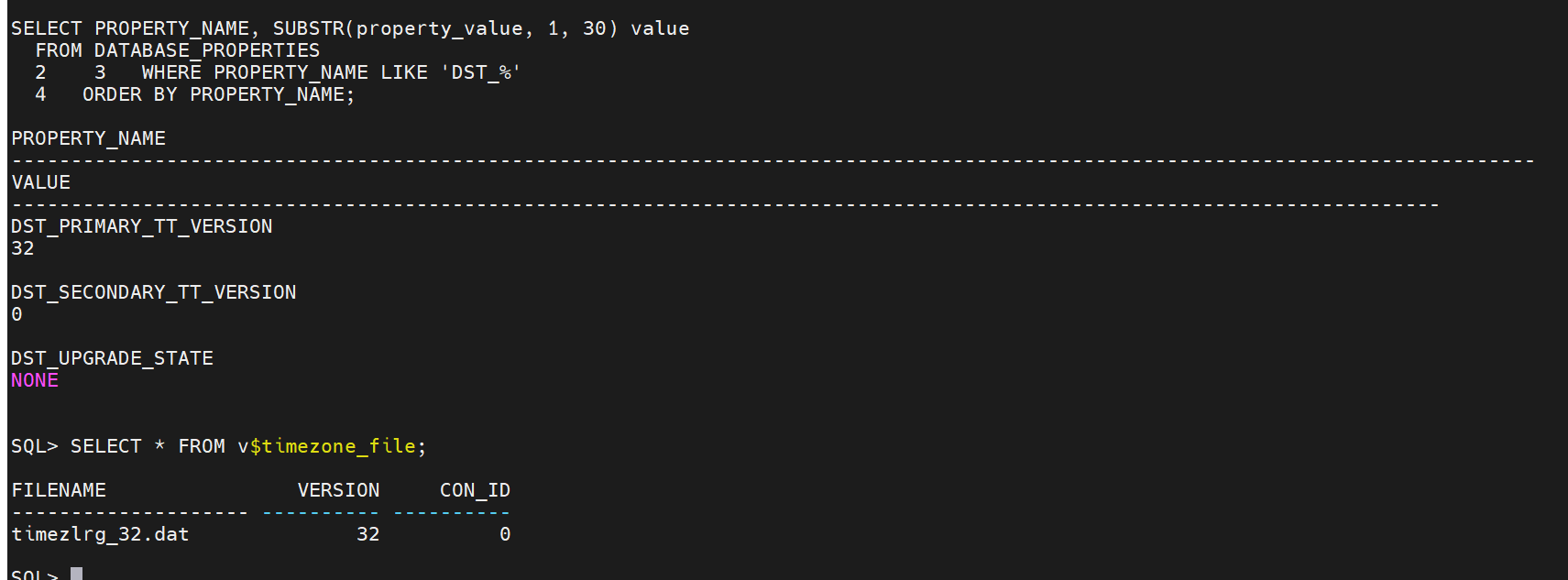
确认升级成功:
SELECT PROPERTY_NAME, SUBSTR(property_value, 1, 30) value
FROM DATABASE_PROPERTIES
2 3 WHERE PROPERTY_NAME LIKE 'DST_%'
4 ORDER BY PROPERTY_NAME;
PROPERTY_NAME
--------------------------------------------------------------------------------------
VALUE
--------------------------------------------------------------------------------------
DST_PRIMARY_TT_VERSION
32
DST_SECONDARY_TT_VERSION
0
DST_UPGRADE_STATE
NONE
SQL> SELECT * FROM v$timezone_file;
FILENAME VERSION CON_ID
-------------------- ---------- ----------
timezlrg_32.dat 32 0
SQL>
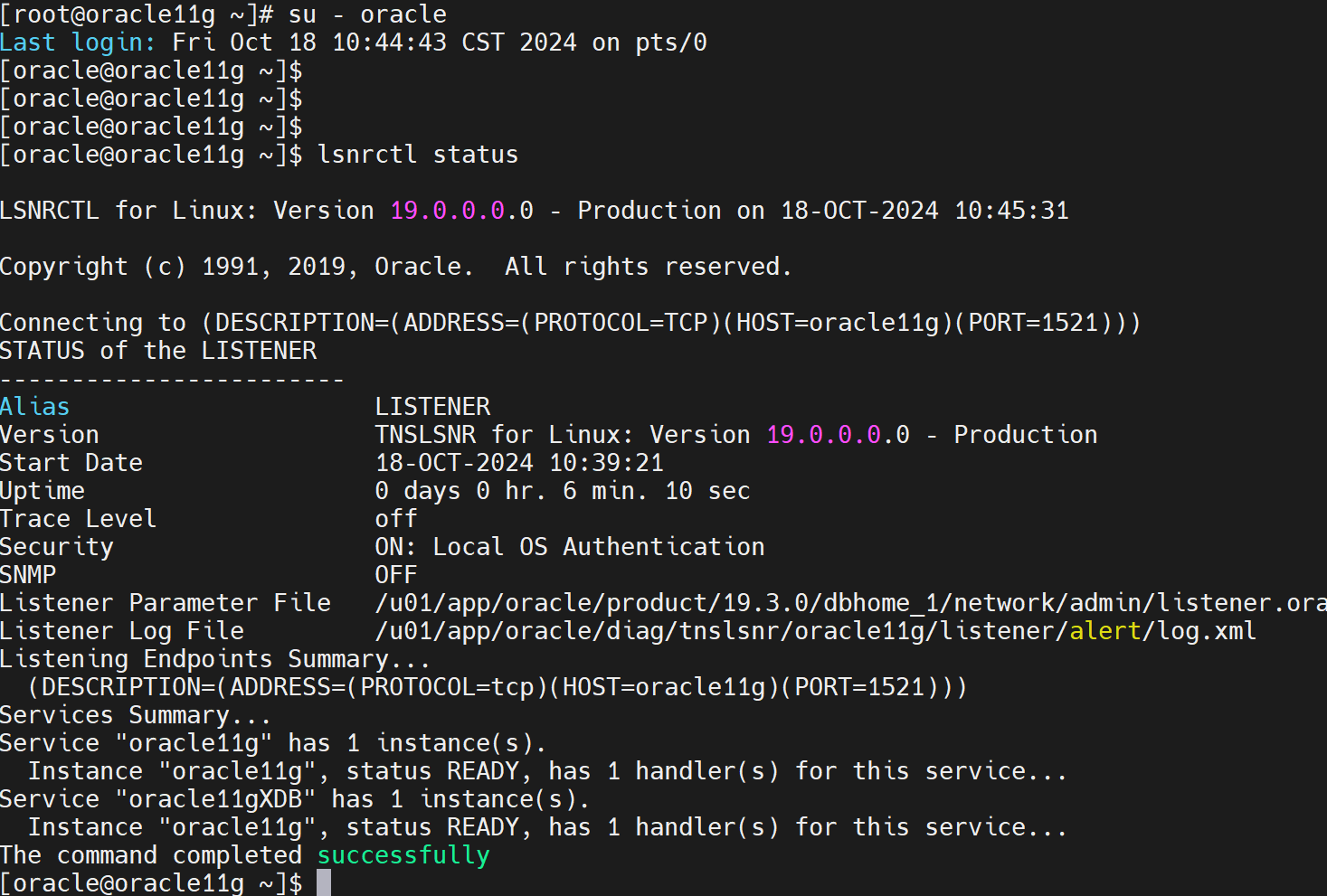
5.监听配置
5.1 配置监听
su - oracle
cp /u01/app/oracle/product/11.2.0/db_1/network/admin/* /u01/app/oracle/product/19.3.0/dbhome_1/network/admin/ #把11g目录下的监听文件cp到19c路径
lsnrctl stop
cd /u01/app/oracle/product
rm -rf 11.2.0/ #删除原11g oracle_home目录
export DISPLAY=192.168.171.1:0.0
netca #图形化配置监听
删除原11g LISTENER 新增19c LISTENER 我这里监听名还是LISTENER 端口还是为1521
SQL> show parameter local_listener;
NAME TYPE VALUE
------------------------------------ ------
local_listener string
SQL> alter system set local_listener='' scope=both; #将LOCAL_LISTENER设置为空,动态监听默认注册1521端口。
System altered.lsnrctl start 或 lsnrctl reload
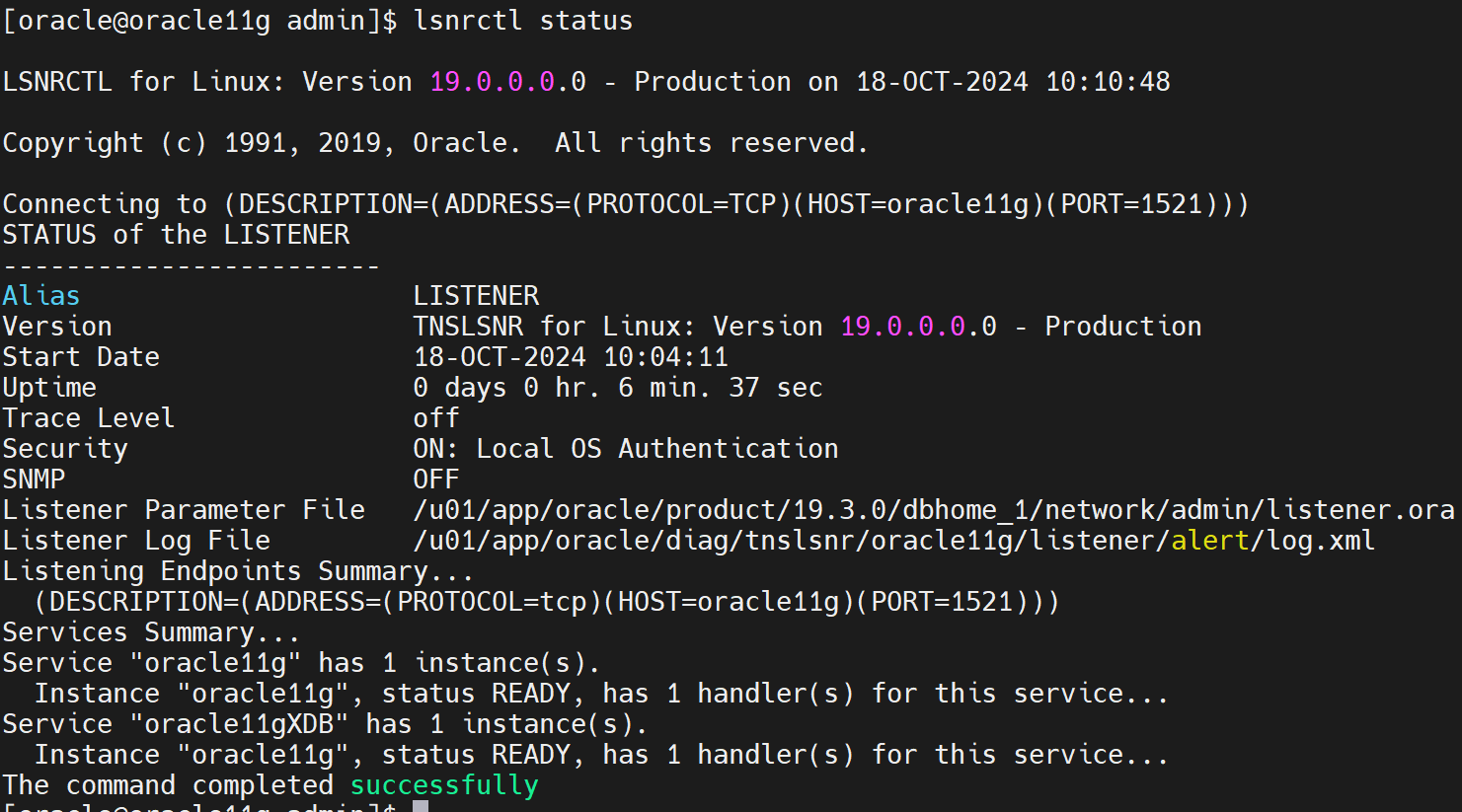
服务名 实例名等未作修改,所以还是为oracle11g ,后续可以做修改
5.2 配置数据库和监听自启动(可选)
修改oratab文件
vi /etc/oratab
oracle11g:/u01/app/oracle/product/19.3.0/dbhome_1:N #将N修改为Y
oracle11g:/u01/app/oracle/product/19.3.0/dbhome_1:Y
修改 /etc/rc.local文件
su - root
vi /etc/rc.local
touch /var/lock/subsys/local
su oracle -lc "/u01/app/oracle/product/19.3.0/dbhome_1/bin/lsnrctl start"
su oracle -lc /u01/app/oracle/product/19.3.0/dbhome_1/bin/dbstart
修改dbstart文件
su - oracle
vi $ORACLE_HOME/bin/dbstart
ORACLE_HOME_LISTNER=$1--------->改为ORACLE_HOME_LISTNER=$ORACLE_HOME
reboot 重启操作系统测试
6.数据测试
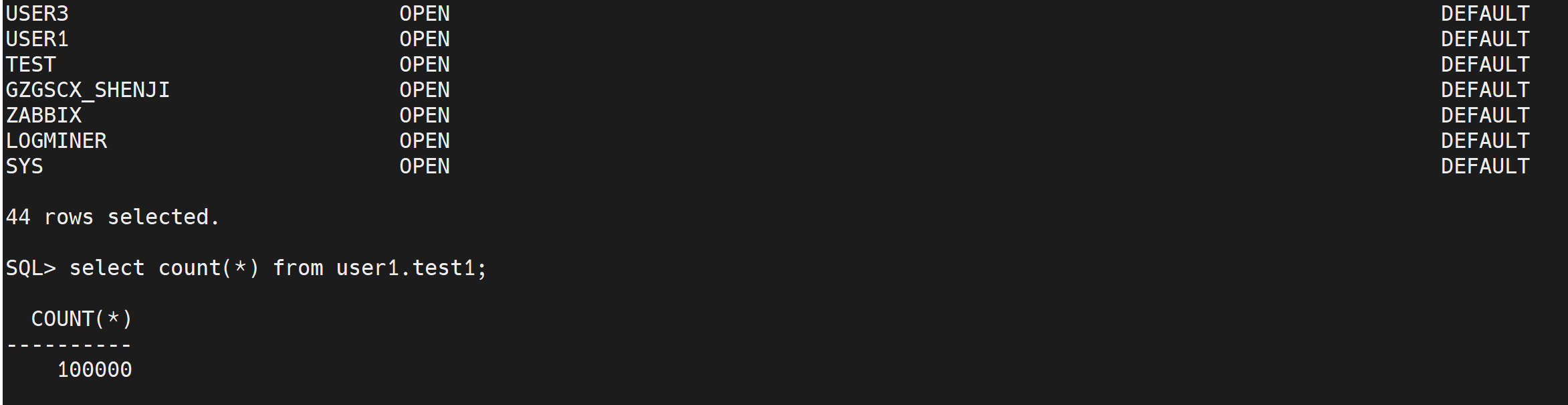
升级前的用户,表空间 ,表,视图等数据完好存在
所有操作暂时结束~目前使用正常,如果有一些未发现的问题,在做处理。over~
