



openGauss数据库中表的创建、插入、查询和删除 练习与总结
首先需要连接openGauss 数据库,
第一步:是先切换到操作系统用户omm,
# su - omm
第二步:使用操作系统用户omm登录数据库
$ gsql -r 或 $ gsql 备注:-r 参数加不加都可以正常连接进数据库中
如果需要退出openGauss 数据库,可以有两种方式:
(1):ctrl+d
(2):\q
课后练习:
1、 创建表: products
需求:
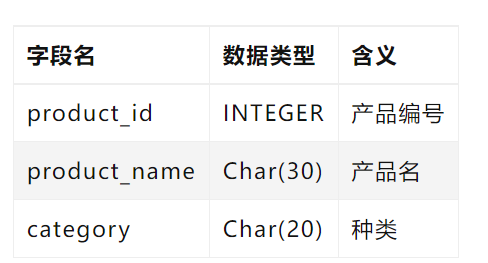
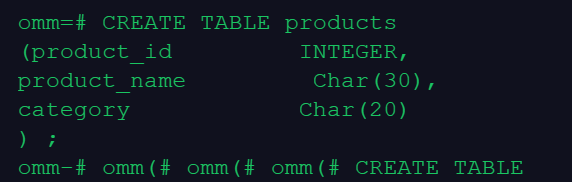
SQL 语句:
omm=# CREATE TABLE products
(product_id INTEGER,
product_name Char(30),
category Char(20)
) ;
2、向表中插入数据,一次插入一条 和 多条记录 两种方式
需求:
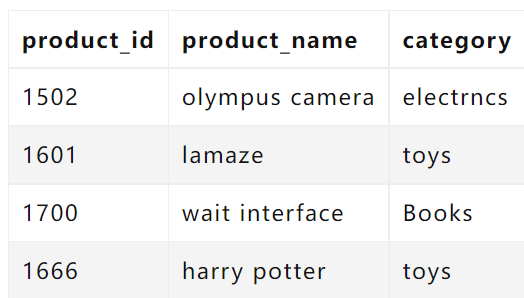
单行插入 SQL语句:
omm=# insert into products VALUES (1502,‘olympus camera’,‘electrncs’);
INSERT 0 1

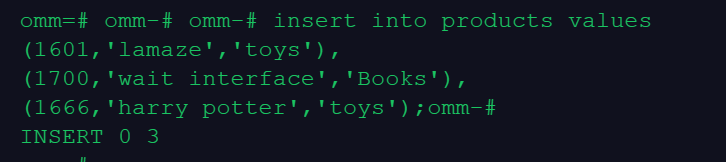
多行插入 SQL语句:
omm-# insert into products values
(1601,‘lamaze’,‘toys’),
(1700,‘wait interface’,‘Books’),
(1666,‘harry potter’,‘toys’);
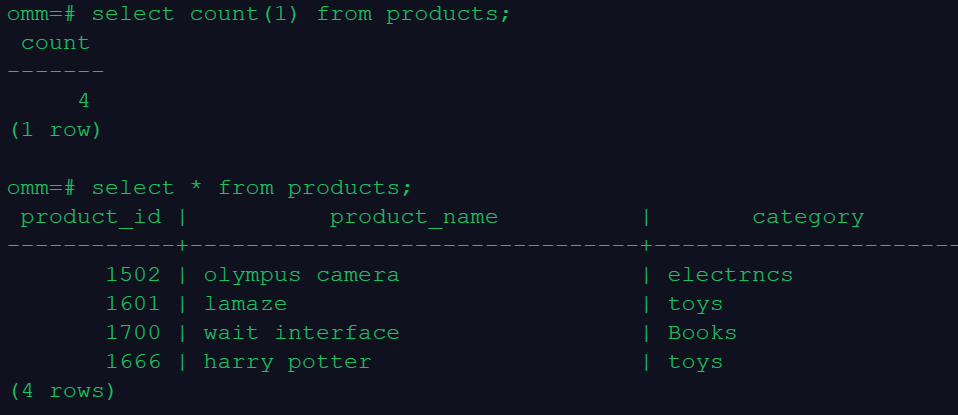
3.查询表中所有记录及记录数
SQL 语句:
omm=# select count(1) from products;
count
-------
4
(1 row)
omm=# select * from products;
product_id | product_name | category
------------±-------------------------------±---------------------
1502 | olympus camera | electrncs
1601 | lamaze | toys
1700 | wait interface | Books
1666 | harry potter | toys
(4 rows)
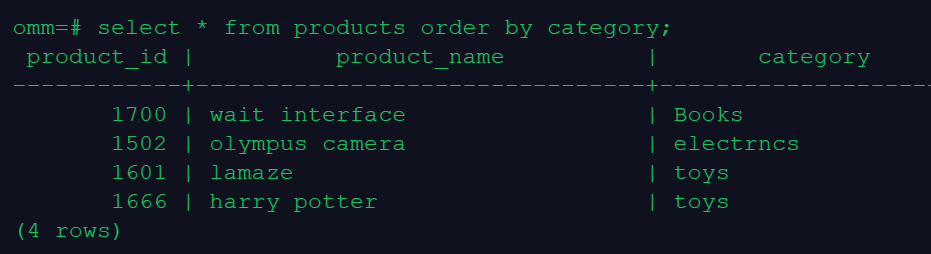
4.查询表中所有category记录,并将查询结果按升序排序
SQL 语句:
omm=# select * from products order by category;
product_id | product_name | category
------------±-------------------------------±---------------------
1700 | wait interface | Books
1502 | olympus camera | electrncs
1601 | lamaze | toys
1666 | harry potter | toys
(4 rows)
5.查询表中category为toys的记录
omm=# select * from products where category=‘toys’;
product_id | product_name | category
------------±-------------------------------±---------------------
1601 | lamaze | toys
1666 | harry potter | toys
(2 rows)

6.删除表products
omm=# drop table products;
DROP TABLE

7、其他:
刚操作还纳闷,为什么insert 自动提交了,查了下文档才知道,原来是开显式事务,自动提交了 ,文档参考:
https://www.cnblogs.com/Gauss-Squirrel-Club/p/15036819.html
多操作多实践。继续!!!!!!
