



8、ConfigMap
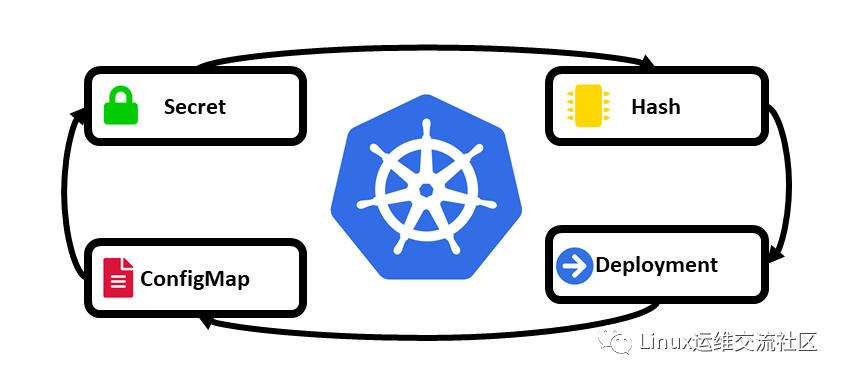
抽取应用配置,并且可以自动更新
创建配置文件
[root@k8s-master-node1 ~/yaml/test]# vim configmap.yaml[root@k8s-master-node1 ~/yaml/test]# cat configmap.yamlapiVersion: v1data:redis.conf: |appendonly yeskind: ConfigMapmetadata:name: redis-confnamespace: default[root@k8s-master-node1 ~/yaml/test]#[root@k8s-master-node1 ~/yaml/test]# kubectl apply -f configmap.yamlconfigmap/redis-conf created[root@k8s-master-node1 ~/yaml/test]#
查看配置
[root@k8s-master-node1 ~/yaml/test]# kubectl get configmapsNAME DATA AGEkube-root-ca.crt 1 110mredis-conf 1 18s[root@k8s-master-node1 ~/yaml/test]#
9、DaemonSet
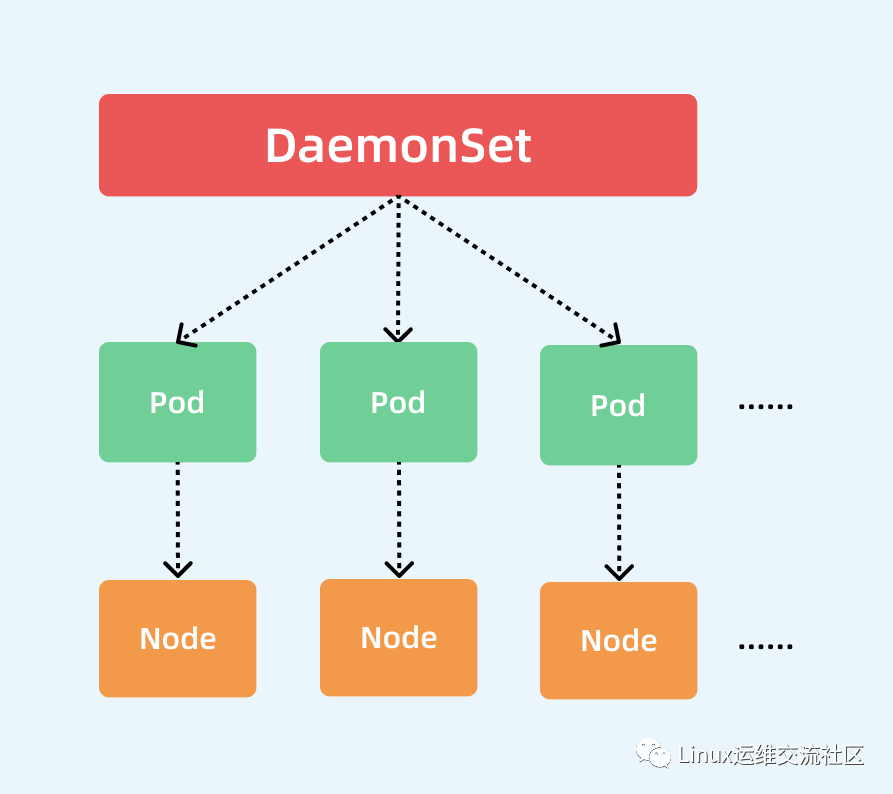
DaemonSet 确保全部(或者某些)节点上运行一个 Pod 的副本。当有节点加入集群时, 也会为他们新增一个 Pod 。当有节点从集群移除时,这些 Pod 也会被回收。删除 DaemonSet 将会删除它创建的所有 Pod。
DaemonSet 的一些典型用法:
在每个节点上运行集群存守护进程在每个节点上运行日志收集守护进程在每个节点上运行监控守护进程一种简单的用法是为每种类型的守护进程在所有的节点上都启动一个 DaemonSet。一个稍微复杂的用法是为同一种守护进程部署多个 DaemonSet;每个具有不同的标志, 并且对不同硬件类型具有不同的内存、CPU 要求。
创建
[root@k8s-master-node1 ~/yaml/test]# vim daemonset.yaml[root@k8s-master-node1 ~/yaml/test]#[root@k8s-master-node1 ~/yaml/test]#[root@k8s-master-node1 ~/yaml/test]# cat daemonset.yamlapiVersion: apps/v1kind: DaemonSetmetadata:name: redis-applabels:k8s-app: redis-appspec:selector:matchLabels:name: fluentd-redistemplate:metadata:labels:name: fluentd-redisspec:tolerations:# this toleration is to have the daemonset runnable on master nodes# remove it if your masters can't run pods- key: node-role.kubernetes.io/mastereffect: NoSchedulecontainers:- name: fluentd-redisimage: rediscommand:- redis-server- "/redis-master/redis.conf" #指的是redis容器内部的位置ports:- containerPort: 6379resources:limits:memory: 200Mirequests:cpu: 100mmemory: 200MivolumeMounts:- name: datamountPath: /data- name: configmountPath: /redis-masterreadOnly: trueterminationGracePeriodSeconds: 30volumes:- name: dataemptyDir: {}- name: configconfigMap:name: redis-confitems:- key: redis.confpath: redis.conf[root@k8s-master-node1 ~/yaml/test]#[root@k8s-master-node1 ~/yaml/test]#[root@k8s-master-node1 ~/yaml/test]# kubectl apply -f daemonset.yamldaemonset.apps/redis-app created[root@k8s-master-node1 ~/yaml/test]#[root@k8s-master-node1 ~/yaml/test]#
查看
[root@k8s-master-node1 ~/yaml/test]#[root@k8s-master-node1 ~/yaml/test]# kubectl get podNAME READY STATUS RESTARTS AGEingress-demo-app-694bf5d965-8rh7f 1/1 Running 0 130mingress-demo-app-694bf5d965-swkpb 1/1 Running 0 130mnfs-client-provisioner-dc5789f74-5bznq 1/1 Running 0 114mredis-app-86g4q 1/1 Running 0 28sredis-app-rt92n 1/1 Running 0 28sredis-app-vkzft 1/1 Running 0 28sweb-0 1/1 Running 0 64mweb-1 1/1 Running 0 63mweb-2 1/1 Running 0 63m[root@k8s-master-node1 ~/yaml/test]# kubectl get daemonsets.appsNAME DESIRED CURRENT READY UP-TO-DATE AVAILABLE NODE SELECTOR AGEredis-app 3 3 3 3 3 <none> 38s[root@k8s-master-node1 ~/yaml/test]#

https://blog.csdn.net/qq_33921750
https://my.oschina.net/u/3981543
https://www.zhihu.com/people/chen-bu-yun-2
https://segmentfault.com/u/hppyvyv6/articles
https://juejin.cn/user/3315782802482007
https://space.bilibili.com/352476552/article
https://cloud.tencent.com/developer/column/93230
知乎、CSDN、开源中国、思否、掘金、哔哩哔哩、腾讯云
文章转载自Linux运维交流社区,如果涉嫌侵权,请发送邮件至:contact@modb.pro进行举报,并提供相关证据,一经查实,墨天轮将立刻删除相关内容。
