目录
Oracle OCP及MySQL OCP考券发放教程(培训机构用)
- 培训机构接收订单后不久,会收到订单激活邮件《Oracle Training and Certification: Activation Instructions for your Digital Learning Product》(内含考券)

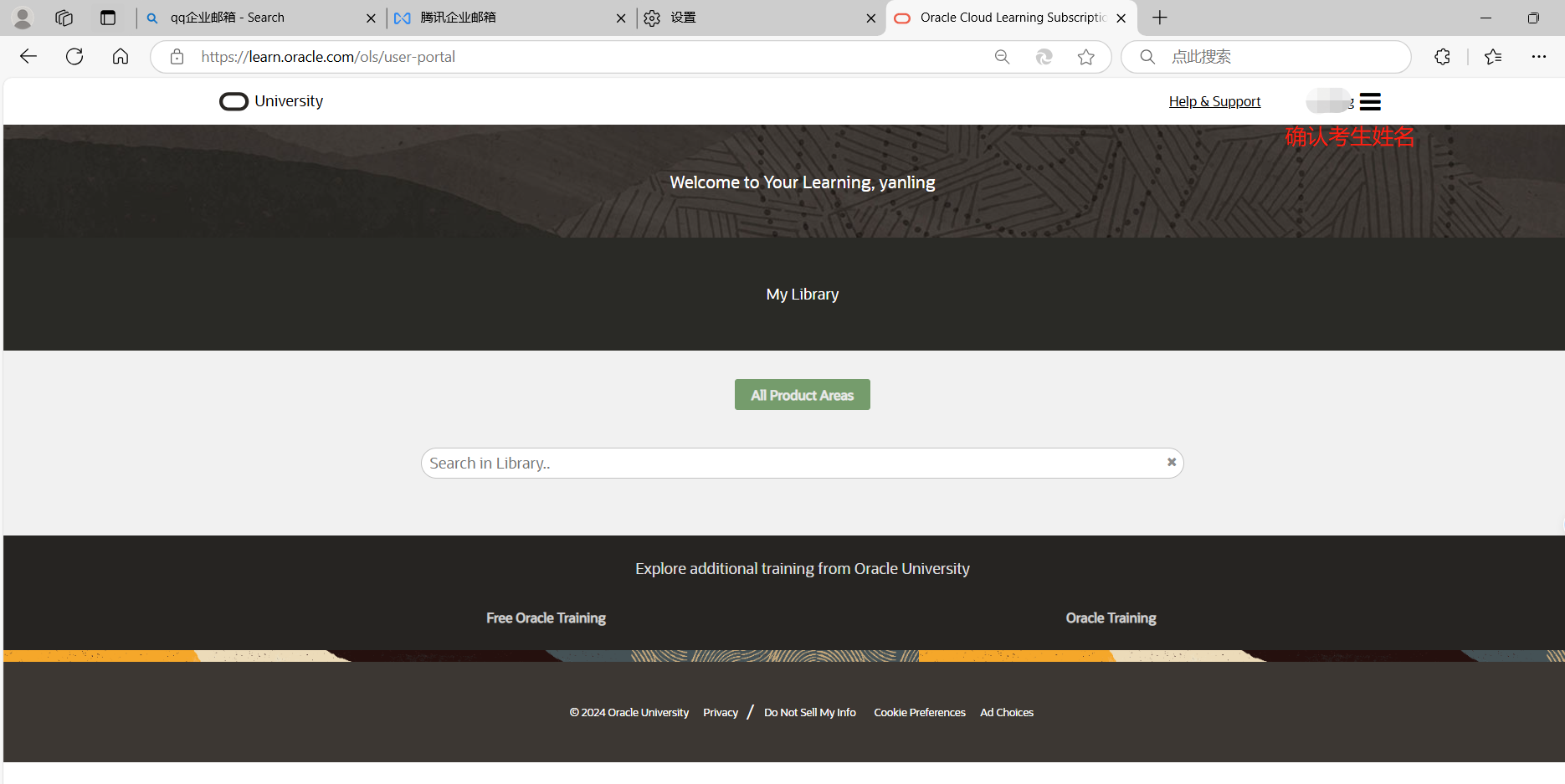
- 用【考生账号】登录 https://learn.oracle.com/ols/user-portal
- 打开订单激活邮件《Oracle Training and Certification: Activation Instructions for your Digital Learning Product》,确认【账号激活信息】(Your Account Activation Information),看里面激活的考试科目是否正确(Description),考券数量(Number of seats),考券有效期。
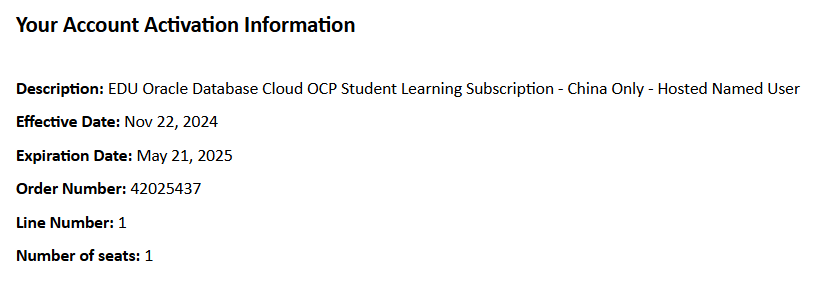
考试科目描述:
Oracle 19c OCP 首次考试(含082和83)
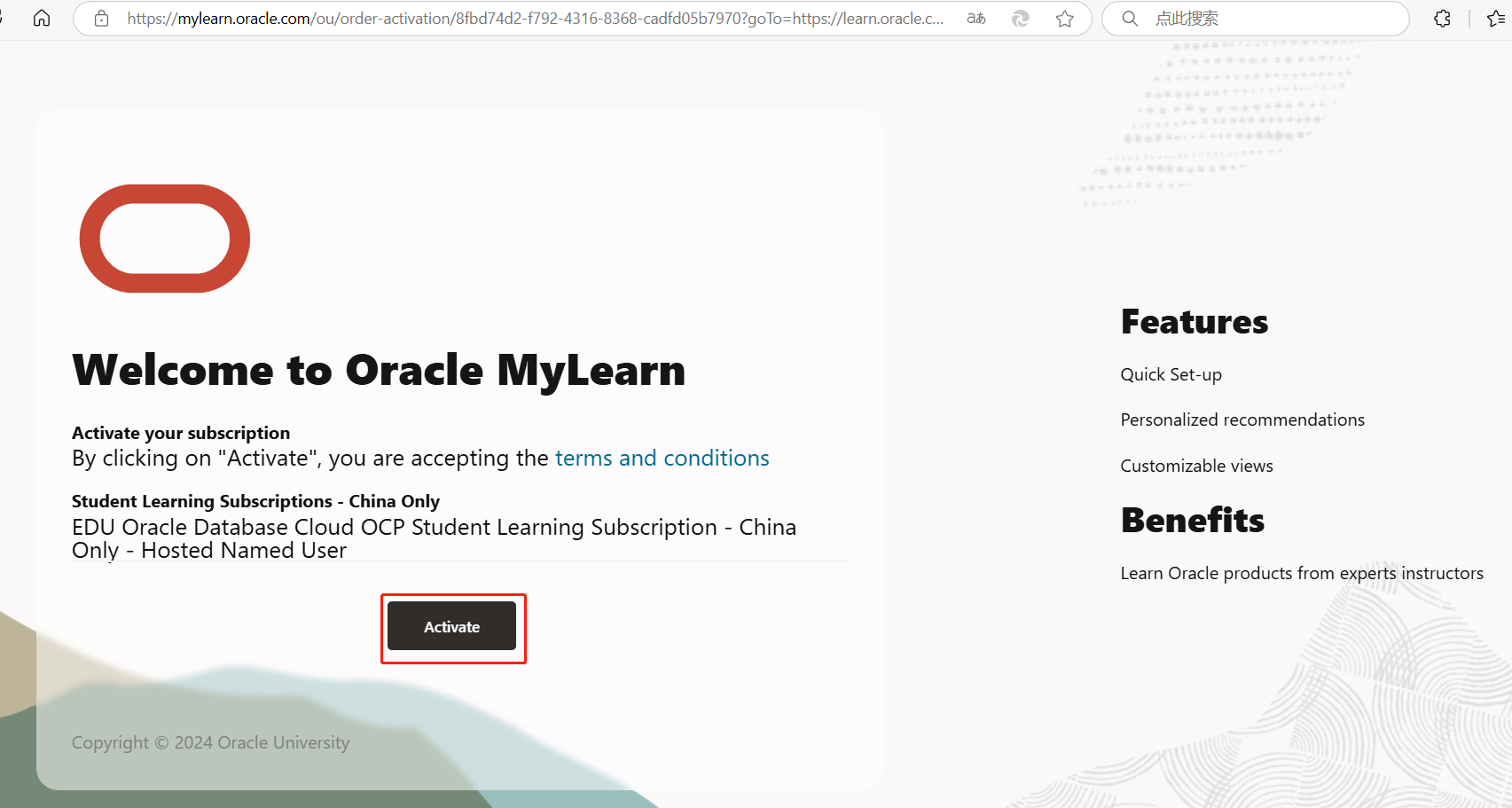
Description: EDU Oracle Database Cloud OCP Student Learning Subscription - China Only - Hosted Named User
MySQL OCP考试(908科目)
Description: EDU Administer MySQl on Oracle Cloud Student Learning Subscription - Hosted Named User
Oracle 19c OCP - 082科目
Description: EDU Oracle Database 19c - Administration Workshop on Oracle Cloud Student Learning Subscription - Hosted Named User
Oracle 19c OCP - 083科目
Description: EDU Oracle Database 19c - Backup and Recovery Workshop Student Learning Subscription - Hosted Named User
- 然后点击邮件中【Activation】按钮,跳转到新的激活页面。
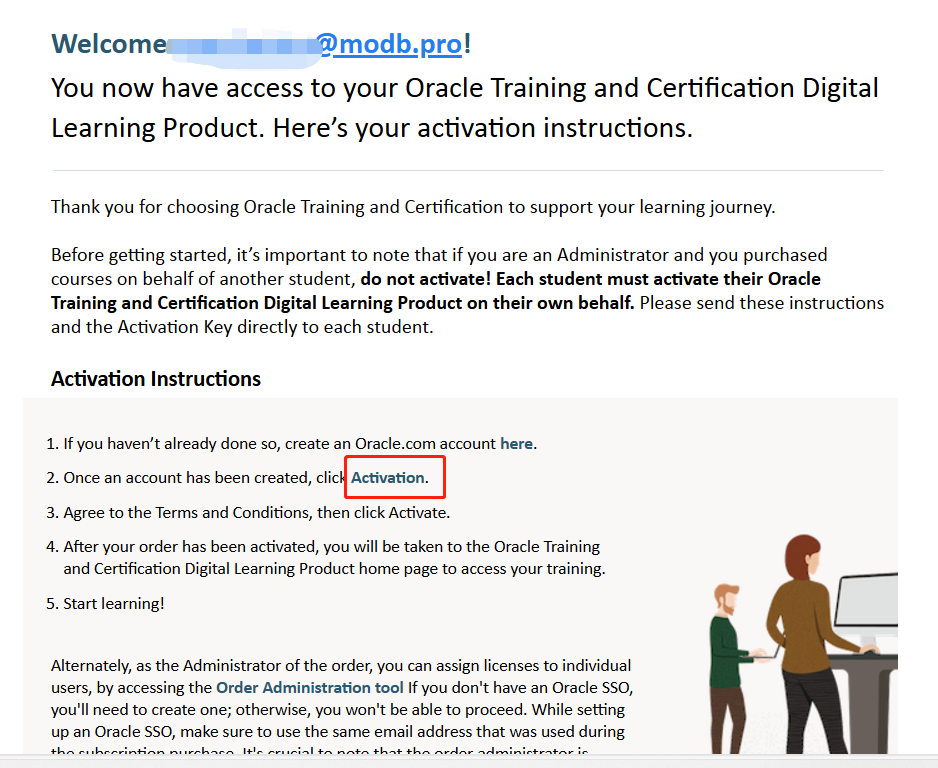
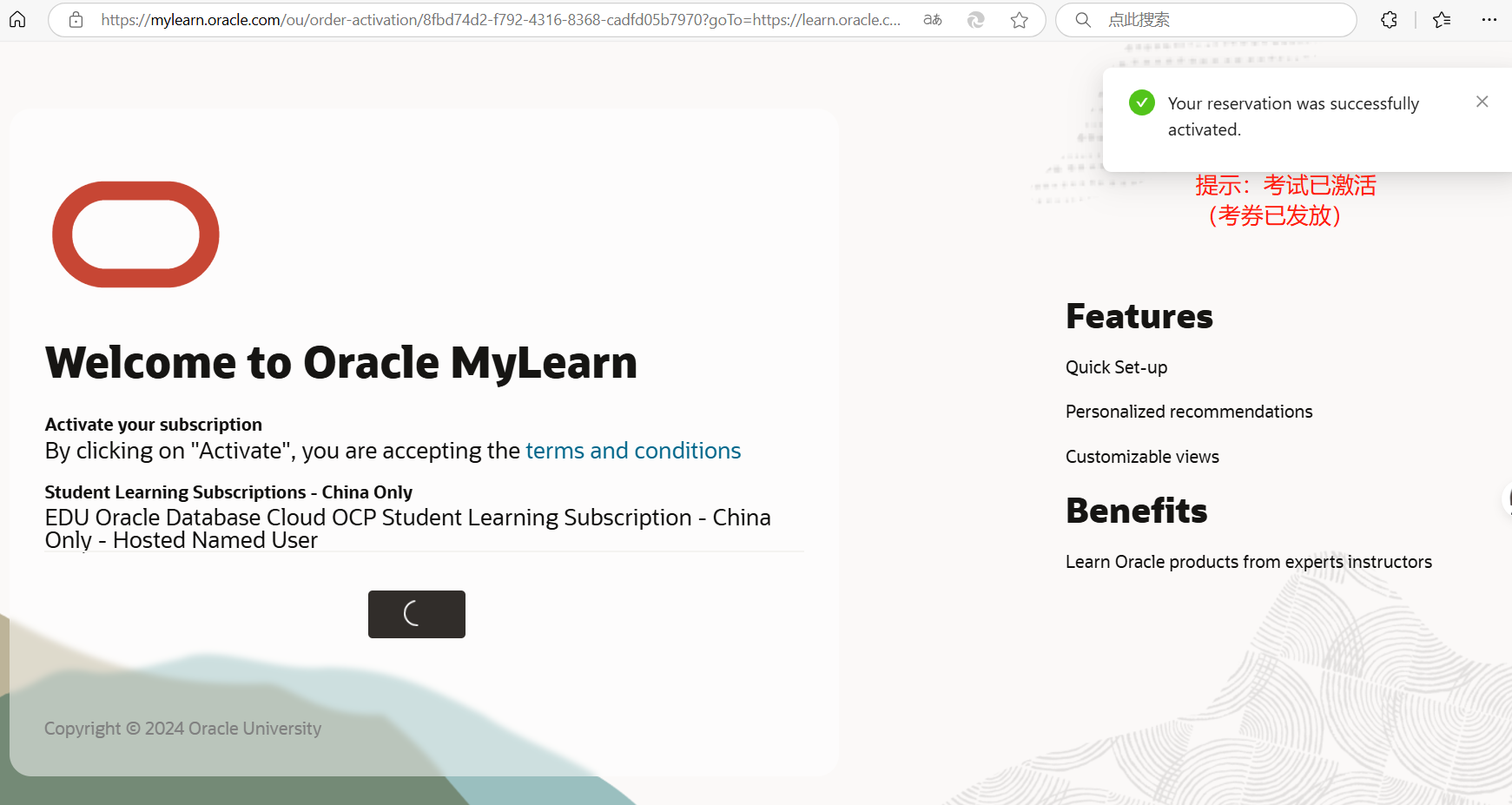
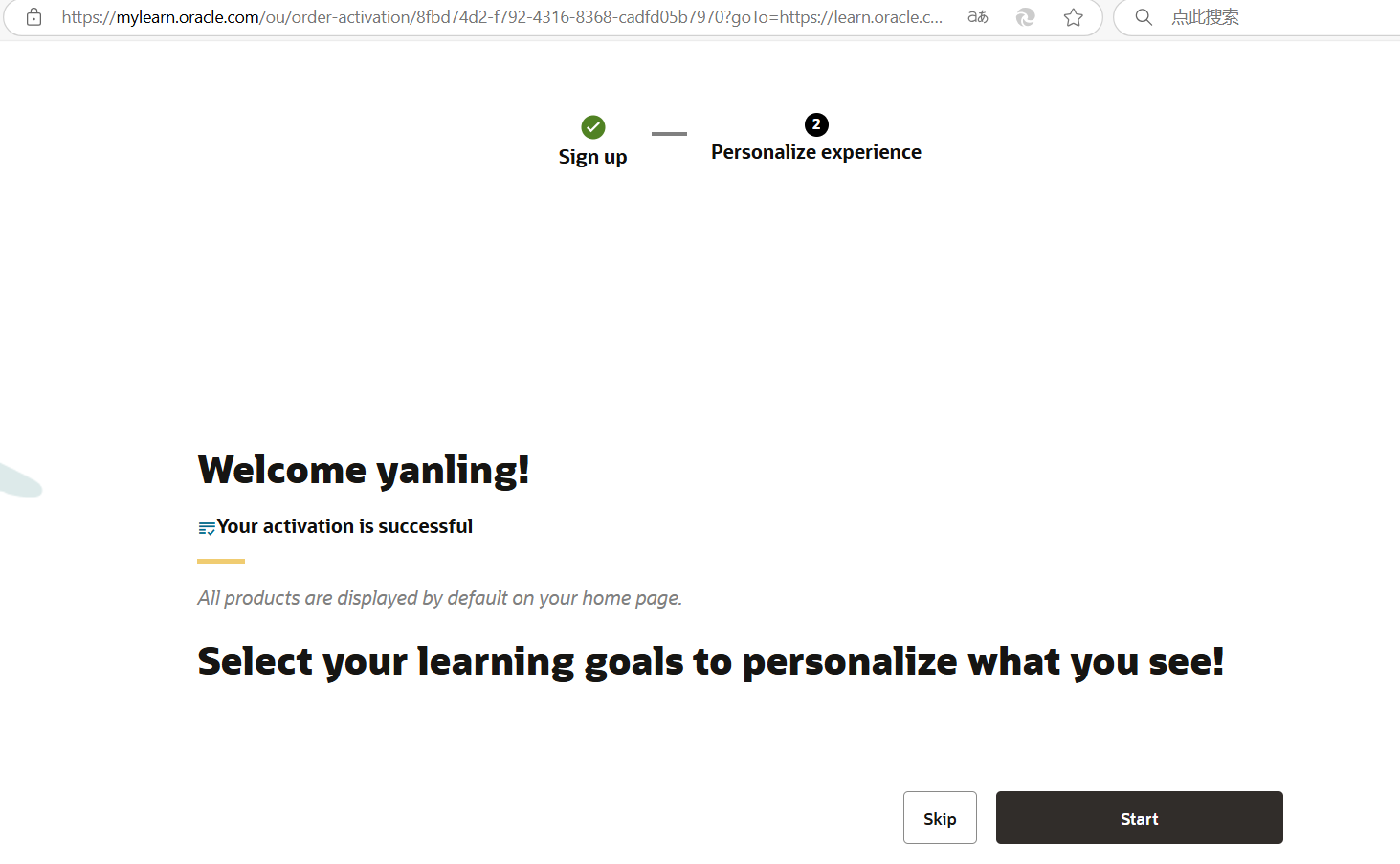
- 激活页面,再次点击【Activation】按钮,等待激活成功,显示“Your activation is successful”,即代表考试激活成功(考券已发放到考生账号)。
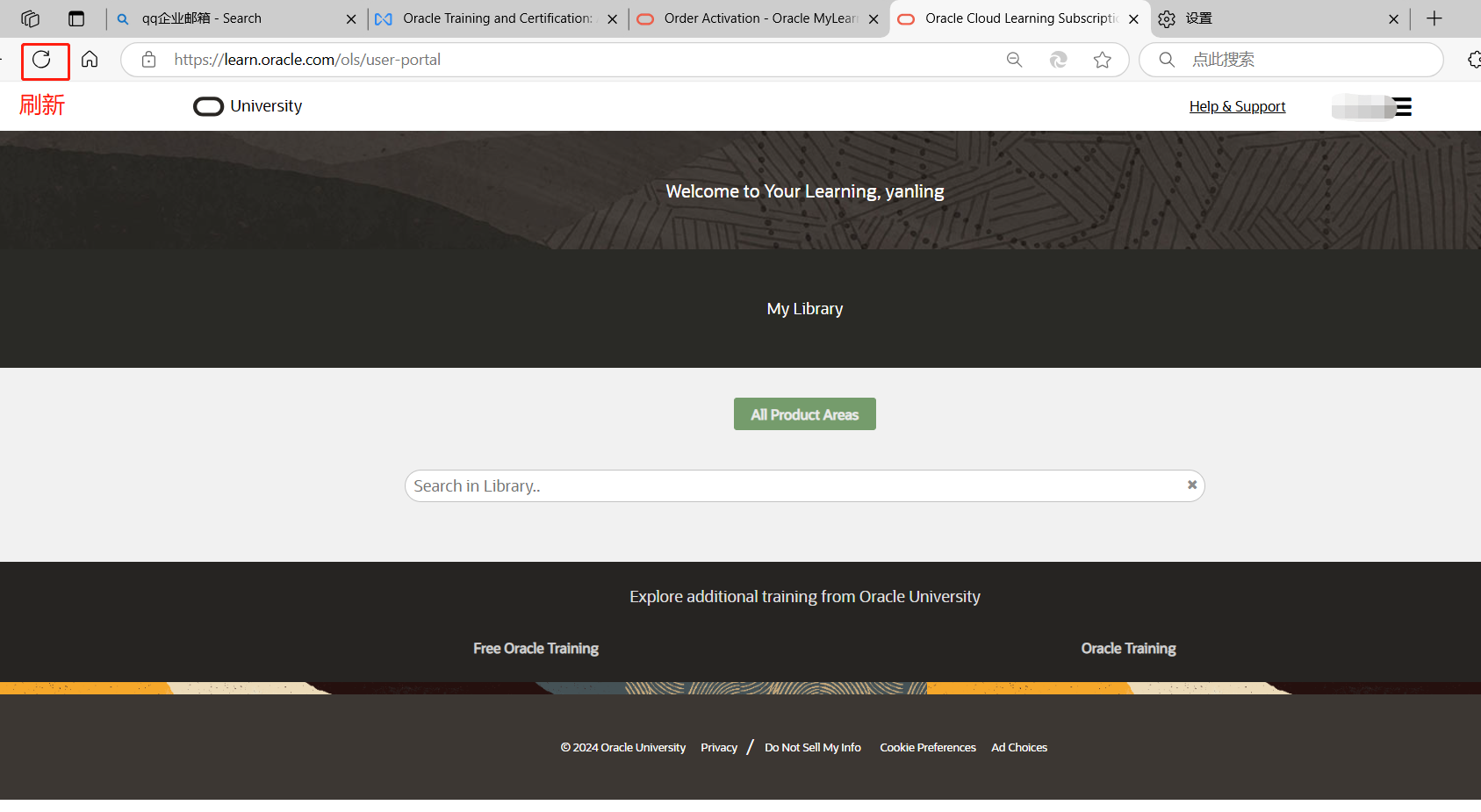
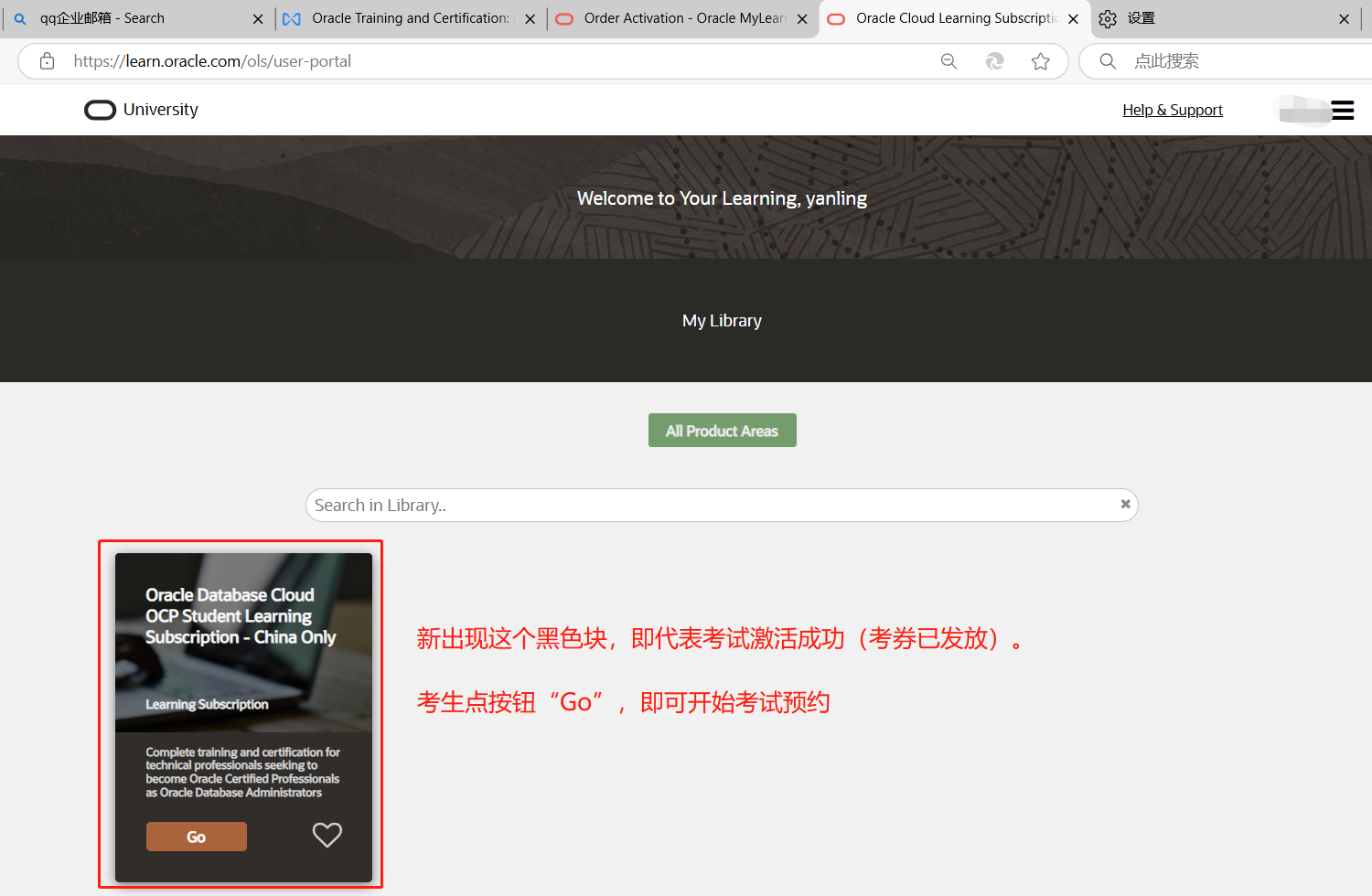
- 回到之前考生的Mylearn网页,刷新页面,新出现这个黑色块,即代表考试激活成功,(考券已发放到考生账号)。
考生点按钮“Go”即可开始考试预约。
此时可以截图发送考生,告知考券已发放,考券有效期截止到X年X月X日。
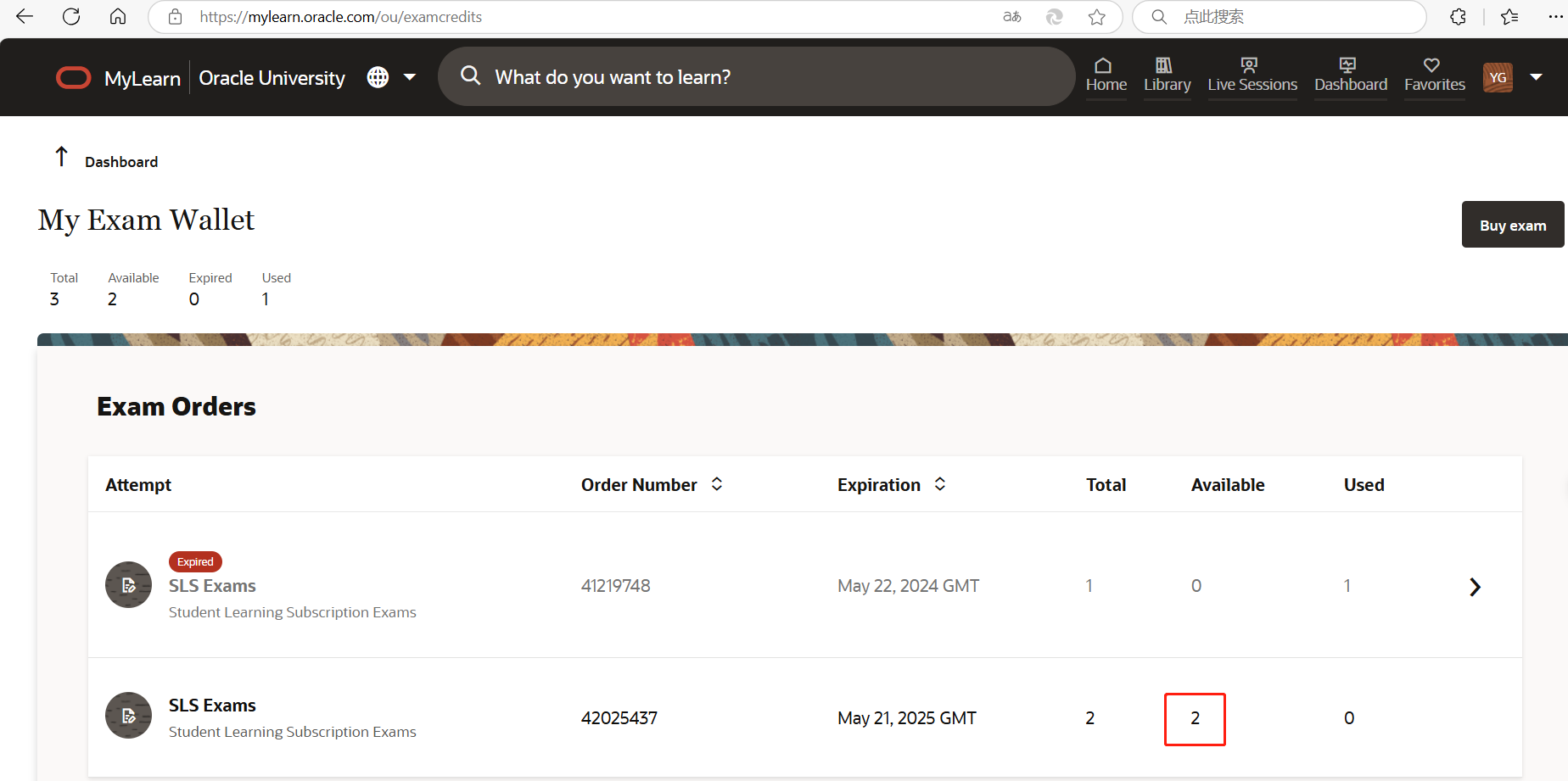
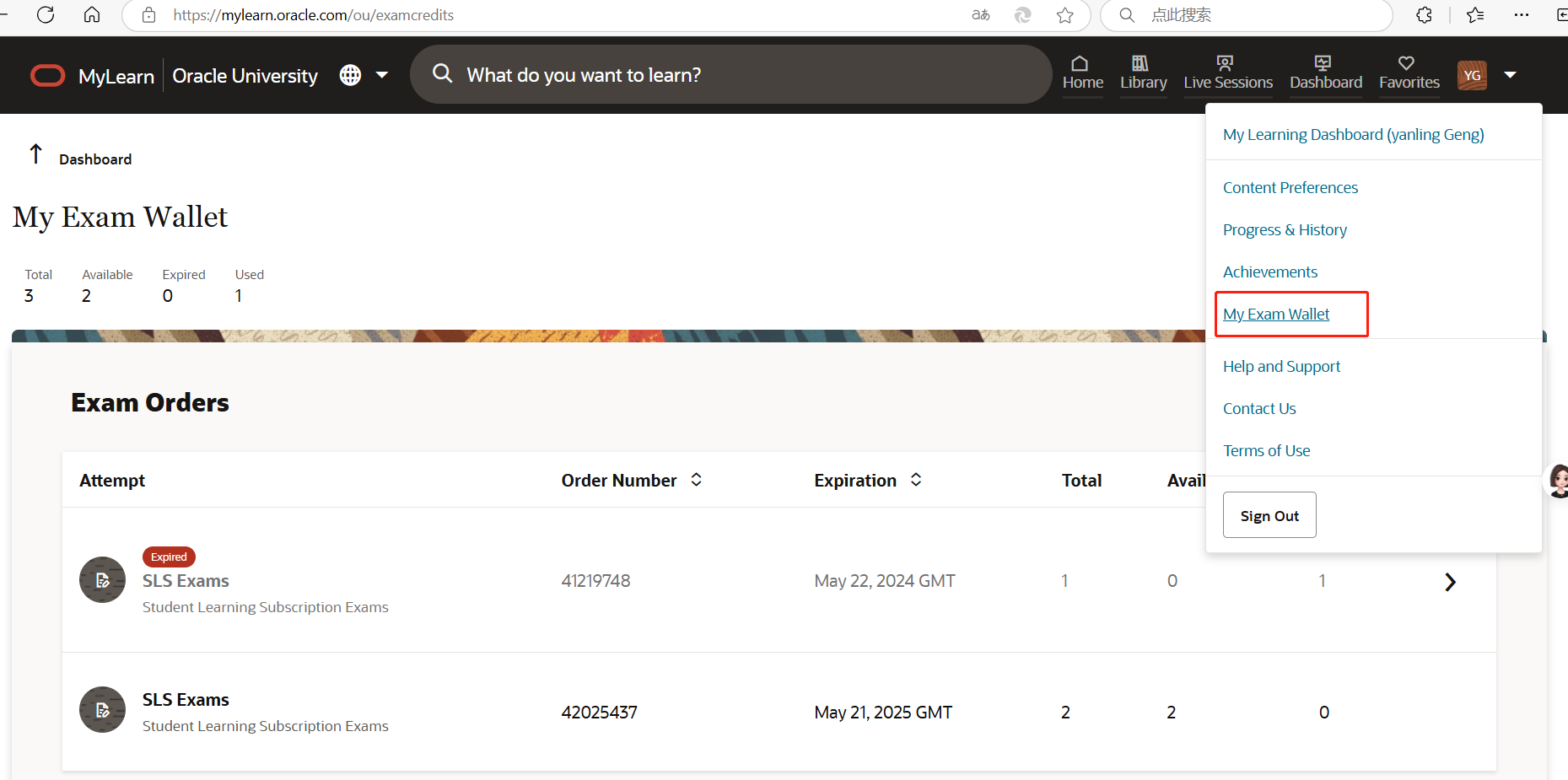
考生可打开“查看我的考券”进行确认:https://mylearn.oracle.com/ou/examcredits
(mylearn网站右上角菜单可查看【My Exam Wallet】)
“Available”显示可用考券张数。“Order Number”即为考券订单号,后面如需提交SR,需要填写考券订单号。
黑色块对应考试名称:
Oracle 19c OCP 直考:
Oracle Database Cloud OCP Student Learning Subscription - China Only
MySQL OCP考试:
Administer MySOL on Oracle Cloud
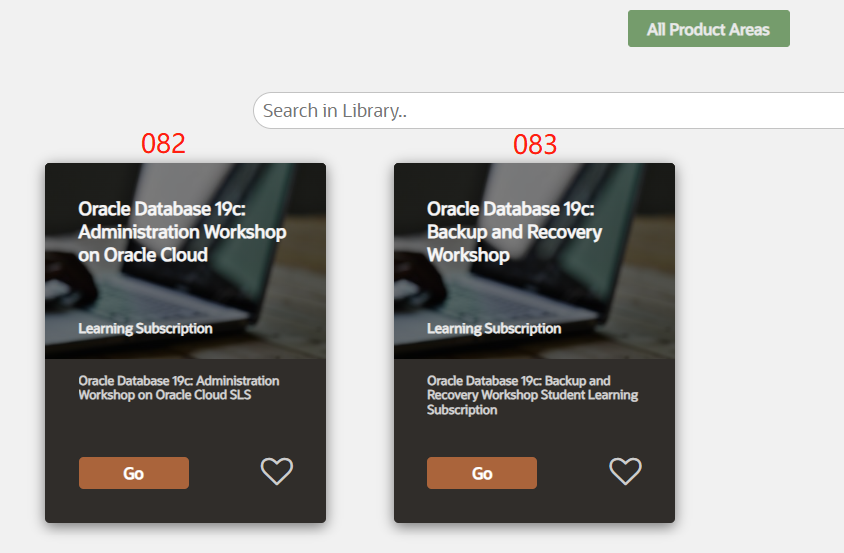
Oracle 19c OCP - 082科目:
Oracle Database 19c: Administration Workshop on Oracle Cloud
Oracle 19c OCP - 083科目:
Oracle Database 19c: Backup and Recovery Workshop
继续激活下一个考生的考试(发放一个考生的考券)
在激活邮件页面显示的"seat" 数量,即代表对应考券的数量。
Mylearn 网站上,退出上一个考生的 Mylearn 网站账号,登录下一个考生的账号,确认右上角姓名,是否切换成功,
然后再点对应考券激活邮件,点击里面的激活按钮【Activation】,然后新页面再点【Activation】…… 依次类推。
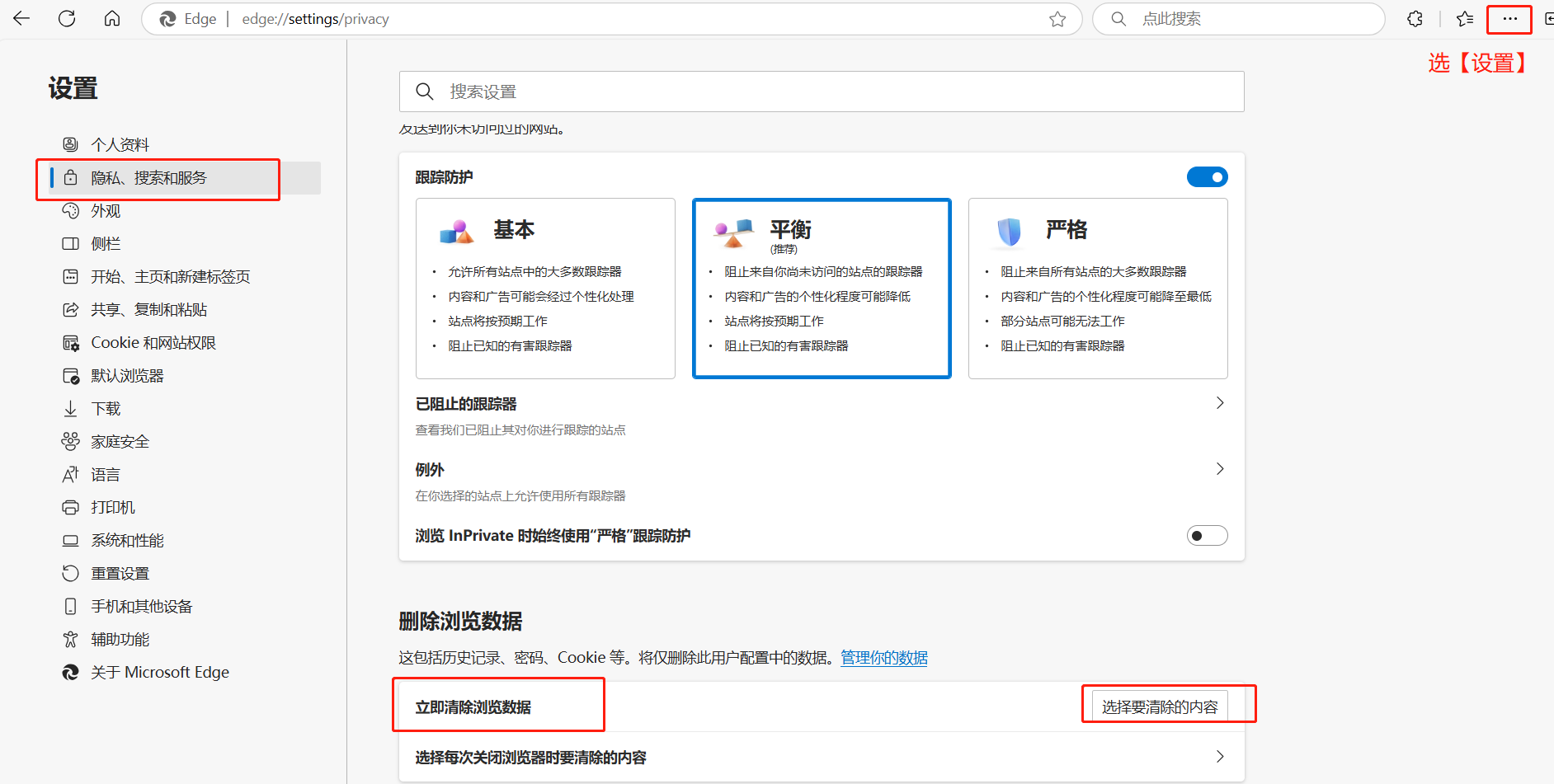
Mylearn 网站退出账号后无法登录,怎么办?
碰到Mylearn 网站退出登录后,无法登录下一个考生的账号,此时需要清除浏览器 cookies,清除后,即可重新登录 Mylearn 网站,但是此时,邮箱也需要重新登录。 建议使用微软自带浏览器Edge,更方便。