



概要
对于MySQL8而言,默认的认证方式是caching_sha2_password ,而在MySQL5.7版本则为mysql_native_password。
目前市场上主流的客户端连接工具支持的密码认证为"mysql_native_password",暂时不支持"caching_sha2_password"认证方式。若想在MySQL8.0版本中继续使用旧版本中的认证方式需要在my.cnf 文件中手工配置并重启数据库服务。
常见问题
业务反馈Mysql服务无法访问,无法了解业务做了啥操作,需要排查。
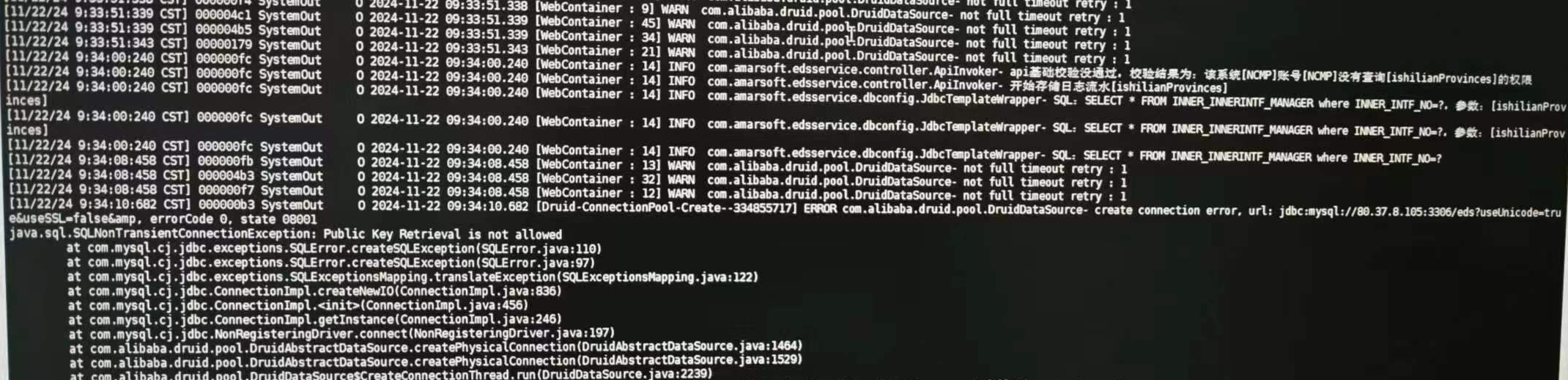
用户登录报错ERROR 1045 (28000): Access denied for user
[rootnode3 mysql8.0]#mysql -h127.0.0.1 -uXUDTSRE -p'XUDTSRE'
mysql: [Warning] Using a password on the command line interface can be insecure.
ERROR 1045 (28000): Access denied for user 'XUDTSRE'e'localhost'(using password: YES)
[rootnode3 mysql8.0]#mysql -hXX.XX.XX.XX5 -uXUDTSRE -p'XUDTSRE
mysql: Warning Using a password on the command line interface can be insecure
ERROR 1045 (28000): Access denied for user 'XUDTSRE'@'node3'(using password: YES)
查看数据库用户认证方式
[rootenode3 mysql8.0]# mysql -hXX.XX.X.XX5 -uroot -proot
mysql: [warningl Using a password on the command line interface can be insecure.
Welcome to the MySOL monitor. Commands end with : or \g.Your MyS0L connection id is 26Server version:8.0.11 MySOL Community Server -GPL
Copyright(c)2000,2018,0racle and/or its affiliates. All rightsreserved
Oracle is a registered trademark of 0racle Corporation and/or itsaffiliates, Other names may be trademarks of their respectiveowners .
Type 'help;'or 'h' for help, Type '\c' to clear the current input statement.
mysql>
mysql> show variables like '%auth%';
+-------------------------------+-----------------------+
| Variable_name | Value |
+-------------------------------+-----------------------+
| default_authentication_plugin | caching_sha2_password |
+-------------------------------+-----------------------+
1 row in set (0.00 sec)
mysql> select host,user,plugin,authentication_string from user;
可以在plugin看到身份插件验证方式.user是用户名字段,host是主机字段
修改验证方式和密码
mysql> alter user 'root'@'%' identified with mysql_native_password by 'root';
mysql> alter user 'XUDTSRE'@'%' identified with mysql_native_password by 'XUDTSRE';
刷新配置启用
mysql> flush privileges;
修改默认密码规则
要在 MySQL8 中设置默认密码规则为 mysql_native_password,需要在配置文件 my.cnf 中添加参数 default_authentication_plugin,并将其设置为 mysql_native_password。
修改my.cnf,然后加入如下行:
default_authentication_plugin=mysql_native_password
重启 MySQL 服务
sudo systemctl restart mysql
总结
此类无法登录问题,首先排除数据库服务是否正常,然后排查相关用户登录问题,如果是老业务系统迁移到MySQL8.0还要考虑默认的身份认证方式问题。
