



1、介绍
生产环境中常遇到因打补丁失败、误操作删除rac安装代码,导致集群无法通过删除、增加节点来修复的,我们这种场景下就会考虑重装rac,重装操作系统不同、数据库版本不同,还有常规操作和非常规操作弄出来的都是不一样的。
2、思路
1、使用rm命令删除所有节点的关键的文件或目录
2、清空ocr和voting disk盘
3、重装gi+db
4、注册数据库相关服务到ocr
5、如果有补丁还需要打上
3、具体操作
1、删除所有节点的信息#!/bin/bash#Usage:Log on as the superuser('root') on node1,node2#crsctl disable crsps -ef | grep d.bin | awk '{print $2}' | xargs kill -9ps -ef |grep u01/app| awk '{print $2}' | xargs kill -9cd /echo ...................cd /etc/oracle/rm -rf scls_scr/ oprocd/ lastgasp/ o* setasmgidecho ...................sed -i '/ohas/d' etc/inittabecho ...................rm -f etc/init.d/init.cssdrm -f etc/init.d/init.crsrm -f etc/init.d/init.crsdrm -f etc/init.d/init.evmdrm -f etc/rc2.d/K96init.crsrm -f etc/rc2.d/S96init.crsrm -f etc/rc3.d/K96init.crsrm -f etc/rc3.d/S96init.crsrm -f etc/rc5.d/K96init.crsrm -f etc/rc5.d/S96init.crsrm -f etc/inittab.crsecho ...................rm -rf etc/init.d/ohasdrm -rf etc/init.d/init.ohasdrm -rf etc/oratabrm -rf etc/oraInst.locecho ...................rm -rf var/tmp/.oraclerm -rf tmp/.oraclerm -rf u01/appecho ...................cd /tmprm -rf CVU_11.2.0* logs dbca OraInstall*echo ...................rm /u01 -frmkdir -p u01/app/gridmkdir -p u01/app/11.2.0/gridmkdir -p u01/app/oraclechown -R oracle:oinstall u01chown -R grid:oinstall u01/app/gridchown -R grid:oinstall u01/app/11.2.0chmod -R 775 u01echo ...................systemctl restart networkecho down2、清除ocr和voting disk磁盘dd if=/dev/zero of=/dev/asmdisk1 bs=1M count=100dd if=/dev/zero of=/dev/asmdisk2 bs=1M count=100dd if=/dev/zero of=/dev/asmdisk3 bs=1M count=100--如果是oracleasm绑定的,还需要单独处理oracleasm createdisk ocr1 dev/mapper/mpathocr1oracleasm createdisk ocr2 dev/mapper/mpathocr2oracleasm createdisk ocr3 dev/mapper/mpathocr3oracleasm createdisk ocr4 dev/mapper/mpathocr4oracleasm createdisk ocr5 dev/mapper/mpathocr5oracleasm initoracleasm scandisksoracleasm listdisks3、安装grid 11.2.0.4[root@hisdb01 software]# chown -R grid:oinstall software/[grid@hisdb01 ~]$ cd software/[grid@hisdb01 software]$ unzip p13390677_112040_Linux-x86-64_3of7.zip在linux 7 上安装11.2.0.4会有个BUG,“Patch 19404309: BLR BACKPORT OF BUG 18658211 ON TOP OF 11.2.0.4.0 (BLR #3975140)”,需要下载补丁p19404309并上传p19404309_112040_Linux-x86-64.zip,后解压[root@hisdb01 software]# cd bug/[root@hisdb01 bug]# lltotal 170836-rw-r--r--. 1 grid oinstall 174911877 Jan 20 2020 p18370031_112040_Linux-x86-64.zip-rw-r--r--. 1 grid oinstall 19848 Jan 20 2020 p19404309_112040_Linux-x86-64.zip[root@hisdb01 bug]# unzip p19404309_112040_Linux-x86-64.zip[root@hisdb01 bug]# cp b19404309/grid/cvu_prereq.xml software/grid/stage/cvu/(安装软件包位置)cp: overwrite ‘/software/grid/stage/cvu/cvu_prereq.xml’? yfind /software -name cvu*rpm -ivh software/grid11204/grid/rpm/cvuqdisk-1.0.9-1.rpmscp /software/grid11204/grid/rpm/cvuqdisk-1.0.9-1.rpm hisdb02:/software/3.1 安装rpm包在节点1 grid安装目录下的rpm目录下有cvuqdisk-1.0.9-1.rpm的安装包。[root@hisdb01 bug]# cd software/grid/rpm/[root@hisdb01 rpm]# rpm -ivh cvuqdisk-1.0.9-1.rpmPreparing... ################################# [100%]Using default group oinstall to install packageUpdating / installing...1:cvuqdisk-1.0.9-1 ################################# [100%]拷贝cvuqdisk-1.0.9-1.rpm到节点2、3节点[root@hisdb01 rpm]# scp cvuqdisk-1.0.9-1.rpm hisdb02:/tmp[root@hisdb01 rpm]# scp cvuqdisk-1.0.9-1.rpm hisdb03:/tmp节点2、3安装[root@hisdb02 u01]# rpm -ivh tmp/cvuqdisk-1.0.9-1.rpm[root@hisdb03 u01]# rpm -ivh tmp/cvuqdisk-1.0.9-1.rpm3.2 检查安装条件是否满足[root@hisdb01 rpm]# su - grid[grid@hisdb01 ~]$ cd software/grid/[grid@hisdb01 grid]$ ./runcluvfy.sh stage -pre crsinst -n hisdb01,hisdb02,hisdb03 -fixup -verbose查看生成的报告,并进行相应的修改。在NTP、DNS、pdksh报错,可以忽略。在所有节点运行/tmp/CVU_11.2.0.4.0_grid/runfixup.sh3.3 图形化安装GRID[grid@hisdb01 ~]$ cd software/grid/[grid@hisdb01 grid]$ ./runInstaller
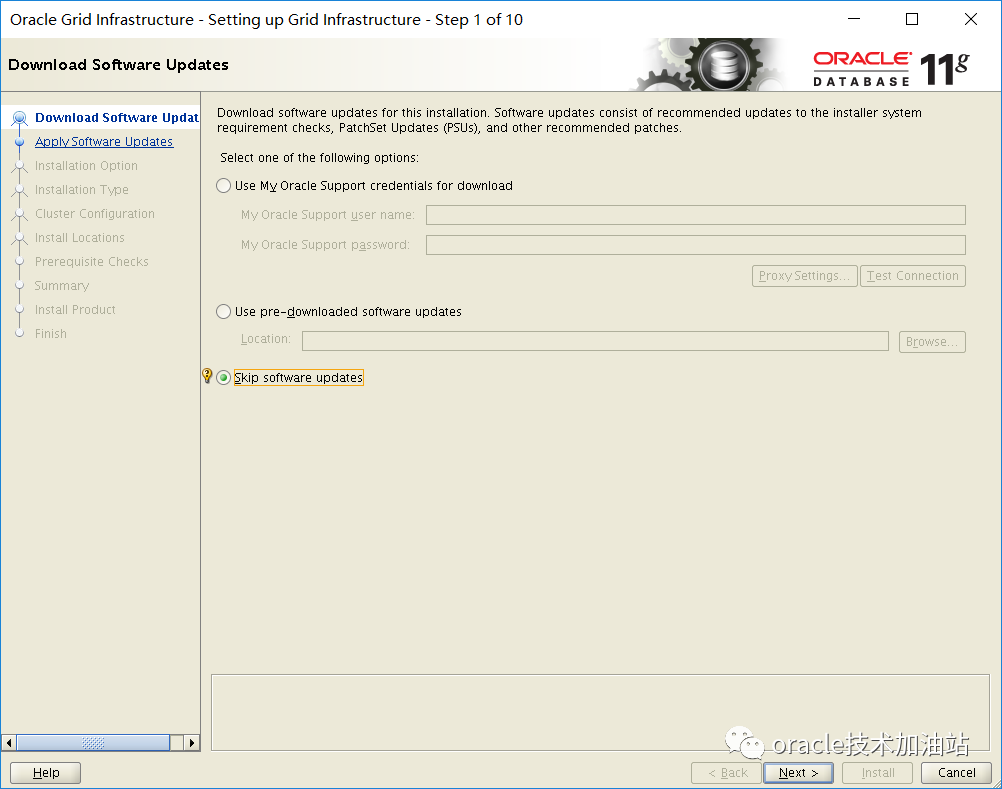
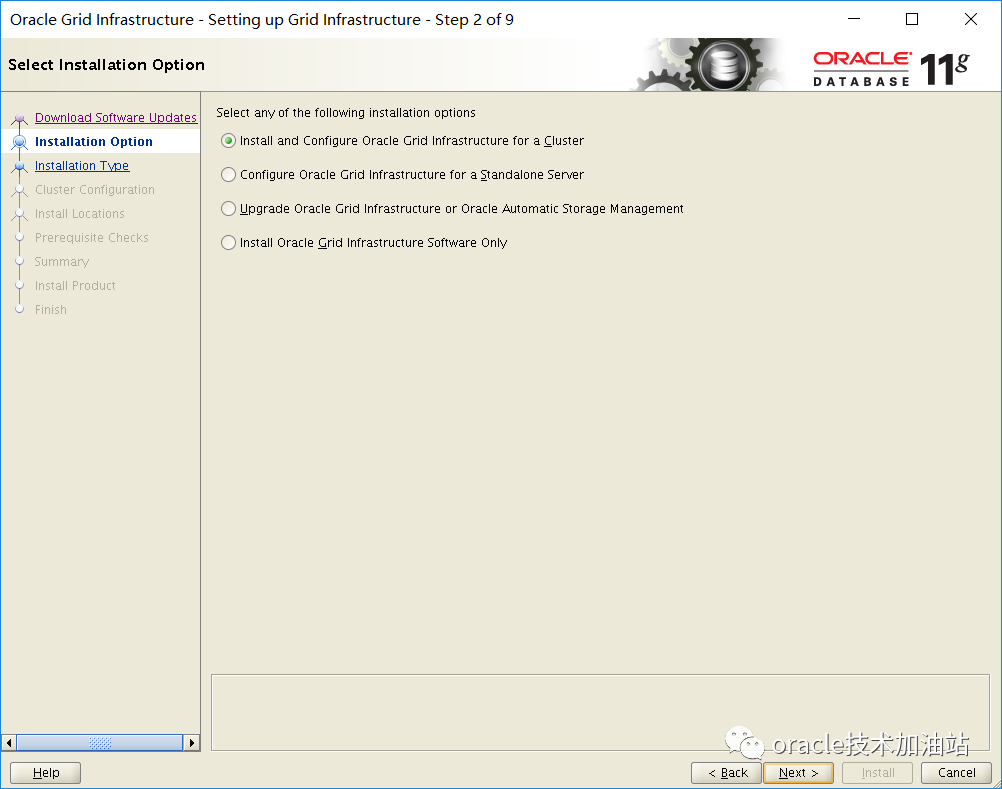
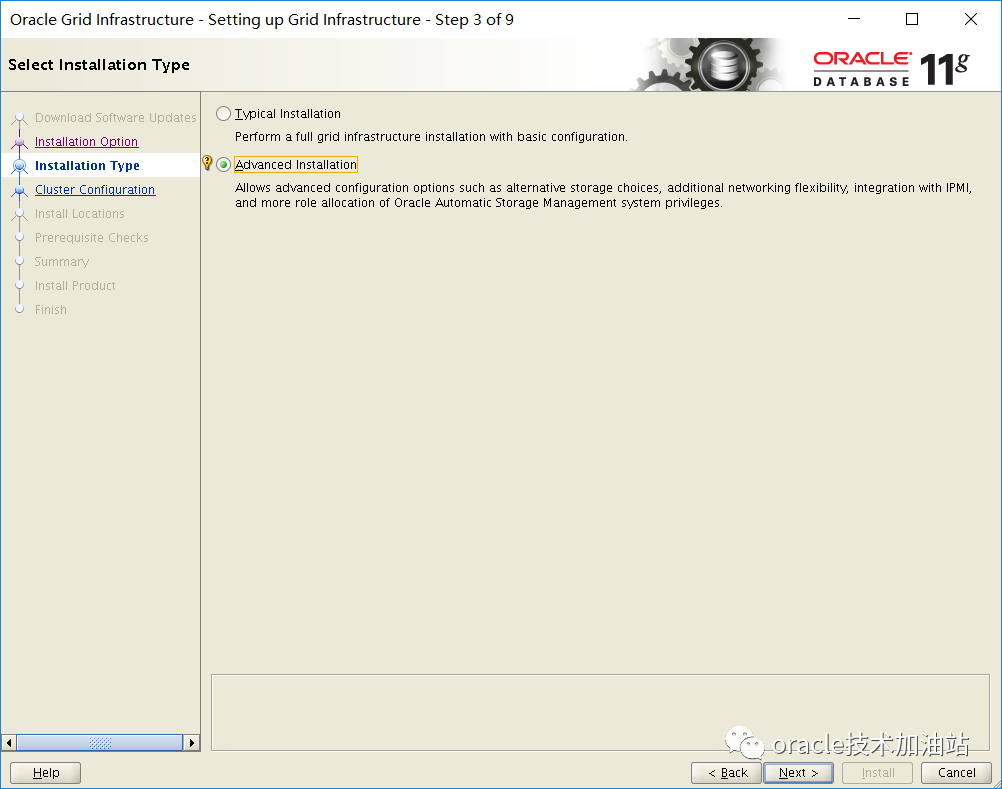
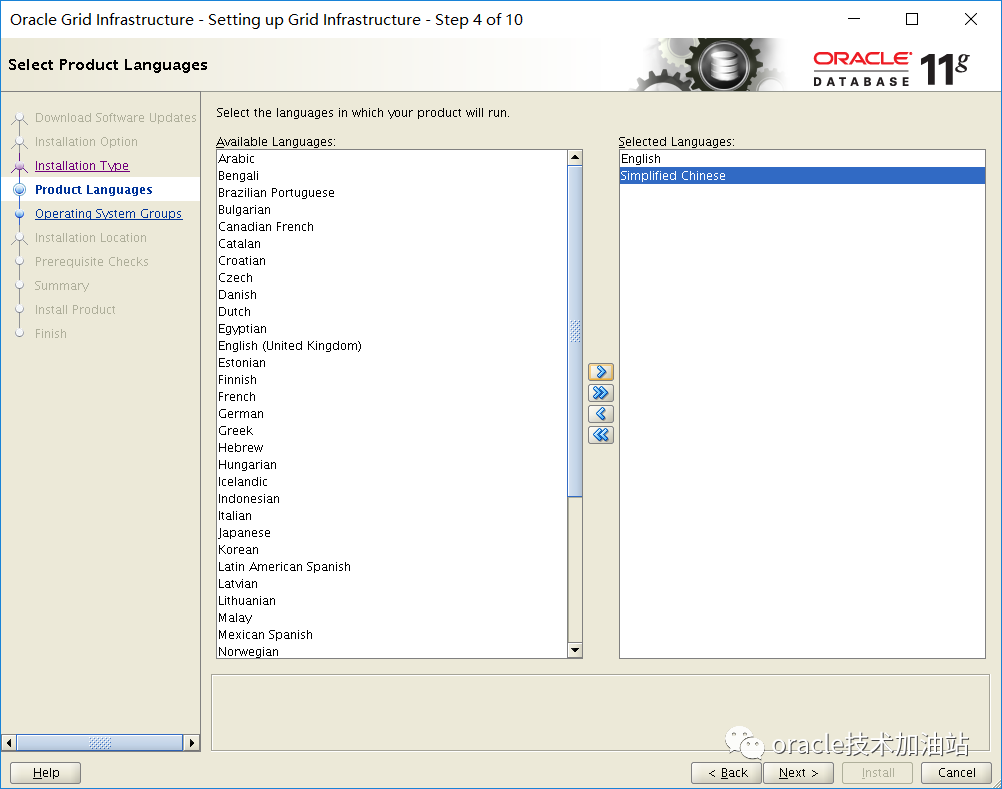
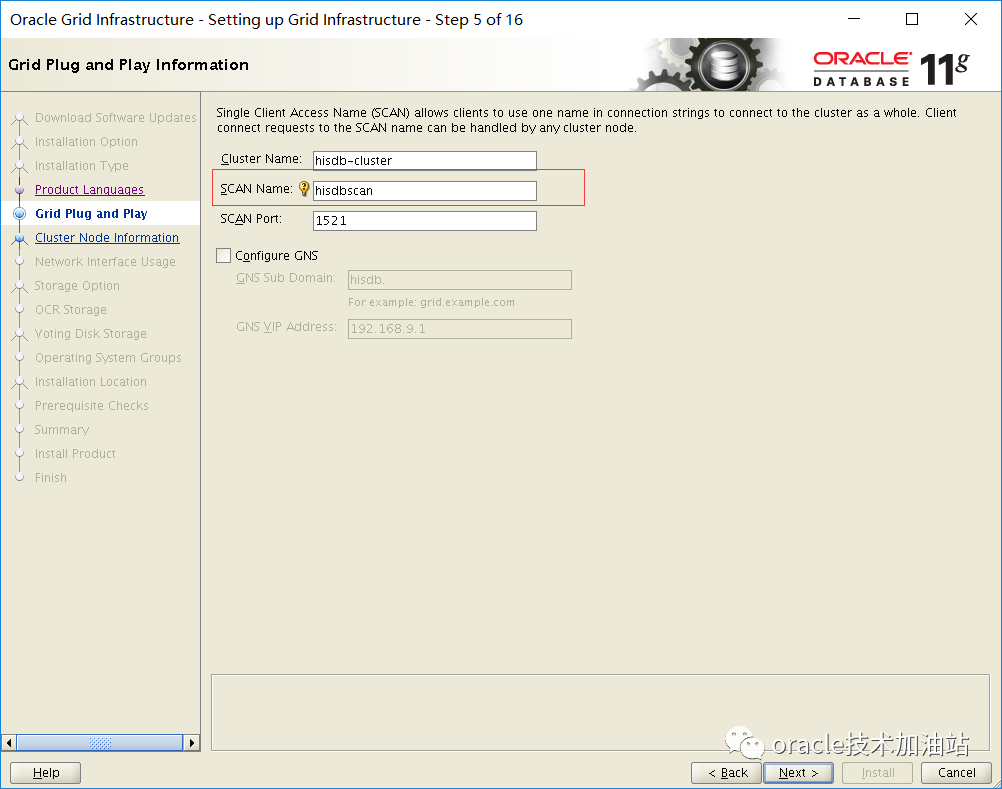

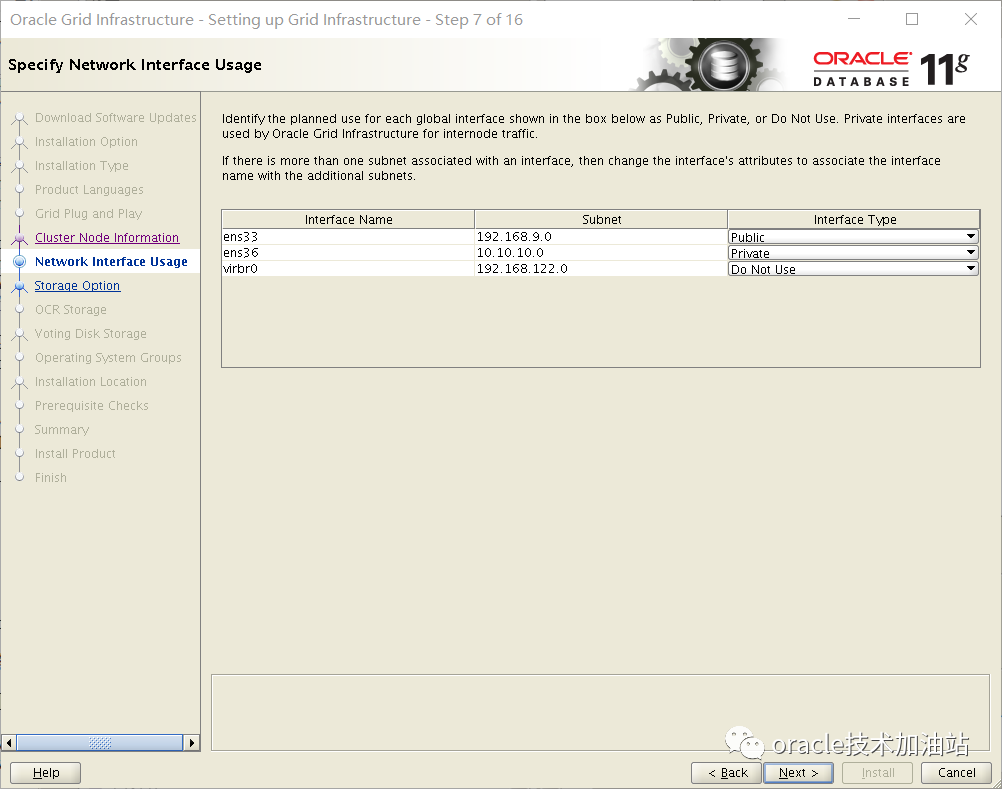

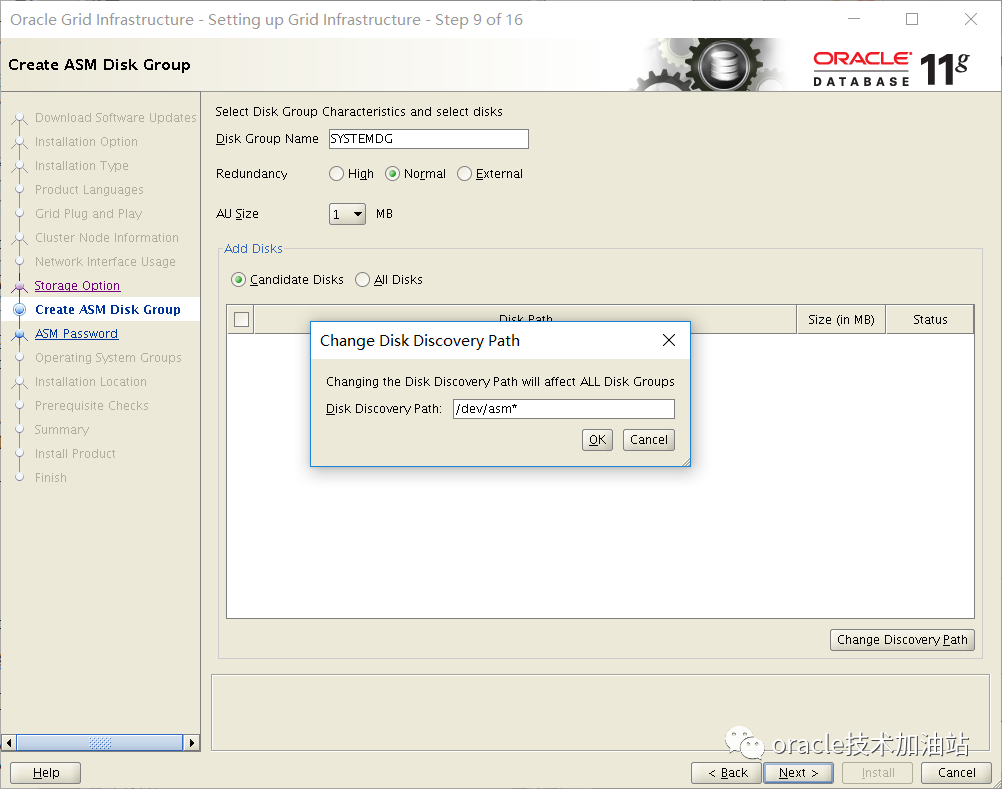

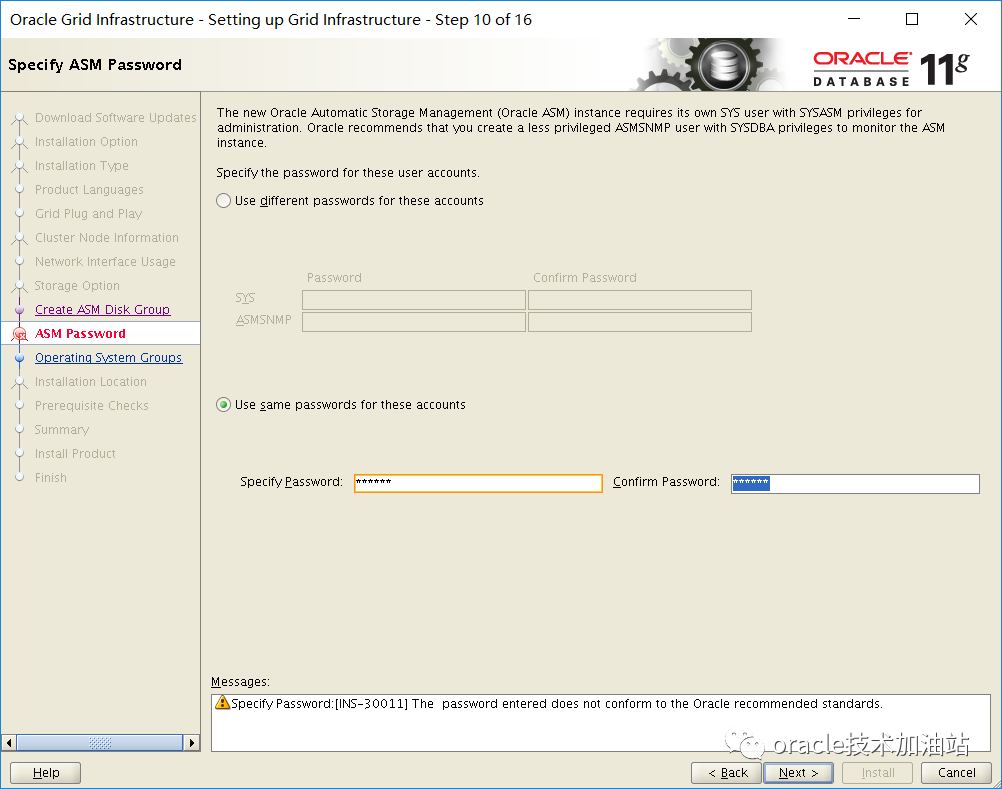

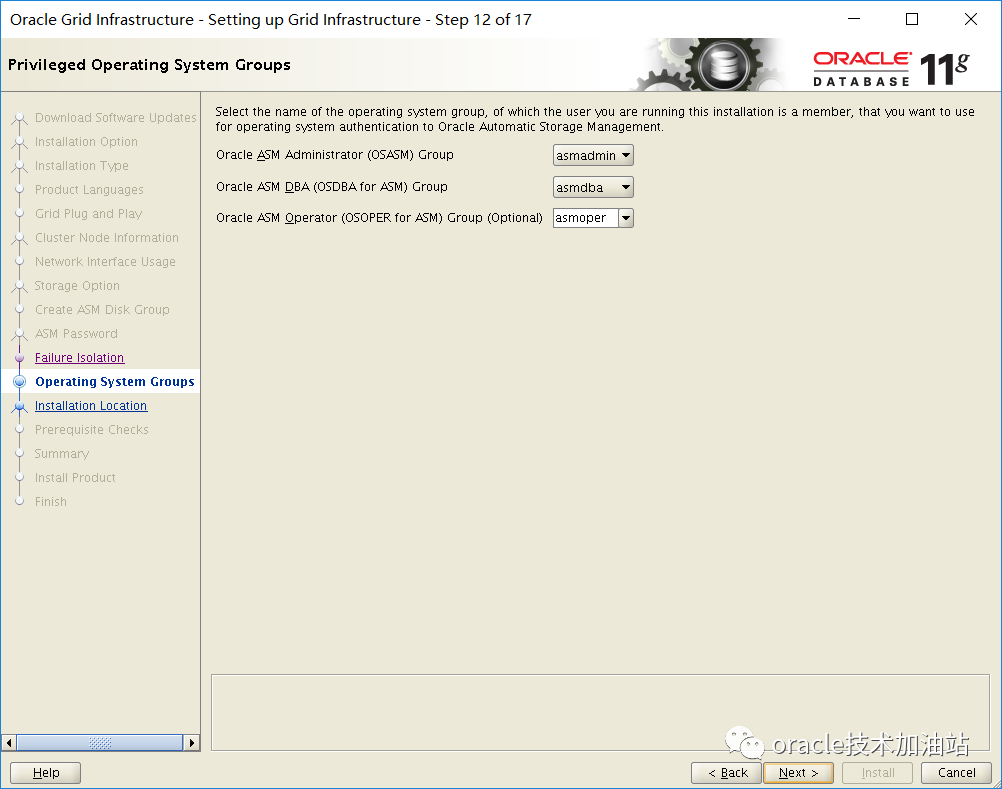

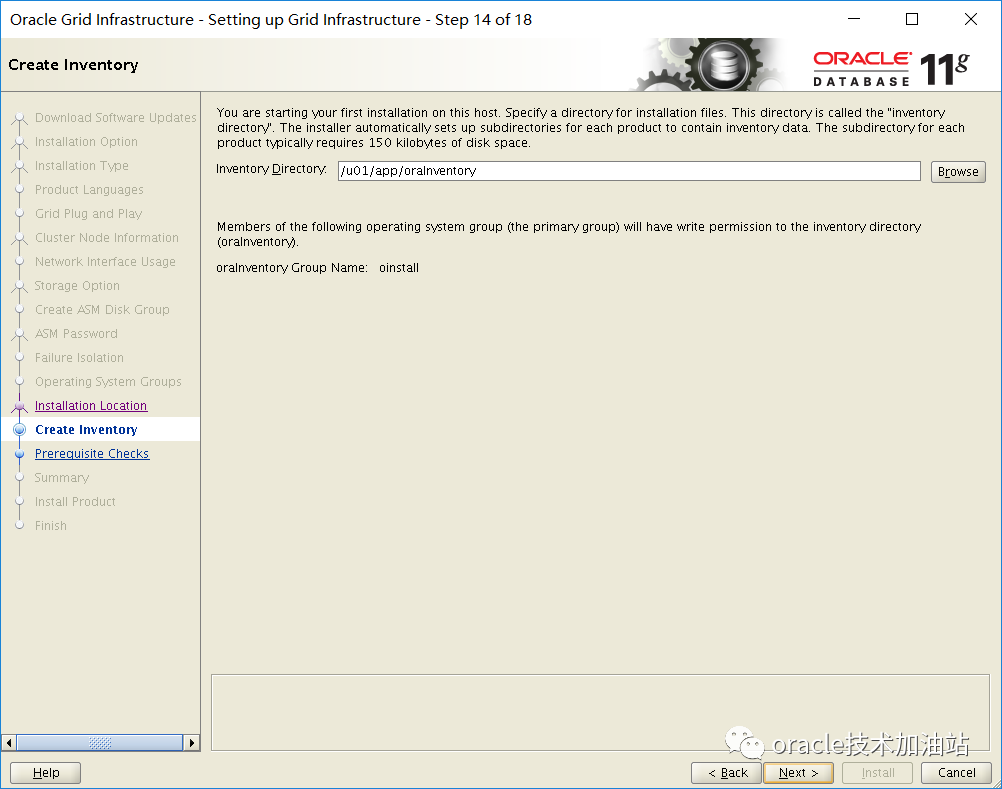

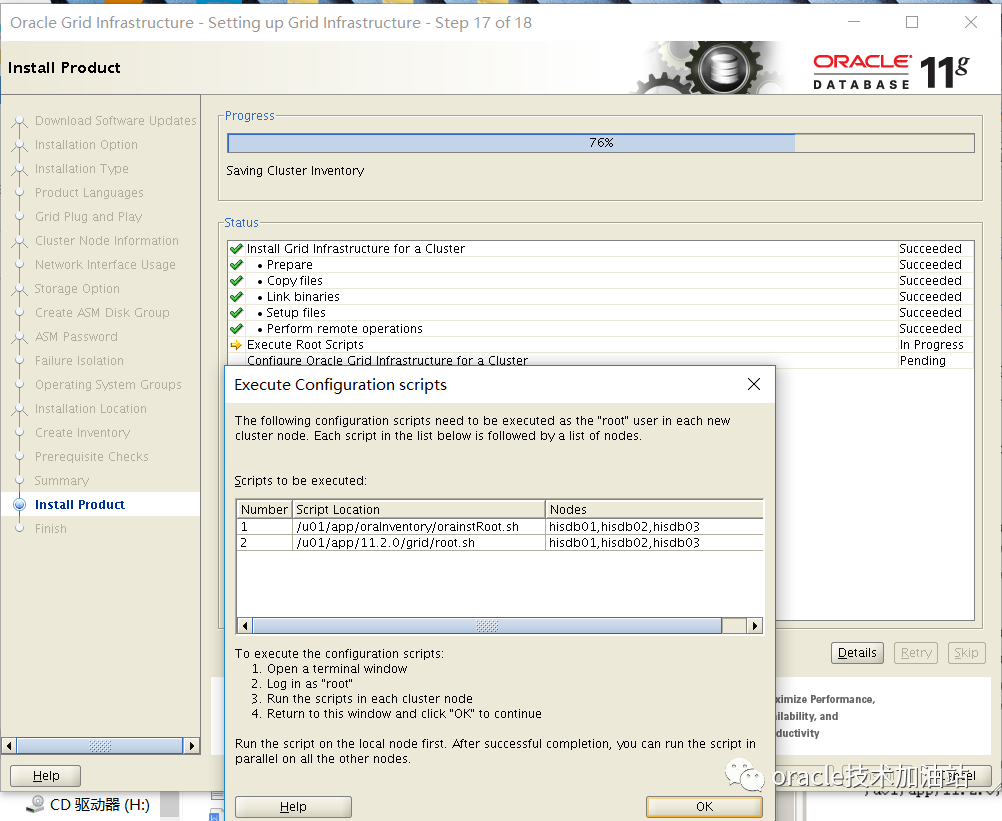
3个节点root.sh运行前,分别打补丁p18370031:上传p18370031_112040_Linux-x86-64.zipchown grid:oinstall p18370031_112040_Linux-x86-64.zipgrid用户执行[grid@hisdb01 bug]$ unzip p18370031_112040_Linux-x86-64.zip[grid@hisdb01 bug]$ u01/app/11.2.0/grid/OPatch/opatch napply -oh u01/app/11.2.0/grid/ -local software/bug/18370031输入 y,y[grid@hisdb01 bug]$ u01/app/11.2.0/grid/OPatch/opatch lsinventory[grid@hisdb01 bug]$ scp p18370031_112040_Linux-x86-64.zip hisdb02:/tmp[grid@hisdb01 bug]$ scp p18370031_112040_Linux-x86-64.zip hisdb03:/tmp[grid@hisdb02 tmp]$ unzip p18370031_112040_Linux-x86-64.zip[grid@hisdb02 tmp]$ u01/app/11.2.0/grid/OPatch/opatch napply -oh u01/app/11.2.0/grid/ -local tmp/18370031输入 y,y[grid@hisdb02 tmp]$ u01/app/11.2.0/grid/OPatch/opatch lsinventory[grid@hisdb03 tmp]$ unzip p18370031_112040_Linux-x86-64.zip[grid@hisdb03 tmp]$ u01/app/11.2.0/grid/OPatch/opatch napply -oh u01/app/11.2.0/grid/ -local tmp/18370031输入 y,y[grid@hisdb03 tmp]$ u01/app/11.2.0/grid/OPatch/opatch lsinventory补丁成功后,节点1和2,3用root用户依次执行运行脚本:/u01/app/oraInventory/orainstRoot.sh/u01/app/11.2.0/grid/root.sh[root@hisdb01 ~]# u01/app/11.2.0/grid/root.shPerforming root user operation for Oracle 11gThe following environment variables are set as:ORACLE_OWNER= gridORACLE_HOME= u01/app/11.2.0/gridEnter the full pathname of the local bin directory: [/usr/local/bin]:The contents of "dbhome" have not changed. No need to overwrite.The contents of "oraenv" have not changed. No need to overwrite.The contents of "coraenv" have not changed. No need to overwrite.[root@hisdb02 ~]# u01/app/oraInventory/orainstRoot.shChanging permissions of u01/app/oraInventory.Adding read,write permissions for group.Removing read,write,execute permissions for world.Changing groupname of u01/app/oraInventory to oinstall.The execution of the script is complete.[root@hisdb03 ~]# u01/app/oraInventory/orainstRoot.shChanging permissions of u01/app/oraInventory.Adding read,write permissions for group.Removing read,write,execute permissions for world.Changing groupname of u01/app/oraInventory to oinstall.The execution of the script is complete.--root执行过程监控[root@hisdb01 ~]# cd u01/app/11.2.0/grid/cfgtoollogs/crsconfig/[root@hisdb01 crsconfig]# lsrootcrs_hisdb01.log[root@hisdb01 crsconfig]# tail -200f rootcrs_hisdb01.log------核心日志--------2022-09-15 18:17:00: Start of resource "ora.ctssd" Succeeded2022-09-15 18:17:00: Configuring ASM via ASMCA2022-09-15 18:17:00: Reuse Disk Group is set to 02022-09-15 18:17:00: Executing as grid: u01/app/11.2.0/grid/bin/asmca -silent -diskGroupName SYSTEMDG -diskList '/dev/asmdisk1,/dev/asmdisk2,/dev/asmdisk3' -redundancy NORMAL -diskString '/dev/asm*' -configureLocalASM -au_size 42022-09-15 18:17:00: Running as user grid: u01/app/11.2.0/grid/bin/asmca -silent -diskGroupName SYSTEMDG -diskList '/dev/asmdisk1,/dev/asmdisk2,/dev/asmdisk3' -redundancy NORMAL -diskString '/dev/asm*' -configureLocalASM -au_size 42022-09-15 18:17:00: Invoking "/u01/app/11.2.0/grid/bin/asmca -silent -diskGroupName SYSTEMDG -diskList '/dev/asmdisk1,/dev/asmdisk2,/dev/asmdisk3' -redundancy NORMAL -diskString '/dev/asm*' -configureLocalASM -au_size 4" as user "grid"2022-09-15 18:17:00: Executing bin/su grid -c "/u01/app/11.2.0/grid/bin/asmca -silent -diskGroupName SYSTEMDG -diskList '/dev/asmdisk1,/dev/asmdisk2,/dev/asmdisk3' -redundancy NORMAL -diskString '/dev/asm*' -configureLocalASM -au_size 4"2022-09-15 18:17:00: Executing cmd: /bin/su grid -c "/u01/app/11.2.0/grid/bin/asmca -silent -diskGroupName SYSTEMDG -diskList '/dev/asmdisk1,/dev/asmdisk2,/dev/asmdisk3' -redundancy NORMAL -diskString '/dev/asm*' -configureLocalASM -au_size 4"--------------[root@hisdb01 ~]# /u01/app/11.2.0/grid/root.shPerforming root user operation for Oracle 11gThe following environment variables are set as:ORACLE_OWNER= gridORACLE_HOME= /u01/app/11.2.0/gridEnter the full pathname of the local bin directory: [/usr/local/bin]:The contents of "dbhome" have not changed. No need to overwrite.The contents of "oraenv" have not changed. No need to overwrite.The contents of "coraenv" have not changed. No need to overwrite.Creating /etc/oratab file...Entries will be added to the /etc/oratab file as needed byDatabase Configuration Assistant when a database is createdFinished running generic part of root script.Now product-specific root actions will be performed.Using configuration parameter file: /u01/app/11.2.0/grid/crs/install/crsconfig_paramsCreating trace directoryUser ignored Prerequisites during installationInstalling Trace File AnalyzerOLR initialization - successfulroot walletroot wallet certroot cert exportpeer walletprofile reader walletpa walletpeer wallet keyspa wallet keyspeer cert requestpa cert requestpeer certpa certpeer root cert TPprofile reader root cert TPpa root cert TPpeer pa cert TPpa peer cert TPprofile reader pa cert TPprofile reader peer cert TPpeer user certpa user certAdding Clusterware entries to oracle-ohasd.serviceCRS-2672: Attempting to start 'ora.mdnsd' on 'hisdb01'CRS-2676: Start of 'ora.mdnsd' on 'hisdb01' succeededCRS-2672: Attempting to start 'ora.gpnpd' on 'hisdb01'CRS-2676: Start of 'ora.gpnpd' on 'hisdb01' succeededCRS-2672: Attempting to start 'ora.cssdmonitor' on 'hisdb01'CRS-2672: Attempting to start 'ora.gipcd' on 'hisdb01'CRS-2676: Start of 'ora.cssdmonitor' on 'hisdb01' succeededCRS-2676: Start of 'ora.gipcd' on 'hisdb01' succeededCRS-2672: Attempting to start 'ora.cssd' on 'hisdb01'CRS-2672: Attempting to start 'ora.diskmon' on 'hisdb01'CRS-2676: Start of 'ora.diskmon' on 'hisdb01' succeededCRS-2676: Start of 'ora.cssd' on 'hisdb01' succeededASM created and started successfully.Disk Group SYSTEMDG created successfully.clscfg: -install mode specifiedSuccessfully accumulated necessary OCR keys.Creating OCR keys for user 'root', privgrp 'root'..Operation successful.CRS-4256: Updating the profileSuccessful addition of voting disk 0c7ead0237314f2fbff053003098cf0d.Successful addition of voting disk 37fbee628ac04f44bfb23d29eaab5f00.Successful addition of voting disk 0b70911e26f44fa5bffd123cbf59f286.Successfully replaced voting disk group with +SYSTEMDG.CRS-4256: Updating the profileCRS-4266: Voting file(s) successfully replaced## STATE File Universal Id File Name Disk group-- ----- ----------------- --------- ---------1. ONLINE 0c7ead0237314f2fbff053003098cf0d (/dev/asmdisk1) [SYSTEMDG]2. ONLINE 37fbee628ac04f44bfb23d29eaab5f00 (/dev/asmdisk2) [SYSTEMDG]3. ONLINE 0b70911e26f44fa5bffd123cbf59f286 (/dev/asmdisk3) [SYSTEMDG]Located 3 voting disk(s).CRS-2672: Attempting to start 'ora.asm' on 'hisdb01'CRS-2676: Start of 'ora.asm' on 'hisdb01' succeededCRS-2672: Attempting to start 'ora.SYSTEMDG.dg' on 'hisdb01'CRS-2676: Start of 'ora.SYSTEMDG.dg' on 'hisdb01' succeededConfigure Oracle Grid Infrastructure for a Cluster ... succeeded[root@hisdb02 ~]# /u01/app/11.2.0/grid/root.shPerforming root user operation for Oracle 11gThe following environment variables are set as:ORACLE_OWNER= gridORACLE_HOME= /u01/app/11.2.0/gridEnter the full pathname of the local bin directory: [/usr/local/bin]:The contents of "dbhome" have not changed. No need to overwrite.The contents of "oraenv" have not changed. No need to overwrite.The contents of "coraenv" have not changed. No need to overwrite.Creating /etc/oratab file...Entries will be added to the /etc/oratab file as needed byDatabase Configuration Assistant when a database is createdFinished running generic part of root script.Now product-specific root actions will be performed.Using configuration parameter file: /u01/app/11.2.0/grid/crs/install/crsconfig_paramsCreating trace directoryUser ignored Prerequisites during installationInstalling Trace File AnalyzerOLR initialization - successfulAdding Clusterware entries to oracle-ohasd.serviceCRS-4402: The CSS daemon was started in exclusive mode but found an active CSS daemon on node hisdb01, number 1, and is terminatingAn active cluster was found during exclusive startup, restarting to join the clusterConfigure Oracle Grid Infrastructure for a Cluster ... succeeded[root@hisdb03 ~]# /u01/app/11.2.0/grid/root.shPerforming root user operation for Oracle 11gThe following environment variables are set as:ORACLE_OWNER= gridORACLE_HOME= /u01/app/11.2.0/gridEnter the full pathname of the local bin directory: [/usr/local/bin]:The contents of "dbhome" have not changed. No need to overwrite.The contents of "oraenv" have not changed. No need to overwrite.The contents of "coraenv" have not changed. No need to overwrite.Creating /etc/oratab file...Entries will be added to the /etc/oratab file as needed byDatabase Configuration Assistant when a database is createdFinished running generic part of root script.Now product-specific root actions will be performed.Using configuration parameter file: /u01/app/11.2.0/grid/crs/install/crsconfig_paramsCreating trace directoryUser ignored Prerequisites during installationInstalling Trace File AnalyzerOLR initialization - successfulAdding Clusterware entries to oracle-ohasd.serviceCRS-4402: The CSS daemon was started in exclusive mode but found an active CSS daemon on node hisdb01, number 1, and is terminatingAn active cluster was found during exclusive startup, restarting to join the clusterConfigure Oracle Grid Infrastructure for a Cluster ... succeeded在所有节点执行完成root.sh后,点击确定
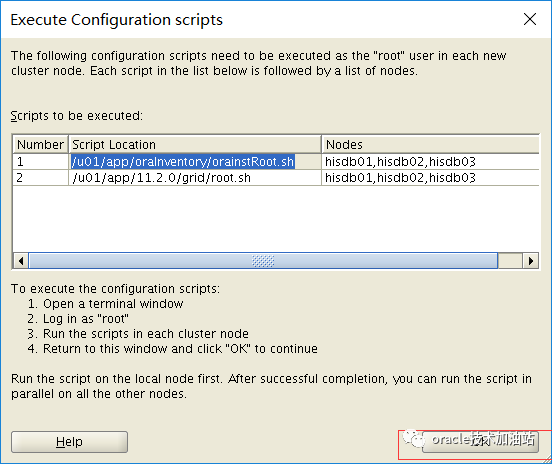

--进入该目录,可以看到上面的操作日志[root@hisdb01 cfgtoollogs]# pwd/u01/app/11.2.0/grid/cfgtoollogs
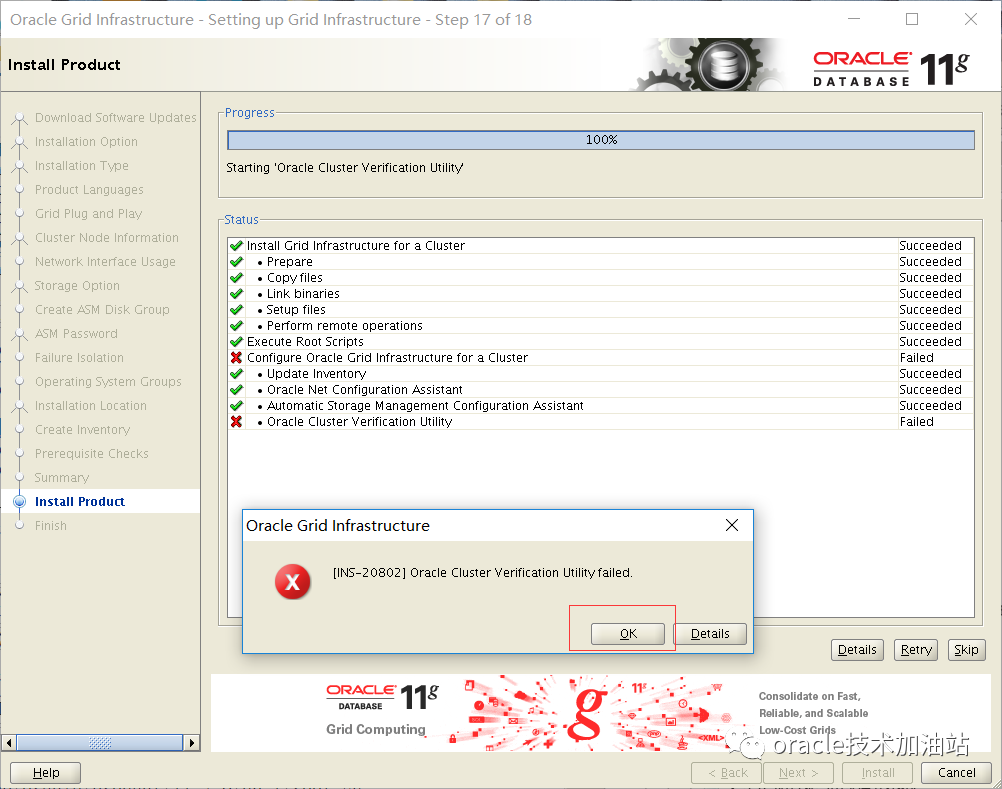
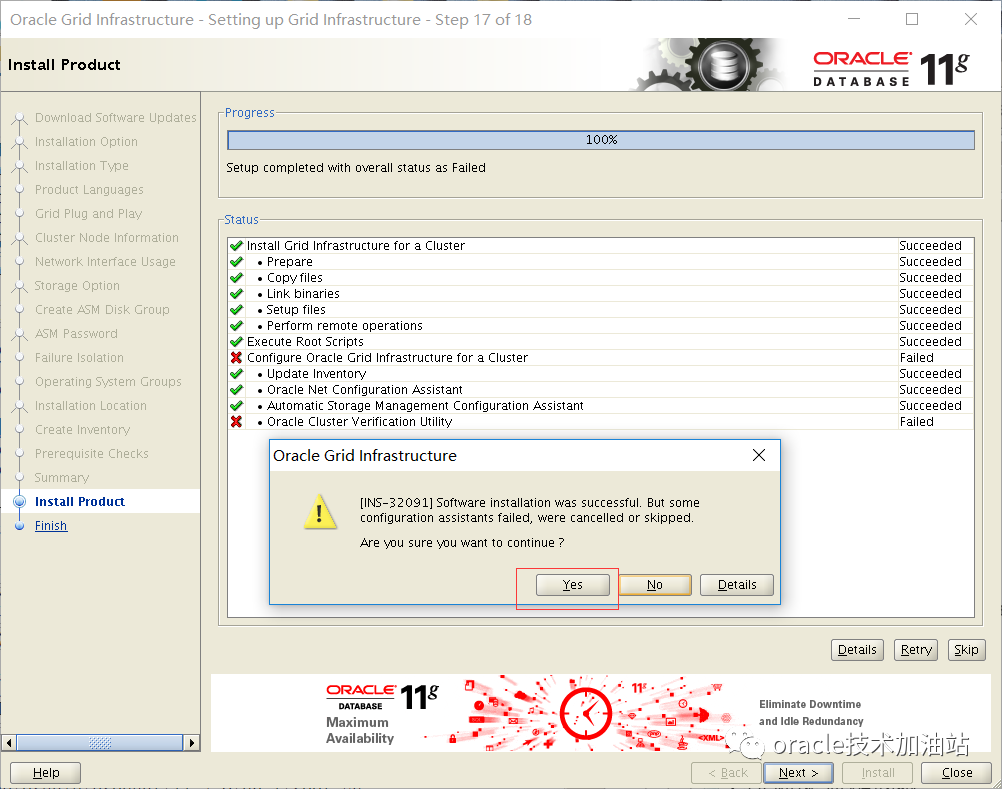
所有的root.sh都去调用了这个脚本,通过前台日志和后台日志均可以看出来,我们看看里面的关键信息:



4. 重新挂载其余asm磁盘(全部节点依次执行)如果还需要进行磁盘的添加、删除操作,可以使用asmcasu - gridsqlplus / as sysasmSQL> col name for a30SQL> select group_number,name,state,type from v$asm_diskgroup;GROUP_NUMBER NAME STATE TYPE------------ ------------------------------ ---------------------- ------------1 SYSTEMDG MOUNTED NORMAL0 DATA DISMOUNTED0 FRA DISMOUNTEDSQL> alter diskgroup data mount;Diskgroup altered.SQL> alter diskgroup fra mount;Diskgroup altered.在第一个节点挂载后就会注册到ocr,然后就可以用命令打开所有的磁盘组了srvctl start diskgroup -g fra -n hisdb02srvctl start diskgroup -g data -n hisdb02srvctl start diskgroup -g fra -n hisdb03srvctl start diskgroup -g data -n hisdb03[grid@hisdb03 ~]$ more /tmp/1.txt+ASM1.asm_diskgroups='DATA','FRA'#Manual Mount+ASM2.asm_diskgroups='DATA','FRA'#Manual Mount+ASM3.asm_diskgroups='FRA','DATA'#Manual Mount*.asm_diskstring='/dev/asm*'*.asm_power_limit=1*.diagnostic_dest='/u01/app/grid'*.instance_type='asm'*.large_pool_size=12M*.remote_login_passwordfile='EXCLUSIVE5、安装数据库软件在节点1中ROOT用户运行这个脚本,安装前建打上补丁p19404309chown -R oracle:oinstall /software/su - oraclecd /softwareunzip p13390677_112040_Linux-x86-64_1of7.zipunzip p13390677_112040_Linux-x86-64_2of7.zipcp /software/bug/b19404309/database/cvu_prereq.xml /software/database/stage/cvu/用oracle用户执行安装:cd /software/database/./runInstaller
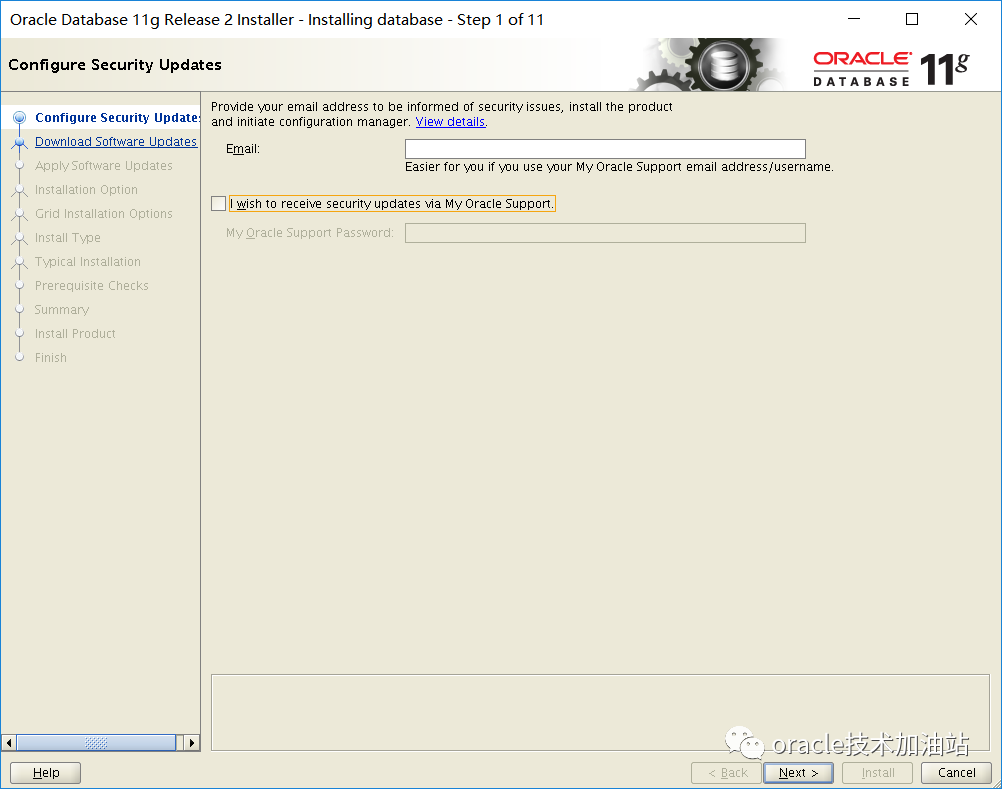
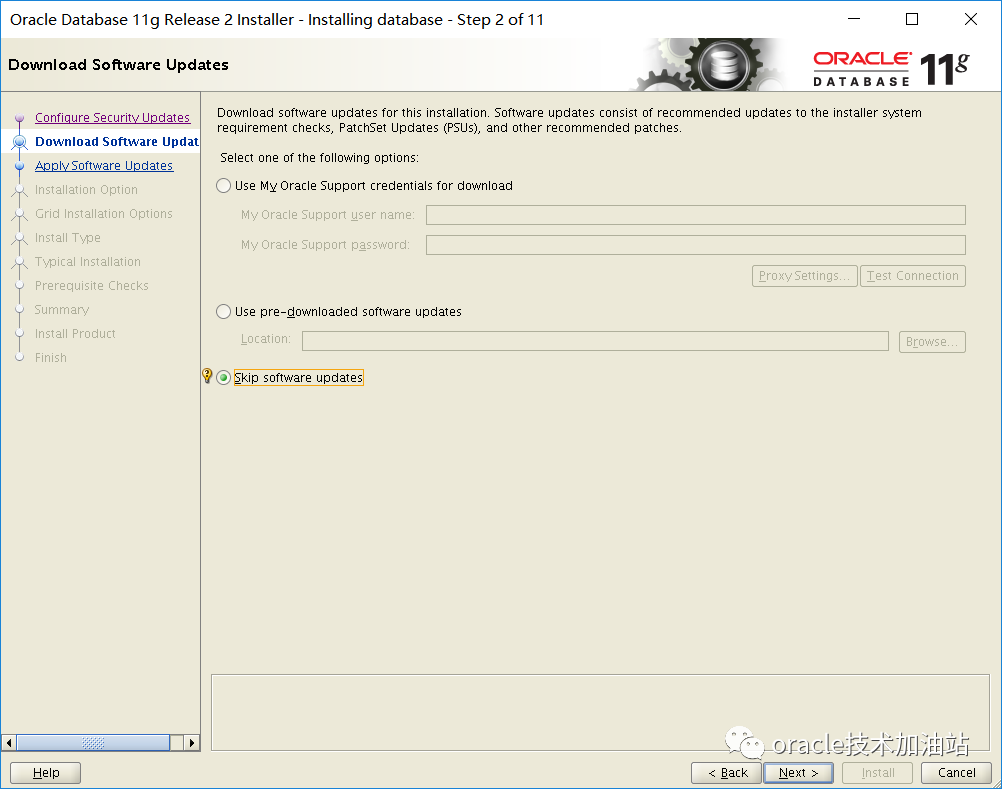
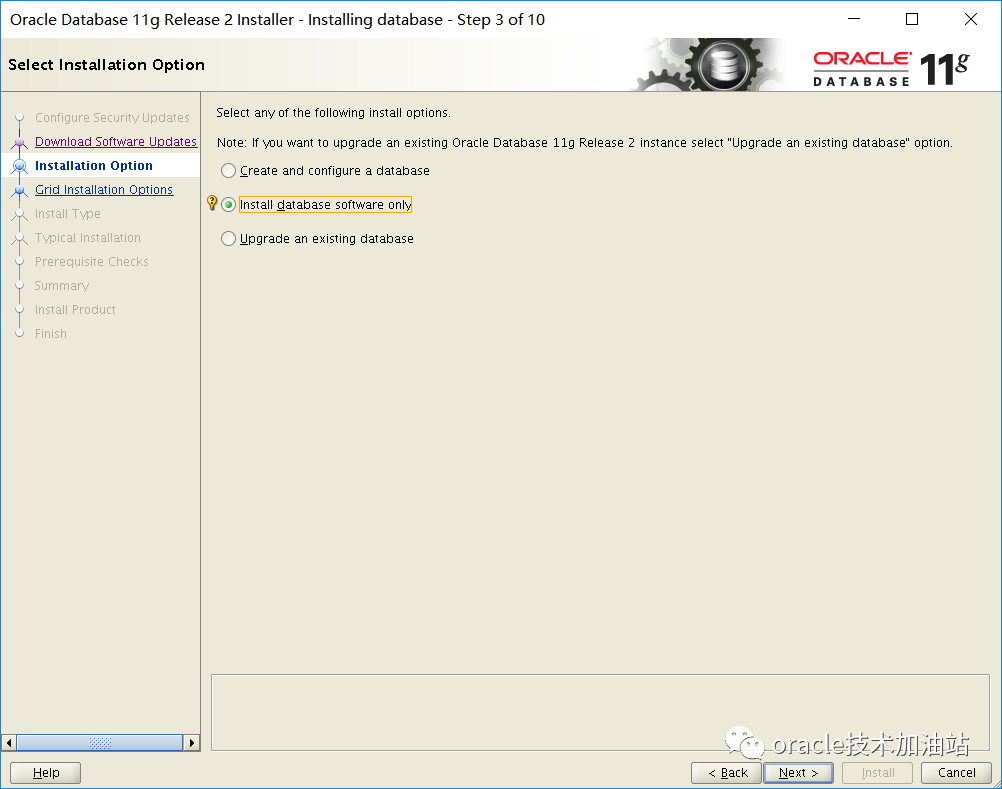
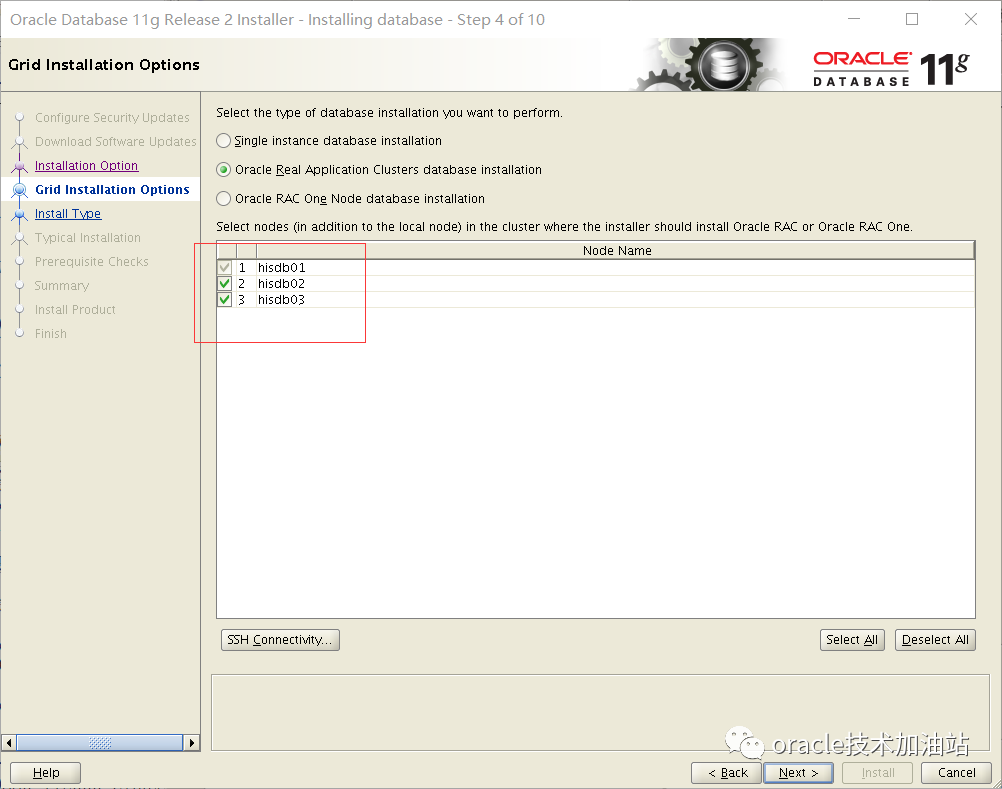
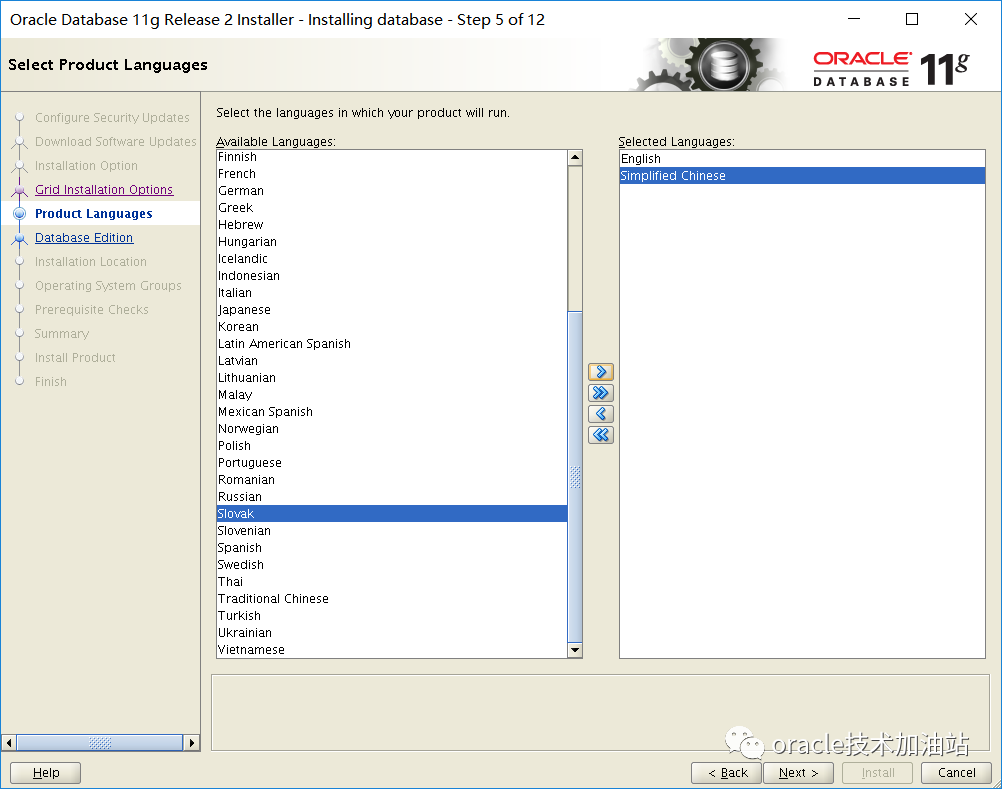
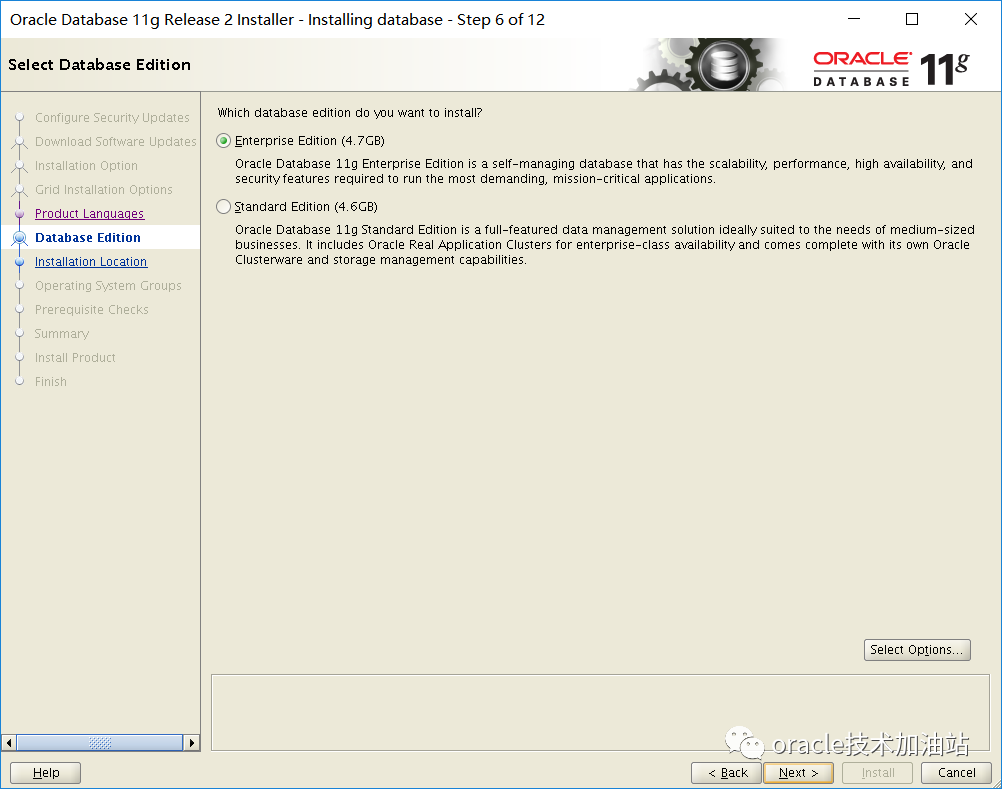
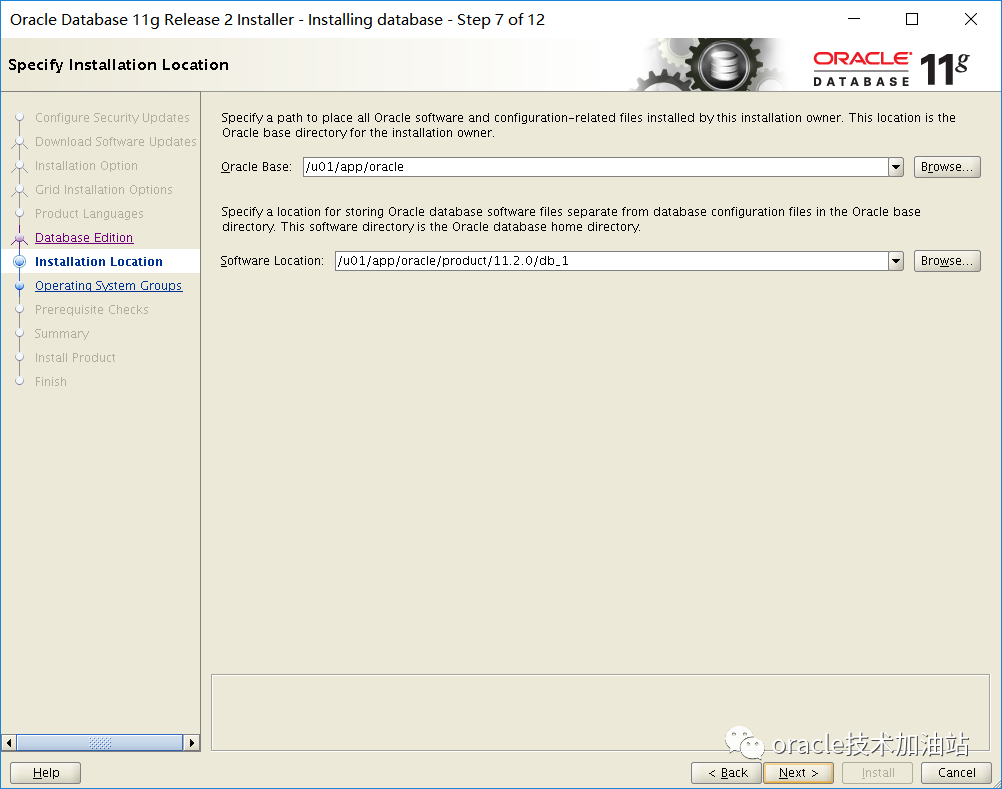
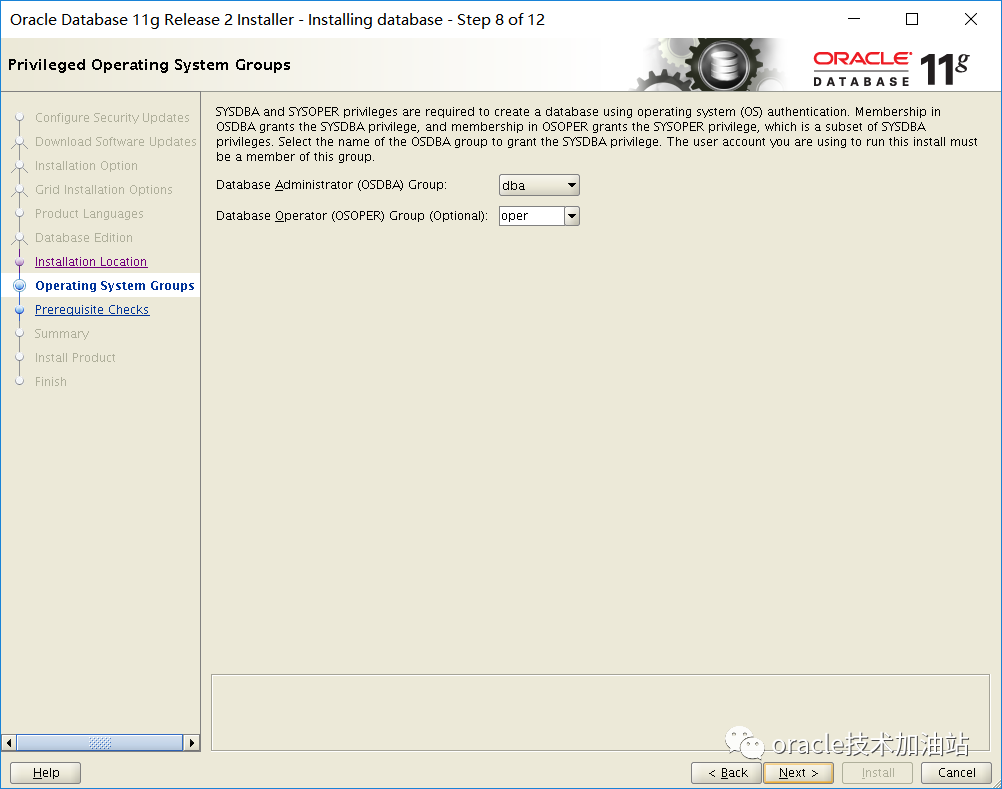

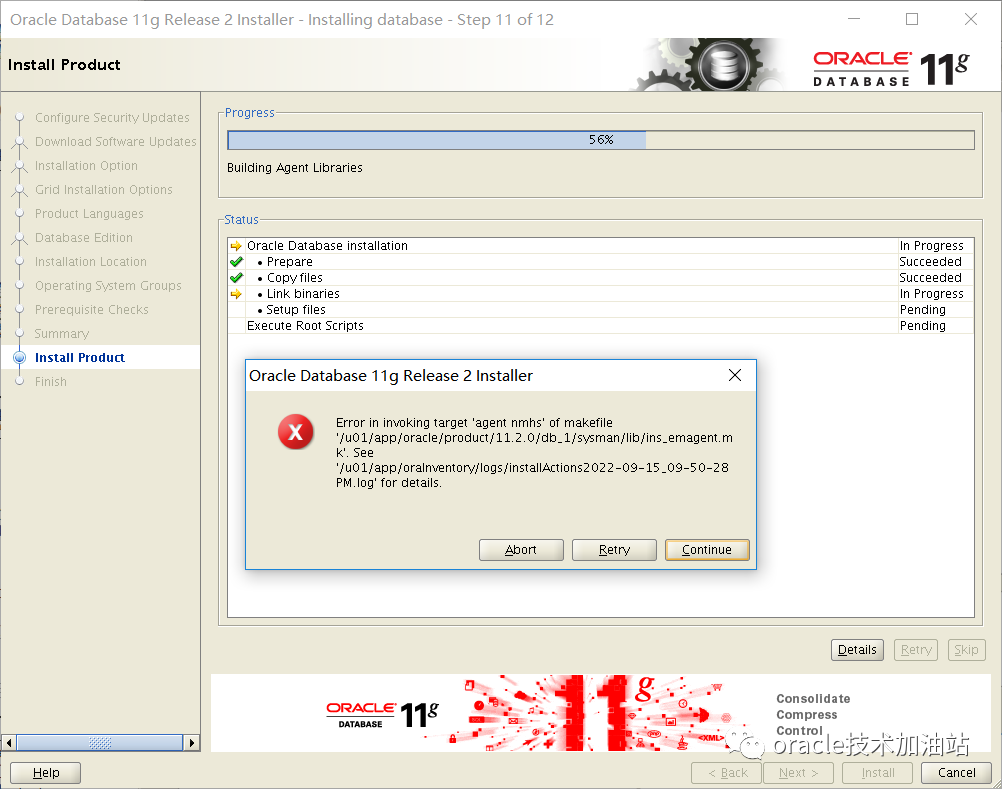
-----------------安装db报错--------------------------------------安装database软件,在执行root.sh脚本的时候会报错:(这是em的一个bug),在节点一操作,其余节点还没复制安装代码过去;Error in invoking target 'agent nmhs' of makefile '/u01/app/oracle/product/11.2.0/db_1/sysman/lib/ins_emagent.mk'解决方法一:选择 继续,然后打上补丁:19692824解决方法二:编辑文件 $ORACLE_HOME/sysman/lib/ins_emagent.mkvi /u01/app/oracle/product/11.2.0/db_1/sysman/lib/ins_emagent.mk找到 $(MK_EMAGENT_NMECTL) 这一行,在后面添加 -lnnz11 如下:$(MK_EMAGENT_NMECTL) -lnnz11然后点击retry 即可
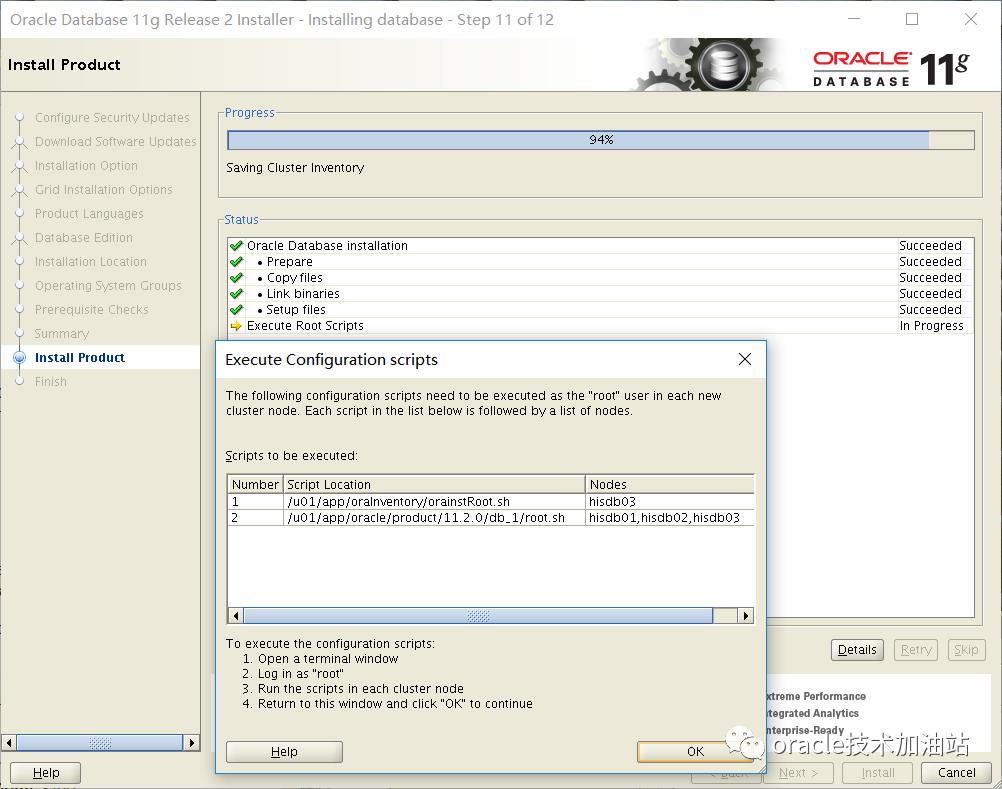
[root@hisdb03 ~]# /u01/app/oraInventory/orainstRoot.shChanging permissions of /u01/app/oraInventory.Adding read,write permissions for group.Removing read,write,execute permissions for world.Changing groupname of /u01/app/oraInventory to oinstall.The execution of the script is complete.[root@hisdb01 ~]# /u01/app/oracle/product/11.2.0/db_1/root.shPerforming root user operation for Oracle 11gThe following environment variables are set as:ORACLE_OWNER= oracleORACLE_HOME= /u01/app/oracle/product/11.2.0/db_1Enter the full pathname of the local bin directory: [/usr/local/bin]:The contents of "dbhome" have not changed. No need to overwrite.The contents of "oraenv" have not changed. No need to overwrite.The contents of "coraenv" have not changed. No need to overwrite.Entries will be added to the /etc/oratab file as needed byDatabase Configuration Assistant when a database is createdFinished running generic part of root script.Now product-specific root actions will be performed.Finished product-specific root actions.[root@hisdb02 ~]# /u01/app/oracle/product/11.2.0/db_1/root.sh[root@hisdb03 ~]# /u01/app/oracle/product/11.2.0/db_1/root.sh6.db层面先处理,拉起业务6.1 rdbms pfile处理(1\2\3节点分别用oracle用户执行)ASMCMD [+data/ORCL] > ls -lType Redund Striped Time Sys NameY CONTROLFILE/Y DATAFILE/Y ONLINELOG/Y PARAMETERFILE/Y TEMPFILE/N snapcf_orcl1.f => +DATA/ORCL/CONTROLFILE/Backup.268.1111324603N spfileorcl.ora => +DATA/ORCL/PARAMETERFILE/spfile.267.1030194983echo "SPFILE='+DATA/orcl/spfileorcl.ora'" >> /u01/app/oracle/product/11.2.0/db_1/dbs/initorcl1.oraecho "SPFILE='+DATA/orcl/spfileorcl.ora'" >> /u01/app/oracle/product/11.2.0/db_1/dbs/initorcl2.oraecho "SPFILE='+DATA/orcl/spfileorcl.ora'" >> /u01/app/oracle/product/11.2.0/db_1/dbs/initorcl3.ora6.2 密码文件处理[oracle@hisdb02 dbs]$ orapwd -hUsage: orapwd file=<fname> entries=<users> force=<y/n> ignorecase=<y/n> nosysdba=<y/n>wherefile - name of password file (required),password - password for SYS will be prompted if not specified at command line,entries - maximum number of distinct DBA (optional),force - whether to overwrite existing file (optional),ignorecase - passwords are case-insensitive (optional),nosysdba - whether to shut out the SYSDBA logon (optional Database Vault only).There must be no spaces around the equal-to (=) character.[oracle@hisdb01 dbs]$ orapwd file=/u01/app/oracle/product/11.2.0/db_1/dbs/orapworcl1 password=oracle force=y[oracle@hisdb02 dbs]$ orapwd file=/u01/app/oracle/product/11.2.0/db_1/dbs/orapworcl2 password=oracle force=y[oracle@hisdb03 dbs]$ orapwd file=/u01/app/oracle/product/11.2.0/db_1/dbs/orapworcl3 password=oracle force=yll /u01/app/oracle/product/11.2.0/db_1/dbs/6.3 注册数据库服务[oracle@hisdb01 dbs]$ srvctl add database -hAdds a database configuration to the Oracle Clusterware.Usage: srvctl add database -d <db_unique_name> -o <oracle_home> [-c {RACONENODE | RAC | SINGLE} [-e <server_list>] [-i <inst_name>] [-w <timeout>]] [-m <domain_name>] [-p <spfile>] [-r {PRIMARY | PHYSICAL_STANDBY | LOGICAL_STANDBY | SNAPSHOT_STANDBY}] [-s <start_options>] [-t <stop_options>] [-n <db_name>] [-y {AUTOMATIC | MANUAL | NORESTART}] [-g "<serverpool_list>"] [-x <node_name>] [-a "<diskgroup_list>"] [-j "<acfs_path_list>"]-d <db_unique_name> Unique name for the database-o <oracle_home> ORACLE_HOME path-c <type> Type of database: RAC One Node, RAC, or Single Instance-e <server_list> Candidate server list for RAC One Node database-i <inst_name> Instance name prefix for administrator-managed RAC One Node database (default first 12 characters of <db_unique_name>)-w <timeout> Online relocation timeout in minutes-x <node_name> Node name. -x option is specified for single-instance databases-m <domain> Domain for database. Must be set if database has DB_DOMAIN set.-p <spfile> Server parameter file path-r <role> Role of the database (primary, physical_standby, logical_standby, snapshot_standby)-s <start_options> Startup options for the database. Examples of startup options are OPEN, MOUNT, or 'READ ONLY'.-t <stop_options> Stop options for the database. Examples of shutdown options are NORMAL, TRANSACTIONAL, IMMEDIATE, or ABORT.-n <db_name> Database name (DB_NAME), if different from the unique name given by the -d option-y <dbpolicy> Management policy for the database (AUTOMATIC, MANUAL, or NORESTART)-g "<serverpool_list>" Comma separated list of database server pool names-a "<diskgroup_list>" Comma separated list of disk groups-j "<acfs_path_list>" Comma separated list of ACFS paths where database's dependency will be set-h Print usage[oracle@hisdb01 dbs]$ srvctl add database -d orcl -o /u01/app/oracle/product/11.2.0/db_1 -p +DATA/orcl/spfileorcl.ora -n orcl -a "FRA,DATA"6.4 注册数据库实例[oracle@hisdb01 dbs]$ srvctl add instance -d orcl -i orcl1 -n hisdb01[oracle@hisdb01 dbs]$ srvctl add instance -d orcl -i orcl2 -n hisdb02[oracle@hisdb01 dbs]$ srvctl add instance -d orcl -i orcl3 -n hisdb03[oracle@hisdb01 dbs]$ srvctl config database -d orclDatabase unique name: orclDatabase name: orclOracle home: /u01/app/oracle/product/11.2.0/db_1Oracle user: oracleSpfile: +DATA/orcl/spfileorcl.oraDomain:Start options: openStop options: immediateDatabase role: PRIMARYManagement policy: AUTOMATICServer pools: orclDatabase instances: orcl1,orcl2,orcl3Disk Groups: FRA,DATAMount point paths:Services:Type: RACDatabase is administrator managed6.5 起停数据库测试[oracle@hisdb01 dbs]$ sqlplus / as sysdbaSQL*Plus: Release 11.2.0.4.0 Production on Thu Sep 15 23:19:50 2022Copyright (c) 1982, 2013, Oracle. All rights reserved.Connected to an idle instance.SQL> startupORACLE instance started.Total System Global Area 2505338880 bytesFixed Size 2255832 bytesVariable Size 1124074536 bytesDatabase Buffers 1358954496 bytesRedo Buffers 20054016 bytesDatabase mounted.Database opened.[root@hisdb01 dbs]# srvctl stop database -d orcl[root@hisdb01 dbs]# srvctl start database -d orcl[root@hisdb01 dbs]# crsctl stat res ora.orcl.db -t--------------------------------------------------------------------------------NAME TARGET STATE SERVER STATE_DETAILS--------------------------------------------------------------------------------Cluster Resources--------------------------------------------------------------------------------ora.orcl.db1 ONLINE ONLINE hisdb01 Open2 ONLINE ONLINE hisdb02 Open3 ONLINE ONLINE hisdb03 Open6.6 如果以前还有补丁,则需要关注,要更新补丁至少大于等于以前的环境;
4、总结
rac的我们做的最多的是安装,但是重装可能很少的人去做过,我曾经研究过不同系统中各种安装、卸载、添加、删除节点的方法,后续将持续分享,这些技术可能学了一辈子都用不上,但是关键时候可以救命;
rac最复杂的不是这些,真正复杂的还是asm,只要盘在,数据就在,大不了重装嘛。
文章转载自数据库技术加油站,如果涉嫌侵权,请发送邮件至:contact@modb.pro进行举报,并提供相关证据,一经查实,墨天轮将立刻删除相关内容。
