



nexus
配置nexus
创建Blob Store
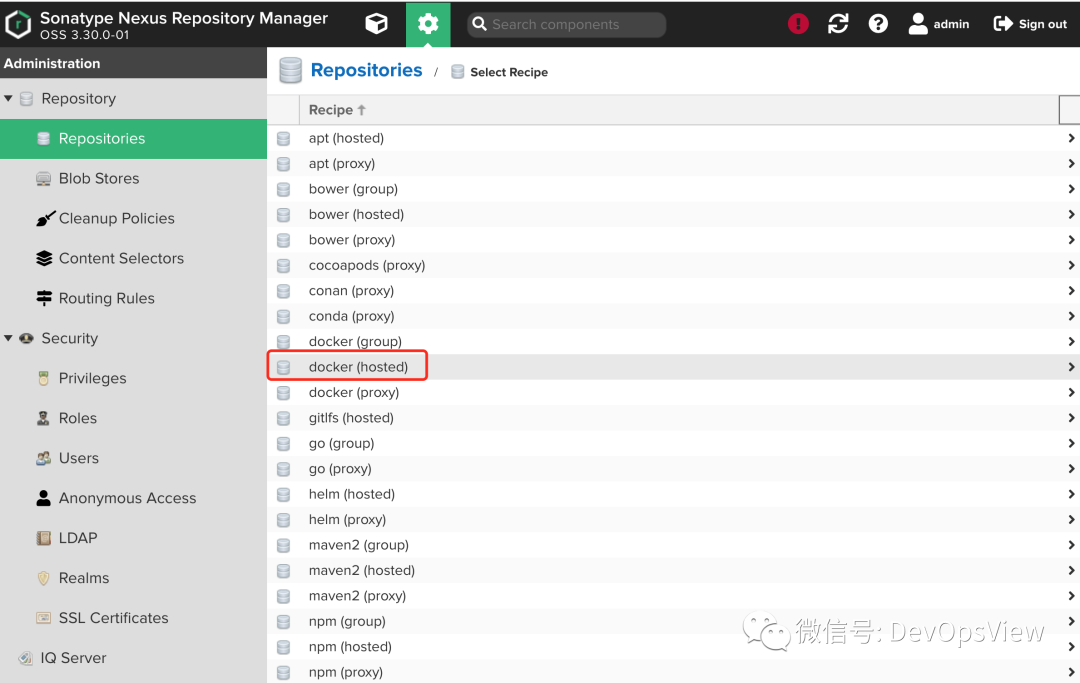
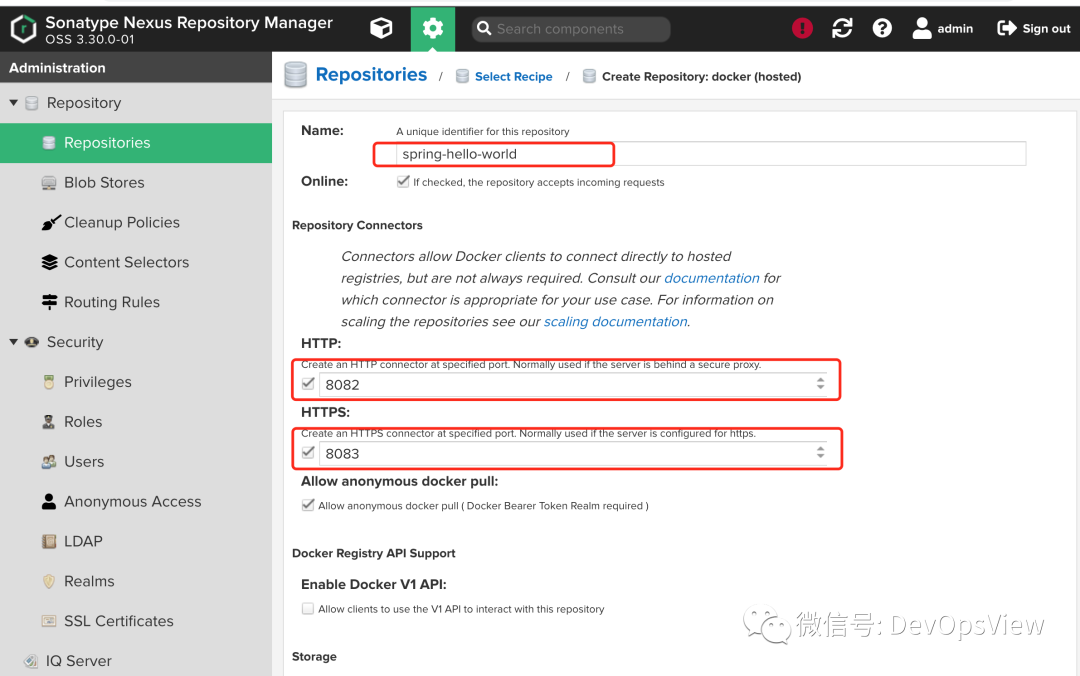
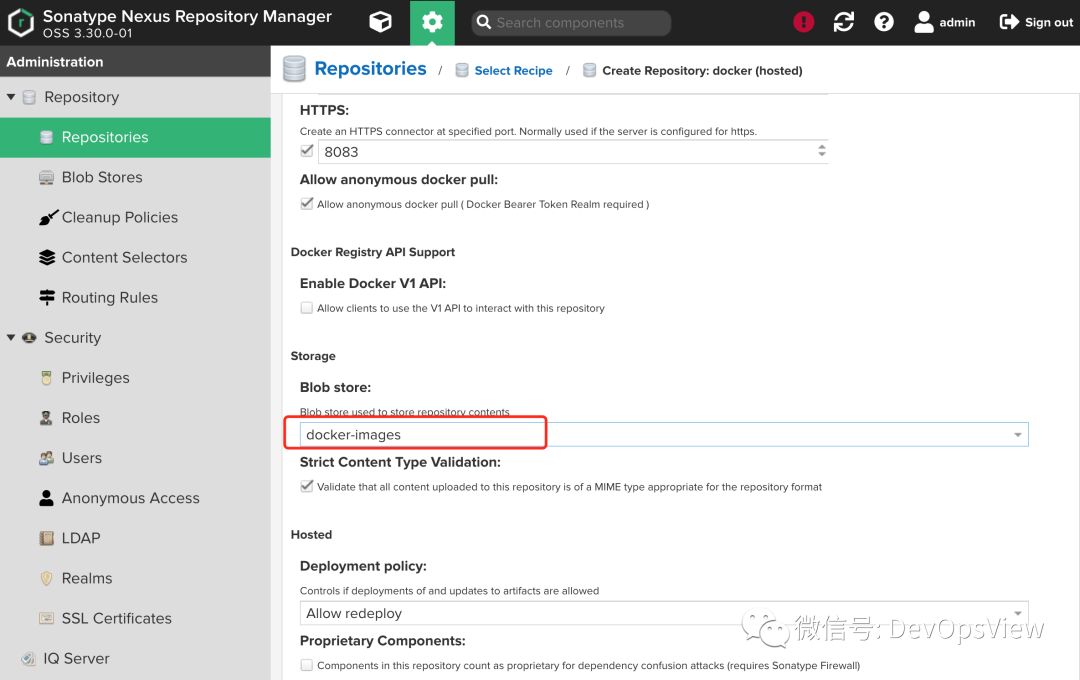
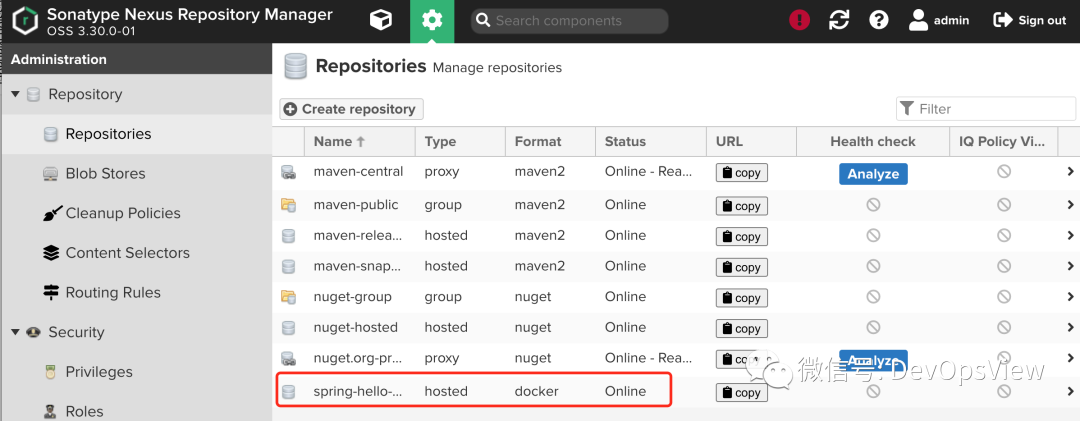
创建仓库
使用nexus作为镜像仓库,主要原因是比较简单,不像harbor一样庞大。在实际生产中,大家可以使用harbor来存储镜像。
创建目录
# mkdir nexus
# cd nexus/
namespace
# vim namespace.yaml
apiVersion: v1
kind: Namespace
metadata:
  name: nexus
# kubectl apply -f namespace.yaml
namespace/nexus created
service
# vim service.yaml
apiVersion: v1
kind: Service
metadata:
  name: sonatype-nexus
  namespace: nexus
  labels:
    app: sonatype-nexus
spec:
  type: NodePort
  ports:
  - name: sonatype-nexus
    port: 8081
    targetPort: 8081
    protocol: TCP
    nodePort: 30081
  - name: docker-registry
    port: 8082
    targetPort: 8082
    protocol: TCP
    nodePort: 30082
  selector:
    app: sonatype-nexus
  externalTrafficPolicy: Cluster
# kubectl apply -f service.yaml
service/sonatype-nexus created
# kubectl get svc -n nexus
NAME             TYPE       CLUSTER-IP    EXTERNAL-IP   PORT(S)                         AGE
sonatype-nexus   NodePort   10.1.78.188   <none>        8081:30081/TCP,8082:30082/TCP   6s
nexus
# vim nexus.yaml
---
apiVersion: apps/v1
kind: Deployment
metadata:
  name: sonatype-nexus
  namespace: nexus
  labels:
    app: sonatype-nexus
spec:
  replicas: 1
  selector:
    matchLabels:
      app: sonatype-nexus
  template:
    metadata:
      labels:
        app: sonatype-nexus
    spec:
      containers:
      - name: sonatype-nexus
        image: sonatype/nexus3:3.30.0
        imagePullPolicy: IfNotPresent
        ports:
        - name: server
          containerPort: 8081
        livenessProbe:
          httpGet:
            path: /
            port: 8081
          initialDelaySeconds: 30
          periodSeconds: 30
          failureThreshold: 6
        readinessProbe:
          httpGet:
            path: /
            port: 8081
          initialDelaySeconds: 30
          periodSeconds: 30
          failureThreshold: 6
        env:
        - name: INSTALL4J_ADD_VM_PARAMS
          value: "
                  -Xms1G
                  -Xmx2G
                  -XX:MaxDirectMemorySize=4G
                  -XX:+UnlockExperimentalVMOptions
                  -XX:+UseCGroupMemoryLimitForHeap
                 "
        resources:
          limits:
            cpu: 1
            memory: 2048Mi
          requests:
            cpu: 500m
            memory: 1024Mi
        volumeMounts:
        - name: nexus-data
          mountPath: /data1/nexus-data
      volumes:
      - name: nexus-data
        hostPath:
          path: /data1/nexus-data
# kubectl apply -f nexus.yaml
deployment.apps/sonatype-nexus created
# kubectl get pods -n nexus -w
NAME                             READY   STATUS              RESTARTS   AGE
sonatype-nexus-c478ff785-pzfvf   0/1     ContainerCreating   0          11s
sonatype-nexus-c478ff785-pzfvf   0/1     Running             0          92s
sonatype-nexus-c478ff785-pzfvf   1/1     Running             0          3m54s
在浏览器中输入http://
点击登录,下面的命令可以获取admin用户的密码
# kubectl exec  sonatype-nexus-c478ff785-pzfvf -n nexus -- cat /nexus-data/admin.password && echo
a63f2221-b307-4e53-9824-e9b3f2617d53
配置nexus
创建Blob Store
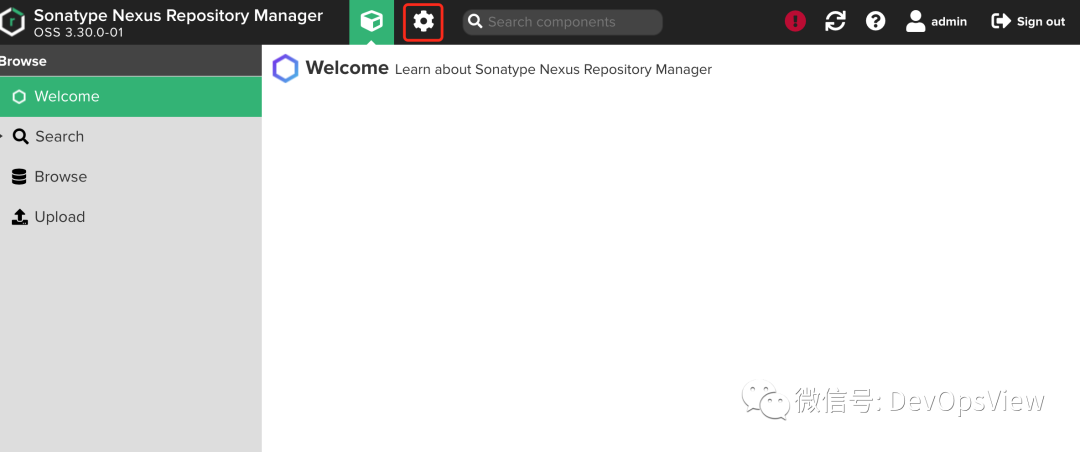
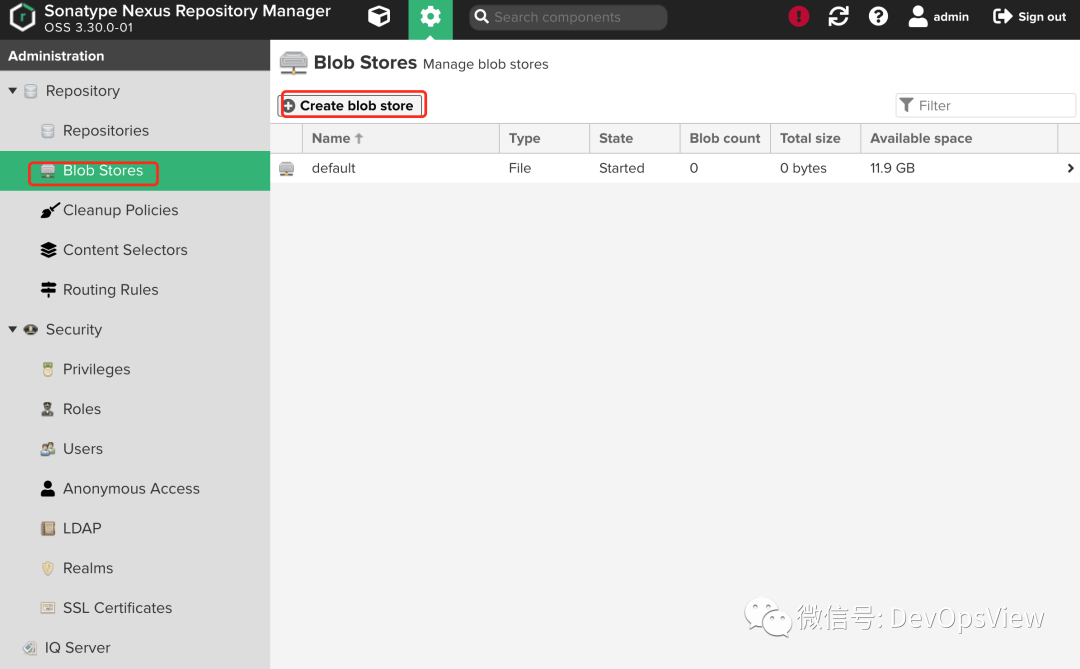
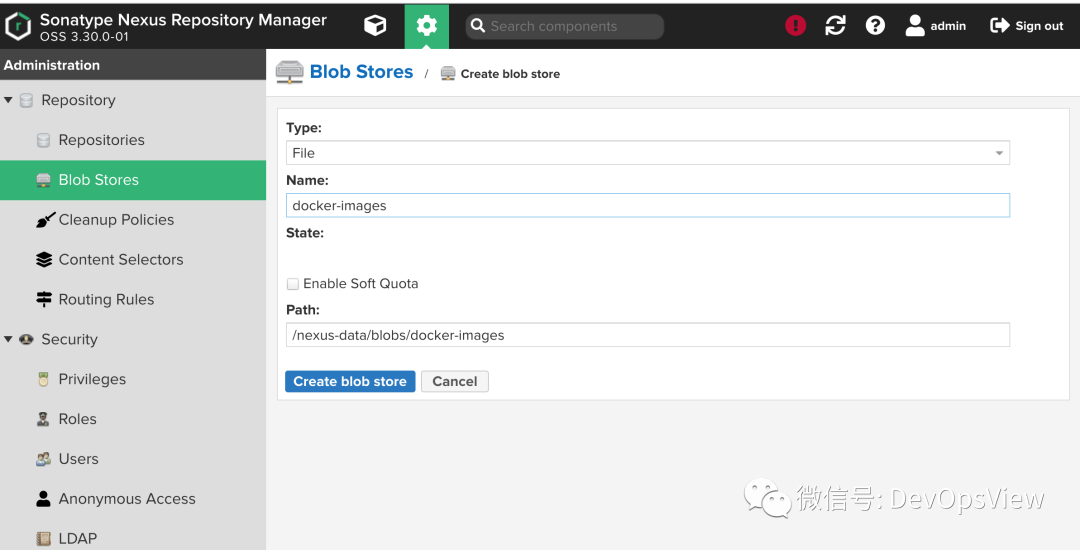
测试使用存储在本地,生成中可以存放到共享存储中。
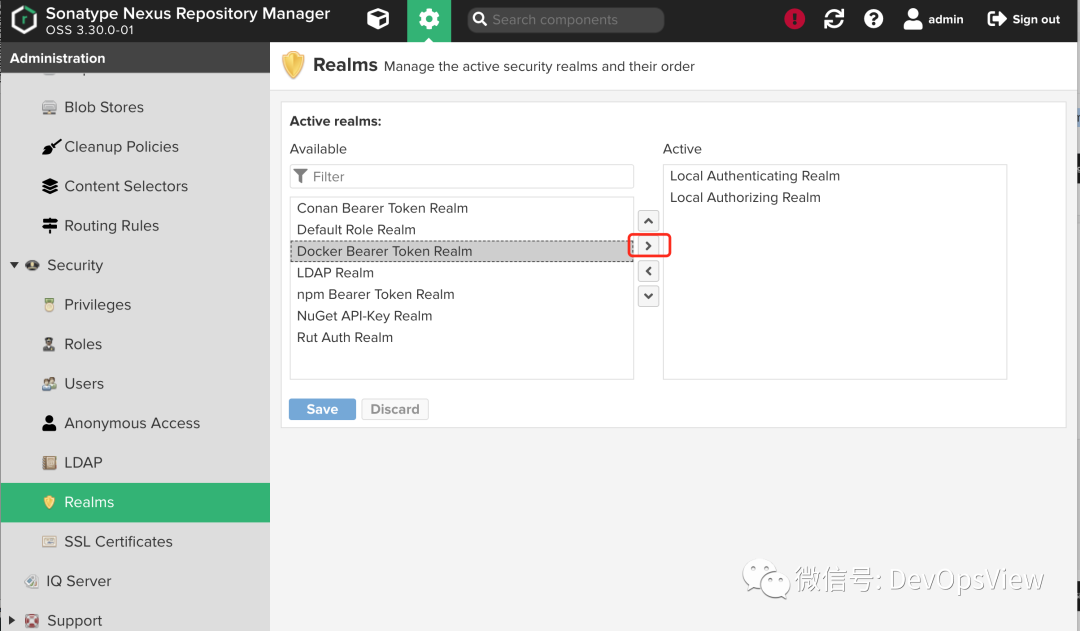
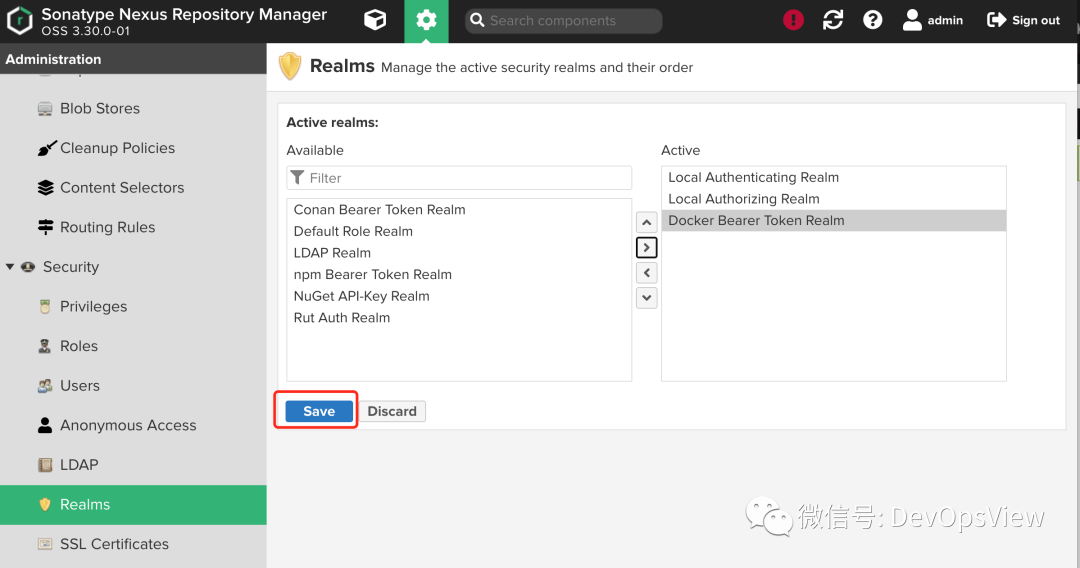
创建仓库
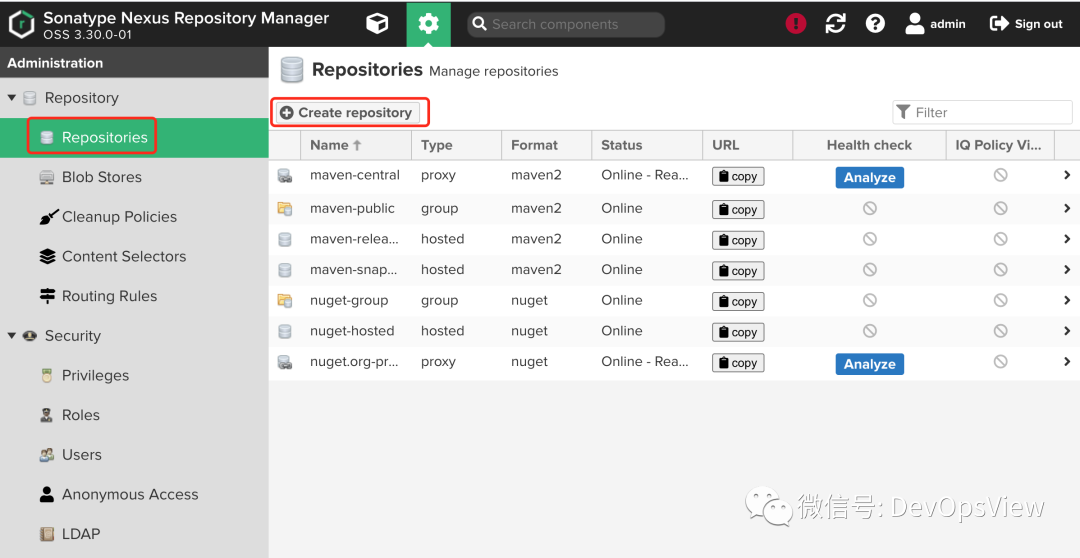

文章转载自DevOps视角,如果涉嫌侵权,请发送邮件至:contact@modb.pro进行举报,并提供相关证据,一经查实,墨天轮将立刻删除相关内容。
