



首先放上官网链接:https://pgbackrest.org/
什么是pgBackRest?
pgBackRest 是可靠的 PostgreSQL 备份和还原解决方案,可以在大型数据库和高负载数据库中使用。免费开源,个人或者商业使用都可以。
特性
- 并行备份和恢复
- 本地或者远程备份
- 支持多仓库存放备份
- 全备,差异备份,以及增量备份支持(在文件或者块级别)
- 备份生命周期管理以及自动将归档过期。
- 备份完整性校验
- 支持页的校验(Page checksum)
- 支持备份从断点继续备份
- 支持流式压缩和校验
- 支持增量还原
- 支持并行,异步拉取或者推送WAL 文件
- 支持在恢复时重定向表空间和链接
- 支持将备份直接存放到S3,Azure, GCS
- 支持加密备份
- 支持大部分的PG版本。包括5个受支持的版本以及5个EOL版本。
安装
比起使用源码安装,更推荐使用安装包直接安装。(源码安装遇到一些错误,所以我也选择了使用安装包)
RHEL7-8 可以在 http://yum.postgresql.org/ 中找到安装包。
#安装依赖,以下使用root
yum install postgresql-libs libssh2  libxml2-devel lz4-devel libzstd-devel bzip2-devel libyaml-devel libssh2-devel
#下载安装包
wget https://yum.postgresql.org/common/redhat/rhel-7-x86_64/pgbackrest-2.51-2PGDG.rhel7.x86_64.rpm --no-check-certificate
#安装
rpm -ivh pgbackrest-2.51-2PGDG.rhel7.x86_64.rpm
如果安装中遇到依赖问题,需要按照提示解决依赖。
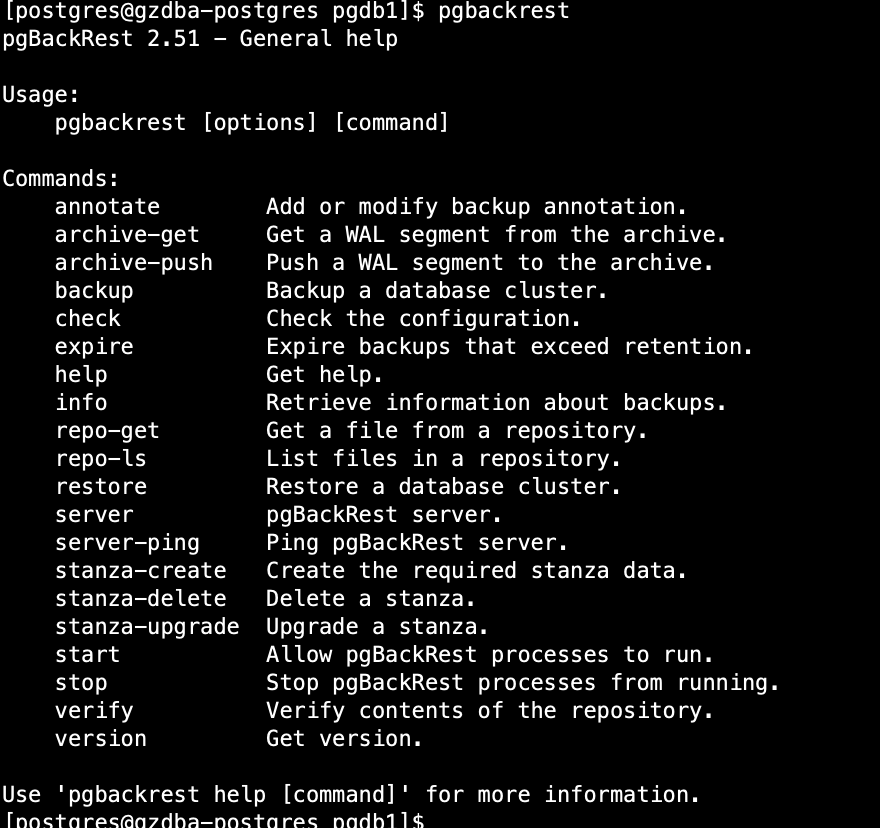
安装完毕,使用 pgbackrest 命令应无报错:
配置
配置参考官方quick start文档:https://pgbackrest.org/user-guide-rhel.html#quickstart
1. 使用postgresql 用户创建配置文件
touch /etc/pgbackrest/pgbackrest.conf
2. 创建备份以及归档的存放目录
mkdir -p /data/ivandb/pgbackrest/
chmod 750 /data/ivandb/pgbackrest/
chown postgres:postgres /data/ivandb/pgbackrest/
3. 编辑配置文件 /etc/pgbackrest/pgbackrest.conf > Stanza 节, 每个数据库应有一个Stanza,下面以配置数据库 pgdb1为例,数据库的数据目录PGDATA 为:
/data/ivandb/pgdb1, 端口为:6432
#pgdb1 这个名字可以换个有意义的名称,stanza 名称
[pgdb1]
#pg1-path 对应$PGDATA
pg1-path=/data/ivandb/pgdb1
#pg1-port 数据库端口,默认为5432,可以不配,如果使用默认端口的话。
pg1-port=6432

 #2024-Dec-29 补充,global下面的选项指对所有的stanza 生效,如果每个stanza 有不同的配置,把配置写到stanza 下面即可。比如,把repo1-path=/data/ivandb/pgbackrest 写到[pgdb1] 这节下面。
[global]
#这个地方为数据库备份的存放目录
repo1-path=/data/ivandb/pgbackrest
#配置保留两个全备
repo1-retention-full=2
#配置保留一个差异备份
repo1-retention-diff=1
#配置备份加密,加密串可以用openssl rand -base64 48 生成
repo1-cipher-pass=Itqr2AHnIZVeA9L4bPtIxz0zo4Ur2Ig7czDHCxI3KyUHxVtTeP/d9QV19Wkhk4Qx
repo1-cipher-type=aes-256-cbc

#归档压缩
[global:archive-push]
compress-level=3
4. 数据库配置
    archive_command = 'pgbackrest --stanza=pgdb1 archive-push %p' #可以包含两个目的地,但是必须要有pgbackrest 命令, stanza 后面跟着的为配置文件中stanza的名字
                                        # 比如:test ! -f /data/ivandb/archive/pgdb1/%f && cp %p /data/ivandb/archive/pgdb1/%f;pgbackrest --stanza=pgdb1 archive-push %p
    archive_mode = on  #开归档
    max_wal_senders = 3  #max_wal_senders 数按需配置
    wal_level = replica  #日志最低需要replica
修改完归档后,需要重新加载配置,如果修改了 wal_level 参数的话,则需要重启。
select pg_reload_conf();5. 创建节(stanza)
pgbackrest --stanza=pgdb1 --log-level-console=info stanza-create输出内容:
[postgres@gzdba-postgres ivan.yu]$ pgbackrest --stanza=pgdb1 --log-level-console=info stanza-create
2024-12-27 21:32:52.850 P00   INFO: stanza-create command begin 2.51: --exec-id=9692-41f6c3b3 --log-level-console=info --pg1-path=/data/ivandb/pgdb1 --pg1-port=6432 --repo1-path=/data/ivandb/pgbackrest --stanza=pgdb1
2024-12-27 21:32:53.453 P00   INFO: stanza-create for stanza 'pgdb1' on repo1
2024-12-27 21:32:53.472 P00   INFO: stanza-create command end: completed successfully (622ms)
6. 检查配置
pgbackrest --stanza=pgdb1 --log-level-console=info check
输出内容,能成功归档wal日志:
[postgres@gzdba-postgres ivan.yu]$ pgbackrest --stanza=pgdb1 --log-level-console=info check
2024-12-27 21:36:10.434 P00   INFO: check command begin 2.51: --exec-id=9936-c4688e26 --log-level-console=info --pg1-path=/data/ivandb/pgdb1 --pg1-port=6432 --repo1-path=/data/ivandb/pgbackrest --stanza=pgdb1
2024-12-27 21:36:11.037 P00   INFO: check repo1 configuration (primary)
2024-12-27 21:36:11.438 P00   INFO: check repo1 archive for WAL (primary)
2024-12-27 21:36:11.439 P00   INFO: WAL segment 0000000100000002000000B6 successfully archived to '/data/ivandb/pgbackrest/archive/pgdb1/14-1/0000000100000002/0000000100000002000000B6-3b9a32e1b53c39c1691aa1b0a5e030c91a14dd63.gz' on repo1
2024-12-27 21:36:11.439 P00   INFO: check command end: completed successfully (1006ms)
7. 性能优化
- 推荐使用zst 压缩,因为这个比使用gz快,并且压缩后的大小差不多。 v2.27后
- 使用repo-bundle, 这个选项会在备份期间合并小文件以节省空间并提高 backup 和 restore 命令的速度,尤其是在对象存储上
- 使用repo-block,在 diff/incr 备份期间,仅存储已更改的文件部分,而不是整个文件。这样可以节省空间并提高备份速度,开启repo-block,必须先开启repo-bundle, 推荐在2.52.1 上使用
- process-max ,决定了会备份或者恢复命令会使用多少进程(并行度),默认为1
- archive-async , 为推送或者获取归档命令( archive-push 和 archive-get)启用异步操作
- backup-standby, 在备库上使用备份。
8. 备份数据库
1. 全备
默认情况下,在pgBackRest发起备份的时候,会等待数据库的checkpoint完才开始备份,所以最好在配置文件中加上
start-fast=y
的配置,但是在非常繁忙的数据库中,可以在命令行中使用--start-fast=y,如果条件允许的话。
此外,如果直接使用backup命令的话,pgBackRest默认会尝试增量备份,因为--type 选项的值,默认就是incr, 如果发现没有增量备份的话,会执行全备。
pgbackrest --stanza=pgdb1 --log-level-console=info backup输出内容:
[postgres@gzdba-postgres pgbackrest]$ pgbackrest --stanza=pgdb1  --log-level-console=info backup
2024-12-27 22:52:53.048 P00   INFO: backup command begin 2.51: --exec-id=15914-1c885811 --log-level-console=info --pg1-path=/data/ivandb/pgdb1 --pg1-port=6432 --repo1-cipher-pass=<redacted> --repo1-cipher-type=aes-256-cbc --repo1-path=/data/ivandb/pgbackrest --repo1-retention-diff=1 --repo1-retention-full=2 --stanza=pgdb1
WARN: no prior backup exists, incr backup has been changed to full
2024-12-27 22:52:53.752 P00   INFO: execute non-exclusive backup start: backup begins after the next regular checkpoint completes
2024-12-27 22:52:54.454 P00   INFO: backup start archive = 0000000300000002000000C2, lsn = 2/C2000028
2024-12-27 22:52:54.454 P00   INFO: check archive for prior segment 0000000300000002000000C1
2024-12-27 22:54:15.795 P00   INFO: execute non-exclusive backup stop and wait for all WAL segments to archive
2024-12-27 22:54:15.996 P00   INFO: backup stop archive = 0000000300000002000000C2, lsn = 2/C2000220
2024-12-27 22:54:16.000 P00   INFO: check archive for segment(s) 0000000300000002000000C2:0000000300000002000000C2
2024-12-27 22:54:16.014 P00   INFO: new backup label = 20241227-225253F
2024-12-27 22:54:16.079 P00   INFO: full backup size = 3GB, file total = 1454
2024-12-27 22:54:16.079 P00   INFO: backup command end: completed successfully (83031ms)
2024-12-27 22:54:16.079 P00   INFO: expire command begin 2.51: --exec-id=15914-1c885811 --log-level-console=info --repo1-cipher-pass=<redacted> --repo1-cipher-type=aes-256-cbc --repo1-path=/data/ivandb/pgbackrest --repo1-retention-diff=1 --repo1-retention-full=2 --stanza=pgdb1
2024-12-27 22:54:16.087 P00   INFO: expire command end: completed successfully (8ms)
[postgres@gzdba-postgres pgbackrest]$
再次执行命令并加上--start-fast=y, 可以看到是使用的incr backup, 增量备份,并且没有“backup begins after the next regular checkpoint completes” 提示。
:
pgbackrest --stanza=pgdb1 --log-level-console=info --start-fast=y backup 输出内容:
[postgres@gzdba-postgres pgbackrest]$ pgbackrest --stanza=pgdb1  --log-level-console=info  --start-fast=y backup
2024-12-27 22:55:24.681 P00   INFO: backup command begin 2.51: --exec-id=16108-cdac4a57 --log-level-console=info --pg1-path=/data/ivandb/pgdb1 --pg1-port=6432 --repo1-cipher-pass=<redacted> --repo1-cipher-type=aes-256-cbc --repo1-path=/data/ivandb/pgbackrest --repo1-retention-diff=1 --repo1-retention-full=2 --stanza=pgdb1 --start-fast
2024-12-27 22:55:25.395 P00   INFO: last backup label = 20241227-225253F, version = 2.51
2024-12-27 22:55:25.395 P00   INFO: execute non-exclusive backup start: backup begins after the requested immediate checkpoint completes
2024-12-27 22:55:26.097 P00   INFO: backup start archive = 0000000300000002000000C4, lsn = 2/C4000028
2024-12-27 22:55:26.097 P00   INFO: check archive for prior segment 0000000300000002000000C3
2024-12-27 22:55:27.526 P00   INFO: execute non-exclusive backup stop and wait for all WAL segments to archive
2024-12-27 22:55:27.726 P00   INFO: backup stop archive = 0000000300000002000000C4, lsn = 2/C4000100
2024-12-27 22:55:27.730 P00   INFO: check archive for segment(s) 0000000300000002000000C4:0000000300000002000000C4
2024-12-27 22:55:27.743 P00   INFO: new backup label = 20241227-225253F_20241227-225525I
2024-12-27 22:55:27.874 P00   INFO: incr backup size = 45.7KB, file total = 1454
2024-12-27 22:55:27.874 P00   INFO: backup command end: completed successfully (3193ms)
2024-12-27 22:55:27.874 P00   INFO: expire command begin 2.51: --exec-id=16108-cdac4a57 --log-level-console=info --repo1-cipher-pass=<redacted> --repo1-cipher-type=aes-256-cbc --repo1-path=/data/ivandb/pgbackrest --repo1-retention-diff=1 --repo1-retention-full=2 --stanza=pgdb1
2024-12-27 22:55:27.884 P00   INFO: expire command end: completed successfully (10ms)
2. 差异备份
pgbackrest --stanza=pgdb1 --type=diff --log-level-console=info backup输出内容:
[postgres@gzdba-postgres pgbackrest]$  pgbackrest --stanza=pgdb1 --type=diff --log-level-console=info backup
2024-12-27 22:56:20.909 P00   INFO: backup command begin 2.51: --exec-id=16195-fd4ccfab --log-level-console=info --pg1-path=/data/ivandb/pgdb1 --pg1-port=6432 --repo1-cipher-pass=<redacted> --repo1-cipher-type=aes-256-cbc --repo1-path=/data/ivandb/pgbackrest --repo1-retention-diff=1 --repo1-retention-full=2 --stanza=pgdb1 --type=diff
2024-12-27 22:56:21.624 P00   INFO: last backup label = 20241227-225253F, version = 2.51
2024-12-27 22:56:21.624 P00   INFO: execute non-exclusive backup start: backup begins after the next regular checkpoint completes
2024-12-27 22:56:45.127 P00   INFO: backup start archive = 0000000300000002000000C7, lsn = 2/C7000028
2024-12-27 22:56:45.127 P00   INFO: check archive for prior segment 0000000300000002000000C6
2024-12-27 22:56:47.185 P00   INFO: execute non-exclusive backup stop and wait for all WAL segments to archive
2024-12-27 22:56:47.385 P00   INFO: backup stop archive = 0000000300000002000000C7, lsn = 2/C70001E8
2024-12-27 22:56:47.392 P00   INFO: check archive for segment(s) 0000000300000002000000C7:0000000300000002000000C7
2024-12-27 22:56:47.408 P00   INFO: new backup label = 20241227-225253F_20241227-225621D
2024-12-27 22:56:47.495 P00   INFO: diff backup size = 16.6MB, file total = 1455
2024-12-27 22:56:47.495 P00   INFO: backup command end: completed successfully (26587ms)
2024-12-27 22:56:47.495 P00   INFO: expire command begin 2.51: --exec-id=16195-fd4ccfab --log-level-console=info --repo1-cipher-pass=<redacted> --repo1-cipher-type=aes-256-cbc --repo1-path=/data/ivandb/pgbackrest --repo1-retention-diff=1 --repo1-retention-full=2 --stanza=pgdb1
2024-12-27 22:56:47.505 P00   INFO: expire command end: completed successfully (10ms)
设置备份的crontab
#m h   dom mon dow   command
30 06  *   *   0     pgbackrest --type=full --stanza=pgdb1 backup
30 06  *   *   1-6   pgbackrest --type=diff --stanza=pgdb1 backup
9 . 查看备份信息
pgbackrest info --stanza=pgdb1输出内容:
[postgres@gzdba-postgres pgbackrest]$ pgbackrest info --stanza=pgdb1
stanza: pgdb1
    status: ok
    cipher: aes-256-cbc

    db (current)
        wal archive min/max (14): 0000000300000002000000C1/0000000300000002000000C7

        full backup: 20241227-225253F
            timestamp start/stop: 2024-12-27 22:52:53+08 / 2024-12-27 22:54:15+08
            wal start/stop: 0000000300000002000000C2 / 0000000300000002000000C2
            database size: 3GB, database backup size: 3GB
            repo1: backup set size: 384.3MB, backup size: 384.3MB

        incr backup: 20241227-225253F_20241227-225525I
            timestamp start/stop: 2024-12-27 22:55:25+08 / 2024-12-27 22:55:27+08
            wal start/stop: 0000000300000002000000C4 / 0000000300000002000000C4
            database size: 3GB, database backup size: 45.7KB
            repo1: backup set size: 384.3MB, backup size: 4.7KB
            backup reference list: 20241227-225253F

        diff backup: 20241227-225253F_20241227-225621D
            timestamp start/stop: 2024-12-27 22:56:21+08 / 2024-12-27 22:56:47+08
            wal start/stop: 0000000300000002000000C7 / 0000000300000002000000C7
            database size: 3GB, database backup size: 16.6MB
            repo1: backup set size: 388.4MB, backup size: 4.7MB
            backup reference list: 20241227-225253F
10. 恢复备份
先停机。
pg_ctl stop -D /data/ivandb/pgdb1
删除该目录
rm -rf /data/ivandb/pgdb1执行恢复:
pgbackrest --stanza=pgdb1 restore --log-level-console=info输出内容:
[postgres@gzdba-postgres pgbackrest]$ pgbackrest --stanza=pgdb1 restore --log-level-console=info
2024-12-27 22:57:45.679 P00   INFO: restore command begin 2.51: --exec-id=16319-8f1a3511 --log-level-console=info --pg1-path=/data/ivandb/pgdb1 --repo1-cipher-pass=<redacted> --repo1-cipher-type=aes-256-cbc --repo1-path=/data/ivandb/pgbackrest --stanza=pgdb1
2024-12-27 22:57:45.691 P00   INFO: repo1: restore backup set 20241227-225253F_20241227-225621D, recovery will start at 2024-12-27 22:56:21
2024-12-27 22:58:12.835 P00   INFO: write updated /data/ivandb/pgdb1/postgresql.auto.conf
2024-12-27 22:58:12.860 P00   INFO: restore global/pg_control (performed last to ensure aborted restores cannot be started)
2024-12-27 22:58:12.862 P00   INFO: restore size = 3GB, file total = 1455
2024-12-27 22:58:12.863 P00   INFO: restore command end: completed successfully (27185ms)
[postgres@gzdba-postgres pgbackrest]$ pg_ctl start
waiting for server to start....2024-12-27 23:01:00.061 CST [16634] LOG:  redirecting log output to logging collector process
2024-12-27 23:01:00.061 CST [16634] HINT:  Future log output will appear in directory "log".
 done
server started
还有一个参数可以注意一下:--log-path 默认为:/var/log/pgbackrest
可以在参数文件中设置:log-path=/backup/db/log
日志文件都存放在该目录下
[postgres@gzdba-postgres pgbackrest]$ ls -lrt
total 28
-rw-r----- 1 postgres postgres 1193 Dec 27 22:50 pgdb1-verify.log
-rw-r----- 1 postgres postgres 1640 Dec 27 22:52 pgdb1-stanza-create.log
-rw-r----- 1 postgres postgres 9970 Dec 27 22:56 pgdb1-backup.log
-rw-r----- 1 postgres postgres 2505 Dec 27 22:56 pgdb1-expire.log
-rw-r----- 1 postgres postgres 2338 Dec 27 22:58 pgdb1-restore.log
简单体验就到这里,理解了文档内容,还是比较好配置的。
