



openGauss 每日一练第 3 天打卡,我来了!又可以学习,真开心~
学习
今天第 3 课,学习了 openGauss创建数据库、修改数据库属性和删除数据库!
课后作业打卡
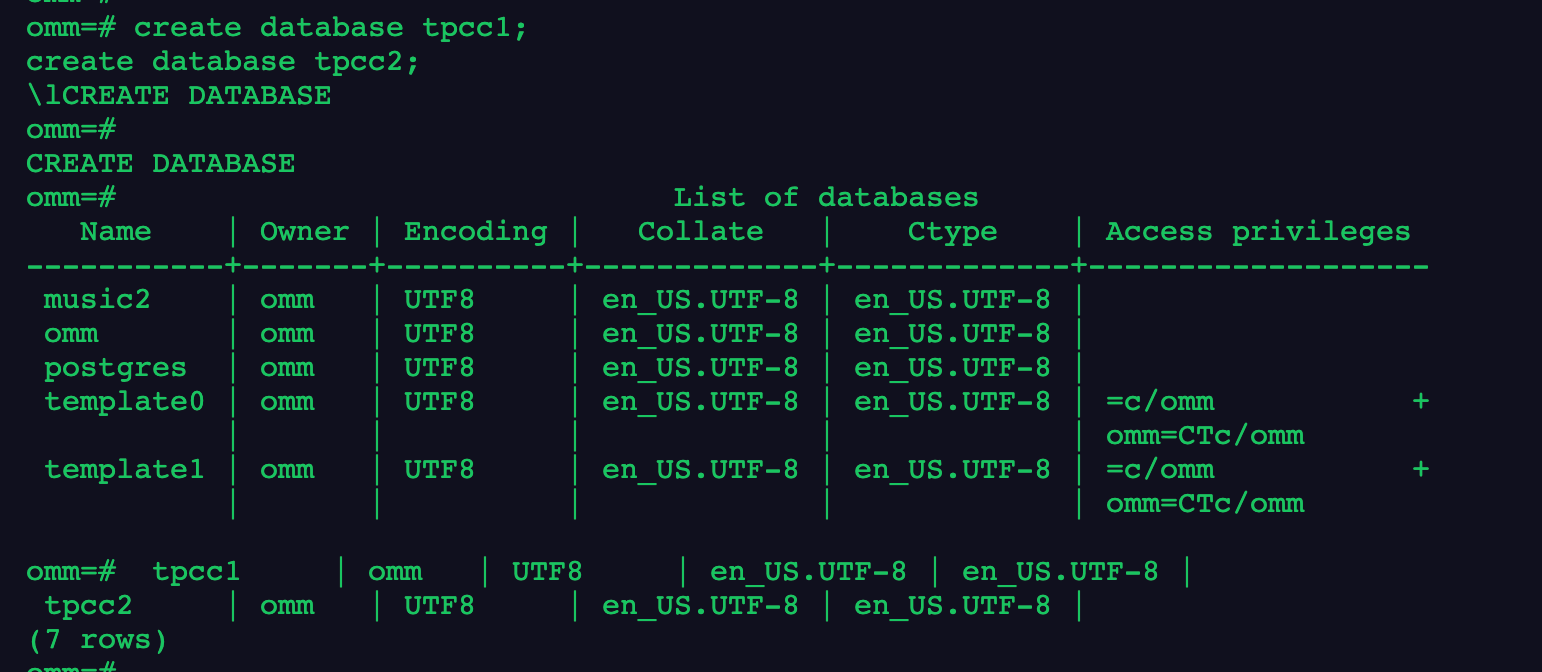
1.分别创建名为tpcc1和tpcc2的数据库
create database tpcc1;
create database tpcc2;
\l
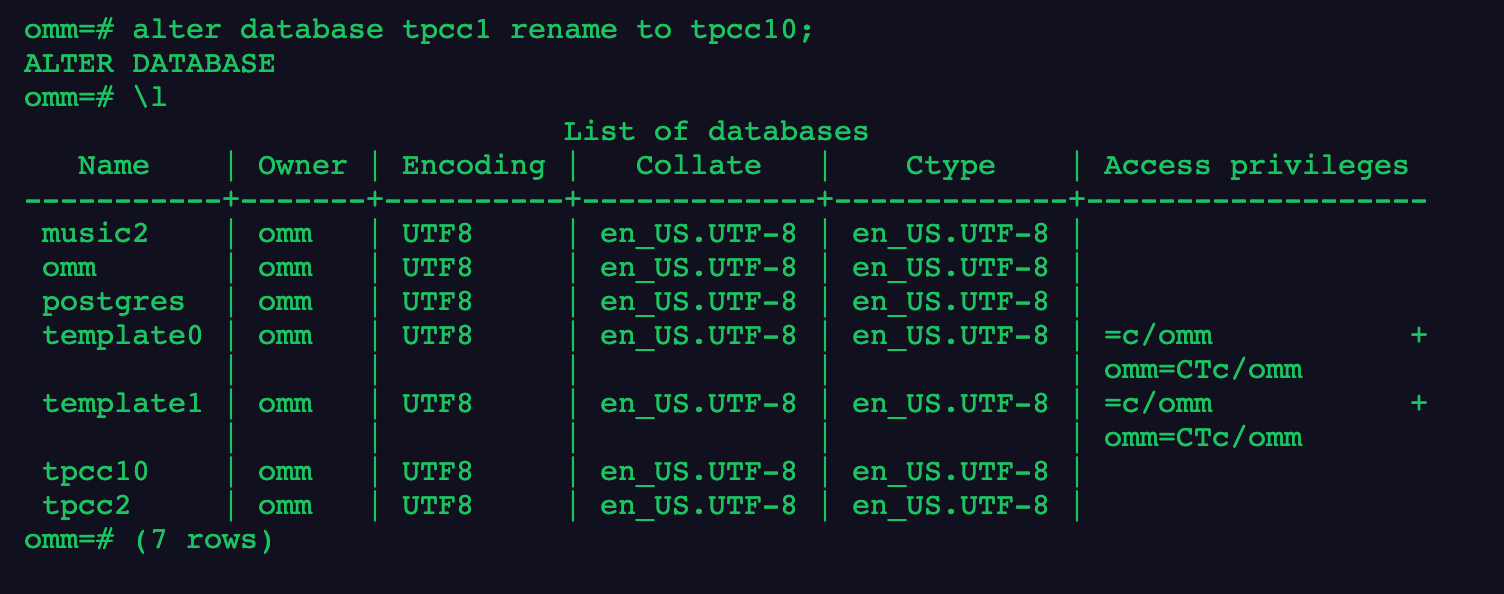
2.将tpcc1数据库重命名为tpcc10
alter database tpcc1 rename to tpcc10;
\l
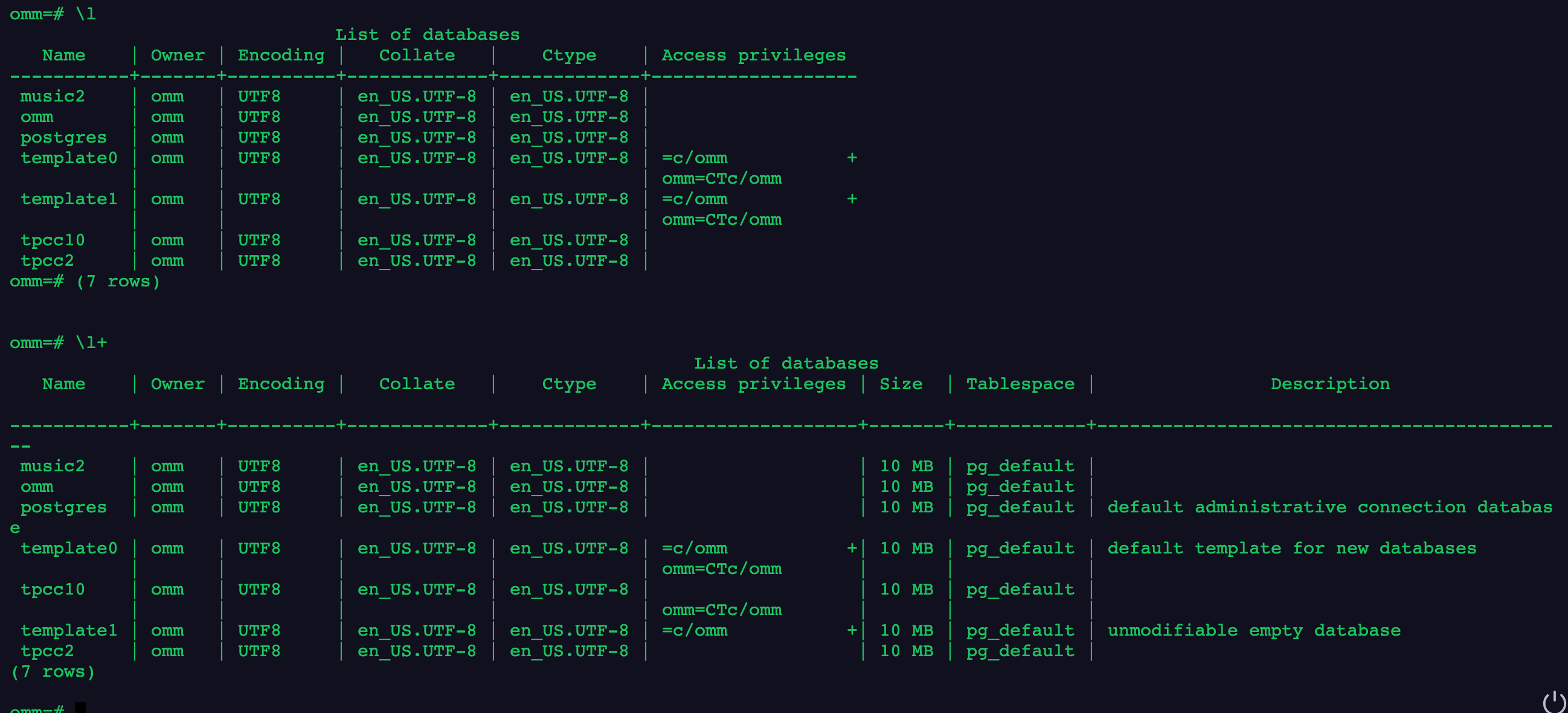
3.分别使用\l和\l+两个元命令查看数据库信息
\l
\l+
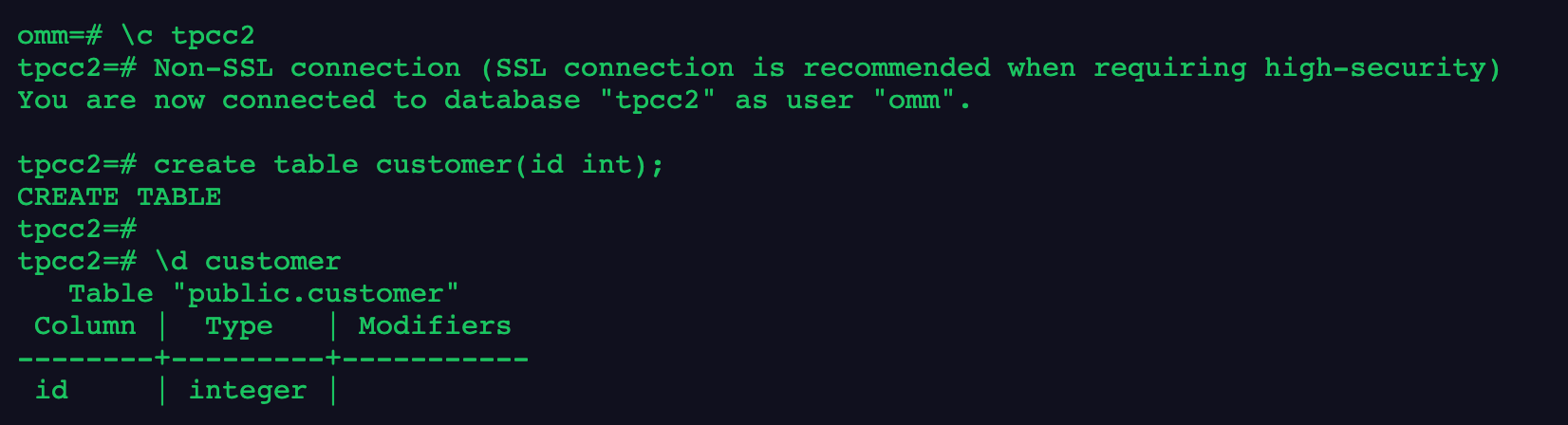
4.在数据库tpcc2中创建customer表,字段自定义
\c tpcc2
create table customer(id int);
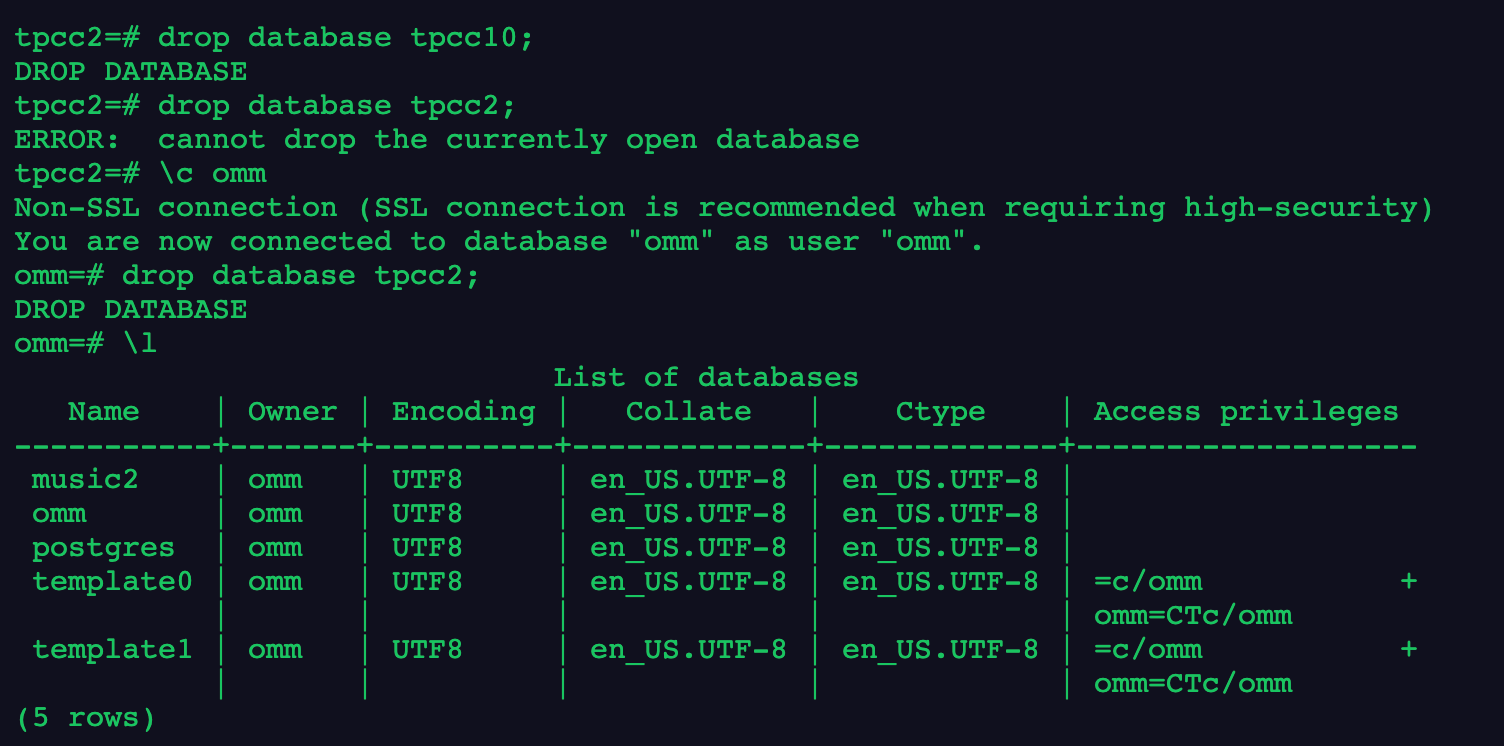
5.删除新创建的数据库
drop database tpcc10;
drop database tpcc2;
6.退出gsql程序
\q

总结,今天学习了如何管理数据库,包括创建删除和使用!
更多拓展
--创建jim和tom用户。
openGauss=# CREATE USER jim PASSWORD 'xxxxxxxxx';
openGauss=# CREATE USER tom PASSWORD 'xxxxxxxxx';

--创建一个GBK编码的数据库music(本地环境的编码格式必须也为GBK)。
openGauss=# CREATE DATABASE music ENCODING 'GBK' template = template0;

--创建数据库music2,并指定所有者为jim。
openGauss=# CREATE DATABASE music2 OWNER jim;

--用模板template0创建数据库music3,并指定所有者为jim。
openGauss=# CREATE DATABASE music3 OWNER jim TEMPLATE template0;

--设置music数据库的连接数为10。
openGauss=# ALTER DATABASE music CONNECTION LIMIT= 10;

--将music名称改为music4。
openGauss=# ALTER DATABASE music RENAME TO music4;

--将数据库music2的所属者改为tom。
openGauss=# ALTER DATABASE music2 OWNER TO tom;

--设置music3的表空间为PG_DEFAULT。
openGauss=# ALTER DATABASE music3 SET TABLESPACE PG_DEFAULT;

--关闭在数据库music3上缺省的索引扫描。
openGauss=# ALTER DATABASE music3 SET enable_indexscan TO off;

--重置enable_indexscan参数。
openGauss=# ALTER DATABASE music3 RESET enable_indexscan;

--删除数据库。
openGauss=# DROP DATABASE music2;
openGauss=# DROP DATABASE music3;
openGauss=# DROP DATABASE music4;

--删除jim和tom用户。
openGauss=# DROP USER jim;
openGauss=# DROP USER tom;

--创建兼容TD格式的数据库。
openGauss=# CREATE DATABASE td_compatible_db DBCOMPATIBILITY 'C';

--创建兼容A格式的数据库。
openGauss=# CREATE DATABASE ora_compatible_db DBCOMPATIBILITY 'A';

--删除兼容TD、A格式的数据库。
openGauss=# DROP DATABASE td_compatible_db;
openGauss=# DROP DATABASE ora_compatible_db;
写在最后
今天的作业打卡结束!🎉
最后修改时间:2021-12-05 11:01:44
「喜欢这篇文章,您的关注和赞赏是给作者最好的鼓励」
关注作者
【版权声明】本文为墨天轮用户原创内容,转载时必须标注文章的来源(墨天轮),文章链接,文章作者等基本信息,否则作者和墨天轮有权追究责任。如果您发现墨天轮中有涉嫌抄袭或者侵权的内容,欢迎发送邮件至:contact@modb.pro进行举报,并提供相关证据,一经查实,墨天轮将立刻删除相关内容。
