



Prometheus[1] + Grafana[2] 快速上手,监控主机的 CPU, GPU, MEM, IO 等状态。
前提
Docker[3]
客户端
Node Exporter
用于采集 UNIX 内核主机的数据,这里下载[4]并解压:
wget https://github.com/prometheus/node_exporter/releases/download/v1.1.2/node_exporter-1.1.2.linux-amd64.tar.gz
tar xvfz node_exporter-1.1.2.linux-amd64.tar.gz
cd node_exporter-1.1.2.linux-amd64
nohup ./node_exporter &
查看数据:
$ curl http://localhost:9100/metrics
# HELP go_gc_duration_seconds A summary of the pause duration of garbage collection cycles.
# TYPE go_gc_duration_seconds summary
go_gc_duration_seconds{quantile="0"} 0
go_gc_duration_seconds{quantile="0.25"} 0
go_gc_duration_seconds{quantile="0.5"} 0
...
DCGM Exporter
用于采集 NVIDIA GPU 的数据,以 Docker 镜像[5]运行:
docker run -d --restart=always --gpus all -p 9400:9400 nvidia/dcgm-exporter
查看数据:
$ curl localhost:9400/metrics
# HELP DCGM_FI_DEV_SM_CLOCK SM clock frequency (in MHz).
# TYPE DCGM_FI_DEV_SM_CLOCK gauge
# HELP DCGM_FI_DEV_MEM_CLOCK Memory clock frequency (in MHz).
# TYPE DCGM_FI_DEV_MEM_CLOCK gauge
# HELP DCGM_FI_DEV_MEMORY_TEMP Memory temperature (in C).
...
服务器
Prometheus
配置 ~/prometheus.yml
:
global:
  scrape_interval: 15s

scrape_configs:
# Node Exporter
- job_name: node
  static_configs:
  - targets: ['192.167.200.91:9100']
# DCGM Exporter
- job_name: dcgm
  static_configs:
  - targets: ['192.167.200.91:9400']
运行 Docker 镜像:
docker run -d --restart=always \
-p 9090:9090 \
-v ~/prometheus.yml:/etc/prometheus/prometheus.yml \
prom/prometheus
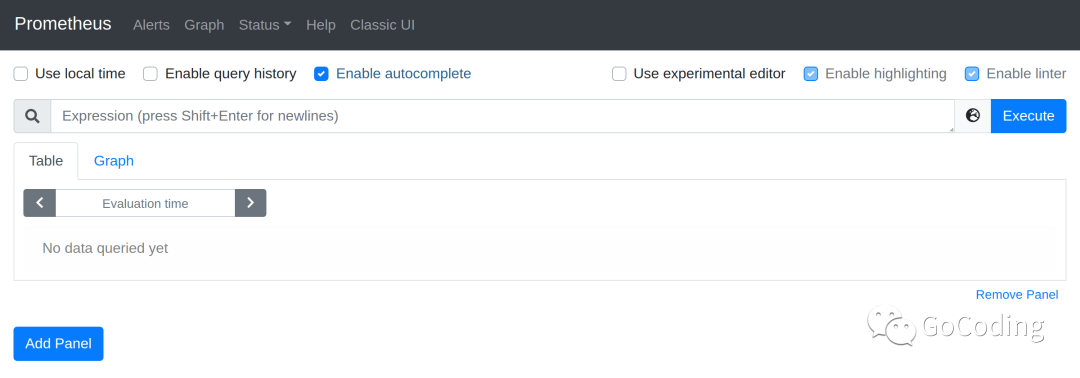
访问 http://localhost:9090/ :
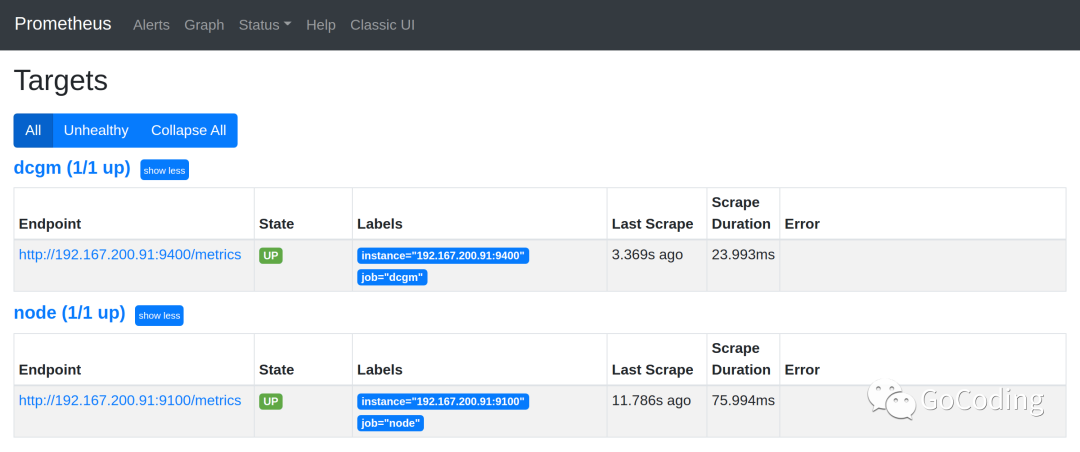
访问 http://localhost:9090/targets :
Grafana
运行 Docker 镜像:
docker run -d --restart=always -p 3000:3000 grafana/grafana
访问 http://localhost:3000/ :

以 admin/admin
登录。
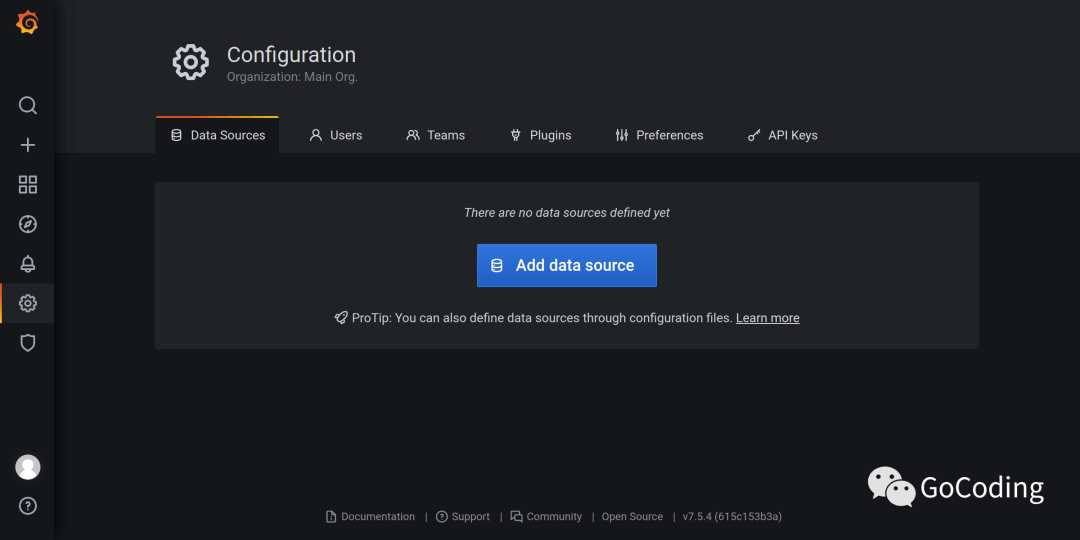
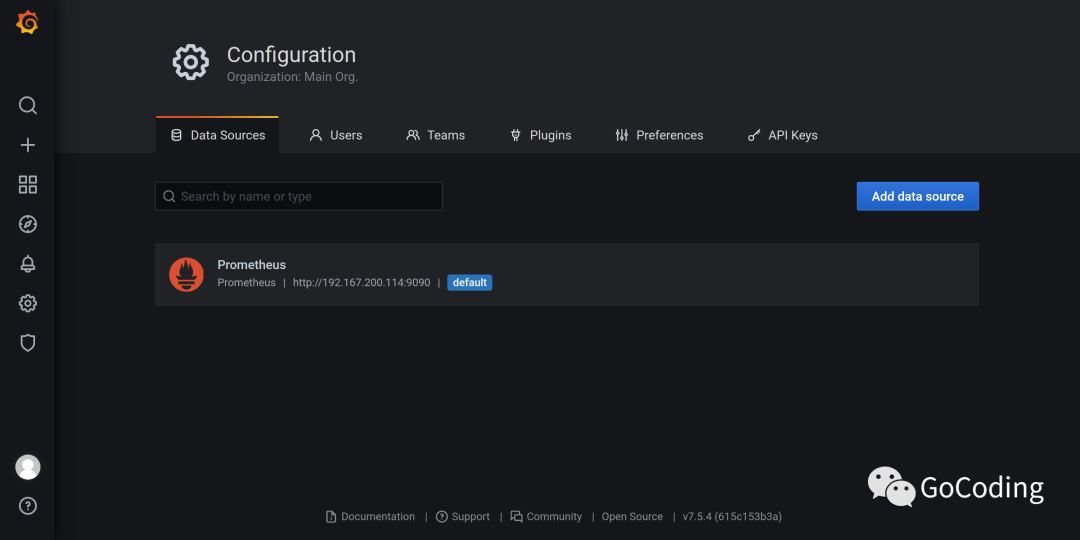
新增数据源
新增 Prometheus
:
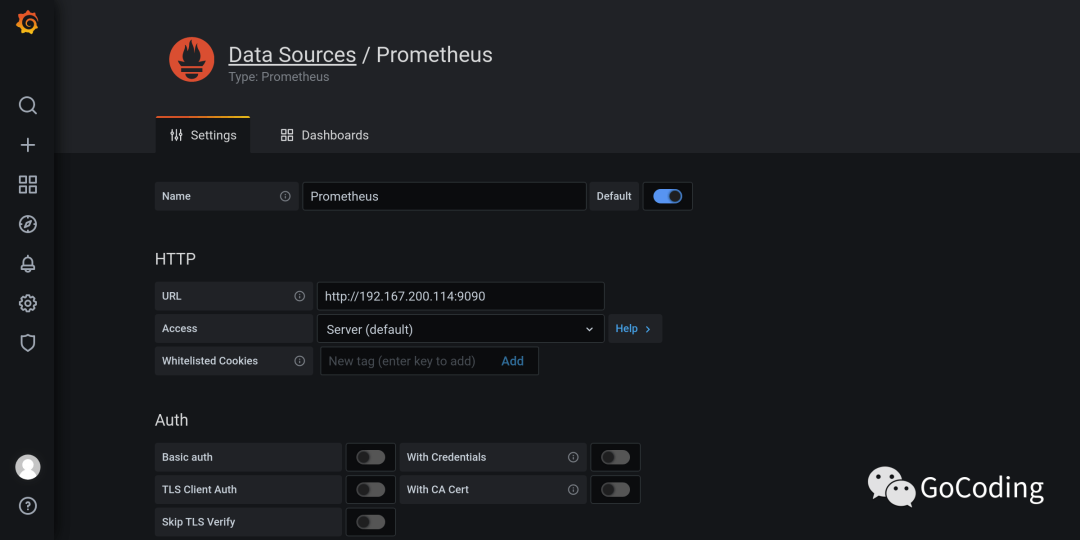
点击 Save & Test
:
导入仪表盘
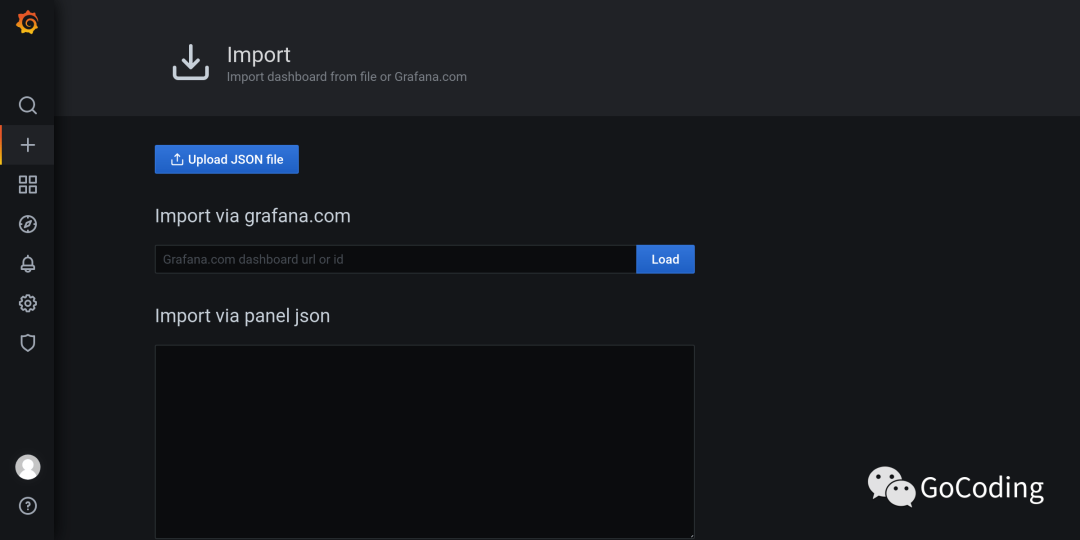
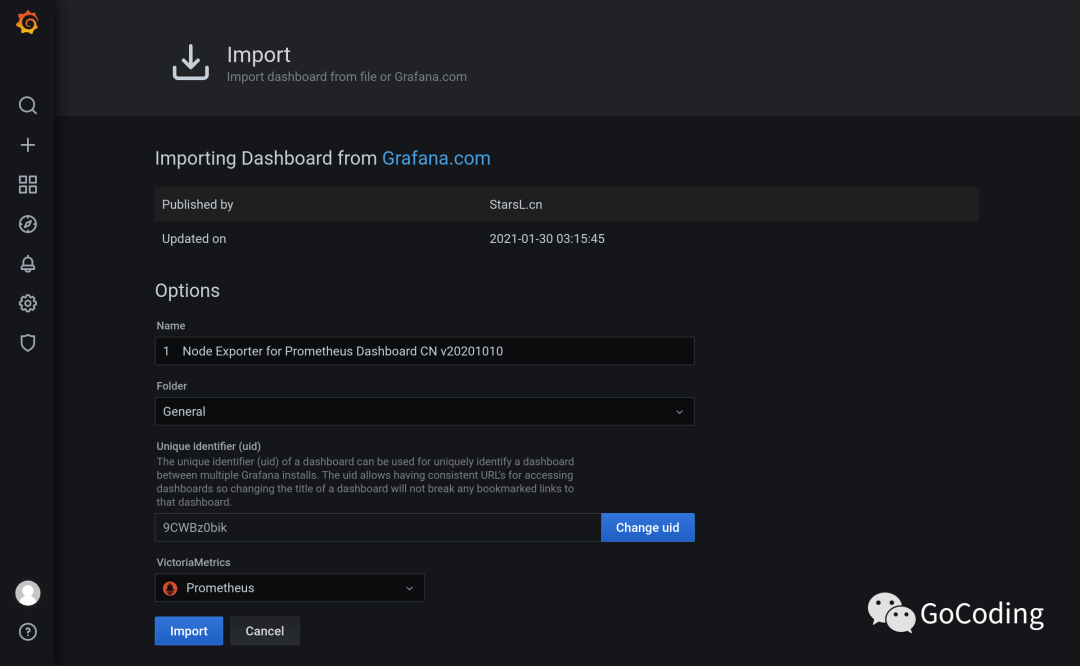
导入 8919
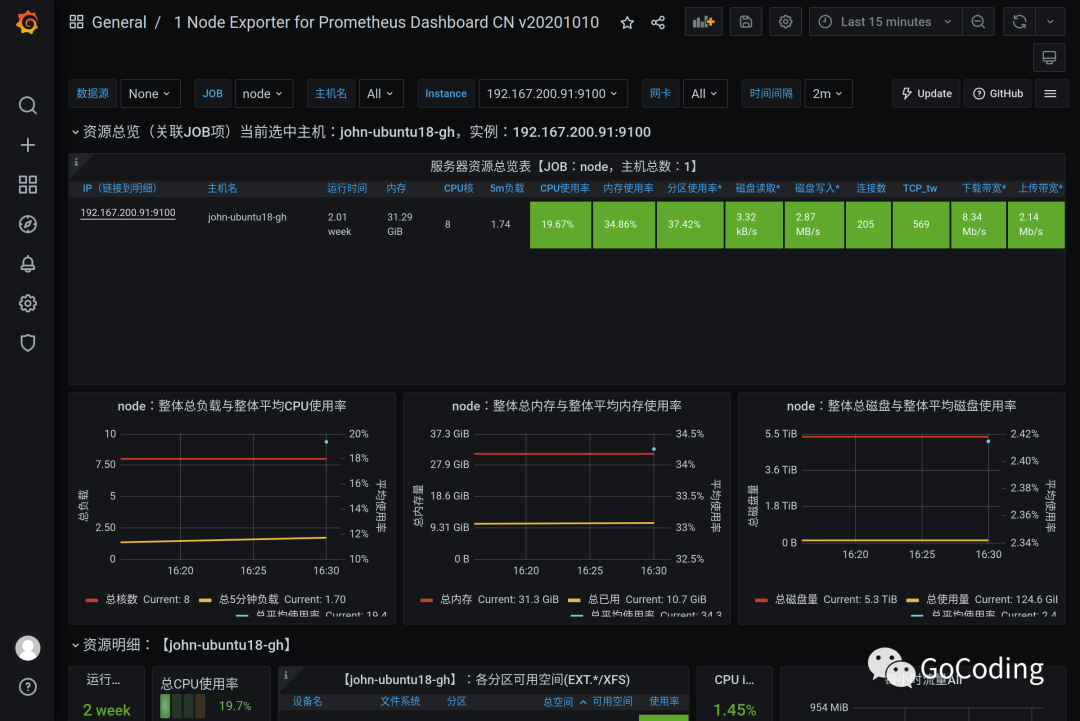
Node Exporter for Prometheus Dashboard by StarsL.cn[6]:
查看仪表盘:
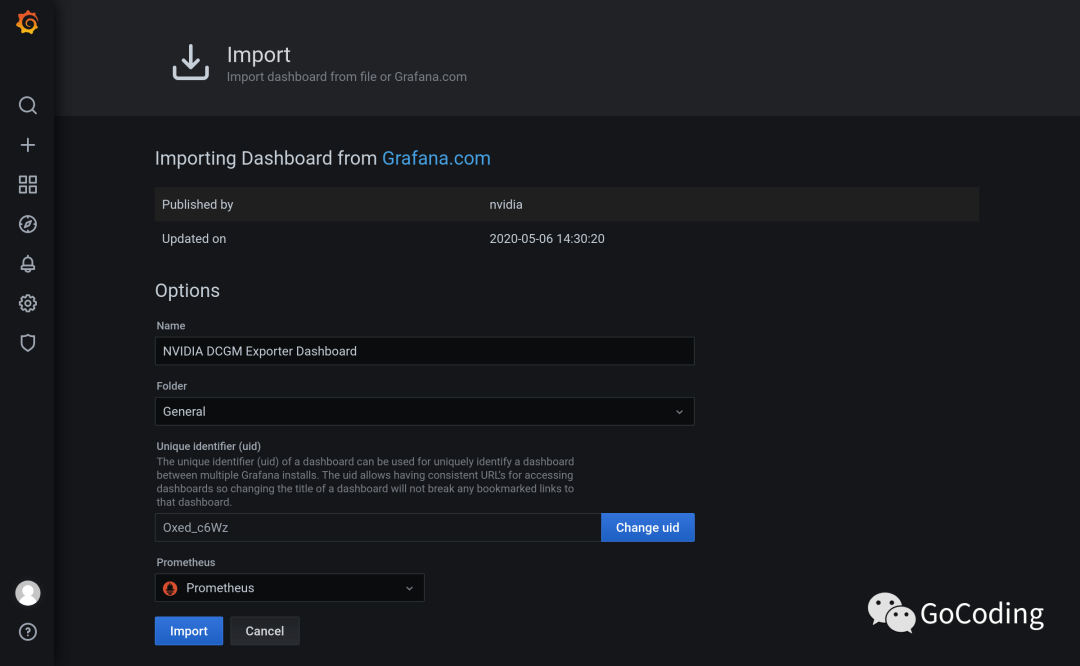
导入 12239
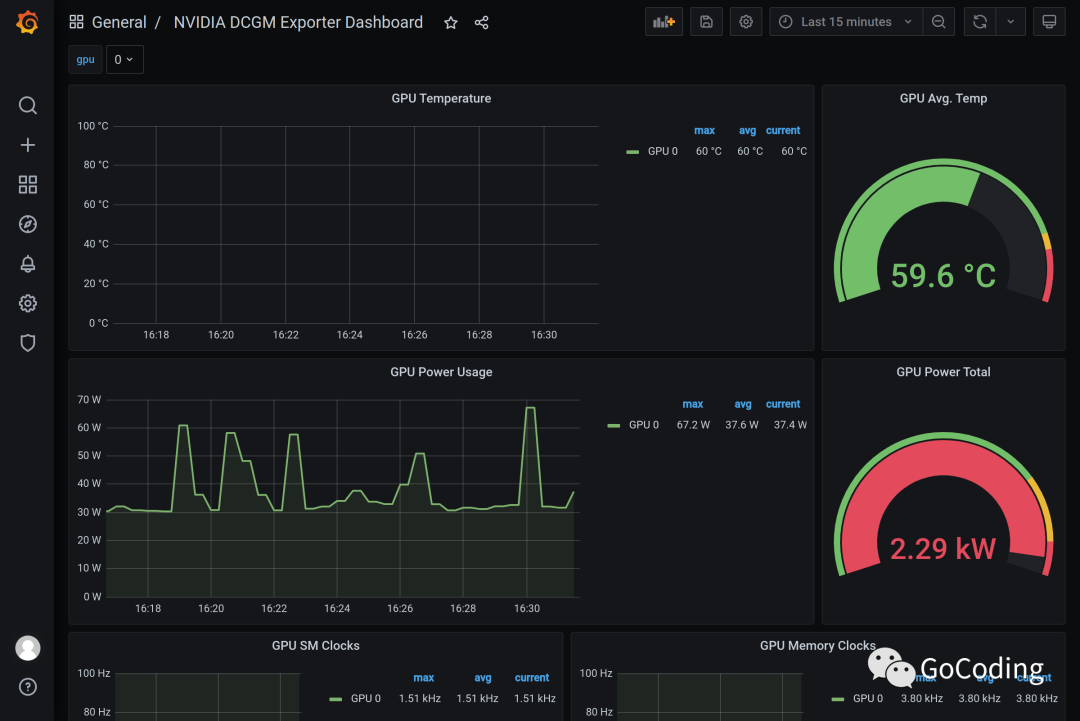
NVIDIA DCGM Exporter Dashboard by nvidia[7]:
查看仪表盘:
参考
Start Prometheus[8] Prometheus Docs[9] Configuration[10] Node Exporter[11] DCGM Exporter[12] Grafana Docs[13] Dashboards[14] Plugins[15]
脚注
Prometheus: https://github.com/prometheus/
[2]Grafana: https://github.com/grafana/
[3]Docker: https://docs.docker.com/
[4]这里下载: https://prometheus.io/download/#node_exporter
[5]Docker 镜像: https://hub.docker.com/r/nvidia/dcgm-exporter
[6]Node Exporter for Prometheus Dashboard by StarsL.cn: https://grafana.com/grafana/dashboards/8919
[7]NVIDIA DCGM Exporter Dashboard by nvidia: https://grafana.com/grafana/dashboards/12239
[8]Start Prometheus: https://github.com/ikuokuo/start-prometheus
[9]Prometheus Docs: https://prometheus.io/docs/
[10]Configuration: https://prometheus.io/docs/prometheus/latest/configuration/configuration/
[11]Node Exporter: https://github.com/prometheus/node_exporter
[12]DCGM Exporter: https://github.com/NVIDIA/gpu-monitoring-tools#dcgm-exporter
[13]Grafana Docs: https://grafana.com/docs/grafana/latest/
[14]Dashboards: https://grafana.com/grafana/dashboards
[15]Plugins: https://grafana.com/grafana/plugins/
