



2、OceanBase升级对业务影响 整个升级过程对应用无感知,应用无需配合服务端做任何的停写停服务操作。OceanBase 集群会按照 Zone 的顺序进行升级。升级过程中,分区 Leader 会在各个 Zone 间进行切主动作,所以业务对SQL执行延迟敏感,OceanBase升级建议放到业务低峰期操作。 3、OceanBase升级DBA操作注意事项 禁止 DDL:升级过程中的部分阶段需要禁止 DDL,升级完成后会自动打开。
禁止
major freeze
:部分版本之间的升级会禁止合并,升级完成后会自动打开。禁止迁移复制和负载均衡:部分版本之间的升级会禁止迁移复制和负载均衡。
禁止物理备份恢复:集群升级过程中不会发起物理基线备份、物理恢复。
禁止
switchover/failover
:升级过程中不允许发起备库switchover/failover
。禁止新建租户。
4、OceanBase on K8S升级 有2种升级方式,分别是命令行和基于OB-DashBoard管控平台升级。 (1)命令行升级
修改集群的oceanbase-test.yaml文件,主要就是将
spec.observer.image
修改为高版本的镜像。# 修改前spec:observer:image: oceanbase/oceanbase-cloud-native:4.2.0.0-101000032023091319# 修改后spec:observer:image: oceanbase/oceanbase-cloud-native:4.2.1.1-101000062023110109配置文件修改保存后,需运行如下命令应用生效
kubectl apply -f oceanbase-test.yaml -n oceanbase-test然后观察pods升级情况
kubectl get pods -n oceanbase-test(2)基于OB-DashBoard升级(很简单)
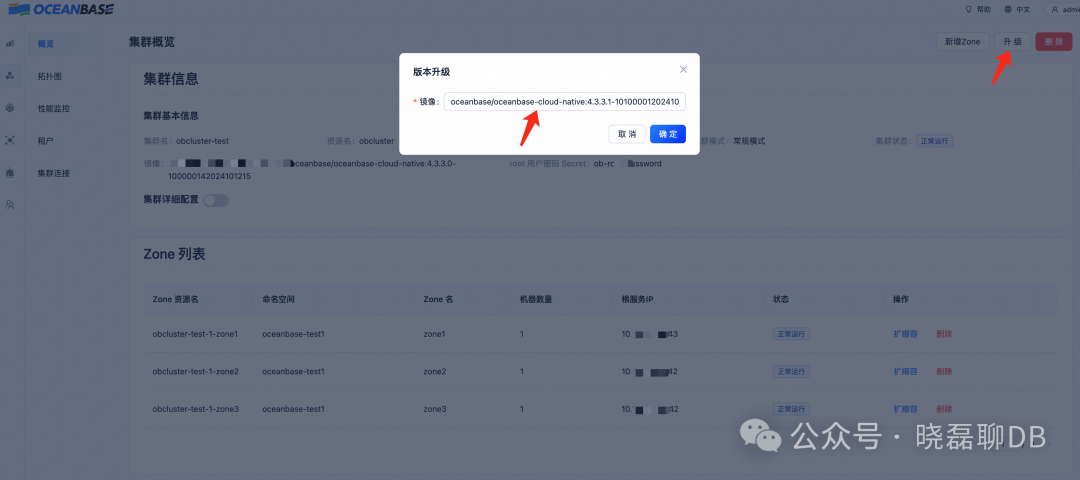
进入具体的集群概览页面,右上角选择:升级,填入高版本的OceanBase目的镜像地址,确定即可。
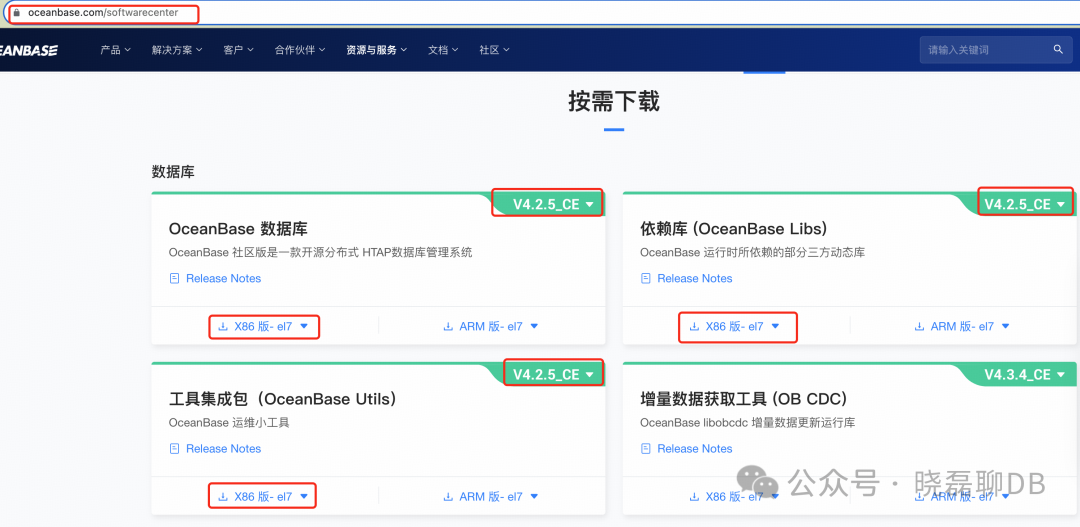
(1)下载软件包
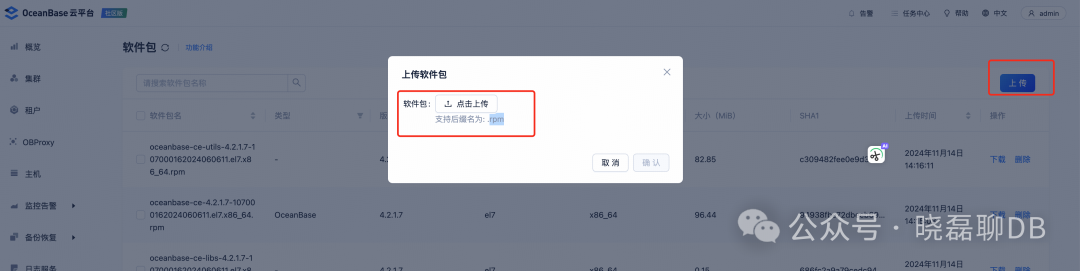
(2)上传到OCP
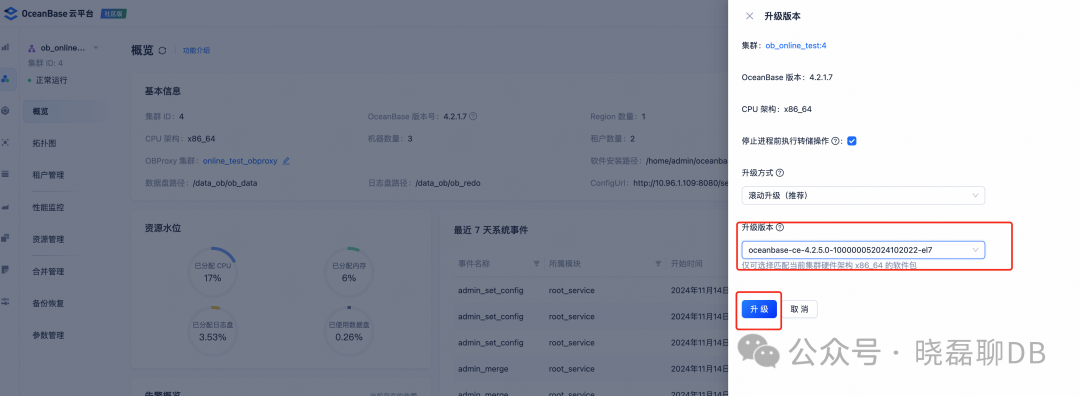
(3)执行升级操作
进度到具体的OB集群,选择升级集群
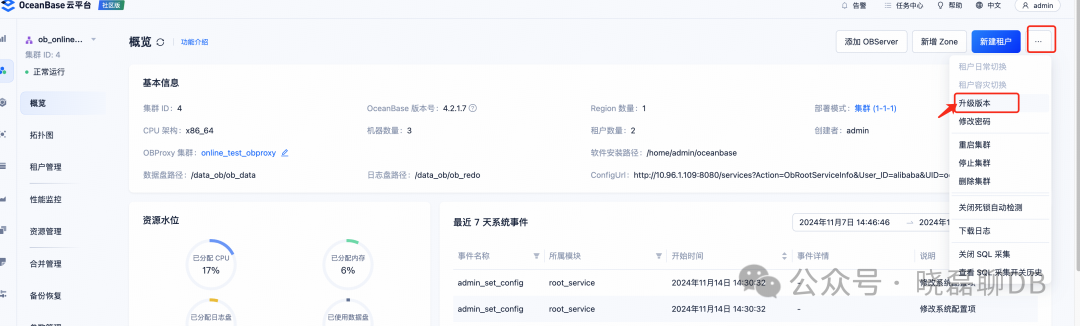
OCP选择合适的OB版本,点击升级就好。
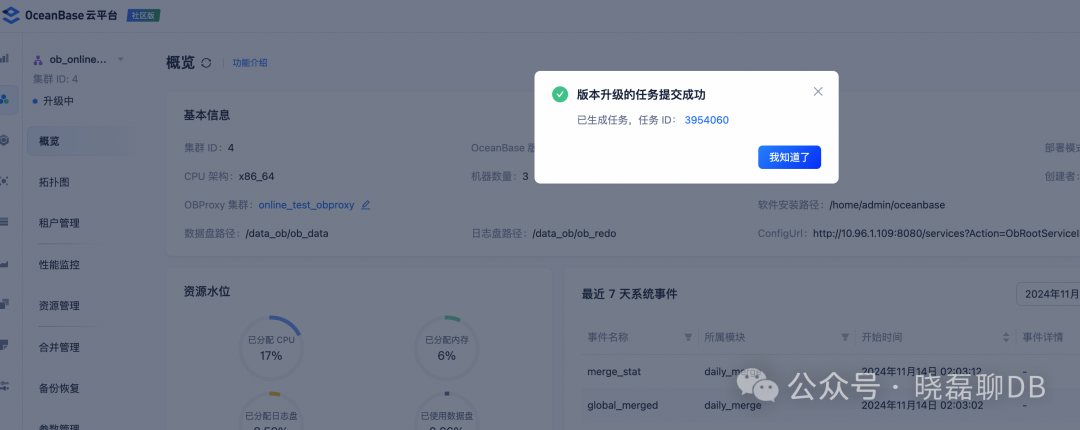
生成任务工单并执行
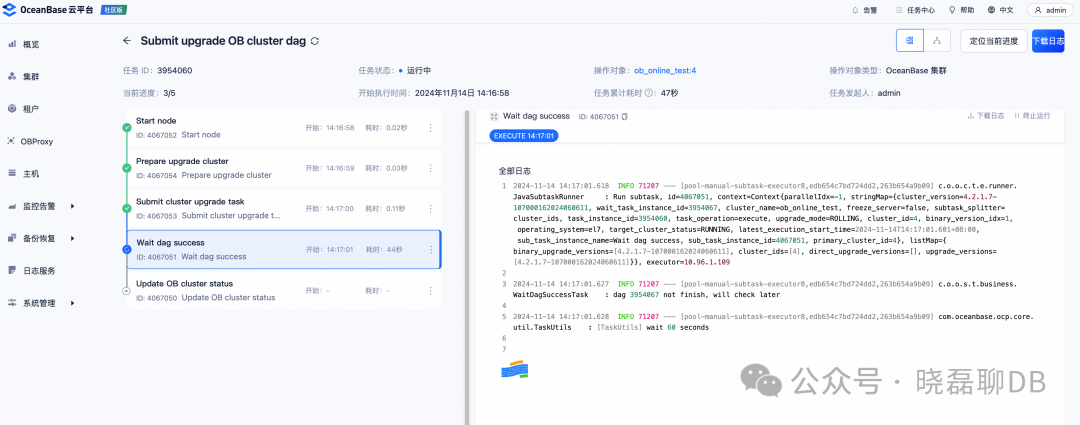
查看升级任务
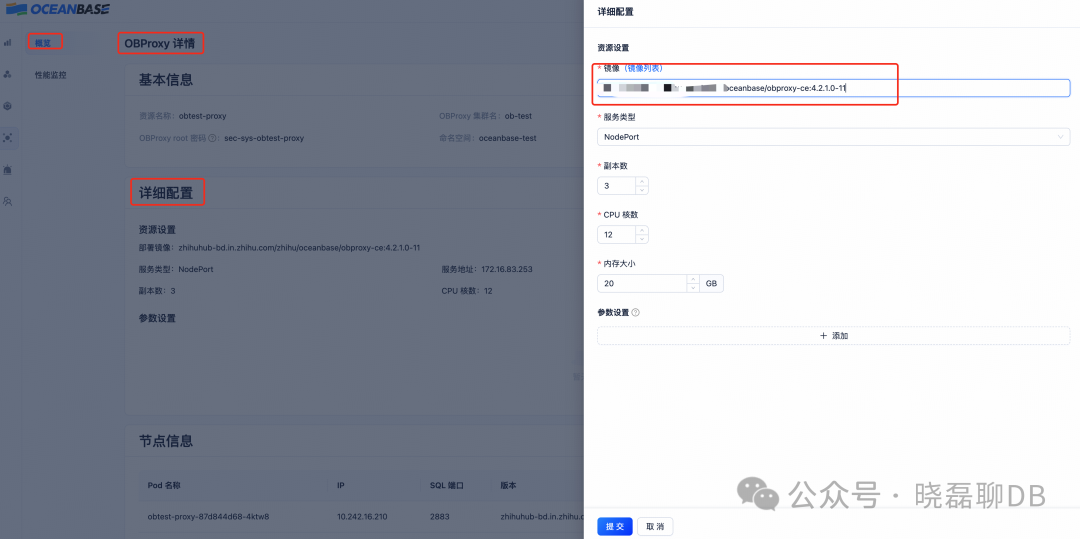
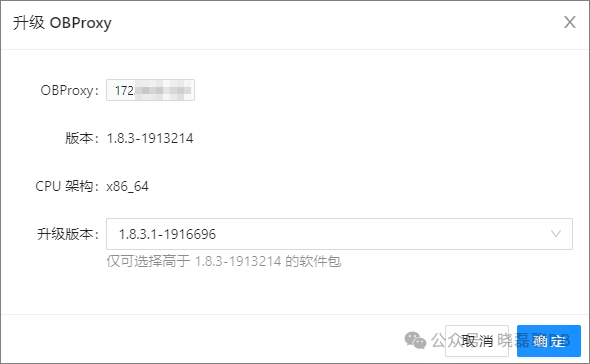
登录 OCP,在左侧导航栏单击 OBProxy。在集群列表中选择需要操作的 OBProxy 集群,进入 OBProxy 集群 概览 页面。
进行如下操作:
在 OBProxy 列表 中,找到待升级的 OBProxy,在对应的 操作 列中,单击 升级,选择或上传升级版本包,单击 确定,可以升级单个 OBProxy。

在 OBProxy 列表 中,选择多个 OBProxy,在列表右上方单击 批量升级,选择或上传升级版本包,单击 确定,可以升级多个 OBProxy。

在弹出框中选择 升级版本。
有2种升级方法: (1)基于helm安装,需要先卸载已有的dashboard,然后再重新install
helm uninstall ob-ocp -n oceanbase-dashboardhelm install ob-ocp ob-operator/oceanbase-dashboard --version=0.3.1 -n oceanbase-dashboard
(2)编辑deloyment升级:修改当前的deployment里面的镜像地址来升级
kubectl get deploy -n oceanbase-dashboard kubectl edit deploy oceanbase-dashboard-ob-ocp -n oceanbase-dashboard 找到dashboard的image并且修改即可
2、OCP升级步骤
(1)下载ocp安装包:ocp-all-in-one-4.3.2-20240925174740.el7.x86_64.tar.gz
(2)建议确认obd安装版本为最新
obd --version
如果不是最新obd包,需要下载当前最新的obd安装包:ob-deploy-2.10.1-1.el7.x86_64.rpm
/opt/ocp-4.3.2/ocp-all-in-one/bin# obd --versionOceanBase Deploy: 1.6.2REVISION: 188385cf71729311c33df8cfa2d9b059ade337fdBUILD_BRANCH: HEADBUILD_TIME: Dec 14 2022 11:34:49OURCECopyright (C) 2021 OceanBaseLicense GPLv3+: GNU GPL version 3 or later.This is free software: you are free to change and redistribute it.There is NO WARRANTY, to the extent permitted by law./opt# alien -d ob-deploy-2.10.1-1.el7.x86_64.rpmWarning: Skipping conversion of scripts in package ob-deploy: postinstWarning: Use the --scripts parameter to include the scripts.ob-deploy_2.10.1-2_amd64.deb generatedopt# dpkg -i ob-deploy_2.10.1-2_amd64.deb(Reading database ... 172281 files and directories currently installed.)Preparing to unpack ob-deploy_2.10.1-2_amd64.deb ...Unpacking ob-deploy (2.10.1-2) over (1.6.2-11) ...Setting up ob-deploy (2.10.1-2) ...Configuration file '/etc/profile.d/obd.sh'==> Modified (by you or by a script) since installation.==> Package distributor has shipped an updated version.What would you like to do about it ? Your options are:Y or I : install the package maintainer's versionN or O : keep your currently-installed versionD : show the differences between the versionsZ : start a shell to examine the situationThe default action is to keep your current version.*** obd.sh (Y/I/N/O/D/Z) [default=N] ? YInstalling new version of config file /etc/profile.d/obd.sh ...Processing triggers for libc-bin (2.27-3ubuntu1.2) .../opt# which obd/usr/bin/obd
OCP升级操作:cd ocp-all-in-one/bin && sh install.sh
/opt/ocp-4.3.2 [PRODUCTION]$ cd ocp-all-in-one/bin && bash install.shinstall obd as sudoNo previous obd installed, try install...rpm: RPM should not be used directly install RPM packages, use Alien instead!rpm: However assuming you know what you are doing...error: Failed dependencies:/bin/sh is needed by ob-deploy-2.10.0-3.el7.x86_64install.sh: line 99: /usr/bin/obd: No such file or directoryinstall.sh: line 100: /usr/bin/obd: No such file or directoryinstall.sh: line 101: /usr/bin/obd: No such file or directoryinstall.sh: line 104: /usr/bin/obd: No such file or directoryadd auto set env logic to profile: /home/zhihu/.bashrc#########################################################################################Install Finished=========================================================================================Setup Environment: source ~/.oceanbase-all-in-one/bin/env.shQuick Start: obd demoUse Web Service to install: obd webUse Web Service to upgrade: obd web upgradeMore Details: obd -h=========================================================================================/opt/ocp-4.3.2/ocp-all-in-one/bin [PRODUCTION]$ obd --versionOceanBase Deploy: 2.10.1REVISION: 9870cf1b400be9002d851b9a165b043f1da4e0e7BUILD_BRANCH: HEADBUILD_TIME: Oct 12 2024 16:15:27OURCECopyright (C) 2021 OceanBaseLicense GPLv3+: GNU GPL version 3 or later.This is free software: you are free to change and redistribute it.There is NO WARRANTY, to the extent permitted by law./opt/ocp-4.3.2/ocp-all-in-one/bin [PRODUCTION]$ source ~/.oceanbase-all-in-one/bin/env.sh/opt/ocp-4.3.2/ocp-all-in-one/bin [PRODUCTION]$ obd web upgradestart OBD WEB in 0.0.0.0:8680please open http://10.xxx.xxx.109:8680/#/updateWelcome
登录:http://10.xxx.xxx.109:8680/#/updateWelcome,然后根据页面提示操作就好,相关页面如下
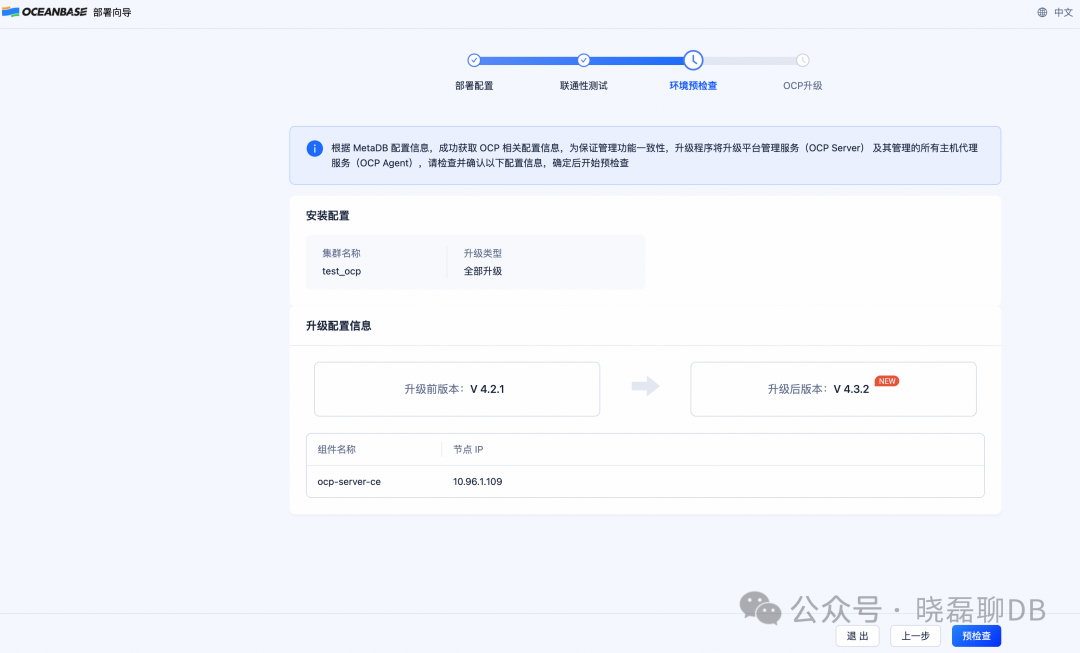
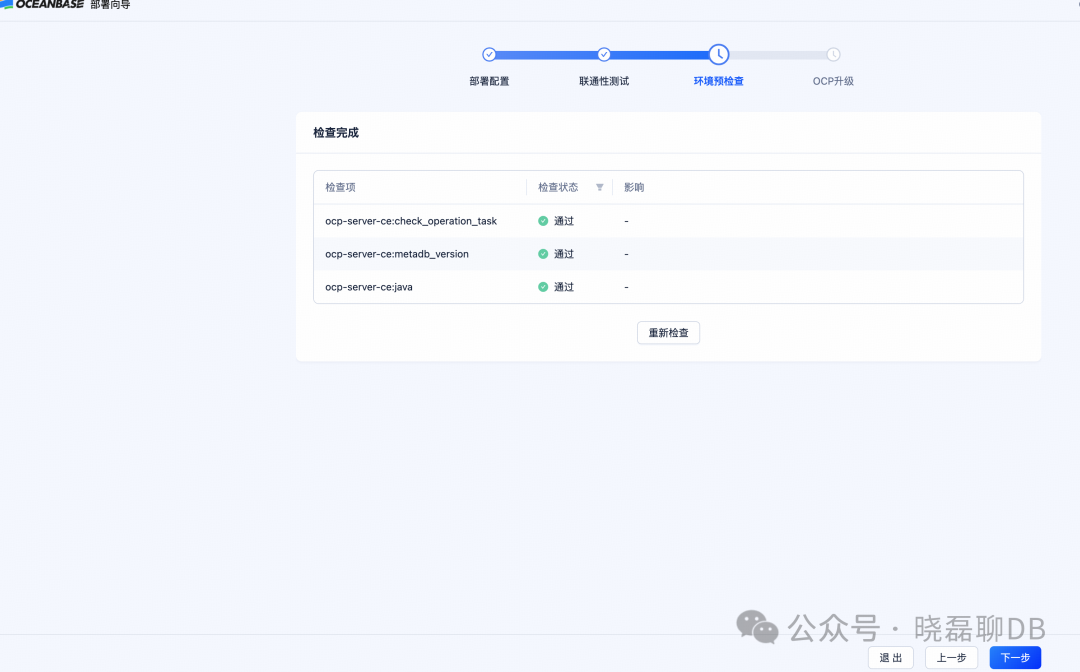
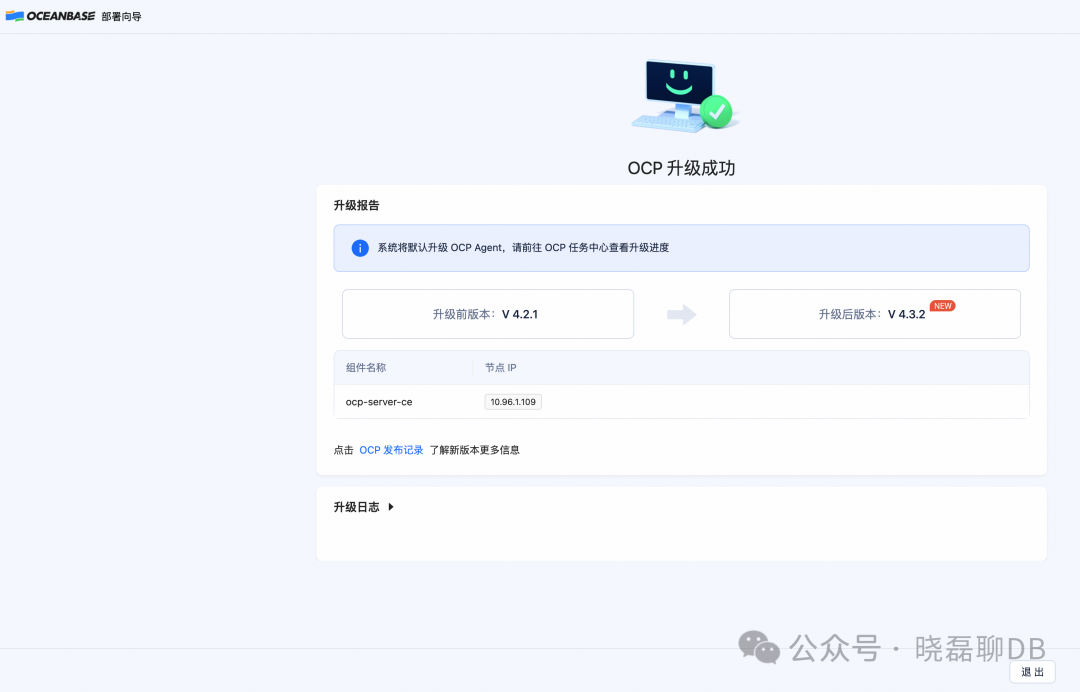
四、总结
本文分享了OceanBase、OBproxy、OCP和OB-DashBoard这3种组件,分别在K8S和物理机这2种环境下的升级注意事项和操作流程,看完这一篇OceanBase的升级基本就全部掌握了。
