



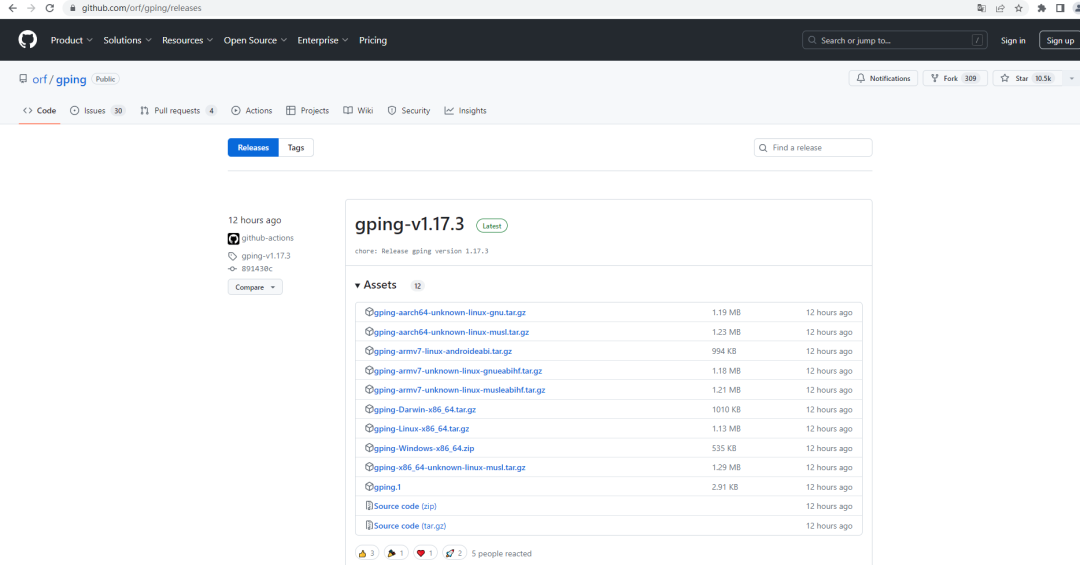
ping命令,我相信大家都不会陌生。但是能够把ping命令完成这样的,估计又是少数了。今天浩道跟大家分享最近github上看到的一个非常牛逼的gping工具。截止目前,该项目已经收获10.5K Star,一起看看大牛运维是如何将ping命令玩得如此高大上。
对应github地址:https://github.com/orf/gping/releases
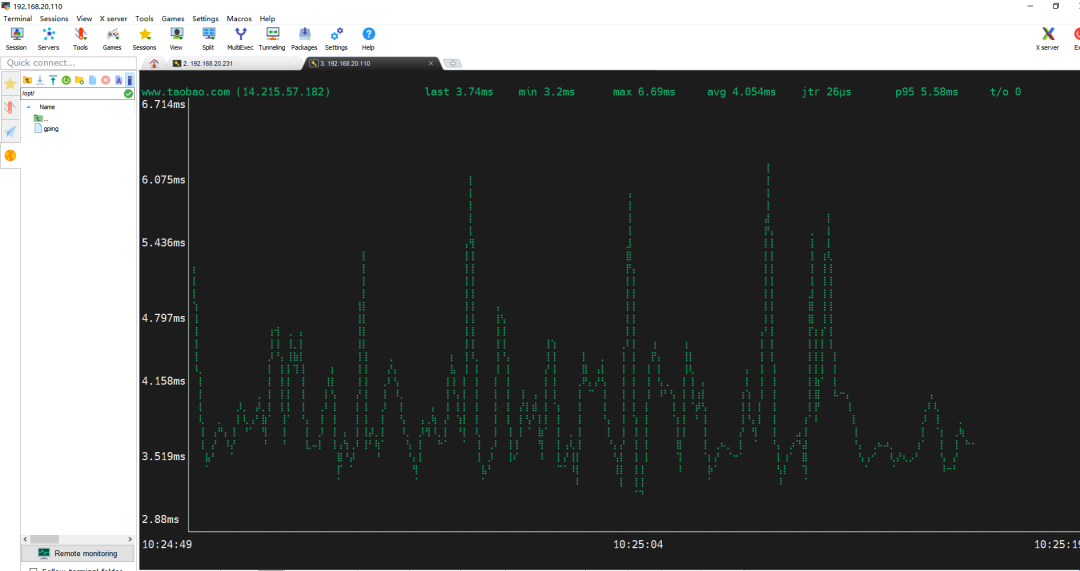
1、实时图形化显示:gping使用ASCII字符绘制的图表实时更新,能够直观地展示每秒的网络延迟变化,使网络性能的变化一目了然。
2、多主机支持:该工具支持同时监测多个主机的延迟情况,每个主机的数据都有独立的颜色区分,便于用户进行比较和分析。
3、自定义颜色配置:用户可以为各个主机或命令分配特定颜色,使图表更加易读和个性化。
4、命令执行时间监控:除了ping之外,gping还可以监控自定义命令的执行时间,这在性能调优和故障排查中非常有用。
5、跨平台兼容性:gping支持Windows、MacOS和Linux等操作系统,确保了广泛的适用性。
6、灵活设置:用户可以自定义刷新间隔、图表缓冲区大小、颜色和图形模式等参数,以满足不同的监控需求。
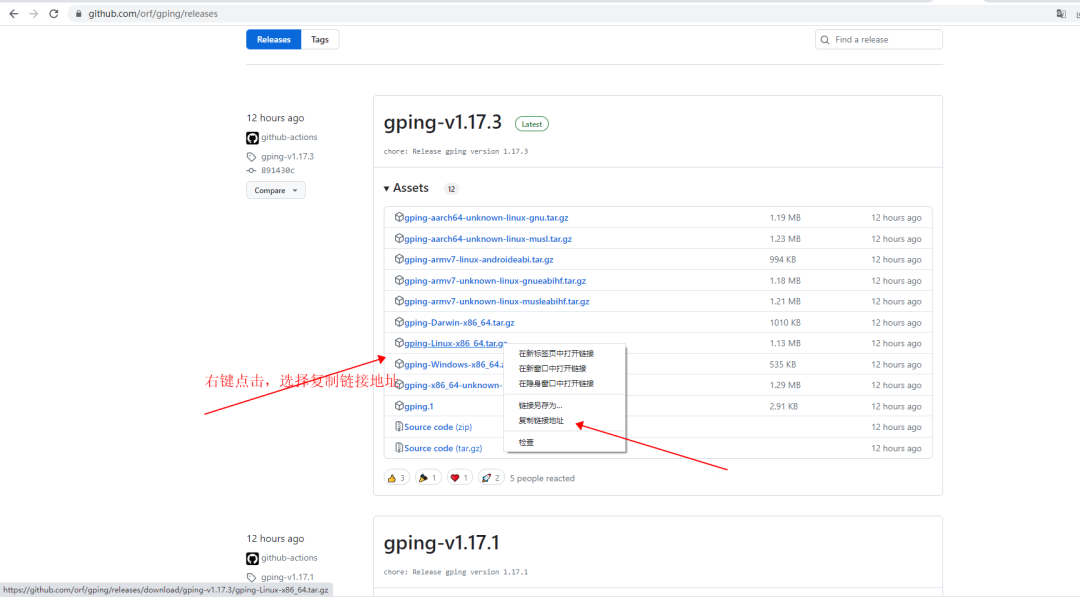
wget https://github.com/orf/gping/releases/download/gping-v1.17.3/gping-Linux-x86_64.tar.gz
tar -xzvf gping-Linux-x86_64.tar.gz -C opt/
[root@localhost ~]# cd opt/[root@localhost opt]# ./gping --helpPing, but with a graph.Usage: gping [OPTIONS] [HOSTS_OR_COMMANDS]...Arguments:[HOSTS_OR_COMMANDS]... Hosts or IPs to ping, or commands to run if --cmd is provided. Can use cloud shorthands like aws:eu-west-1.Options:--cmdGraph the execution time for a list of commands rather than pinging hosts-n, --watch-interval <WATCH_INTERVAL>Watch interval seconds (provide partial seconds like '0.5'). Default for ping is 0.2, default for cmd is 0.5.-b, --buffer <BUFFER>Determines the number of seconds to display in the graph. [default: 30]-4Resolve ping targets to IPv4 address-6Resolve ping targets to IPv6 address-i, --interface <INTERFACE>Interface to use when pinging-s, --simple-graphicsUses dot characters instead of braille--vertical-margin <VERTICAL_MARGIN>Vertical margin around the graph (top and bottom) [default: 1]--horizontal-margin <HORIZONTAL_MARGIN>Horizontal margin around the graph (left and right) [default: 0]-c, --color <color>Assign color to a graph entry.This option can be defined more than once as a comma separated string, and theorder which the colors are provided will be matched against the hosts orcommands passed to gping.Hexadecimal RGB color codes are accepted in the form of '#RRGGBB' or thefollowing color names: 'black', 'red', 'green', 'yellow', 'blue', 'magenta','cyan', 'gray', 'dark-gray', 'light-red', 'light-green', 'light-yellow','light-blue', 'light-magenta', 'light-cyan', and 'white'--clearClear the graph from the terminal after closing the program-h, --helpPrint help-V, --versionPrint version[root@localhost opt]#
运行gping命令后,看到如上打印信息,说明可以正常运行。
(四)使用过程举例
1、不指定协议栈的情况下,默认ping的是IPv4地址
./gping www.taobao.com
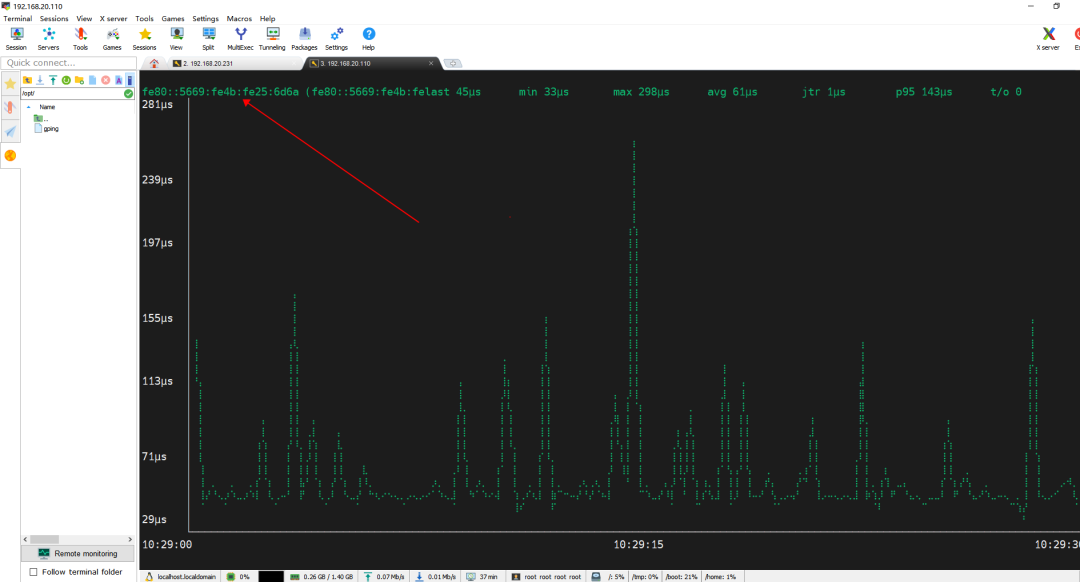
./gping -6 fe80::5669:fe4b:fe25:6d6a
./gping www.taobao.com -c 'red'
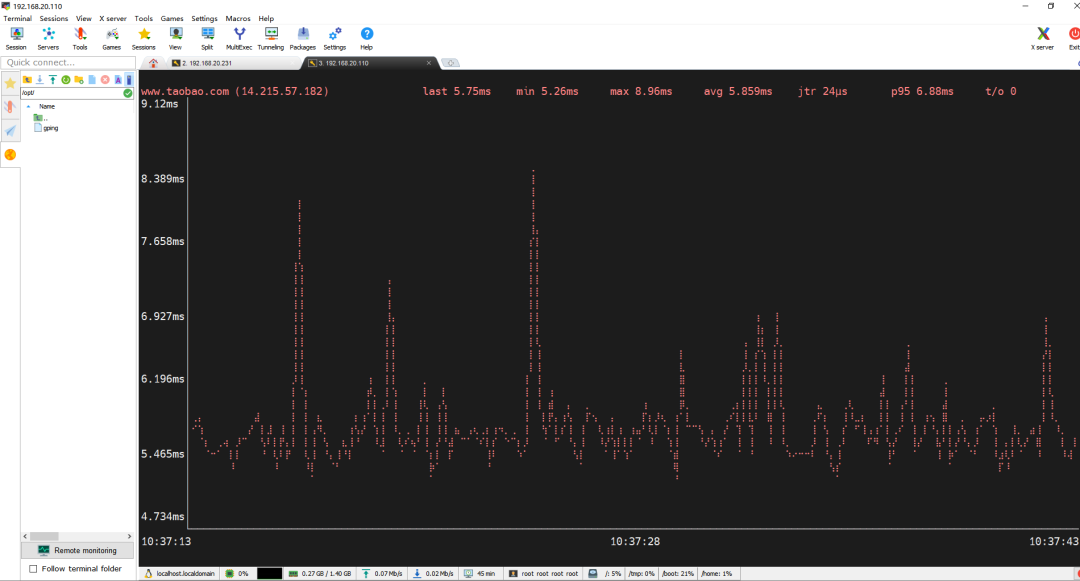
./gping www.taobao.com -c 'red' www.baidu.com -c 'blue'

(五)总结
实际工作中,各种运维小工具还是挺多的。大家都可以去试一试,看看是不是逼格更高点。或者大家也可以自己开发一些属于自己的小工具。
- EOF -
看完本文有收获?请分享给更多人
推荐关注「Linux 运维进阶之路」,提升Linux技能

文章转载自Linux运维进阶之路,如果涉嫌侵权,请发送邮件至:contact@modb.pro进行举报,并提供相关证据,一经查实,墨天轮将立刻删除相关内容。
