一、LibreNMS简单介绍
LibreNMS是一个功能齐全的开源网络监控系统,它使用SNMP来获取来自不同设备的数据,LibreNMS支持各种设备如Cisco Linux FreeBSD Juniper Brocade Foundry HP等,它支持多种身份验证机制,并支持双因素身份验证。它有一个可定制的警报系统,可以通过电子邮件,IRC或slack通知网络管理员。
二、LibreNMS特点:
它使用这些协议自动发现整个网络:CDP,FDP,LLDP,OSPF,BGP,SNMP和ARP。
它有一个移动友好的Web UI,可定制的仪表板。
支持一个Unix代理。
支持水平缩放以随网络扩展。
支持高度灵活和可定制的警报系统; 通过电子邮件,irc,slack等发送通知。
支持用于管理,绘制和检索系统数据的API。
提供流量计费系统。
还支持提供核心功能的Android和iOS应用程序。
支持与NfSen,collectd,SmokePing,RANCID和Oxidized的集成。
支持多种身份验证方法,例如MySQL,HTTP,LDAP,Radius和Active Directory。
允许自动更新和许多其他功能。
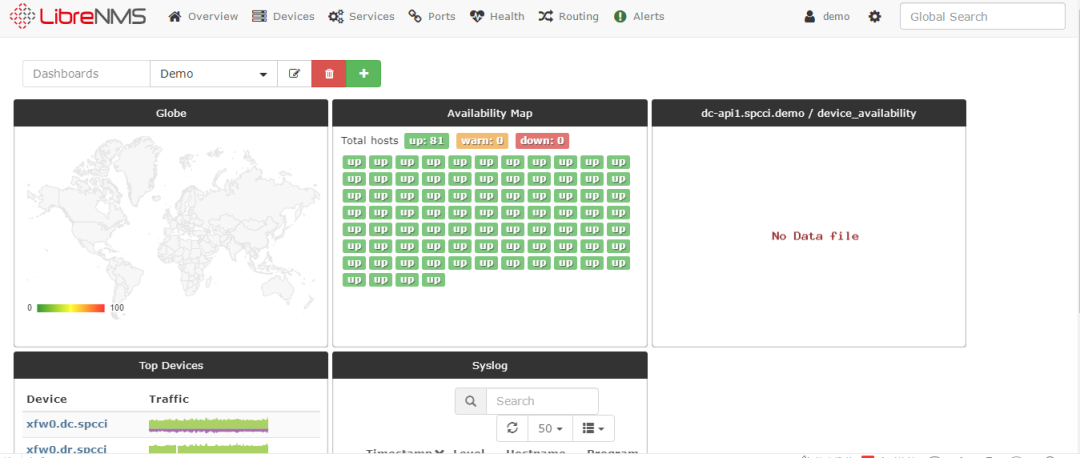
在Linux系统上安装LibreNMS之前,您可以尝试在线演示。
Demo URL: https://demo.librenms.org/Username: demoPassword: demo
三、CentOS7下部署LibreNMS
1.关闭selinux
查看状态
#getenforce#/usr/sbin/sestatus
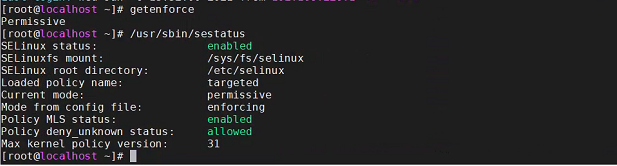
关闭SeLinux
###临时关闭#setenforce 0
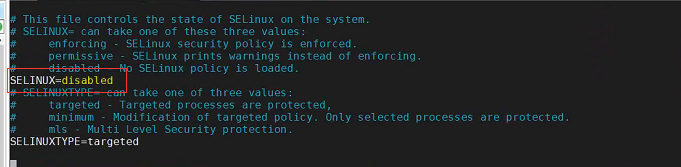
修改/etc/selinux/config
2、配置yum源
[root@localhost /]# wget -O /etc/yum.repos.d/CentOS-Base.repo https://mirrors.aliyun.com/repo/Centos-7.repo[root@localhost /]# sed -i -e '/mirrors.cloud.aliyuncs.com/d' -e '/mirrors.aliyuncs.com/d' /etc/yum.repos.d/CentOS-Base.repo[root@localhost /]# wget -O /etc/yum.repos.d/epel.repo http://mirrors.aliyun.com/repo/epel-7.repo[root@localhost ]# yum clean all[root@localhost /]# yum makecache
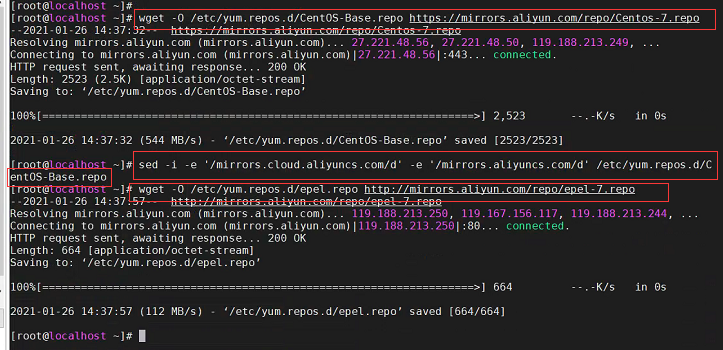
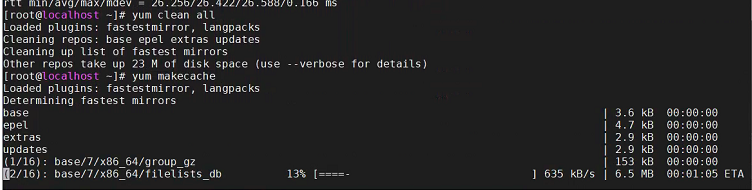
3、配置remi-php73源,安装LibreNMS所需的组件
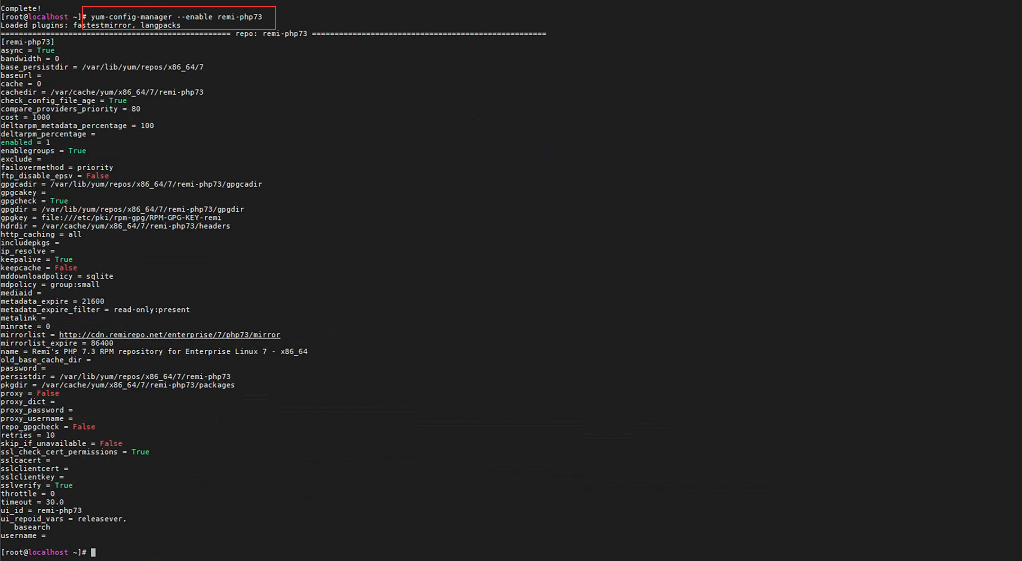
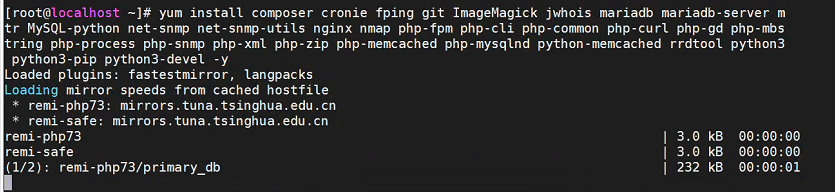
[root@localhost ]# yum install -y yum-utils[root@localhost /]# yum localinstall http://rpms.remirepo.net/enterprise/remi-release-7.rpm -y[root@localhost /]# yum-config-manager --enable remi-php73[root@localhost /]# yum install composer cronie fping git ImageMagick jwhois mariadb mariadb-server mtr MySQL-python net-snmp net-snmp-utils nginx nmap php-fpm php-cli php-common php-curl php-gd php-mbstring php-process php-snmp php-xml php-zip php-memcached php-mysqlnd python-memcached rrdtool python3 python3-pip python3-devel -y[root@localhost /]# yum install -y zip unzip
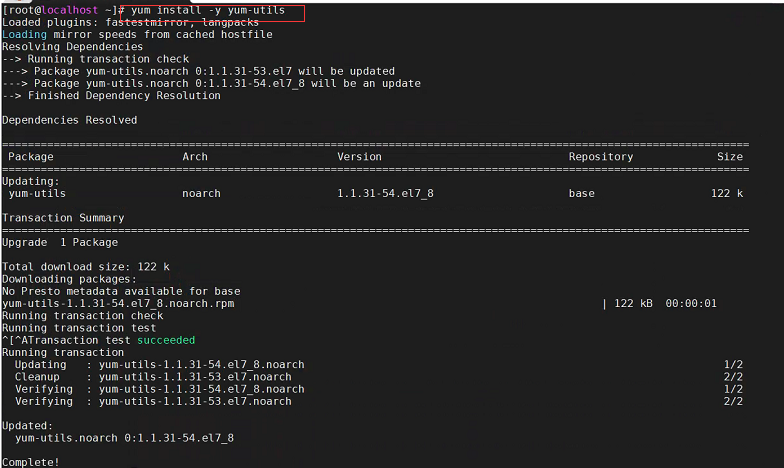
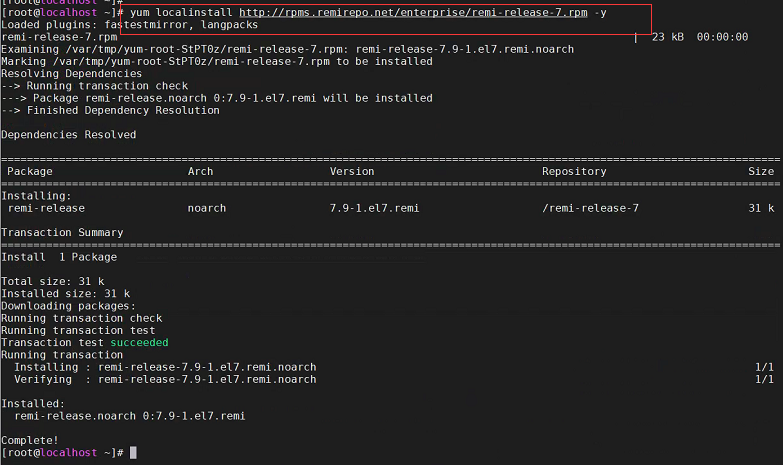
4.git下载lirenms最新版本
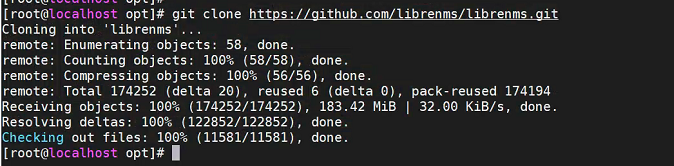
[root@localhost /]# cd /opt/[root@localhost /]# git clone https://github.com/librenms/librenms.git[root@localhost /]# useradd librenms -d /opt/librenms -M -r[root@localhost /]# usermod -a -G librenms nginx[root@localhost /]# chown -R librenms:librenms /opt/librenms[root@localhost /]# chmod 770 /opt/librenms[root@localhost /]# chgrp apache /var/lib/php/session/


5、切换到librenms用户,配置php环境
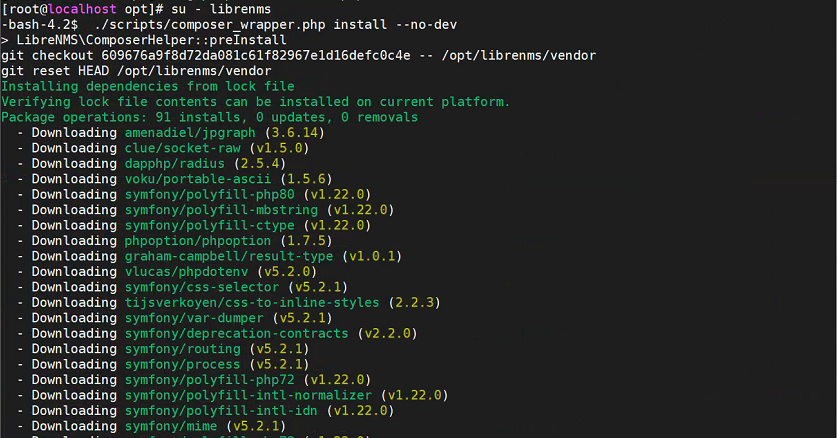
[root@localhost opt]# su - librenms-bash-4.2$ ./scripts/composer_wrapper.php install --no-dev-bash-4.2$ exit
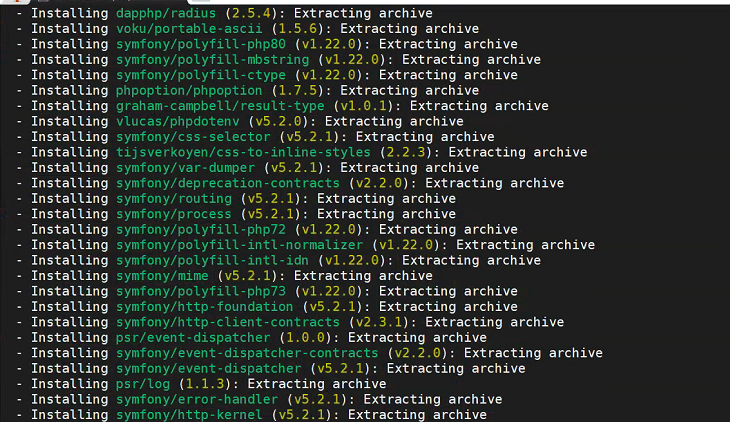
6、配置数据库
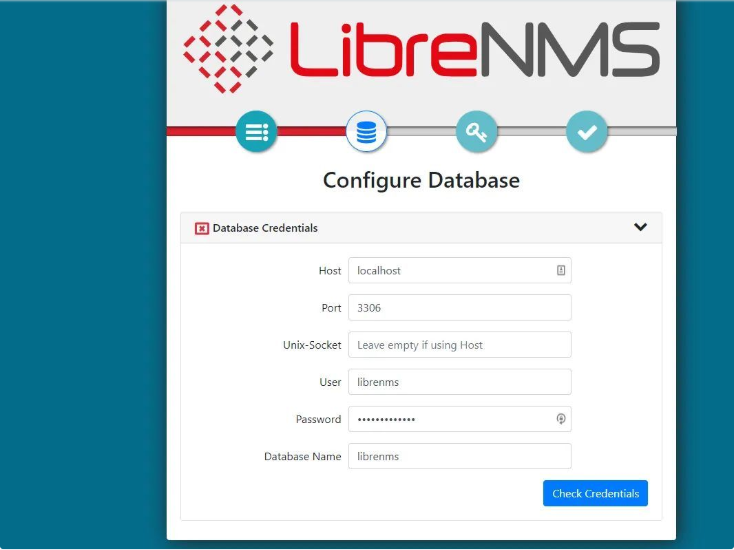
[root@localhost opt]# systemctl start mariadb[root@localhost opt]# mysqladmin -u root password 'MySQL@2021'[root@localhost opt]# mysql -u root -pMySQL@2021MariaDB [(none)]> CREATE DATABASE librenms CHARACTER SET utf8 COLLATE utf8_unicode_ci;MariaDB [(none)]> CREATE USER 'librenms'@'localhost' IDENTIFIED BY 'librenms@2021';MariaDB [(none)]> GRANT ALL PRIVILEGES ON librenms.* TO 'librenms'@'localhost';MariaDB [(none)]> FLUSH PRIVILEGES;MariaDB [(none)]> exit[root@localhost /]# vim /etc/my.cnf[mysqld]下加入如下两行datadir=/var/lib/mysqlsocket=/var/lib/mysql/mysql.sock[root@localhost /]# systemctl enable mariadb[root@localhost /]# systemctl restart mariadb
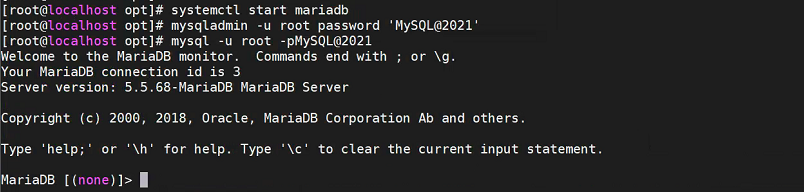
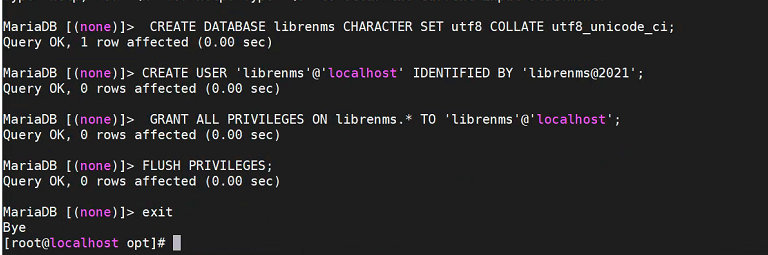
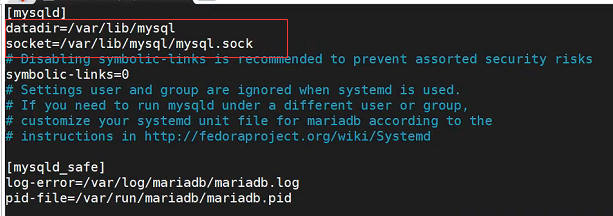

7、配置php环境
[root@localhost /]# vim /etc/php.ini修改时区配置如下[Date]; Defines the default timezone used by the date functions; http://php.net/date.timezone第922行 date.timezone =Asia/Shanghai[root@localhost /]# vim /etc/php-fpm.d/www.conf修改成如下行user = apache 换成 nginxgroup = apache;listen = 127.0.0.1:9000下面添加listen = run/php-fpm/php-fpm.socklisten.owner = nginxlisten.group = nginxlisten.mode = 0660[root@localhost /]# systemctl enable php-fpm[root@localhost /]# systemctl restart php-fpm
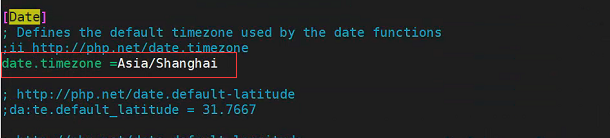
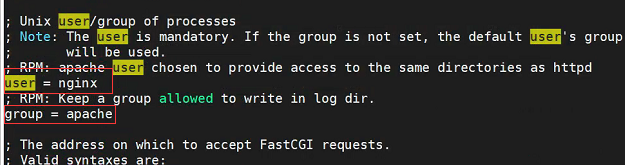
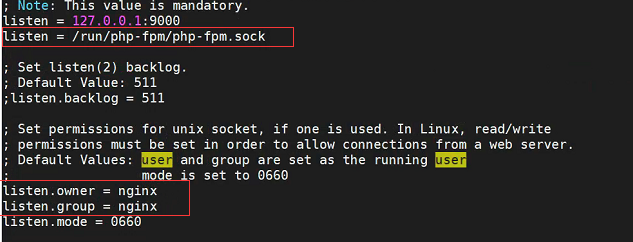

8、配置nginx
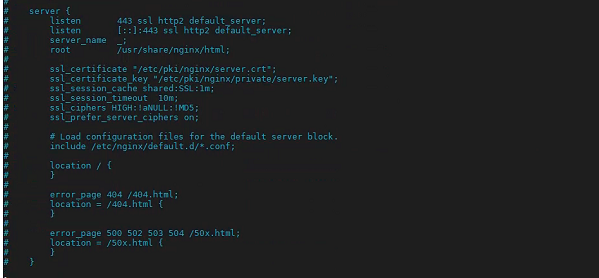
[root@localhost /]# vim /etc/nginx/conf.d/librenms.conf添加server {listen 80;server_name librenms.example.com;root /opt/librenms/html;index index.php;charset utf-8;gzip on;gzip_types text/css application/javascript text/javascript application/x-javascript image/svg+xml text/plain text/xsd text/xsl text/xml image/x-icon;location / {try_files $uri $uri/ index.php?$query_string;}location /api/v0 {try_files $uri $uri/ api_v0.php?$query_string;}location ~ \.php {include fastcgi.conf;fastcgi_split_path_info ^(.+\.php)(/.+)$;fastcgi_pass unix:/run/php-fpm/php-fpm.sock;}location ~ \.ht {deny all;}}[root@localhost /]# vim /etc/nginx/nginx.conf禁用# server {# listen 443 ssl http2 default_server;# listen [::]:443 ssl http2 default_server;# server_name _;# root usr/share/nginx/html;## ssl_certificate "/etc/pki/nginx/server.crt";# ssl_certificate_key "/etc/pki/nginx/private/server.key";# ssl_session_cache shared:SSL:1m;# ssl_session_timeout 10m;# ssl_ciphers HIGH:!aNULL:!MD5;# ssl_prefer_server_ciphers on;## # Load configuration files for the default server block.# include etc/nginx/default.d/*.conf;## location {# }## error_page 404 404.html;# location = 404.html {# }[root@localhost /]# systemctl enable nginx[root@localhost /]# systemctl restart nginx
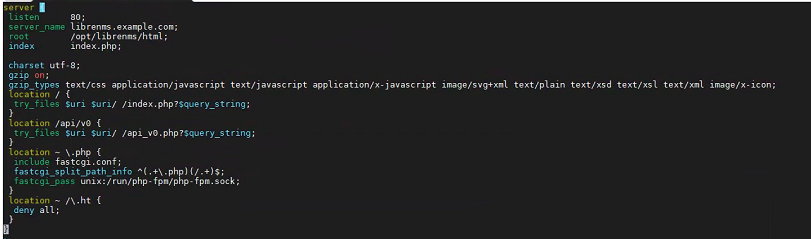

9、snmpd配置
cp /opt/librenms/snmpd.conf.example etc/snmp/snmpd.confvi /etc/snmp/snmpd.conf中团体名,例如librenmscom2sec readonly default librenmscurl -o usr/bin/distro https://raw.githubusercontent.com/librenms/librenms-agent/master/snmp/distrochmod +x usr/bin/distrosystemctl enable snmpdsystemctl restart snmpd
distro
#!/usr/bin/env sh# Detects which OS and if it is Linux then it will detect which Linux Distribution.OS=`uname -s`REV=`uname -r`MACH=`uname -m`if [ "${OS}" = "SunOS" ] ; thenOS=SolarisARCH=`uname -p`OSSTR="${OS} ${REV}(${ARCH} `uname -v`)"elif [ "${OS}" = "AIX" ] ; thenOSSTR="${OS} `oslevel` (`oslevel -r`)"elif [ "${OS}" = "Linux" ] ; thenKERNEL=`uname -r`if [ -f etc/fedora-release ]; thenDIST=$(cat etc/fedora-release | awk '{print $1}')REV=`cat etc/fedora-release | sed s/.*release\ | sed s/\ .*//`elif [ -f etc/redhat-release ] ; thenDIST=$(cat etc/redhat-release | awk '{print $1}')if [ "${DIST}" = "CentOS" ]; thenDIST="CentOS"IGNORE_OS_RELEASE=1 # https://bugs.centos.org/view.php?id=8359elif [ "${DIST}" = "CloudLinux" ]; thenDIST="CloudLinux"elif [ "${DIST}" = "Mandriva" ]; thenDIST="Mandriva"PSEUDONAME=`cat etc/mandriva-release | sed s/.*\(// | sed s/\)//`REV=`cat etc/mandriva-release | sed s/.*release\ // | sed s/\ .*//`elif [ -f /etc/oracle-release ]; thenDIST="Oracle"elif [ -f /etc/rockstor-release ]; thenDIST="Rockstor"elseDIST="RedHat"fiPSEUDONAME=`cat /etc/redhat-release | sed s/.*\(// | sed s/\)//`REV=`cat /etc/redhat-release | sed s/.*release\ // | sed s/\ .*//`elif [ -f /etc/mandrake-release ] ; thenDIST='Mandrake'PSEUDONAME=`cat /etc/mandrake-release | sed s/.*\(// | sed s/\)//`REV=`cat /etc/mandrake-release | sed s/.*release\ // | sed s/\ .*//`elif [ -f /etc/devuan_version ] ; thenDIST="Devuan `cat /etc/devuan_version`"REV=""elif [ -f /etc/debian_version ] ; thenDIST="Debian `cat /etc/debian_version`"REV=""IGNORE_OS_RELEASE=1if [ -f /usr/bin/lsb_release ] ; thenID=`lsb_release -i | awk -F ':' '{print $2}' | sed 's/ //g'`fiif [ "${ID}" = "Raspbian" ] ; thenDIST="Raspbian `cat /etc/debian_version`"fiif [ -f /usr/bin/pveversion ]; thenDIST="${DIST}/PVE `/usr/bin/pveversion | cut -d '/' -f 2`"fiif [ -f /usr/bin/pmgversion ]; then# pmgversion requires root permissions to run, please add NOPASSWD setting to visudo.DIST="${DIST}/PMG `sudo /usr/bin/pmgversion | cut -d '/' -f 2`"fiif [ -f /etc/dogtag ]; thenDIST=`cat /etc/dogtag`fielif [ -f /etc/gentoo-release ] ; thenDIST="Gentoo"REV=$(tr -d '[[:alpha:]]' " ")elif [ -f /etc/arch-release ] ; thenDIST="Arch Linux"REV="" # Omit version since Arch Linux uses rolling releasesIGNORE_LSB=1 # /etc/lsb-release would overwrite $REV with "rolling"elif [ -f /etc/photon-release ] ; thenDIST=$(head -1 < /etc/photon-release)REV=$(sed -n -e 's/^.*PHOTON_BUILD_NUMBER=//p' /etc/photon-release)IGNORE_LSB=1 # photon os does not have /etc/lsb-release nor lsb_releaseelif [ -f /etc/openwrt_version ] ; thenDIST="OpenWrt"REV=$(cat /etc/openwrt_version)elif [ -f /etc/pld-release ] ; thenDIST=$(cat /etc/pld-release)REV=""elif [ -f /etc/SuSE-release ] ; thenDIST=$(echo SLES $(grep VERSION /etc/SuSE-release | cut -d = -f 2 | tr -d " "))REV=$(echo SP$(grep PATCHLEVEL /etc/SuSE-release | cut -d = -f 2 | tr -d " "))fiif [ -x "$(command -v awk)" ]; then # some distros do not ship with awkif [ "`uname -a | awk '{print $(NF)}'`" = "DD-WRT" ] ; thenDIST="dd-wrt"fiif [ "`uname -a | awk '{print $(NF)}'`" = "ASUSWRT-Merlin" ] ; thenDIST="ASUSWRT-Merlin"REV=`nvram show | grep buildno= | egrep -o '[0-9].[0-9].[0-9]'` > /dev/null 2>&1fifi# try standardized os version methodsif [ -f /etc/os-release -a "${IGNORE_OS_RELEASE}" != 1 ] ; then. /etc/os-releaseSTD_DIST="$NAME"STD_REV="$VERSION_ID"elif [ -f /etc/lsb-release -a "${IGNORE_LSB}" != 1 ] ; thenSTD_DIST=$(lsb_release -si)STD_REV=$(lsb_release -sr)fiif [ -n "${STD_DIST}" ]; thenDIST="${STD_DIST}"fiif [ -n "${STD_REV}" ]; thenREV="${STD_REV}"fiif [ -n "${REV}" ]; thenOSSTR="${DIST} ${REV}"elseOSSTR="${DIST}"fielif [ "${OS}" = "Darwin" ] ; thenif [ -f /usr/bin/sw_vers ] ; thenOSSTR=`/usr/bin/sw_vers|grep -v Build|sed 's/^.*:.//'| tr "\n" ' '`fielif [ "${OS}" = "FreeBSD" ] ; thenif [ -f /etc/version ] ; thenDIST=$(cat /etc/version | cut -d'-' -f 1)if [ "${DIST}" = "FreeNAS" ]; thenOSSTR=`cat /etc/version | cut -d' ' -f 1`fielseOSSTR=`/usr/bin/uname -mior`fifiecho ${OSSTR}

10、crond配置与logrotated配置
cp /opt/librenms/librenms.nonroot.cron /etc/cron.d/librenmscp /opt/librenms/misc/librenms.logrotate /etc/logrotate.d/librenms

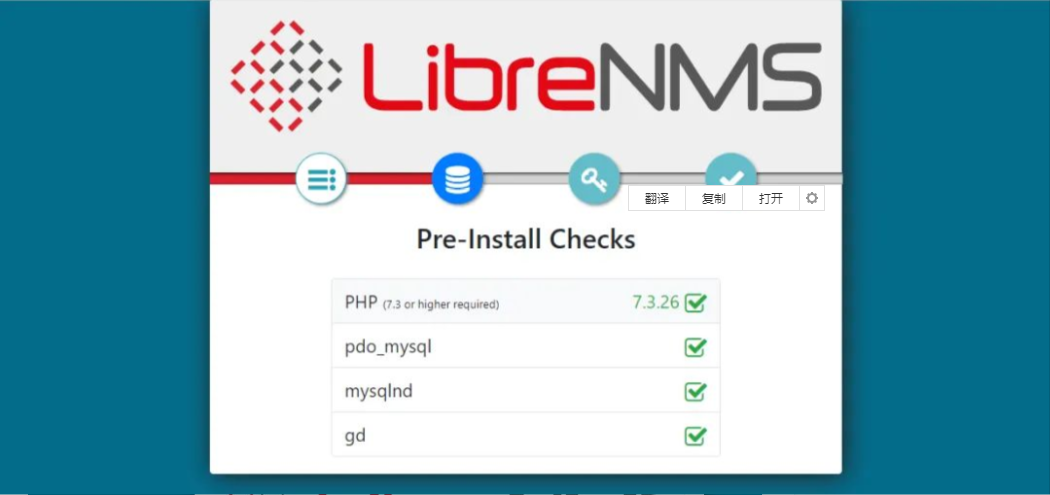
11、登录web界面,添加监控设备,功能界面体验
- EOF -
看完本文有收获?请分享给更多人
推荐关注「Linux 运维进阶之路」,提升Linux技能