



📢OpenSSL版本限制问题已解决!
YashanDB企业版从V23.2.7版本开始,支持操作系统的OpenSSL的1.0.0-3.3.x全部版本,不再需要强制升级到1.1.1版本。
现最新企业版V23.2.9已正式挂网,下载链接可戳👉https://download.yashandb.com/download
--From YashanDB官方通告
关于困扰大家已久的openssl问题,官方在新年给出了答案。
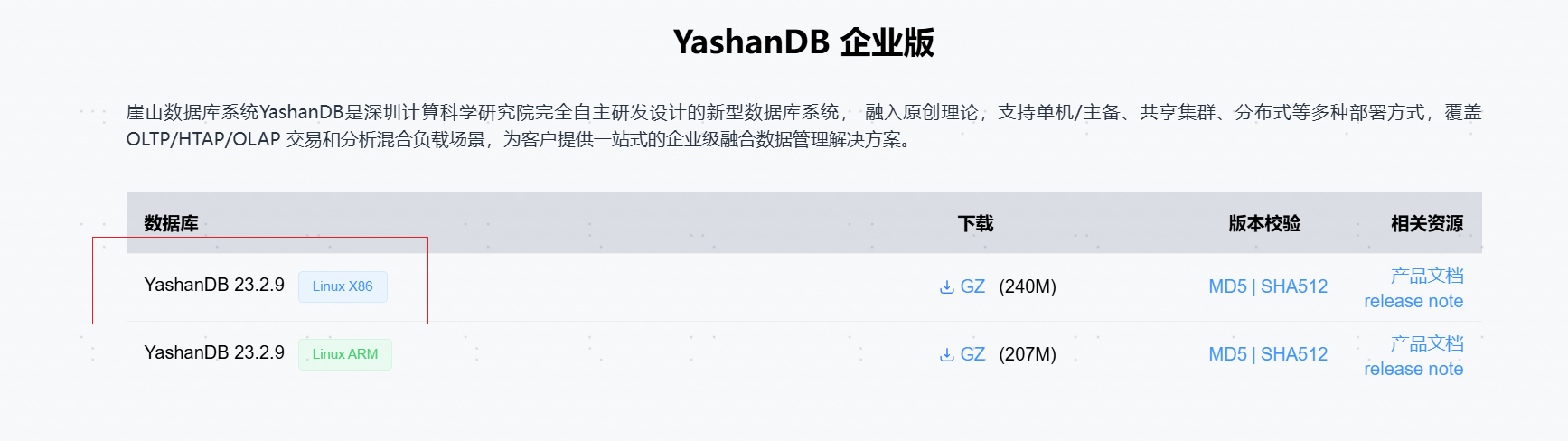
相信有了前面的安装经验,大家在新版的安装过程中可能会忽略一些安装前的准备。按照一贯思路,我直接从安装部署文档开始操作(也参考了历史安装文档)看看能否顺利完成。
我的测试环境:默认安装的CentOS7.9,openssl版本是默认的1.0.2k
[yashan@localhost ~]$ cat /etc/redhat-release
CentOS Linux release 7.9.2009 (Core)
[yashan@localhost ~]$ openssl version
OpenSSL 1.0.2k-fips  26 Jan 2017
以下是完整的安装过程:
(由于使用的是历史环境,这里省略安装前的准备等步骤)
[yashan@localhost install]$ pwd
/home/yashan/install
[yashan@localhost install]$ ll
total 245512
-rw-r--r--. 1 root root 251400663 Feb 12 11:00 yashandb-23.2.9.101-linux-x86_64.tar.gz
[yashan@localhost install]$ tar -zxf yashandb-23.2.9.101-linux-x86_64.tar.gz
[yashan@localhost install]$ ll
total 398144
drwxrwxr-x. 2 yashan yashan        21 Jan 16 11:48 bin
-rw-rw-r--. 1 yashan yashan 156287811 Jan 16 11:48 database-23.2.9.101-linux-x86_64.tar.gz
drwxrwxr-x. 3 yashan yashan        19 Jan 16 11:48 depends
-rwxrwxr-x. 1 yashan yashan       500 Jan 16 11:48 install.sh
drwxrwxr-x. 6 yashan yashan        56 Jan 16 11:48 om
drwxrwxr-x. 2 yashan yashan       179 Jan 16 11:48 plugins
-rw-r--r--. 1 root   root   251400663 Feb 12 11:00 yashandb-23.2.9.101-linux-x86_64.tar.gz
[yashan@localhost install]$ ./bin/yasboot package se gen --cluster yashandb --recommend-param -u yashan -p yashan --ip 192.168.33.202 --port 22 --install-path /home/yashan/yasdb_home --data-path /home/yashan/yasdb_data --log-path /home/yashan/log --begin-port 1688

+-------------------------------------------------------------------------------------------------------------------------------------------+
| hostid   | group | node_type | node_name | listen_addr         | replication_addr    | data_path               | memory_limit | cpu_limit |
+-------------------------------------------------------------------------------------------------------------------------------------------+
| host0001 | dbg1  | db        | 1-1       | 192.168.33.202:1688 | 192.168.33.202:1689 | /home/yashan/yasdb_data | 12708M       | 2         |
+----------+-------+-----------+-----------+---------------------+---------------------+-------------------------+--------------+-----------+

database recommend parameter is enabled, the memory_limit percent of each host is 80%, the cpu_limit of each host is 100%

Generate config completed
[yashan@localhost install]$ ll
total 398152
drwxrwxr-x. 2 yashan yashan        21 Jan 16 11:48 bin
-rw-rw-r--. 1 yashan yashan 156287811 Jan 16 11:48 database-23.2.9.101-linux-x86_64.tar.gz
drwxrwxr-x. 3 yashan yashan        19 Jan 16 11:48 depends
-rw-------. 1 yashan yashan       585 Feb 12 11:15 hosts.toml
-rwxrwxr-x. 1 yashan yashan       500 Jan 16 11:48 install.sh
drwxrwxr-x. 6 yashan yashan        75 Feb 12 11:12 om
drwxrwxr-x. 2 yashan yashan       179 Jan 16 11:48 plugins
-rw-r--r--. 1 root   root   251400663 Feb 12 11:00 yashandb-23.2.9.101-linux-x86_64.tar.gz
-rw-------. 1 yashan yashan       769 Feb 12 11:15 yashandb.toml

[yashan@localhost install]$ ./bin/yasboot cluster deploy -t yashandb.toml
database recommend parameter is enabled:
node 1-1, type: db, percent of memory_limit: 79%(12708M), percent of cpu_limit: 100%(2 cores)

+-----------------------------------------------------------------------------------------------------------+
| type | uuid             | name               | hostid | index    | status | return_code | progress | cost |
+-----------------------------------------------------------------------------------------------------------+
| task | 9aff0ac40244138c | DeployYasdbCluster | -      | yashandb | FAILED | 1           | 100      | 13   |
+------+------------------+--------------------+--------+----------+--------+-------------+----------+------+
task completed, status: FAILED
retcode: 1
stdout: start node with ping
stderr: wait node 1-1 process start failed: YAS-00512 failed to init dynamic library OPENSSL
Failed to start instance

[yashan@localhost install]$ ldconfig -p | grep -E "libcrypto.so|libssl.so"
    libssl.so.10 (libc6,x86-64) => /lib64/libssl.so.10
    libcrypto.so.10 (libc6,x86-64) => /lib64/libcrypto.so.10
[yashan@localhost install]$ exit
logout
[root@localhost ~]# ln -s /lib64/libcrypto.so.10 /lib64/libcrypto.so
[root@localhost ~]# ln -s /lib64/libssl.so.10 /lib64/libssl.so
[root@localhost ~]# ldconfig
[root@localhost ~]# su - yashan
Last login: Wed Feb 12 11:15:31 CST 2025 on pts/0
[yashan@localhost ~]$ cd install/

[yashan@localhost install]$ ./bin/yasboot cluster deploy -t yashandb.toml
database recommend parameter is enabled:
node 1-1, type: db, percent of memory_limit: 79%(12708M), percent of cpu_limit: 100%(2 cores)

cluster: yashandb is already deployed, only support 1 cluster in yasom
[yashan@localhost install]$ ps -ef|grep yashan
yashan    1536     1  0 11:18 ?        00:00:14 /home/yashan/yasdb_home/23.2.9.101/bin/yasagent --init -c yashandb -l 192.168.33.202:1676 --host-id host0001 -k                  -L /home/yashan/log -d
yashan    1551     1  0 11:18 ?        00:00:18 /home/yashan/yasdb_home/23.2.9.101/bin/yasom --init -c yashandb -l 192.168.33.202:1675 -k                  -L /home/yashan/log -d
root      8514 28595  0 13:38 pts/0    00:00:00 su - yashan
yashan    8515  8514  0 13:38 pts/0    00:00:00 -bash
yashan    8737  8515  0 13:41 pts/0    00:00:00 ps -ef
yashan    8738  8515  0 13:41 pts/0    00:00:00 grep --color=auto yashan
[yashan@localhost install]$ ./bin/yasboot cluster clean  -c yashandb --purge
Are you sure you want to CLEAN cluster: [yashandb], AND ALL DATA WILL BE DELETED (-p/--purge is given)?
[yes/no]: yes
+-----------------------------------------------------------------------------------------------------------+
| type | uuid             | name              | hostid | index    | status  | return_code | progress | cost |
+-----------------------------------------------------------------------------------------------------------+
| task | e13c3e2a2d46da3a | CleanYasdbCluster | -      | yashandb | SUCCESS | 0           | 100      | 1    |
+------+------------------+-------------------+--------+----------+---------+-------------+----------+------+
task completed, status: SUCCESS
[yashan@localhost install]$ ./bin/yasboot cluster deploy -t yashandb.toml
database recommend parameter is enabled:
node 1-1, type: db, percent of memory_limit: 79%(12708M), percent of cpu_limit: 100%(2 cores)

+------------------------------------------------------------------------------------------------------------+
| type | uuid             | name               | hostid | index    | status  | return_code | progress | cost |
+------------------------------------------------------------------------------------------------------------+
| task | bccd5c06029d8e58 | DeployYasdbCluster | -      | yashandb | SUCCESS | 0           | 100      | 11   |
+------+------------------+--------------------+--------+----------+---------+-------------+----------+------+
task completed, status: SUCCESS
[yashan@localhost install]$ ./bin/yasboot cluster status -c yashandb -d
+-------------------------------------------------------------------------------------------------------------------------------------------------+
| hostid   | node_type | nodeid | pid  | instance_status | database_status | database_role | listen_address      | data_path                      |
+-------------------------------------------------------------------------------------------------------------------------------------------------+
| host0001 | db        | 1-1:1  | 8901 | open            | normal          | primary       | 192.168.33.202:1688 | /home/yashan/yasdb_data/db-1-1 |
+----------+-----------+--------+------+-----------------+-----------------+---------------+---------------------+--------------------------------+
[yashan@localhost install]$ cd /home/yashan/yasdb_home/23.2.9.101/conf/
[yashan@localhost conf]$ ll
total 8
-rw-rw-r--. 1 yashan yashan 352 Jan 16 11:48 profile.toml
-rwx------. 1 yashan yashan 279 Feb 12 13:43 yashandb.bashrc
[yashan@localhost conf]$ cat yashandb.bashrc  >> ~/.bashrc
[yashan@localhost conf]$ source ~/.bashrc
[yashan@localhost conf]$ yasboot cluster status -c yashandb -d
+-------------------------------------------------------------------------------------------------------------------------------------------------+
| hostid   | node_type | nodeid | pid  | instance_status | database_status | database_role | listen_address      | data_path                      |
+-------------------------------------------------------------------------------------------------------------------------------------------------+
| host0001 | db        | 1-1:1  | 8901 | open            | normal          | primary       | 192.168.33.202:1688 | /home/yashan/yasdb_data/db-1-1 |
+----------+-----------+--------+------+-----------------+-----------------+---------------+---------------------+--------------------------------+
[yashan@localhost conf]$ yasql / as sysdba
YashanDB SQL Enterprise Edition Release 23.2.9.101 x86_64

Connected to:
YashanDB Server Enterprise Edition Release 23.2.9.101 x86_64 - Linux

SQL>
可以看到我遇到了两个问题,以下是对两个问题的解决描述。
问题1(已解决) stderr: wait node 1-1 process start failed: YAS-00512 failed to init dynamic library OPENSSL
这里安装前的准备关于依赖项的官方文档描述,需要保证libcrypto.so和libssl.so存在,所以需要创建同名的软连接。
在root用户执行:
ln -s /lib64/libcrypto.so.10 /lib64/libcrypto.so
ln -s /lib64/libssl.so.10 /lib64/libssl.so
ldconfig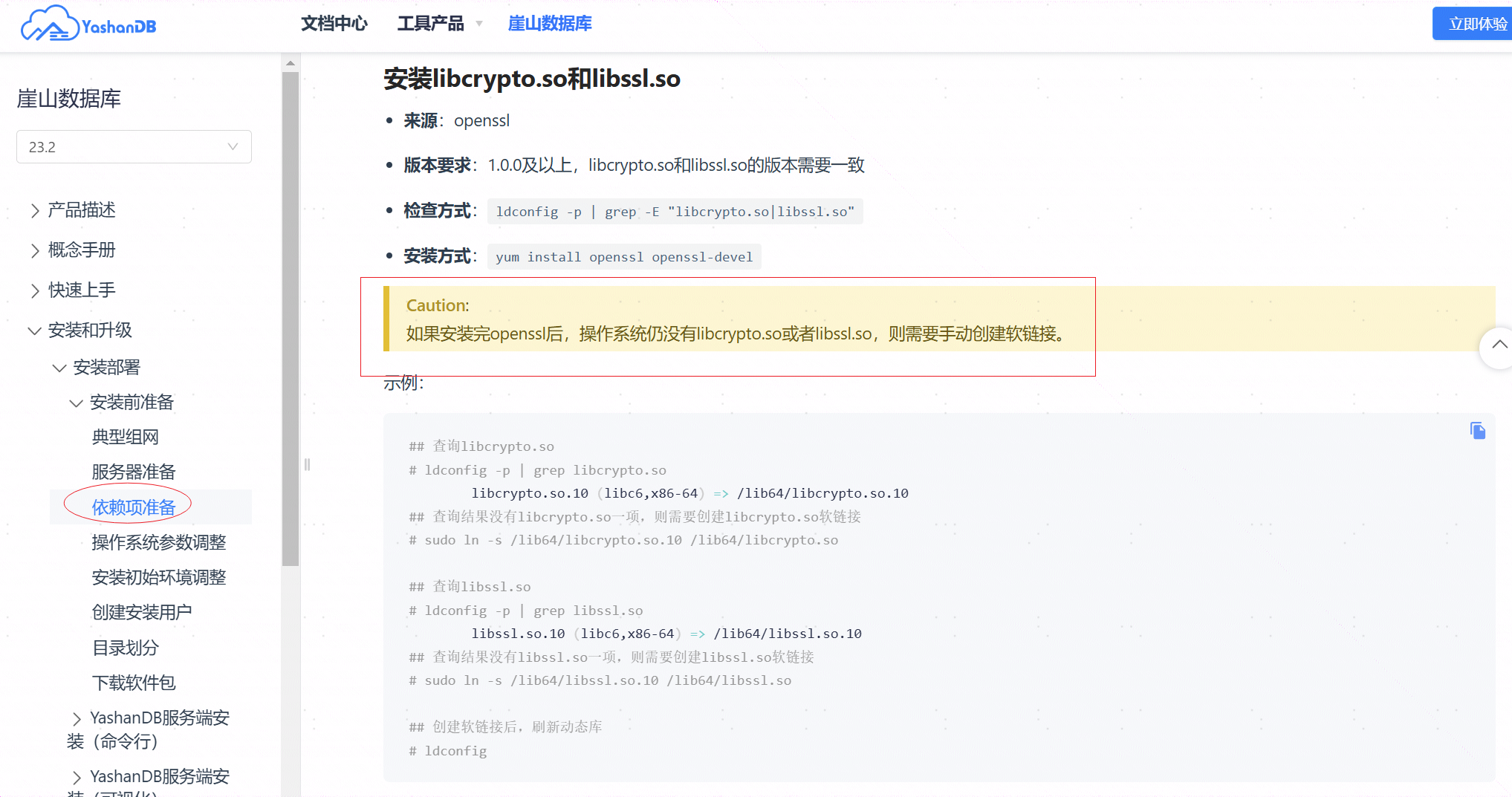
问题2(已解决) cluster: yashandb is already deployed, only support 1 cluster in yasom
在遇到问题1且解决之后,直接执行deploy会报错,这是因为该环境中前一次deploy产生的残留信息存在,通过对实例的clean可以清理安装失败的残留信息。清理完成之后,接着直接deploy就可以了。
./bin/yasboot cluster clean -c yashandb --purge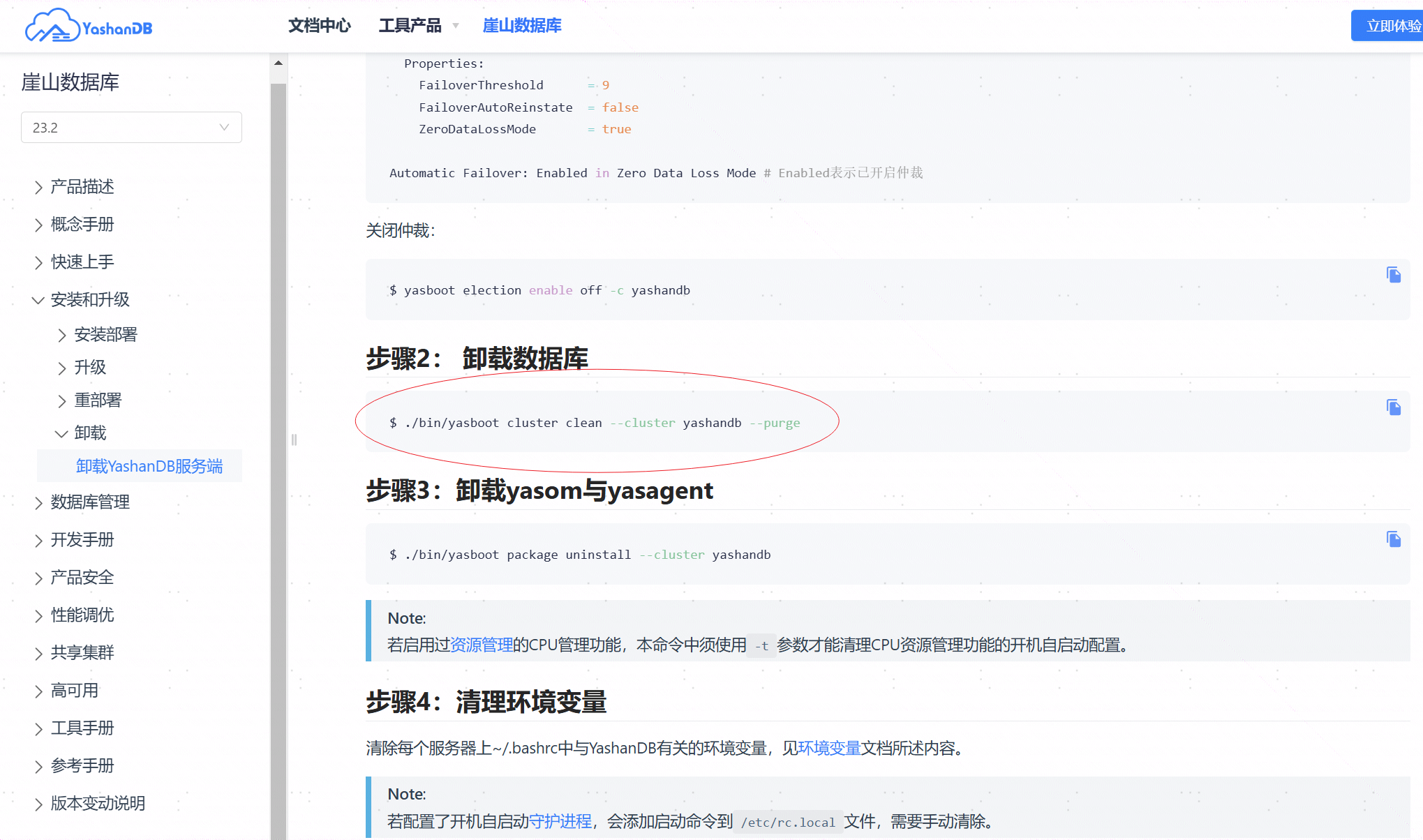
以上就是YashanDB 23.2.9.101企业版的安装过程,可以看到,如果完整的查看了官方文档的描述,可以避免以上问题。但是按照经验安装,遇到了问题,也能从文档中找到答案。遇到问题,解决问题即可。
