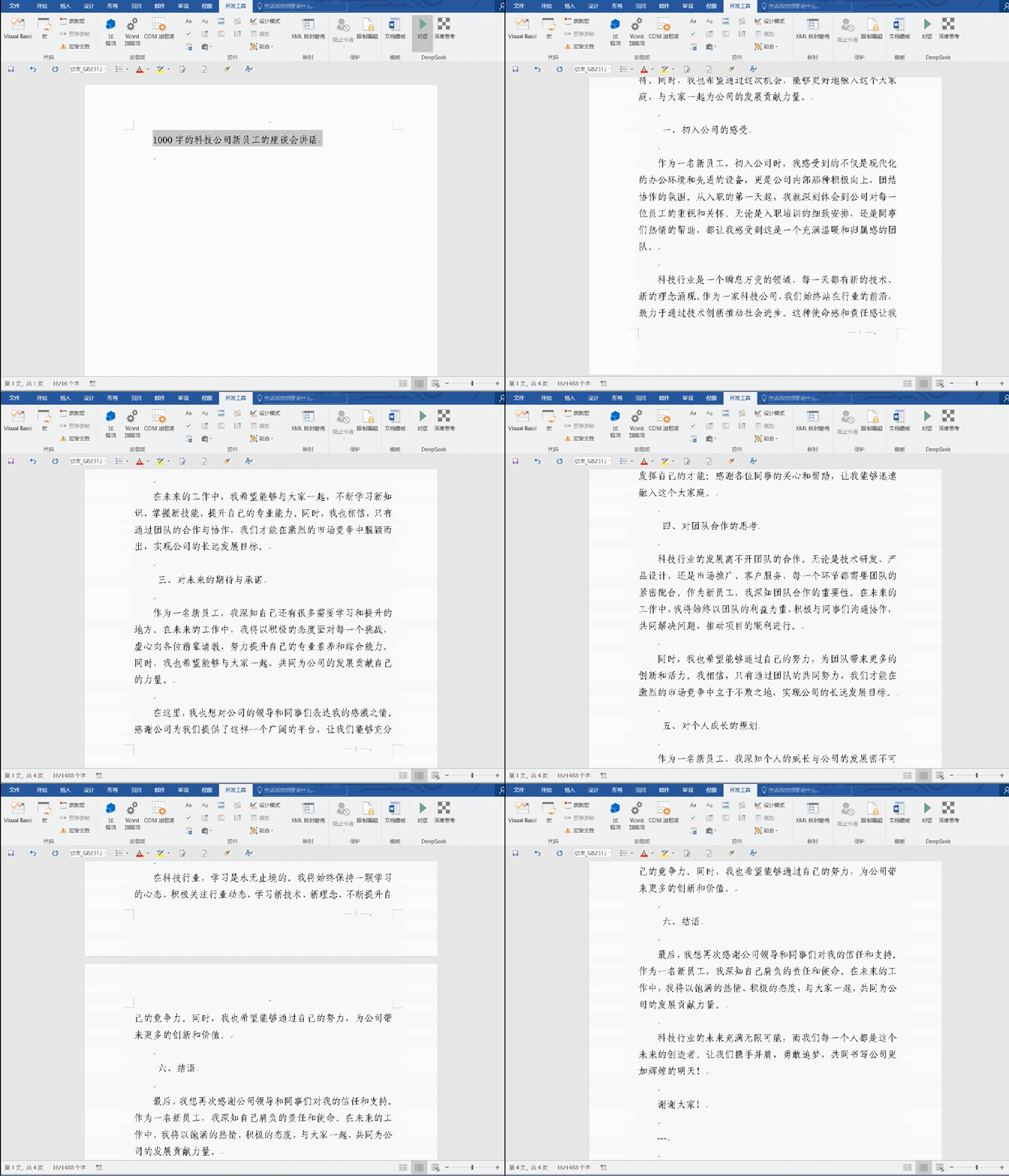
内容概要:将deepseek通过VBA接入办公软件后,最大的价值是可以根据自己的工作需求制定提示词,一键完成过去多个步骤才能完成的,比如格式调整、大纲调整等。
在word中,一键生成大纲、扩展内容、优化完善内容
在ppt中,一键进行内容总结
实现上面视频的功能一点都不难,只需以下几步就可完整,后面有详细教程
1、准备office办公软件
2、注册deepseek的API,获取apikey
3、在word中导入VBA模块并修改apikey
4、配置功能菜单
5、使用测试
ppt可参考文章进行配置
如果你是的电脑安装的是office,只要是2016以上版本即可,可跳过此章节。
如果你安装的是WPS,可参考第四部分配置,如果相关功能找不到,建议参考下面链接的这篇文章安装WPS,里面以后下载方式
方式1:注册deepseek官网(使用人较多,速度较慢)
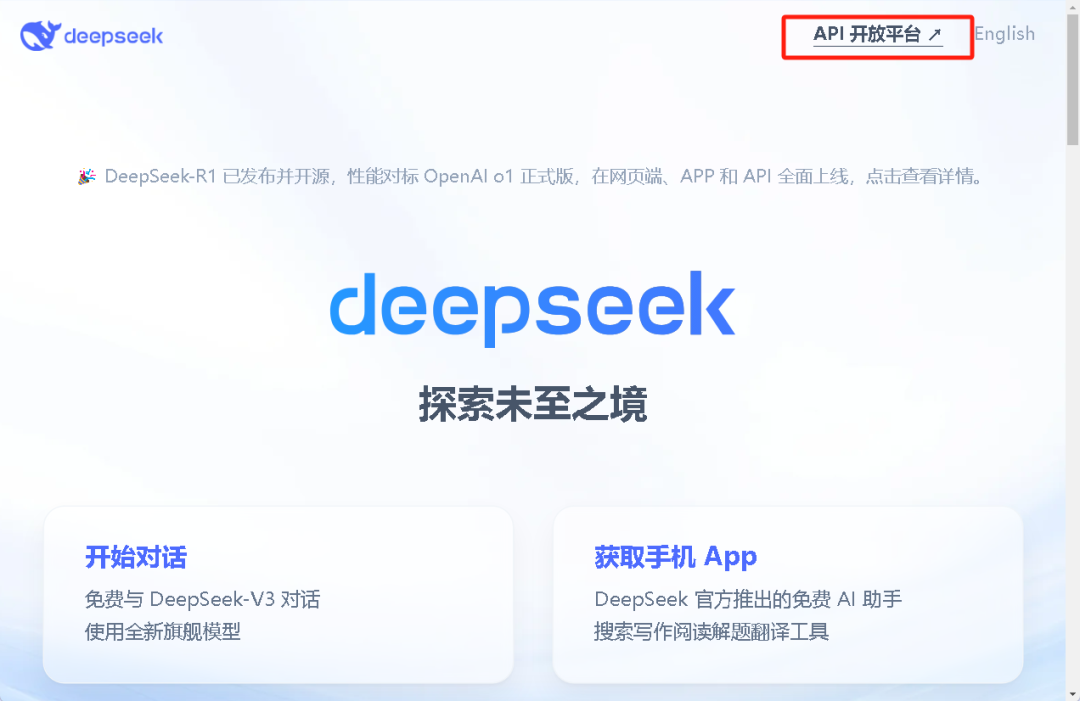
登录www.deepseek.com,注册登录后点击左上角"API开放平台"
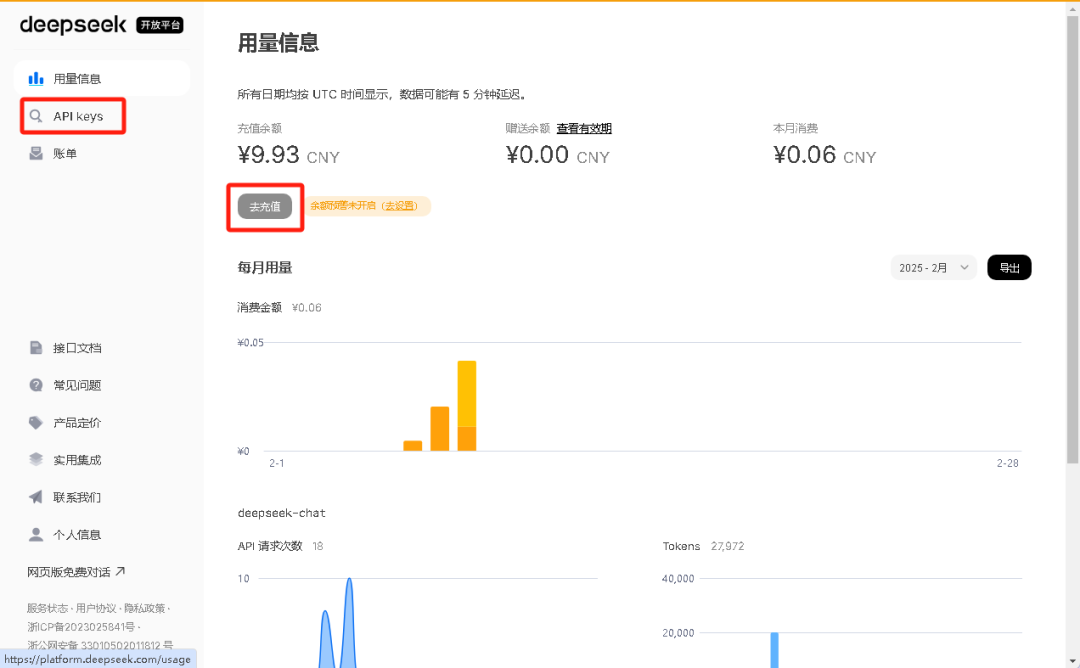
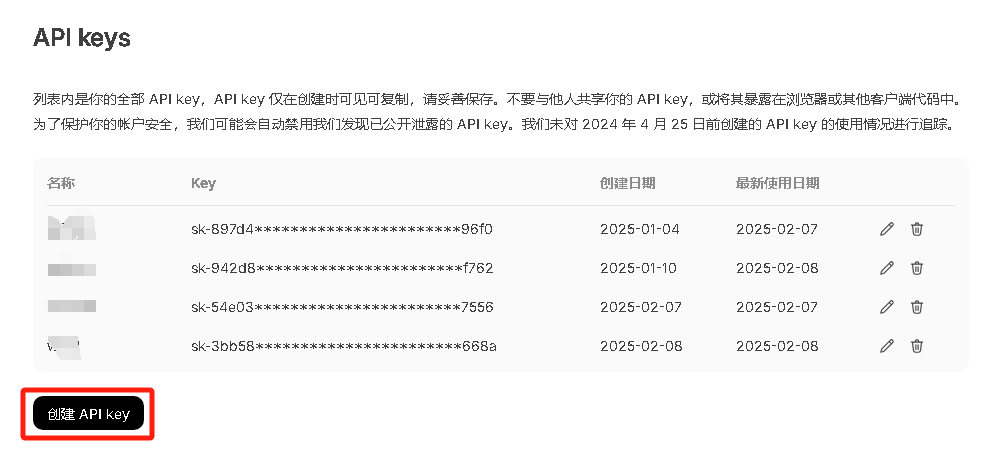
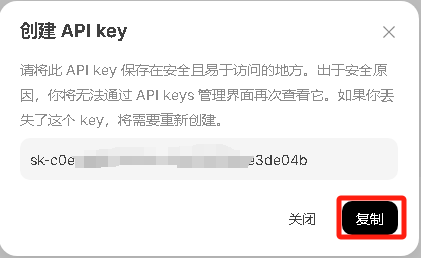
方式2:天翼云账号注册(有免费额度,但稳定性较差)
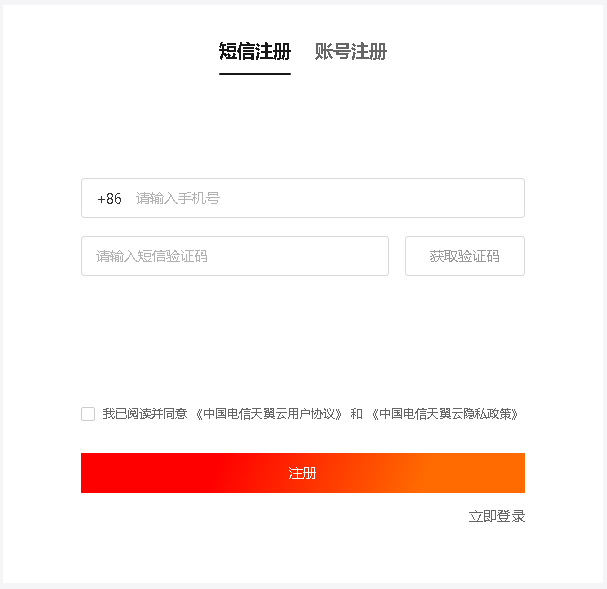
打开官网https://www.ctyun.cn/,点击右上角免费注册
注册登录后,点击首页的如下图的立即体验,或输入网址https://huiju.ctyun.cn/experienceCenter/

进入如下界面,点击左侧菜单栏的服务接入
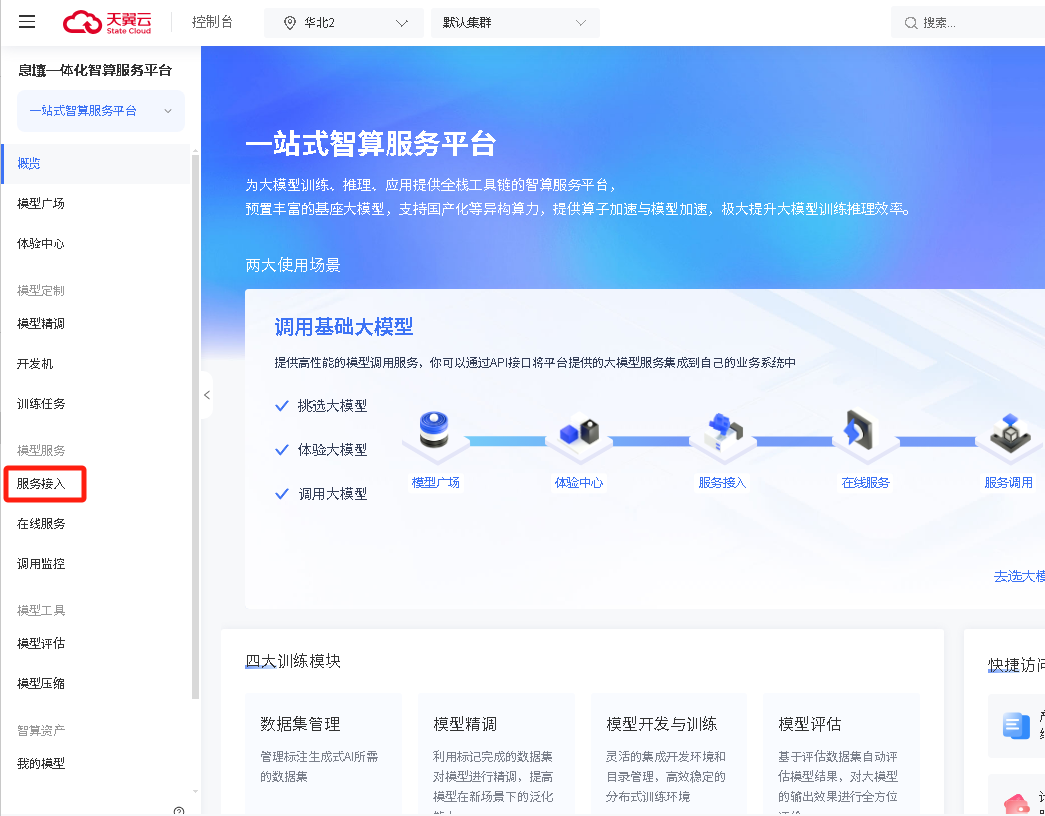
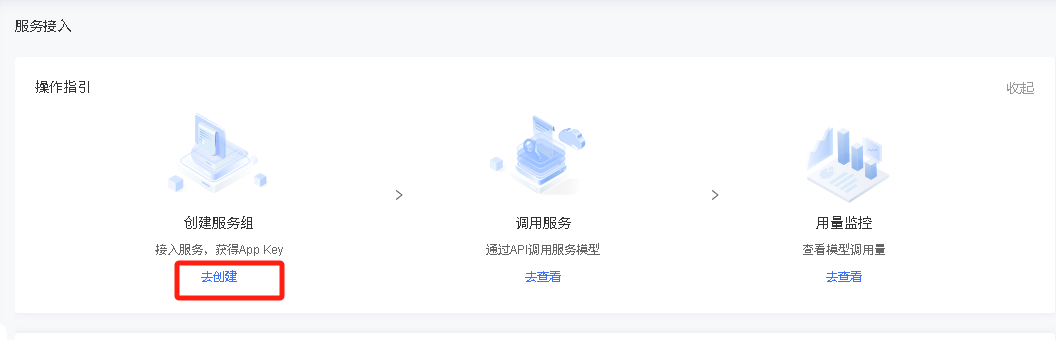
显示如下界面,点击去创建进行服务组创建
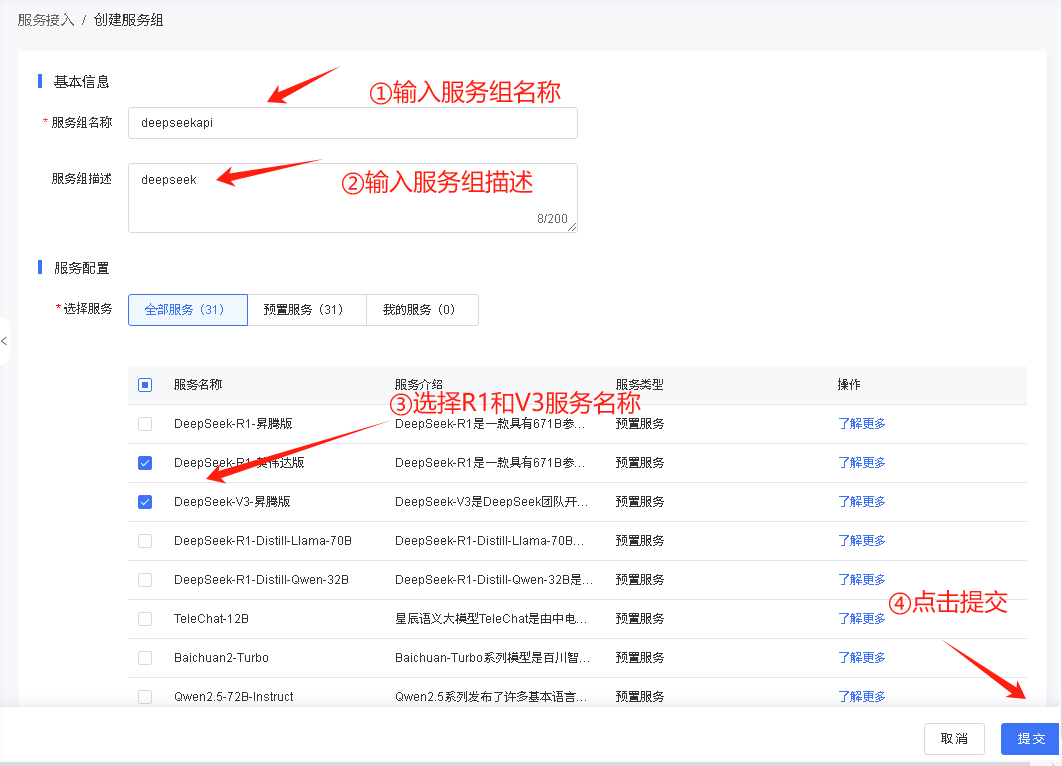
根据下图进行填写,填写完成后提交
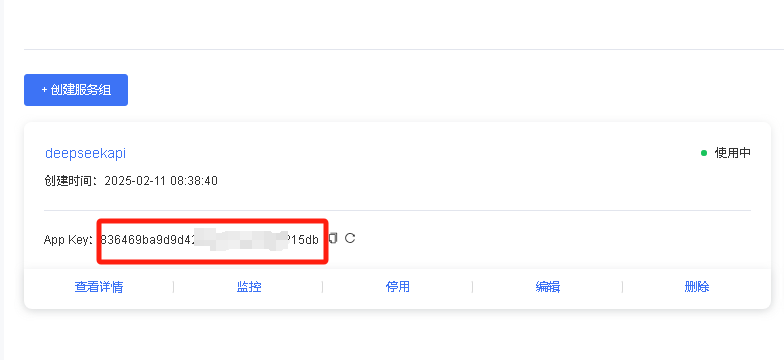
提交后下方显示创建信息,如图所示,获取apikey
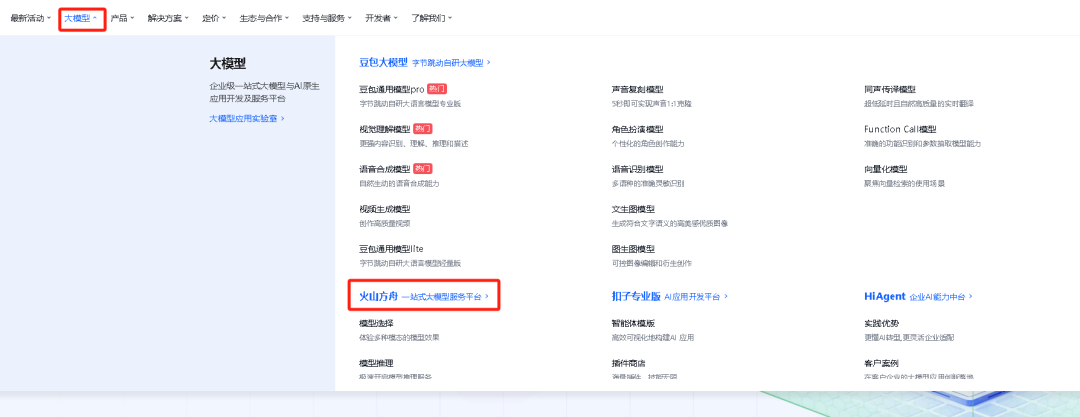
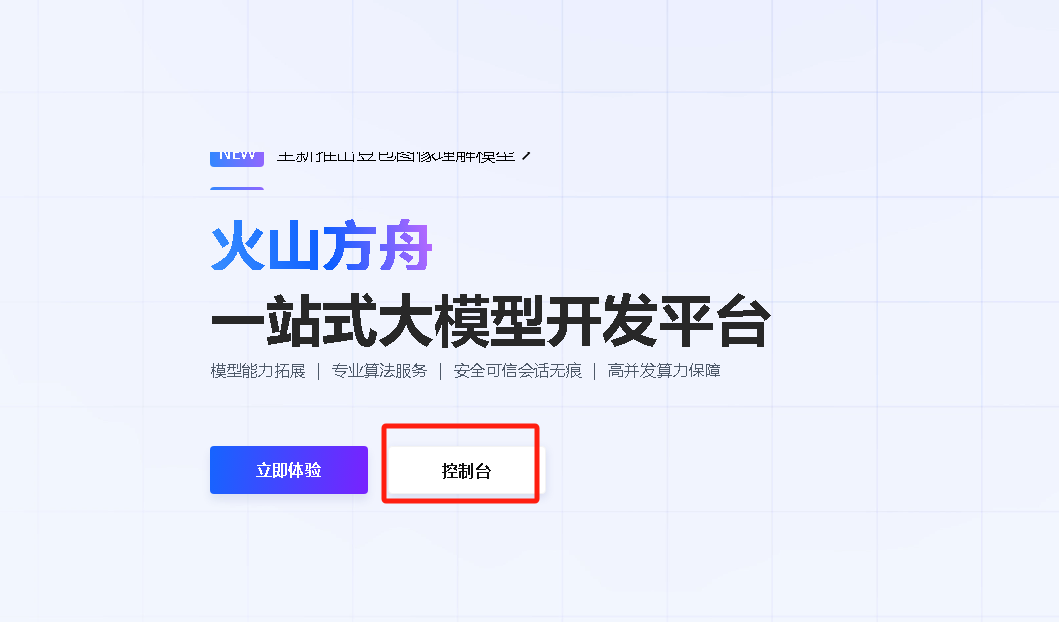
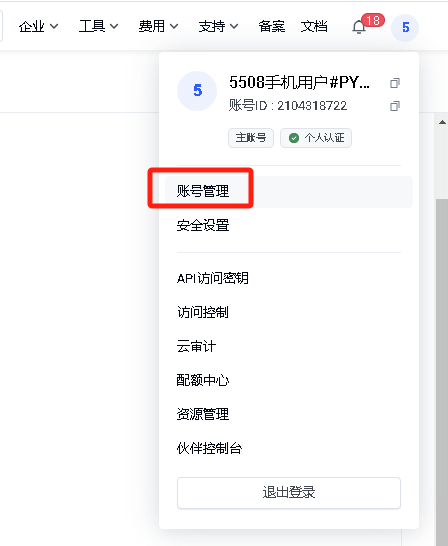
方式3:火山引擎账号注册(推荐使用,免费额度高,速度快)
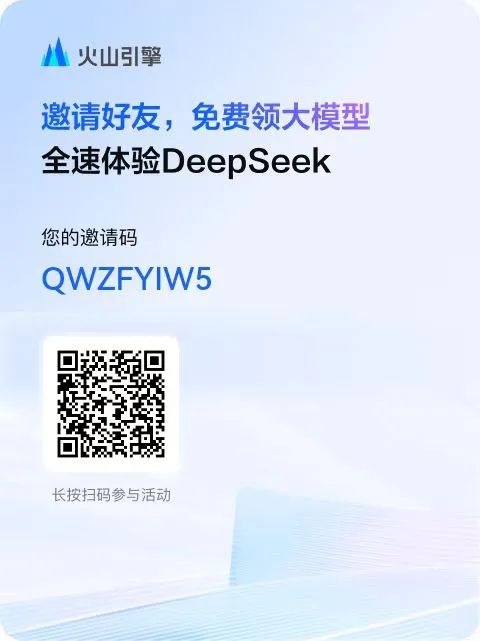
登录https://www.volcengine.com/experience/ark?utm_term=202502dsinvite&ac=DSASUQY5&rc=QWZFYIW5,输入手机号注册,有邀请码送15元。
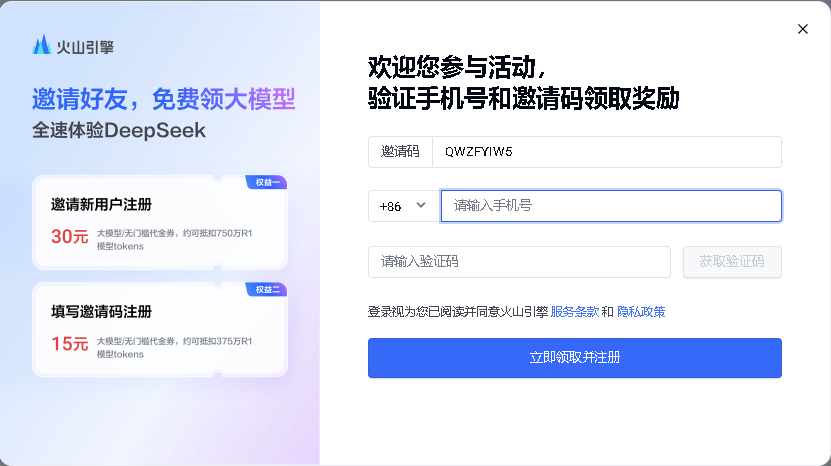
也可以手机扫码注册。
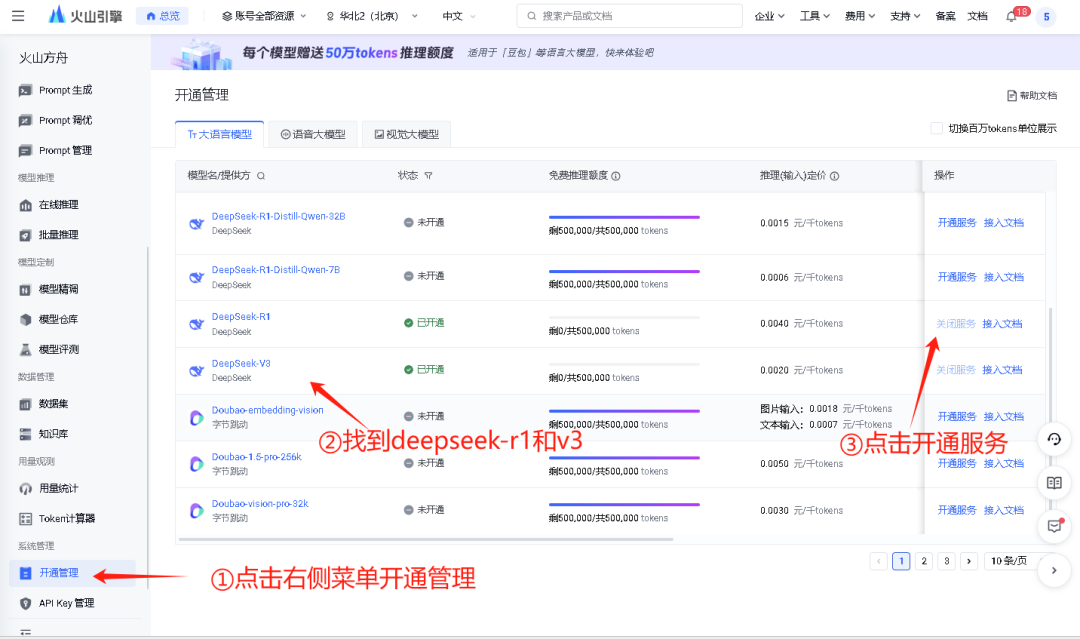
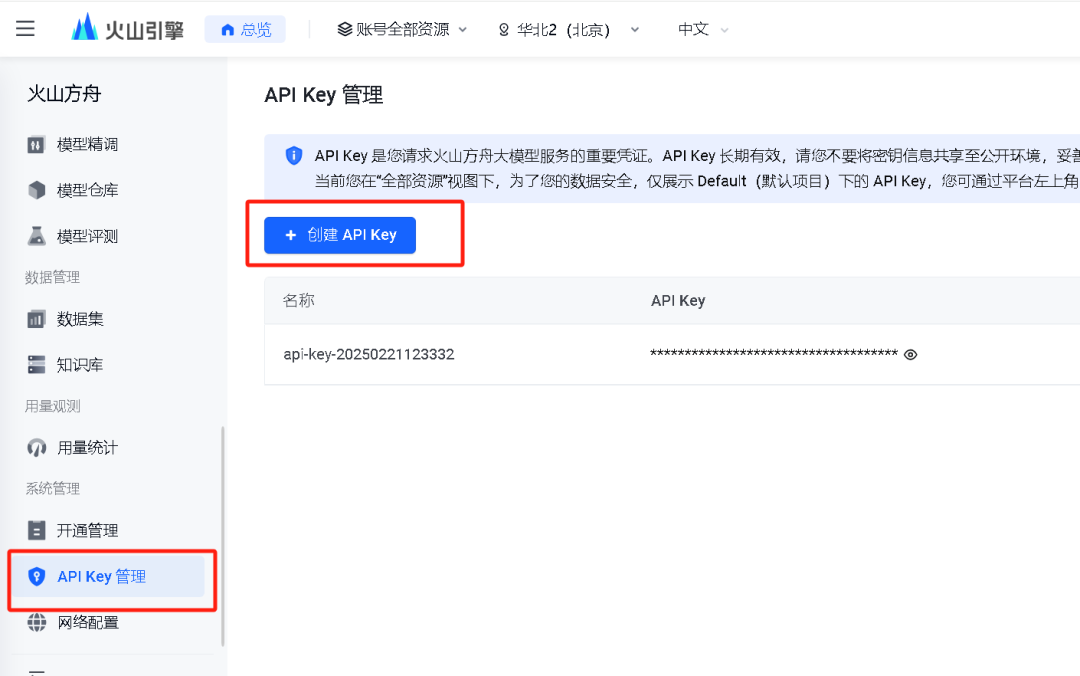
方式一:在office中配置:
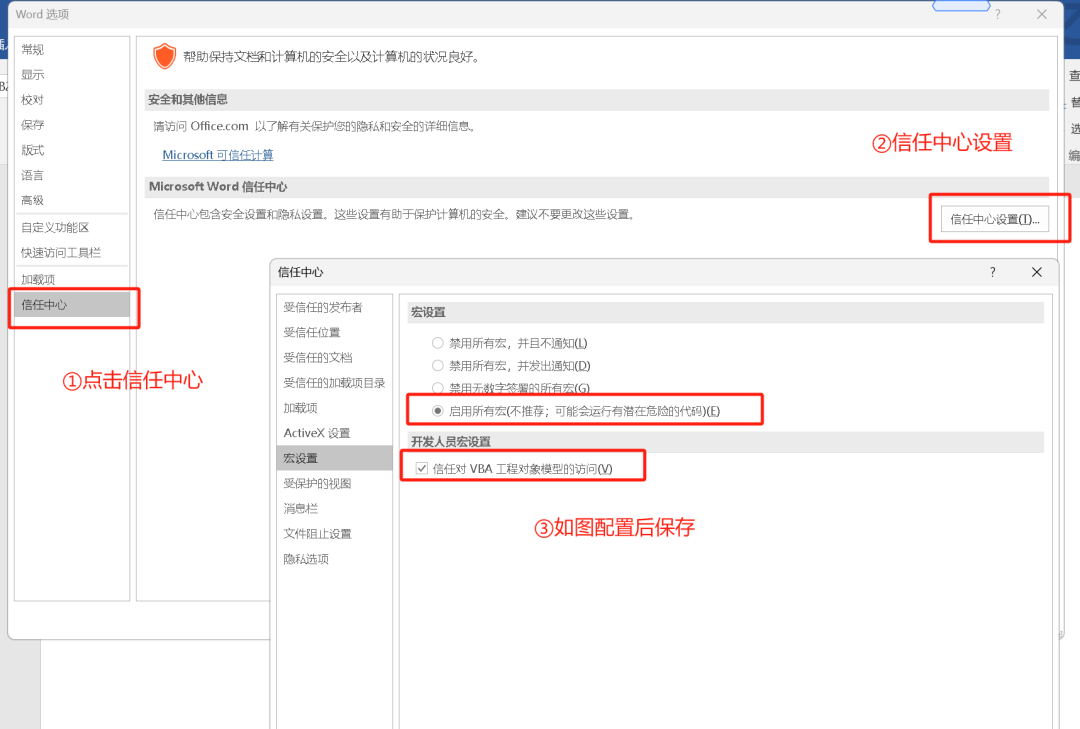
打开word的菜单-文件-选项-设置安全权限,否则无法执行vba脚本
打开在文件-选项-自定义功能区中设置

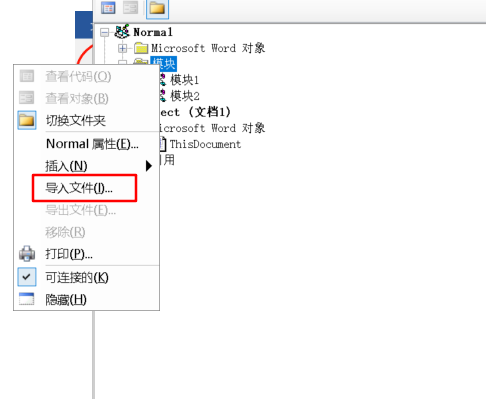
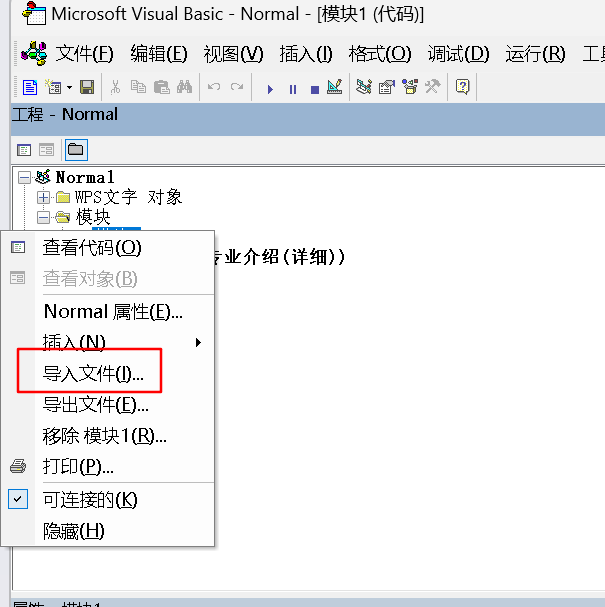
在Normal的模块下右键选择导入文件,选择下载的word调用deepseek.bas进行导入,bas下载方法,后台发送deepseekvba获得
或添加模块后直接复制下面代码,将前面保存apiKey替换代码中第四行的"填写你的火山引擎的apikey"
Private Const API_URL As String = "https://ark.cn-beijing.volces.com/api/v3/chat/completions"Private Const API_MODEL As String = "deepseek-v3-241226"Private Const API_MODEL_R As String = "deepseek-r1-250120"Private Const apikey As String = "填写你的火山引擎的apikey"Function CallDeepSeekAPI(api_key As String, inputText As String)Dim API As StringDim SendTxt As StringDim Http As ObjectDim status_code As IntegerDim response As StringMsgBox "开始调用Deepseek V3进行总结,耐心等待......"API = API_URLSendTxt = "{""model"": """ & API_MODEL & """, ""messages"": [{""role"":""system"", ""content"":""你是word文案助手""}, {""role"":""user"", ""content"":""" & inputText & """}], ""stream"": false}"Set Http = CreateObject("WinHttp.WinHttpRequest.5.1")With Http.Open "POST", API, False.setRequestHeader "Content-Type", "application/json".setRequestHeader "Authorization", "Bearer " & api_key.send SendTxtstatus_code = .Statusresponse = .responseTextEnd With' 弹出窗口显示 API 响应(调试用)' MsgBox "API Response: " & response, vbInformation, "Debug Info"If status_code = 200 ThenCallDeepSeekAPI = responseElseCallDeepSeekAPI = "Error: " & status_code & " - " & responseEnd IfSet Http = NothingEnd FunctionFunction CallDeepSeekRAPI(api_key As String, inputText As String)Dim API As StringDim SendTxt As StringDim Http As ObjectDim status_code As IntegerDim response As StringMsgBox "开始调用Deepseek R1进行总结,耐心等待......"API = API_URLSendTxt = "{""model"": """ & API_MODEL_R & """, ""messages"": [{""role"":""system"", ""content"":""你是word文案助手""}, {""role"":""user"", ""content"":""" & inputText & """}], ""stream"": false}"Set Http = CreateObject("WinHttp.WinHttpRequest.5.1")With Http.Open "POST", API, False.setRequestHeader "Content-Type", "application/json".setRequestHeader "Authorization", "Bearer " & api_key.send SendTxtstatus_code = .Statusresponse = .responseTextEnd With' 弹出窗口显示 API 响应(调试用)' MsgBox "API Response: " & response, vbInformation, "Debug Info"If status_code = 200 ThenCallDeepSeekRAPI = responseElseCallDeepSeekRAPI = "Error: " & status_code & " - " & responseEnd IfSet Http = NothingEnd FunctionSub DeepSeekV3()Dim api_key As StringDim inputText As StringDim response As StringDim regex As ObjectDim matches As ObjectDim originalSelection As Objectapi_key = apikeyIf api_key = "" ThenMsgBox "Please enter the API key."Exit SubElseIf Selection.Type <> wdSelectionNormal ThenMsgBox "请选择文本."Exit SubEnd If' 保存原始选中的文本Set originalSelection = Selection.Range.DuplicateinputText = Replace(Replace(Replace(Replace(Replace(Selection.text, "\", "\\"), vbCrLf, ""), vbCr, ""), vbLf, ""), Chr(34), "\""")response = CallDeepSeekAPI(api_key, inputText)If Left(response, 5) <> "Error" ThenSet regex = CreateObject("VBScript.RegExp")With regex.Global = True.MultiLine = True.IgnoreCase = False.Pattern = """content"":""(.*?)"""End WithSet matches = regex.Execute(response)If matches.Count > 0 Thenresponse = matches(0).SubMatches(0)response = Replace(Replace(response, """", Chr(34)), """", Chr(34))response = Replace(response, "\n\n", "\n")response = Replace(response, "\n", vbCrLf)response = Replace(response, "*", "")response = Replace(response, "#", "")' 取消选中原始文本Selection.Collapse Direction:=wdCollapseEnd' 将内容插入到选中文字的下一行Selection.TypeParagraph ' 插入新行Selection.TypeText text:=response' 将光标移回原来选中文本的末尾originalSelection.SelectElseMsgBox "Failed to parse API response.", vbExclamationEnd IfElseMsgBox response, vbCriticalEnd IfEnd SubSub DeepSeekR()Dim api_key As StringDim inputText As StringDim response As StringDim regex As ObjectDim matches As ObjectDim originalSelection As Objectapi_key = apikeyIf api_key = "" ThenMsgBox "Please enter the API key."Exit SubElseIf Selection.Type <> wdSelectionNormal ThenMsgBox "请选择文本."Exit SubEnd If' 保存原始选中的文本Set originalSelection = Selection.Range.DuplicateinputText = Replace(Replace(Replace(Replace(Replace(Selection.text, "\", "\\"), vbCrLf, ""), vbCr, ""), vbLf, ""), Chr(34), "\""")response = CallDeepSeekRAPI(api_key, inputText)If Left(response, 5) <> "Error" ThenSet regex = CreateObject("VBScript.RegExp")With regex.Global = True.MultiLine = True.IgnoreCase = False.Pattern = """content"":""(.*?)"""End WithSet matches = regex.Execute(response)If matches.Count > 0 Thenresponse = matches(0).SubMatches(0)response = Replace(Replace(response, """", Chr(34)), """", Chr(34))response = Replace(response, "\n\n", "\n")response = Replace(response, "\n", vbCrLf)response = Replace(response, "*", "")response = Replace(response, "#", "")' 取消选中原始文本Selection.Collapse Direction:=wdCollapseEnd' 将内容插入到选中文字的下一行Selection.TypeParagraph ' 插入新行Selection.TypeText text:=response' 将光标移回原来选中文本的末尾originalSelection.SelectElseMsgBox "Failed to parse API response.", vbExclamationEnd IfElseMsgBox response, vbCriticalEnd IfEnd Sub
安全设置,确保可以运行宏
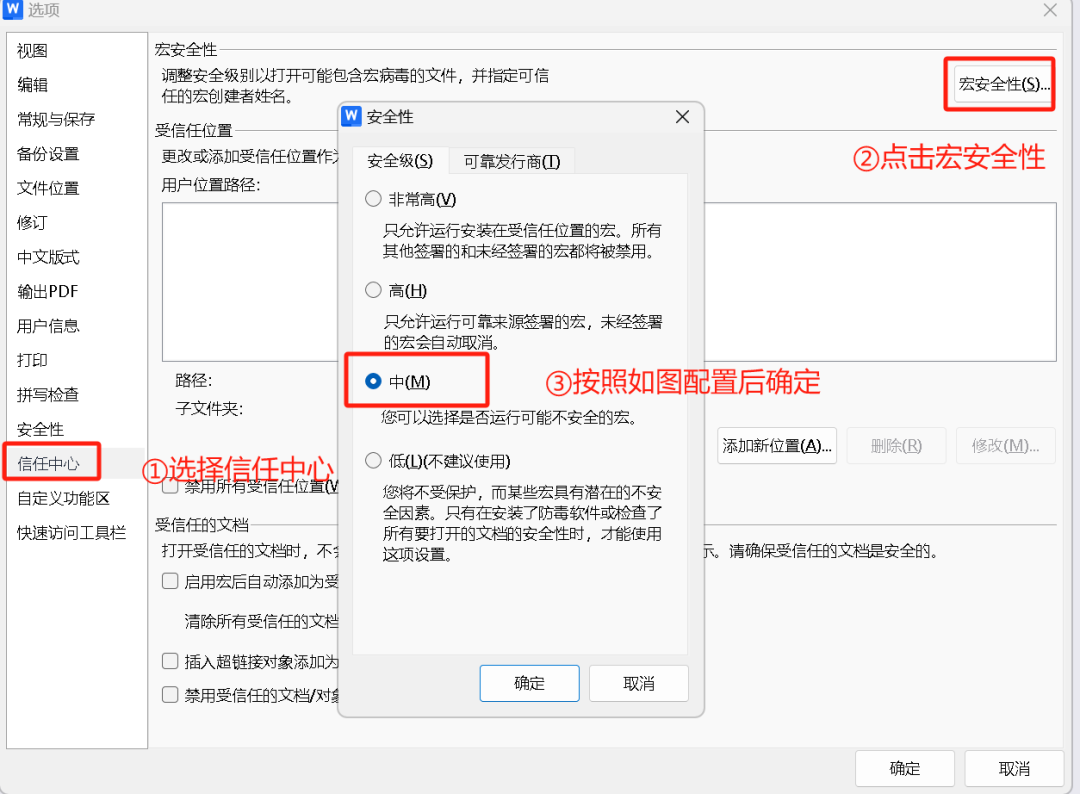
打开工具中的开发工具,配置vba脚本,如果无此菜单,在上图的自定义功能区中设置。

点击VB编辑器后,点击normal的模块,右键导入选择下载的word调用deepseek.bas进行导入,bas下载方法,后台发送deepseekvba获得,也可以手动复制上面的脚本
将前面保存的Key替换代码中第四行的"填写你的火山引擎的apikey",修改后如图,红色部分一定要替换为自己的apikey

方式一:在office中配置:
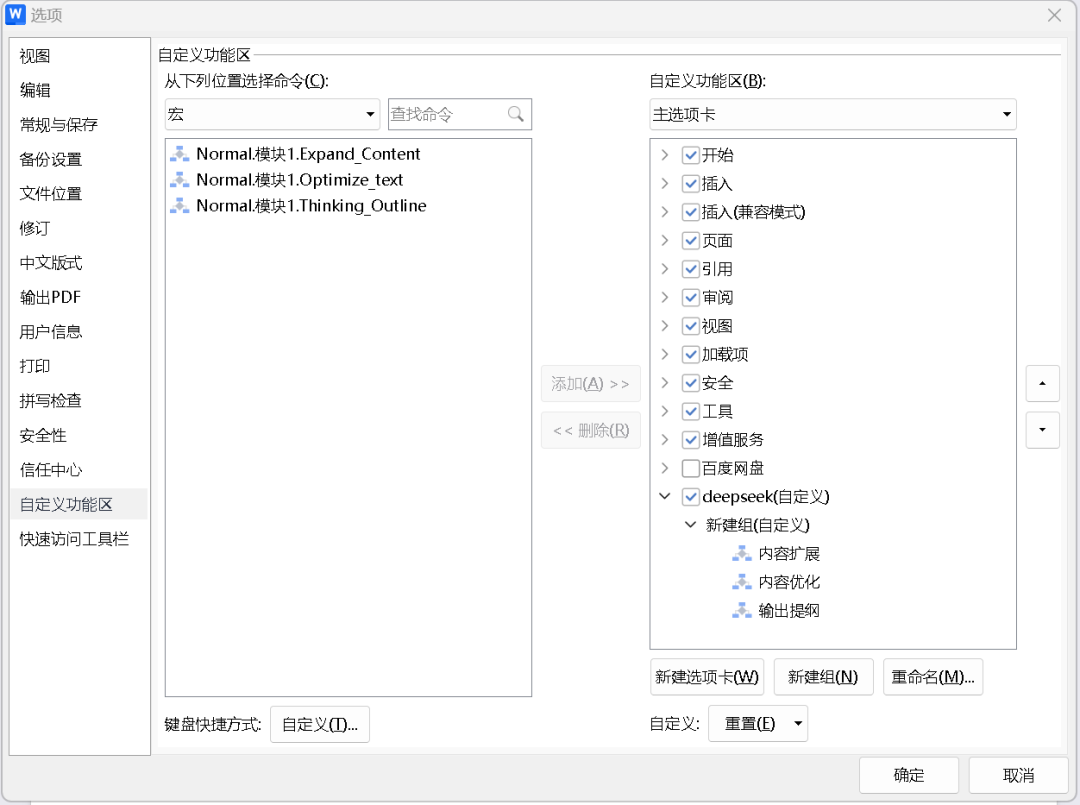
打开菜单文件-选项-自定义功能区,如下图进行设置,有能力的可以尝试修改vba脚本,多配置不同提示词的大模型功能
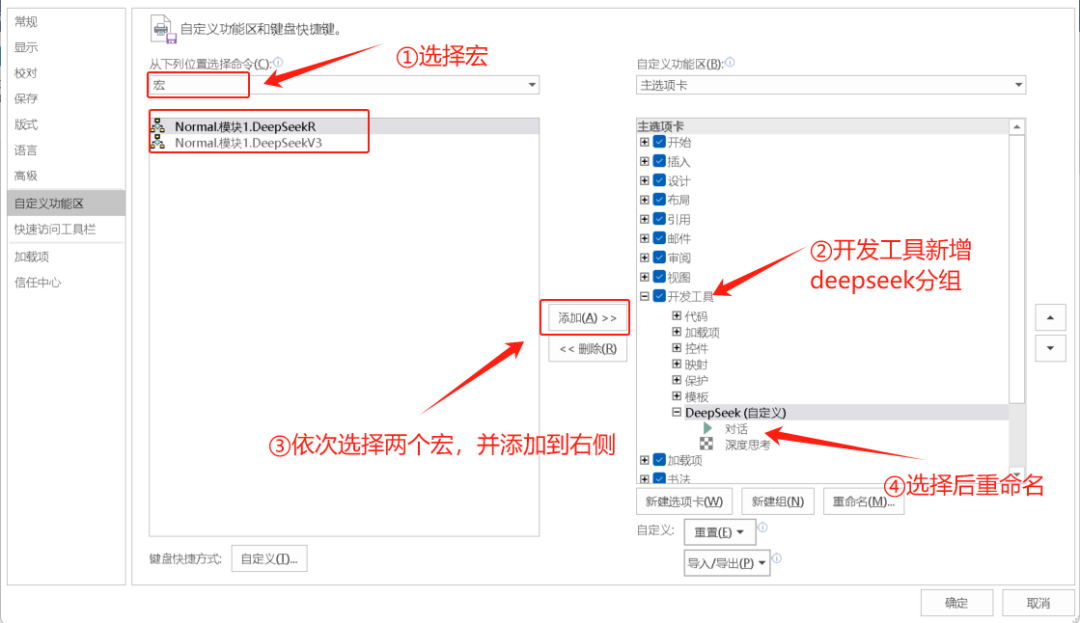 设置完成后,菜单如图所示
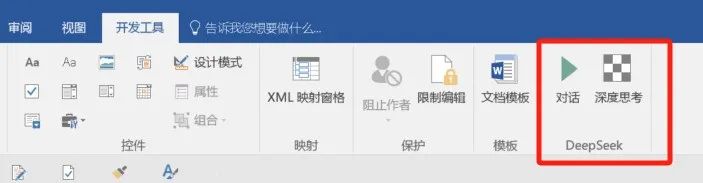
方式二:在WPS中配置:
wps配置和word中基本相同,打开菜单文件-选项,参考office的进行配置
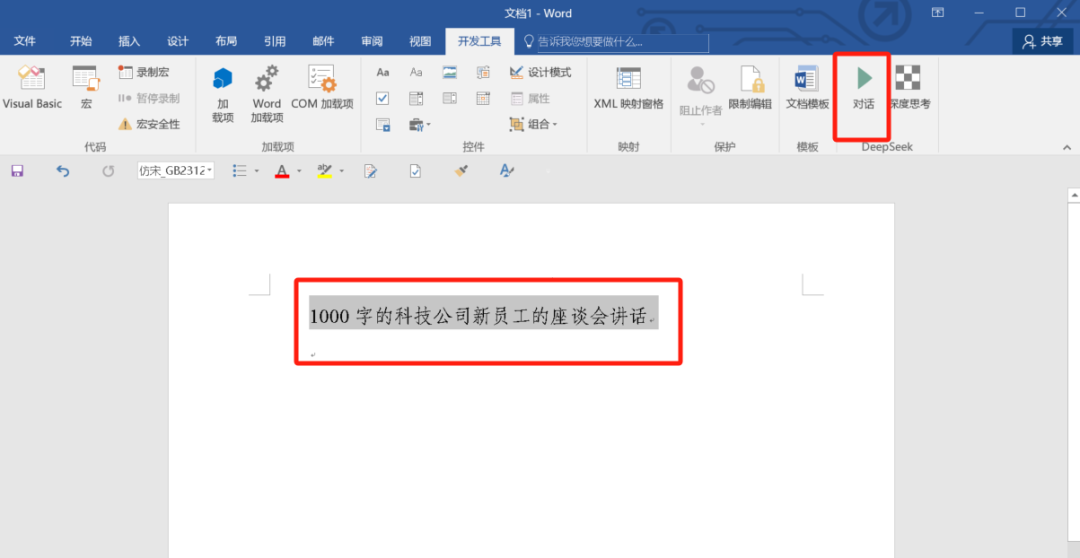
新建一个文档,输入如下内容,选择文字后,点击"对话"
效果如图,一键完成格式统一的文字内容