



点击👆:Linux技术宅,关注我!!!
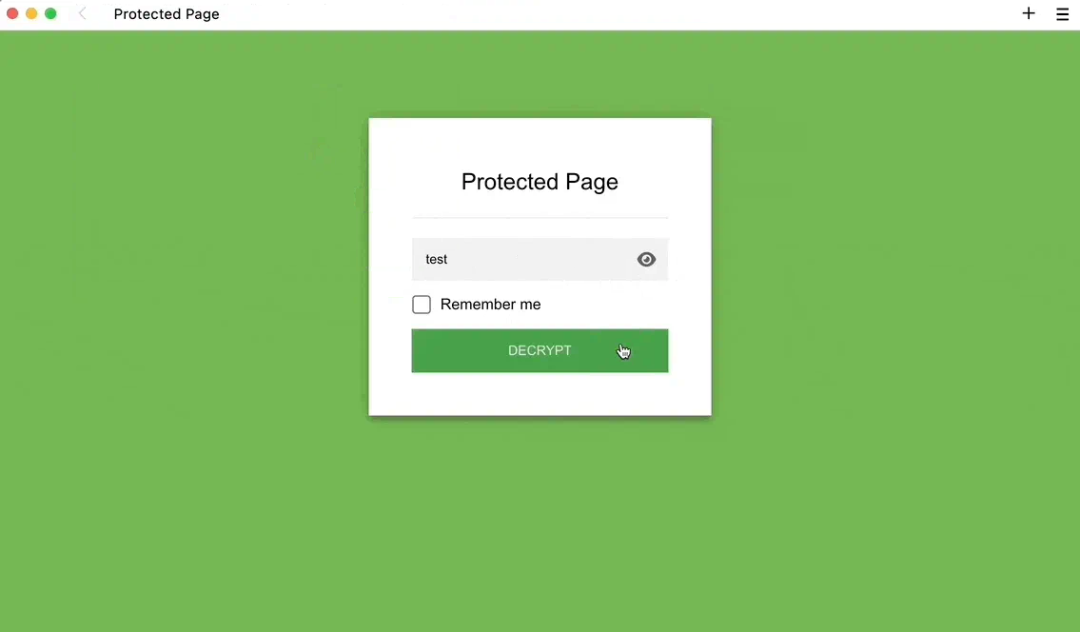
Staticrypt 是一个简单易用的开源工具,专为静态网站(如 HTML/CSS/JS 文件)提供密码保护功能。它通过客户端加密的方式,无需服务器端支持即可实现页面内容的密码访问控制。
•Github:https://github.com/robinmoisson/staticrypt[1]•Demo:https://robinmoisson.github.io/staticrypt/[2]
核心功能
•客户端加密:使用 AES 算法加密页面内容,密码验证在浏览器端完成。•无后端依赖:适合纯静态托管(如 GitHub Pages、Netlify、Vercel)。•简单集成:通过命令行工具快速加密 HTML 文件。•可定制化:支持自定义密码提示、过期时间、记住密码选项等。
快速使用
1.安装 Staticrypt
npm install -g staticrypt# 或直接使用 npx(无需安装)npx staticrypt <input.html> <password> [options]
2.加密 HTML 文件
# 基础用法:加密 index.html,密码为 "mypassword"staticrypt index.html mypassword -o encrypted.html
生成 encrypted.html
,访问时需输入密码。
3.直接使用环境变量(安全推荐)
# 从环境变量读取密码,避免密码明文出现在命令历史中STATICRYPT_PASSWORD="mypassword" staticrypt index.html -o encrypted.html
常用配置选项
-o <output> | encrypted.html) |
-p, --prompt <text> | |
--remember <hours> | 24代表 24 小时) |
--template <path> | |
--salt <value> | |
示例场景
•保护项目展示页:
staticrypt demo.html mypassword --prompt "项目密码请联系管理员获取" -o private.html
•长期有效的密码记忆:
staticrypt resume.html mypassword --remember 720 -o resume_encrypted.html
•自定义登录界面:
staticrypt index.html mypassword --template custom_login.html -o protected.html
安全注意事项
1.密码强度:客户端加密的安全性依赖于密码复杂度,建议使用强密码(12位以上,含大小写、符号)。2.加密盐值:通过 --salt
添加自定义盐值,防止彩虹表攻击。3.敏感内容:不适合保护极高敏感数据(如金融信息),建议结合服务端验证。4.代码混淆:加密后的 HTML 仍可被查看,关键逻辑建议额外混淆。
进阶用法
•批量加密脚本:
# 加密多个文件for file in *.html; dostaticrypt "$file" mypassword -o "encrypted_${file}"done
•集成到构建流程(如 GitHub Actions):
# 在 CI/CD 中自动加密并部署- name: Encrypt Siterun: |npm install -g staticryptstaticrypt public/index.html ${{ secrets.SITE_PASSWORD }} -o public/secure.html
替代方案
•HTTP Basic Auth:通过服务器配置(如 Netlify Password Protection),但需依赖托管平台支持。•服务端框架:如使用 Flask、Express 添加中间件,但需后端资源。
Staticrypt 是轻量级保护静态页面的理想选择,适合个人作品集、项目演示等场景。对于更高安全需求,建议结合服务端验证机制。
References
[1]
: https://github.com/robinmoisson/staticrypt[2]
: https://robinmoisson.github.io/staticrypt/
往期 · 推荐
期待你的
分享
点赞
在看
