



修改port端口号以及注释掉以下内容
#Allow 127.0.0.1
取消注释以下内容:
DisableViaHeader Yes
systemctl restart tinyproxy.service
systemctl enable tinyproxy.service
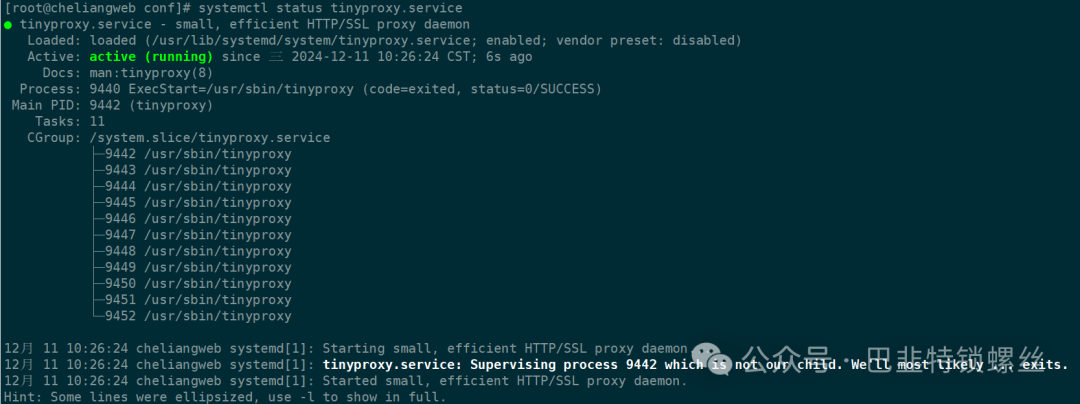
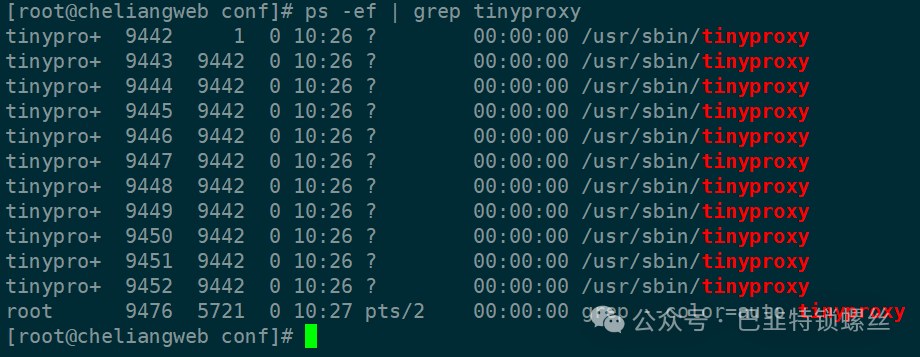
ps -ef | grep tinyproxy
三、客户端配置
1、修改环境变量,增加以下配置
# vim ~/.bashrc
export http_proxy="10.18.10.63:18899"export https_proxy="10.18.10.63:18899"export ftp_proxy=$http_proxy
[root@wqcycdldp1 app]# curl https://mirrors.huaweicloud.com/docker-ce/repodata/repomd.xml<html><head><meta http-equiv="content-type" content="text/html;charset=utf-8"><title>404</title></head><body><center><h1>404 Not Found</h1></center><hr><center>访问华为云开源镜像站,获取更多信息:<a href='https://mirrors.huaweicloud.com/'>https://mirrors.huaweicloud.com/</a></center></body>
[root@wqcycdldp1 app]# wget -i https://cdn.mysql.com/archives/mysql-8.4/mysql-community-debuginfo-8.4.2-1.el7.x86_64.rpm--2024-12-11 10:30:45-- https://cdn.mysql.com/archives/mysql-8.4/mysql-community-debuginfo-8.4.2-1.el7.x86_64.rpm正在连接 10.18.10.63:18899... 已连接。已发出 Proxy 请求,正在等待回应... 200 OK长度:568523520 (542M) [application/x-redhat-package-manager]正在保存至: “mysql-community-debuginfo-8.4.2-1.el7.x86_64.rpm”30% [======================> ] 171,112,752 8.25MB/s 剩余 48s ^C


文章转载自巴韭特锁螺丝,如果涉嫌侵权,请发送邮件至:contact@modb.pro进行举报,并提供相关证据,一经查实,墨天轮将立刻删除相关内容。
