



实现一个简单的基于码云(Gitee) 的 Storage
Intro
上次在 asp.net core 从单机到集群 一文中提到存储还不支持分布式,并立了一个 flag
基于 github 或者 开源中国的码云实现一个 storage
于是这两天就来填坑了。。
实现了一个简单的基于开源中国的码云的 storage
准备工作
码云官方有 API 接口列表 https://gitee.com/api/v5/swagger
上传文件API:https://gitee.com/api/v5/swagger#/postV5ReposOwnerRepoContentsPath
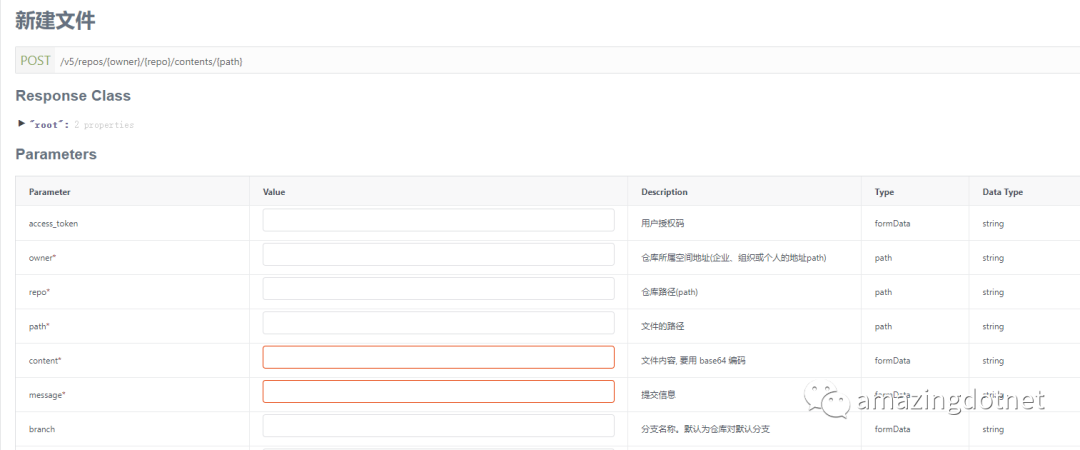
新建一个仓库来存我们要保存的文件,新建的时候分支模型选择默认的单分支模型即可,只要master分支即可 ,最好直接创建 readme 或者新加一个文件以创建分支:
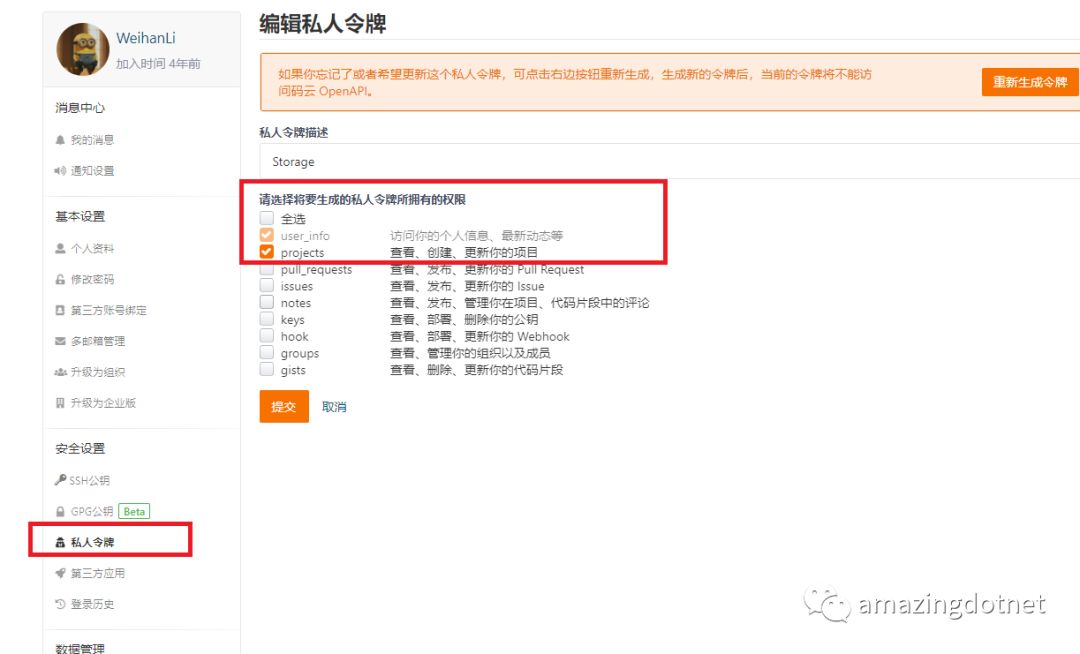
然后需要创建一个 accessToken,在 设置里的私人令牌配置中新建一个token,需要 projects
权限
Storage 简单实现
参考上面 Gitee 提供的 API 接口,自己实现了一个简单的 GiteeStorageProvider
,Github 完整源码:https://github.com/WeihanLi/ActivityReservation/blob/dev/ActivityReservation.Common/StorageProvider.cs
/// <summary>
/// 码云存储
/// </summary>
public class GiteeStorageProvider : IStorageProvider
{
    private const string PostFileApiUrlFormat = "https://gitee.com/api/v5/repos/{0}/{1}/contents{2}";
    private const string RawFileUrlFormat = "https://gitee.com/{0}/{1}/raw/master{2}";

    private readonly HttpClient _httpClient;
    private readonly ILogger _logger;
    private readonly GiteeStorageOptions _options;

    public GiteeStorageProvider(HttpClient httpClient, ILogger<GiteeStorageProvider> logger, IOptions<GiteeStorageOptions> options)
    {
        _logger = logger;
        _httpClient = httpClient;
        _options = options.Value;
    }

    public async Task<string> SaveBytes(byte[] bytes, string filePath)
    {
        var base64Str = Convert.ToBase64String(bytes);
        using (var response = await _httpClient.PostAsFormAsync(PostFileApiUrlFormat.FormatWith(_options.UserName, _options.RepositoryName, filePath),
            new Dictionary<string, string>
            {
                { "access_token", _options.AccessToken },
                { "content", base64Str },
                { "message" , $"add file" }
            }))
        {
            if (response.IsSuccessStatusCode)
            {
                return RawFileUrlFormat
                    .FormatWith(_options.UserName, _options.RepositoryName, filePath);
            }

            var result = await response.Content.ReadAsStringAsync();
            _logger.LogWarning($"post file error, response: {result}");

            return null;
        }
    }
}

public class GiteeStorageOptions
{
    public string UserName { get; set; }

    public string RepositoryName { get; set; }

    public string AccessToken { get; set; }
}
服务注册,这里用了 HttpClientFactory
来使用 HttpClient
,个人比较喜欢用强类型的 HttpClient,如果喜欢使用通过 IHttpClientFactory
来显示创建,也可以注入一个 IHttpClientFactory
,在内部创建 HttpClient
services.Configure<GiteeStorageOptions>(Configuration.GetSection("Storage:Gitee"));
services.AddHttpClient<IStorageProvider, GiteeStorageProvider>();
services.TryAddSingleton<IStorageProvider, GiteeStorageProvider>();
配置示例:
{
  "Storage":{
    "Gitee":{
      "UserName": "weihanli",
      "RepositoryName": "storage",
      "AccessToken": "xxx"
    }
  }
}
使用效果
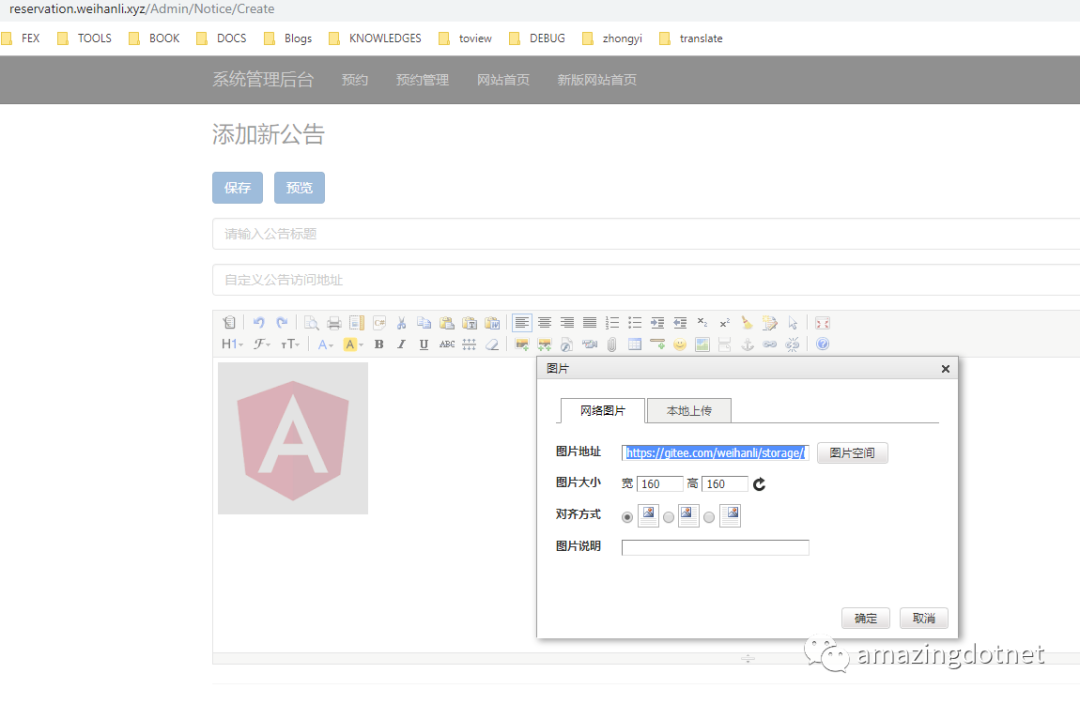
可以看到上传的图片已经上传到我们新建的仓库了,到仓库里看一下:
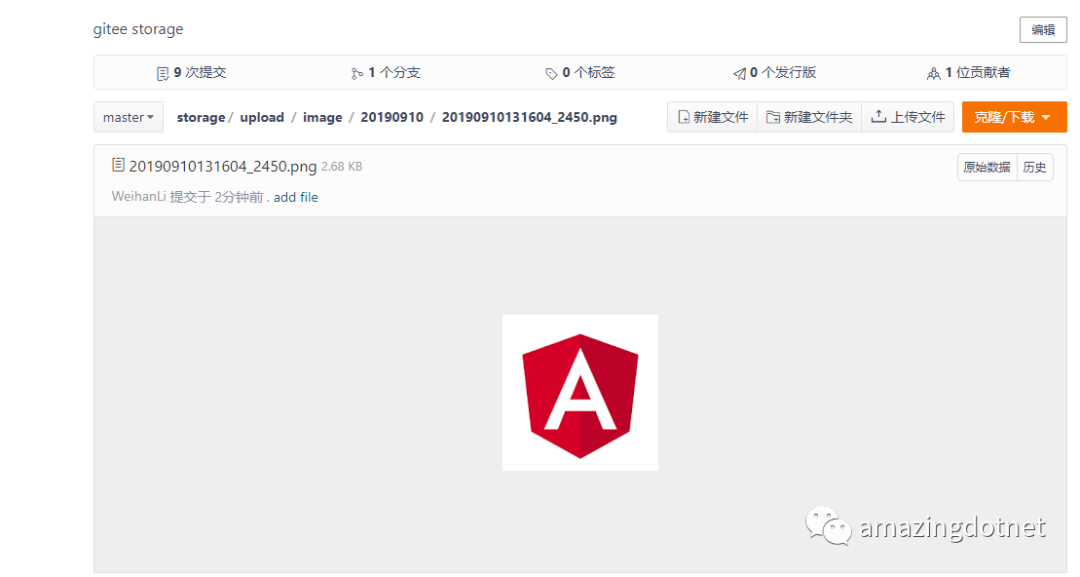
More
只实现了上传,本来想也加一个列出某个目录下的所有文件及子目录,但是看好像没有接口,如果要实现的话,可能只能基于 git 去实现,从 git 信息里获取,暂时不怎么用到,先不管了,暂时搁置吧,
Reference
https://www.jianshu.com/p/224954dadcaf
https://gitee.com/weihanli/storage
https://github.com/WeihanLi/ActivityReservation
