



Swingbench工具对oracle进行压力测试
Swingbench是一款很不错的oracle压力测试工,使用比较简单,而且效果比较直观明显,可以满足在一些简单的测试案例中的需求。
官网地址
https://www.dominicgiles.com/swingbench/
主要程序
1、 ccwizard 是以CC种子为模板创建的运行测试数据
2、 oewizard 是以OE种子为模板创建运行测试数据
3、 shwizard 是以SH种子为模板创建运行测试数据
4、 clusteroverview 用来启动集群的压力测试,并查看测试结果
5、 coordinator 用来启动协调服务器
7、 swingbench 执行基准测试,通过图形方式进行参数配置,直观了解基准测试的整理流程
6、 minibench 功能为swingbench模式的缩减版
8、 bmcompare 用来对比测试结果
几种压测模式
1、SalesHistory 基于Oracle11g / Oracle12c附带的“sh”架构,旨在测试复杂查询在对大型表进行运行时的性能。它使用位于bin目录中的“shwizard”进行安装。
2、OrderEntry 它可以连续运行(直到你用完了空间)。它在少量表上引入了大量争用,旨在强调互连和内存。它使用位于bin目录中的“oewizard”进行安装。基准测试都存在纯jdbc和pl / sql(较低的网络开销)变体。
3、StressTest 简单的压力测试,模拟DML操作。
- Calling Cirele(不推荐使用)该基准测试是CPU密集型,用于测试CPU和内存,不需要强大的I/O子系统。它使用位于bin目录中的“ccwizard”进行安装。
Swingbench工具安装
测试客户端需要安装JDK,无需安装oracle client端。
Jdk下载地址:
https://www.oracle.com/cn/java/technologies/downloads/archive/
SalesHistory模式
SalesHistory 基于Oracle11g / Oracle12c附带的“sh”架构,旨在测试复杂查询在对大型表进行运行时的性能。它使用位于bin目录中的“shwizard”进行安装。
创建测试数据
swingbench不使用客户数据,而是按自己的规则创建测试数据。
因为是在windows下做测试,所以使用 winbin目录下的批处理文件,运行shwizard.bat:
基准测试
到目标目录下 运行swingbench.bat批处理文件:

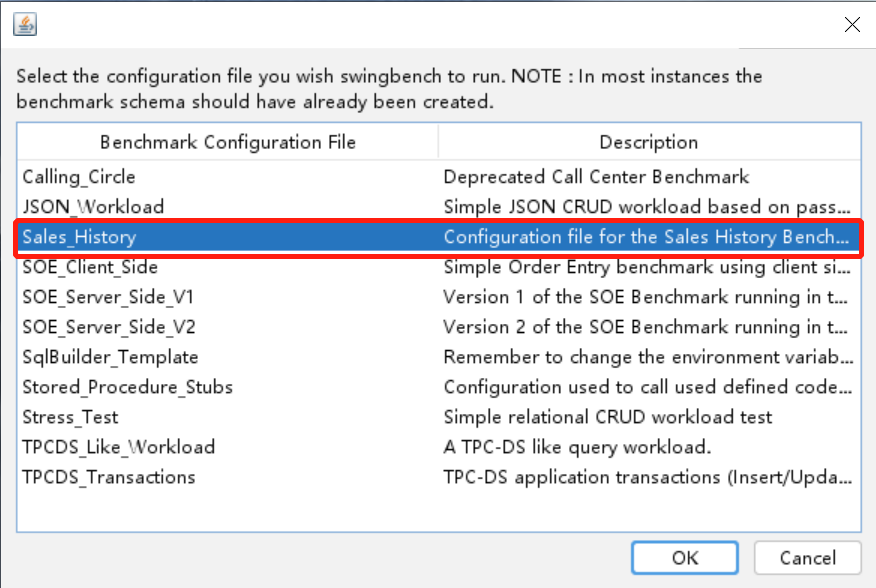
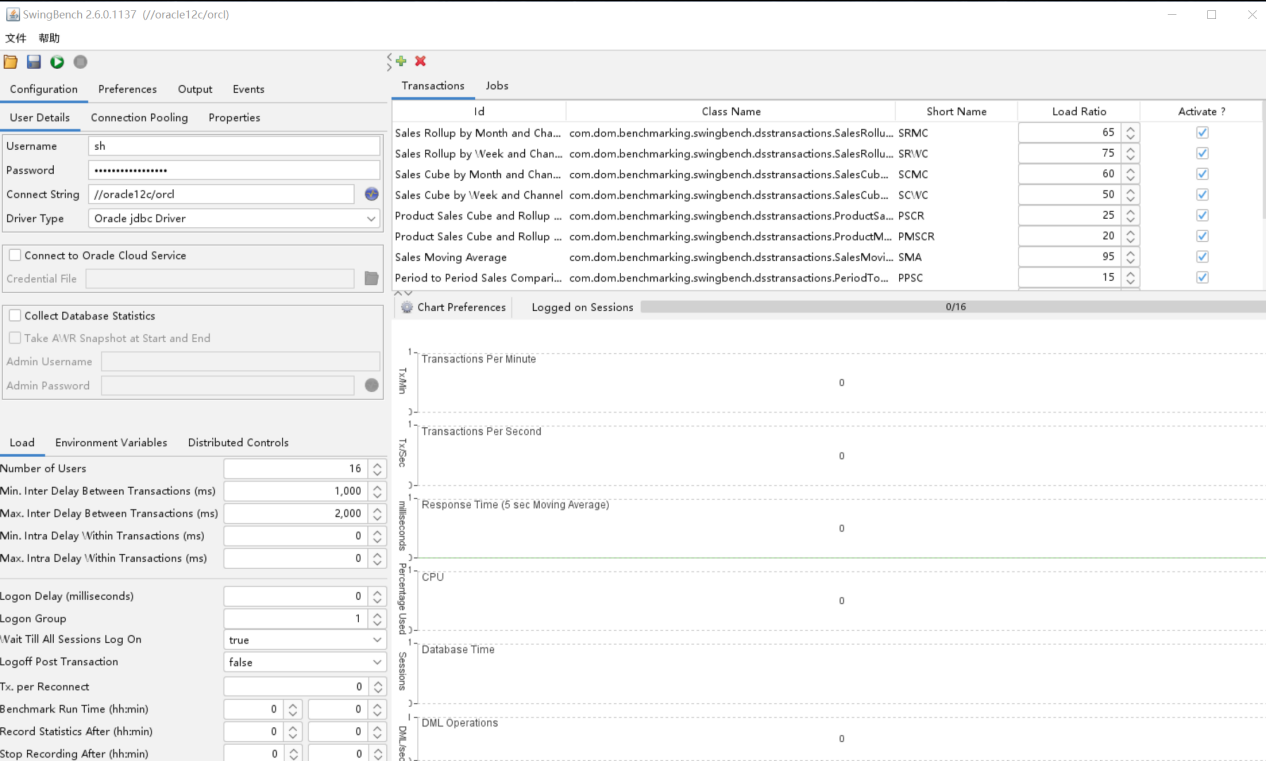
选择对应的Sales_History config文件进行压测,之后出现如下主界面:
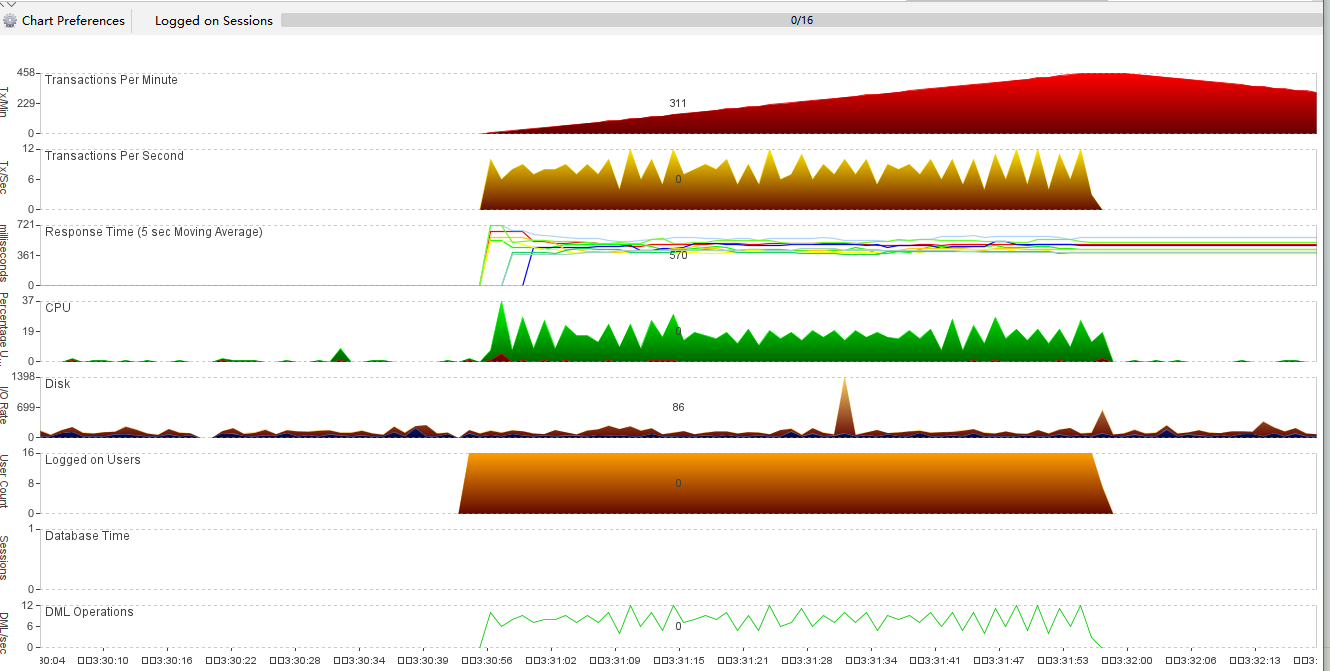
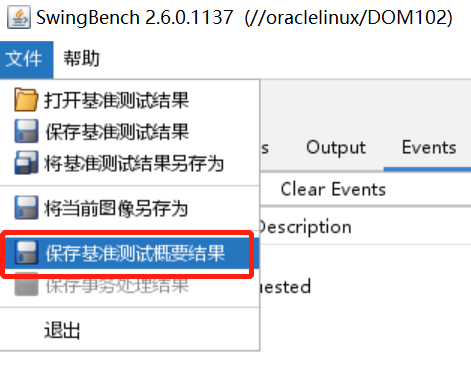
保存测试结果
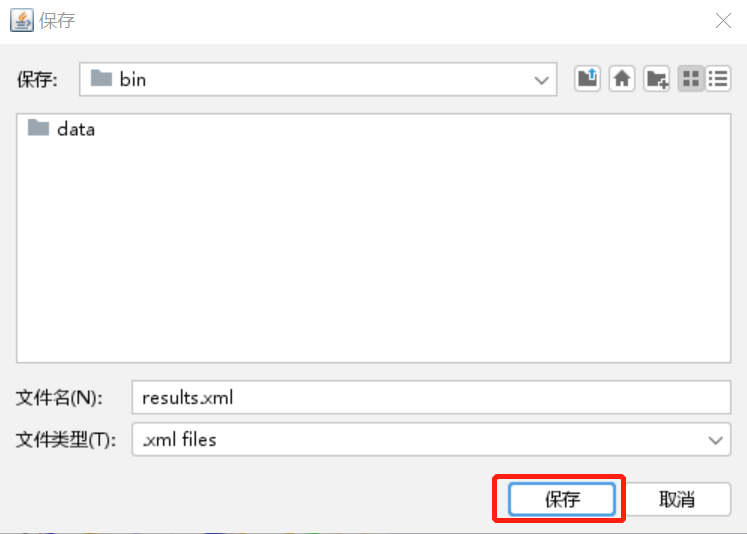
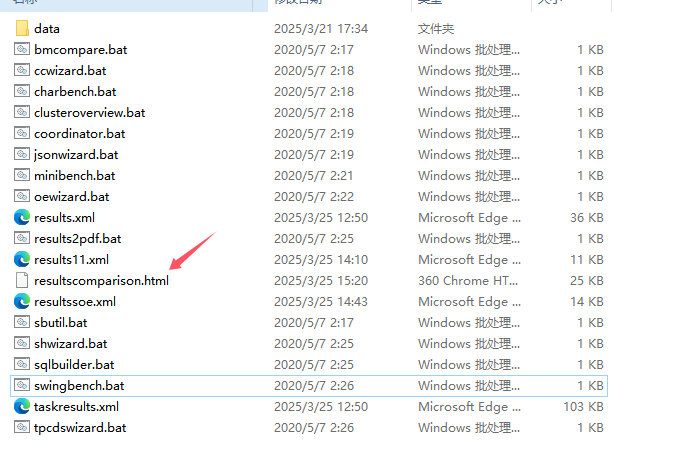
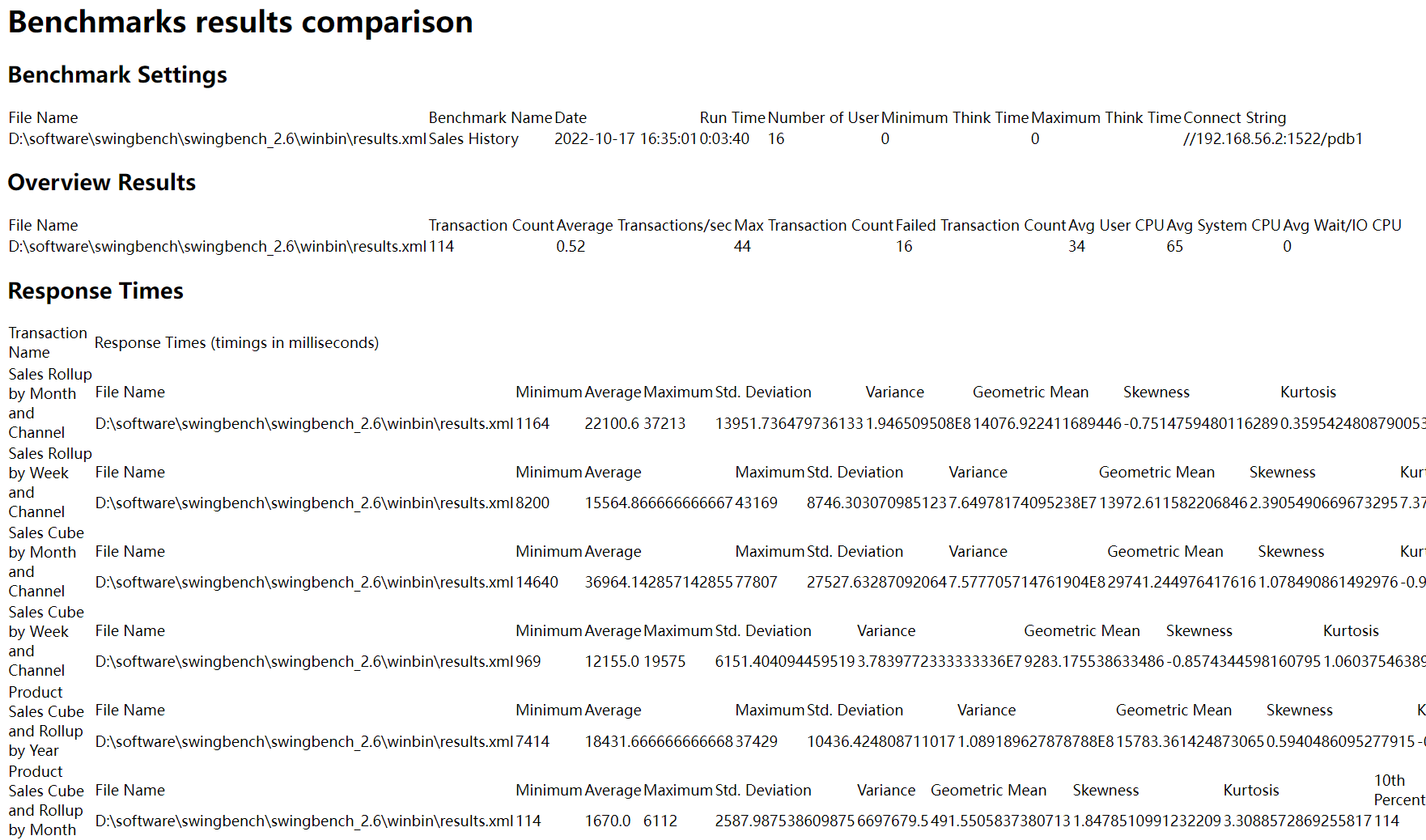
查看测试结果
D:\software\swingbench\swingbench_2.6\winbin>bmcompare -r results.xml
清理测试数据
SQL> drop user sh cascade;
SQL> drop tablespace sh including contents and datafiles;
OrderEntry模式
OrderEntry 它可以连续运行(直到你用完了空间)。它在少量表上引入了大量争用,旨在强调互连和内存。它使用位于bin目录中的“oewizard”进行安装。基准测试都存在纯jdbc和pl / sql(较低的网络开销)变体。
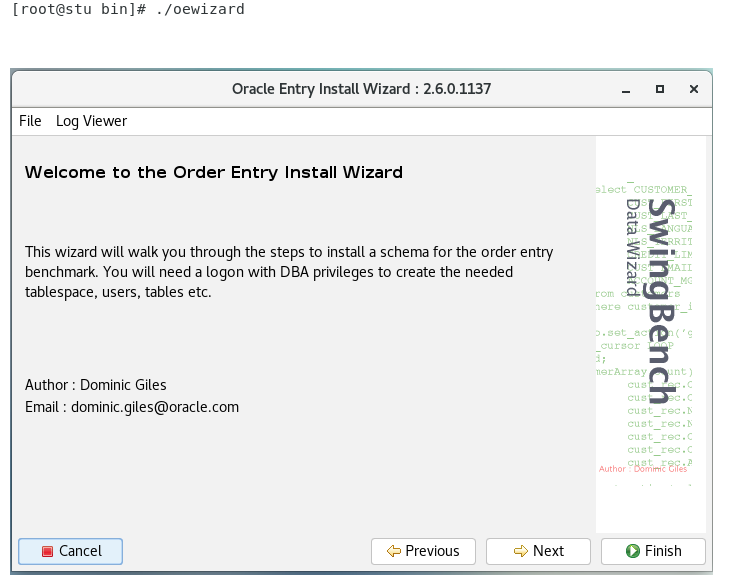
创建测试数据
[oracle@wlfp-238:/opt/swingbench/bin]$./oewizard
基准测试
[oracle@wlfp-238:/opt/swingbench/bin]$./swingbench
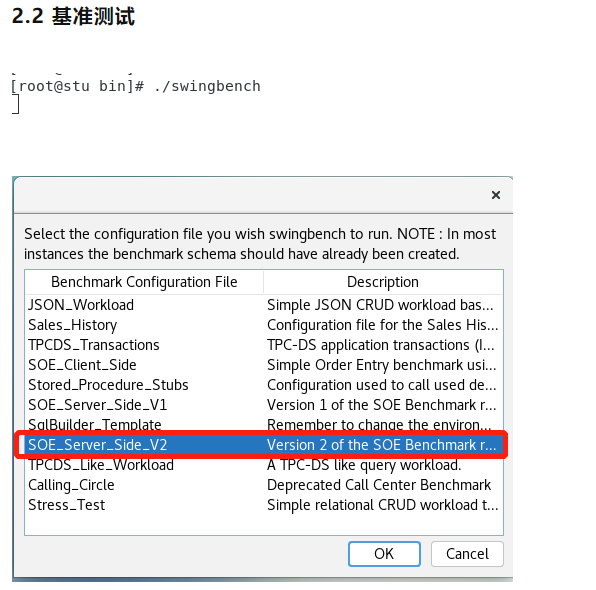
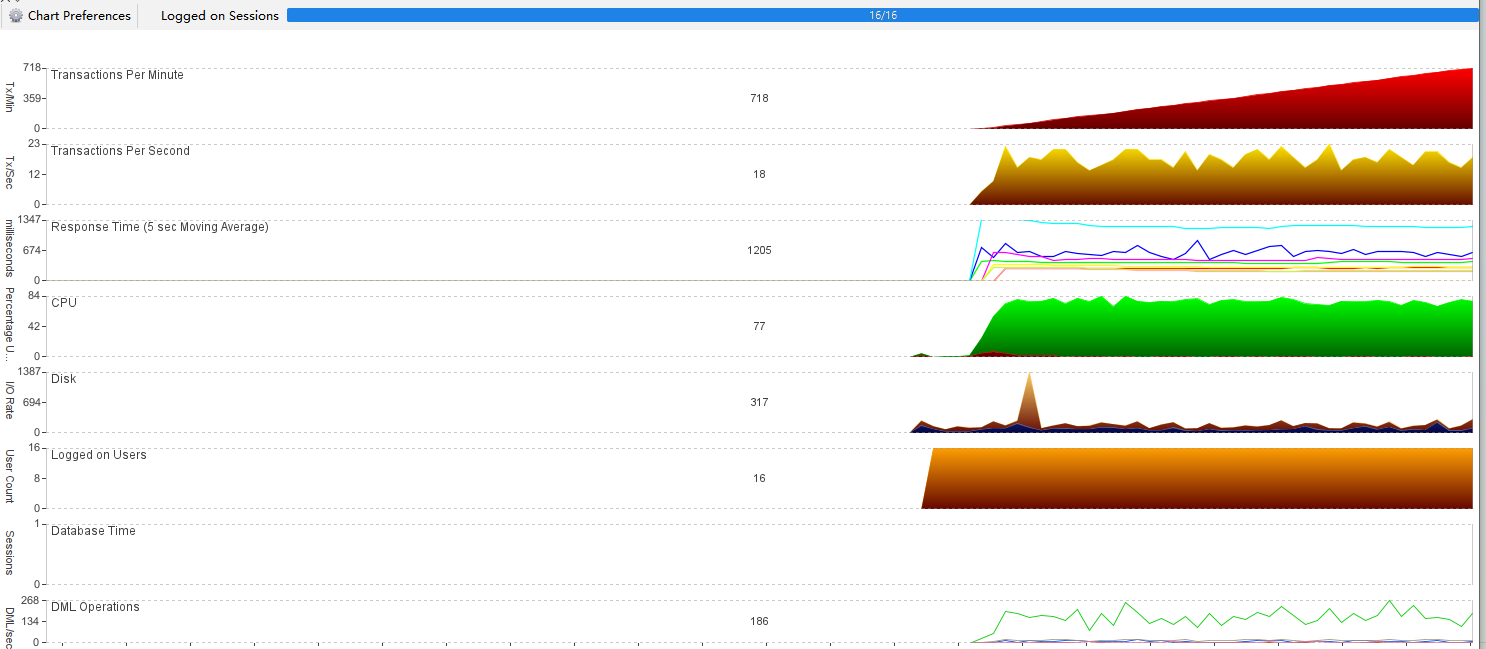
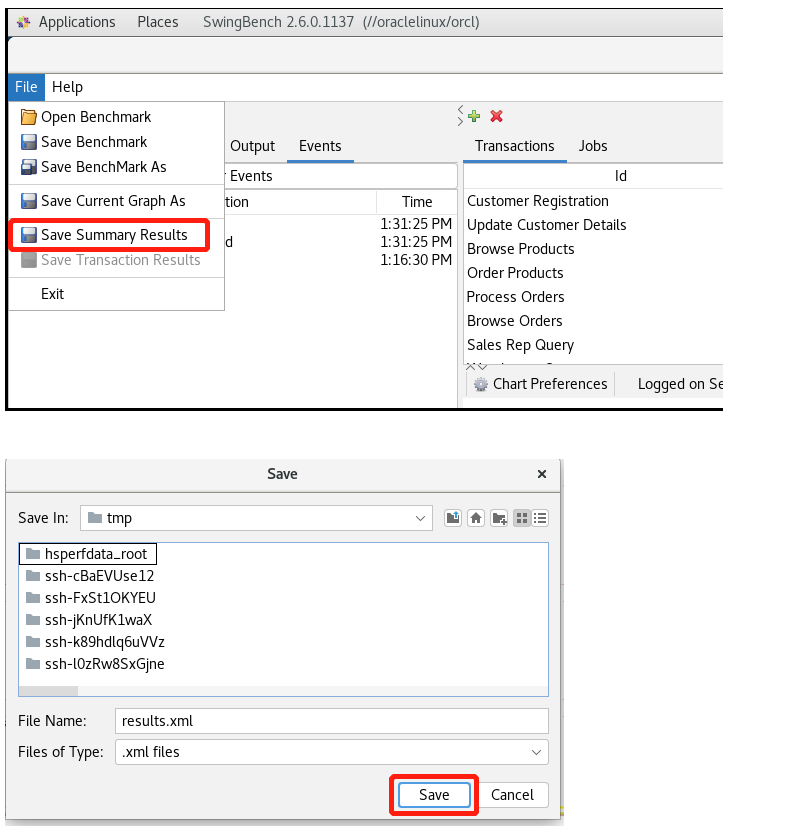
保存测试结果
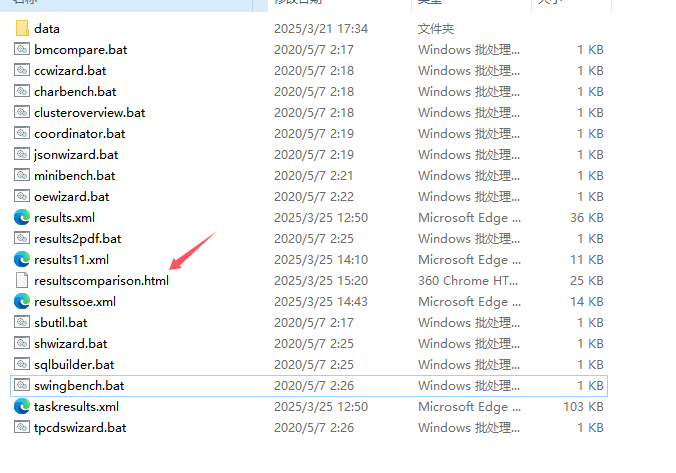
查看测试结果
[root@stu bin]# ./bmcompare -r /tmp/results.xml
清理测试数据
SQL> drop user soe cascade;
SQL> drop tablespace soe including contents and datafiles;
测试报错
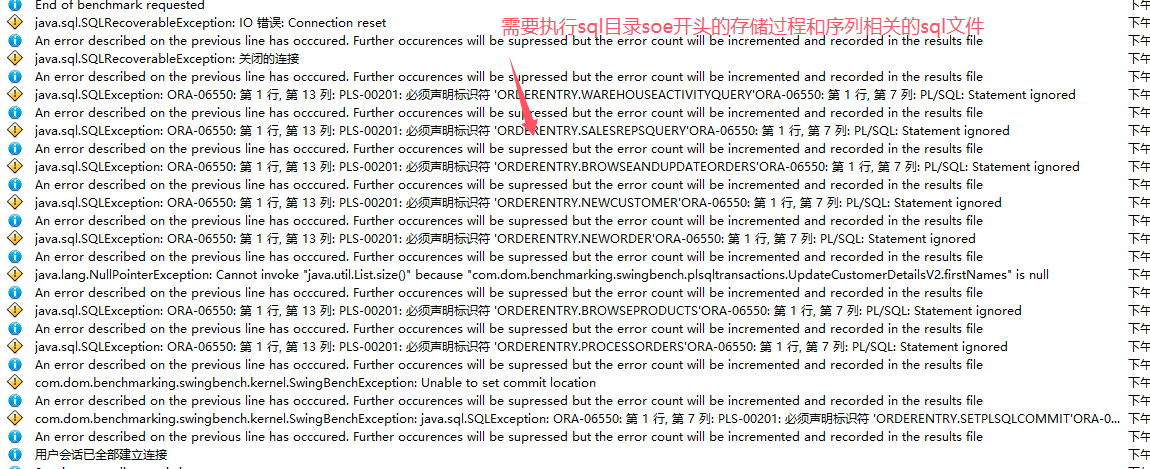
需要执行swingbench261137\swingbench\sql目录中soe相关的sql文本,如下:
[oracle@wlfp-238:/opt/swingbench/sql]$ll soe*
-rw-r--r-- 1 oracle oinstall 38852 Jul 28 2020 soedgpackage2_body.sql
-rw-r--r-- 1 oracle oinstall 6833 Jul 28 2020 soedgpackage2_header.sql
-rw-r--r-- 1 oracle oinstall 34309 Jul 28 2020 soedgpackage.sql
-rw-r--r-- 1 oracle oinstall 1366 Jul 28 2020 soedgsequences2.sql
-rw-r--r-- 1 oracle oinstall 537 Jul 28 2020 soedgsequences.sql
登录soe账户,创建存储过程,根据存储过程创建sequences。
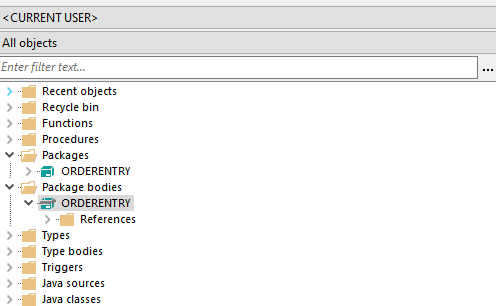
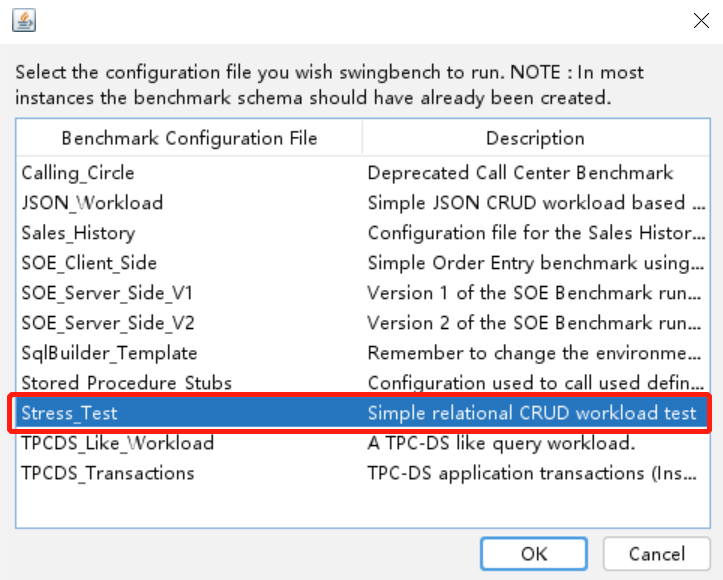
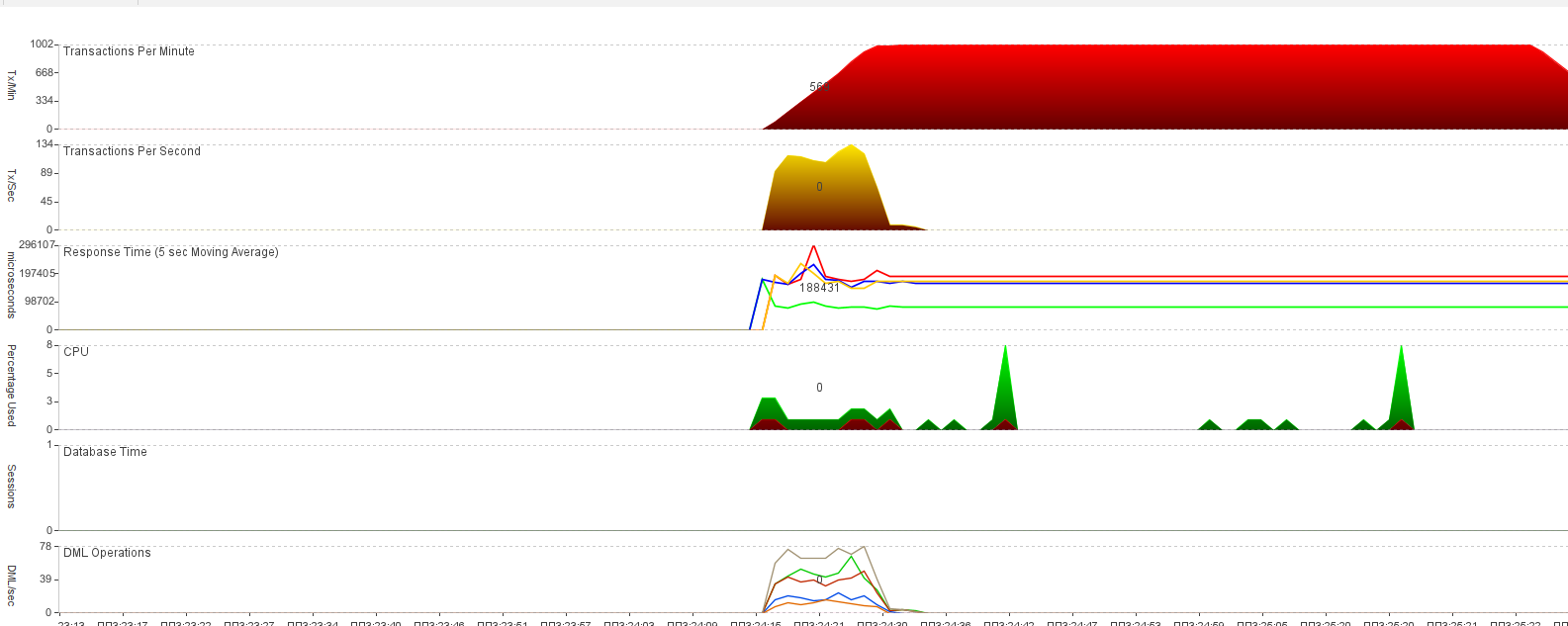
StressTest
StressTest 简单的压力测试,模拟DML操作。
创建测试数据
继续使用SalesHistory模式下的测试数据。
基准测试
[oracle@wlfp-238:/opt/swingbench/bin]$./swingbench
Swingbench设置
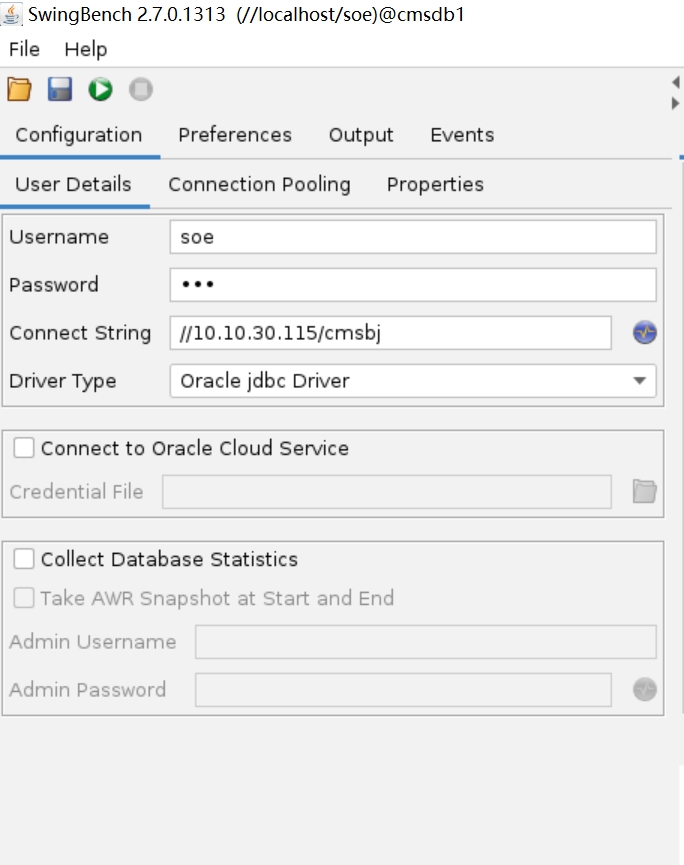
设置连接数据库
设置scanip和db_unique_name,用户名和密码设置soe
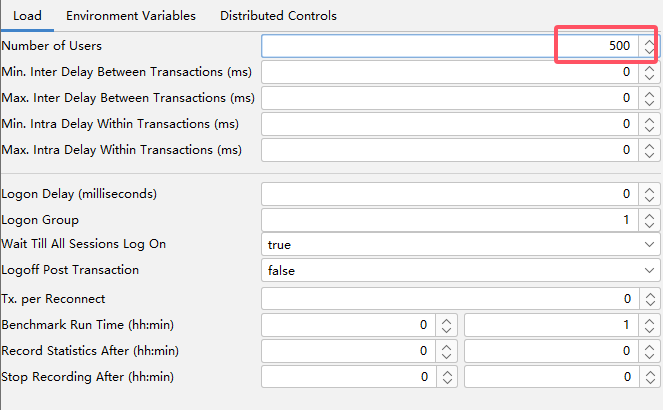
设置并发用户
设置事务
默认事务不需要改变,设置各个事务比例。

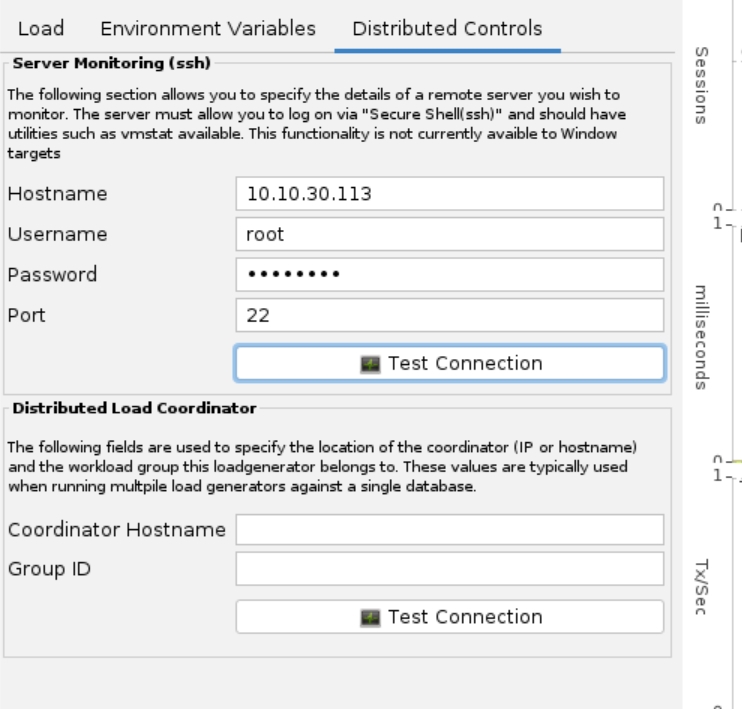
监控主机
IP地址、用户名root、密码
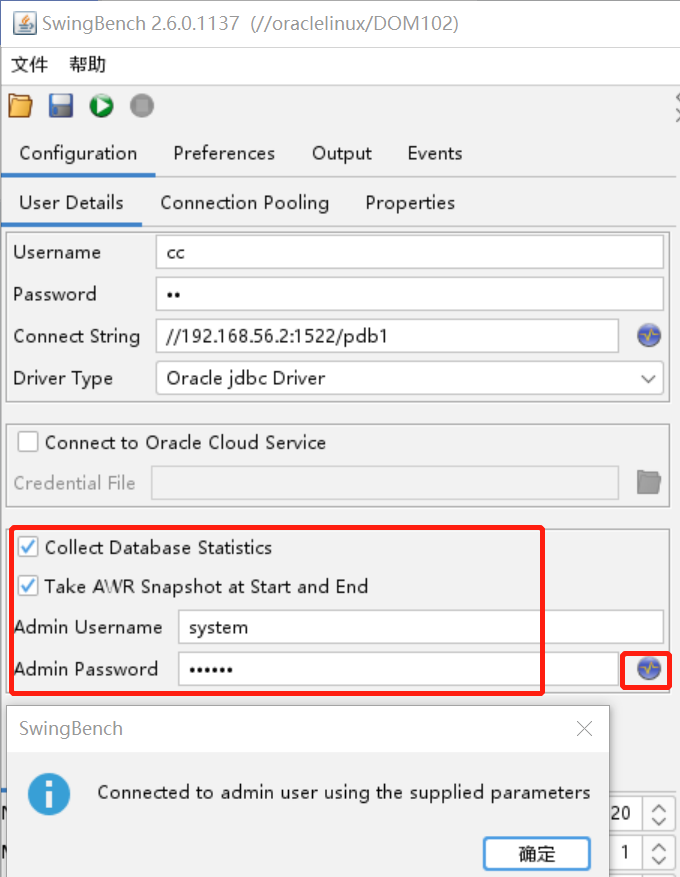
生成AWR快照
建议压测前后,手动创建快照生成AWR报告。
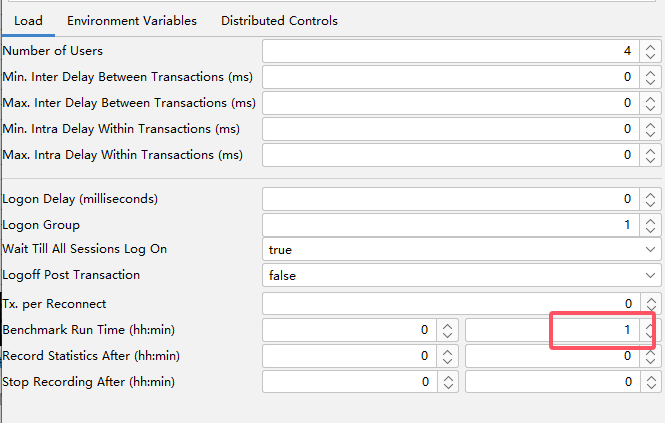
设置压力测试时间
Oracle数据库参数调整
alter system set processes=4000 scope=spfile;
alter system set db_files=2500 scope=spfile;
alter system set standby_file_management='AUTO';
alter system set control_file_record_keep_time=30;
alter system set fast_start_mttr_target=120 scope=spfile;
alter system set open_links_per_instance=10 scope=spfile;
alter system set session_cached_cursors=600 scope=spfile;
alter system set archive_lag_target=1800 scope=spfile;
alter system set open_cursors=1500 scope=spfile;
alter system set open_links=10 scope=spfile;
alter system set undo_retention=10800 scope=spfile;
alter system set lock_sga=FALSE scope=spfile;
alter system set remote_login_passwordfile='EXCLUSIVE' scope=spfile;
alter system set resource_manager_plan='' scope=spfile;
alter system set statistics_level='TYPICAL' scope=spfile;
alter system set timed_statistics=TRUE scope=spfile;
alter system set undo_management='AUTO' scope=spfile;
alter system set db_cache_advice='OFF' scope=spfile;
alter system set audit_trail='NONE' scope=spfile;
alter system set audit_sys_operations=false scope=spfile;
alter system set "_gc_policy_time"=0 scope=spfile;
alter system set "_sort_elimination_cost_ratio"=0 scope=spfile;
alter system set "_use_adaptive_log_file_sync"= FALSE scope=spfile;
alter system set "result_cache_max_size"= 0 scope=spfile;
alter system set "_optimizer_use_feedback"=false scope=spfile;
alter system set use_large_pages=false scope=spfile;
