



温馨提示:本篇博客的详细代码已发布到 git : https://gitcode.com/nutpi/HarmonyosNext 可以下载运行哦!

HarmonyOS NEXT系列教程之 TabsConcaveCircle组件状态管理与生命周期
本文将详细解析TabsConcaveCircle组件中的状态管理和生命周期处理部分,帮助开发者理解组件的核心机制。
效果演示
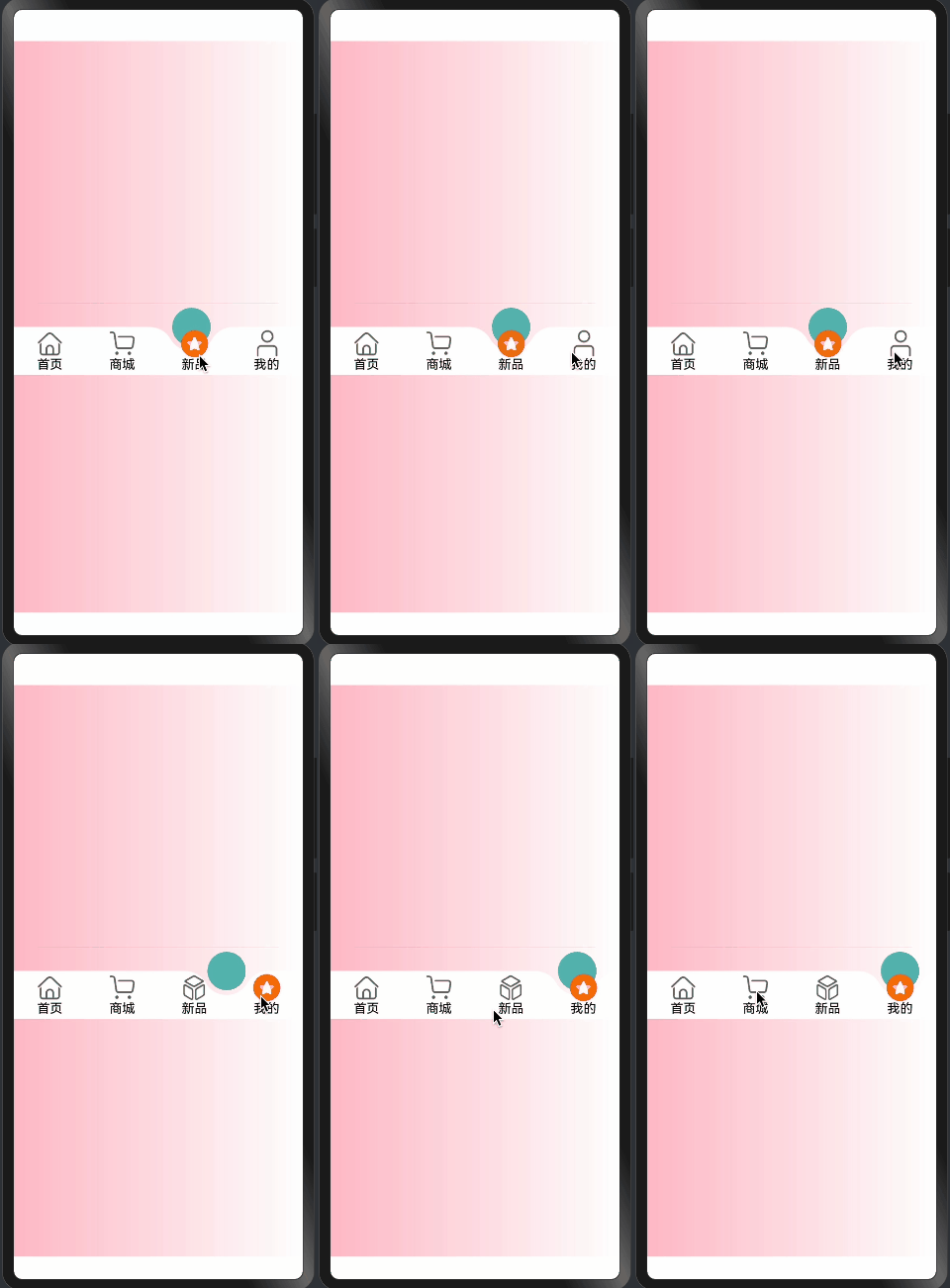
1. 状态装饰器使用
@Component
export struct TabsConcaveCircle {
  @Link @Watch("getAnimateSelectIndex") selectIndex: number;
  @State animateSelectIndex: number = 0;
  @Prop tabHeight: number = 60;
  @Link tabsMenu: TabMenusInterfaceIRequired[];
  @Prop tabsBgColor: string = "rgb(255, 255, 255)";
  @Prop tabsSelectBgColor: Color | number | string | Resource = "rgba(92, 187, 183,1)";
  @Prop tabsFontColor: Color = Color.Black;
  @Prop tabsSelectFontColor: Color = Color.Black;
}
状态装饰器详解:
-
@Link装饰器:- 用于实现双向数据绑定
selectIndex: 当前选中项的索引tabsMenu: 菜单数据数组- 父组件中的数据变化会同步到子组件
-
@State装饰器:- 用于组件内部状态管理
animateSelectIndex: 控制动画的当前选中项- 状态变化会触发组件重新渲染
-
@Prop装饰器:- 用于接收父组件传递的属性
tabHeight: Tabs高度tabsBgColor: 背景颜色tabsSelectBgColor: 选中状态颜色tabsFontColor: 文字颜色
-
@Watch装饰器:- 监听状态变化
getAnimateSelectIndex: 当selectIndex变化时触发
2. 组件生命周期
aboutToAppear(): void {
  this.listener = inspector.createComponentObserver(`${this.concaveCircleId}0`)
  this.getImageOffsetY()
  this.animateSelectIndex = this.selectIndex;
}
生命周期函数说明:
-
aboutToAppear:- 组件创建时调用
- 初始化组件观察器
- 计算图片偏移量
- 同步选中状态
-
组件观察器设置:
this.listener = inspector.createComponentObserver(`${this.concaveCircleId}0`)- 创建组件观察器
- 用于监听组件的变化
-
初始化处理:
this.getImageOffsetY() this.animateSelectIndex = this.selectIndex;- 计算图片偏移量
- 同步动画状态
3. 图片偏移量计算
getImageOffsetY() {
  let onLayoutComplete: () => void = (): void => {
    let modePosition = componentUtils.getRectangleById(`${this.concaveCircleId}0`)
    if (modePosition.localOffset) {
      let halfHeight = px2vp(modePosition.size.height) / 2;
      this.imageOffsetY = px2vp(modePosition.localOffset.y) + halfHeight;
      this.listener?.off('draw')
    }
  }
  let FuncDraw = onLayoutComplete;
  this.listener?.on('draw', FuncDraw)
}
偏移量计算流程:
-
布局完成回调:
- 使用
onLayoutComplete函数 - 在组件布局完成后执行
- 使用
-
获取组件位置:
let modePosition = componentUtils.getRectangleById(`${this.concaveCircleId}0`)- 通过ID获取组件位置信息
- 包含尺寸和偏移量
-
计算偏移值:
let halfHeight = px2vp(modePosition.size.height) / 2; this.imageOffsetY = px2vp(modePosition.localOffset.y) + halfHeight;- 计算高度的一半
- 转换像素单位
- 设置最终偏移量
-
清理监听:
this.listener?.off('draw')- 移除draw事件监听
- 避免内存泄漏
总结
TabsConcaveCircle组件的状态管理和生命周期处理展示了:
- 合理使用状态装饰器
- 规范的生命周期管理
- 精确的位置计算
- 完善的事件处理
这些机制共同确保了组件的:
- 状态同步
- 动画流畅
- 交互准确
- 性能优化
通过这些实现,组件能够提供稳定可靠的用户体验。
「喜欢这篇文章,您的关注和赞赏是给作者最好的鼓励」
关注作者
【版权声明】本文为墨天轮用户原创内容,转载时必须标注文章的来源(墨天轮),文章链接,文章作者等基本信息,否则作者和墨天轮有权追究责任。如果您发现墨天轮中有涉嫌抄袭或者侵权的内容,欢迎发送邮件至:contact@modb.pro进行举报,并提供相关证据,一经查实,墨天轮将立刻删除相关内容。
