



一、运维管理平台(panwei_dbops)介绍
磐维运维管理平台(panwei_dbops)是中移动信息为企业用户提供的一个企业数据库综合运维监控平台产品,用户可利用磐维运维管理平台实现在单一平台上对大部分应用系统数据库进行统一监控、统一预警、统一维护等,显著提升数据库运维效率和运维质量、加强故障发现和定位能力、并显著降低人力开销。
- 深度全面监控
系统集成专家多年运维经验,提供监控指标最佳实践模板,从硬件资源、操作系统环境、数据库对象到事务处理效率等方面进行实时监控,构建全方位一体化监控,使用户可直观地掌握当前数据库系统的运行状况。 - 智能分析诊断
提供多维度的性能分析功能,可以通过图表和趋势分析揭示系统的性能瓶颈和热点问题。支持一键式 SQL 性能诊断与数据库性能分析,自动采集运行诊断数据,挖掘数据库性能问题根因,找到性能优化的空间,并提供相应的解决建议。 - 自动故障预测
提供 7*24 小时实时数据库异常监测,根据数据库历史运行状态,对各项关键指标的发展趋势进行预判,以提前发现潜在风险。通过预警消息通知管理员,在故障发生之前,提前采取排除措施,避免救火的状态出现。 - 可视化运维
系统提供向导式可视化数据库运维管理功能,用户可以在图形化界面对数据库实例进行备份恢复管理、自动化巡检、脚本任务管理等操作,让运维操作流程化、标准化、自动化,有效降低了操作复杂性和误操作的风险。
本文主要是在centos平台部署PanWeiDB_V2.0-dbopsV3.0.2_B01版本。
二、panwei_dbops安装部署
安装包位置:/opt/soft/dbops
安装包名称:PanWeiDB_V2.0-dbopsV3.0.2_B01-install-centos7-x86_64_20241029.tar.gz
注意事项:
- 请勿在一台机器上安装多套 panwei_dbops。
- panwei_dbops部署操作请使用root用户进行。
2.1 安装包上传并解压:
mkdir -p /opt/soft/dbops/dbops_installer
cd /opt/soft/dbops
tar -zxvf PanWeiDB_V2.0-dbopsV3.0.2_B01-install-centos7-x86_64_20241029.tar.gz -C ./dbops_installer
2.2 授权安装脚本
cd dbops_installer
chmod +x install.sh
2.3 运行安装脚本
./install.sh
交互过程如下:
即将进行dbops安装,请选择是否继续,以确保不是误操作
1) 是
2) 否
#? 1
===================================
           安装依赖信息检查
===================================
bc                  :已安装 bc-1.06.95-13.el7.x86_64
net-tools           :已安装 net-tools-2.0-0.25.20131004git.el7.x86_64
bzip2               :已安装 bzip2-1.0.6-13.el7.x86_64
===================================
           环境信息检查
===================================
OS                  : "centos"
Arch                : x86_64
CPU信息             : 2核 2.80GHz    ,建议:8核 以上
剩余内存(memory)    : 0GB            ,建议:64GB以上
剩余磁盘(disk)      : 480GB
是否连接到自定义磐维数据库(y/n):n
===================================
           安装配置
===================================
输入安装用户组(默认dbops):

输入安装用户(默认dbops):

输入dbops配置库端口号(默认5432):

输入dbops服务端口号(默认9494):

输入dbops一级Prometheus端口号(默认8090):

1. 192.*.*.50 (default)
2. 192.*.*.57
3. 自定义IP地址
选择本地IP地址,用作应用初始服务器配置(默认192.*.*.50):

输入dbops安装目录(要求绝对路径,默认/opt/dbops)/dbops
===================================
           安装配置预览
===================================
安装用户组          : dbops
安装用户            : dbops
配置库端口号        : 5432
服务端口号          : 9494
一级Prometheus端口号: 8090
本地IP地址          : 192.*.*.50
安装目录            : /dbops
是否继续安装(enter回车继续安装):
===================================
         开始安装应用配置库
===================================
--------------配置库用户环境--------------------
用户环境配置完成
-----------------------------------------------------
--------------初始化数据库--------------------
Last login: Fri Mar 28 15:33:01 CST 2025 on pts/3
The files belonging to this database system will be owned by user "dbops".
This user must also own the server process.

The database cluster will be initialized with locale "en_US.utf8".
The default text search configuration will be set to "english".

fixing permissions on existing directory /dbops/configdb/data ... ok
creating subdirectories ... in ordinary occasionok
creating configuration files ... ok
selecting default max_connections ... 100
selecting default shared_buffers ... 1024MB
Begin init undo subsystem meta.
[INIT UNDO] Init undo subsystem meta successfully.
creating template1 database in /dbops/configdb/data/base/1 ... The core dump path is an invalid directory
2025-03-28 16:35:57.656 [unknown] [unknown] localhost 140078392443712 0[0:0#0]  [BACKEND] WARNING:  macAddr is 80/1446260042, sysidentifier is 5264948/759874021, randomNum is 5292517
ok
initializing pg_authid ... ok
setting password ...
system admin[pwadmin] initial password: X127f!43
security admin[pwsso] initial password: F_62488c
audit admin[pwaudit] initial password: U0/33f92
Please change your initial password immediately after your first successful login.
ok
initializing dependencies ... ok
loading PL/pgSQL server-side language ... ok
creating oracle object ... ok
creating system views ... ok
creating oracle object ... ok
creating oracle object ... ok
creating oracle object ... ok
creating oracle object ... ok
creating performance views ... ok
loading system objects' descriptions ... ok
creating collations ... ok
creating conversions ... ok
creating dictionaries ... ok
setting privileges on built-in objects ... ok
initialize global configure for bucketmap length ... ok
creating information schema ... ok
loading security plugin ... ok
loading pg_zhtrgm extension ... The core dump path is an invalid directory
ok
update system tables ... ok
creating snapshots catalog ... ok
vacuuming database template1 ... ok
copying template1 to template0 ... ok
copying template1 to panweidb ... ok
copying template1 to postgres ... The core dump path is an invalid directory
ok
freezing database template0 ... ok
freezing database template1 ... ok
freezing database postgres ... ok

WARNING: enabling "trust" authentication for local connections
You can change this by editing pg_hba.conf or using the option -A, or
--auth-local and --auth-host, the next time you run pw_initdb.

Success. You can now start the database server of single node using:

    panweidb -D /dbops/configdb/data
or
    pw_ctl start -D /dbops/configdb/data -Z single_node -l logfile

初始化数据库完成
-----------------------------------------------------
修改实例配置参数...
应用配置库安装完成
===================================
         开始初始化应用
===================================
复制应用文件
初始化配置文件和脚本文件
初始化配置文件和脚本文件完成
FirewallD is not running
FirewallD is not running
安装完成
至此,panwei_dbops 安装完成。
2.4 启动dbops服务
[root@dbops dbops_installer]# systemctl start dbops
[root@dbops dbops_installer]# systemctl status dbops
● dbops.service - dbops server
   Loaded: loaded (/etc/systemd/system/dbops.service; enabled; vendor preset: disabled)
   Active: active (running) since Fri 2025-03-28 16:37:52 CST; 17s ago
 Main PID: 71324 (java)
    Tasks: 24
   CGroup: /system.slice/dbops.service
           └─71324 /dbops/jdk-11/bin/java -Dinstall-path=/dbops -Djava.security.egd=file:/dev/urandom -Duser.timezone=GMT+08 -Xms4g -Xmx4g -jar /dbops/openGauss-datakit.jar --spring.profiles.active=temp

Mar 28 16:37:52 dbops systemd[1]: Started dbops server.
注意:这时候服务还没有完全启动成功,登录dbops平台业务报错如下:
http://192.*.*.50:9494

过几分钟,再次查看服务状态:
[root@dbops lic]# systemctl status dbops
● dbops.service - dbops server
   Loaded: loaded (/etc/systemd/system/dbops.service; enabled; vendor preset: disabled)
   Active: active (running) since Fri 2025-03-28 16:39:27 CST; 3min 27s ago
 Main PID: 71324 (java)
    Tasks: 104
   CGroup: /system.slice/dbops.service
           ├─71324 /dbops/jdk-11/bin/java -Dinstall-path=/dbops -Djava.security.egd=file:/dev/urandom -Duser.timezone=GMT+08 -Xms4g -Xmx4g -jar /dbops/openGauss-datakit.jar --spring.profiles.active=temp
           └─71656 ./prometheus --config.file=prometheus.yml --web.enable-lifecycle --web.listen-address=:8090 --storage.tsdb.retention.time=7d

Mar 28 16:39:27 dbops systemd[1]: Started dbops server.
[root@dbops lic]#
服务完全启动成功。
2.5 登录dbops平台
登录dbops平台:http://192.*.*.50:9494,登录用户名/密码:admin/admin123,首次登录成功后需要修改密码。
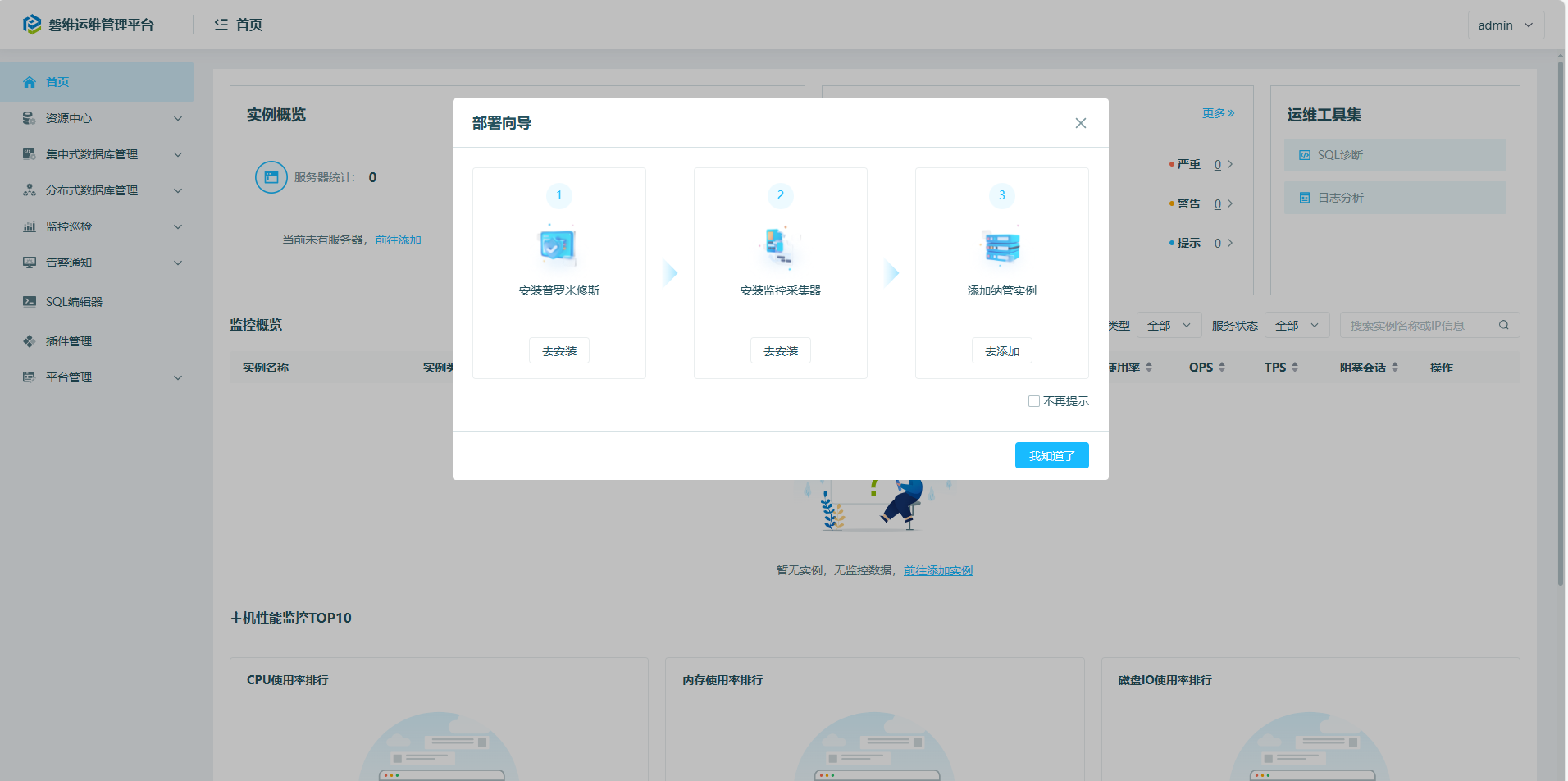
修改密码后出现部署向导,界面如下:
2.6 上传license
2.6.1 将 License 文件上传到安装目录的 lic 目录中。
例如,安装目录为/dbops,则需要将 License 文件上传到/dbops/lic 目录。
cd /dbops/lic
将license文件上传到这个目录下。
2.6.2 上传证书文件后,需要为证书文件授予相应可执行权限。
chown -R dbops: /opt/dbops/lic/0CUB-SS40B1-VPJKP3-SALJ.lic
chmod 755 /opt/dbops/lic/0CUB-SS40B1-VPJKP3-SALJ.lic
2.6.3 重启 dbops 服务。
systemctl restart dbops
三、panwei_dbops使用入门
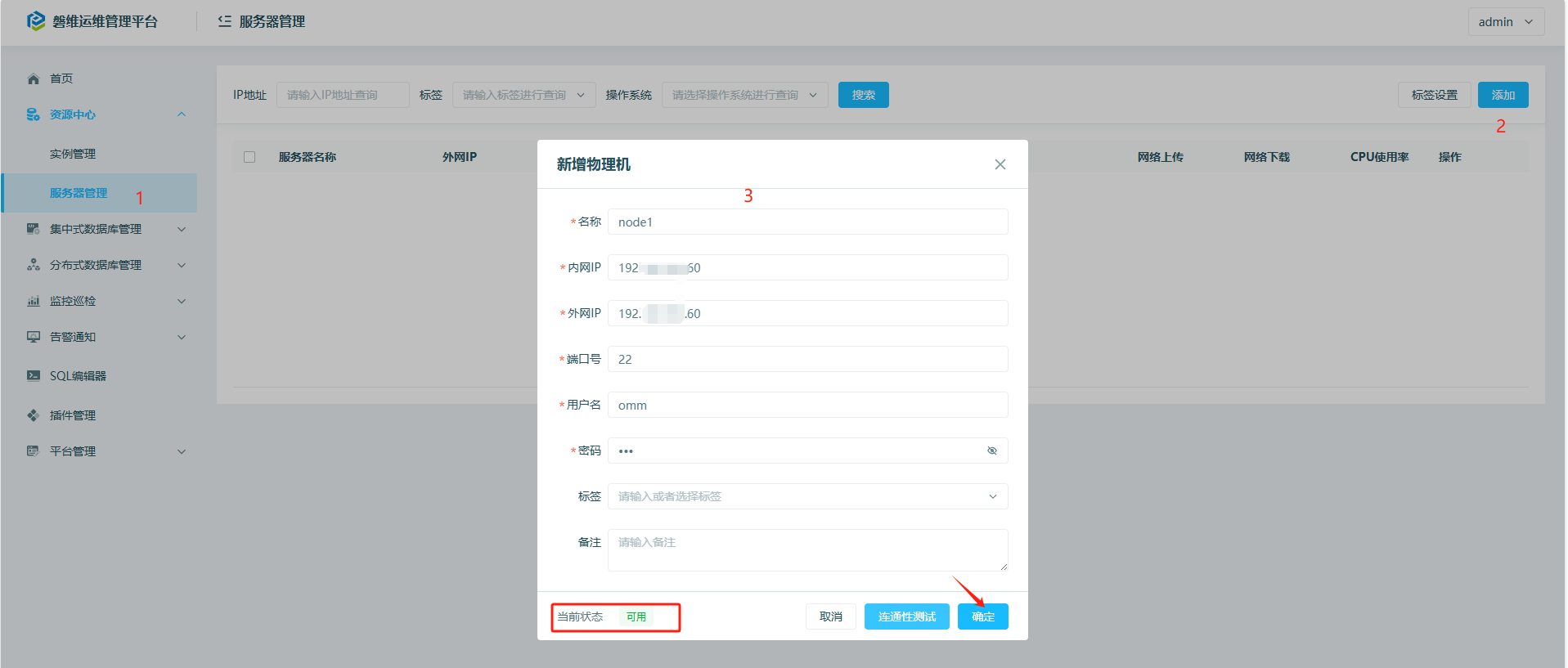
3.1 添加主机:
3.2 安装Prometheus:
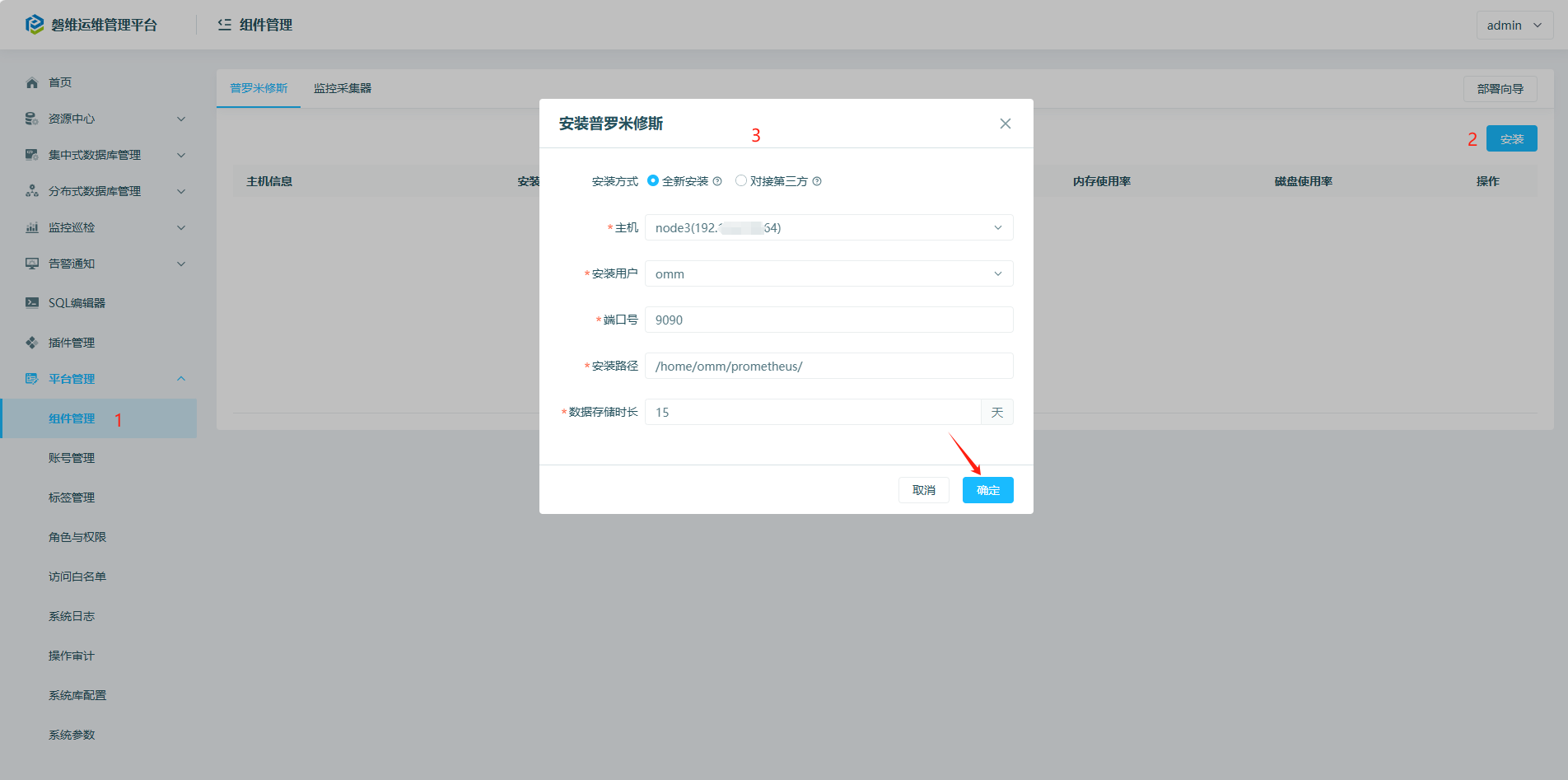

3.3 安装采集器:
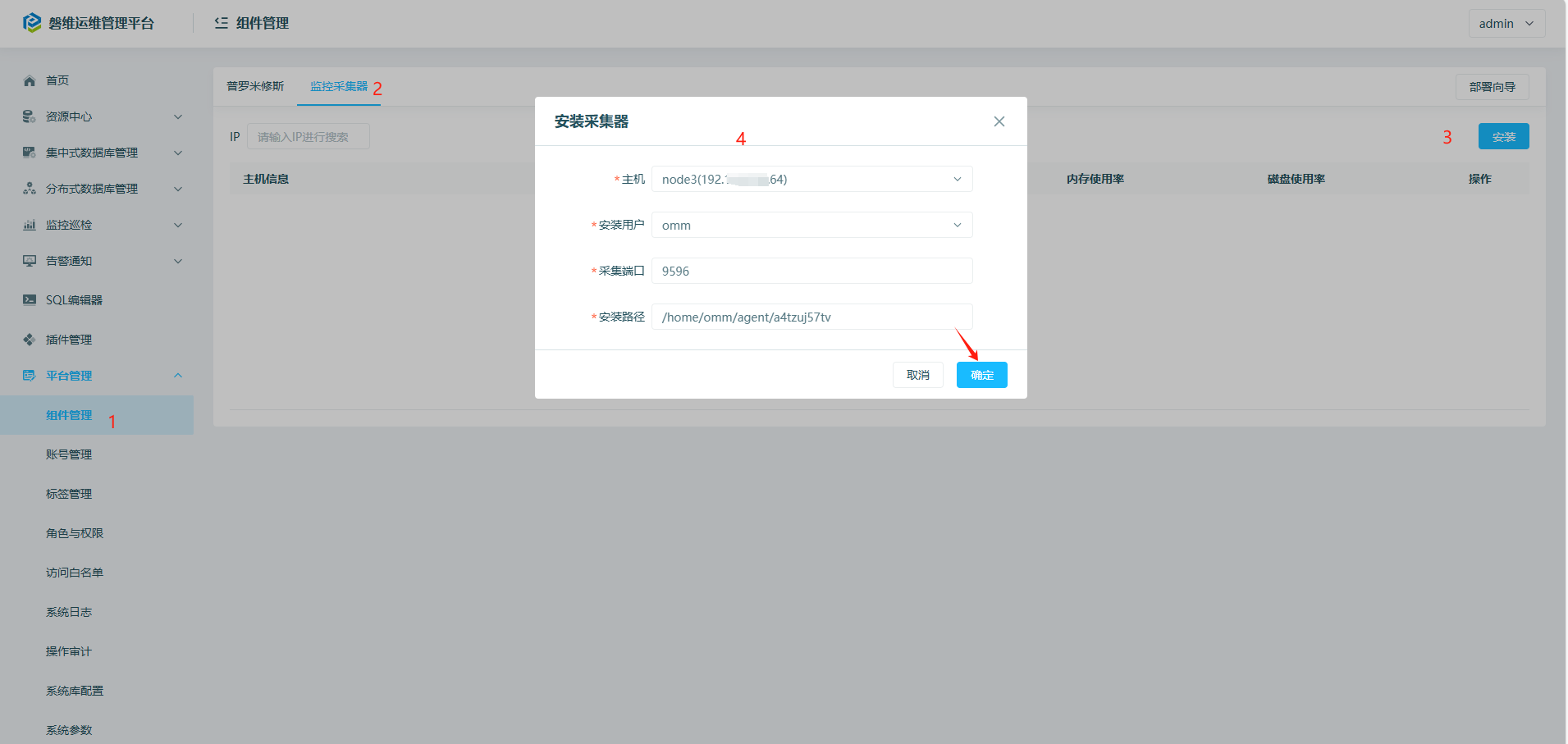

3个数据库节点都需要安装。
3.4 添加实例:
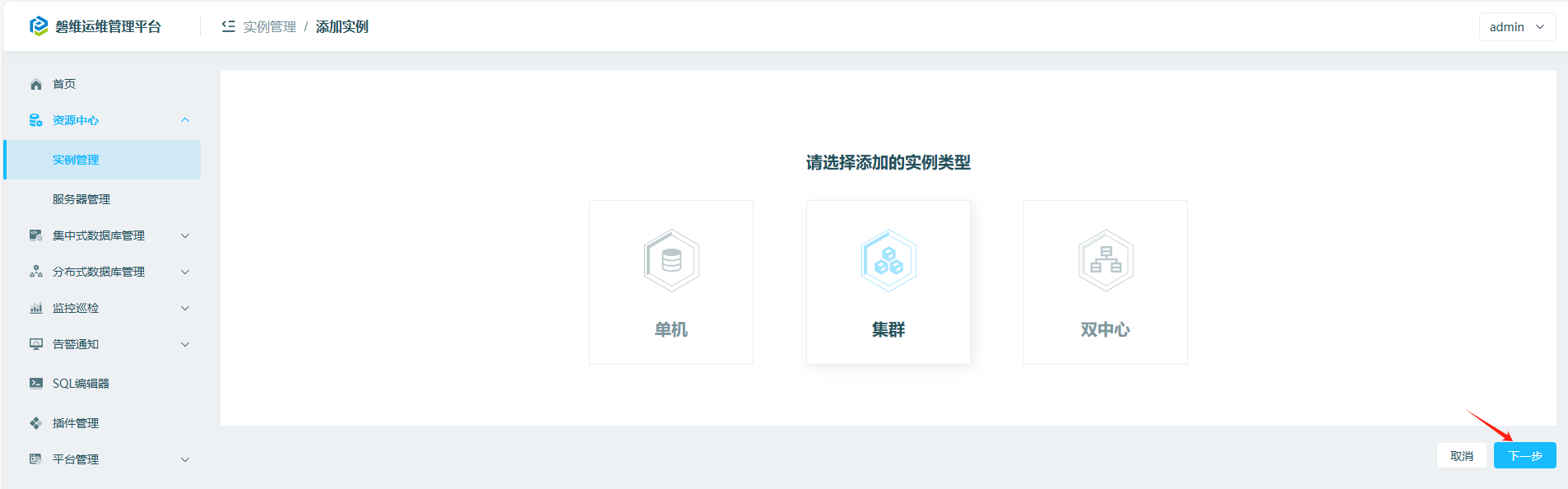
添加的实例类型选择“集群”
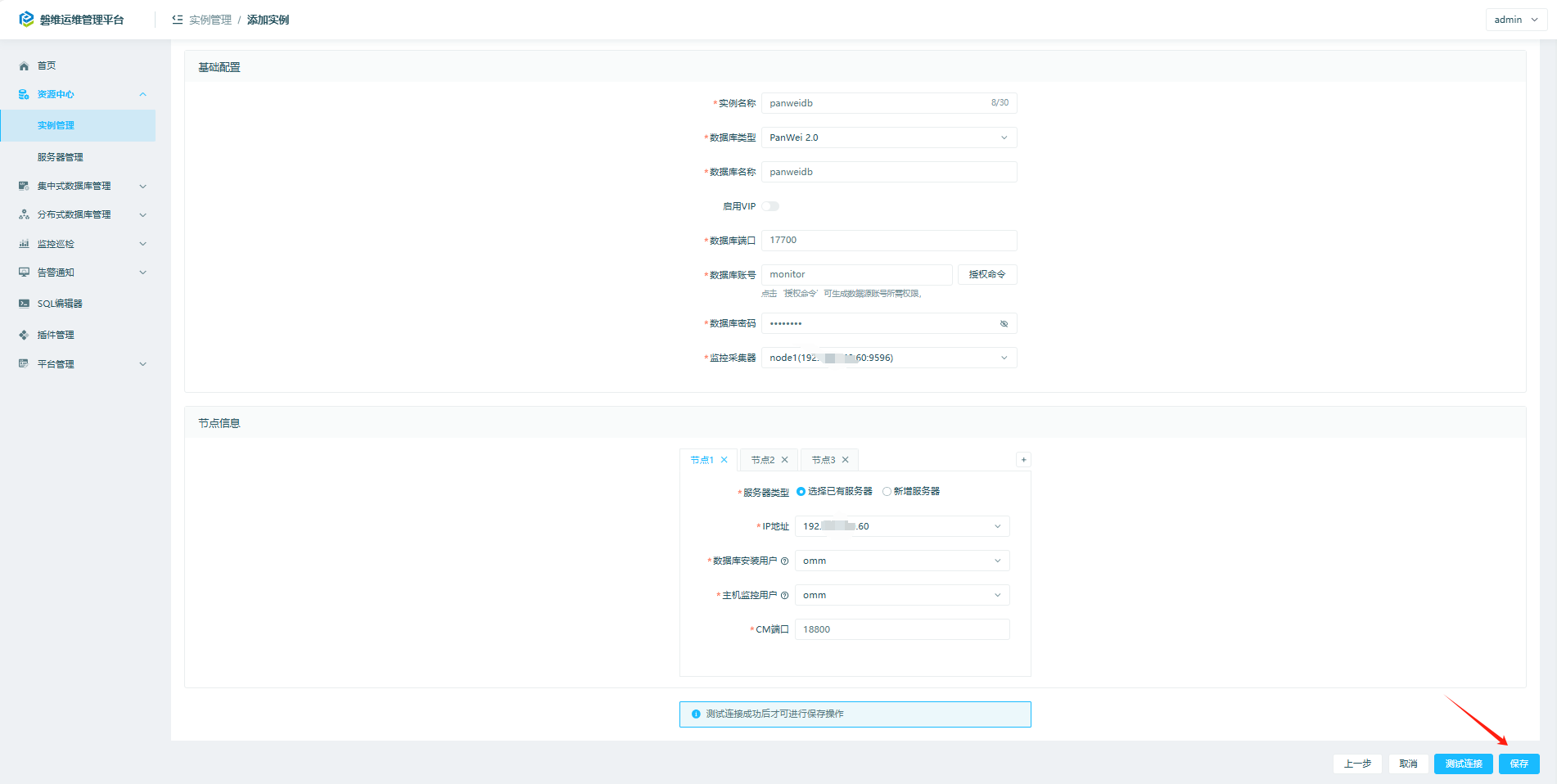
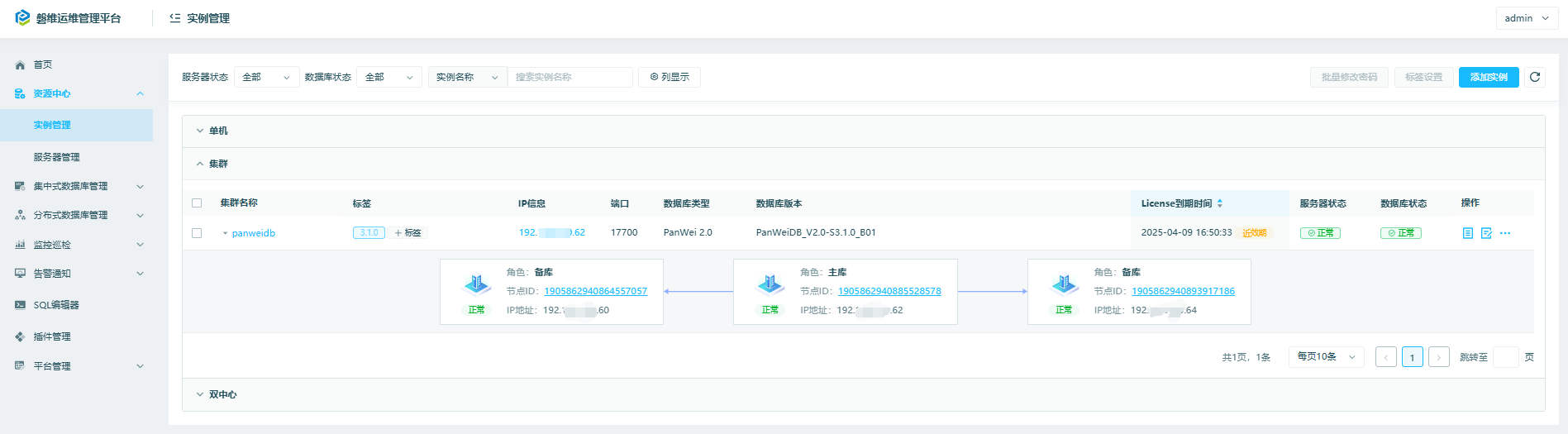
添加必要信息后,点“保存”按钮。可以看到集群信息,包括集群各节点角色、数据库版本、license到期时间、服务器的状态、数据库状态等信息:
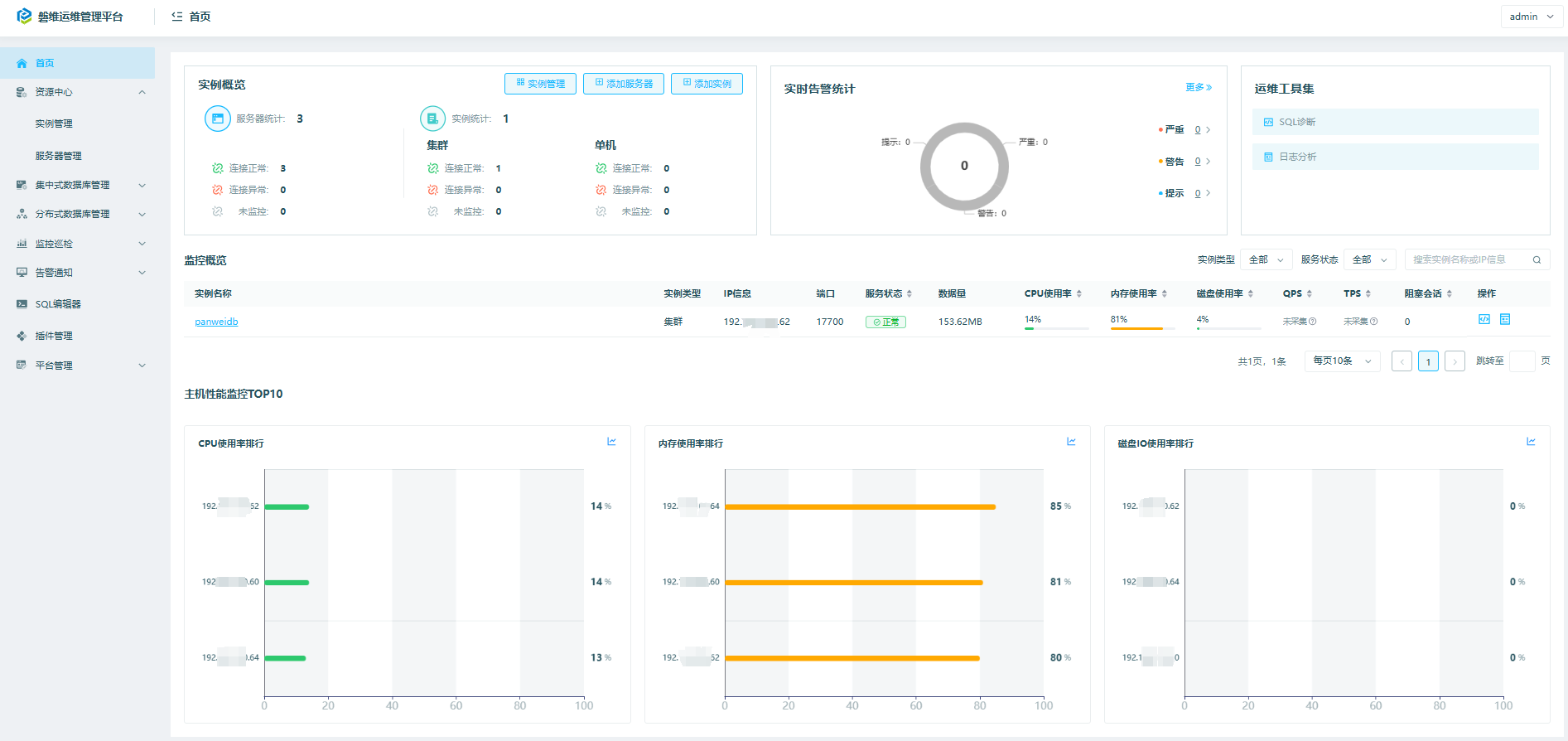
回到首页,可以看到实例概览、实时告警统计、监控概览、主机性能监控TOP10等信息:
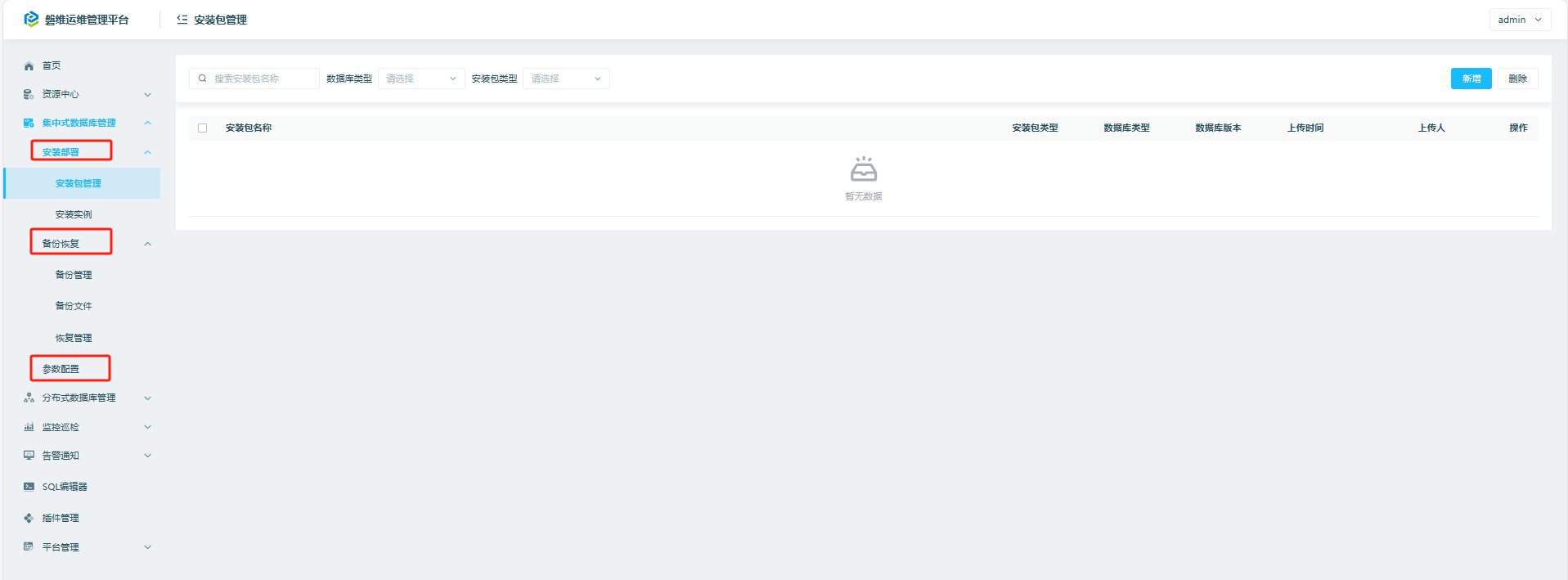
四、panwei_dbops集中式数据库管理
包括安装部署、备份恢复、参数配置功能。
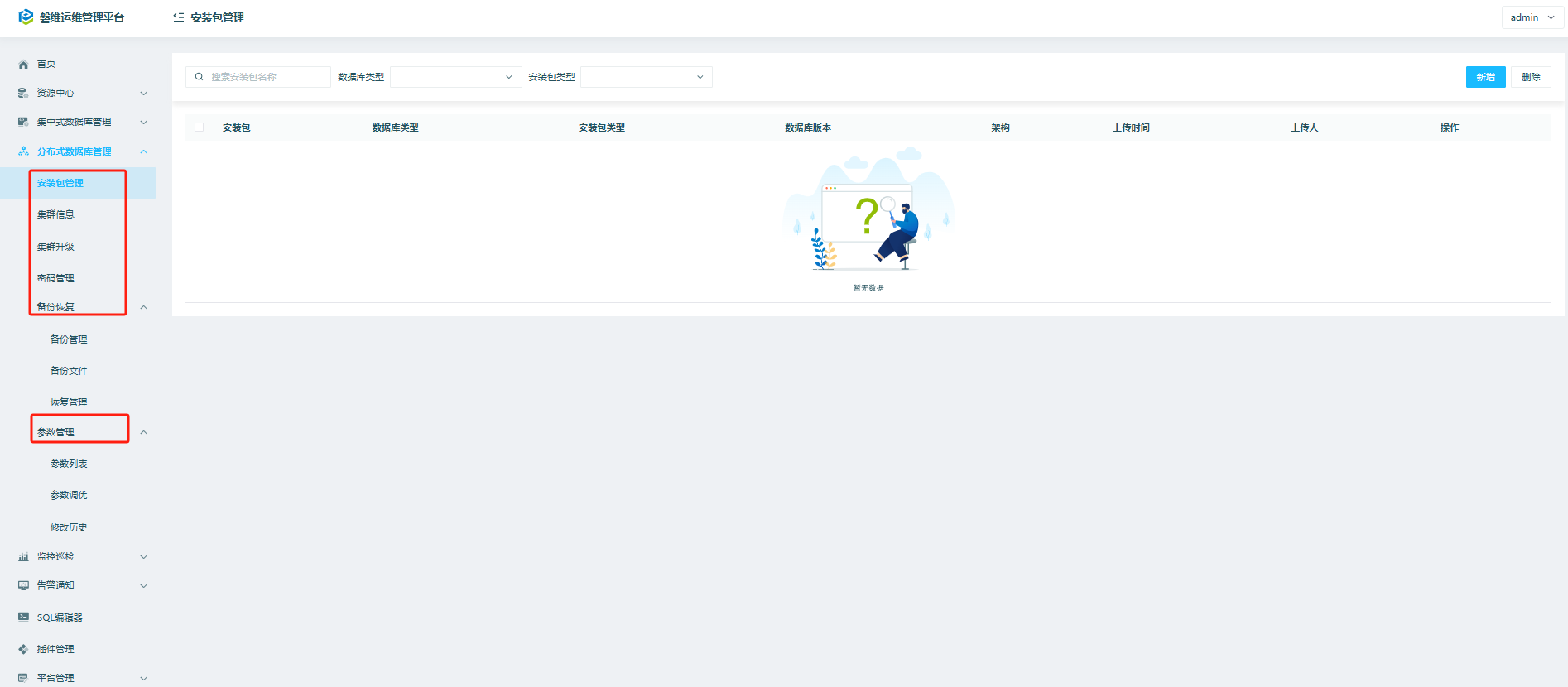
五、panwei_dbops分布式数据库管理
包括安装包管理、集群升级、密码管理、参数管理等功能。
六、panwei_dbops监控巡检
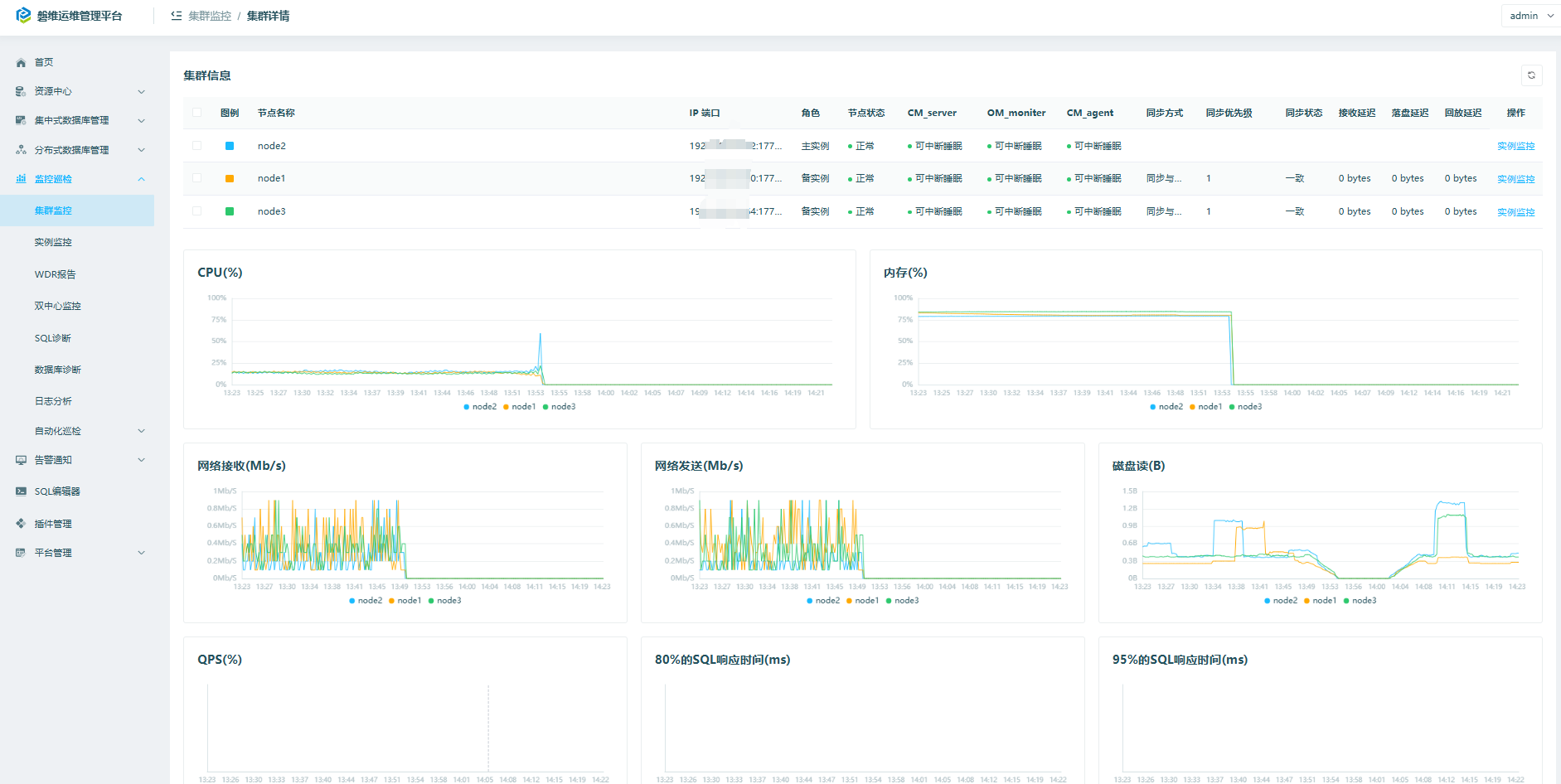
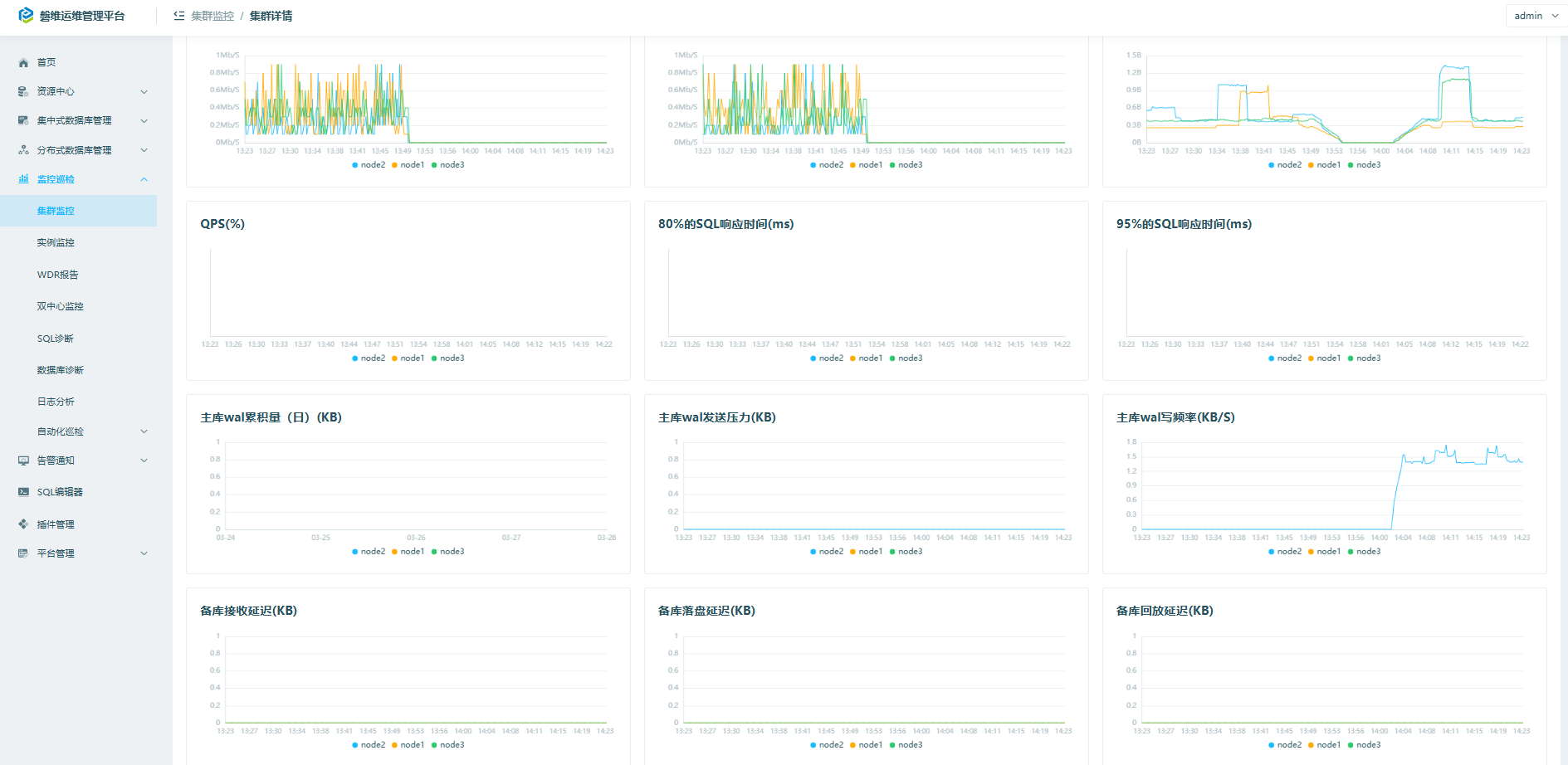
6.1 监控巡检->集群监控
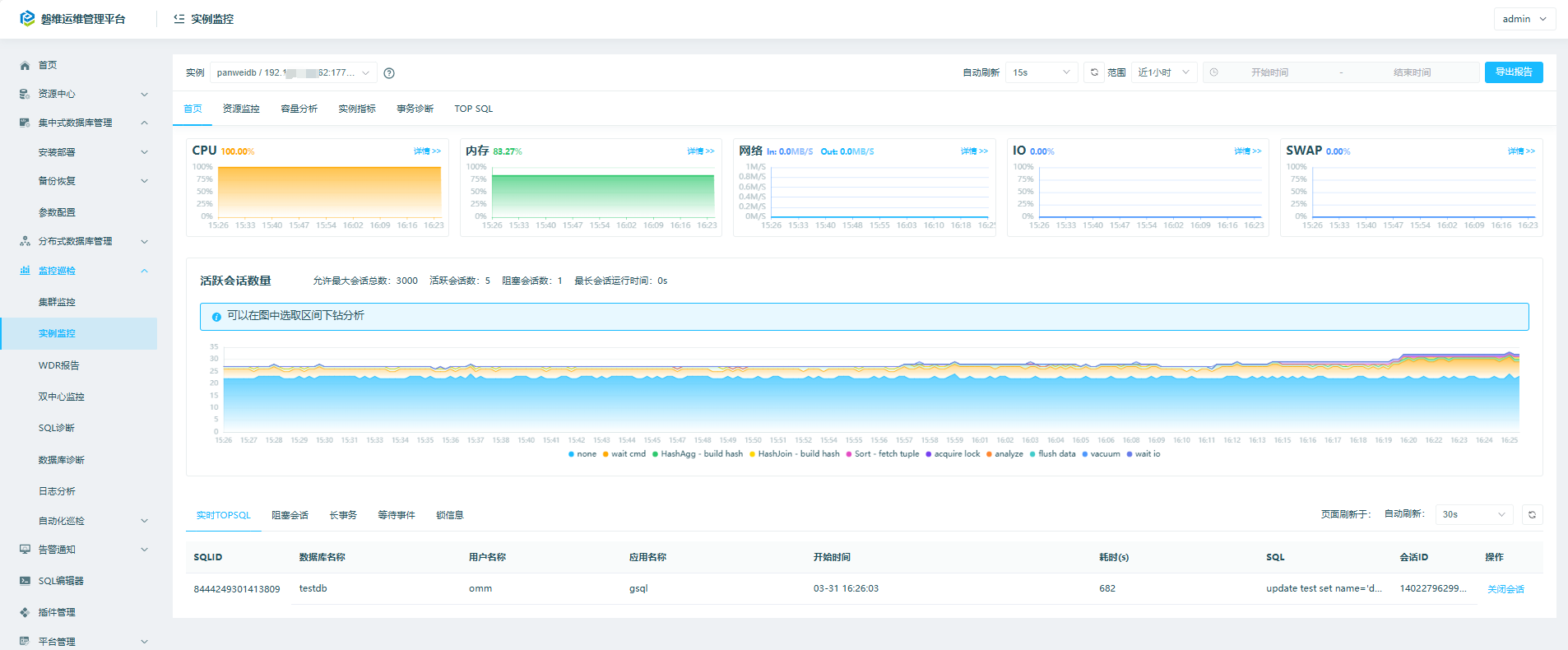
6.2 监控巡检->实例监控
6.3 监控巡检->wdr报告等
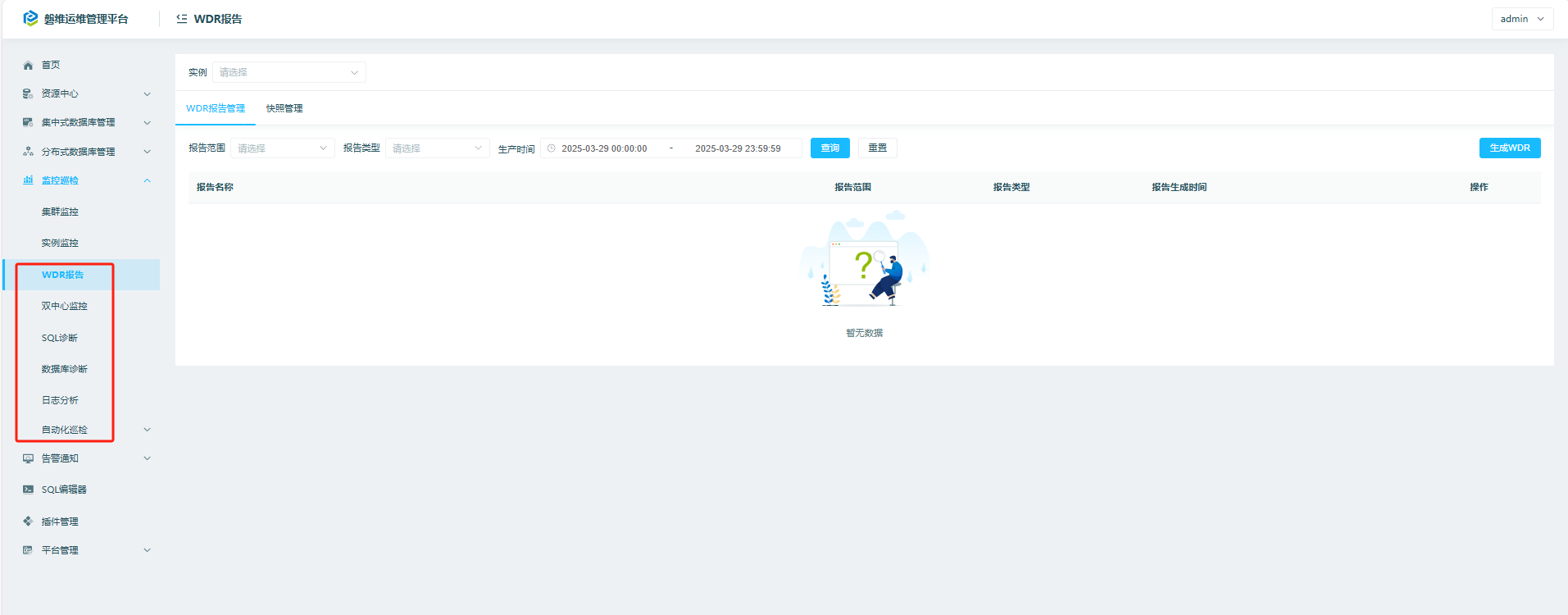
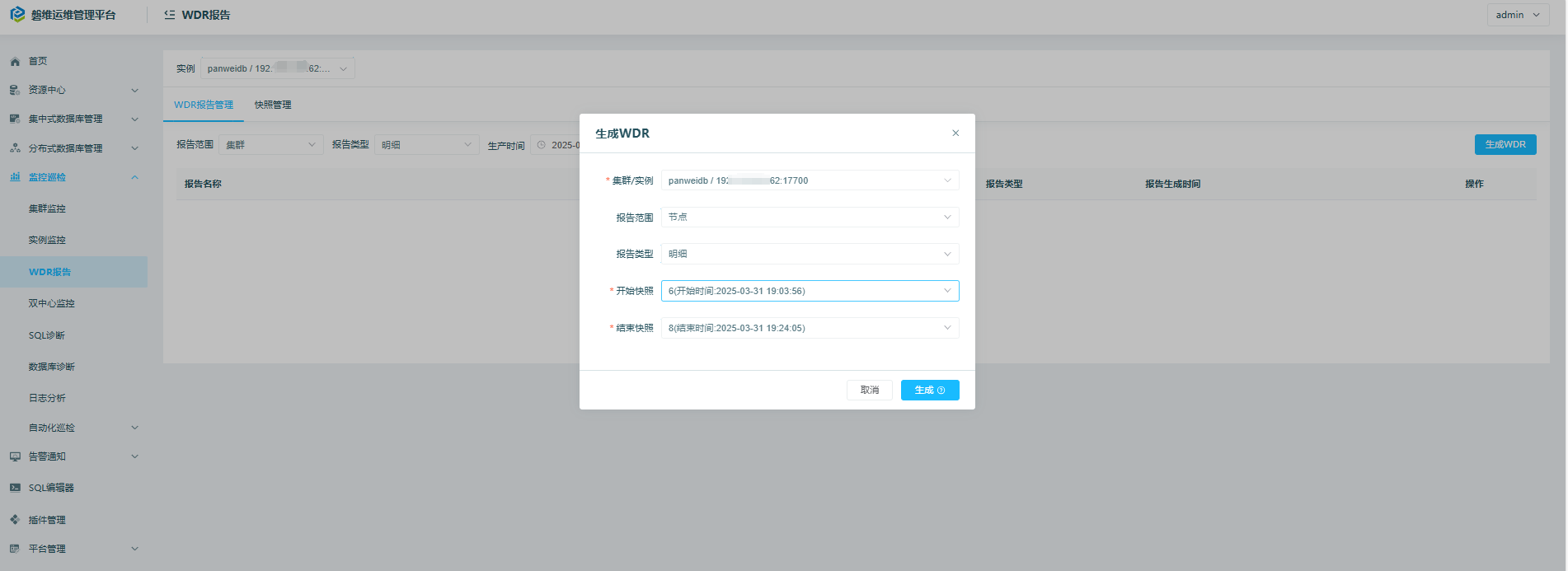
wdr报告:
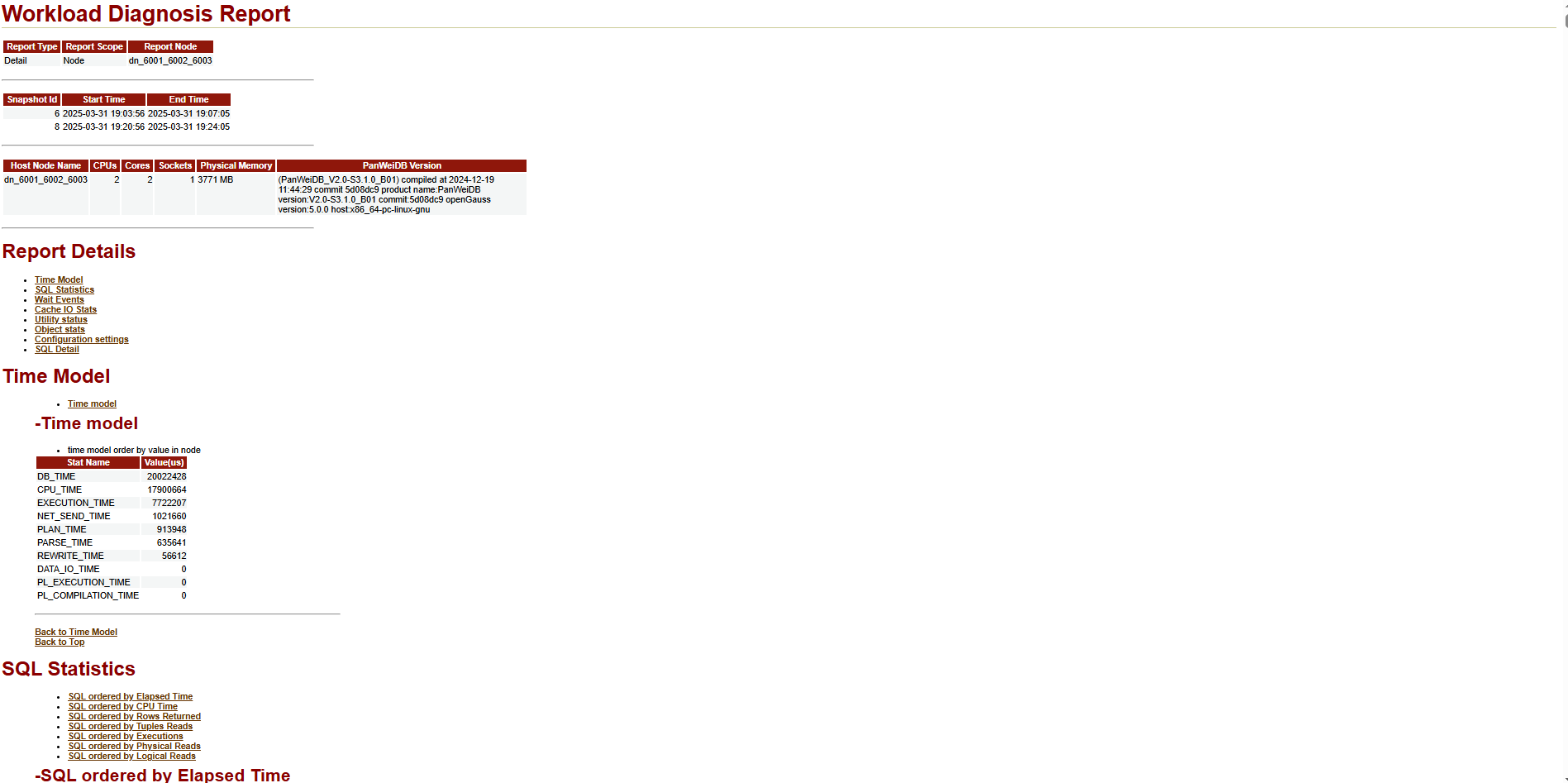
其他略。
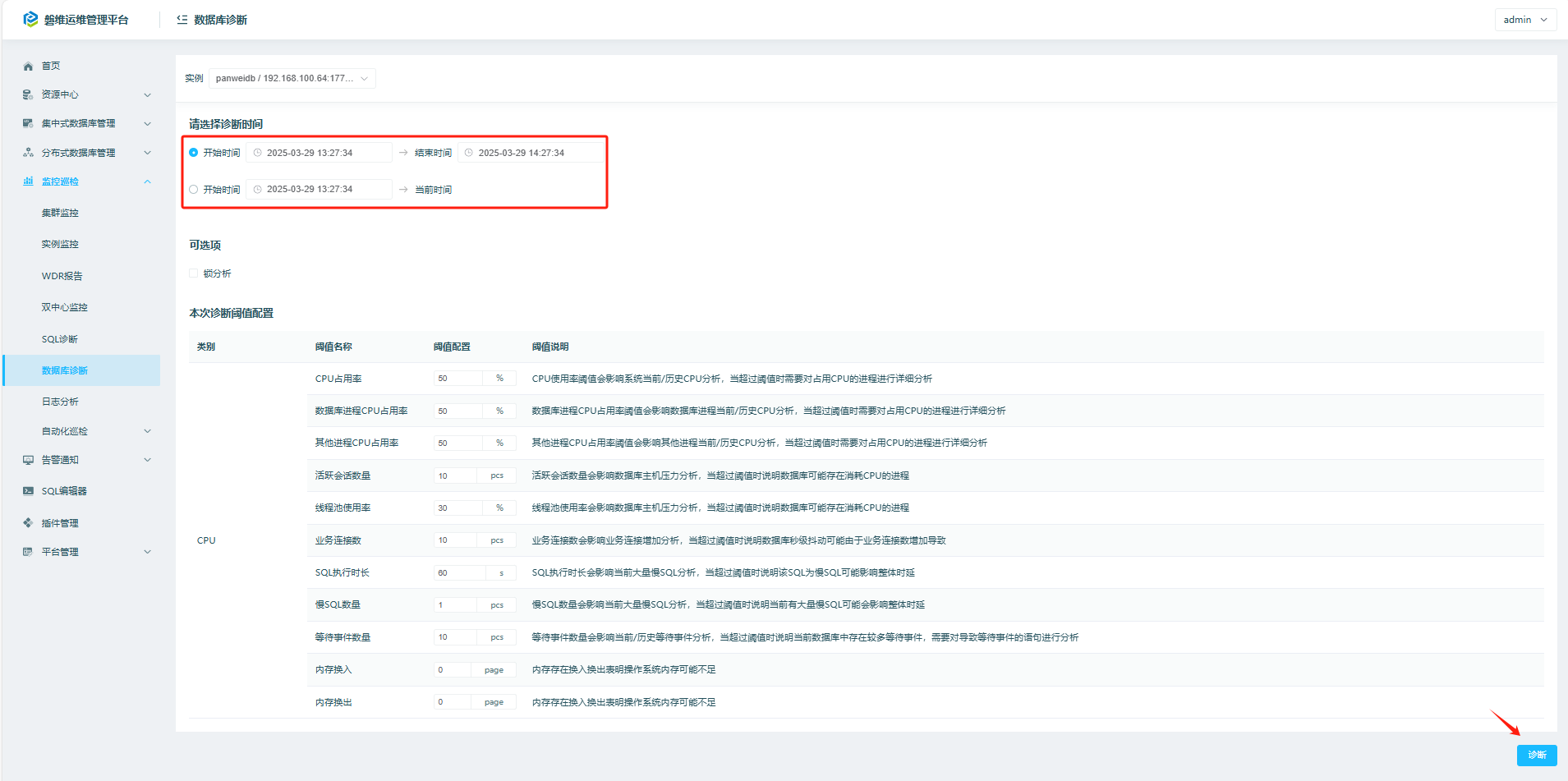
6.4 监控巡检->数据库诊断
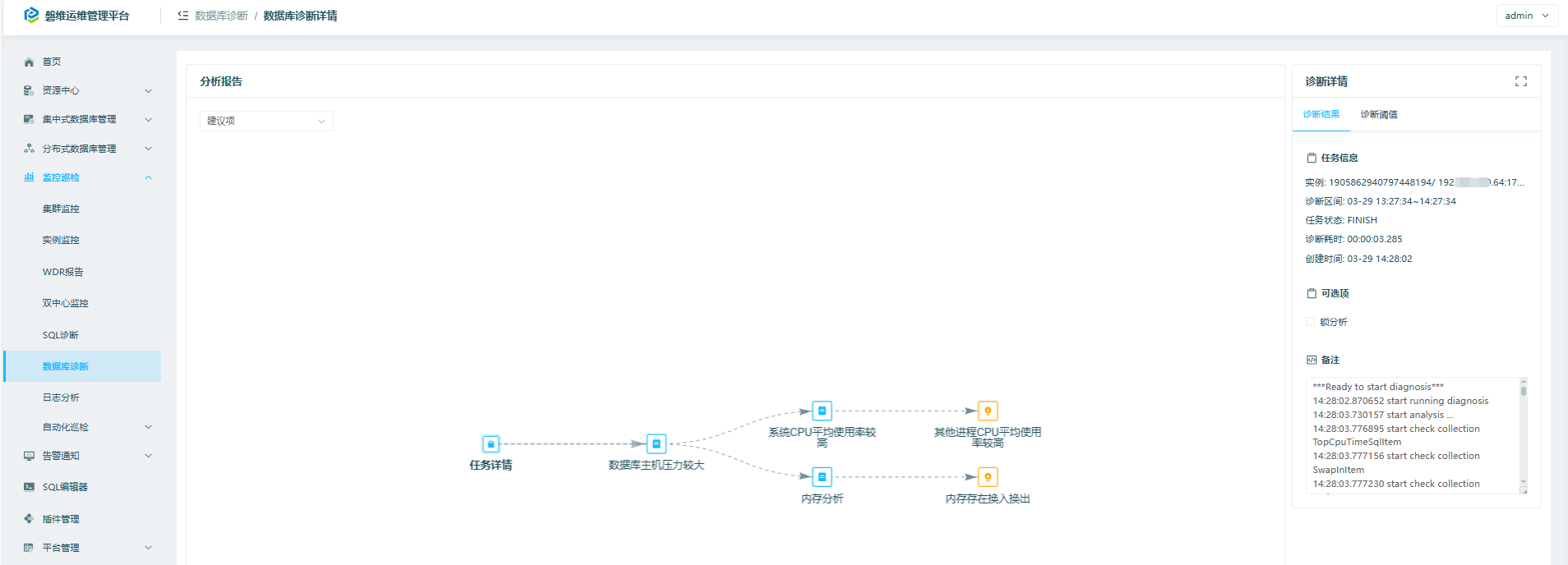
诊断结果如下:
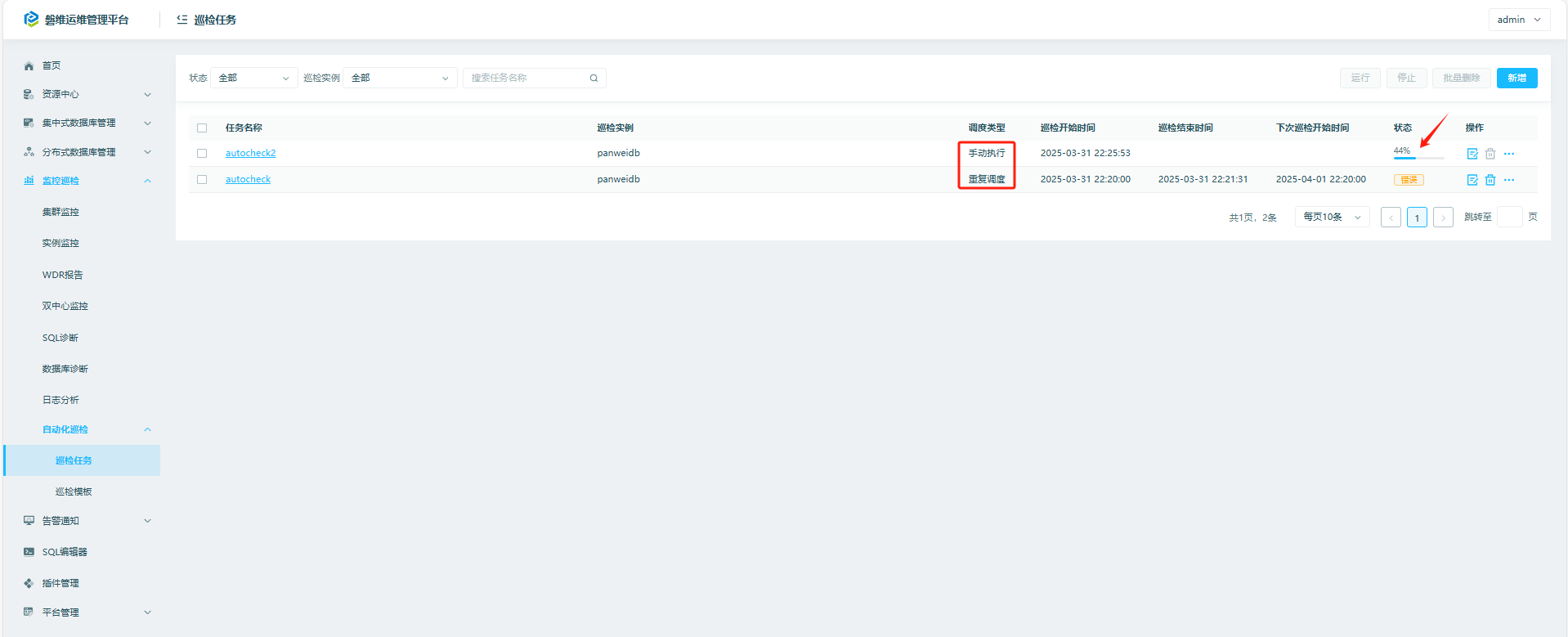
6.5 监控巡检->自动化巡检
创建定时任务进行自动化巡检,也可以创建手动执行的任务。
查看巡检报告:
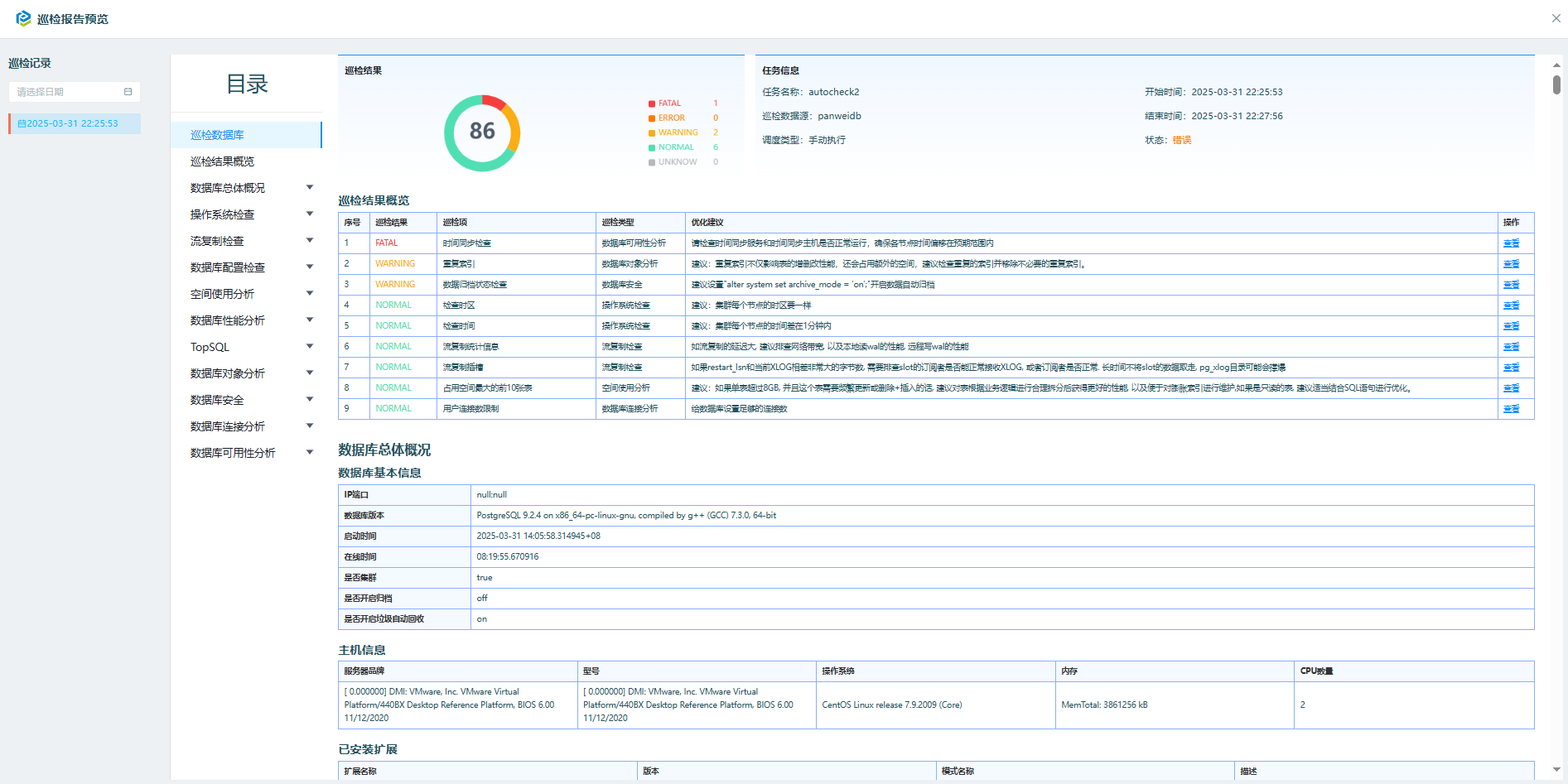
我这边是本地测试环境,很多内容没有配置,忽略即可。
七、panwei_dbops告警通知
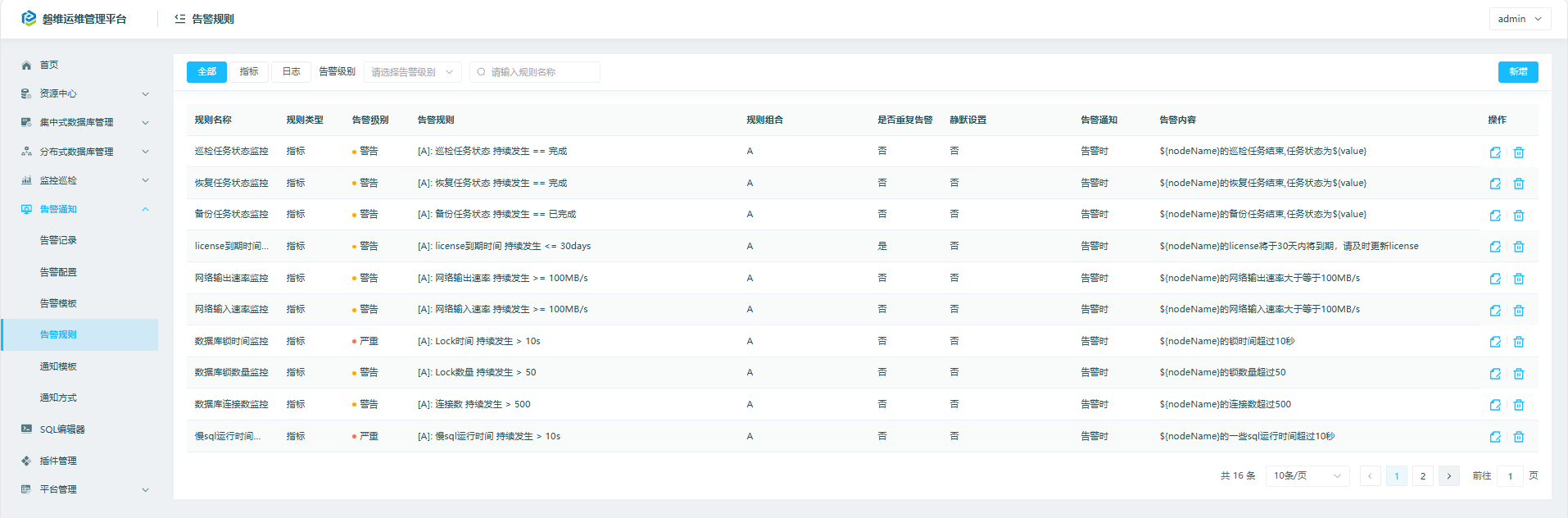
7.1 告警通知->告警规则
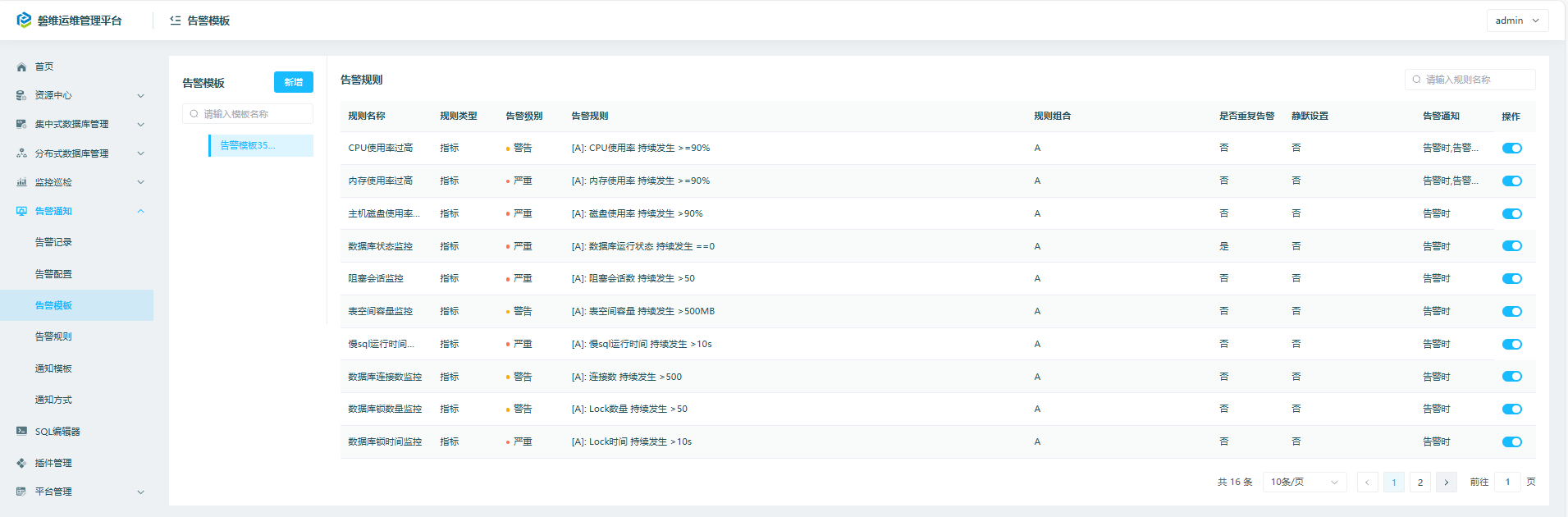
7.2 告警通知->告警模板
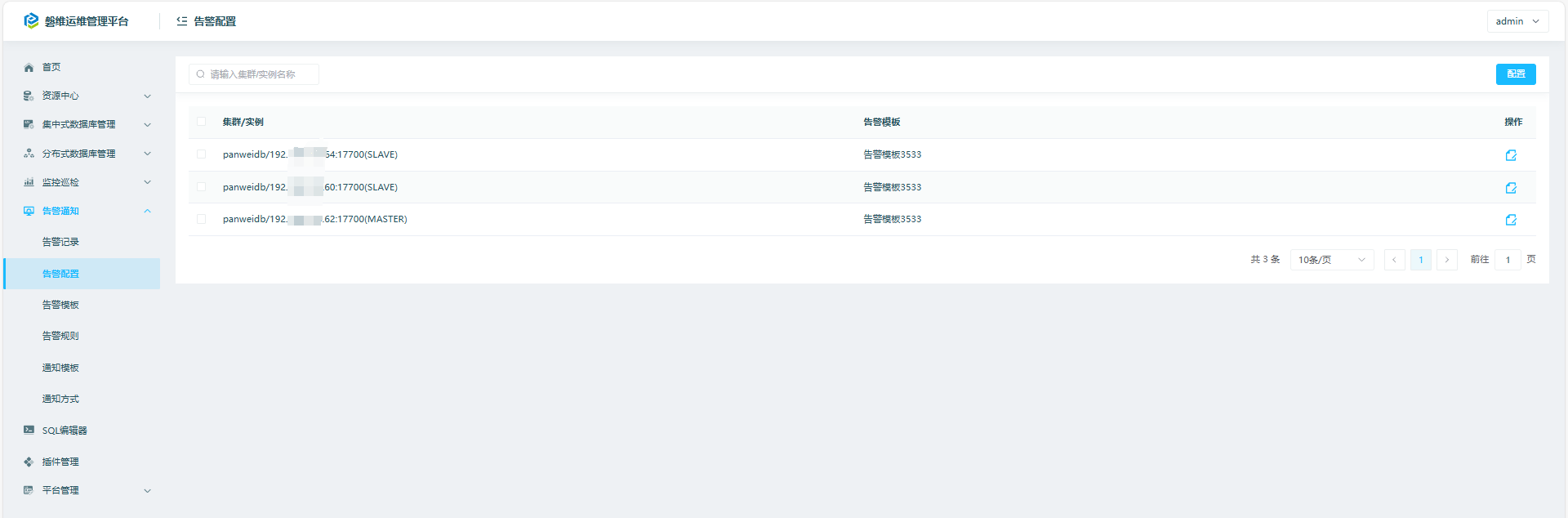
7.3 告警通知->告警配置
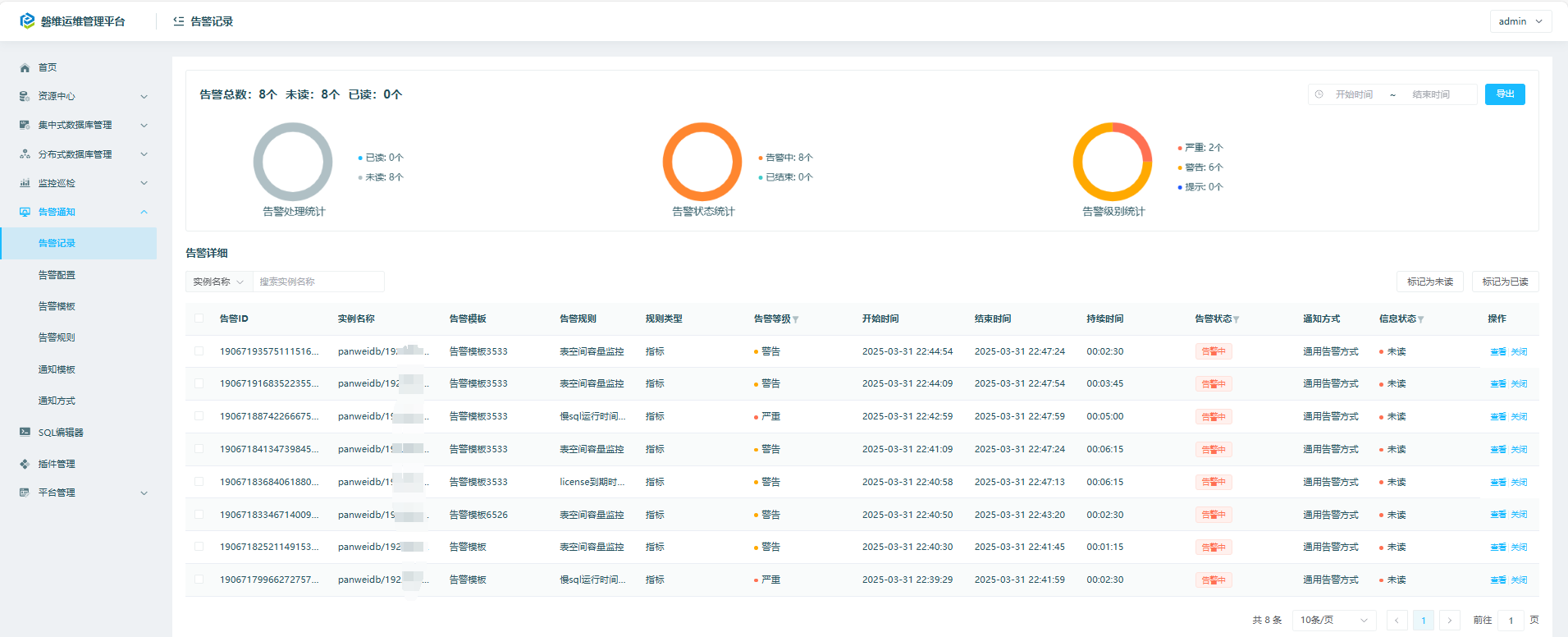
7.4 告警通知->告警记录
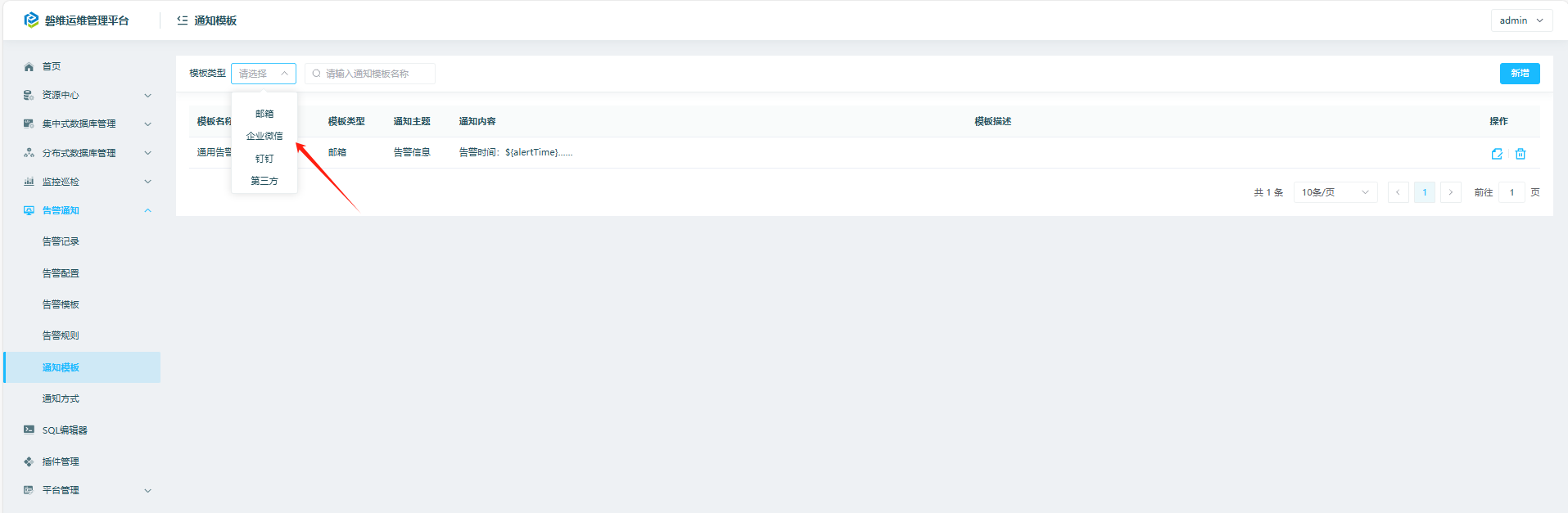
7.5 告警通知->通知模板
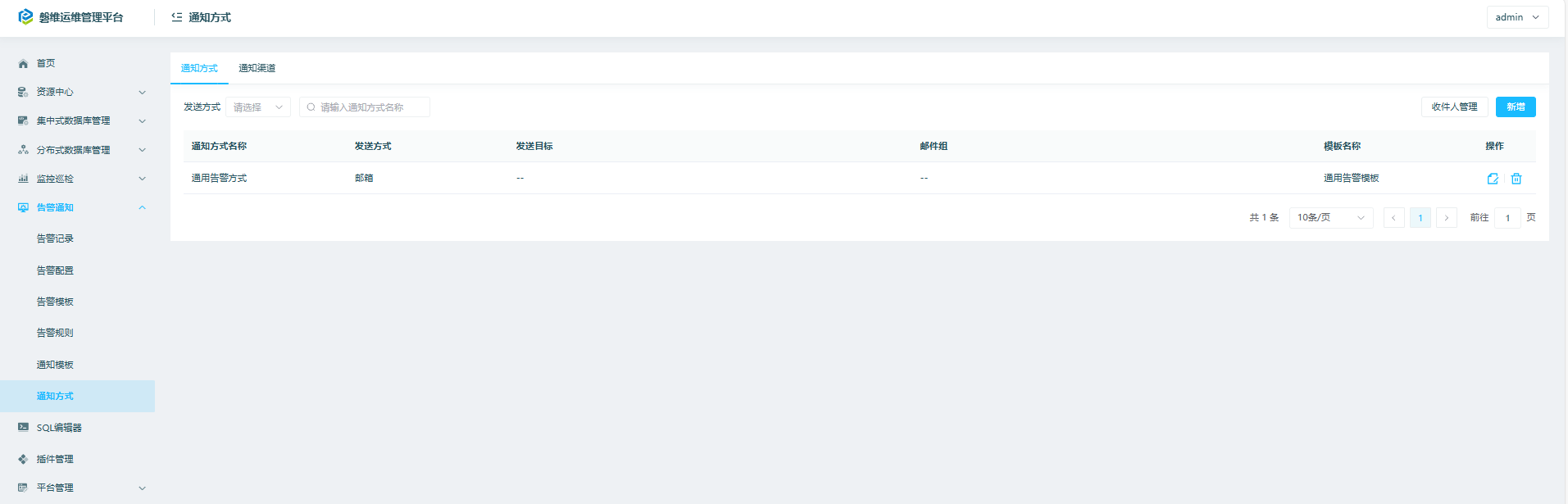
7.6 告警通知->通知方式
八、平台管理
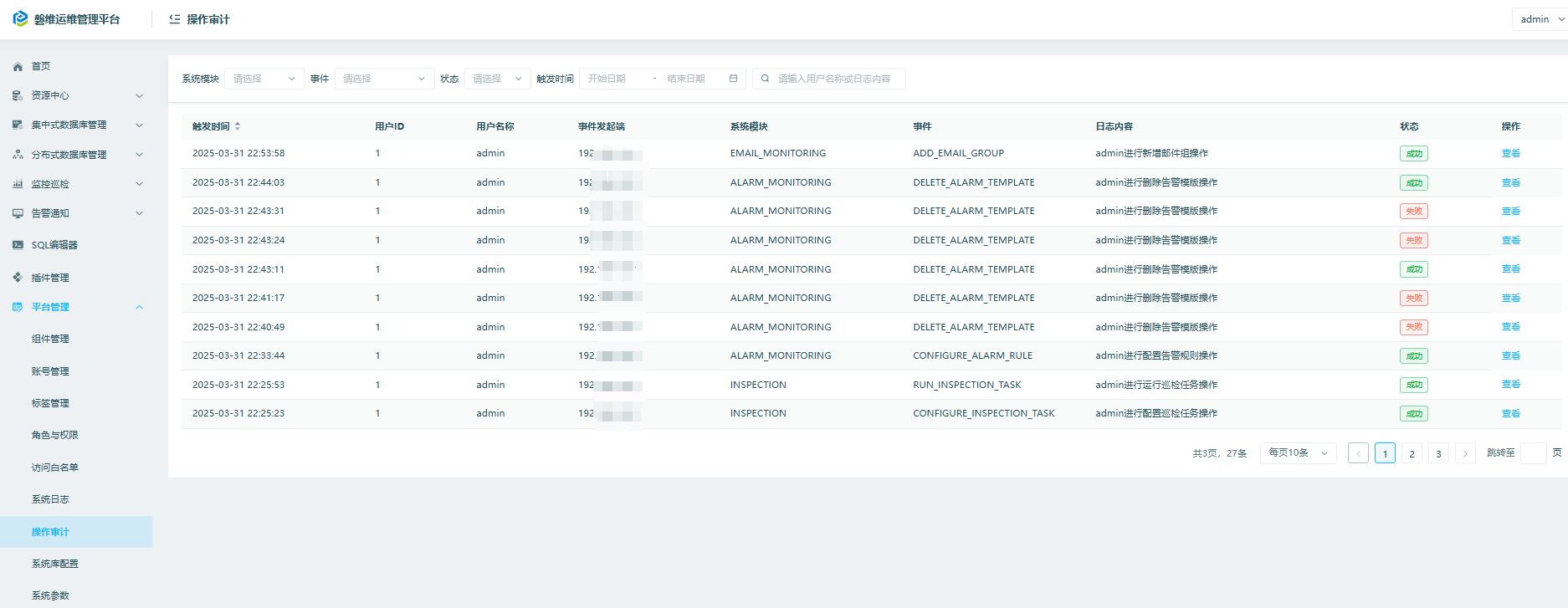
平台管理->操作审计
九、总结
panwei_dbops功能还是很强大的,包括安装部署、备份恢复、监控巡检、告警、日志分析等功能,欢迎大家去体验~~~
关于作者:
网名:飞天,墨天轮2024年度优秀原创作者,拥有 Oracle 10g OCM 认证、PGCE认证以及OBCA、KCP、ACP、磐维等众多国产数据库认证证书,目前从事Oracle、Mysql、PostgresSQL、磐维数据库管理运维工作,喜欢结交更多志同道合的朋友,热衷于研究、分享数据库技术。
微信公众号:飞天online
墨天轮:https://www.modb.pro/u/15197
如有任何疑问,欢迎大家留言,共同探讨~~~
