



准备syslog日志服务器
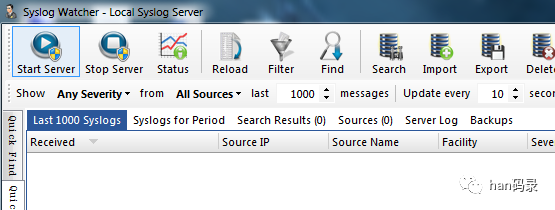
可以选择的很多,这里选择了syslog watcher,比较喜欢这种简洁而且安装包小的软件包
配置OpenWrt设备
采用Linux下比较熟悉的syslogd服务
root@:~# ps -w | grep logd525 root 1520 S /sbin/syslogd -C4527 root 1516 S /sbin/klogd15104 root 1516 S N grep logd
在OpenWrt中相应的配置文件位于
/etc/config/system
几个system段里相关的配置
log_ip: syslog服务器的IP地址log_port:syslog服务器日志发送的端口号,默认514log_proto:日志以tcp、udp形式发送,默认udplog_remote:远程日志开关log_prefix:在发送给syslog日志的添加前缀log_hostname:配置发送给syslog服务器的hostname,默认为主机hostname
重启设备进行测试
root@:~# logger "This is han's syslog test"root@:~# logger "This is han's syslog test"root@:~# logger "This is han's syslog test"root@:~# logger "This is han's syslog test"root@:~# logger "This is han's syslog test"
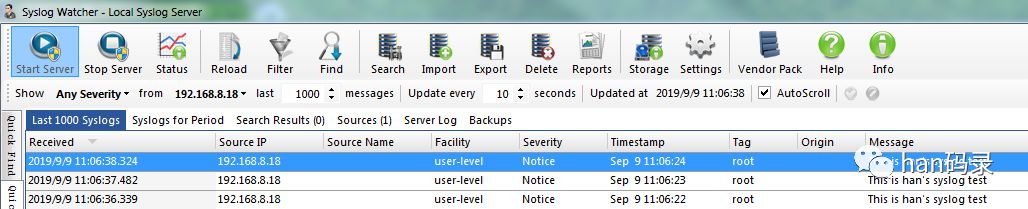
使用syslog在shell下可以使用logger命令,在C中使用syslog对应的API即可
root@:~# logger --helpBusyBox v1.19.4 (2019-09-02 18:22:29 CST) multi-call binary.Usage: logger [OPTIONS] [MESSAGE]Write MESSAGE (or stdin) to syslog-s Log to stderr as well as the system log-t TAG Log using the specified tag (defaults to user name)-p PRIO Priority (numeric or facility.level pair)
文章转载自han码录,如果涉嫌侵权,请发送邮件至:contact@modb.pro进行举报,并提供相关证据,一经查实,墨天轮将立刻删除相关内容。
