
shp文件
shp文件全称Shapefile文件,是美国环境系统研究所(ESRI)研制的GIS文件系统格式文件,是工业标准的矢量数据文件。
Shapefile将空间特征表中的非拓扑几何对象和属性信息存储在数据集中,特征表中的几何对象存为以坐标点集表示的图形文件—SHP文件,Shapefile文件并不含拓扑(Topological)数据结构。一个Shape文件包括三个文件:一个主文件(.shp),一个索引文件(.shx),和一个dBASE(*.dbf)表。
在大多数GISer的日常工作中,得益于ArcGIS Desktop的广泛使用,接触最多的矢量数据恐怕就是shp文件了。
GeoJSON文件
GeoJSON归根结底也是一种JSON,只不过它更适合记录和描述各式各样的地理数据结构。GeoJSON支持以下的实体类型:Point
, LineString
, Polygon
, MultiPoint
, MultiLineString
, and MultiPolygon
。此外,GeoJSON在 FeatureCollection
也包含了详细的属性信息。
需求背景
在我们实际的工作中,可能会涉及到GeoJSON和shp文件互转的情况,因为这两种文件格式都是非常流行的地理数据文件格式。
GeoJSON适合描述和传输地理数据,shp文件则适合用于分析和展示;
GeoJSON转shp
以下代码使用到了gdal依赖包,在Windows环境下如何配置gdal开发环境,大家可以看这篇文章GDAL,我暗恋你很久了!
在开始操作前,我们需要使用两个网站,分别是:
DataV
该网站是高德开放平台提供,是高德数据可视化项目旗下的非盈利性的工具网站,该网站可以非常便利的下载我国省市县三级的GeoJSON数据。既可以下载为文件格式,也可以复制为文本格式。
geojson.io
相比于DataV,geojson.io
网站的优势在于可以支持用户自主绘制图形,以获取目标区域的geojson。支持点、线、面、矩形来获取目标区域的geojson,并支持一定的交互操作。
你可以选择任何一个网站来获取一个geojson来进行我们的代码实战操作。这里我选择陕西省和内蒙古自治区的省界GeoJSON数据。
package com.geovis.bin.utils.gis;

import org.gdal.gdal.gdal;
import org.gdal.ogr.DataSource;
import org.gdal.ogr.ogr;

import java.io.File;
import java.util.Calendar;
import java.util.Date;
import java.util.TimeZone;

/**
 * @Author Wangb
 * @Date 2021/5/19 19:42.
 */
public class GeojsonAndShpUtil {
    /**
     * Geojson 转  shape
     *
     * @param sourcePath
     * @param destPath
     */
    public static void Geojson2Shape(String sourcePath, String destPath ) {

        Calendar instance = Calendar.getInstance(TimeZone.getTimeZone("GMT+08:00"));
        instance.setTime(new Date());
        String name = new File(sourcePath).getName();
        name = name.substring(0, name.lastIndexOf(".")) + ".shp";

        destPath += File.separator + instance.get(Calendar.YEAR) + (instance.get(Calendar.MONTH) + 1) + instance.get(Calendar.DATE) + instance.get(Calendar.HOUR) + instance.get(Calendar.MINUTE) + instance.get(Calendar.SECOND) + File.separator + name;
        File file1 = new File(destPath);
        if (!file1.exists()) {
            new File(file1.getParent()).mkdir();
        }

        // 注册所有的驱动
        ogr.RegisterAll();
        // 为了支持中文路径,请添加下面这句代码
        gdal.SetConfigOption("GDAL_FILENAME_IS_UTF8", "YES");
        // 为了使属性表字段支持中文,请添加下面这句
        gdal.SetConfigOption("SHAPE_ENCODING", "");
        String strVectorFile = sourcePath;
        //打开数据
        DataSource ds = ogr.Open(strVectorFile, 0);
        if (ds == null) {
            System.out.println("打开文件失败!");
            return;
        }
        System.out.println("打开文件成功!");
        // GeoJSON shp转json的驱动
        // 面的记录  ESRI Shapefile
        // 线的记录  ESRI Shapefile
        // 点的记录  ESRI Shapefile
        String strDriverName = "ESRI Shapefile";
        org.gdal.ogr.Driver dv = ogr.GetDriverByName(strDriverName);
        if (dv == null) {
            System.out.println("打开驱动失败!");
            return;
        }
        System.out.println("打开驱动成功!");
        dv.CopyDataSource(ds, destPath);
        System.out.println("转换成功!");
        ds.delete();
        dv.delete();

    }

    public static void main(String[] args) {
        Geojson2Shape("D:\\data\\陕西省.json", "D:\\data");
        Geojson2Shape("D:\\data\\内蒙古.json", "D:\\data");
    }

}
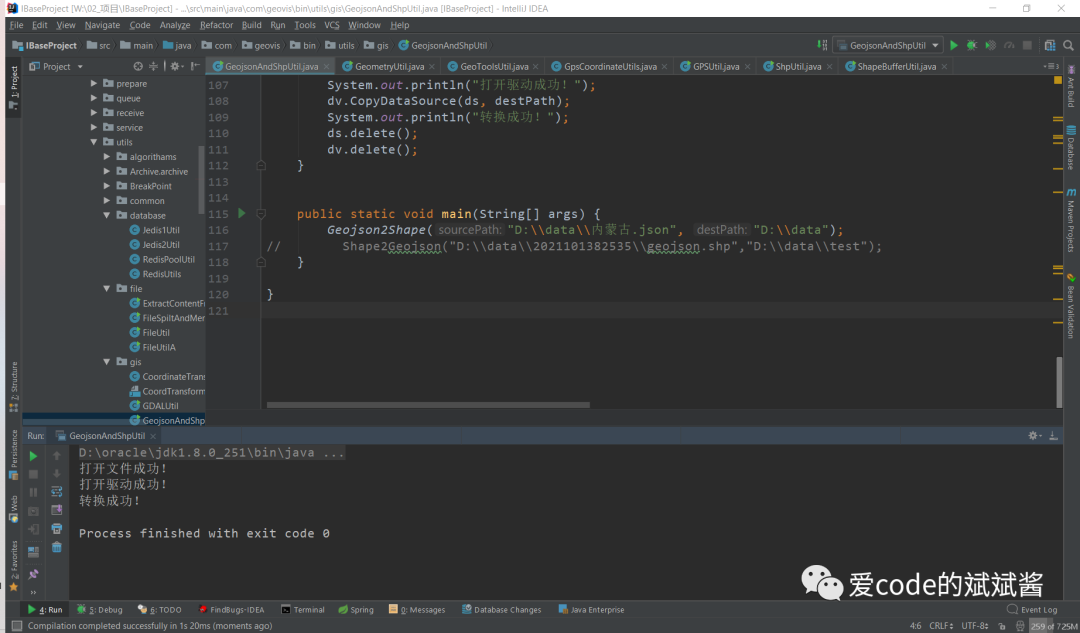
使用上面的代码进行转换之后,就会在我们指定的D盘data文件夹下自动生成包含年月日时分秒的文件夹,该文件夹里就存放了我们转换后的shp文件。
现在我们把生成的shp文件拖入ArcGIS内看一看
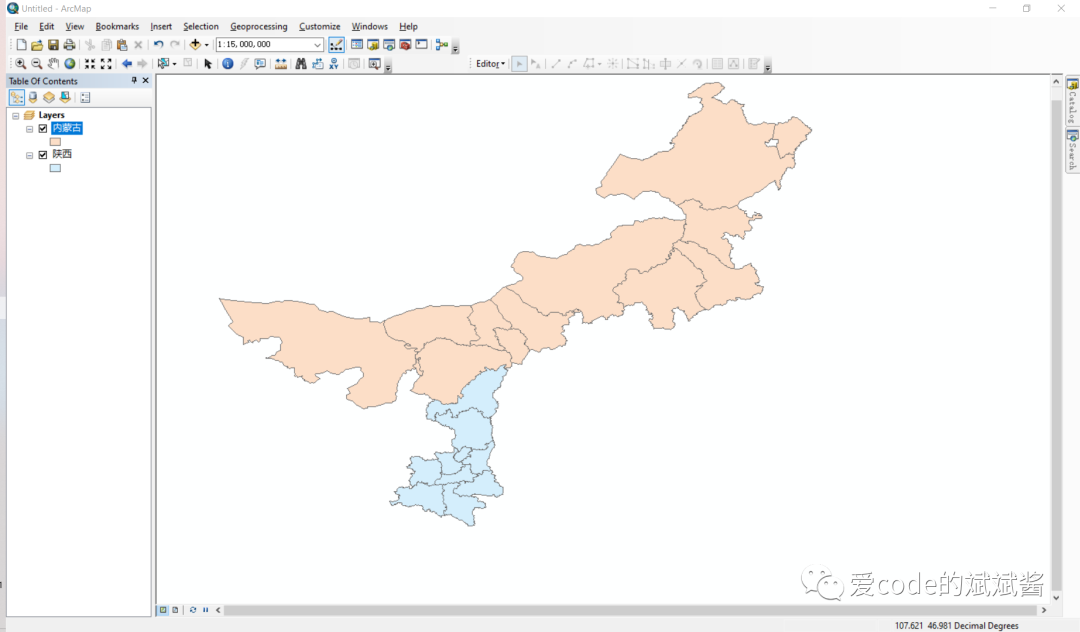
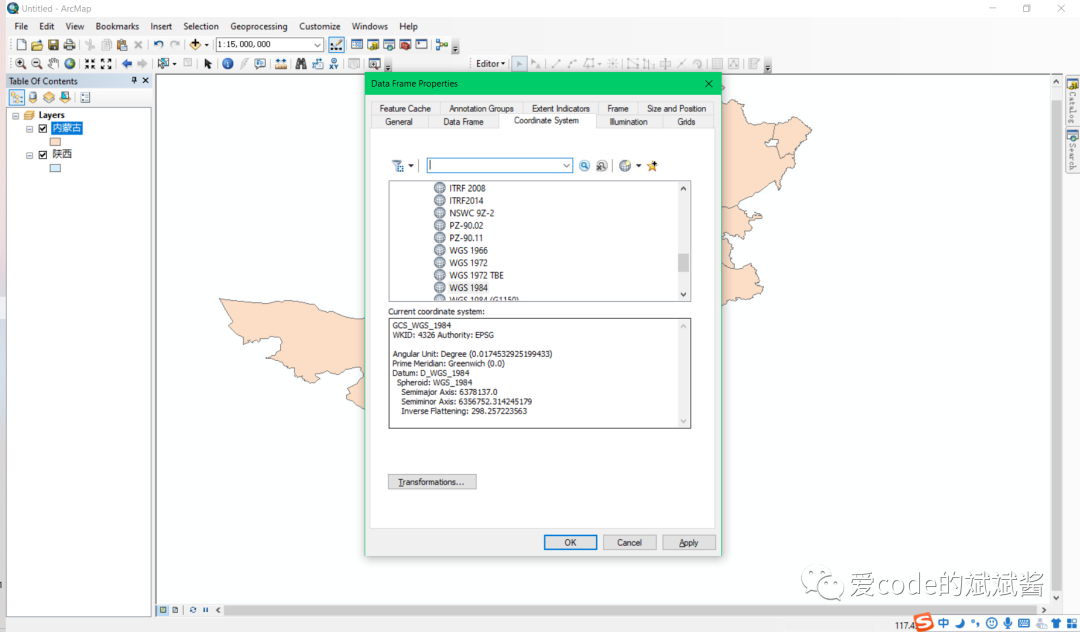
我们看到陕西省和内蒙古自治区的边界贴合的很自然,右击选择Data Frame Properties
,我们可以在Coordinate System
里面看到当前shp文件的坐标系统是WGS84
坐标系。
shp转GeoJSON
接下来我们把shp文件转为geoJSON试一下
package com.geovis.bin.utils.gis;

import org.gdal.gdal.gdal;
import org.gdal.ogr.DataSource;
import org.gdal.ogr.ogr;

import java.io.File;
import java.util.Calendar;
import java.util.Date;
import java.util.TimeZone;

/**
 * @Author Wangb
 * @Date 2021/5/19 19:42.
 */
public class GeojsonAndShpUtil {
    /**
     * shape 转 geojson
     *
     * @param sourcePath
     * @param destPath
     */
    public static void Shape2Geojson(String sourcePath, String destPath ) {

        Calendar instance = Calendar.getInstance(TimeZone.getTimeZone("GMT+08:00"));
        instance.setTime(new Date());
        String name = new File(sourcePath).getName();
        name = name.substring(0, name.lastIndexOf(".")) + ".json";

        destPath += File.separator + instance.get(Calendar.YEAR) + (instance.get(Calendar.MONTH) + 1) + instance.get(Calendar.DATE) + instance.get(Calendar.HOUR) + instance.get(Calendar.MINUTE) + instance.get(Calendar.SECOND) + File.separator + name;
        File file1 = new File(destPath);
        if (!file1.exists()) {
            new File(file1.getParent()).mkdir();
        }

        // 注册所有的驱动
        ogr.RegisterAll();
        // 为了支持中文路径,请添加下面这句代码
        gdal.SetConfigOption("GDAL_FILENAME_IS_UTF8", "YES");
        // 为了使属性表字段支持中文,请添加下面这句
        gdal.SetConfigOption("SHAPE_ENCODING", "");
        String strVectorFile = sourcePath;
        //打开数据
        DataSource ds = ogr.Open(strVectorFile, 0);
        if (ds == null) {
            System.out.println("打开文件失败!");
            return;
        }
        System.out.println("打开文件成功!");
        // GeoJSON shp转json的驱动
        org.gdal.ogr.Driver dv = ogr.GetDriverByName("GeoJSON");
        if (dv == null) {
            System.out.println("打开驱动失败!");
            return;
        }
        System.out.println("打开驱动成功!");
        dv.CopyDataSource(ds, destPath);
        System.out.println("转换成功!");
        ds.delete();
        dv.delete();
    }


    public static void main(String[] args) {
        Shape2Geojson("D:\\data\\202111143545\\内蒙古.shp","D:\\data\\test");
    }

}
转换结果如下:
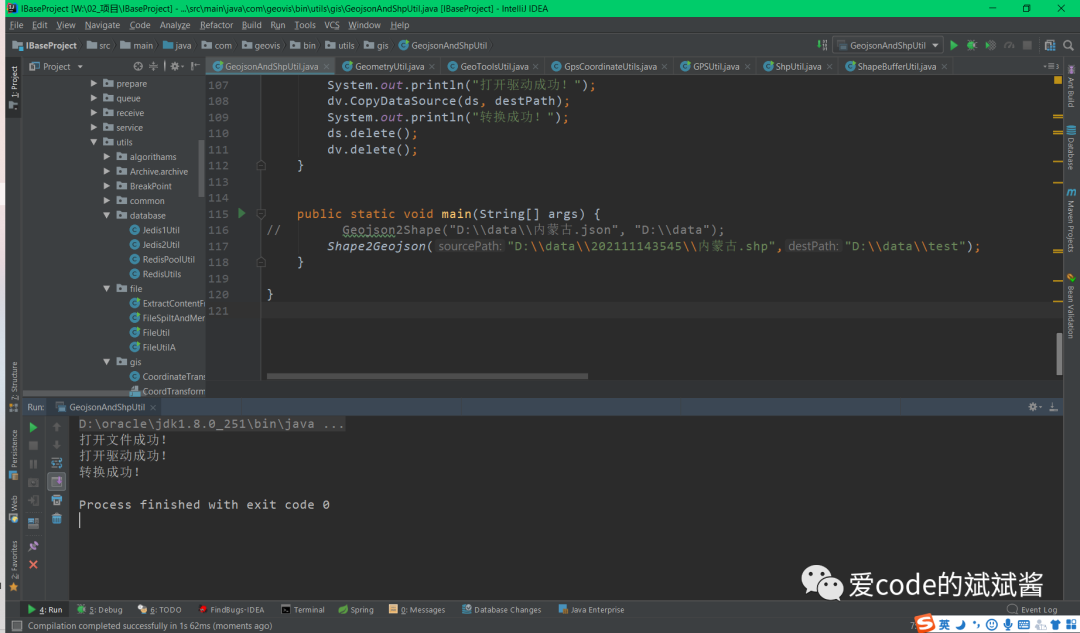
现在我们在VScode里面对照一下,我们最初下载的内蒙古.geojson和反向生成的是否一样。
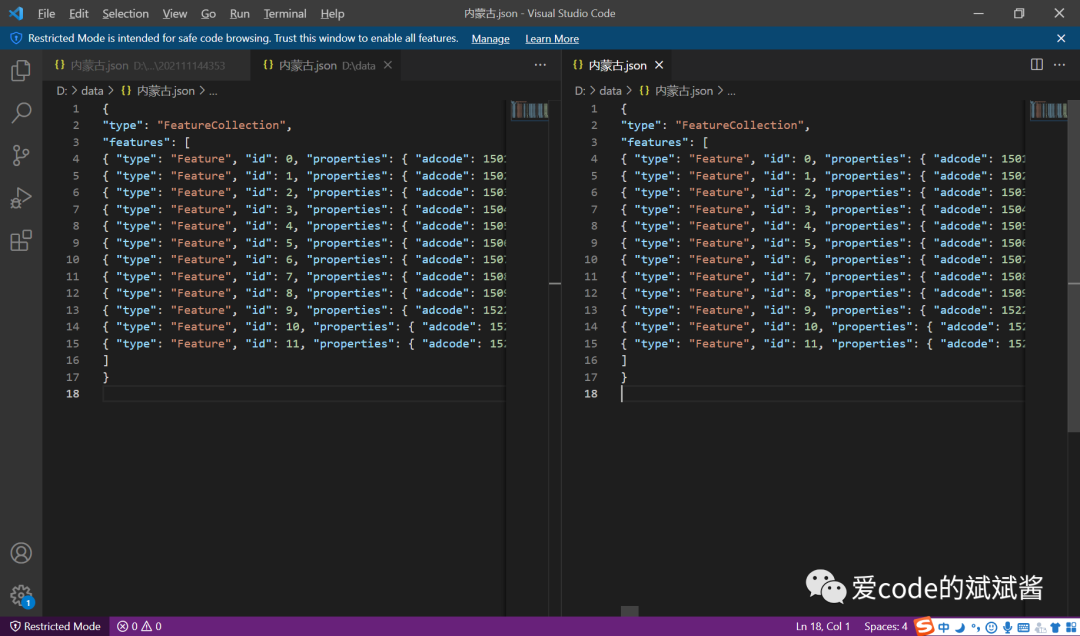
通过仔细对比这个两个文件,我们发现我们生成的内蒙古.geojson文件和之前下载的是完全一样的,这种双向验证的方式在有些时候会非常有用。
好啦!今天的shp文件和GeoJSON文件的互转就是以上的内容,希望可以帮助到你~
如果你有任何问题欢迎与我私信交流~