

我们在做性能测试的时候,经常需要构造万级以上的数据存入数据库作为业务数据或是铺垫数据,尤其是对于一些新系统新环境,更是没有任何的历史数据。
今天就和大家分享下之前工作中用的2中插入的方法,性能速度差很多。
对比背景
对比实验是在一台配置2核4g,操作系统是centos如下的服务器上进行,mysql版本为5.7.20。
[admin@test-server etc]$ cat redhat-release
CentOS Linux release 7.4.1708 (Core)
对比结果
同样插入1kw条数据到mysql
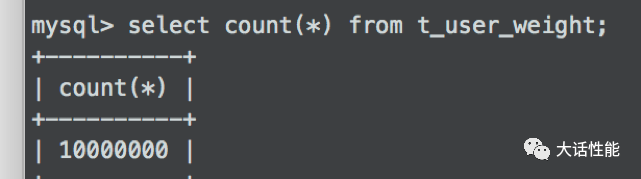
方法一、通过source导入sql语句插入;
耗时109min=6540s。
方法二、通过load data infile插入;

耗时72s。
两者足足差了6468s,近100倍,节省了大把到时间。
具体方法
人生苦短我用python
1、通过python代码批量生成1千万条以逗号分隔的记录数据和1千万条具体到sql语句。

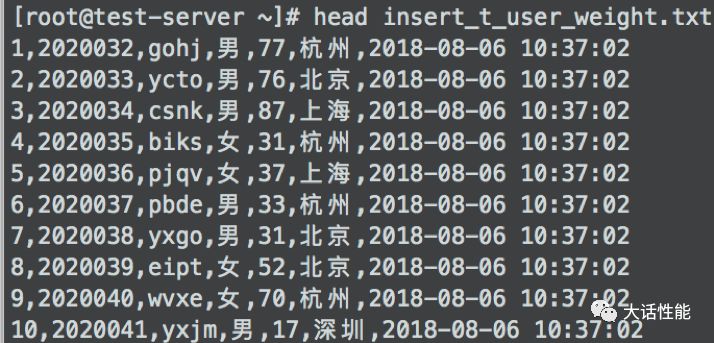
2、若是source方法,导入到是sql文件
在mysql服务器上执行命令:source /tmp/*.sql;
剩下的就是慢慢等待。
3、若是load data的方法
在mysql服务器上执行命令:
load data infile "/tmp/insert_t_user_weight.txt" into table test_insert fields terminated by ',';
4、验证数据是否插入。
python代码
以下为构造简单数据的python 脚本,若是需要构造多个表关联的数据,也是可以扩展的,只需要根据自己的需求微调或设计一些id再嵌套一个循环即可。
 1#!/usr/bin/python
 2# coding:utf-8
 3# author:hutong
 4
 5import random
 6import time
 7
 8# 构造表t_user_weight
 9def create_t_user_weight():
10    start = time.time()
11    # 定义需要生成的数据量
12    count = 10000000  # 1千万
13    beginID = 2020031
14    # 打开文件,并动态生成sql数据,将数据存在文件中
15    try:
16        with open("./insert_t_user_weight.txt", "wb") as fo:
17            length = count + 1
18            for i in range(1, length):
19                # 定义数据,以下只是测试数据,可以根据自己的业务通过调用函数去随机生成对应的值
20                id = str(i)
21                userId = str(beginID + i)
22                name = ''.join(random.sample('zyxwvutsrqponmlkjihgfedcba', 4)).replace('', '')
23                sex = str(random.choice(['男', '女']))
24                weight = str(random.randrange(10, 99))
25                address = str(random.choice(['北京', '上海', '深圳', '广州', '杭州']))
26                insert_t_user_weight = (
27                    "INSERT INTO t_user_weight VALUES ('%s', '%s', '%s','%s', '%s', '%s', '%s');"
28                    % (id, userId, name, sex, weight, address, time.strftime("%Y-%m-%d %H:%M:%S", time.localtime()))
29                )
30                insert_t_user_weight = insert_t_user_weight + '\n'
31                # print(insert_t_user_weight)
32                fo.write(insert_t_user_weight.encode('UTF-8'))
33            print('共创建1千万条sql耗时:', time.time() - start)
34    except Exception as e:
35        print(Exception, ":", e)
36
37if __name__ == "__main__":
38    create_t_user_weight()
遇到错误
MYSQL导入数据出现The MySQL server is running with the --secure-file-priv option so it cannot execute this statement
这个原因其实很简单,是因为在安装MySQL的时候限制了导入与导出的目录权限,只能在规定的目录下才能导入,我们需要通过下面命令查看 secure-file-priv 当前的值是什么。
show variables like '%secure%';
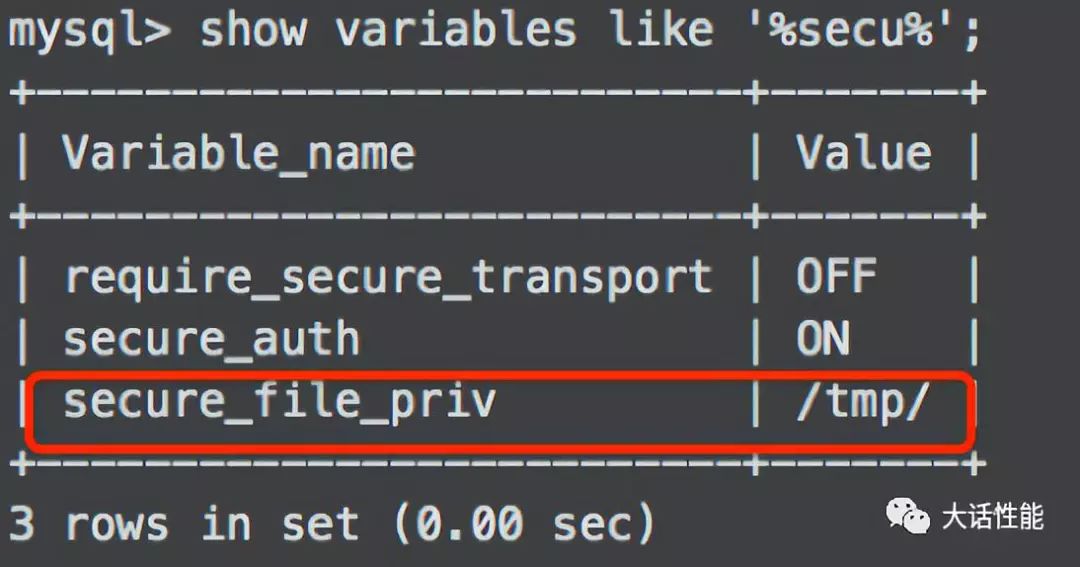
只需要把相对应的文件放在上面的目录下,即可成功读取,而不会报上面的错误了。
友情提示
在mysql的/etc/my.cnf配置文件中
添加参数innodb_flush_log_at_trx_commit = 0可以使插入的数据的速度加快。
往期推荐
内推直通