



1.创建一个含有5个分区的范围分区表store,在每个分区中插入记录
create table store( id int,name CHAR(30),store int)partition by range (store)(partition store_p0 values less than (60),partition store_p1 values less than (70),partition store_p2 values less than (80),partition store_p3 values less than (90),partition store_p4 values less than (100));

insert into store values (1, 'any',60), (2, 'jay',70), (3, 'lucy',80),(4,'rose',90),(5,'jack',99);

2.查看分区1上的数据
select * from store partition(store_p0);

insert into store values (1, 'any',59);

3.重命名分区2
alter table store rename partition store_p1 to store_p1_1;

4.删除分区5
alter table store drop partition store_p4;

5.增加分区6
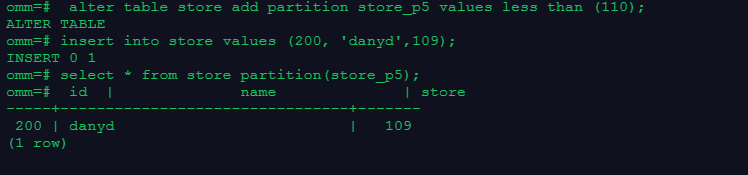
alter table store add partition store_p5 values less than (110);
insert into store values (200, 'danyd',109);
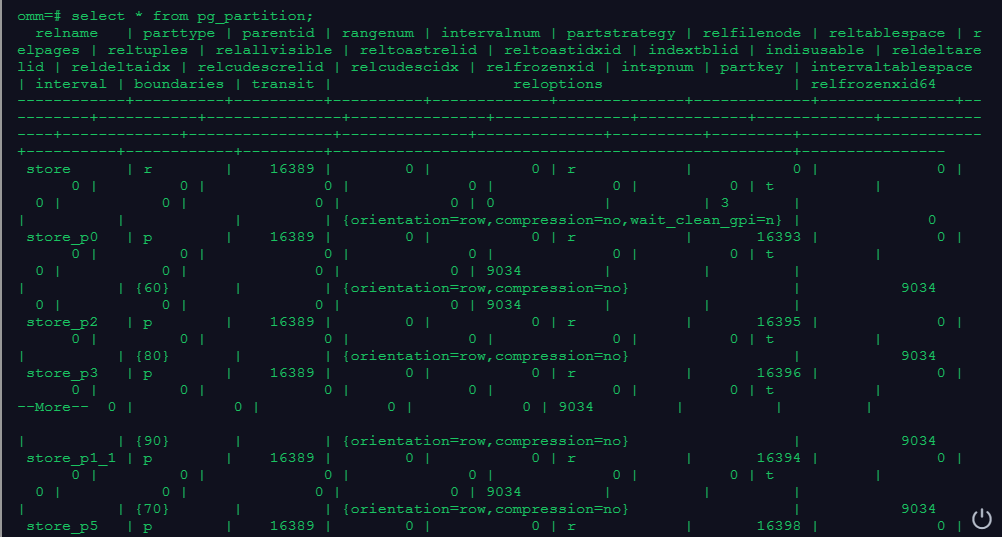
6.在系统表pg_partition中查看分区信息
select * from pg_partition;
7.删除分区表
drop table store;

