



>>请自觉遵守无线电管理法规,依法设置和使用无线电设备<<
先讲个笑话,前几天我去搜索了一下稀疏矩阵的书,然后这几天某购物App就天天跟我推荐植发了。。。。人工智能真有趣~
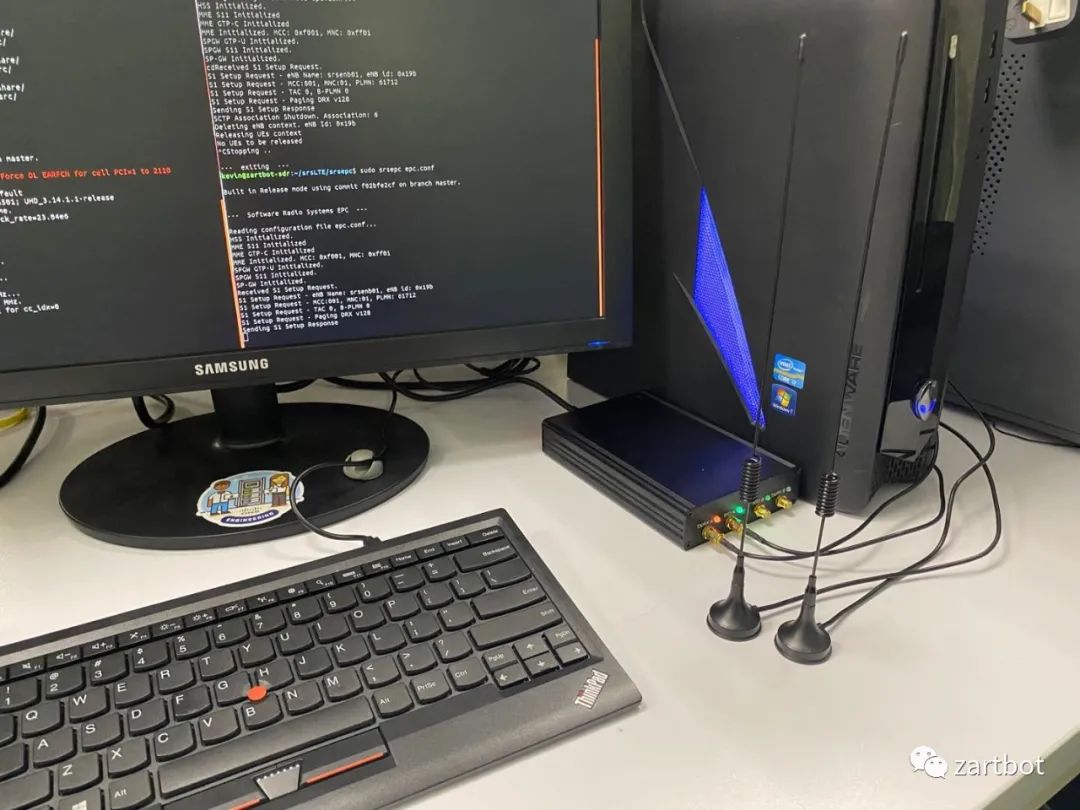
找一台物理机(千万别虚拟机,时钟飘到你哭~),最好找带AVX2指令集的CPU,安装一个干净的ubuntu 18.04,然后安装基本的编译环境:
sudo apt install git cmake g++ libboost-all-dev libgmp-dev swig python3-numpy \python3-mako python3-sphinx python3-lxml doxygen libfftw3-dev \libsdl1.2-dev libgsl-dev libqwt-qt5-dev libqt5opengl5-dev python3-pyqt5 \liblog4cpp5-dev libzmq3-dev python3-yaml python3-click python3-click-plugins \python3-zmq python3-scipy libfftw3-dev libmbedtls-dev \libboost-program-options-dev libconfig++-dev libsctp-devsudo apt-get install python-pip python-apt python3-pip
安装PyBOMBS和GNURadio可以玩很多SDR的东西
sudo -H pip install PyBOMBSmkdir ~/sdrcd ~/sdrpybombs auto-configpybombs recipes add gr-recipes git+https://github.com/gnuradio/gr-recipes.gitpybombs recipes add gr-etcetera git+https://github.com/gnuradio/gr-etcetera.gitpybombs prefix init
安装GNURadio
source ~/sdr/setup_env.shpybombs install gnuradiognuradio-companion
当然还以玩点其他的东西,有些东西就不说明了
pybombs install gr-osmosdr rtl-sdr hackrf bladeRF airspy gr-iqbal libosmo-dsp osmo-sdr gr-usrp2 armadillo gflags glog gnutls gnss-sdr gqrx gr-bluetooth gr-ieee-80211
UHD:
sudo add-apt-repository ppa:ettusresearch/uhd -ysudo apt-get updatesudo apt-get -y --allow-unauthenticated install python python-tk libboost-all-dev libusb-1.0-0-devsudo apt-get -y --allow-unauthenticated install libuhd-dev libuhd003 uhd-hostsudo uhd_images_downloaderkevin@ZartNode:~$ uhd_find_devices[INFO] [UHD] linux; GNU C++ version 7.4.0; Boost_106501; UHD_3.14.1.1-release[INFO] [B200] Loading firmware image: /usr/share/uhd/images/usrp_b200_fw.hex...---------------------------------------------------- UHD Device 0--------------------------------------------------Device Address:serial: 8000057name: xx-wireless_B210product: B210type: b200
LowLatency
sudo apt-get -y install linux-lowlatencysudo apt-get -y install linux-image-`uname -r | cut -d- -f1-2`-lowlatencysudo apt-get -y install linux-headers-`uname -r | cut -d- -f1-2`-lowlatency
Install srsLTE:
git clone https://github.com/srsLTE/srsLTE.gitcd srsLTEmkdir buildcd buildcmake ../makemake testsudo make installsudo ldconfig
eNB和EPC配置都抄作业:
enb:cp srsenb/enb.conf.example srsenb/enb.confcp srsenb/rr.conf.example srsenb/rr.confcp srsenb/sib.conf.example srsenb/sib.confcp srsenb/drb.conf.example srsenb/drb.confepc:cp srsepc/epc.conf.example srsepc/epc.confcp srsepc/user_db.csv.example srsepc/user_db.csv
当然注意mcc和mnc,epc.conf的配置需要改:
[mme]mme_code = 0x1amme_group = 0x0001tac = 0x0007mcc = 001mnc = 01mme_bind_addr = 127.0.1.100apn = iadns_addr = 8.8.8.8encryption_algo = EEA0integrity_algo = EIA1paging_timer = 2
同理enb的配置,还有RF的band,因为是一个北美版的LTE路由器,所以。。
[enb]mcc = 001mnc = 01mme_addr = 127.0.1.100gtp_bind_addr = 127.0.1.1s1c_bind_addr = 127.0.1.1n_prb = 50[rf]dl_earfcn = 2110tx_gain = 80rx_gain = 40
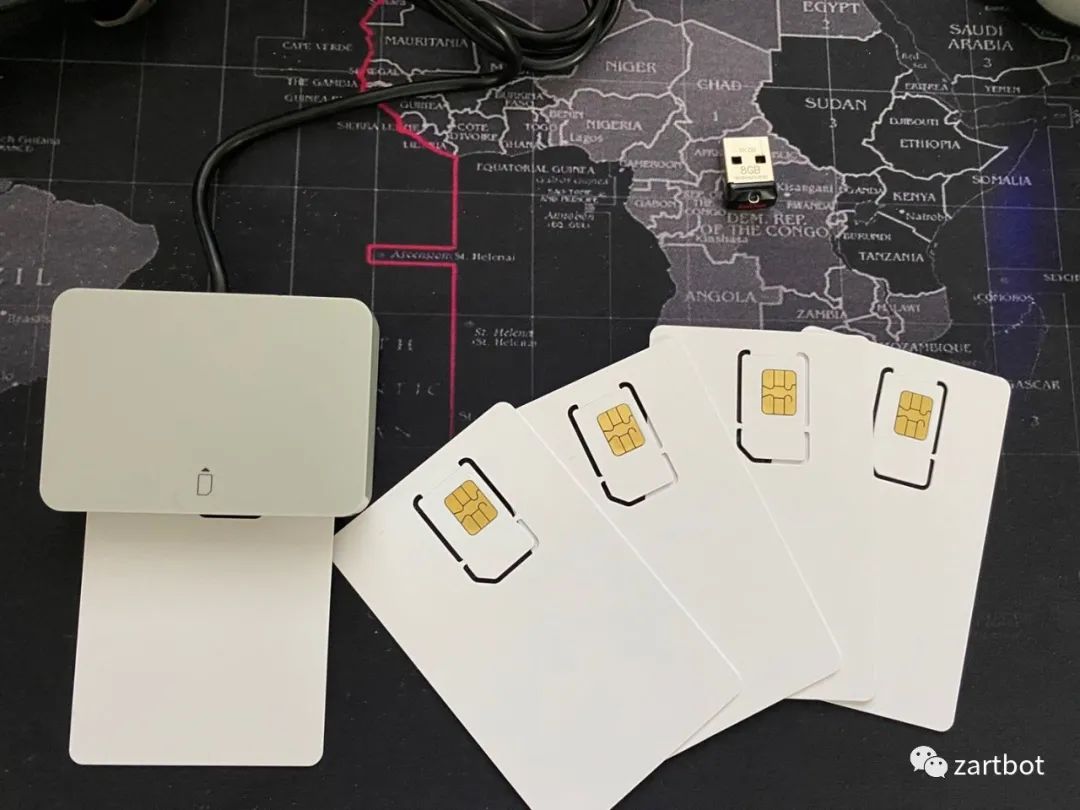
SIM卡烧卡:
烧卡软件:
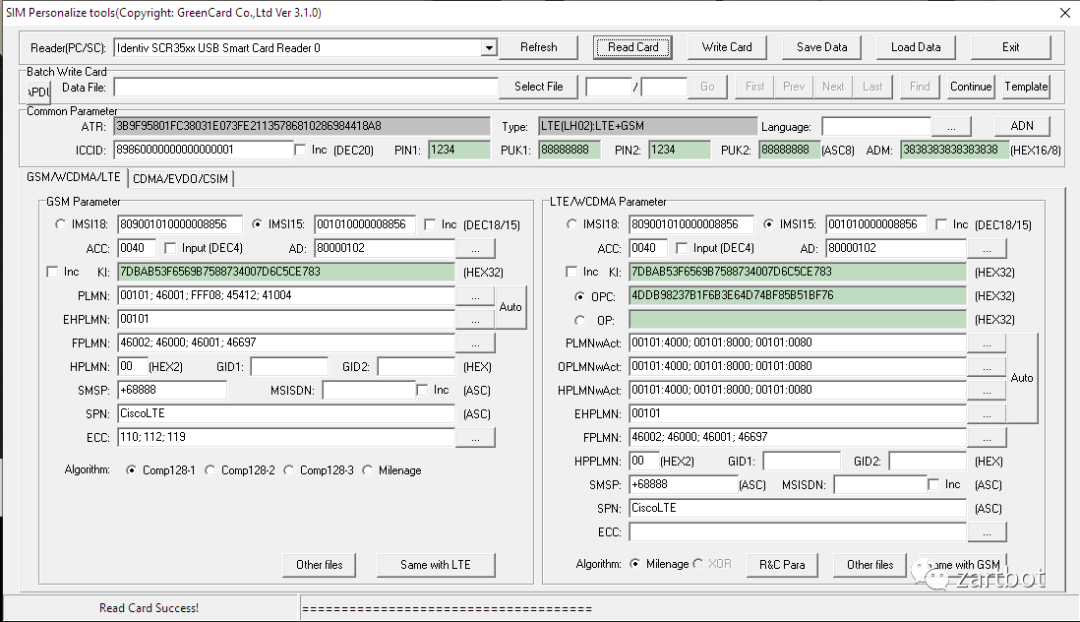
然后填写user_db.csv
## .csv to store UE's information in HSS# Kept in the following format: "Name,Auth,IMSI,Key,OP_Type,OP,AMF,SQN,QCI,IP_alloc"## Name: Human readable name to help distinguish UE's. Ignored by the HSS# IMSI: UE's IMSI value# Auth: Authentication algorithm used by the UE. Valid algorithms are XOR# (xor) and MILENAGE (mil)# Key: UE's key, where other keys are derived from. Stored in hexadecimal# OP_Type: Operator's code type, either OP or OPc# OP/OPc: Operator Code/Cyphered Operator Code, stored in hexadecimal# AMF: Authentication management field, stored in hexadecimal# SQN: UE's Sequence number for freshness of the authentication# QCI: QoS Class Identifier for the UE's default bearer.# IP_alloc: IP allocation stratagy for the SPGW.# With 'dynamic' the SPGW will automatically allocate IPs# With a valid IPv4 (e.g. '172.16.0.2') the UE will have a statically assigned IP.## Note: Lines starting by '#' are ignored and will be overwrittenue4,mil,001010000001234,7dbab53f6569b7588734007d6c5ce783,opc,4ddb98237b1f6b3e64d74bf85b51bf76,8000,00000000206e,7,dynamicue3,mil,001010000008856,7dbab53f6569b7588734007d6c5ce783,opc,4ddb98237b1f6b3e64d74bf85b51bf76,8000,00000000202c,7,dynamicue2,mil,001010123456780,00112233445566778899aabbccddeeff,opc,63bfa50ee6523365ff14c1f45f88737d,8000,000000001234,7,dynamicue1,xor,001010123456789,00112233445566778899aabbccddeeff,opc,63bfa50ee6523365ff14c1f45f88737d,9001,000000001234,7,dynamic
启动srsLTE:
cd ~/srs/LTE/srsenbsudo srsenb enb.confcd ~/srs/LTE/srsepcsudo srsepc epc.confsudo ./srsepc_if_masq.sh enp1s0f0
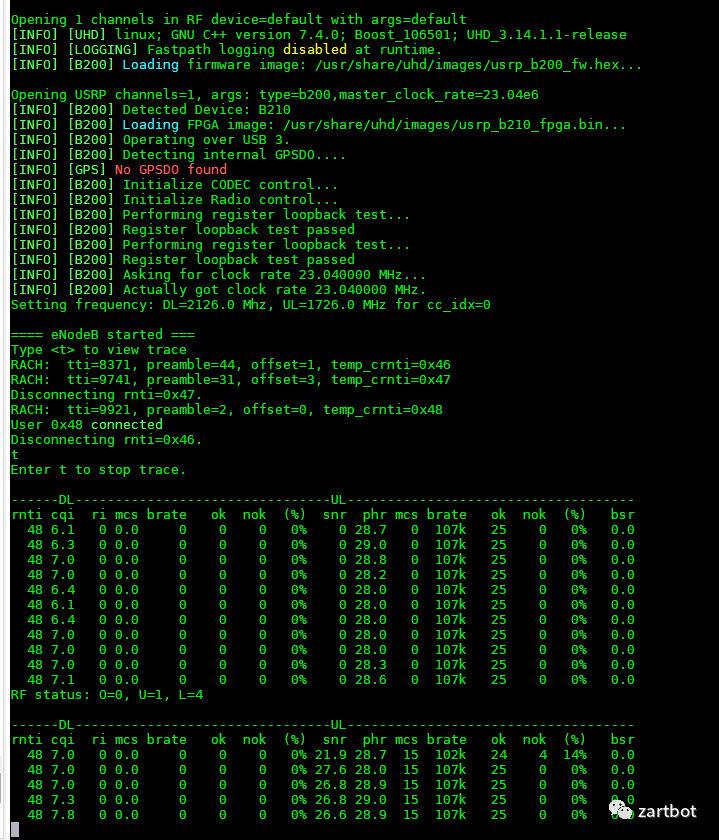
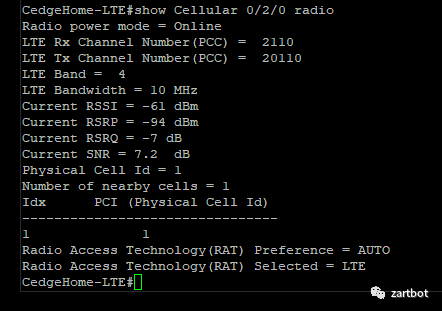
然后UE用了一台某司的测试路由器,上线成功~
文章转载自zartbot,如果涉嫌侵权,请发送邮件至:contact@modb.pro进行举报,并提供相关证据,一经查实,墨天轮将立刻删除相关内容。
