



一、介绍
1.1 图像对齐是什么?
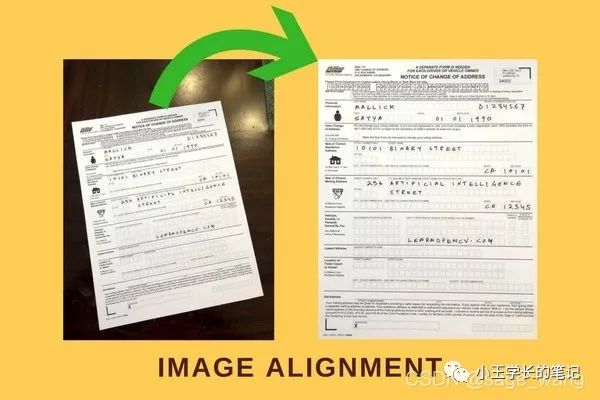
1.2 图像对齐算法的应用场景有哪些?
1.3 图像对齐算法有哪些?
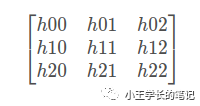
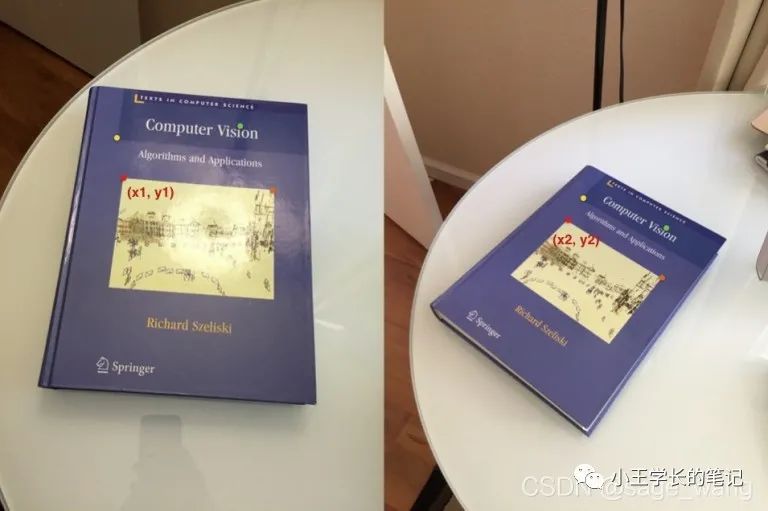
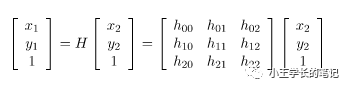
1.4 Homopgraphy是什么?
1.5 ORB是什么?
二、Demo展示
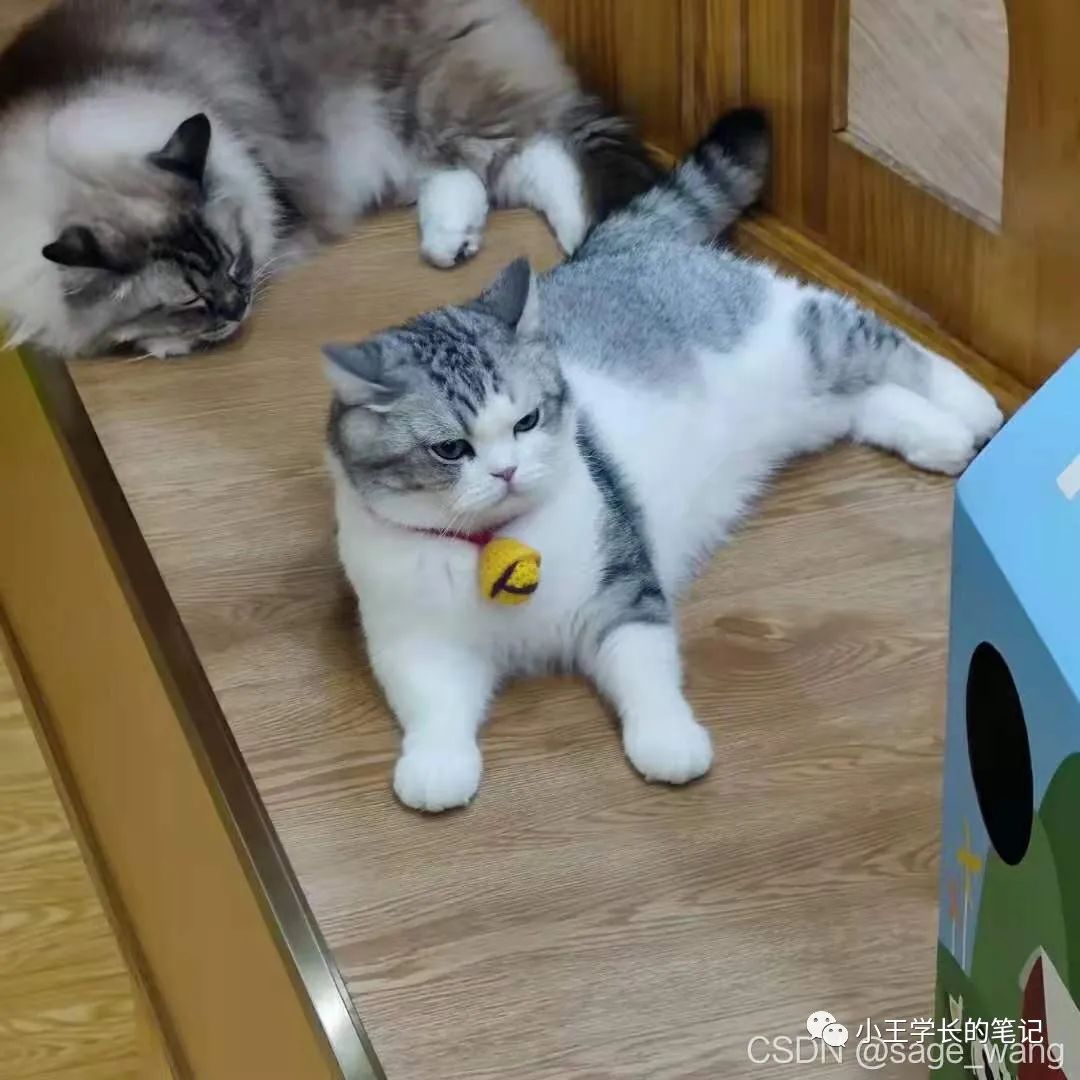
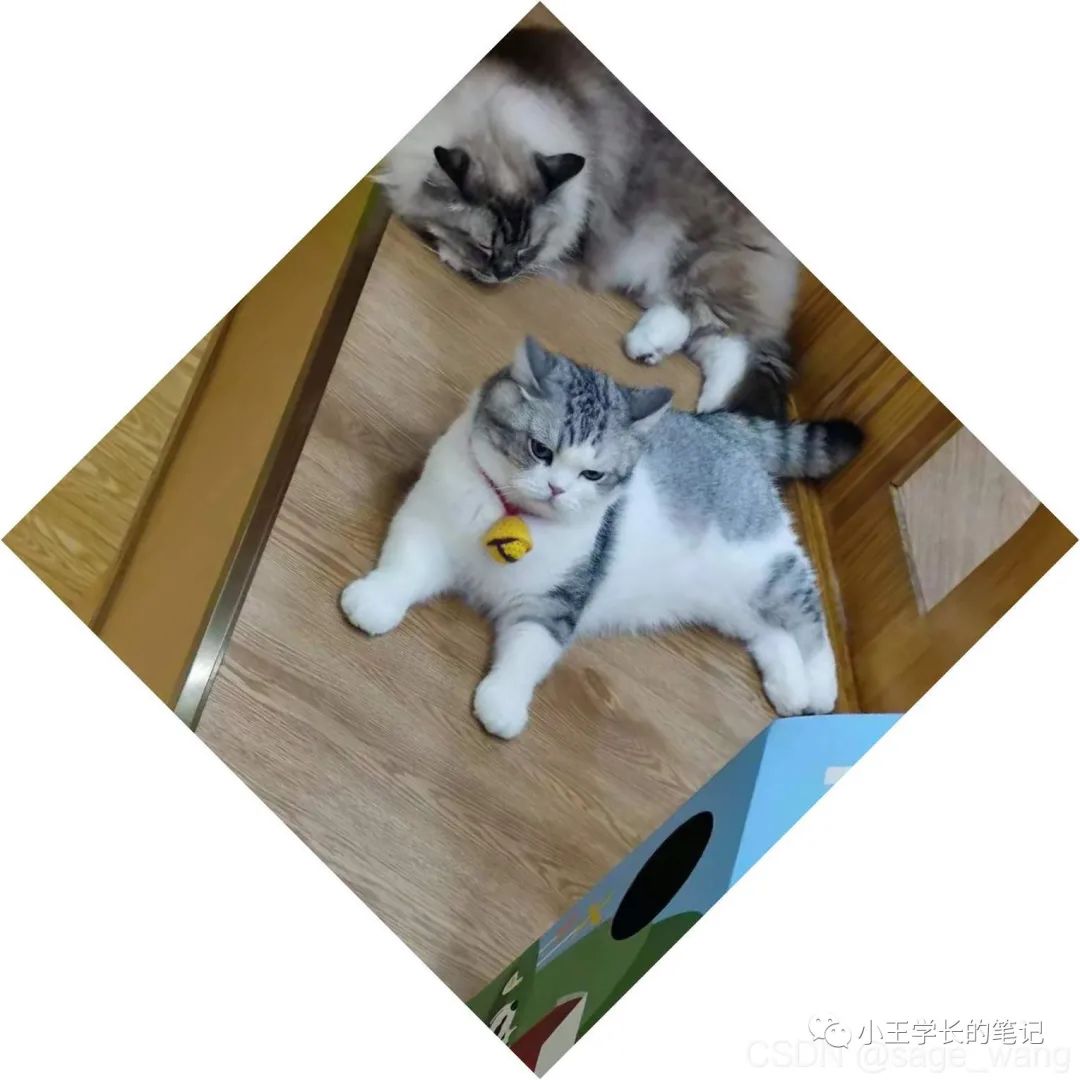
from __future__ import print_function
import cv2
import numpy as np


MAX_FEATURES = 500
GOOD_MATCH_PERCENT = 0.15


def drawMatches(img1, kp1, img2, kp2, matches):
    """
    My own implementation of cv2.drawMatches as OpenCV 2.4.9
    does not have this function available but it's supported in
    OpenCV 3.0.0

    This function takes in two images with their associated
    keypoints, as well as a list of DMatch data structure (matches)
    that contains which keypoints matched in which images.

    An image will be produced where a montage is shown with
    the first image followed by the second image beside it.

    Keypoints are delineated with circles, while lines are connected
    between matching keypoints.

    img1,img2 - Grayscale images
    kp1,kp2 - Detected list of keypoints through any of the OpenCV keypoint
              detection algorithms
    matches - A list of matches of corresponding keypoints through any
              OpenCV keypoint matching algorithm
    """

    # Create a new output image that concatenates the two images together
    # (a.k.a) a montage
    rows1 = img1.shape[0]
    cols1 = img1.shape[1]
    rows2 = img2.shape[0]
    cols2 = img2.shape[1]

    out = np.zeros((max([rows1,rows2]),cols1+cols2,3), dtype='uint8')

    # Place the first image to the left
    out[:rows1,:cols1,:] = np.dstack([img1, img1, img1])

    # Place the next image to the right of it
    out[:rows2,cols1:cols1+cols2,:] = np.dstack([img2, img2, img2])

    # For each pair of points we have between both images
    # draw circles, then connect a line between them
    for mat in matches:

        # Get the matching keypoints for each of the images
        img1_idx = mat.queryIdx
        img2_idx = mat.trainIdx

        # x - columns
        # y - rows
        (x1,y1) = kp1[img1_idx].pt
        (x2,y2) = kp2[img2_idx].pt

        # Draw a small circle at both co-ordinates
        # radius 4
        # colour blue
        # thickness = 1
        cv2.circle(out, (int(x1),int(y1)), 4, (255, 0, 0), 1)
        cv2.circle(out, (int(x2)+cols1,int(y2)), 4, (255, 0, 0), 1)

        # Draw a line in between the two points
        # thickness = 1
        # colour blue
        cv2.line(out, (int(x1),int(y1)), (int(x2)+cols1,int(y2)), (255, 0, 0), 1)


    # Show the image
    # cv2.imshow('Matched Features', out)
    # cv2.waitKey(0)
    # cv2.destroyAllWindows()
    cv2.imwrite("matches.jpg", out)

def alignImages(im1, im2):

  # Convert images to grayscale
  im1Gray = cv2.cvtColor(im1, cv2.COLOR_BGR2GRAY)
  im2Gray = cv2.cvtColor(im2, cv2.COLOR_BGR2GRAY)

  # Detect ORB features and compute descriptors.
  # orb = cv2.ORB_create(MAX_FEATURES)
  orb = cv2.ORB(MAX_FEATURES)
  keypoints1, descriptors1 = orb.detectAndCompute(im1Gray, None)
  keypoints2, descriptors2 = orb.detectAndCompute(im2Gray, None)

  # Match features.
  # matcher = cv2.DescriptorMatcher_create(cv2.DESCRIPTOR_MATCHER_BRUTEFORCE_HAMMING)
  # matcher = cv2.DescriptorMatcher_create('BruteForce-Hamming')
  bf = cv2.BFMatcher(cv2.NORM_HAMMING, crossCheck=True)

  # matches = matcher.match(descriptors1, descriptors2, None)
  matches = bf.match(descriptors1,descriptors2)


  # Sort matches by score
  matches.sort(key=lambda x: x.distance, reverse=False)

  # Remove not so good matches
  numGoodMatches = int(len(matches) * GOOD_MATCH_PERCENT)
  matches = matches[:numGoodMatches]

  # Draw top matches
  # imMatches = cv2.drawMatches(im1, keypoints1, im2, keypoints2, matches, None)
  # imMatches = cv2.DRAW_MATCHES_FLAGS_DEFAULT(im1, keypoints1, im2, keypoints2, matches, None)
  drawMatches(im1Gray, keypoints1, im2Gray, keypoints2, matches[:10])
  # cv2.imwrite("matches.jpg", imMatches)

  # Extract location of good matches
  points1 = np.zeros((len(matches), 2), dtype=np.float32)
  points2 = np.zeros((len(matches), 2), dtype=np.float32)

  for i, match in enumerate(matches):
    points1[i, :] = keypoints1[match.queryIdx].pt
    points2[i, :] = keypoints2[match.trainIdx].pt

  # Find homography
  h, mask = cv2.findHomography(points1, points2, cv2.RANSAC)

  # Use homography
  height, width, channels = im2.shape
  im1Reg = cv2.warpPerspective(im1, h, (width, height))

  return im1Reg, h


if __name__ == '__main__':

  # Read reference image
  # refFilename = "form.jpg"
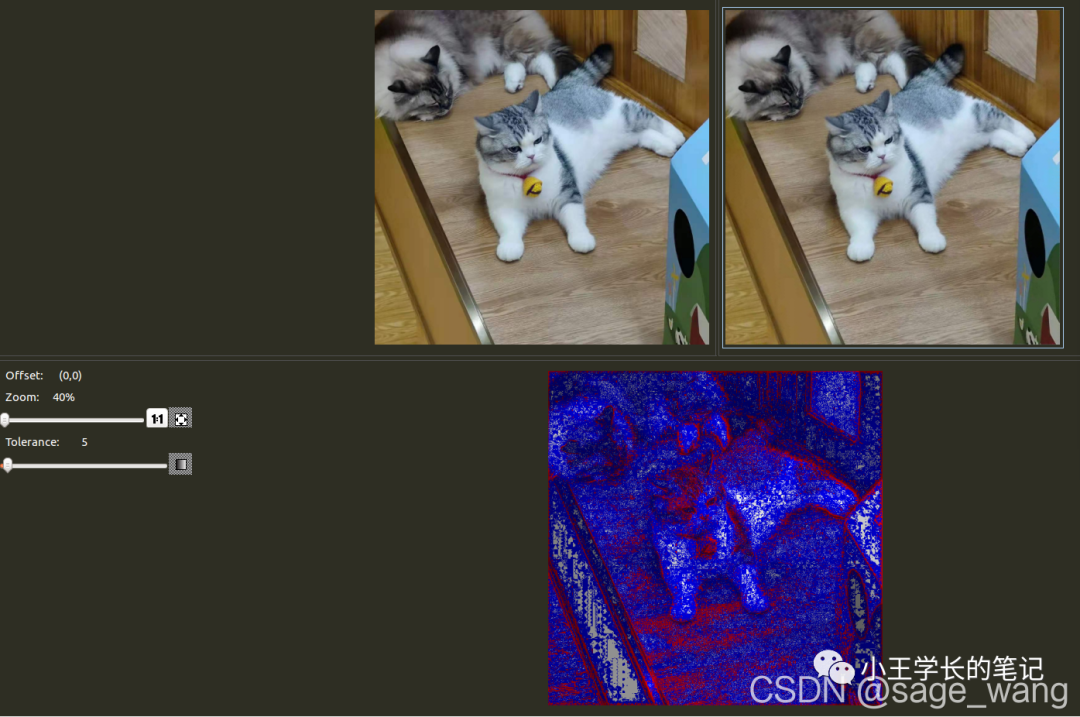
  refFilename = "bighead_cat.jpg"
  print("Reading reference image : ", refFilename)
  imReference = cv2.imread(refFilename, cv2.IMREAD_COLOR)

  # Read image to be aligned
  imFilename = "bighead_cat_45.jpg"
  print("Reading image to align : ", imFilename);
  im = cv2.imread(imFilename, cv2.IMREAD_COLOR)

  print("Aligning images ...")
  # Registered image will be resotred in imReg.
  # The estimated homography will be stored in h.
  imReg, h = alignImages(im, imReference)

  # Write aligned image to disk.
  outFilename = "aligned.jpg"
  print("Saving aligned image : ", outFilename);
  cv2.imwrite(outFilename, imReg)

  # Print estimated homography
  print("Estimated homography : \n",  h)
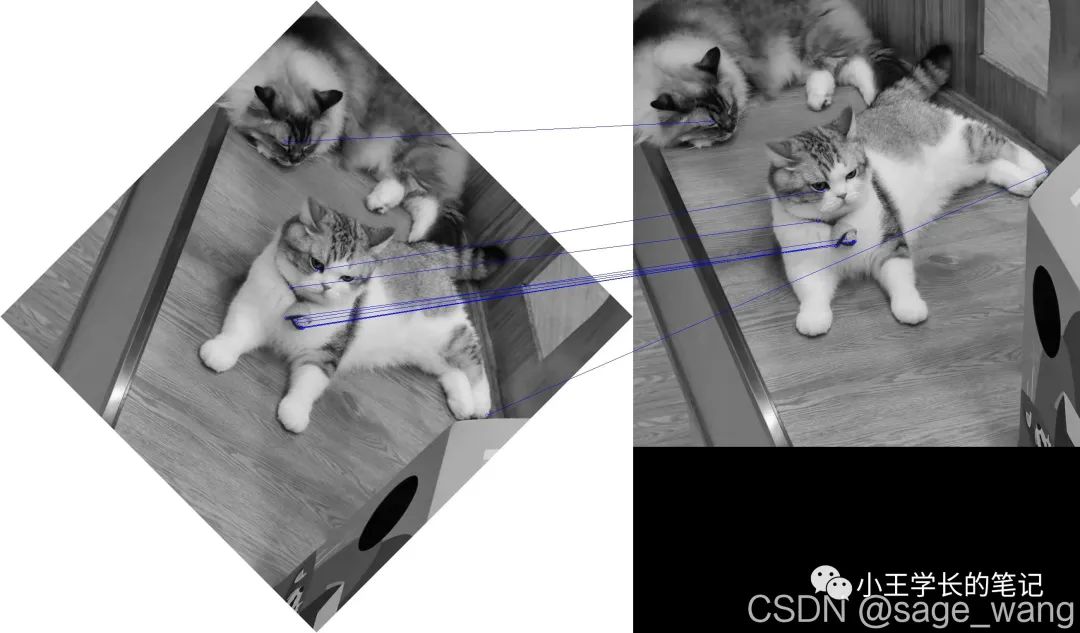
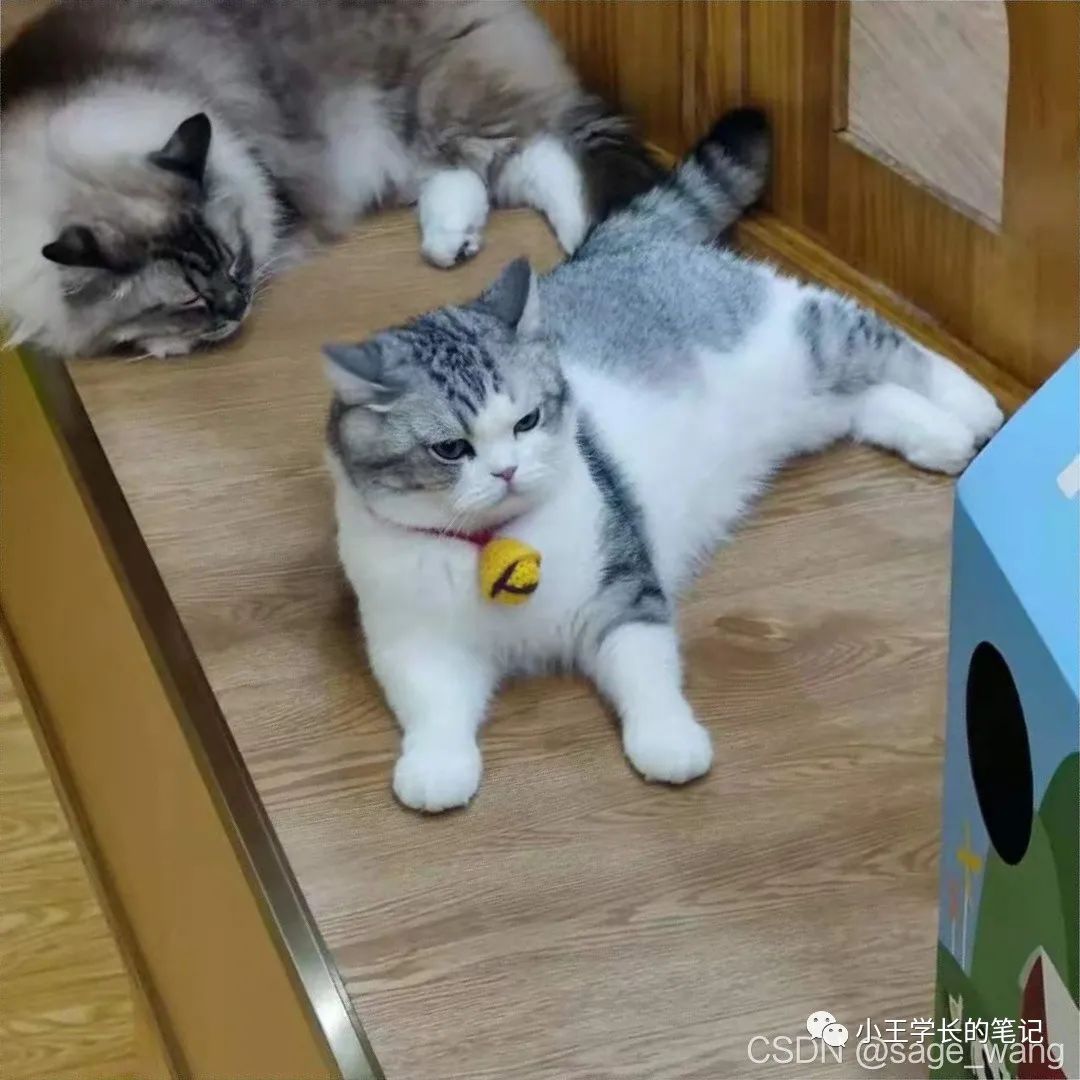
参考资料

文章转载自小王学长的笔记,如果涉嫌侵权,请发送邮件至:contact@modb.pro进行举报,并提供相关证据,一经查实,墨天轮将立刻删除相关内容。
