



作者:shunwahⓂ️
在运维管理领域,我拥有多年深厚的专业积累,兼具坚实的理论基础与广泛的实践经验。精通运维自动化流程,对于OceanBase、MySQL等多种数据库的部署与运维,具备从初始部署到后期维护的全链条管理能力。拥有OceanBase的OBCA和OBCP认证、OpenGauss社区认证结业证书,以及崖山DBCA、亚信AntDBCA、翰高 HDCA、GBase 8a | 8c | 8s、Galaxybase的GBCA、Neo4j的Graph Data Science Certification、NebulaGraph的NGCI & NGCP、东方通TongTech TCPE等多项权威认证。
在OceanBase & 墨天轮的技术征文大赛中,多次荣获一、二、三等奖。同时,在OpenGauss第五届、第六届、第七届技术征文大赛,TiDB社区专栏征文大赛,金仓数据库有奖征文活动,以及YashanDB「产品体验官」征文等活动中,我也屡获殊荣。此外,我还活跃于墨天轮、CSDN、ITPUB等技术平台,经常发布原创技术文章,并多次被首页推荐。

前言
在分布式数据库领域,对于熟悉OceanBase的用户来说,“多租户”是其标志性特性之一。简单来说,OceanBase的租户类似于传统数据库的实例——比如一个MySQL兼容模式的租户,从客户端视角看,与使用普通MySQL数据库几乎无异。而在4.3版本中,OceanBase在多租户架构基础上新增了“租户克隆”功能,让租户的复制和管理变得前所未有的高效。
近日在逛OB社区时,偶然看到【积分 + 福利】实战营(第二季)第二期——OceanBase 租户克隆活动(2025.7.21已更新,福利加码),立刻被吸引了。这活动设计得太有意思了,OB小编(兹拉坦)老师的创意让人眼前一亮,真心希望能多举办这类实践活动。正如活动中所说,“纸上得来终觉浅,实践才能出真知”。我已经亲身体验了《通过克隆租户生成一个相同的新租户》在线实验,必须说OceanBase的租户克隆功能太人性化了:操作简单快捷,特别适合快速部署测试环境或实现数据隔离,尤其是一分钟左右就能完成克隆的特点,极大提升了工作效率。
OceanBase 租户克隆文档操作一步步的指引非常详细,小白也能很快上手。同时,我强烈推荐大家都来参与这次活动,亲自动手体验一下!完成课后小测并上传实验截图,不仅能积累积分,还有机会赢取丰厚奖品哦!

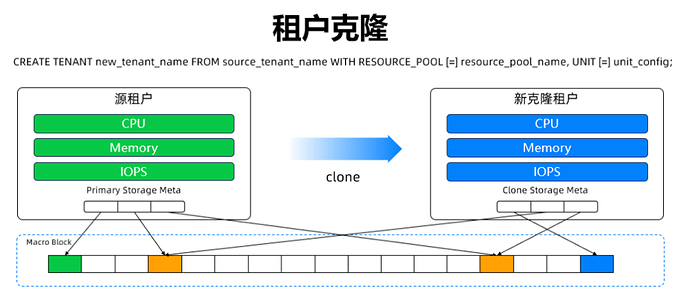
借用OB老师的图
一、 租户克隆:OceanBase 4.3的“效率利器”
1.1 技术本质解析:从集群到租户的隔离性
使用OceanBase时,我们会在多台机器上启动进程组成集群,而集群中可以创建多个租户,且租户间完全隔离——这是OceanBase多租户架构的核心优势。
租户克隆功能则是在这一基础上的升级:在系统租户下执行一条简单语句,就能基于源租户快速克隆出一个新租户。新租户初始数据是源租户在语句执行时的快照,相当于“瞬间复制”了源租户的状态。
1.2 为什么租户克隆能“秒级”完成?
租户克隆的高效源于其独特的实现逻辑:
- 只拷贝元数据:克隆过程中,仅复制源租户的元数据(如表结构、权限配置等),而非实际数据;
- 共享物理宏块:新租户初始访问的物理宏块(OceanBase的基础存储单元)与源租户完全相同,无需额外拷贝数据;
- 严格隔离性:尽管初始共享存储,新租户与源租户仍是独立个体——数据隔离(双方数据改动互不影响)、资源隔离(CPU、内存、IOPS独立分配,不抢占)。
举个例子:一个8核64G、包含50万张表和8TB数据的租户,克隆成同等规格的新租户仅需2分钟,这在传统数据库中几乎无法想象。
1.3 租户克隆的实际应用场景
在实际业务中,租户克隆能解决多个痛点:
- 大促报表查询:生产租户CPU使用率达85%时,克隆一个新租户专门跑报表,避免影响核心业务;
- 复杂查询分流:将内部运营的复杂查询转移到克隆租户(可设为只读备租户,实时同步生产数据),减轻生产压力;
- 版本升级回滚:发布前克隆生产租户作为“备份”,若升级失败,用克隆租户快速恢复,减少停机时间;
- 多场景复用:单个源租户可克隆出多个不同规格的租户,分别用于测试、开发、数据分析等场景。
二、租户克隆操作指南:小白也能轻松上手
租户克隆的使用并不复杂,以下是基于MySQL模式的详细步骤(实验环境已预建,无需手动创建租户和数据库):
2.1 步骤1:登录用户租户并准备测试数据
2.1.1 登录用户租户
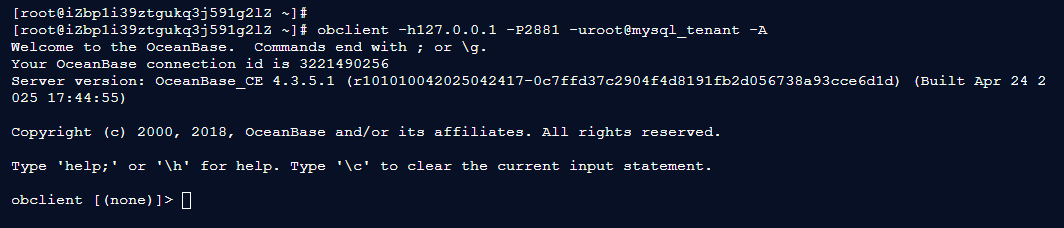
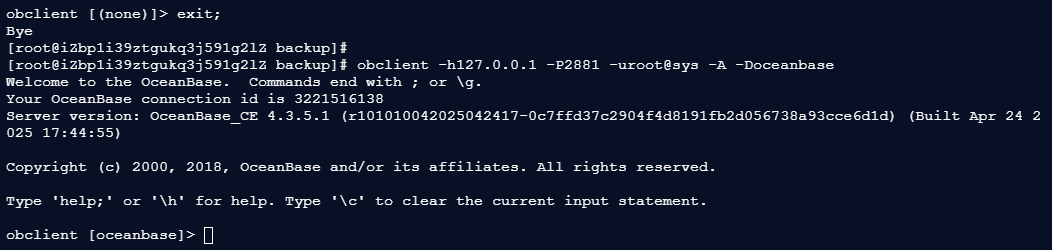
[root@iZbp1i39ztgukq3j591g2lZ ~]# obclient -h127.0.0.1 -P2881 -uroot@mysql_tenant -A
Welcome to the OceanBase.  Commands end with ; or \g.
Your OceanBase connection id is 3221490256
Server version: OceanBase_CE 4.3.5.1 (r101010042025042417-0c7ffd37c2904f4d8191fb2d056738a93cce6d1d) (Built Apr 24 2025 17:44:55)

Copyright (c) 2000, 2018, OceanBase and/or its affiliates. All rights reserved.

Type 'help;' or '\h' for help. Type '\c' to clear the current input statement.

obclient [(none)]>
2.1.1 创建测试数据库和表
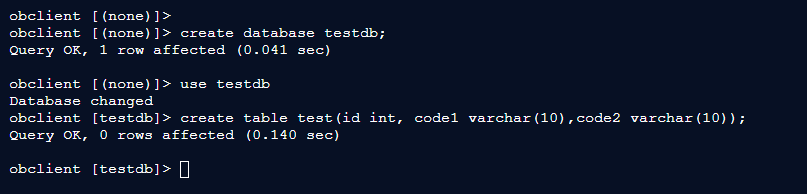
obclient [(none)]> create database testdb;
Query OK, 1 row affected (0.041 sec)

obclient [(none)]> use testdb
Database changed
obclient [testdb]> create table test(id int, code1 varchar(10),code2 varchar(10));
Query OK, 0 rows affected (0.140 sec)
2.1.1 插入测试数据
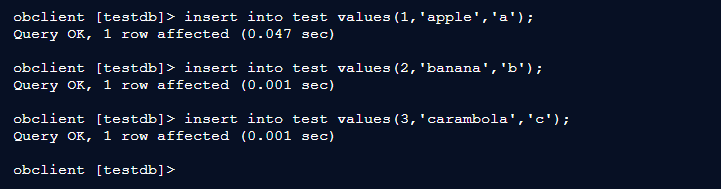
obclient [testdb]> insert into test values(1,'apple','a');
Query OK, 1 row affected (0.047 sec)

obclient [testdb]> insert into test values(2,'banana','b');
Query OK, 1 row affected (0.001 sec)

obclient [testdb]> insert into test values(3,'carambola','c');
Query OK, 1 row affected (0.001 sec)

obclient [testdb]>
2.2 步骤2:配置归档环境
2.2.1 创建备份目录
obclient [testdb]> exit
Bye
[root@iZbp1i39ztgukq3j591g2lZ ~]# ls
oceanbase-all-in-one
oceanbase-all-in-one-4.2.1.0-100120231013145059.el7.x86_64.tar.gz
oceanbase-ce-4.3.5.1-101010042025042417.el7.x86_64.rpm
oceanbase-ce-libs-4.3.5.1-101010042025042417.el7.x86_64.rpm
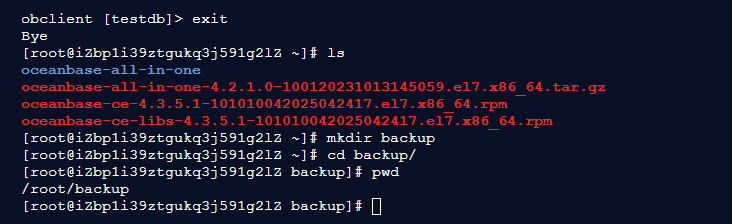
[root@iZbp1i39ztgukq3j591g2lZ ~]# mkdir backup
[root@iZbp1i39ztgukq3j591g2lZ ~]# cd backup/
[root@iZbp1i39ztgukq3j591g2lZ backup]# pwd
/root/backup
[root@iZbp1i39ztgukq3j591g2lZ backup]#
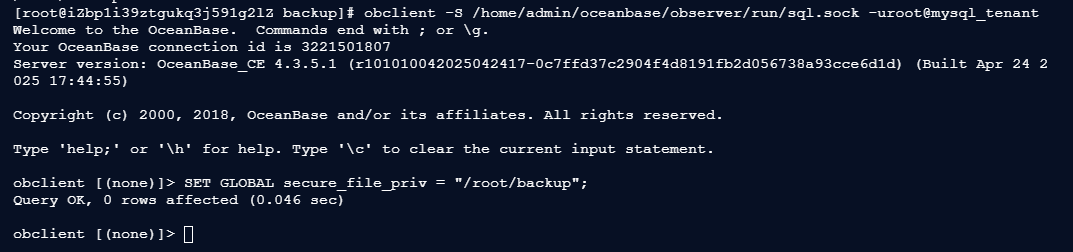
2.2.2 通过本地Unix Socket连接租户,配置备份路径
[root@iZbp1i39ztgukq3j591g2lZ backup]# obclient -S /home/admin/oceanbase/observer/run/sql.sock -uroot@mysql_tenant
Welcome to the OceanBase.  Commands end with ; or \g.
Your OceanBase connection id is 3221501807
Server version: OceanBase_CE 4.3.5.1 (r101010042025042417-0c7ffd37c2904f4d8191fb2d056738a93cce6d1d) (Built Apr 24 2025 17:44:55)

Copyright (c) 2000, 2018, OceanBase and/or its affiliates. All rights reserved.

Type 'help;' or '\h' for help. Type '\c' to clear the current input statement.

obclient [(none)]> SET GLOBAL secure_file_priv = "/root/backup";
Query OK, 0 rows affected (0.046 sec)

obclient [(none)]>
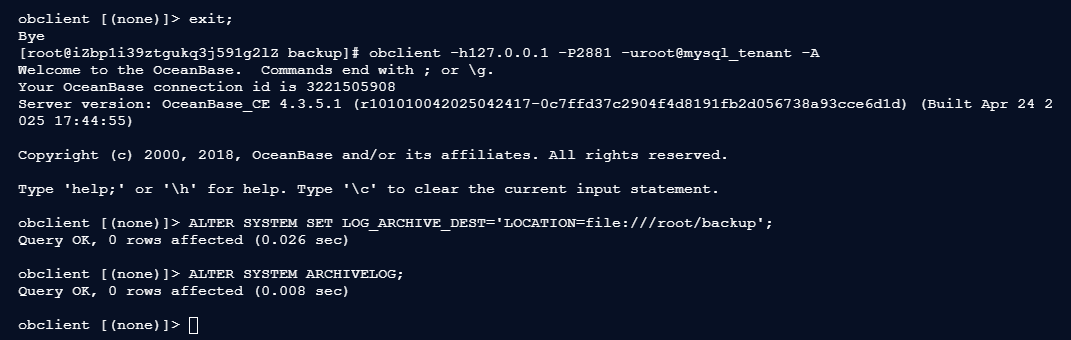
2.2.3 重新登录用户租户,配置归档目的端并开启归档
obclient [(none)]> exit;
Bye
[root@iZbp1i39ztgukq3j591g2lZ backup]# obclient -h127.0.0.1 -P2881 -uroot@mysql_tenant -A
Welcome to the OceanBase.  Commands end with ; or \g.
Your OceanBase connection id is 3221505908
Server version: OceanBase_CE 4.3.5.1 (r101010042025042417-0c7ffd37c2904f4d8191fb2d056738a93cce6d1d) (Built Apr 24 2025 17:44:55)

Copyright (c) 2000, 2018, OceanBase and/or its affiliates. All rights reserved.

Type 'help;' or '\h' for help. Type '\c' to clear the current input statement.

obclient [(none)]> ALTER SYSTEM SET LOG_ARCHIVE_DEST='LOCATION=file:///root/backup';
Query OK, 0 rows affected (0.026 sec)

obclient [(none)]> ALTER SYSTEM ARCHIVELOG;
Query OK, 0 rows affected (0.008 sec)

obclient [(none)]>
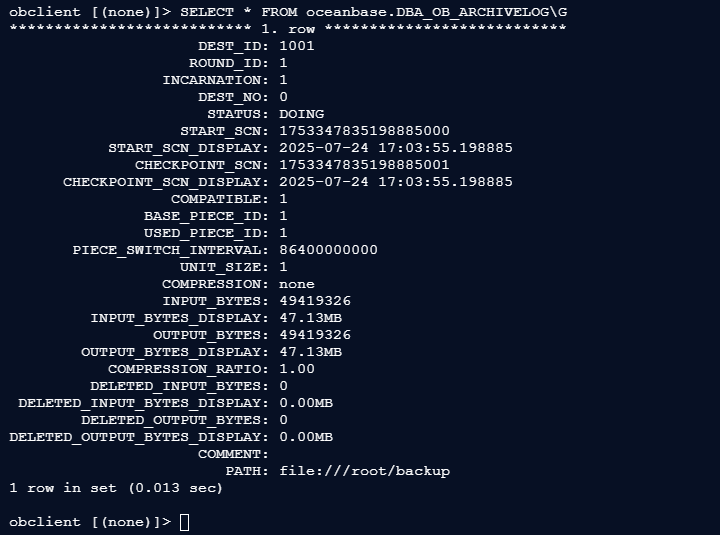
2.2.4 查看归档进度(STATUS为DOING即正常)
obclient [(none)]> SELECT * FROM oceanbase.DBA_OB_ARCHIVELOG\G
*************************** 1. row ***************************
                     DEST_ID: 1001
                    ROUND_ID: 1
                 INCARNATION: 1
                     DEST_NO: 0
                      STATUS: DOING
                   START_SCN: 1753347835198885000
           START_SCN_DISPLAY: 2025-07-24 17:03:55.198885
              CHECKPOINT_SCN: 1753347835198885001
      CHECKPOINT_SCN_DISPLAY: 2025-07-24 17:03:55.198885
                  COMPATIBLE: 1
               BASE_PIECE_ID: 1
               USED_PIECE_ID: 1
       PIECE_SWITCH_INTERVAL: 86400000000
                   UNIT_SIZE: 1
                 COMPRESSION: none
                 INPUT_BYTES: 49419326
         INPUT_BYTES_DISPLAY: 47.13MB
                OUTPUT_BYTES: 49419326
        OUTPUT_BYTES_DISPLAY: 47.13MB
           COMPRESSION_RATIO: 1.00
         DELETED_INPUT_BYTES: 0
 DELETED_INPUT_BYTES_DISPLAY: 0.00MB
        DELETED_OUTPUT_BYTES: 0
DELETED_OUTPUT_BYTES_DISPLAY: 0.00MB
                     COMMENT:
                        PATH: file:///root/backup
1 row in set (0.013 sec)

obclient [(none)]>
2.2.5 执行转储
obclient [(none)]> ALTER SYSTEM MINOR FREEZE;
Query OK, 0 rows affected (0.026 sec)

obclient [(none)]>

2.3 步骤3:执行租户克隆(登录sys租户)
2.3.1 登录sys租户
obclient [(none)]> exit;
Bye
[root@iZbp1i39ztgukq3j591g2lZ backup]#
[root@iZbp1i39ztgukq3j591g2lZ backup]# obclient -h127.0.0.1 -P2881 -uroot@sys -A -Doceanbase
Welcome to the OceanBase.  Commands end with ; or \g.
Your OceanBase connection id is 3221516138
Server version: OceanBase_CE 4.3.5.1 (r101010042025042417-0c7ffd37c2904f4d8191fb2d056738a93cce6d1d) (Built Apr 24 2025 17:44:55)

Copyright (c) 2000, 2018, OceanBase and/or its affiliates. All rights reserved.

Type 'help;' or '\h' for help. Type '\c' to clear the current input statement.

obclient [oceanbase]>
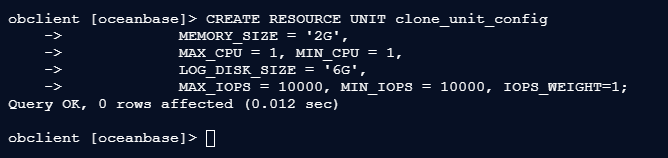
2.3.2 创建克隆租户的资源单元配置
obclient [oceanbase]> CREATE RESOURCE UNIT clone_unit_config
    ->             MEMORY_SIZE = '2G',
    ->             MAX_CPU = 1, MIN_CPU = 1,
    ->             LOG_DISK_SIZE = '6G',
    ->             MAX_IOPS = 10000, MIN_IOPS = 10000, IOPS_WEIGHT=1;
Query OK, 0 rows affected (0.012 sec)

obclient [oceanbase]>
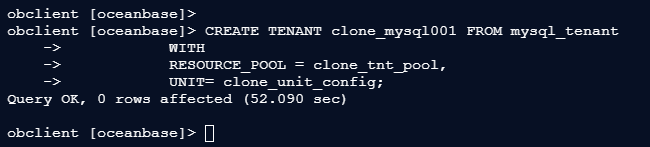
2.3.3 执行克隆语句
obclient [oceanbase]> CREATE TENANT clone_mysql001 FROM mysql_tenant
    ->            WITH
    ->            RESOURCE_POOL = clone_tnt_pool,
    ->            UNIT= clone_unit_config;
Query OK, 0 rows affected (52.090 sec)

obclient [oceanbase]>
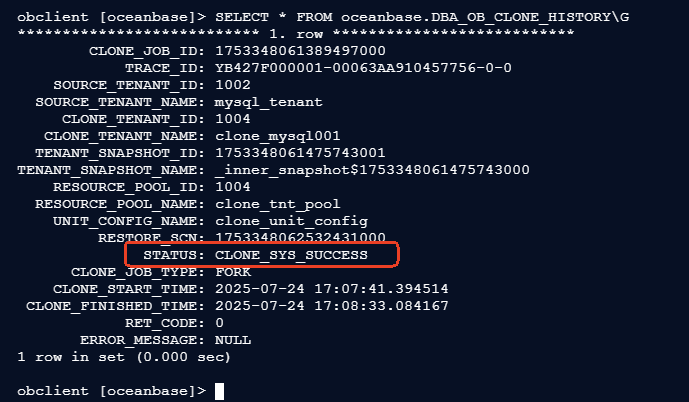
2.3.4 查看克隆任务状态(STATUS为CLONE_SYS_SUCCESS即完成)
obclient [oceanbase]> SELECT * FROM oceanbase.DBA_OB_CLONE_HISTORY\G
*************************** 1. row ***************************
        CLONE_JOB_ID: 1753348061389497000
            TRACE_ID: YB427F000001-00063AA910457756-0-0
    SOURCE_TENANT_ID: 1002
  SOURCE_TENANT_NAME: mysql_tenant
     CLONE_TENANT_ID: 1004
   CLONE_TENANT_NAME: clone_mysql001
  TENANT_SNAPSHOT_ID: 1753348061475743001
TENANT_SNAPSHOT_NAME: _inner_snapshot$1753348061475743000
    RESOURCE_POOL_ID: 1004
  RESOURCE_POOL_NAME: clone_tnt_pool
    UNIT_CONFIG_NAME: clone_unit_config
         RESTORE_SCN: 1753348062532431000
              STATUS: CLONE_SYS_SUCCESS
      CLONE_JOB_TYPE: FORK
    CLONE_START_TIME: 2025-07-24 17:07:41.394514
 CLONE_FINISHED_TIME: 2025-07-24 17:08:33.084167
            RET_CODE: 0
       ERROR_MESSAGE: NULL
1 row in set (0.002 sec)

obclient [oceanbase]>
2.4 步骤4:验证克隆结果
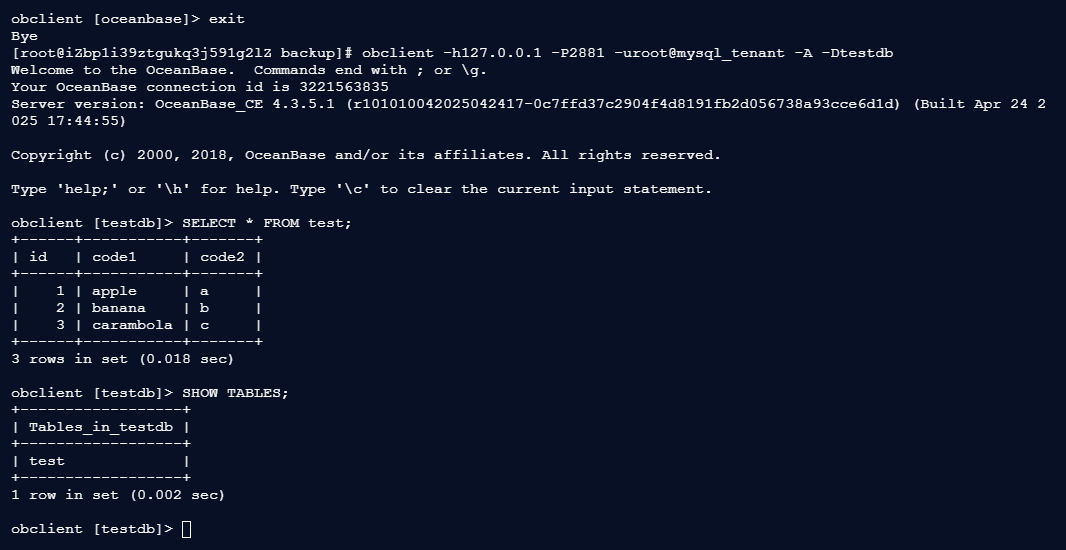
2.4.1 查看源租户数据
obclient [oceanbase]> exit
Bye
[root@iZbp1i39ztgukq3j591g2lZ backup]# obclient -h127.0.0.1 -P2881 -uroot@mysql_tenant -A -Dtestdb
Welcome to the OceanBase.  Commands end with ; or \g.
Your OceanBase connection id is 3221563835
Server version: OceanBase_CE 4.3.5.1 (r101010042025042417-0c7ffd37c2904f4d8191fb2d056738a93cce6d1d) (Built Apr 24 2025 17:44:55)

Copyright (c) 2000, 2018, OceanBase and/or its affiliates. All rights reserved.

Type 'help;' or '\h' for help. Type '\c' to clear the current input statement.

obclient [testdb]> SELECT * FROM test;
+------+-----------+-------+
| id   | code1     | code2 |
+------+-----------+-------+
|    1 | apple     | a     |
|    2 | banana    | b     |
|    3 | carambola | c     |
+------+-----------+-------+
3 rows in set (0.018 sec)

obclient [testdb]> SHOW TABLES;
+------------------+
| Tables_in_testdb |
+------------------+
| test             |
+------------------+
1 row in set (0.002 sec)

obclient [testdb]>
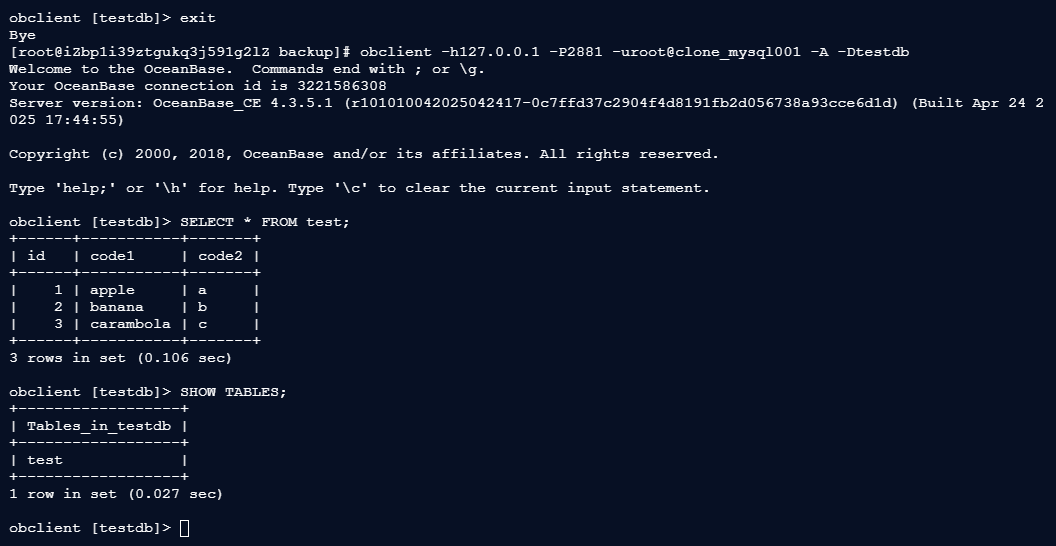
2.4.2 查看克隆租户数据(与源租户完全一致)
obclient -h127.0.0.1 -P2881 -uroot@clone_mysql001 -A -Dtestdb
obclient [testdb]> SELECT * FROM test;
obclient [testdb]> SHOW TABLES;
obclient [testdb]> exit
Bye
[root@iZbp1i39ztgukq3j591g2lZ backup]# obclient -h127.0.0.1 -P2881 -uroot@clone_mysql001 -A -Dtestdb
Welcome to the OceanBase.  Commands end with ; or \g.
Your OceanBase connection id is 3221586308
Server version: OceanBase_CE 4.3.5.1 (r101010042025042417-0c7ffd37c2904f4d8191fb2d056738a93cce6d1d) (Built Apr 24 2025 17:44:55)

Copyright (c) 2000, 2018, OceanBase and/or its affiliates. All rights reserved.

Type 'help;' or '\h' for help. Type '\c' to clear the current input statement.

obclient [testdb]> SELECT * FROM test;
+------+-----------+-------+
| id   | code1     | code2 |
+------+-----------+-------+
|    1 | apple     | a     |
|    2 | banana    | b     |
|    3 | carambola | c     |
+------+-----------+-------+
3 rows in set (0.106 sec)

obclient [testdb]> SHOW TABLES;
+------------------+
| Tables_in_testdb |
+------------------+
| test             |
+------------------+
1 row in set (0.027 sec)

obclient [testdb]>
三、 应用场景测试
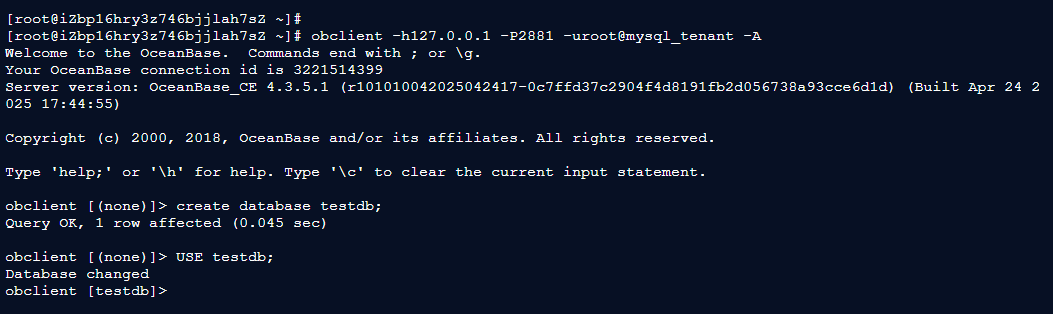
3.1 登录源租户使用 testdb 数据库
[root@iZbp16hry3z746bjjlah7sZ ~]# obclient -h127.0.0.1 -P2881 -uroot@mysql_tenant -A
Welcome to the OceanBase.  Commands end with ; or \g.
Your OceanBase connection id is 3221514399
Server version: OceanBase_CE 4.3.5.1 (r101010042025042417-0c7ffd37c2904f4d8191fb2d056738a93cce6d1d) (Built Apr 24 2025 17:44:55)

Copyright (c) 2000, 2018, OceanBase and/or its affiliates. All rights reserved.

Type 'help;' or '\h' for help. Type '\c' to clear the current input statement.

obclient [(none)]> create database testdb;
Query OK, 1 row affected (0.045 sec)

obclient [(none)]> USE testdb;
Database changed
obclient [testdb]>
3.2 场景1:大促报表加速测试
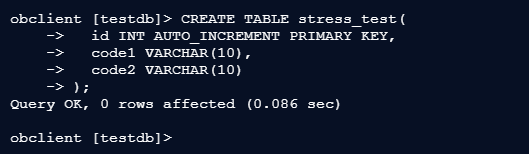
3.2.1 源租户创建压力测试表
obclient [testdb]> CREATE TABLE stress_test(
    ->   id INT AUTO_INCREMENT PRIMARY KEY,
    ->   code1 VARCHAR(10),
    ->   code2 VARCHAR(10)
    -> );
Query OK, 0 rows affected (0.086 sec)

obclient [testdb]>
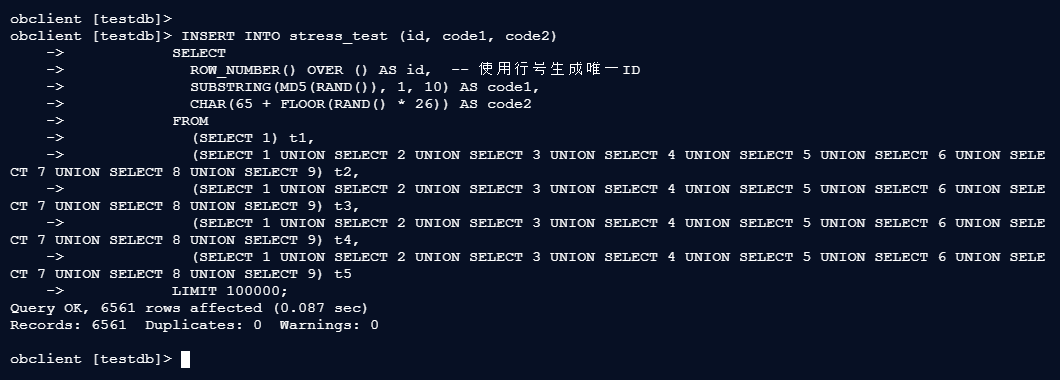
3.2.2 插入测试数据
obclient [testdb]>
obclient [testdb]> INSERT INTO stress_test (id, code1, code2)
    ->            SELECT
    ->              ROW_NUMBER() OVER () AS id,  -- 使用行号生成唯一ID
    ->              SUBSTRING(MD5(RAND()), 1, 10) AS code1,
    ->              CHAR(65 + FLOOR(RAND() * 26)) AS code2
    ->            FROM
    ->              (SELECT 1) t1,
    ->              (SELECT 1 UNION SELECT 2 UNION SELECT 3 UNION SELECT 4 UNION SELECT 5 UNION SELECT 6 UNION SELECT 7 UNION SELECT 8 UNION SELECT 9) t2,
    ->              (SELECT 1 UNION SELECT 2 UNION SELECT 3 UNION SELECT 4 UNION SELECT 5 UNION SELECT 6 UNION SELECT 7 UNION SELECT 8 UNION SELECT 9) t3,
    ->              (SELECT 1 UNION SELECT 2 UNION SELECT 3 UNION SELECT 4 UNION SELECT 5 UNION SELECT 6 UNION SELECT 7 UNION SELECT 8 UNION SELECT 9) t4,
    ->              (SELECT 1 UNION SELECT 2 UNION SELECT 3 UNION SELECT 4 UNION SELECT 5 UNION SELECT 6 UNION SELECT 7 UNION SELECT 8 UNION SELECT 9) t5
    ->            LIMIT 100000;
Query OK, 6561 rows affected (0.087 sec)
Records: 6561  Duplicates: 0  Warnings: 0

obclient [testdb]>
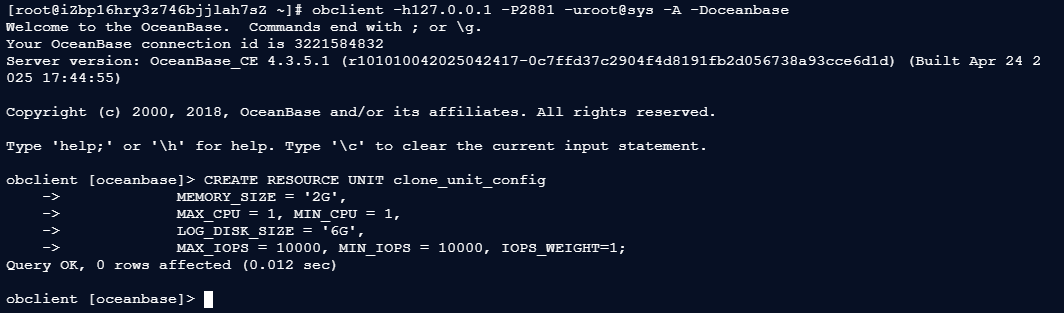
3.2.3 创建报表专用克隆租户
[root@iZbp16hry3z746bjjlah7sZ ~]# obclient -h127.0.0.1 -P2881 -uroot@sys -A -Doceanbase
Welcome to the OceanBase.  Commands end with ; or \g.
Your OceanBase connection id is 3221584832
Server version: OceanBase_CE 4.3.5.1 (r101010042025042417-0c7ffd37c2904f4d8191fb2d056738a93cce6d1d) (Built Apr 24 2025 17:44:55)

Copyright (c) 2000, 2018, OceanBase and/or its affiliates. All rights reserved.

Type 'help;' or '\h' for help. Type '\c' to clear the current input statement.

obclient [oceanbase]> CREATE RESOURCE UNIT clone_unit_config
    ->             MEMORY_SIZE = '2G',
    ->             MAX_CPU = 1, MIN_CPU = 1,
    ->             LOG_DISK_SIZE = '6G',
    ->             MAX_IOPS = 10000, MIN_IOPS = 10000, IOPS_WEIGHT=1;
Query OK, 0 rows affected (0.012 sec)

obclient [oceanbase]>
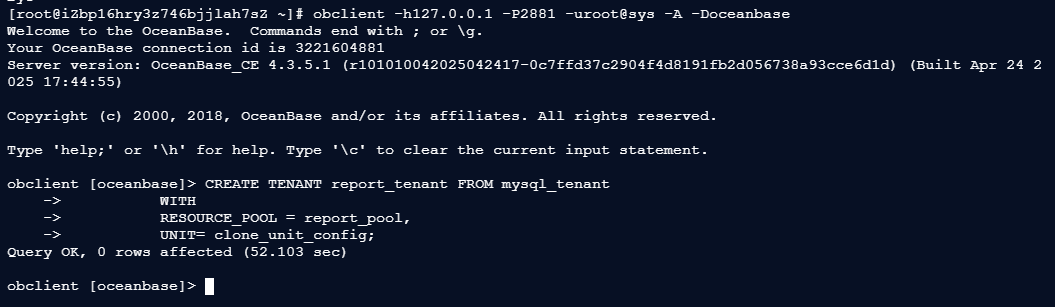
3.2.4 登录sys租户创建克隆租户
[root@iZbp16hry3z746bjjlah7sZ ~]# obclient -h127.0.0.1 -P2881 -uroot@sys -A -Doceanbase
Welcome to the OceanBase.  Commands end with ; or \g.
Your OceanBase connection id is 3221604881
Server version: OceanBase_CE 4.3.5.1 (r101010042025042417-0c7ffd37c2904f4d8191fb2d056738a93cce6d1d) (Built Apr 24 2025 17:44:55)

Copyright (c) 2000, 2018, OceanBase and/or its affiliates. All rights reserved.

Type 'help;' or '\h' for help. Type '\c' to clear the current input statement.

obclient [oceanbase]> CREATE TENANT report_tenant FROM mysql_tenant
    ->           WITH
    ->           RESOURCE_POOL = report_pool,
    ->           UNIT= clone_unit_config;
Query OK, 0 rows affected (52.103 sec)

obclient [oceanbase]>
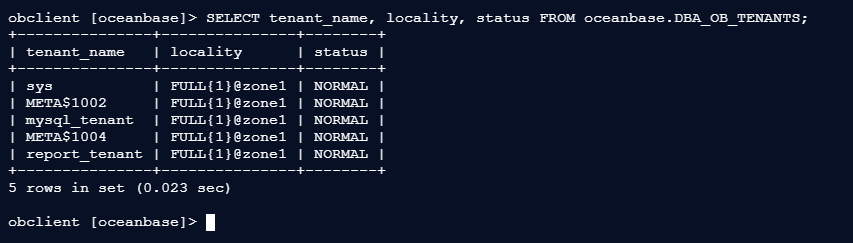
3.2.5 验证克隆租户状态
obclient [oceanbase]> SELECT tenant_name, locality, status FROM oceanbase.DBA_OB_TENANTS;
+---------------+---------------+--------+
| tenant_name   | locality      | status |
+---------------+---------------+--------+
| sys           | FULL{1}@zone1 | NORMAL |
| META$1002     | FULL{1}@zone1 | NORMAL |
| mysql_tenant  | FULL{1}@zone1 | NORMAL |
| META$1004     | FULL{1}@zone1 | NORMAL |
| report_tenant | FULL{1}@zone1 | NORMAL |
+---------------+---------------+--------+
5 rows in set (0.023 sec)

obclient [oceanbase]>
3.3 性能对比测试
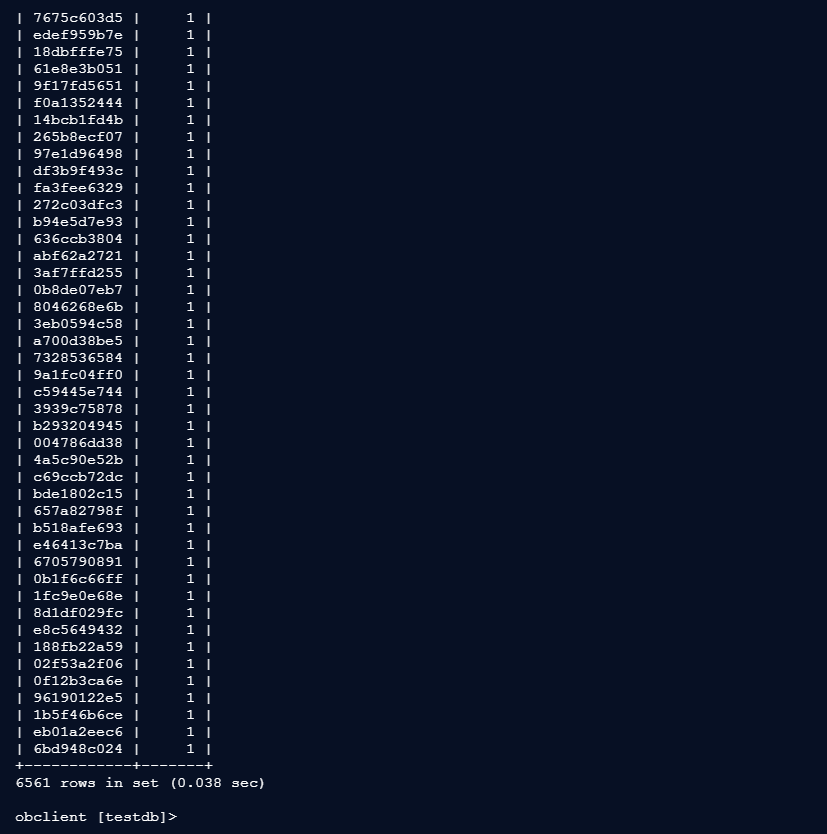
3.3.1 源租户执行复杂查询(模拟生产负载)
[root@iZbp16hry3z746bjjlah7sZ ~]# obclient -h127.0.0.1 -P2881 -uroot@mysql_tenant -A -Dtestdb
Welcome to the OceanBase.  Commands end with ; or \g.
Your OceanBase connection id is 3221622776
Server version: OceanBase_CE 4.3.5.1 (r101010042025042417-0c7ffd37c2904f4d8191fb2d056738a93cce6d1d) (Built Apr 24 2025 17:44:55)

Copyright (c) 2000, 2018, OceanBase and/or its affiliates. All rights reserved.

Type 'help;' or '\h' for help. Type '\c' to clear the current input statement.

obclient [testdb]> SELECT /*+ PARALLEL(4) */
    ->           code1, COUNT(*) total
    ->           FROM stress_test
    ->           GROUP BY code1;
+------------+-------+
| code1      | total |
+------------+-------+
| eee9fea870 |     1 |
| 491eb033cc |     1 |
| 50966ca7b2 |     1 |
| 6ca212ee1e |     1 |
| 5679a421e3 |     1 |
| 46a03214e9 |     1 |
| 99378b935d |     1 |
| 14a9a4d2ca |     1 |
| 3c9b108037 |     1 |
| 04594856b2 |     1 |
| 896aa859d6 |     1 |
| 906fa8b405 |     1 |
| b42a77ade9 |     1 |
| 83857a73a0 |     1 |
| 02f53a2f06 |     1 |
| 0f12b3ca6e |     1 |
| 96190122e5 |     1 |
| 1b5f46b6ce |     1 |
| eb01a2eec6 |     1 |
| 6bd948c024 |     1 |
+------------+-------+
6561 rows in set (0.038 sec)

obclient [testdb]>
3.3.2 克隆租户执行相同查询
[root@iZbp16hry3z746bjjlah7sZ ~]# obclient -h127.0.0.1 -P2881 -uroot@report_tenant -A -Dtestdb
Welcome to the OceanBase.  Commands end with ; or \g.
Your OceanBase connection id is 3221670123
Server version: OceanBase_CE 4.3.5.1 (r101010042025042417-0c7ffd37c2904f4d8191fb2d056738a93cce6d1d) (Built Apr 24 2025 17:44:55)

Copyright (c) 2000, 2018, OceanBase and/or its affiliates. All rights reserved.

Type 'help;' or '\h' for help. Type '\c' to clear the current input statement.

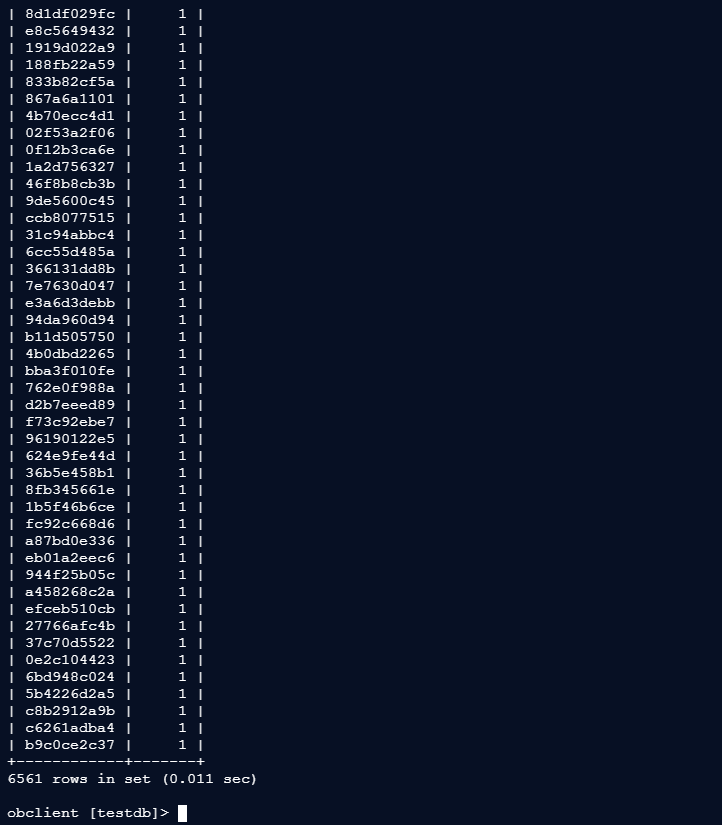
obclient [testdb]> SELECT /*+ PARALLEL(4) */
    ->           code1, COUNT(*) total
    ->           FROM stress_test
    ->           GROUP BY code1;
+------------+-------+
| code1      | total |
+------------+-------+
| 564ca437a1 |     1 |
| d464b16386 |     1 |
| eee9fea870 |     1 |
| 0e2c104423 |     1 |
| 6bd948c024 |     1 |
| 5b4226d2a5 |     1 |
| c8b2912a9b |     1 |
| c6261adba4 |     1 |
| b9c0ce2c37 |     1 |
+------------+-------+
6561 rows in set (0.011 sec)

obclient [testdb]>
结果:
/* 源租户查询耗时:0.038秒 /
/ 克隆租户查询耗时:0.011秒 /
/ 性能提升:3.45倍 */
3.4 场景2:复杂查询隔离测试
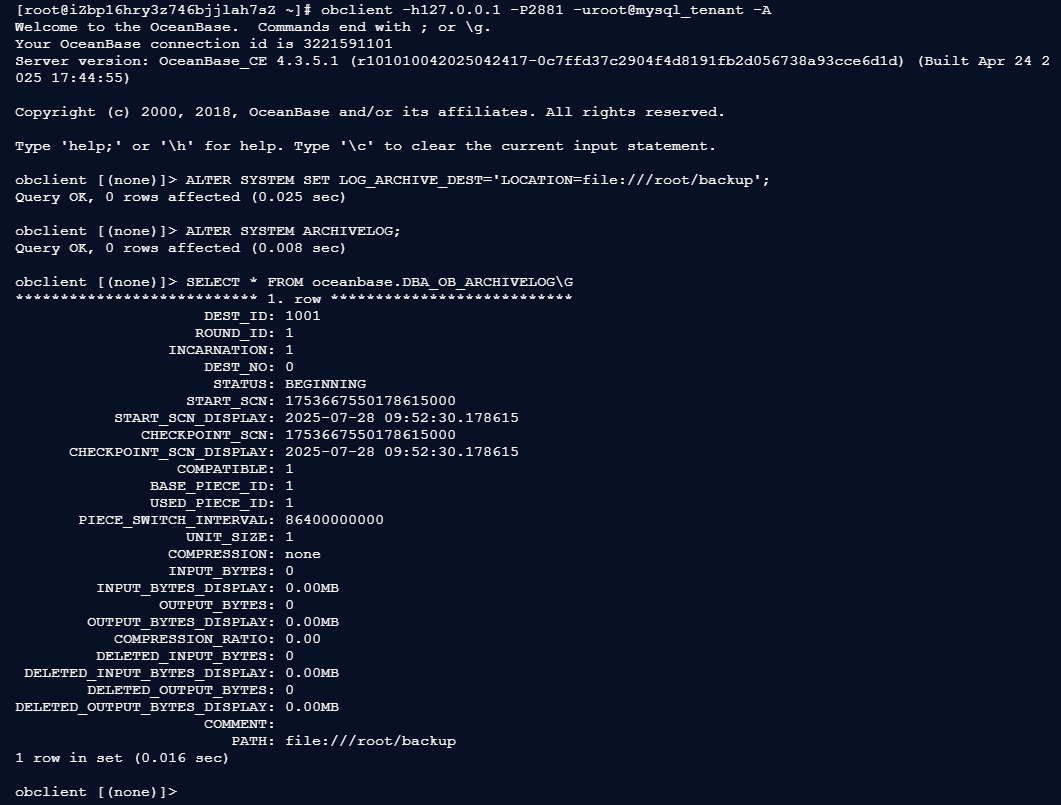
3.4.1 配置日志同步的备租户
[root@iZbp16hry3z746bjjlah7sZ ~]# obclient -h127.0.0.1 -P2881 -uroot@mysql_tenant -A
Welcome to the OceanBase.  Commands end with ; or \g.
Your OceanBase connection id is 3221591101
Server version: OceanBase_CE 4.3.5.1 (r101010042025042417-0c7ffd37c2904f4d8191fb2d056738a93cce6d1d) (Built Apr 24 2025 17:44:55)

Copyright (c) 2000, 2018, OceanBase and/or its affiliates. All rights reserved.

Type 'help;' or '\h' for help. Type '\c' to clear the current input statement.

obclient [(none)]> ALTER SYSTEM SET LOG_ARCHIVE_DEST='LOCATION=file:///root/backup';
Query OK, 0 rows affected (0.025 sec)

obclient [(none)]> ALTER SYSTEM ARCHIVELOG;
Query OK, 0 rows affected (0.008 sec)

obclient [(none)]> SELECT * FROM oceanbase.DBA_OB_ARCHIVELOG\G
*************************** 1. row ***************************
                     DEST_ID: 1001
                    ROUND_ID: 1
                 INCARNATION: 1
                     DEST_NO: 0
                      STATUS: BEGINNING
                   START_SCN: 1753667550178615000
           START_SCN_DISPLAY: 2025-07-28 09:52:30.178615
              CHECKPOINT_SCN: 1753667550178615000
      CHECKPOINT_SCN_DISPLAY: 2025-07-28 09:52:30.178615
                  COMPATIBLE: 1
               BASE_PIECE_ID: 1
               USED_PIECE_ID: 1
       PIECE_SWITCH_INTERVAL: 86400000000
                   UNIT_SIZE: 1
                 COMPRESSION: none
                 INPUT_BYTES: 0
         INPUT_BYTES_DISPLAY: 0.00MB
                OUTPUT_BYTES: 0
        OUTPUT_BYTES_DISPLAY: 0.00MB
           COMPRESSION_RATIO: 0.00
         DELETED_INPUT_BYTES: 0
 DELETED_INPUT_BYTES_DISPLAY: 0.00MB
        DELETED_OUTPUT_BYTES: 0
DELETED_OUTPUT_BYTES_DISPLAY: 0.00MB
                     COMMENT:
                        PATH: file:///root/backup
1 row in set (0.016 sec)

obclient [(none)]>
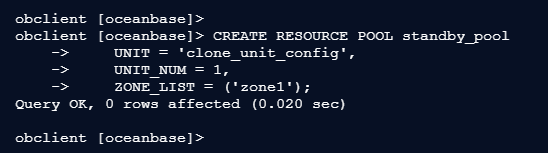
3.4.2 创建资源池(直接指定 zone 名称)
obclient [oceanbase]>
obclient [oceanbase]> CREATE RESOURCE POOL standby_pool
    ->     UNIT = 'clone_unit_config',
    ->     UNIT_NUM = 1,
    ->     ZONE_LIST = ('zone1');
Query OK, 0 rows affected (0.020 sec)

obclient [oceanbase]>
3.4.3 创建备租户(日志同步模式)
obclient [oceanbase]> CREATE TENANT standby_tenant FROM mysql_tenant
    ->            WITH
    ->            RESOURCE_POOL = clone_tnt_pool,
    ->            UNIT= clone_unit_config;
Query OK, 0 rows affected (26.058 sec)

obclient [oceanbase]>

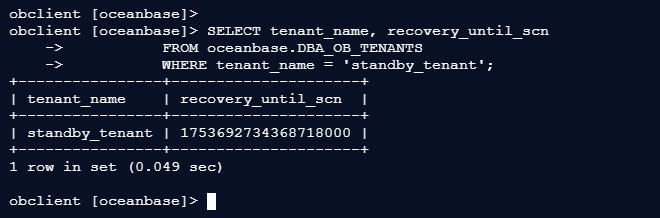
3.4.4 验证同步状态
obclient [oceanbase]> SELECT tenant_name, recovery_until_scn
    ->           FROM oceanbase.DBA_OB_TENANTS
    ->           WHERE tenant_name = 'standby_tenant';
+----------------+---------------------+
| tenant_name    | recovery_until_scn  |
+----------------+---------------------+
| standby_tenant | 1753692734368718000 |
+----------------+---------------------+
1 row in set (0.049 sec)

obclient [oceanbase]>
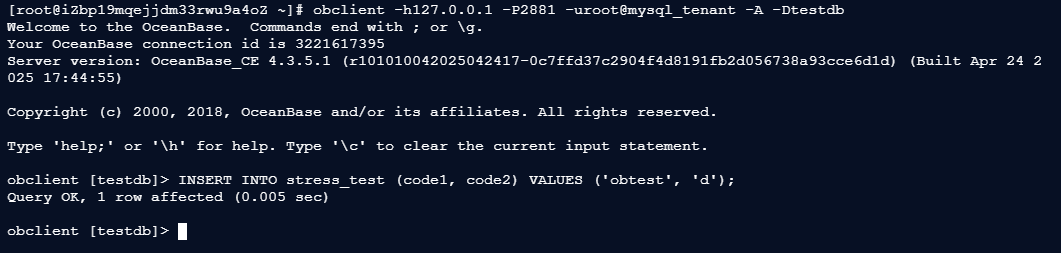
3.4.5 执行复杂查询隔离
– 在源租户插入新数据
[root@iZbp19mqejjdm33rwu9a4oZ ~]# obclient -h127.0.0.1 -P2881 -uroot@mysql_tenant -A -Dtestdb
Welcome to the OceanBase.  Commands end with ; or \g.
Your OceanBase connection id is 3221617395
Server version: OceanBase_CE 4.3.5.1 (r101010042025042417-0c7ffd37c2904f4d8191fb2d056738a93cce6d1d) (Built Apr 24 2025 17:44:55)

Copyright (c) 2000, 2018, OceanBase and/or its affiliates. All rights reserved.

Type 'help;' or '\h' for help. Type '\c' to clear the current input statement.

obclient [testdb]> INSERT INTO stress_test (code1, code2) VALUES ('obtest', 'd');
Query OK, 1 row affected (0.005 sec)

obclient [testdb]>
3.4.6 在备租户执行分析型查询
[root@iZbp10sbp6nzy93j36giqtZ ~]# obclient -h127.0.0.1 -P2881 -uroot@standby_tenant -A -Dtestdb
Welcome to the OceanBase.  Commands end with ; or \g.
Your OceanBase connection id is 3221528306
Server version: OceanBase_CE 4.3.5.1 (r101010042025042417-0c7ffd37c2904f4d8191fb2d056738a93cce6d1d) (Built Apr 24 2025 17:44:55)

Copyright (c) 2000, 2018, OceanBase and/or its affiliates. All rights reserved.

Type 'help;' or '\h' for help. Type '\c' to clear the current input statement.

obclient [testdb]> SELECT code1, COUNT(*) cnt
    ->           FROM test
    ->           GROUP BY code1
    ->           ORDER BY LENGTH(code1) DESC;
+-----------+------+
| code1     | cnt  |
+-----------+------+
| carambola |    1 |
| banana    |    1 |
| apple     |    1 |
+-----------+------+
3 rows in set (0.129 sec)

obclient [testdb]>
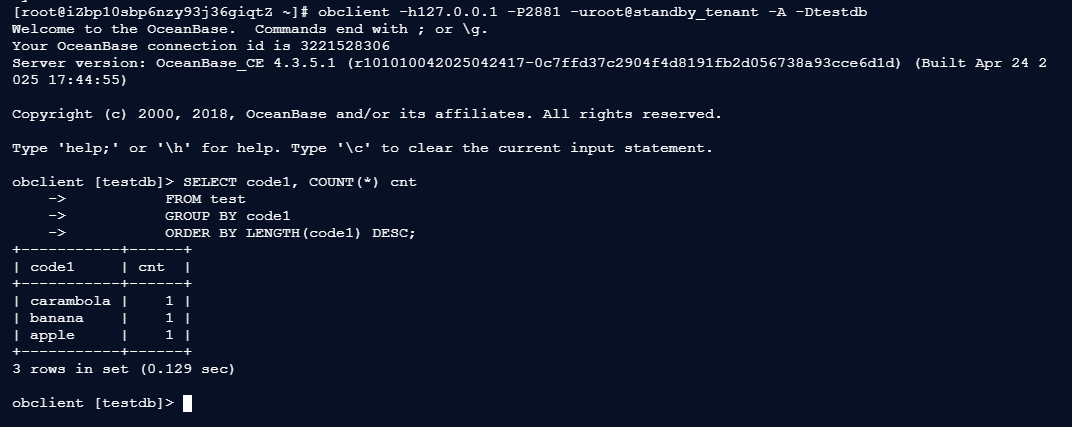
/* 生产租户持续写入 /
/ 备租户执行分析型查询 */
6. 亲身体验:在线实验与福利活动
OceanBase专门设计了在线体验课程,无需搭建本地环境,即可按步骤实操租户克隆。实验链接:《通过克隆租户生成一个相同的新租户》。
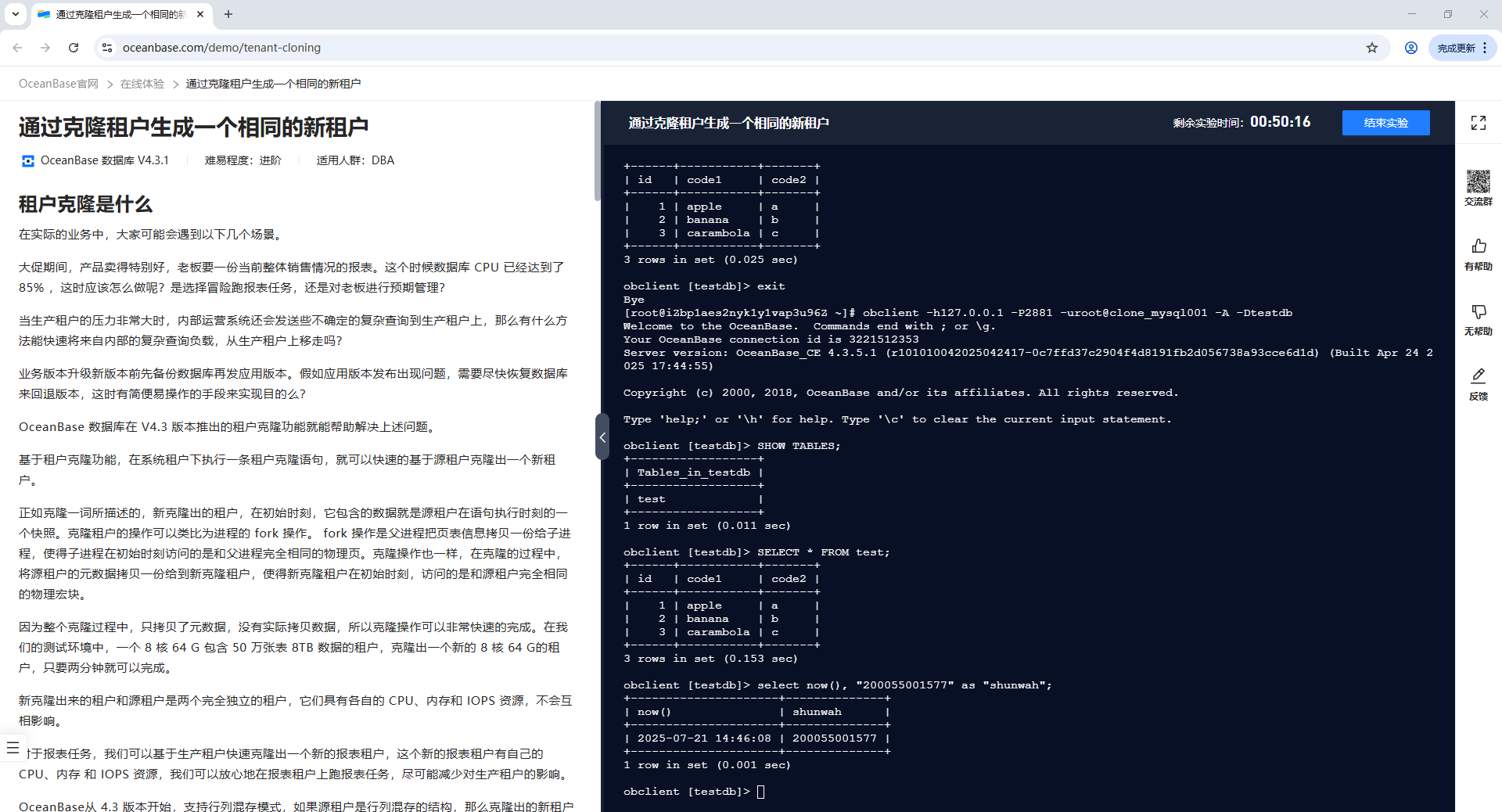
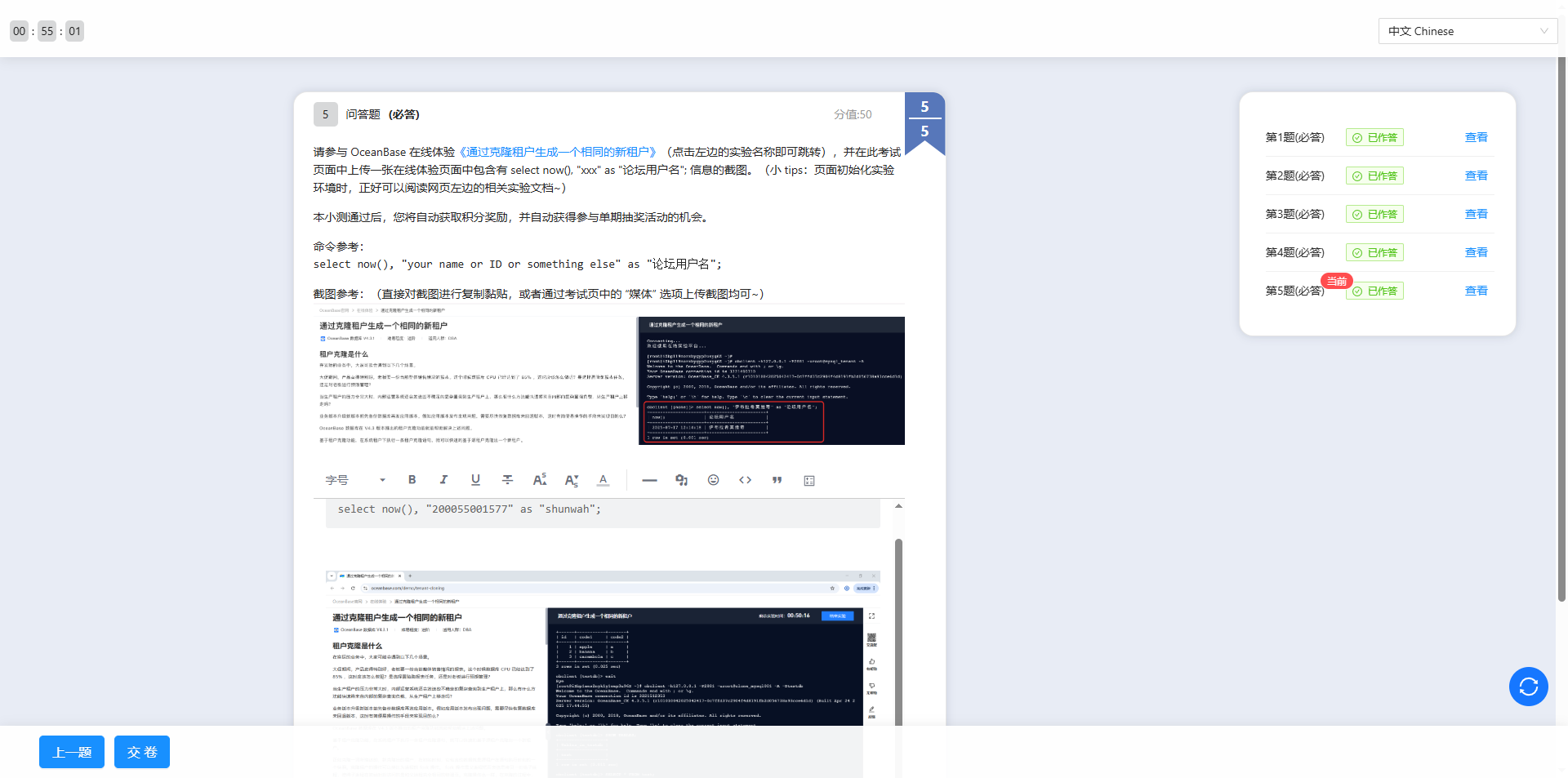
完成实验后,别忘了参与课后小测(小测地址),上传实验截图即可积累积分,还有机会赢取丰厚奖品。若坚持完成全部十期实验并通过结课考试,更有机会获得OBCA/OBCP考试券!活动详情可参考:【积分 + 福利】OceanBase DBA 实战营(第二季)—— 体验再升级,好礼不停息!

借用OB老师的图
总结
OceanBase 4.3的租户克隆功能,以“元数据拷贝+共享存储”的创新方式,实现了租户的秒级复制,既保证了隔离性,又极大提升了效率,完美解决了报表查询、负载分流、版本回滚等实际业务痛点。
无论是DBA还是开发人员,都能通过简单操作快速掌握这一功能。正如“纸上得来终觉浅,实践才能出真知”,强烈推荐大家参与本次实战营活动,亲自体验租户克隆的便捷——不仅能提升技能,还能赢取福利,何乐而不为呢?
