学习openGauss视图
视图与基本表不同,是一个虚拟的表。数据库中仅存放视图的定义,而不存放视图对应的数据,这些数据仍存放在原来的基本表中。
课程学习
连接openGauss
#第一次进入等待15秒
#数据库启动中...
su - omm
gsql -r
1.创建视图
–为系统表pg_tablespace创建字段spcname为pg_default组成的视图
CREATE VIEW tps_view AS
SELECT * FROM pg_tablespace WHERE spcname = 'pg_default';
–查看视图
SELECT * FROM tps_view ;
–创建一个由c_customer_sk小于6000的内容组成的视图
Create schema tpcds;
CREATE TABLE tpcds.customer
(  c_customer_sk             integer,
  c_customer_id             char(5),
  c_first_name              char(6),
  c_last_name               char(8)
) ;
INSERT INTO tpcds.customer VALUES
(6885, 1, 'Joes', 'Hunter'),
(4321, 2, 'Lily','Carter'),
(9527, 3, 'James', 'Cook'),
(9500, 4, 'Lucy', 'Baker');
CREATE VIEW tpcds.customer_details_view_v1 AS
SELECT * FROM tpcds.customer
WHERE c_customer_sk < 6000;
–查看视图
select * from tpcds.customer_details_view_v1;
–系统视图
select * from pg_views where schemaname = 'tpcds' or schemaname = 'public';
2.修改视图定义
–修改视图名称
ALTER VIEW tpcds.customer_details_view_v1 RENAME TO customer_details_view_v2;
–修改视图所属schema
ALTER VIEW tpcds.customer_details_view_v2 SET schema public;
–修改视图owner
create user jack password 'abcd@123';
alter view tps_view owner to jack;
–查看系统视图tps_views
select * from pg_views where viewname = 'customer_details_view_v2' or viewname = 'tps_view';
3.删除视图
DROP VIEW customer_details_view_v2;
Drop view tps_view;
课程作业
1.创建范围分区表products, 为表创建分区表索引1,不指定索引分区的名称,创建分区表索引2,并指定索引分区的名称,创建GLOBAL分区索引3
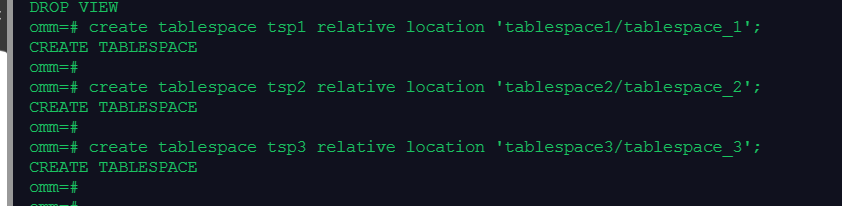
create tablespace tsp1 relative location 'tablespace1/tablespace_1';
create tablespace tsp2 relative location 'tablespace2/tablespace_2';
create tablespace tsp3 relative location 'tablespace3/tablespace_3';
create schema tpcds;
create table tpcds.customer (id integer,name char(20),type char(15)) partition by range(id)
(partition p1 values less than (3000),partition p2 values less than (5000) tablespace tsp1,
partition p3 values less than (maxvalue) tablespace tsp2);

create index ts_customer_p1_index1 on tpcds.customer(id) local;
create index ts_customer_p1_index2 on tpcds.customer(id) local (partition ca_id_index1,partition ca_id_index2 tablespace tsp2,partition ca_id_index3 tablespace tsp3);


create index ts_customer_p1_index3 on tpcds.customer(name) global;

2.在分区表索引1上,修改分区表索引的表空间,重命名分区表索引
alter index tpcds.ts_customer_p1_index1 move partition p1_id_idx tablespace tsp2;
alter index tpcds.ts_customer_p1_index1 rename partition p1_id_idx to p1_id_idx_1;


3.在分区表索引2上,重建单个索引分区和分区上的所有索引
reindex index tpcds.ts_customer_p1_index2 partition ca_id_index1;
reindex table tpcds.customer partition p1;


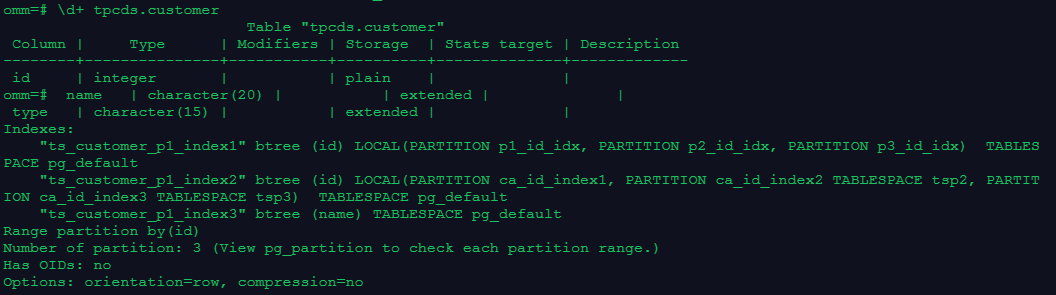
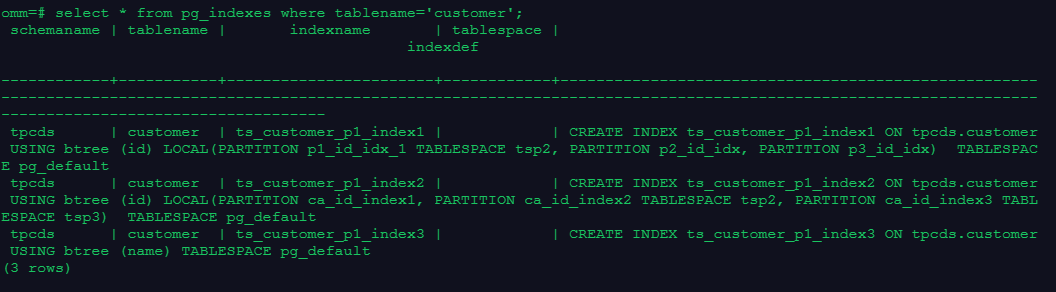
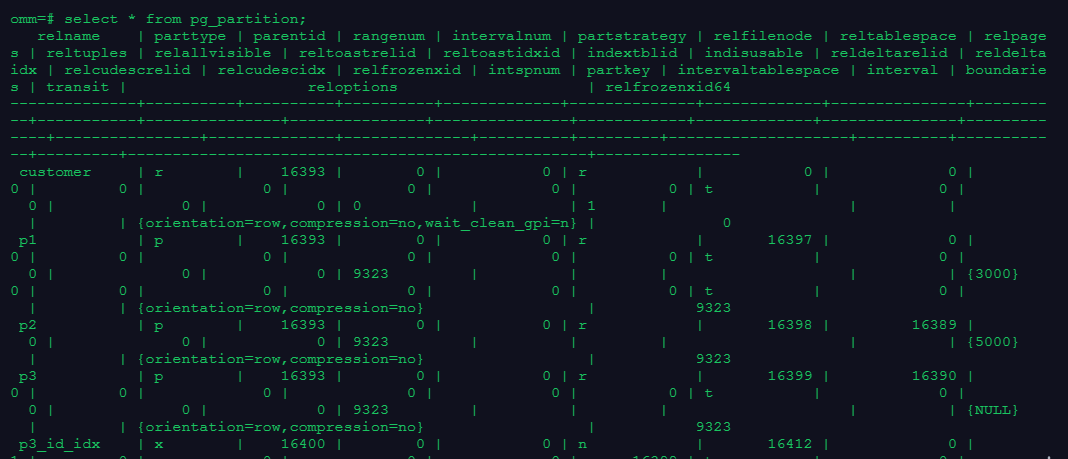
4.使用\d+、系统视图pg_indexes和pg_partition查看索引信息
5.删除索引、表和表空间
drop index tpcds.ts_customer_p1_index1;
drop index tpcds.ts_customer_p1_index2;
drop index tpcds.ts_customer_p1_index3;
drop table tpcds.customer;
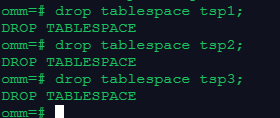
drop tablespace tsp1;
drop tablespace tsp2;
drop tablespace tsp3;