



学习目标
学习openGauss导入数据
准备工作
su - omm
gsql -r
课程作业
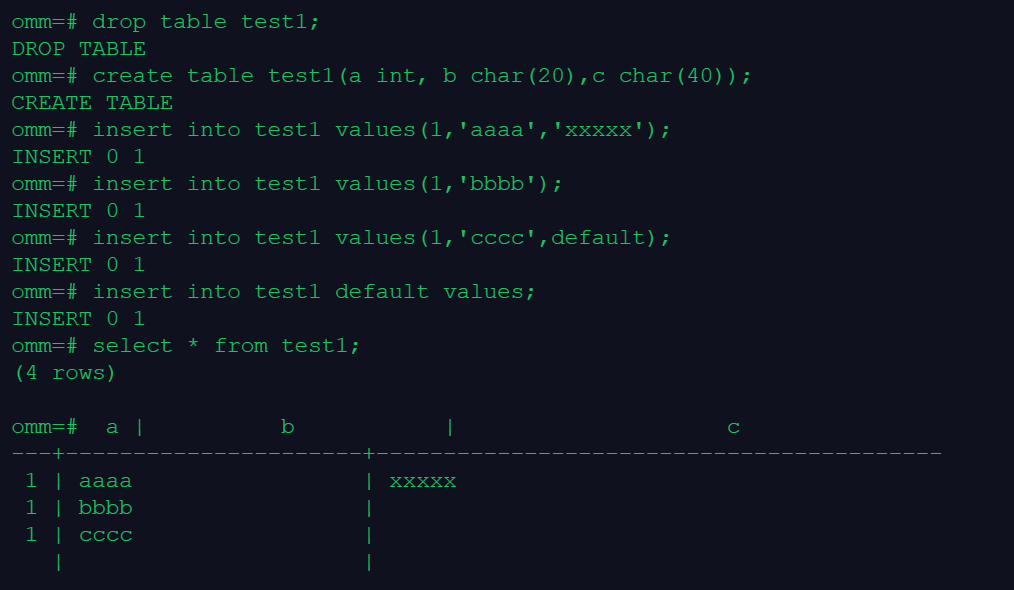
1. 创建表1并在表中插入数据,分别指定字段和整行为缺省值
create table test1(a int, b char(20),c char(40));

insert into test1 values(1,'aaaa','xxxxx');
没有数值的字段自动填充为缺省值:
insert into test1 values(1,'bbbb');
明确字段为缺省值:
insert into test1 values(1,'cccc',default);
明确整行为缺省值:
insert into test1 default values;

select * from test1;
2. 创建表2并将表1的数据全部导入表2中
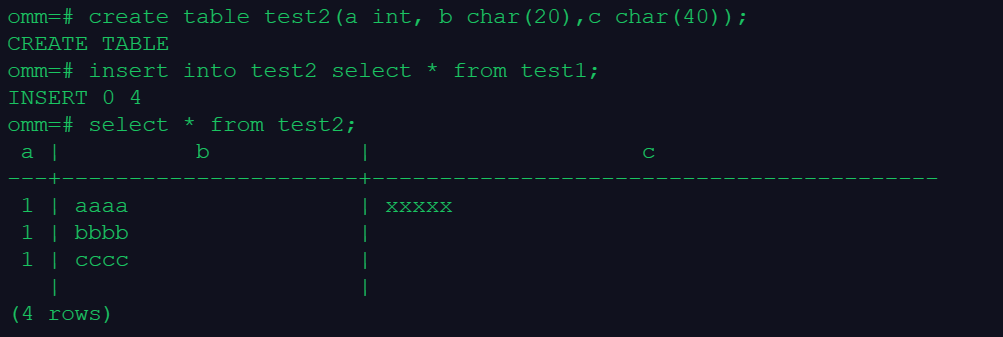
create table test2(a int, b char(20),c char(40));
insert into test2 select * from test1;
select * from test2;
3. 创建表3和表4,并合并两个表的数据到表3
创建表3:
create table test3(id int, name char(30), detail char(40));
insert into test3 values
(111,'aaa','aaaaa'),
(222,'bbb','bbbbb'),
(333,'ccc','ccccc');

创建表4:
create table test4(id int, name char(30), detail char(40));
insert into test4 values
(111,'xxx','xxxxx'),
(333,'yyy','yyyyy'),
(444,'ddd','ddddd'),
(555,'eee','eeeee');

合并操作:
merge into test3 t1 using test4 t2 on (t1.id=t2.id)
when matched then update set t1.name=t2.name,t1.detail=t2.detail
when not matched then insert values (t2.id,t2.name,t2.detail);
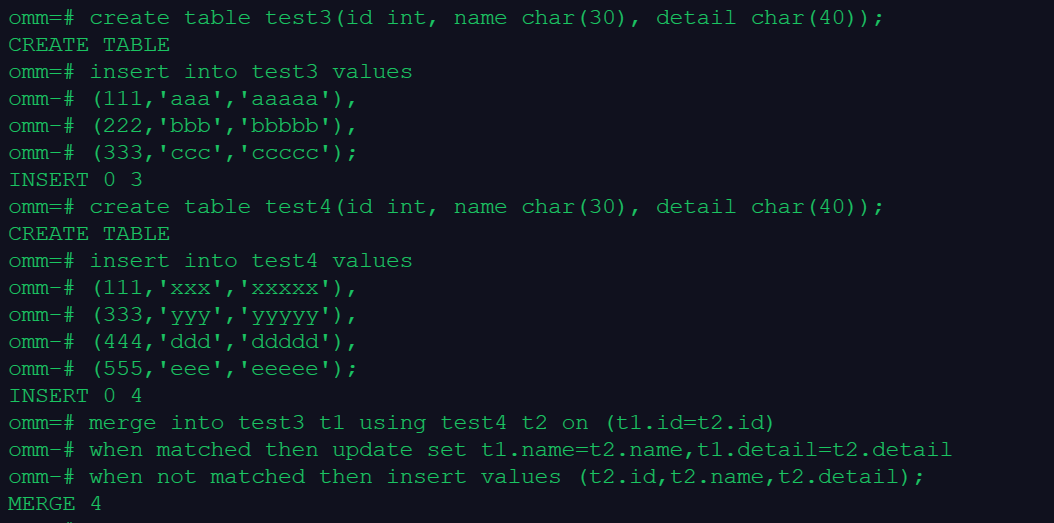
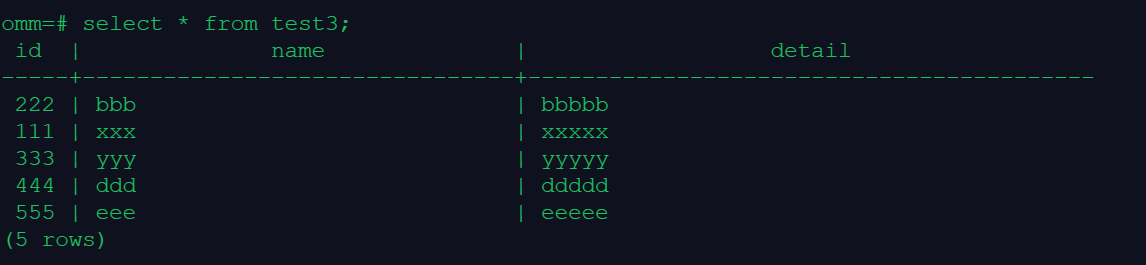
可以看到,合并至test3时,有4条数据被合并进去(包括id相同时更新,id不同时插入),合并后结果如下:
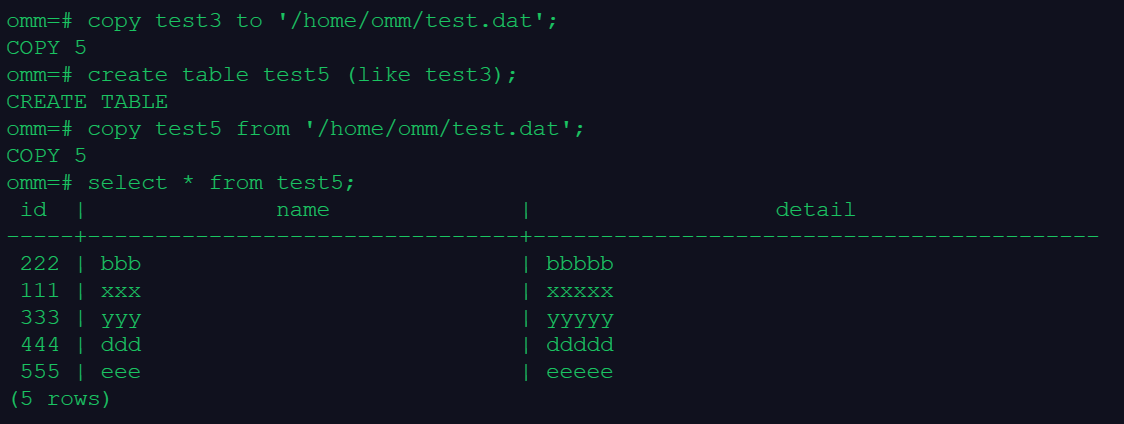
4. 将表3的数据输出到文件,再将文件中的数据导入到表5
copy test3 to '/home/omm/test.dat';
create table test5 (like test3);

copy test5 from '/home/omm/test.dat';
select * from test5;
课程总结
Day13:学习了openGauss中关于数据导入的操作,实现数据在不同数据表间的迁移,能够显著提高数据复用的效率
Day13 打卡 get√
「喜欢这篇文章,您的关注和赞赏是给作者最好的鼓励」
关注作者
【版权声明】本文为墨天轮用户原创内容,转载时必须标注文章的来源(墨天轮),文章链接,文章作者等基本信息,否则作者和墨天轮有权追究责任。如果您发现墨天轮中有涉嫌抄袭或者侵权的内容,欢迎发送邮件至:contact@modb.pro进行举报,并提供相关证据,一经查实,墨天轮将立刻删除相关内容。
