



今年2月份写过一篇文章:MacBook使用虚拟机搭建kingbase
最近使用官方全新的V9版本(V9R1C10),发现之前总结的一些问题已经优化,整体部署过程更顺畅,下面更新虚拟机使用openEuler 22搭建kingbase V9的个人开发学习环境。
1.环境准备
- Mac下使用虚拟机安装ARM架构的openEuler 22.03 (LTS-SP3)
$ cat /etc/os-release
NAME="openEuler"
VERSION="22.03 (LTS-SP3)"
ID="openEuler"
VERSION_ID="22.03"
PRETTY_NAME="openEuler 22.03 (LTS-SP3)"
ANSI_COLOR="0;31"
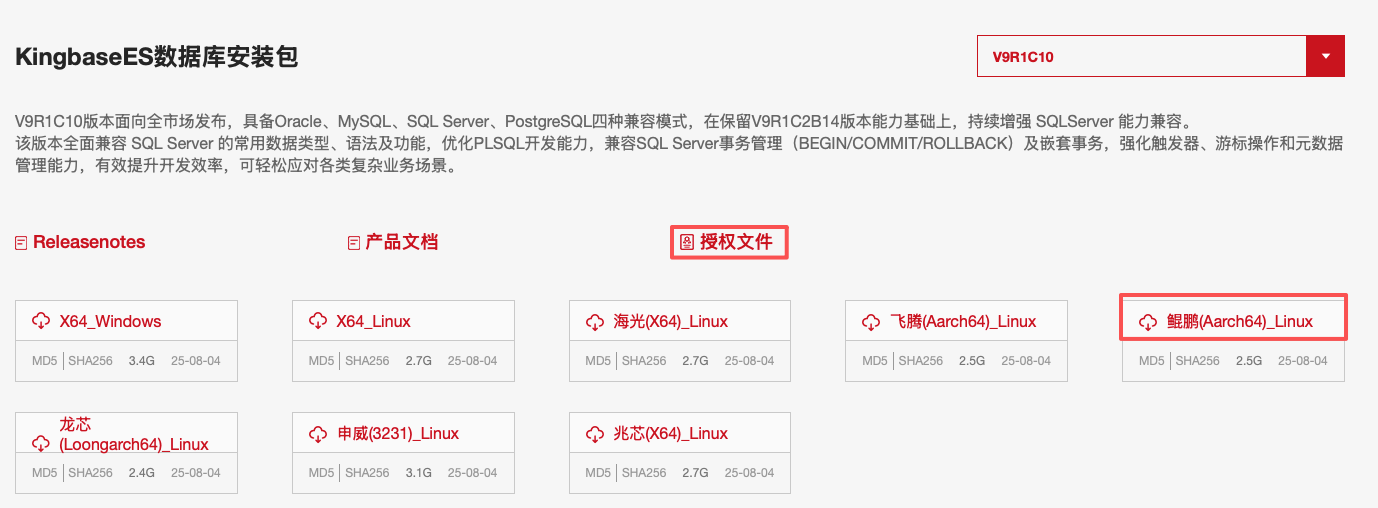
- 电科金仓下载中心下载数据库ISO文件及授权文件
链接如下:https://www.kingbase.com.cn/download.html
2.安装金仓V9 Server
新版本部署工具对磁盘的空间检测相比之前可能做了优化,本地虚拟机磁盘空间只剩大概5~6G,最终也顺利安装完成。
- 先挂载ISO(可方便多次重新安装)
# vi /etc/fstab
/dev/sr1  /media1 iso9660  defaults,ro,loop  0  0

mount -a
- 用户及相关目录创建
# groupadd dbgrp
# useradd kbase -g dbgrp

# mkdir -p /database1/Kingbase/ES/V9
# chown -R kbase: /database1/Kingbase

# mkdir -p /database1/data_8000
# chown -R kbase: /database1/data_8000
- 使用kbase用户安装server
# su - kbase
$ cd /media1
$ sh setup.sh -i console
安装交互及过程日志如下,首先是一些基本信息及版权相关信息显示:
Java Version: 1.8.0_151
Now launch installer...
Command line arguments: -console -language eng
================================================================================
Welcome KingbaseES Installer
----
...
...
Press [ENTER] to next, [Q] exit the program [Default: <ENTER>]

================================================================================
License Agreement
----
...
...
Press [1] Accept, [2] Refuse, [3] Redisplay:
 1
================================================================================
Add Licence
----
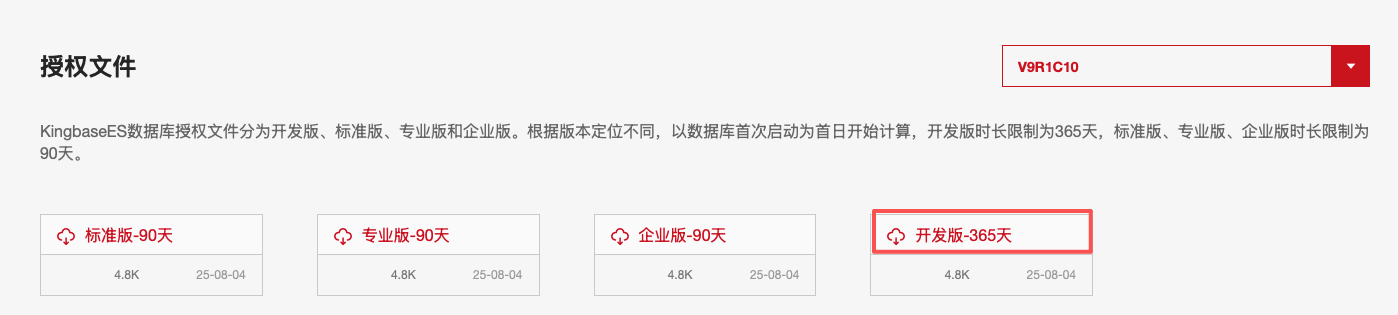
Licence选择我们前面下载的开发版文件:
Please enter the path to the license file: [Default:  ]
/database1/license_V009R001C.dat
确定选择完Licence的绝对路径文件之后,N进入下一步,修改安装路径为:/database1/Kingbase/ES/V9
================================================================================
Installation Path
----

Please select an installation path.
Default installation path: /opt/Kingbase/ES/V9

Enter an absolute path or press ENTER to accept the default path. [Default: /opt/Kingbase/ES/V9]
/database1/Kingbase/ES/V9
---------------------------------------------------------------------------
Installation directory is:/database1/Kingbase/ES/V9
  Is that correct?(Y/N)

Please Select
---------------------------------------------------------------------------
Press [Y] Yes, [N] No:  [Default: Y]
y
Press [N] to next, Press [P] to previous, Press [Q] exit the program [Default: N]
n
接下来组件选择2,只安装Server,个人环境暂时只需要Server
================================================================================
Installation Set
----

  1- Full
    These are the most frequently used application components, recommended for most users.

  2- Server
    Install only the database service.

  3- Custom
    Select this option to customize which components you want to install.

Input number of set or press [ENTER] accept default value [Default: 1]
2
================================================================================
Installation Preview
----

Installation Path:
    /database1/Kingbase/ES/V9

Installed Packs:
    Boot
    Product Manual
    Database Operations Tool
    Server

UnInstall Packs:
    High Availability
    Interface
    DeployTool
    KDTS
    KStudio(CS)

Disk Size(For Install):
  Need Size: 965.96 MB, Available Size: 5.62 GB

Press [N] to next, Press [P] to previous, Press [Q] exit the program [Default: N]
N
================================================================================
Installation Progress
----

====================
Installation started
Framework: 1.8.0_151 (Oracle Corporation)
Platform: linux,version=5.10.0-182.0.0.95.oe2203sp3.aarch64,arch=unknown,symbolicName=null,javaVersion=1.8.0_151
[ Starting to unpack ]
[ Processing package: install (1/4) ]
[ Processing package: doc (2/4) ]
[ Processing package: Suptools (3/4) ]
[ Processing package: Server (4/4) ]
[ Unpacking finished ]
Installation completed
[ Starting processing ]
Starting process modifyexecute (1/2)
Starting process modifyFiles (2/2)
The beginning of Repair File Contents.
Running modifyFilesValue.sh...
Repair File Contents Finish.

Installation Success 100%
================================================================================
Shortcut
----

----------------------------------
Create shortcuts in the Start-Menu
----------------------------------
Press [Y] Yes, [N] No:  [Default: Y]
N
================================================================================
Installation Completed!
----

  Installation Completed!

  Target Path:
    /database1/Kingbase/ES/V9

    Boot:/database1/Kingbase/ES/V9/KESRealPro/V009R001C010/install
    Product Manual:/database1/Kingbase/ES/V9/KESRealPro/V009R001C010/doc
    Database Operations Tool:/database1/Kingbase/ES/V9/KESRealPro/V009R001C010/SupTools
    Server:/database1/Kingbase/ES/V9/KESRealPro/V009R001C010/Server

To initialize the database, please start Kconsole:
/database1/Kingbase/ES/V9/Server/bin/kconsole.sh
Manually initialize database:
/database1/Kingbase/ES/V9/Server/bin/initdb -U "system" -W -D "/database1/Kingbase/ES/V9/data"
[ Writing the uninstaller data ... ]
[ Command-line installation completed. ]
整个过程相比上次部署轻简了很多。
3.手工初始化
上面一步安装好了server,提示我们可以使用脚本或手工执行initdb命令来初始化。
先配置服务端相关环境变量,之前给官网提过环境变量期望有一个独立的页面便于查阅,这个页面来了:
https://docs.kingbase.com.cn/cn/KES-V9R1C10/application/client_interface/C/Kci/kci-15
于是参考配置如下:
$ vi .bashrc
export KINGBASE_HOME=/database1/Kingbase/ES/V9
export LD_LIBRARY_PATH=$KINGBASE_HOME/Server/lib:/usr/lib64
export PATH=$KINGBASE_HOME/Server/bin:/usr/local/bin:/usr/bin:/usr/local/sbin:/usr/sbin
export KINGBASE_DATA=/database1/data_8000
export KINGBASE_HOST=/tmp
export KINGBASE_PORT=8000
export KINGBASE_DATABASE=kingbase
export KINGBASE_USER=kbase

$ source .bashrc
设置好环境变量后,后面的工具命令使用更方便!
初始化数据目录:
initdb -D "/database1/data_8000" \
--data-checksums --encoding=UTF8 --locale=C \
--dbmode=oracle \
--username=kbase --pwprompt
初始化正常完成
4.启动及连接测试
启动数据库
$ sys_ctl start
访问kingbase:
$ ksql
License Type: 开发版.
Type "help" for help.

kingbase=# select version();
         version
-------------------------
 KingbaseES V009R001C010
(1 row)
验证一个AES算法兼容的问题:
hive的sql加密语句如下:
select base64(aes_encrypt('hell world','a_long_secret_0123456789')) encrypted_data;
生成密文为:
M2u7fyoGR9eIFJ0ff/L4Eg==
在kingbase里安装kbcrypto插件
create extension kbcrypto ;
测试明文加密,看看密文是否一致
=# SELECT encode(encrypt('hell world', 'a_long_secret_0123456789', 'aes') ,'base64') AS encryptstr;
        encryptstr
--------------------------
 M2u7fyoGR9eIFJ0ff/L4Eg==
(1 row)
验证一致,对密文串进行解密:
=# select encode(decrypt(decode('M2u7fyoGR9eIFJ0ff/L4Eg==', 'base64'),'a_long_secret_0123456789', 'aes'), 'escape');
   encode
------------
 hell world
(1 row)
5.小结
时隔半年左右,新版本的V9部署体验相比之前流畅很多,当然这与个人本地环境有关,一些系统依赖及磁盘空间检测做了优化,对个人学习环境比较友好,尤其是大家的虚拟机通常都安装了好几个数据库。
另外新版本文档也解决我之前提的一些问题,例如数据库环境变量集中查阅的问题,祝kingbase越来越好!
