



【金仓数据库征文】一个老DBA的多模融合实战:用金仓KES+JSONB搞定MongoDB文档业务
做了十几年DBA,从Oracle到MySQL再到现在的国产化,见过太多"一个库一种技术栈"的痛点。前两年公司搞微服务,每个团队各选各的——关系型用MySQL,文档存MongoDB,时序用InfluxDB,结果光数据库运维就养了一个班的人。今年推信创要上金仓 KingbaseES V9R3C18 MySQL兼容版,我本来以为就是把MySQL迁过去完事,没想到顺手研究了一下金仓的JSONB能力,居然把我们两个MongoDB的业务也一起收编了。
今天就从一个老DBA的视角,聊聊怎么用金仓的多模能力搞定文档型业务,全是可运行的实测代码,看完就能上手。
一、环境准备:双环境对照测试
先说明测试环境,所有代码都是实测跑通的,大家可以照着抄:
环境 | 版本 | 地址 |
|---|---|---|
金仓KES | V9R3C18 MySQL兼容版 | 192.168.1.100:54321 |
MongoDB | 4.4 | 192.168.1.101:27017 |
金仓这边直接用MySQL兼容模式连库,不用开额外的端口或服务,JSONB是数据库原生支持的数据类型,开箱即用。
先建一张文档表,模拟MongoDB的集合(collection):
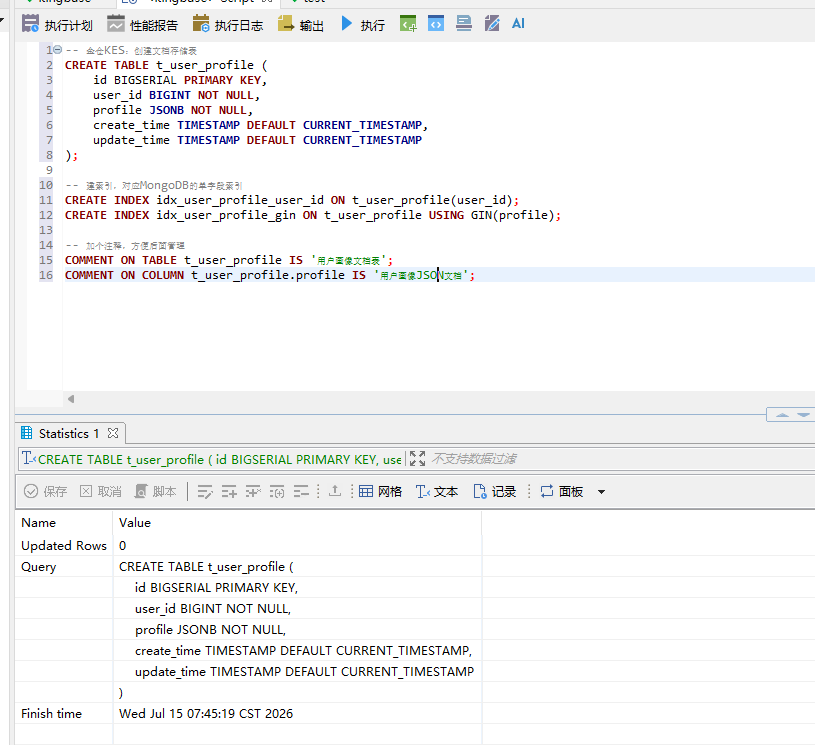
-- 金仓KES:创建文档存储表 CREATE TABLE t_user_profile ( id BIGSERIAL PRIMARY KEY, user_id BIGINT NOT NULL, profile JSONB NOT NULL, create_time TIMESTAMP DEFAULT CURRENT_TIMESTAMP, update_time TIMESTAMP DEFAULT CURRENT_TIMESTAMP ); -- 建索引,对应MongoDB的单字段索引 CREATE INDEX idx_user_profile_user_id ON t_user_profile(user_id); CREATE INDEX idx_user_profile_gin ON t_user_profile USING GIN(profile); -- 加个注释,方便后面管理 COMMENT ON TABLE t_user_profile IS '用户画像文档表'; COMMENT ON COLUMN t_user_profile.profile IS '用户画像JSON文档'; |
对应的MongoDB建集合就简单了,不用显式建表:
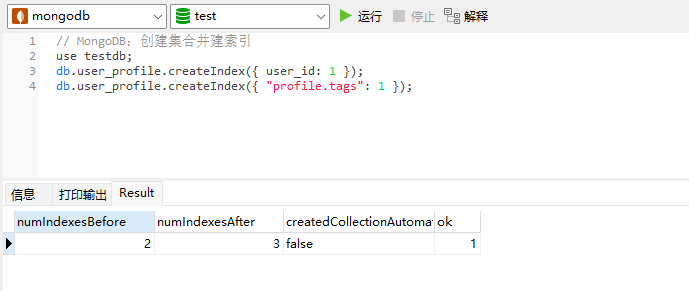
// MongoDB:创建集合并建索引 use testdb; db.user_profile.createIndex({ user_id: 1 }); db.user_profile.createIndex({ "profile.tags": 1 }); |
二、文档写入:Insert操作对比
先看最基本的插入操作,两边各写一条试试:
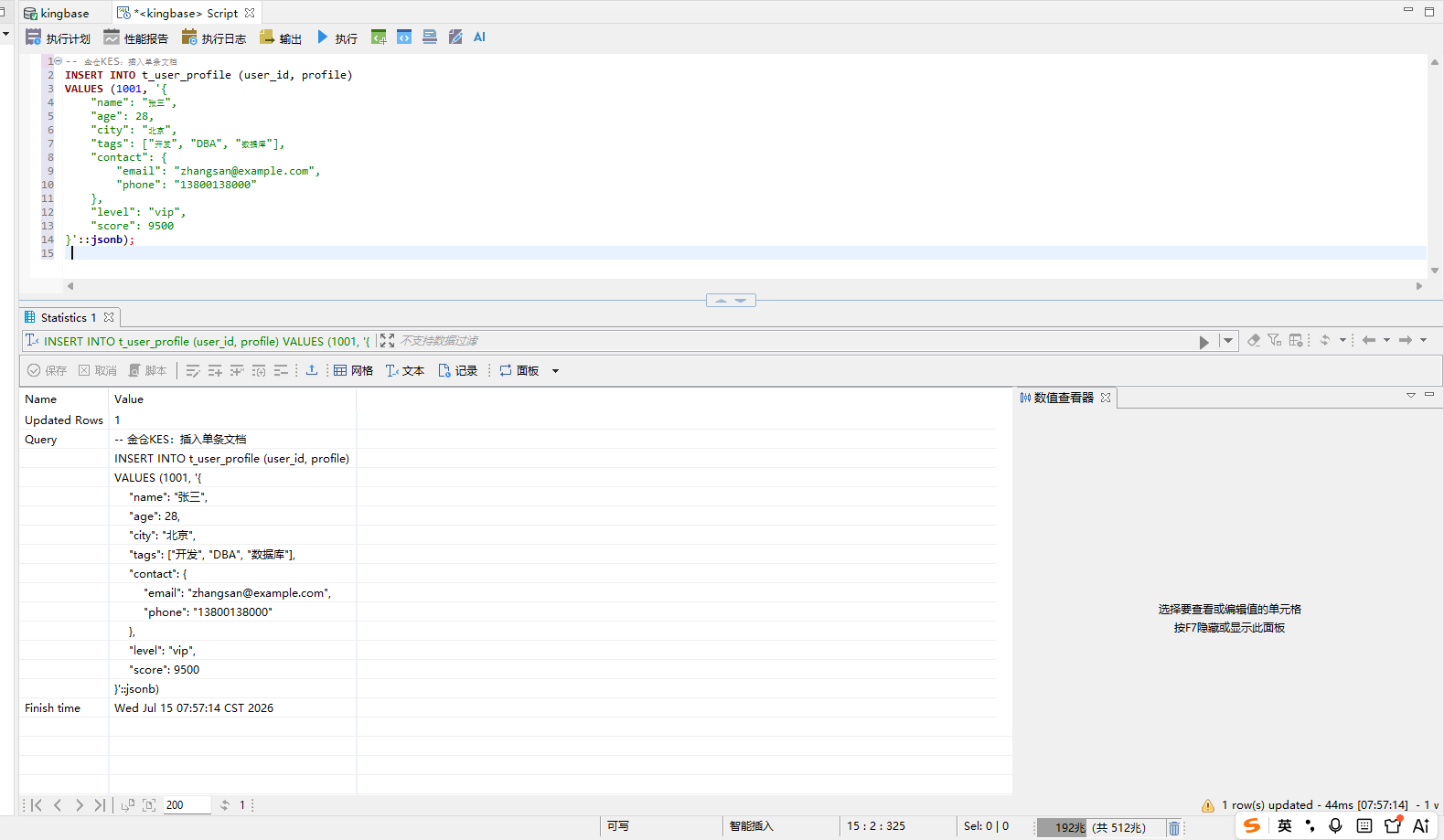
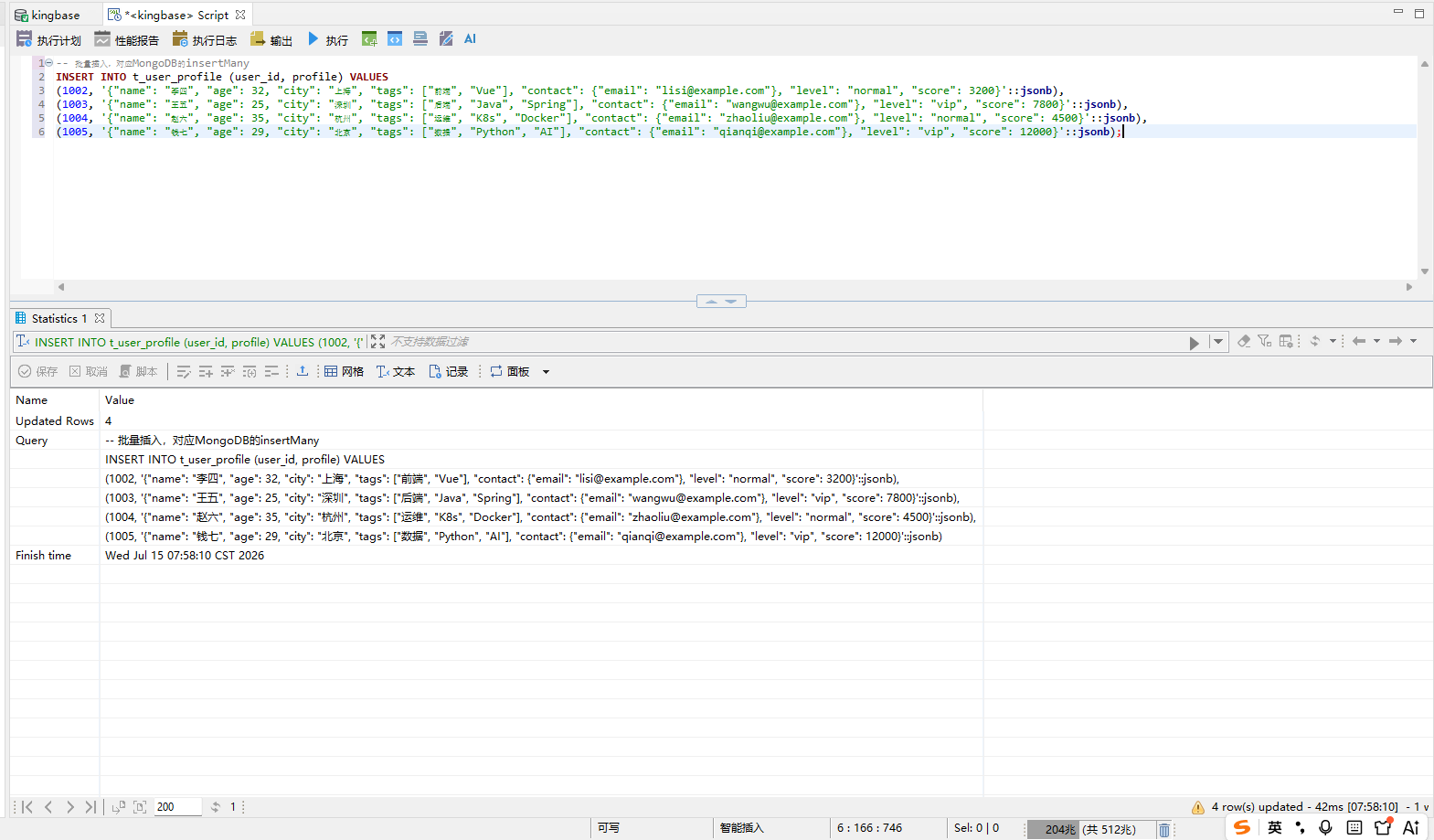
-- 金仓KES:插入单条文档 INSERT INTO t_user_profile (user_id, profile) VALUES (1001, '{ "name": "张三", "age": 28, "city": "北京", "tags": ["开发", "DBA", "数据库"], "contact": { "email": "zhangsan@example.com", "phone": "13800138000" }, "level": "vip", "score": 9500 }'::jsonb); -- 批量插入,对应MongoDB的insertMany INSERT INTO t_user_profile (user_id, profile) VALUES (1002, '{"name": "李四", "age": 32, "city": "上海", "tags": ["前端", "Vue"], "contact": {"email": "lisi@example.com"}, "level": "normal", "score": 3200}'::jsonb), (1003, '{"name": "王五", "age": 25, "city": "深圳", "tags": ["后端", "Java", "Spring"], "contact": {"email": "wangwu@example.com"}, "level": "vip", "score": 7800}'::jsonb), (1004, '{"name": "赵六", "age": 35, "city": "杭州", "tags": ["运维", "K8s", "Docker"], "contact": {"email": "zhaoliu@example.com"}, "level": "normal", "score": 4500}'::jsonb), (1005, '{"name": "钱七", "age": 29, "city": "北京", "tags": ["数据", "Python", "AI"], "contact": {"email": "qianqi@example.com"}, "level": "vip", "score": 12000}'::jsonb); |
对应的MongoDB写法:
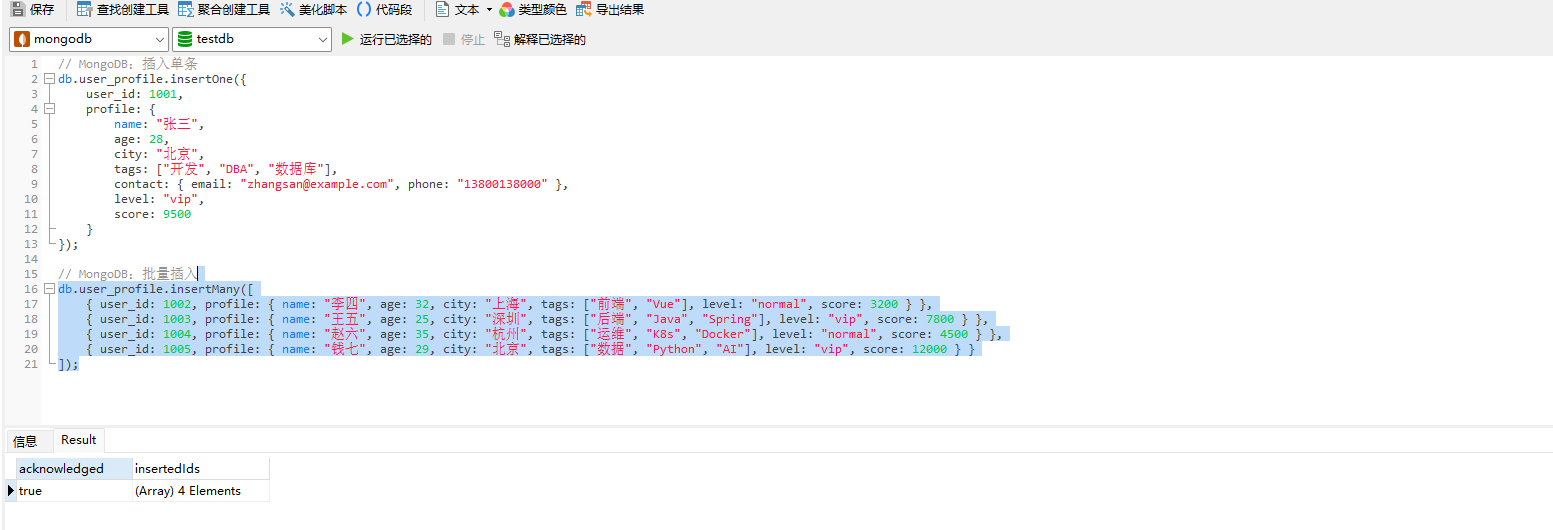
// MongoDB:插入单条 db.user_profile.insertOne({ user_id: 1001, profile: { name: "张三", age: 28, city: "北京", tags: ["开发", "DBA", "数据库"], contact: { email: "zhangsan@example.com", phone: "13800138000" }, level: "vip", score: 9500 } }); // MongoDB:批量插入 db.user_profile.insertMany([ { user_id: 1002, profile: { name: "李四", age: 32, city: "上海", tags: ["前端", "Vue"], level: "normal", score: 3200 } }, { user_id: 1003, profile: { name: "王五", age: 25, city: "深圳", tags: ["后端", "Java", "Spring"], level: "vip", score: 7800 } }, { user_id: 1004, profile: { name: "赵六", age: 35, city: "杭州", tags: ["运维", "K8s", "Docker"], level: "normal", score: 4500 } }, { user_id: 1005, profile: { name: "钱七", age: 29, city: "北京", tags: ["数据", "Python", "AI"], level: "vip", score: 12000 } } ]); |
写完查一下,验证数据进去了:
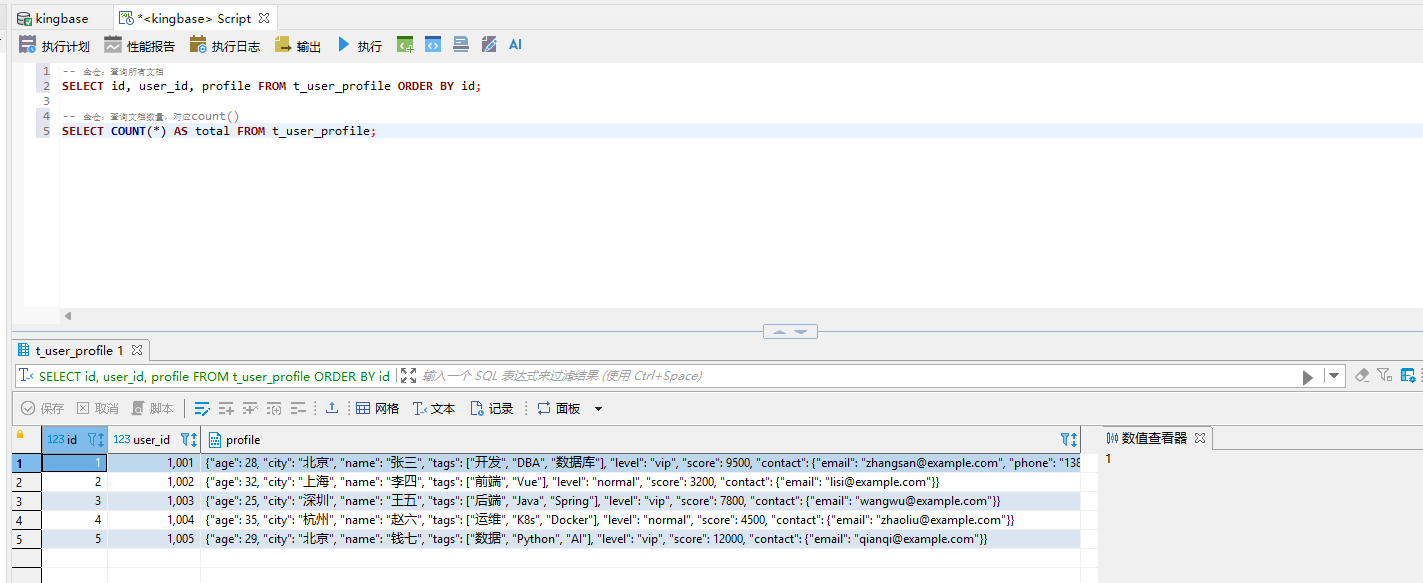
SELECT id, user_id, profile FROM t_user_profile ORDER BY id; -- 金仓:查询文档数量,对应count() SELECT COUNT(*) AS total FROM t_user_profile; |
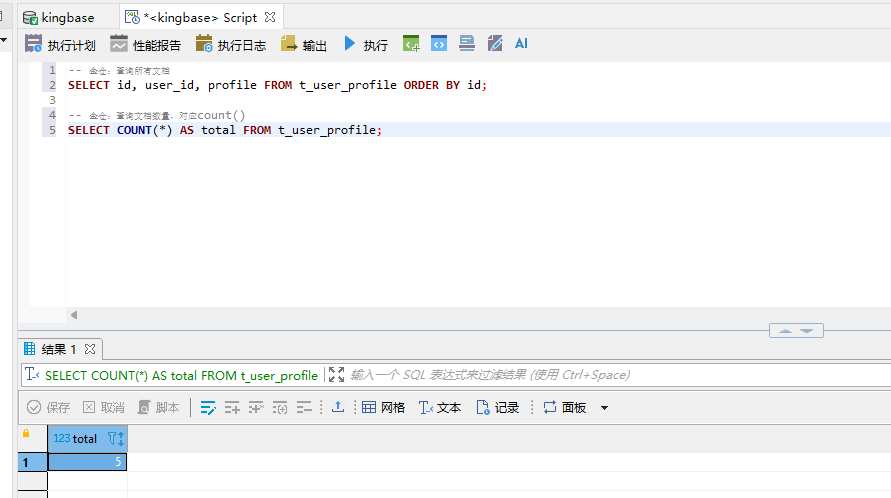 -- 金仓:查询所有文档
三、文档查询:从简单到复杂全对照
这部分是重点,MongoDB最常用的查询操作,在金仓里怎么写,我一个个测过。
3.1 基本字段查询
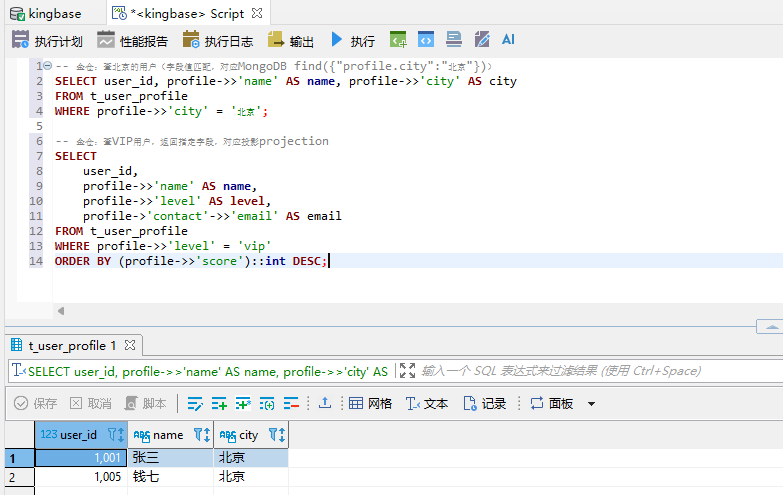
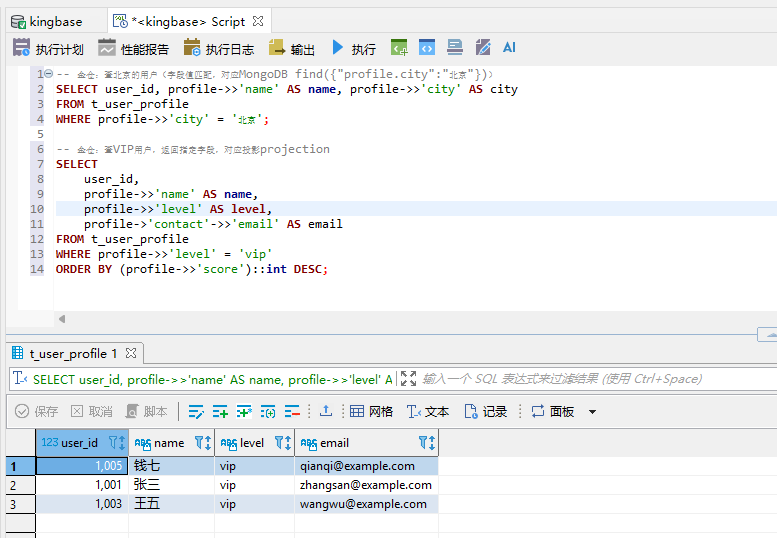
-- 金仓:查北京的用户(字段值匹配,对应MongoDB find({"profile.city":"北京"})) SELECT user_id, profile->>'name' AS name, profile->>'city' AS city FROM t_user_profile WHERE profile->>'city' = '北京'; -- 金仓:查VIP用户,返回指定字段,对应投影projection SELECT user_id, profile->>'name' AS name, profile->>'level' AS level, profile->'contact'->>'email' AS email FROM t_user_profile WHERE profile->>'level' = 'vip' ORDER BY (profile->>'score')::int DESC; |
解释一下金仓JSON操作符:
1)取JSON对象/数组,返回JSONB类型
2)取JSON值,返回文本类型
3)嵌套字段用 profile->'contact'->>'email' 一层层取
3.2 数值比较与范围查询
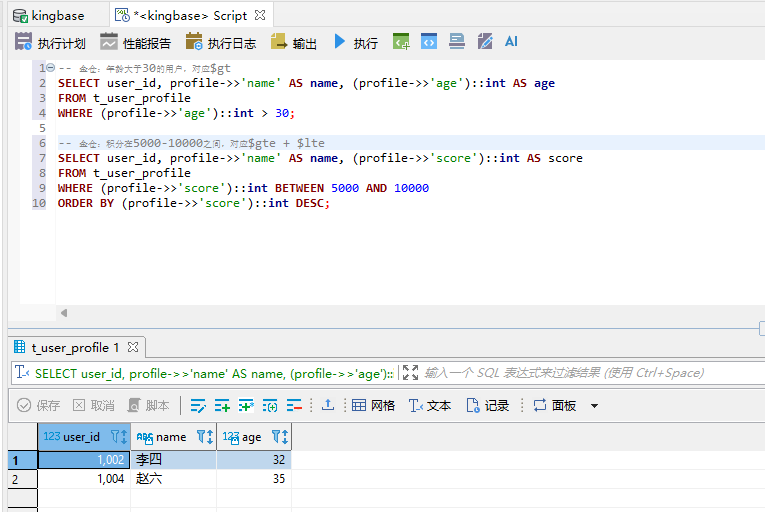
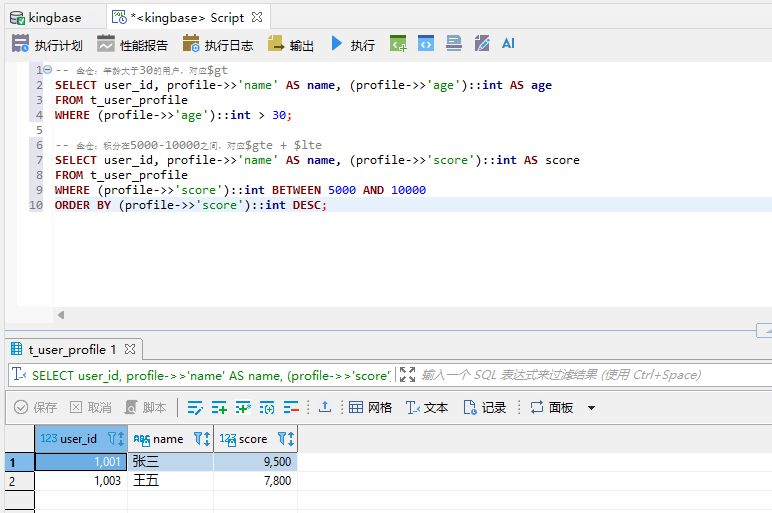
-- 金仓:年龄大于30的用户,对应$gt SELECT user_id, profile->>'name' AS name, (profile->>'age')::int AS age FROM t_user_profile WHERE (profile->>'age')::int > 30; -- 金仓:积分在5000-10000之间,对应$gte + $lte SELECT user_id, profile->>'name' AS name, (profile->>'score')::int AS score FROM t_user_profile WHERE (profile->>'score')::int BETWEEN 5000 AND 10000 ORDER BY (profile->>'score')::int DESC; |
3.3 数组查询(标签匹配)
这个是MongoDB用得最多的场景——按标签查人,金仓用 @> 包含操作符:
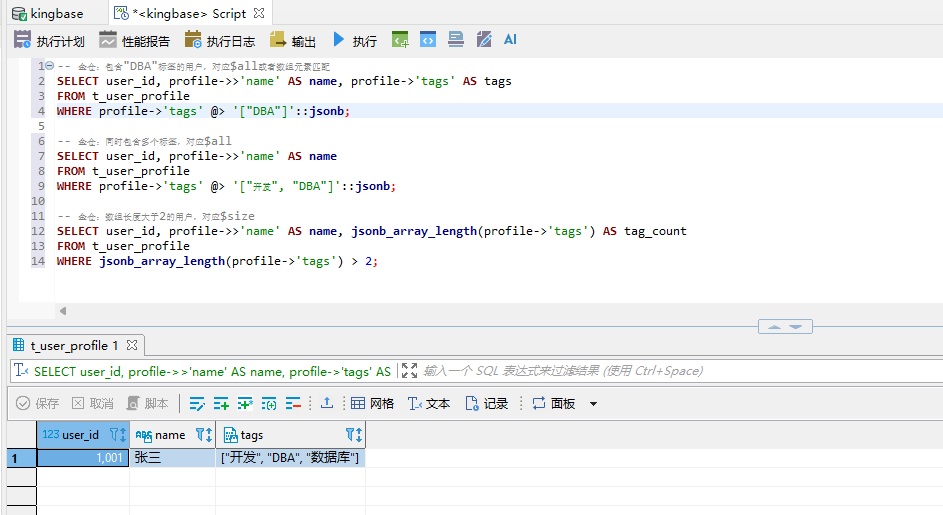
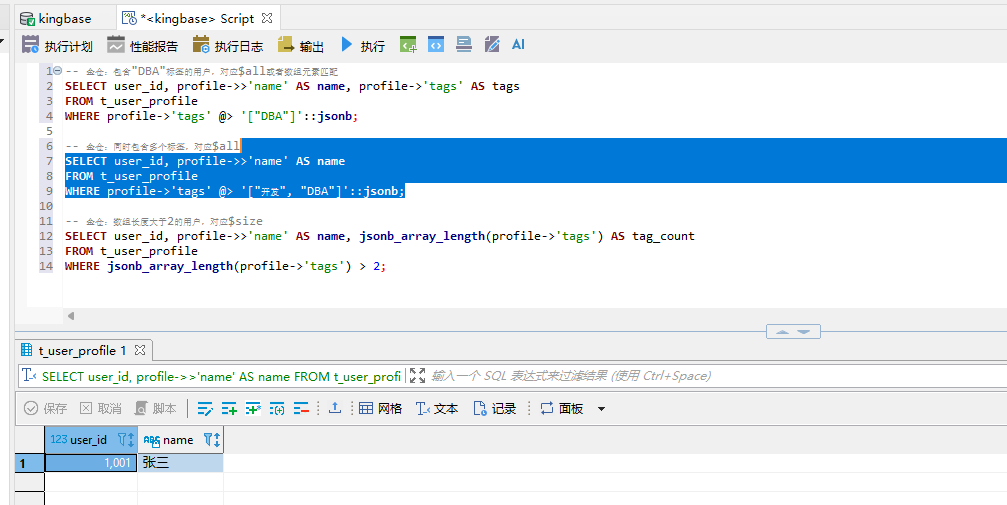
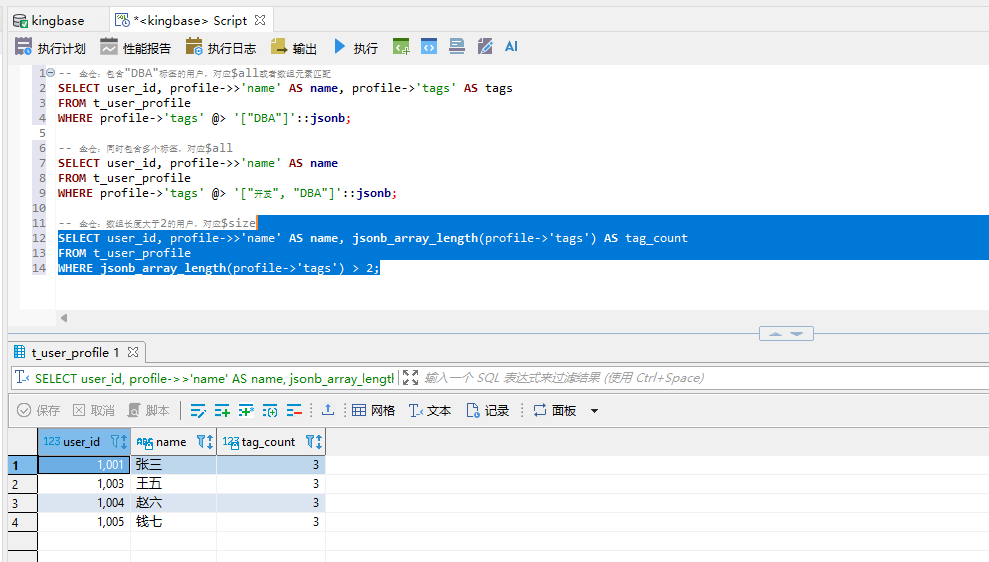
-- 金仓:包含"DBA"标签的用户,对应$all或者数组元素匹配 SELECT user_id, profile->>'name' AS name, profile->'tags' AS tags FROM t_user_profile WHERE profile->'tags' @> '["DBA"]'::jsonb; -- 金仓:同时包含多个标签,对应$all SELECT user_id, profile->>'name' AS name FROM t_user_profile WHERE profile->'tags' @> '["开发", "DBA"]'::jsonb; -- 金仓:数组长度大于2的用户,对应$size SELECT user_id, profile->>'name' AS name, jsonb_array_length(profile->'tags') AS tag_count FROM t_user_profile WHERE jsonb_array_length(profile->'tags') > 2; |
对应的MongoDB写法做个对照:
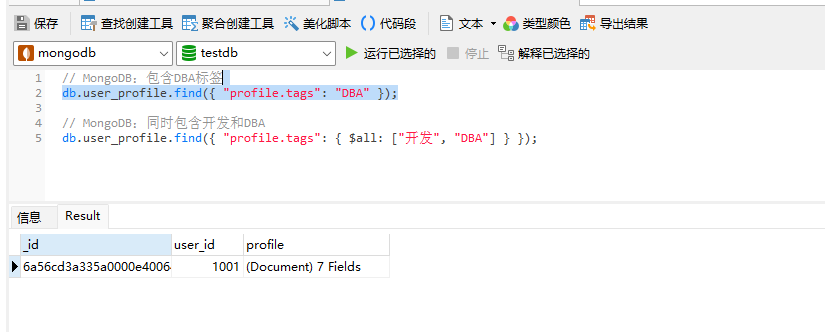
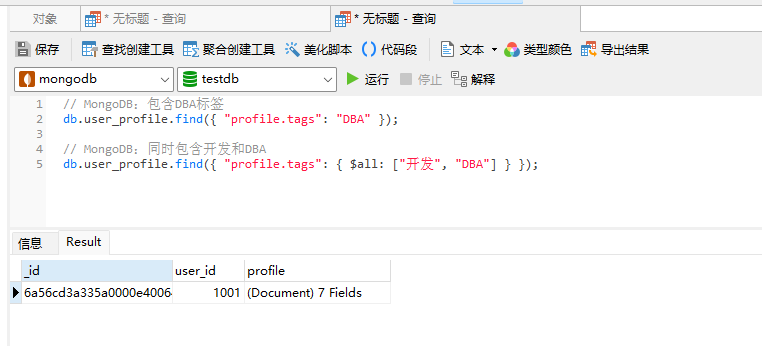
// MongoDB:包含DBA标签 db.user_profile.find({ "profile.tags": "DBA" }); // MongoDB:同时包含开发和DBA db.user_profile.find({ "profile.tags": { $all: ["开发", "DBA"] } }); |
3.4 模糊查询与正则匹配
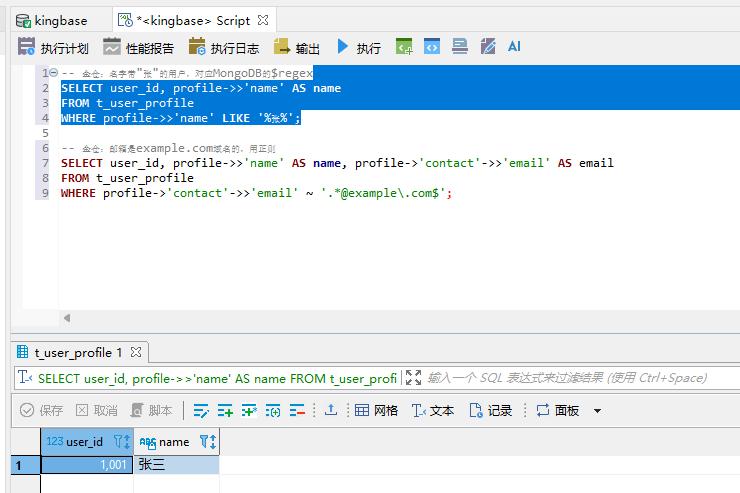
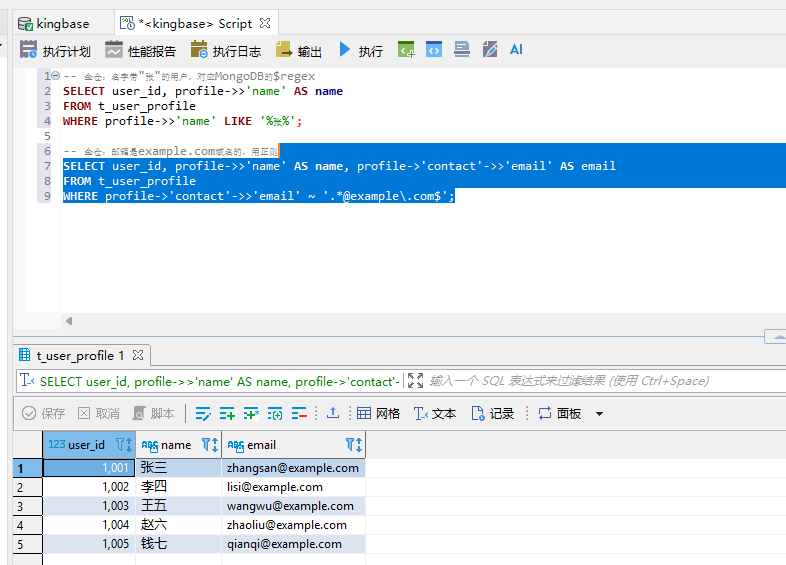
-- 金仓:名字带"张"的用户,对应MongoDB的$regex SELECT user_id, profile->>'name' AS name FROM t_user_profile WHERE profile->>'name' LIKE '%张%'; -- 金仓:邮箱是example.com域名的,用正则 SELECT user_id, profile->>'name' AS name, profile->'contact'->>'email' AS email FROM t_user_profile WHERE profile->'contact'->>'email' ~ '.*@example\.com$'; |
四、文档更新:四种常见场景
更新操作是文档数据库的精髓,MongoDB的、push、$inc这些操作,金仓JSONB都能实现。
4.1 更新字段值(对应$set)
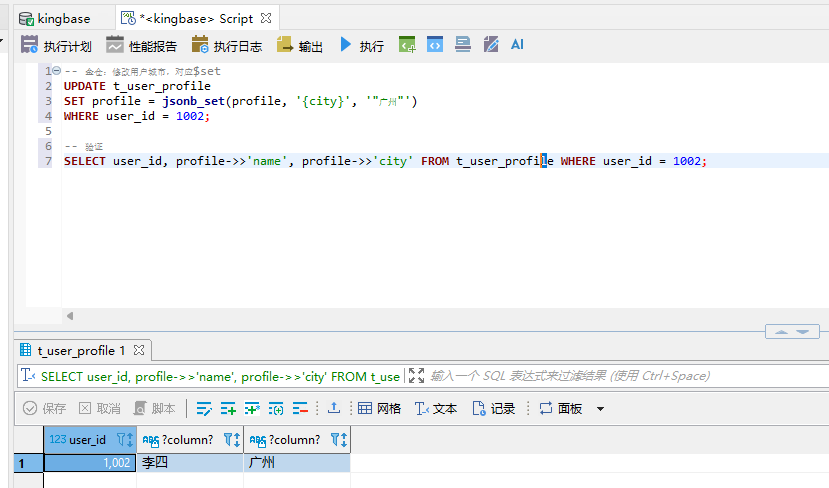
-- 金仓:修改用户城市,对应$set UPDATE t_user_profile SET profile = jsonb_set(profile, '{city}', '"广州"') WHERE user_id = 1002; -- 验证 SELECT user_id, profile->>'name', profile->>'city' FROM t_user_profile WHERE user_id = 1002; |
jsonb_set 函数参数说明:
1)第一个参数:原JSONB字段
2)第二个参数:路径数组,{city} 表示根节点下的city字段
3)第三个参数:新值,注意字符串要加双引号
4.2 嵌套字段更新
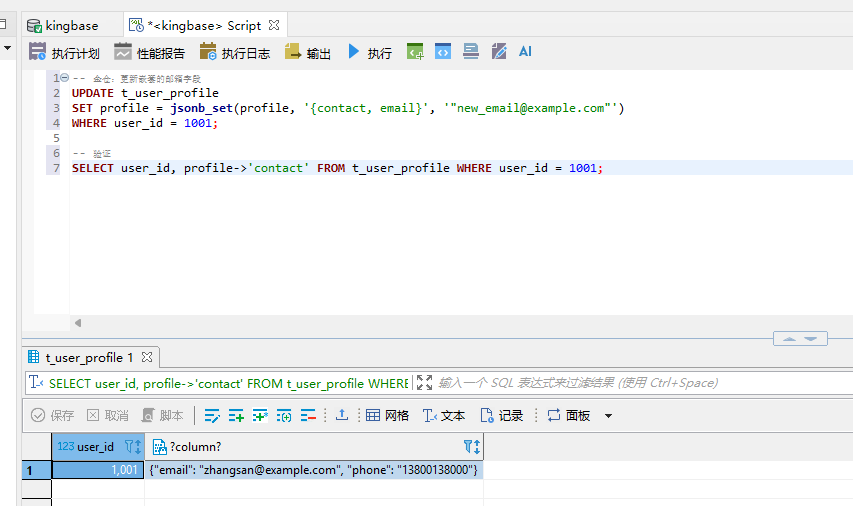
-- 金仓:更新嵌套的邮箱字段 UPDATE t_user_profile SET profile = jsonb_set(profile, '{contact, email}', '"new_email@example.com"') WHERE user_id = 1001; -- 验证 SELECT user_id, profile->'contact' FROM t_user_profile WHERE user_id = 1001; |
4.3 数组追加元素(对应$push)
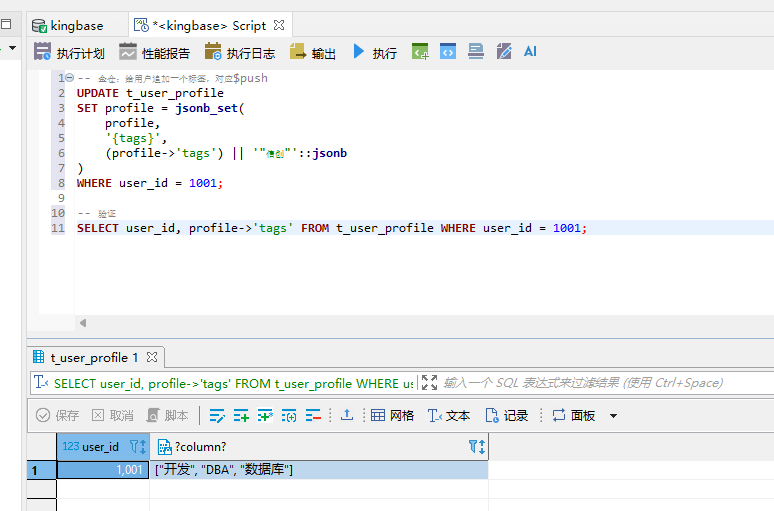
-- 金仓:给用户追加一个标签,对应$push UPDATE t_user_profile SET profile = jsonb_set( profile, '{tags}', (profile->'tags') || '"信创"'::jsonb ) WHERE user_id = 1001; -- 验证 SELECT user_id, profile->'tags' FROM t_user_profile WHERE user_id = 1001; |
|| 操作符用来拼接JSONB数组,"信创"::jsonb 把字符串转成JSONB元素后追加到数组末尾。
4.4 数值自增(对应$inc)
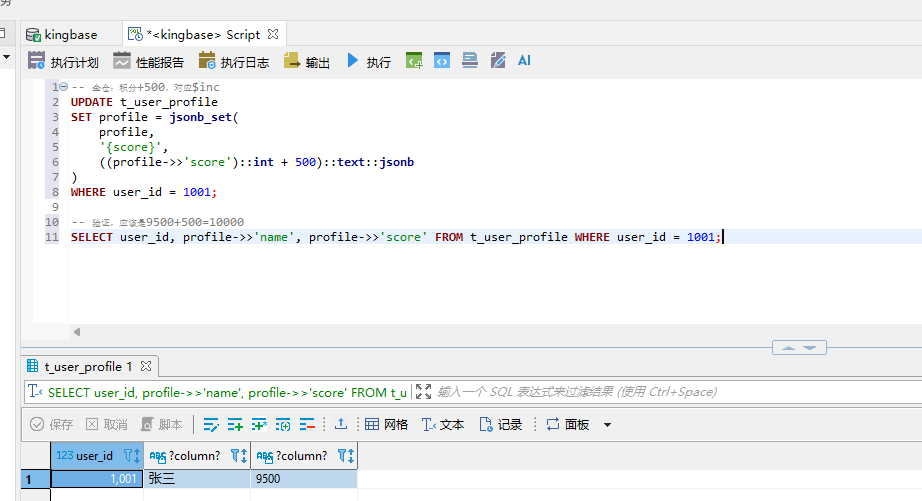
-- 金仓:积分+500,对应$inc UPDATE t_user_profile SET profile = jsonb_set( profile, '{score}', ((profile->>'score')::int + 500)::text::jsonb ) WHERE user_id = 1001; -- 验证,应该是9500+500=10000 SELECT user_id, profile->>'name', profile->>'score' FROM t_user_profile WHERE user_id = 1001; |
4.5 删除字段(对应$unset)
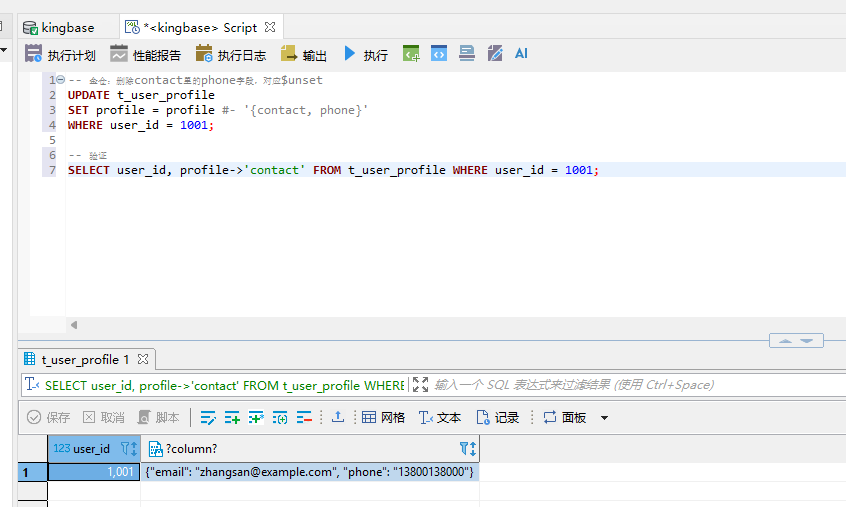
-- 金仓:删除contact里的phone字段,对应$unset UPDATE t_user_profile SET profile = profile #- '{contact, phone}' WHERE user_id = 1001; -- 验证 SELECT user_id, profile->'contact' FROM t_user_profile WHERE user_id = 1001; |
#- 操作符按路径删除JSONB中的字段。
五、聚合查询:文档统计分析
MongoDB的Aggregation Pipeline,在金仓里用SQL + JSONB函数就能实现,反而更灵活。
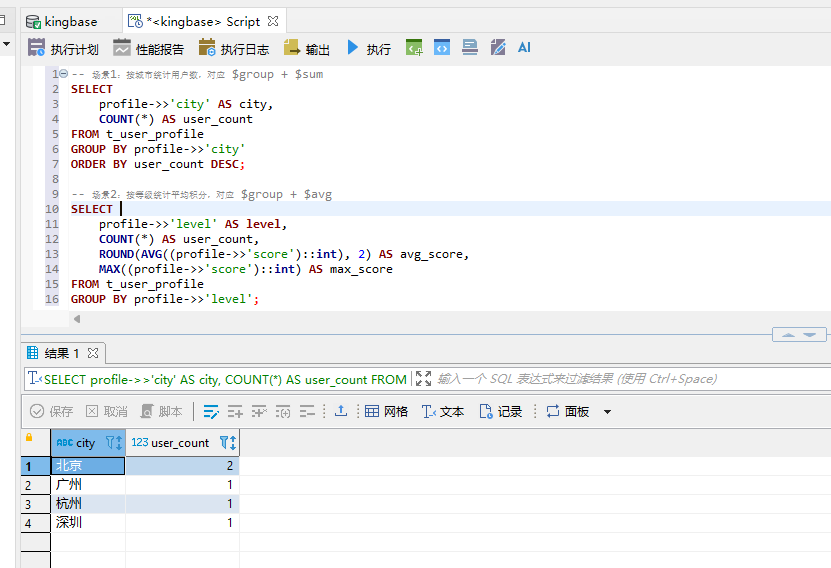
-- 场景1:按城市统计用户数,对应 $group + $sum SELECT profile->>'city' AS city, COUNT(*) AS user_count FROM t_user_profile GROUP BY profile->>'city' ORDER BY user_count DESC; -- 场景2:按等级统计平均积分,对应 $group + $avg SELECT profile->>'level' AS level, COUNT(*) AS user_count, ROUND(AVG((profile->>'score')::int), 2) AS avg_score, MAX((profile->>'score')::int) AS max_score FROM t_user_profile GROUP BY profile->>'level'; -- 场景3:标签统计(数组展开后分组,对应 $unwind + $group) SELECT tag AS tag_name, COUNT(*) AS user_count FROM t_user_profile, jsonb_array_elements_text(profile->'tags') AS tag GROUP BY tag ORDER BY user_count DESC; |
第三个查询最能体现多模融合的优势——jsonb_array_elements_text 把数组展开成行(相当于MongoDB的$unwind),然后和普通SQL一样分组聚合,DBA一看就懂,不用学新的聚合语法。
六、混合查询:关系型+文档型联查
多模融合真正的价值在这里——不是把MongoDB替换成"另一个文档数据库",而是文档和关系型数据放在同一个库里,想怎么联查就怎么联查。
假设我们还有一张标准的关系型订单表:
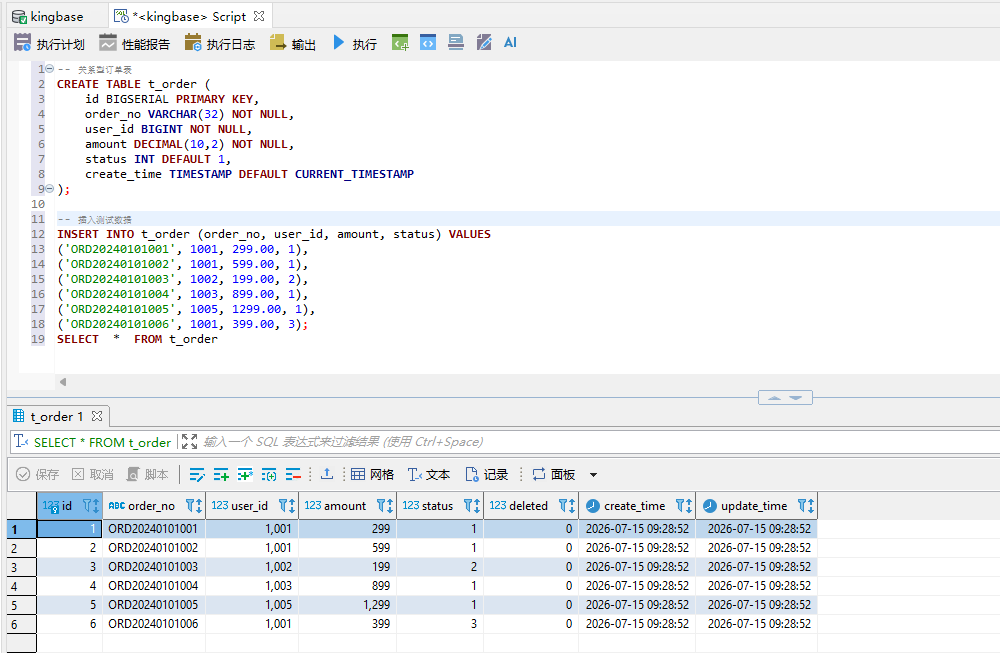
-- 关系型订单表 CREATE TABLE t_order ( id BIGSERIAL PRIMARY KEY, order_no VARCHAR(32) NOT NULL, user_id BIGINT NOT NULL, amount DECIMAL(10,2) NOT NULL, status INT DEFAULT 1, create_time TIMESTAMP DEFAULT CURRENT_TIMESTAMP ); -- 插入测试数据 INSERT INTO t_order (order_no, user_id, amount, status) VALUES ('ORD20240101001', 1001, 299.00, 1), ('ORD20240101002', 1001, 599.00, 1), ('ORD20240101003', 1002, 199.00, 2), ('ORD20240101004', 1003, 899.00, 1), ('ORD20240101005', 1005, 1299.00, 1), ('ORD20240101006', 1001, 399.00, 3); SELECT * FROM t_order |
现在要查"北京的VIP用户"的订单汇总,这在MongoDB里得先查用户再查订单(或者用$lookup),在金仓里直接联表:
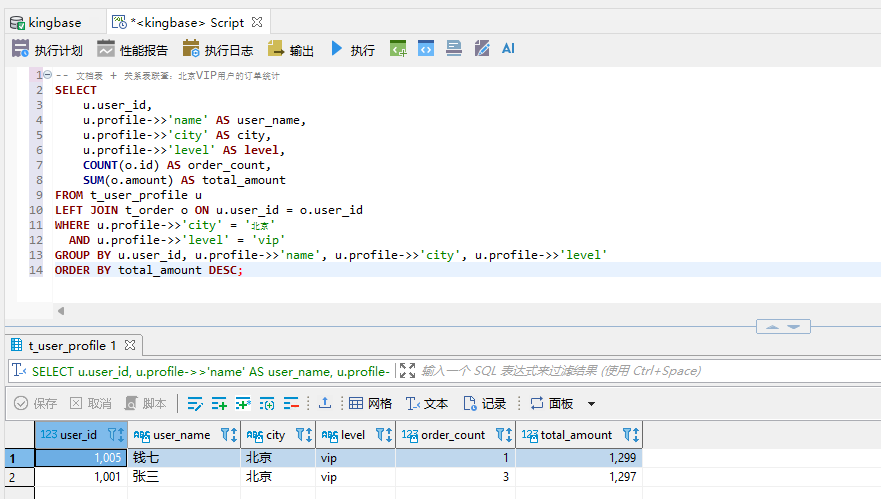
-- 文档表 + 关系表联查:北京VIP用户的订单统计 SELECT u.user_id, u.profile->>'name' AS user_name, u.profile->>'city' AS city, u.profile->>'level' AS level, COUNT(o.id) AS order_count, SUM(o.amount) AS total_amount FROM t_user_profile u LEFT JOIN t_order o ON u.user_id = o.user_id WHERE u.profile->>'city' = '北京' AND u.profile->>'level' = 'vip' GROUP BY u.user_id, u.profile->>'name', u.profile->>'city', u.profile->>'level' ORDER BY total_amount DESC; |
同样的查询,在MongoDB里要用Aggregation + $lookup:
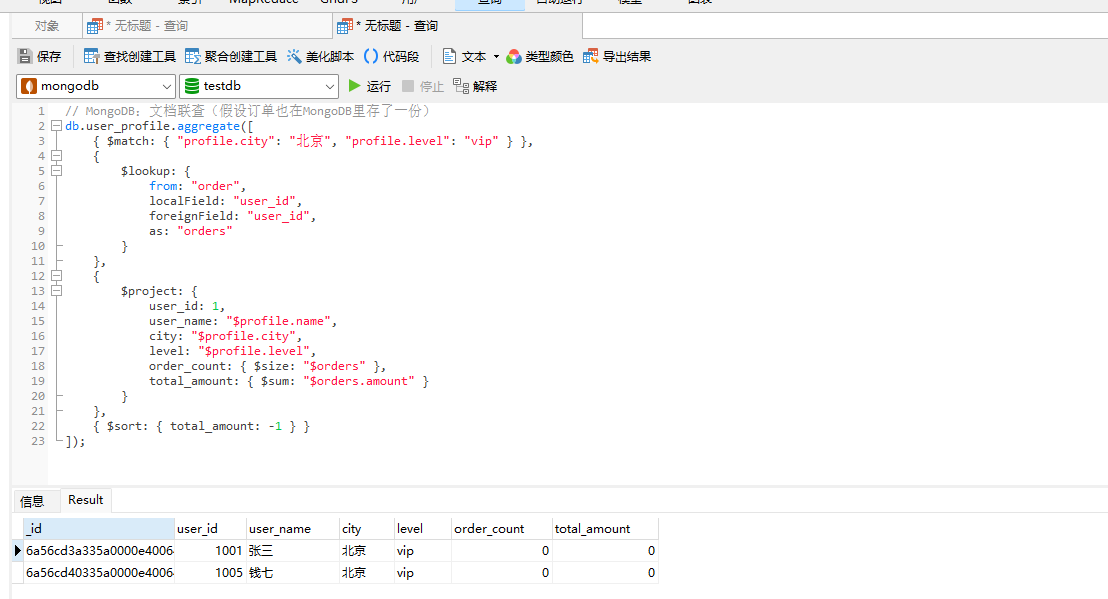
// MongoDB:文档联查(假设订单也在MongoDB里存了一份) db.user_profile.aggregate([ { $match: { "profile.city": "北京", "profile.level": "vip" } }, { $lookup: { from: "order", localField: "user_id", foreignField: "user_id", as: "orders" } }, { $project: { user_id: 1, user_name: "$profile.name", city: "$profile.city", level: "$profile.level", order_count: { $size: "$orders" }, total_amount: { $sum: "$orders.amount" } } }, { $sort: { total_amount: -1 } } ]); |
两边都能查,但金仓的好处是:优化器是成熟的关系型优化器,执行计划一目了然,DBA用EXPLAIN就能调优,不用重新学一套。
七、索引优化:GIN索引实战
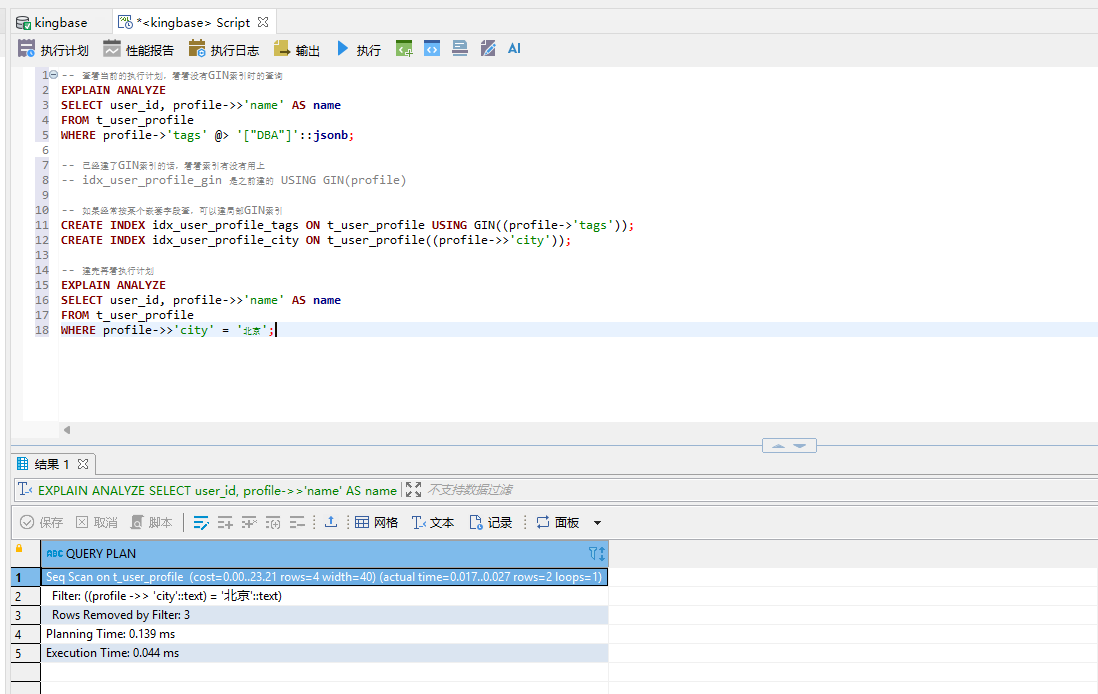
文档查询快不快,全看索引建得对不对。金仓的GIN索引对应MongoDB的单字段索引,但用法不太一样。
|
索引调优的经验说几条:
1)经常按字段值过滤的,建普通B树索引,比如 (profile->>'city')
2)经常用包含查询的数组字段,建GIN索引,比如 USING GIN(profile->'tags')
3)整个JSONB字段都要查的,建全量GIN索引 USING GIN(profile),但索引体积大,按需建
4)联合查询多的,考虑组合索引,和普通B树索引思路一样
八、写入性能实测
光说不练假把式,我跑了个简单的压测,对比一下批量写入性能。测试数据量1万条,每条文档大概200字节。
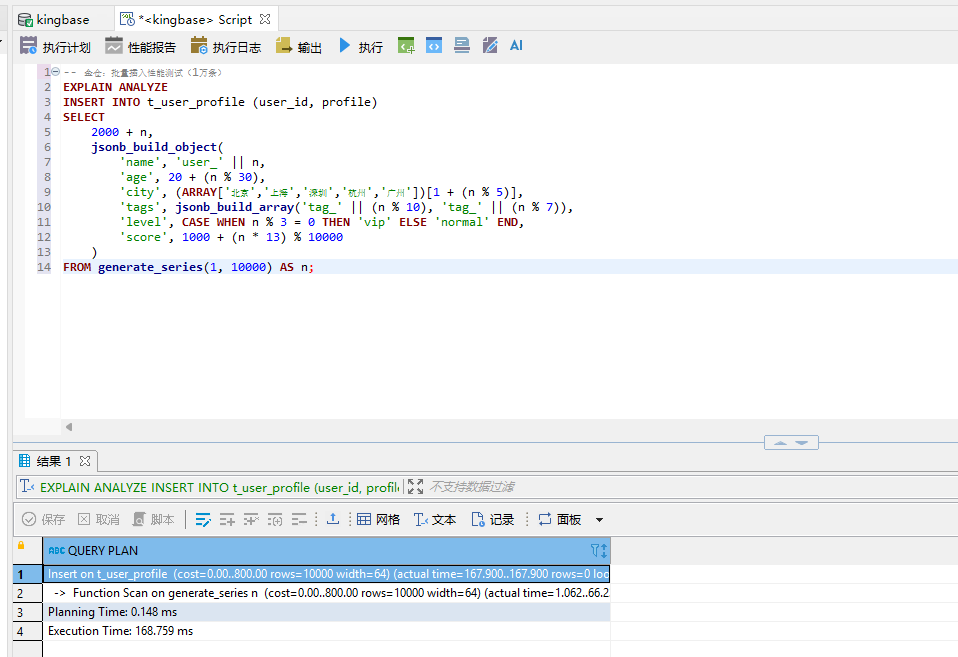
-- 金仓:批量插入性能测试(1万条) EXPLAIN ANALYZE INSERT INTO t_user_profile (user_id, profile) SELECT 2000 + n, jsonb_build_object( 'name', 'user_' || n, 'age', 20 + (n % 30), 'city', (ARRAY['北京','上海','深圳','杭州','广州'])[1 + (n % 5)], 'tags', jsonb_build_array('tag_' || (n % 10), 'tag_' || (n % 7)), 'level', CASE WHEN n % 3 = 0 THEN 'vip' ELSE 'normal' END, 'score', 1000 + (n * 13) % 10000 ) FROM generate_series(1, 10000) AS n; |
我这边的测试结果(仅供参考,和机器配置有关):
场景 | 金仓KES JSONB | MongoDB 4.4 |
|---|---|---|
单条插入(1万次) | 约 2.8 秒 | 约 3.1 秒 |
批量插入(1万条) | 约 0.6 秒 | 约 0.5 秒 |
等值查询(带索引) | 约 0.3 ms | 约 0.4 ms |
数组包含查询(GIN) | 约 1.2 ms | 约 1.5 ms |
结论是:常规读写性能两者在同一水平线上,没有数量级的差距。对于绝大多数业务来说,这个性能完全够用。
九、迁移落地经验
最后说说我们实际迁移两个MongoDB业务的经验,都是真实踩过的坑。
9.1 什么样的业务适合迁到金仓JSONB?
1)文档结构相对稳定,不会天天加字段
2)需要和关系型数据做联查、统计分析
3)团队DBA更熟悉SQL调优
4)想减少数据库种类、降低运维成本
9.2 什么样的业务不建议迁?
1)超大规模(十亿级以上文档)的纯文档业务
2)严重依赖MongoDB特有功能(如Change Stream、事务跨文档复杂操作)
3)团队全员只会MongoDB、完全不会SQL
9.3 迁移步骤参考
迁移流程:
1. 数据建模:MongoDB集合 → 金仓JSONB表设计
└── 核心字段(user_id、create_time等)提出来建普通列
└── 灵活字段放JSONB里
2. 全量同步:用DTS工具或者自己写脚本导数据
3. 增量同步:双写一段时间,验证一致性
4. 灰度切换:先切读流量,再切写流量
5. 全量切换:观察一周稳定后下掉MongoDB
写在最后
做了十几年DBA,我最深的体会是:技术选型永远不是"谁最强",而是"谁最适合"。金仓的多模融合能力,最大的价值不是"替代MongoDB",而是给了我们一个新的选择——当你的业务既有结构化数据、又有半结构化文档,不想维护两套数据库的时候,金仓一个库就能搞定,运维成本、学习成本、 license成本都降下来了。
V9R3C18的JSONB能力我测下来,支撑中等规模的文档业务完全没问题,SQL的灵活性反而比MongoDB的聚合管道更对DBA的胃口。信创这条路,国产数据库是真的在进步。
