



墨天轮在线实训平台V1.0发布,免费提供部署好的数据库线上环境,可以随时随地打开浏览器学习,一键连接Linux WEB终端,目前已支持Oracle、MySQL、Redis、PostgreSQL、openGauss、MogDB。
秉承乐知乐享同心共济的愿景,现对广大技术爱好者开放免费90天限时申请:墨天轮->云市场->云上资源 https://www.modb.pro/marketlist?type=1
Oracle
如下是Oracle实训环境,使用chrome浏览器一键连接到底层操作系统命令行终端,可以进行操作系统命令学习,可以连接到数据库做任何操作、测试、实验。
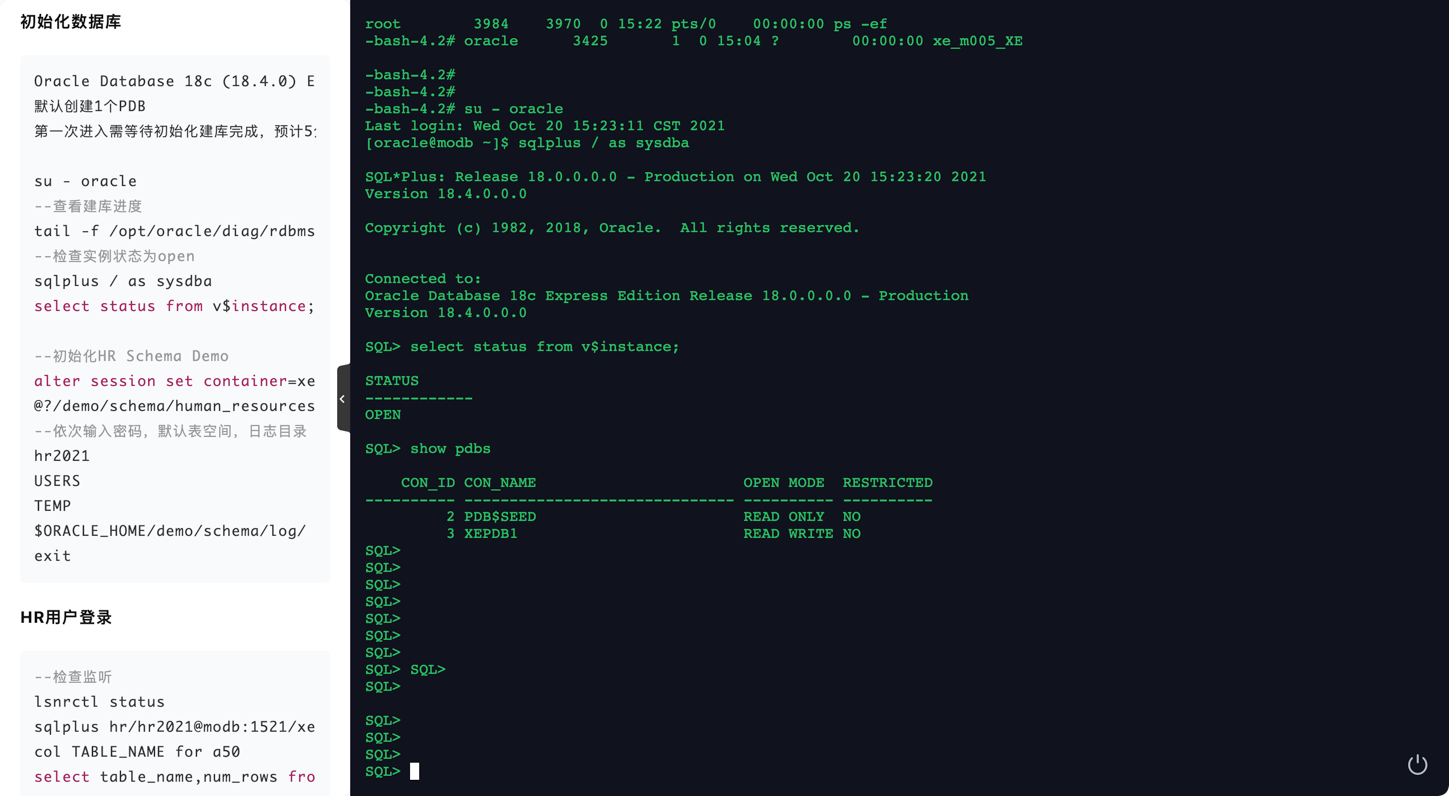
Oracle Database 18c (18.4.0) Express Edition (XE),默认创建1个PDB
检查实例状态为open
tail -f /opt/oracle/diag/rdbms/xe/XE/trace/alert_XE.log

sqlplus / as sysdba
select status from v$instance;
初始化HR Schema Demo
alter session set container=xepdb1;
@?/demo/schema/human_resources/hr_main.sql
--依次输入密码,默认表空间,日志目录
hr2021
USERS
TEMP
$ORACLE_HOME/demo/schema/log/

exit

--检查监听
lsnrctl status
sqlplus hr/hr2021@modb:1521/xepdb1
col TABLE_NAME for a50
select table_name,num_rows from user_tables;

SELECT e.first_name || ' ' || e.last_name "Name",
TRUNC(MONTHS_BETWEEN(j.end_date, j.start_date)) "Months Worked"
FROM employees e, job_history j
WHERE e.employee_id = j.employee_id
ORDER BY "Months Worked";

exit
常用管理脚本

--内置了常用的34个脚本在/home/oracle/admin目录下
cd /home/oracle/admin/
sqlplus / as sysdba
SQL> !ls
2pc_clean.sql            bind_noused.sql   segment_size.sql      sqlhis_awr.sql       wait_event.sql
ash_sql_line_id.sql      cursor_purge.sql  session_kill.txt      sqlinfo_total.sql    wait_event_block.sql
ash_top_sql_event.txt    ddl_metadata.sql  session_sid.sql       tablespace_used.sql  wait_event_hash.sql
ash_used.txt             dml_get.sql       session_spid.sql      tabstat.sql          wait_event_sqlid.sql
awr_db_time.sql          fra_get.sql       shared_pool_free.sql  temp_used.txt        wait_session_hash.sql
awr_event_histogram.txt  param_get.sql     sql_monitor.sql       transaction_get.sql  wait_session_sqlid.sql
awr_metric_name.sql      redo_switch.sql   sql_profile.txt       undo_used.sql

SQL> @wait_event.sql

   INST_ID EVENT                                                              COUNT(*)
---------- ---------------------------------------------------------------- ----------
         1 SQL*Net message to client                                                 1
SQL>
SQL> @tablespace_used.sql
------------------------------ --------------- --------------- ----------
SYSTEM                                   0.81            0.00    99.44%
SYSAUX                                   0.49            0.03    93.96%
UNDOTBS1                                 0.07            0.00    92.95%
USERS                                    0.00            0.00    20.00%

TABLESPACE_NAME                SIZE_G          FREE_G          USED_PCT

Tablespace                      Total(MB)   Used(MB)   Free(MB) Pct. Free(%)
------------------------------ ---------- ---------- ---------- ------------
TEMP                                   33          0         33          100
SQL>
MySQL
如下是MySQL实训环境,使用chrome浏览器一键连接到底层操作系统命令行终端,可以进行操作系统命令学习,可以连接到数据库做任何操作、测试、实验。
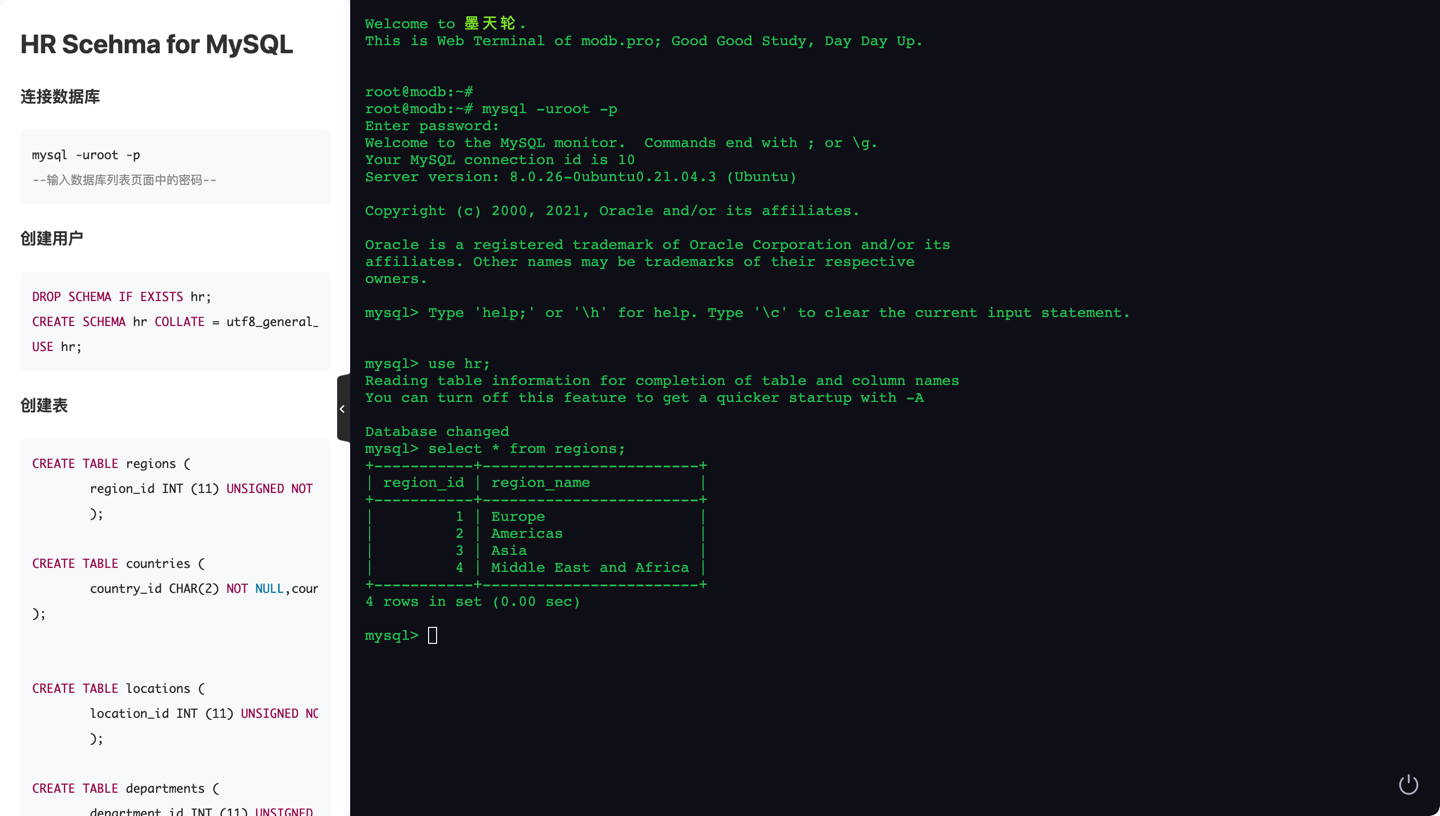
同时将Oracle经典的HR学习示例Schema对所有数据库做了适配,快速初始化后可供大家学习相关对象设计和SQL。 详细初始化脚本参考:《HR Schema for MySQL 》https://www.modb.pro/db/100651
root@modb:~# mysql -uroot -p
Enter password:
Welcome to the MySQL monitor.  Commands end with ; or \g.
Your MySQL connection id is 9
Server version: 8.0.26-0ubuntu0.21.04.3 (Ubuntu)

Copyright (c) 2000, 2021, Oracle and/or its affiliates.

Oracle is a registered trademark of Oracle Corporation and/or its
affiliates. Other names may be trademarks of their respective
owners.

Type 'help;' or '\h' for help. Type '\c' to clear the current input statement.

mysql> DROP SCHEMA IF EXISTS hr;
Query OK, 0 rows affected, 1 warning (0.00 sec)

mysql> CREATE SCHEMA hr COLLATE = utf8_ge;
neral_ciQuery OK, 1 row affected, 1 warning (0.01 sec)

mysql> USE hr;
Database changed

mysql> select count(*) from employees;
 count
-------
   107
(1 row)
PostgreSQL
如下是PostgreSQL实训环境,使用chrome浏览器一键连接到底层操作系统命令行终端,可以进行操作系统命令学习,可以连接到数据库做任何操作、测试、实验。
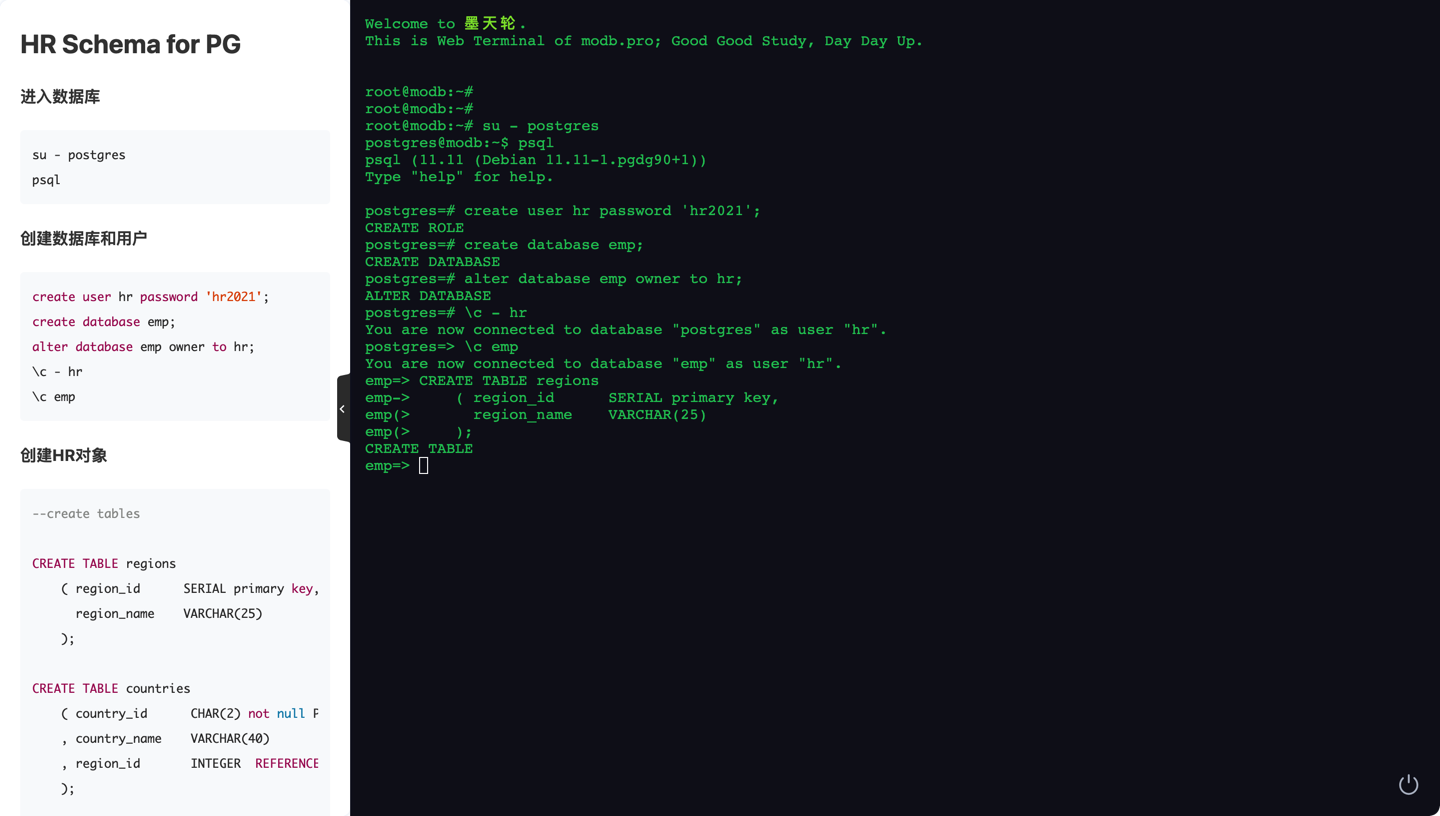
同时将Oracle经典的HR学习示例Schema对所有数据库做了适配,快速初始化后可供大家学习相关对象设计和SQL。 详细初始化脚本参考:《HR Schema for PostgreSQL》https://www.modb.pro/db/100650
postgres=# \d
                                List of relations
 Schema |       Name       |   Type   | Owner |             Storage
--------+------------------+----------+-------+----------------------------------
 public | countries        | table    | postgres   | {orientation=row,compression=no}
 public | departments      | table    | postgres   | {orientation=row,compression=no}
 public | departments_seq  | sequence | postgres   |
 public | emp_details_view | view     | postgres   |
 public | employees        | table    | postgres   | {orientation=row,compression=no}
 public | employees_seq    | sequence | postgres   |
 public | job_history      | table    | postgres   | {orientation=row,compression=no}
 public | jobs             | table    | postgres   | {orientation=row,compression=no}
 public | locations        | table    | postgres   | {orientation=row,compression=no}
 public | locations_seq    | sequence | postgres   |
 public | regions          | table    | postgres   | {orientation=row,compression=no}
(11 rows)

postgres=# select count(*) from employees;
 count
-------
   107
(1 row)

postgres=#
Redis
如下是Redis实训环境,使用chrome浏览器一键连接到底层操作系统命令行终端,可以进行操作系统命令学习,可以连接到数据库做任何操作、测试、实验。
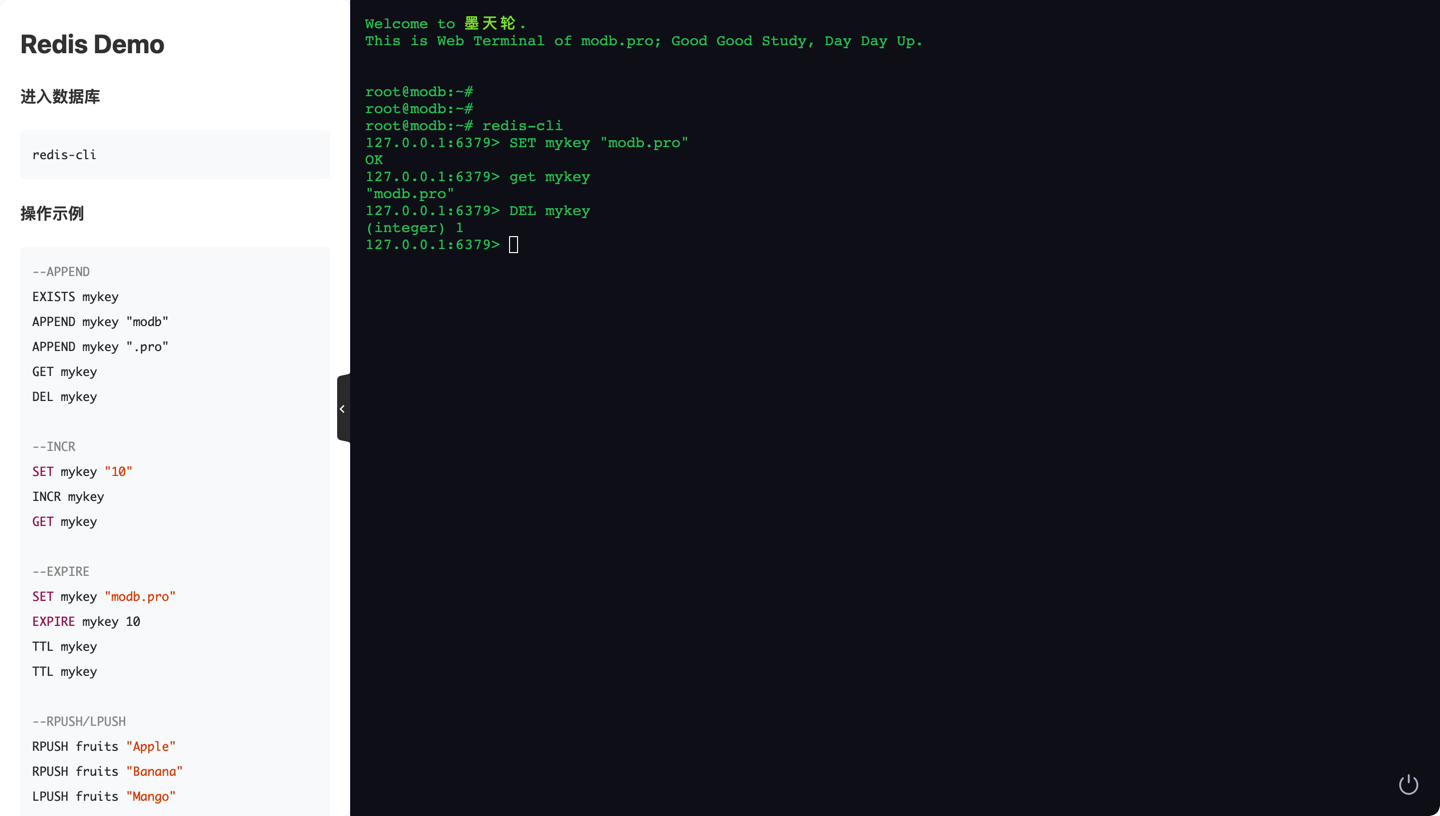
进入数据库
redis-cli
操作示例
--APPEND
EXISTS mykey
APPEND mykey "modb"
APPEND mykey ".pro"
GET mykey
DEL mykey

--INCR
SET mykey "10"
INCR mykey
GET mykey

--EXPIRE
SET mykey "modb.pro"
EXPIRE mykey 10
TTL mykey
TTL mykey

--RPUSH/LPUSH
RPUSH fruits "Apple"
RPUSH fruits "Banana"
LPUSH fruits "Mango"
LRANGE fruits 0 -1
LRANGE fruits 0 1
LRANGE fruits 1 2
LLEN fruits
openGauss/MogDB
如下是MogDB实训环境,使用chrome浏览器一键连接到底层操作系统命令行终端,可以进行操作系统命令学习,可以连接到数据库做任何操作、测试、实验。
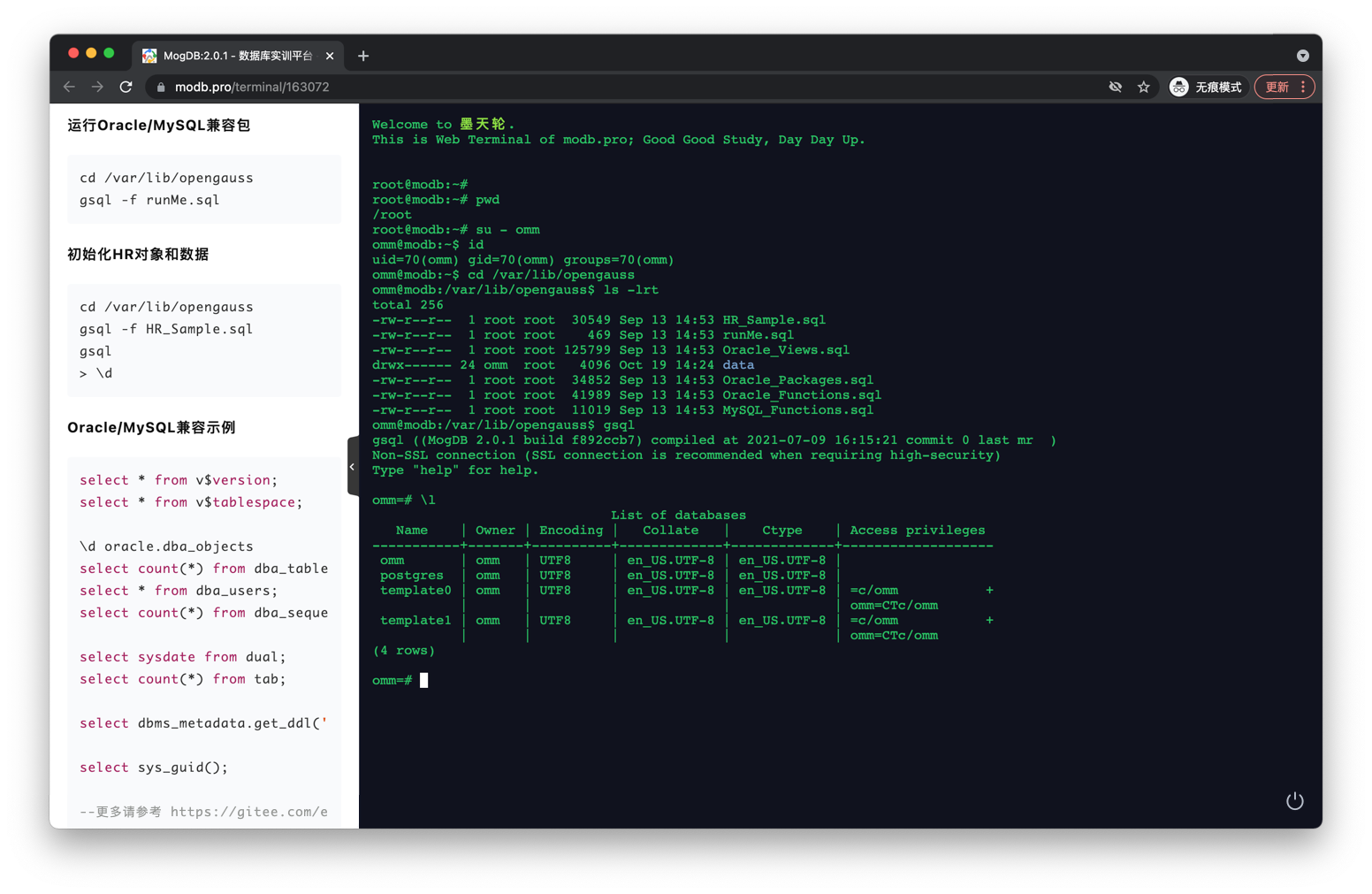
同时将Oracle经典的HR学习示例Schema对所有数据库做了适配,快速初始化后可供大家学习相关对象设计和SQL。
omm=# \d
                                List of relations
 Schema |       Name       |   Type   | Owner |             Storage
--------+------------------+----------+-------+----------------------------------
 public | countries        | table    | omm   | {orientation=row,compression=no}
 public | departments      | table    | omm   | {orientation=row,compression=no}
 public | departments_seq  | sequence | omm   |
 public | emp_details_view | view     | omm   |
 public | employees        | table    | omm   | {orientation=row,compression=no}
 public | employees_seq    | sequence | omm   |
 public | job_history      | table    | omm   | {orientation=row,compression=no}
 public | jobs             | table    | omm   | {orientation=row,compression=no}
 public | locations        | table    | omm   | {orientation=row,compression=no}
 public | locations_seq    | sequence | omm   |
 public | regions          | table    | omm   | {orientation=row,compression=no}
(11 rows)

omm=# SELECT first_name "First", last_name "Last",
SALARY "Salary", COMMISSION_PCT "%"
FROM employees
WHERE salary >=11000 AND commission_pct IS NOT NULL;omm-# omm-# omm-#
  First  |   Last    |  Salary  |  %
---------+-----------+----------+-----
 John    | Russell   | 14000.00 | .40
 Karen   | Partners  | 13500.00 | .30
 Alberto | Errazuriz | 12000.00 | .30
 Gerald  | Cambrault | 11000.00 | .30
 Lisa    | Ozer      | 11500.00 | .25
 Ellen   | Abel      | 11000.00 | .30
(6 rows)
Oracle/MySQL兼容示例
gsql
select * from v$version;
select * from v$tablespace;

\d oracle.dba_objects
select count(*) from dba_tables;
select * from dba_users;
select count(*) from dba_sequences;

select sysdate from dual;
select count(*) from tab;

select dbms_metadata.get_ddl('table','employees','public');

select sys_guid();
邀请大家使用,需要其他资源可以留言评论,我们将优先支持。
