学习目标
学习openGauss全文检索
openGauss提供了两种数据类型用于支持全文检索。tsvector类型表示为文本搜索优化的文件格式,tsquery类型表示文本查询
课程学习
连接数据库
#第一次进入等待15秒
#数据库启动中...
su - omm
gsql -r
1.tsvector
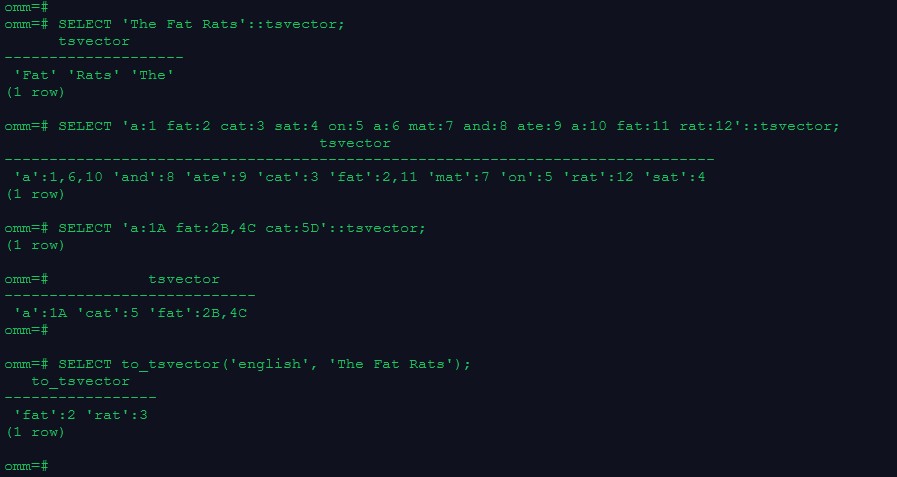
–把一个字符串按照空格进行分词,分词的顺序是按照长短和字母排序的, 自动去掉分词中重复的词条
SELECT ‘The Fat Rats’::tsvector;
–词条位置常量也可以放到词汇中
SELECT ‘a:1 fat:2 cat:3 sat:4 on:5 a:6 mat:7 and:8 ate:9 a:10 fat:11 rat:12’::tsvector;
–拥有位置的词汇甚至可以用一个权来标记,反映文档结构,这个权可以是A,B,C或D。默认的是D,因此输出中不会出现
SELECT ‘a:1A fat:2B,4C cat:5D’::tsvector;
–to_tsvector函数对这些单词进行规范化处理, 罗列出词条并连同它们文档中的位置
SELECT to_tsvector(‘english’, ‘The Fat Rats’);
2.tsquery
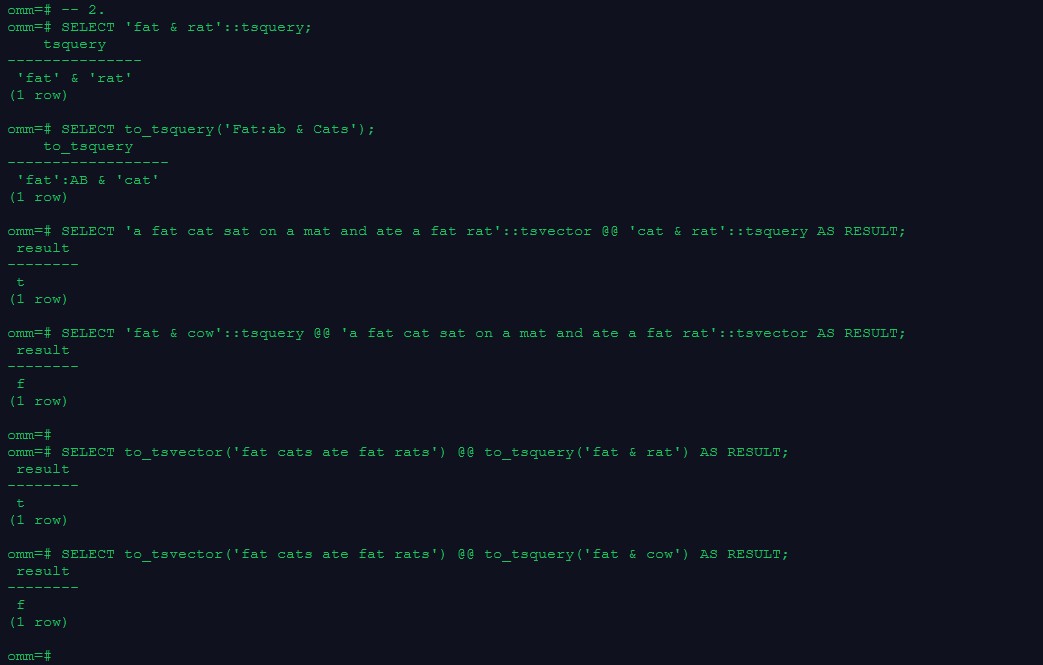
SELECT ‘fat & rat’::tsquery;
–规范化转为tsquery类型
SELECT to_tsquery(‘Fat:ab & Cats’);
3.基本文本匹配
–全文检索基于匹配算子@@,当一个tsvector匹配到一个tsquery时,则返回true, tsvector和tsquery两种数据类型可以任意排序。
SELECT ‘a fat cat sat on a mat and ate a fat rat’::tsvector @@ ‘cat & rat’::tsquery AS RESULT;
SELECT ‘fat & cow’::tsquery @@ ‘a fat cat sat on a mat and ate a fat rat’::tsvector AS RESULT;
– to_tsvector和to_tsquery标准化处理
SELECT to_tsvector(‘fat cats ate fat rats’) @@ to_tsquery(‘fat & rat’) AS RESULT;
SELECT to_tsvector(‘fat cats ate fat rats’) @@ to_tsquery(‘fat & cow’) AS RESULT;
4.分词器
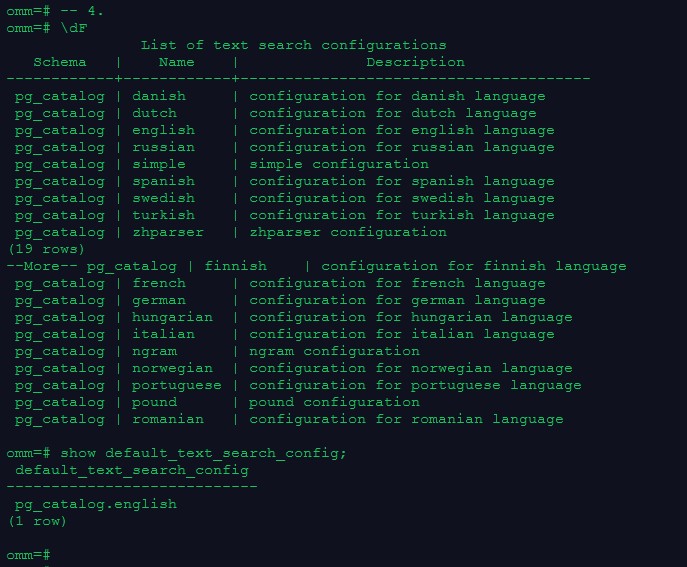
–查看所有分词器
\dF
–查看默认分词器
show default_text_search_config;
5.表和索引
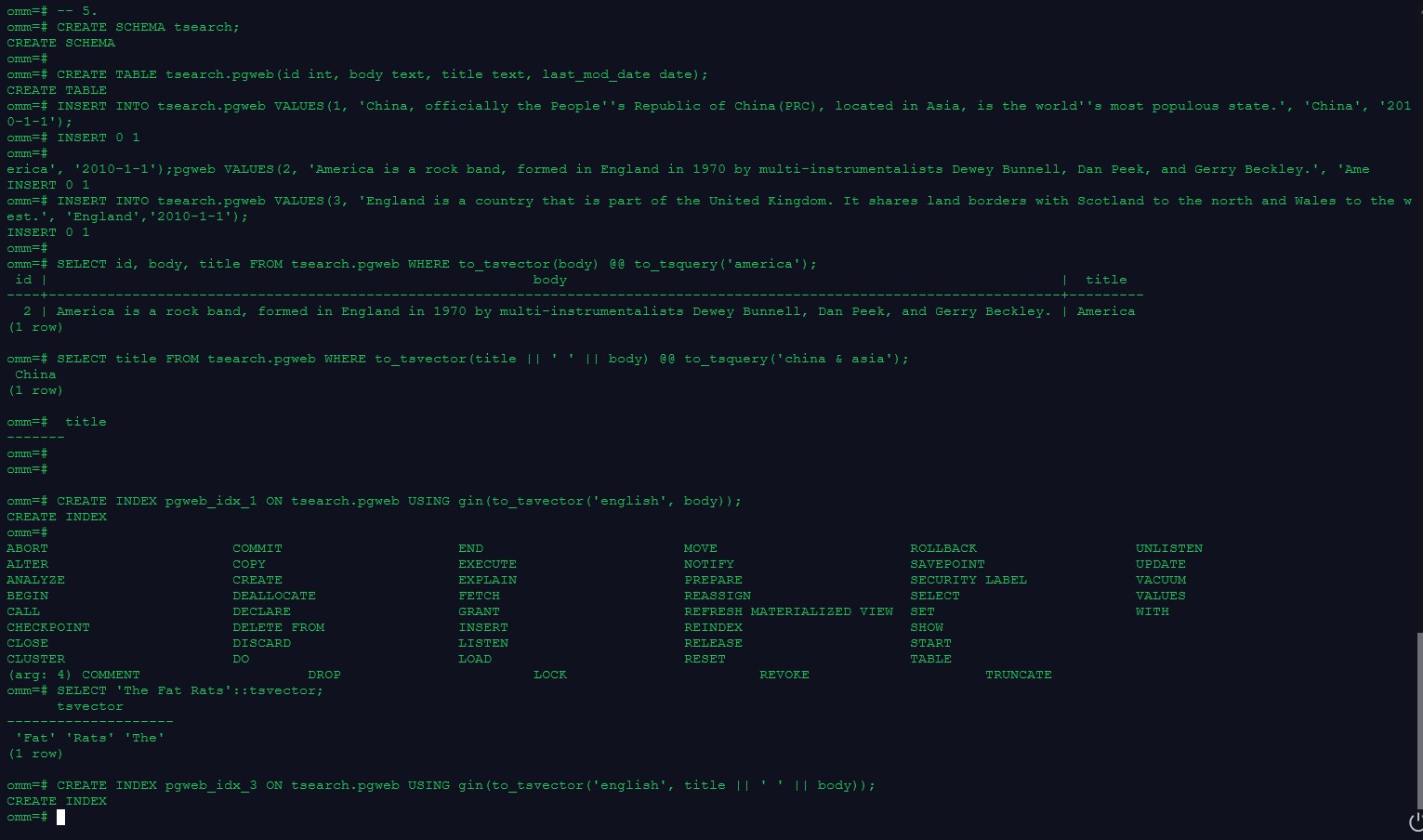
CREATE SCHEMA tsearch;
CREATE TABLE tsearch.pgweb(id int, body text, title text, last_mod_date date);
INSERT INTO tsearch.pgweb VALUES(1, 'China, officially the People''s Republic of China(PRC), located in Asia, is the world''s most populous state.', 'China', '2010-1-1');
INSERT INTO tsearch.pgweb VALUES(2, 'America is a rock band, formed in England in 1970 by multi-instrumentalists Dewey Bunnell, Dan Peek, and Gerry Beckley.', 'America', '2010-1-1');
INSERT INTO tsearch.pgweb VALUES(3, 'England is a country that is part of the United Kingdom. It shares land borders with Scotland to the north and Wales to the west.', 'England','2010-1-1');
–将body字段中包含america的行打印出来
SELECT id, body, title FROM tsearch.pgweb WHERE to_tsvector(body) @@ to_tsquery(‘america’);
–检索出在title或者body字段中包含china和asia的行
SELECT title FROM tsearch.pgweb WHERE to_tsvector(title || ’ ’ || body) @@ to_tsquery(‘china & asia’);
–为了加速文本搜索,可以创建GIN索引(指定english配置来解析和规范化字符串)
CREATE INDEX pgweb_idx_1 ON tsearch.pgweb USING gin(to_tsvector(‘english’, body));
–连接列的索引
CREATE INDEX pgweb_idx_3 ON tsearch.pgweb USING gin(to_tsvector(‘english’, title || ’ ’ || body));
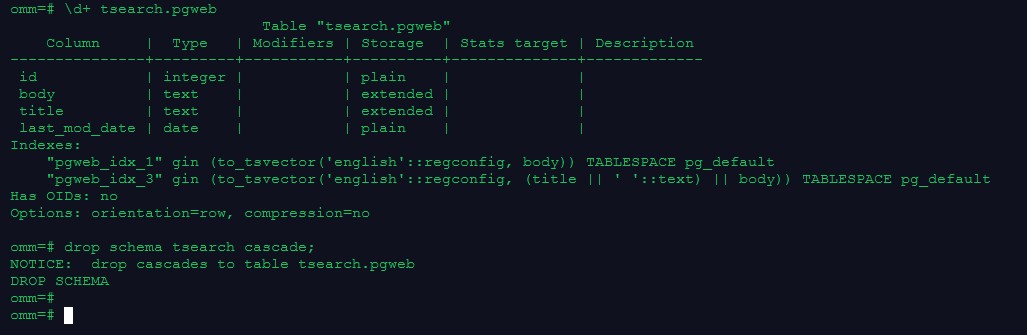
–查看索引定义
\d+ tsearch.pgweb
6.清理数据
drop schema tsearch cascade;
课程作业
1.用tsvector @@ tsquery和tsquery @@ tsvector完成两个基本文本匹配
2.创建表且至少有两个字段的类型为 text类型,在创建索引前进行全文检索
3.创建GIN索引
4.清理数据
-- 1.
SELECT 'a cat eat an apple'::tsvector @@ 'cat & apple'::tsquery AS RESULT;
SELECT 'cat & apple'::tsquery @@ 'a cat eat an apple'::tsvector AS RESULT;
-- 2.
create table tbl (id int, info text, detail text);
insert into tbl values (1, 'document', 'This document describes the product and provides guidance for users to quickly use the database.');
insert into tbl values (2, 'details', 'For details about the features and reference information, see the corresponding section.');
insert into tbl values (3, 'guide', 'For example the Installation Guide provides information about installation requirements and process.');
SELECT id, info, detail FROM tbl WHERE to_tsvector(info) @@ to_tsquery('guide');
-- 3.
create index idx_tbl on tbl using gin(to_tsvector('english', info));
\d+ tbl
SELECT id, info, detail FROM tbl WHERE to_tsvector(info) @@ to_tsquery('guide');
-- 4.
drop table tbl;

学习心得
本节重点知识点:
参考文档
松鼠镇楼,按时打卡