



数据库连接及环境检查
切换用户至omm用户(gaussdb的所有者)
su - omm
gsql连接数据库,并检查当前会话连接信息:
gsql -r
\conninfo

课后练习
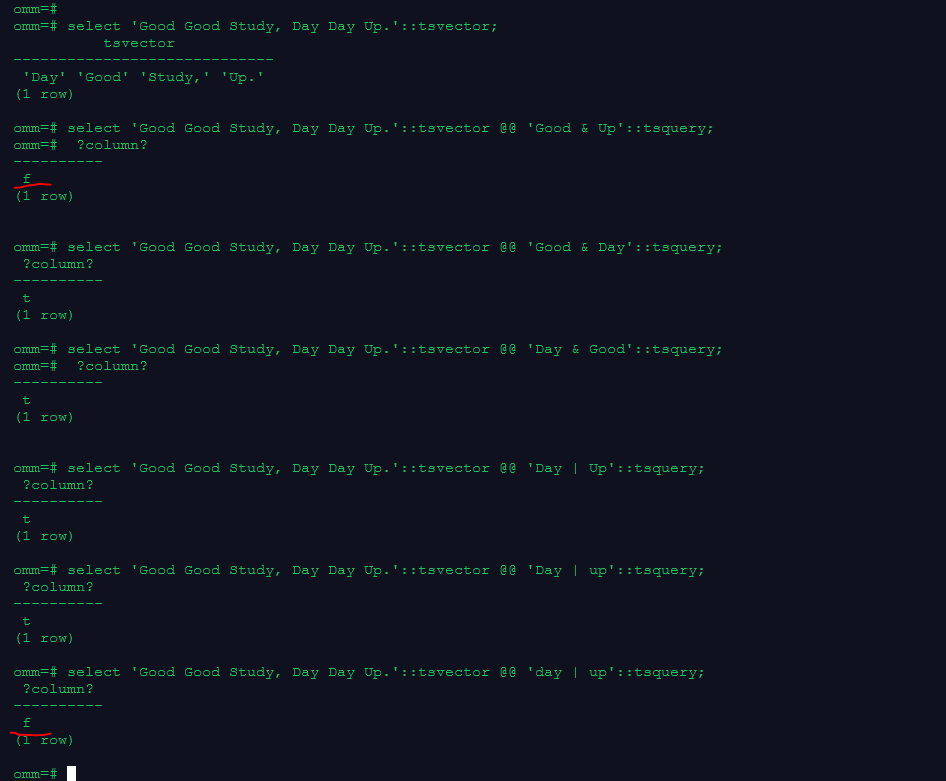
1.用tsvector @@ tsquery和tsquery @@ tsvector完成两个基本文本匹配
select 'Good Good Study, Day Day Up.'::tsvector;
select 'Good Good Study, Day Day Up.'::tsvector @@ 'Good & Up'::tsquery;
select 'Good Good Study, Day Day Up.'::tsvector @@ 'Good & Day'::tsquery;
select 'Good Good Study, Day Day Up.'::tsvector @@ 'Day & Good'::tsquery;
select 'Good Good Study, Day Day Up.'::tsvector @@ 'Day | Up'::tsquery;
select 'Good Good Study, Day Day Up.'::tsvector @@ 'Day | up'::tsquery;
select 'Good Good Study, Day Day Up.'::tsvector @@ 'day | up'::tsquery;
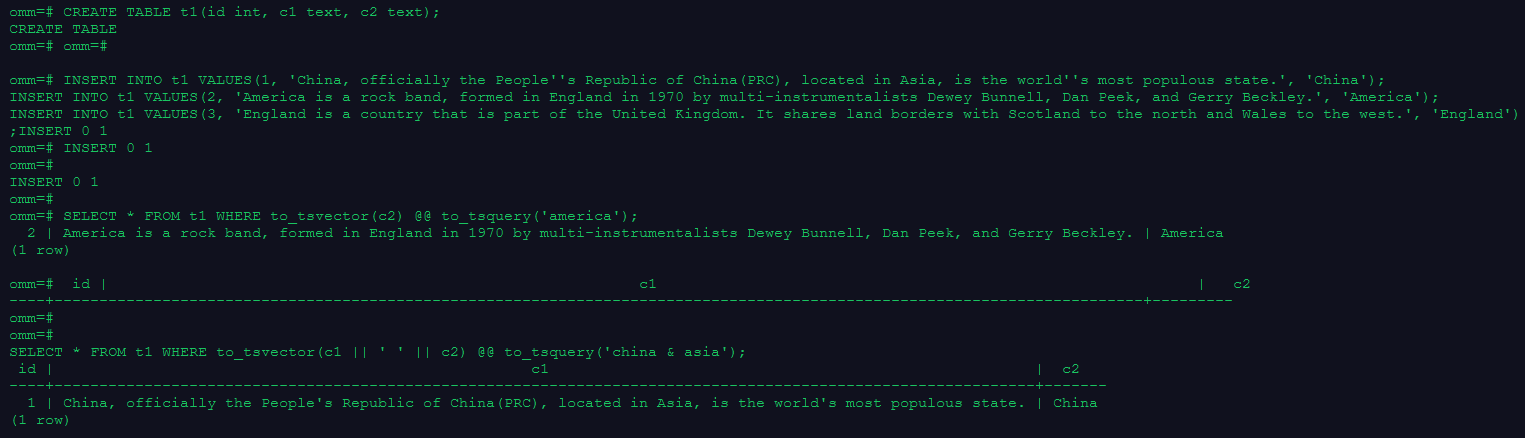
2.创建表且至少有两个字段的类型为 text类型,在创建索引前进行全文检索
CREATE TABLE t1(id int, c1 text, c2 text);
INSERT INTO t1 VALUES(1, 'China, officially the People''s Republic of China(PRC), located in Asia, is the world''s most populous state.', 'China');
INSERT INTO t1 VALUES(2, 'America is a rock band, formed in England in 1970 by multi-instrumentalists Dewey Bunnell, Dan Peek, and Gerry Beckley.', 'America');
INSERT INTO t1 VALUES(3, 'England is a country that is part of the United Kingdom. It shares land borders with Scotland to the north and Wales to the west.', 'England');

SELECT * FROM t1 WHERE to_tsvector(c2) @@ to_tsquery('america');
SELECT * FROM t1 WHERE to_tsvector(c1 || ' ' || c2) @@ to_tsquery('china & asia');
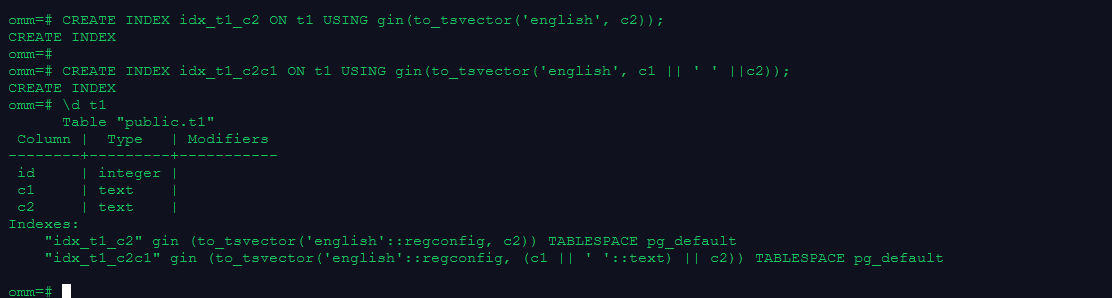
3.创建GIN索引
CREATE INDEX idx_t1_c2 ON t1 USING gin(to_tsvector('english', c2));
CREATE INDEX idx_t1_c2c1 ON t1 USING gin(to_tsvector('english', c1 || ' ' ||c2));
4.清理数据
drop table t1;
附:事务控制相关官网文档
「喜欢这篇文章,您的关注和赞赏是给作者最好的鼓励」
关注作者
【版权声明】本文为墨天轮用户原创内容,转载时必须标注文章的来源(墨天轮),文章链接,文章作者等基本信息,否则作者和墨天轮有权追究责任。如果您发现墨天轮中有涉嫌抄袭或者侵权的内容,欢迎发送邮件至:contact@modb.pro进行举报,并提供相关证据,一经查实,墨天轮将立刻删除相关内容。
