



niginx官网
windows版本解压后双击nginx.exe即可运行
Linux版:
#下载
sudo wget http://nginx.org/download/nginx-1.16.0.tar.gz

tar zxvf nginx-1.16.0.tar.gz

cd /usr/local/src/nginx-1.16.0
# 安装
./configure --prefix=/usr/local/nginx
解决依赖包gcc安装
./configure: error: C compiler cc is not found
#安装
yum -y install gcc-c++
解决依赖包pcre安装,命令
# 缺少pcre
./configure: error: the HTTP rewrite module requires the PCRE library.
You can either disable the module by using --without-http_rewrite_module
option, or install the PCRE library into the system, or build the PCRE library
statically from the source with nginx by using --with-pcre=<path> option.
#安装
yum install pcre
yum install pcre-devel
解决依赖包zlib安装,命令
# 缺少zlib
./configure: error: the HTTP gzip module requires the zlib library.
You can either disable the module by using --without-http_gzip_module
option, or install the zlib library into the system, or build the zlib library
statically from the source with nginx by using --with-zlib=<path> option.
#安装
yum install zlib-devel
安装
解决依赖后再次安装
./configure --prefix=/usr/local/nginx
#编译
make && make install
#切换到安装目录
cd /usr/local/nginx
目录
conf :配置文件
html :网页文件
logs :日志文件
sbin:进程文件
访问:ip:port
#无法访问时,防火墙firewalld开放端口
firewall-cmd --zone=public --add-port=80/tcp --permanent
#重启防火墙生效
systemctl restart firewalld.service
设置开机自启
1、在系统服务目录里创建nginx.service文件
vi /usr/lib/systemd/system/nginx.service
2、编辑文件
[Unit]
Description=nginx
After=network.target

[Service]
Type=forking
ExecStart=/usr/local/nginx/sbin/nginx
ExecReload=/usr/local/nginx/sbin/nginx reload
ExecStop=/usr/local/nginx/sbin/nginx quit
PrivateTmp=true

[Install]
WantedBy=multi-user.target
3、保存并退出
执行systemctl enable nginx.service使nginx开机启动
systemctl start nginx.service   启动nginx

systemctl stop nginx.service    结束nginx

systemctl restart nginx.service 重启nginx
4.访问验证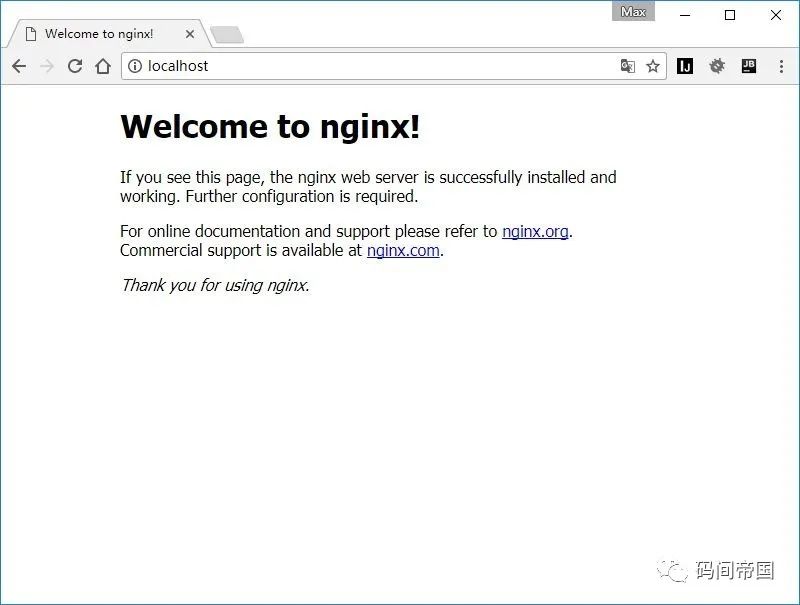
文章转载自码间帝国,如果涉嫌侵权,请发送邮件至:contact@modb.pro进行举报,并提供相关证据,一经查实,墨天轮将立刻删除相关内容。
