



学习目标
学习openGauss定义游标
为了处理SQL语句,存储过程进程分配一段内存区域来保存上下文联系,游标是指向上下文区域的句柄或指针。借助游标,存储过程可以控制上下文区域的变化。
1.创建游标,且使用select子句指定游标返回的行,分别使用FETCH抓取数据,MOVE重定位游标
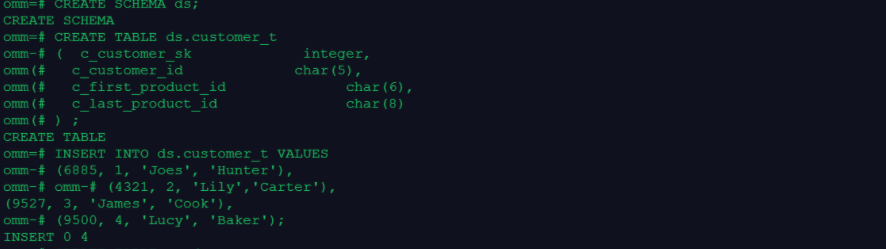
–准备数据
CREATE SCHEMA ds;
CREATE TABLE ds.customer_t
(  c_customer_sk             integer,
  c_customer_id             char(5),
  c_first_product_id              char(6),
  c_last_product_id               char(8)
) ;
INSERT INTO ds.customer_t VALUES
(6885, 1, 'Joes', 'Hunter'),
(4321, 2, 'Lily','Carter'),
(9527, 3, 'James', 'Cook'),
(9500, 4, 'Lucy', 'Baker');

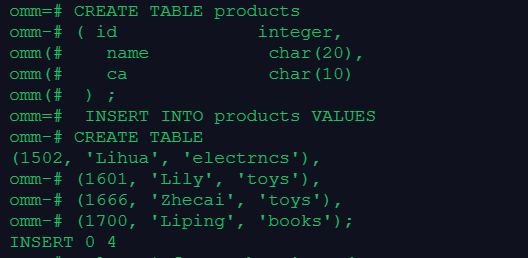
CREATE TABLE products
(  id             integer,
   name           char(20),
   ca             char(10)
 ) ;
 INSERT INTO products VALUES
(1502, 'Lihua', 'electrncs'),
(1601, 'Lily', 'toys'),
(1666, 'Zhecai', 'toys'),
(1700, 'Liping', 'books');
select * from products;
–开始一个事务
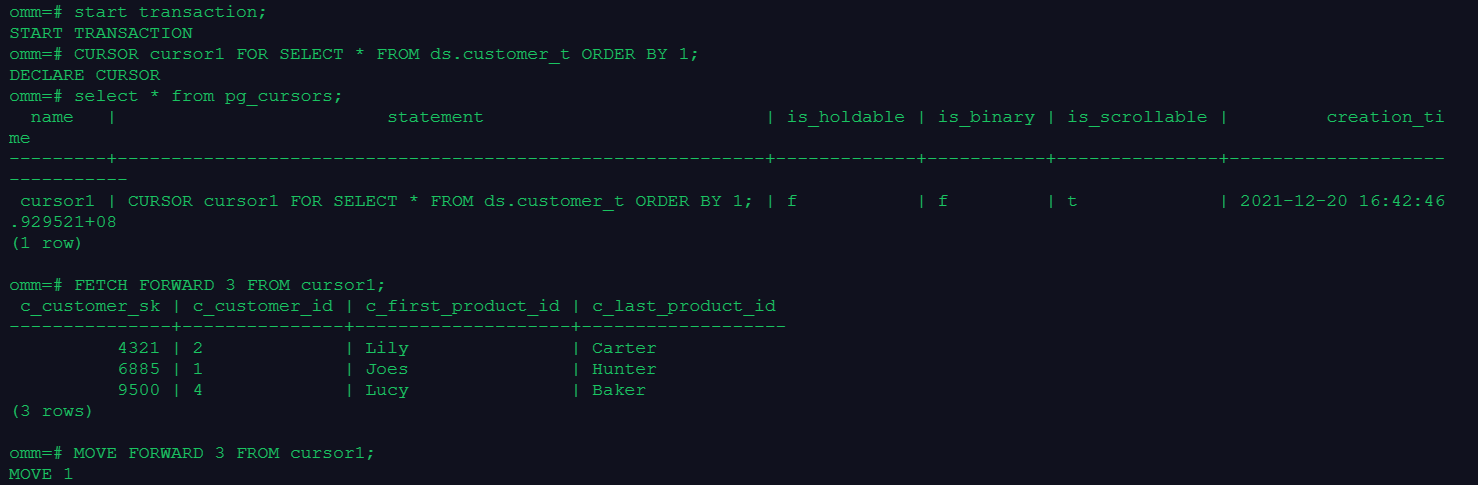
start transaction;
–建立一个名为cursor1的游标。
CURSOR cursor1 FOR SELECT * FROM ds.customer_t ORDER BY 1;
–FETCH接下来的3行
FETCH FORWARD 3 FROM cursor1;
–MOVE重定位游标
MOVE FORWARD 3 FROM cursor1;
CLOSE cursor1;
2.在系统视图pg_cursors中查看游标
select * from pg_cursors;

3.创建一个使用游标的存储过程
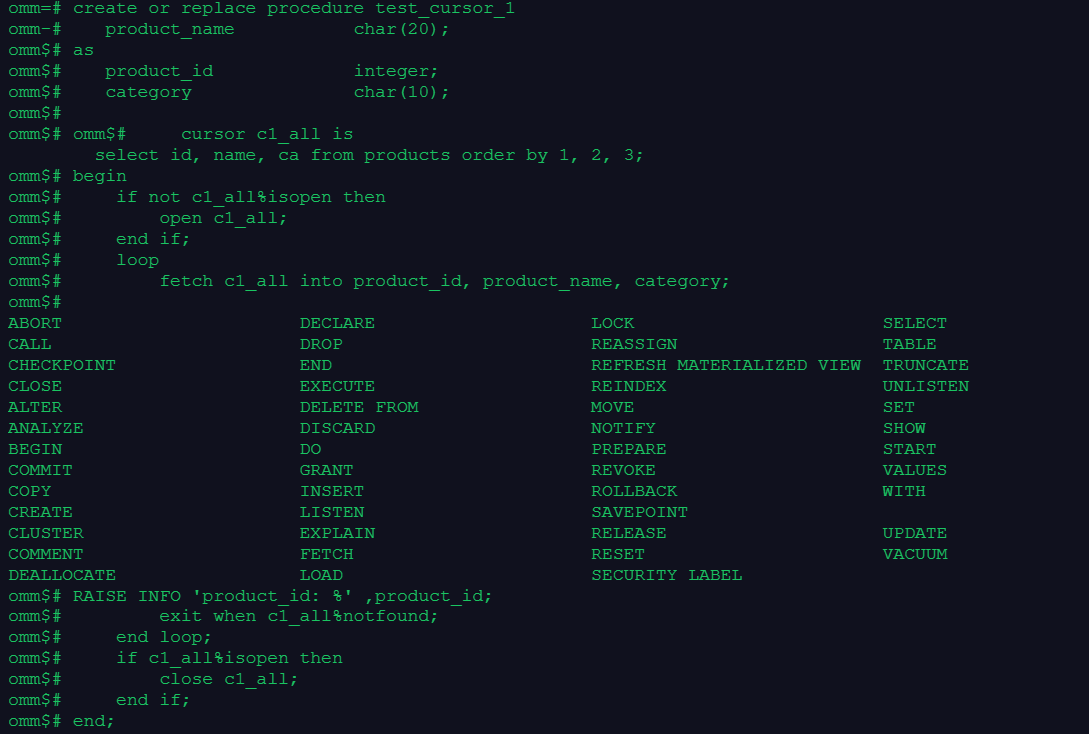
create or replace procedure test_cursor_1
as
   product_id             integer;
   product_name           char(20);
   category               char(10);

    cursor c1_all is
        select id, name, ca from products order by 1, 2, 3;
begin
    if not c1_all%isopen then
        open c1_all;
    end if;
    loop
        fetch c1_all into product_id, product_name, category;
		RAISE INFO 'product_id: %' ,product_id;
        exit when c1_all%notfound;
    end loop;
    if c1_all%isopen then
        close c1_all;
    end if;
end;
/
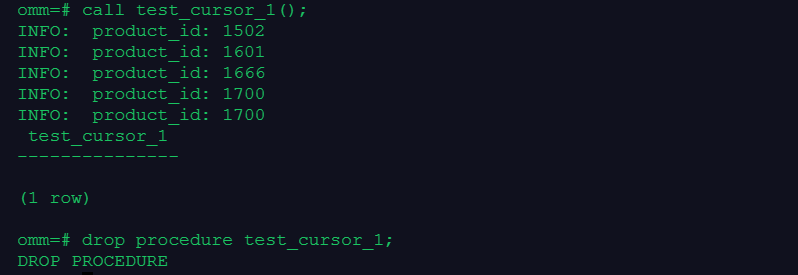
call test_cursor_1();
drop procedure test_cursor_1;
4.清理数据
drop table products;
drop table ds.customer_t;

「喜欢这篇文章,您的关注和赞赏是给作者最好的鼓励」
关注作者
【版权声明】本文为墨天轮用户原创内容,转载时必须标注文章的来源(墨天轮),文章链接,文章作者等基本信息,否则作者和墨天轮有权追究责任。如果您发现墨天轮中有涉嫌抄袭或者侵权的内容,欢迎发送邮件至:contact@modb.pro进行举报,并提供相关证据,一经查实,墨天轮将立刻删除相关内容。
