



今天学习openGauss全文检索,以下是作业和心得:
1. 连接openGauss
su - omm
gsql -r
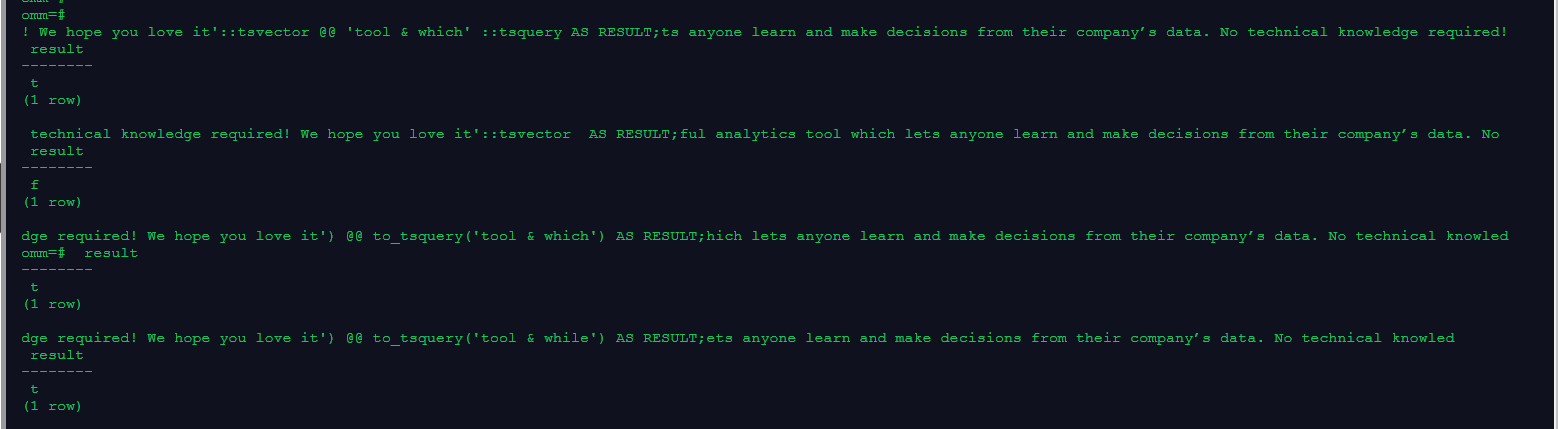
2. 用tsvector @@ tsquery和tsquery @@ tsvector完成两个基本文本匹配
select 'Metabase is a simple and powerful analytics tool which lets anyone learn and make decisions from their company’s data. No technical knowledge required! We hope you love it'::tsvector @@ 'tool & which' ::tsquery AS RESULT;
select 'bool & while' ::tsquery @@  'Metabase is a simple and powerful analytics tool which lets anyone learn and make decisions from their company’s data. No technical knowledge required! We hope you love it'::tsvector  AS RESULT;
/
select to_tsvector('Metabase is a simple and powerful analytics tool which lets anyone learn and make decisions from their company’s data. No technical knowledge required! We hope you love it') @@ to_tsquery('tool & which') AS RESULT;
select to_tsvector('Metabase is a simple and powerful analytics tool which lets anyone learn and make decisions from their company’s data. No technical knowledge required! We hope you love it') @@ to_tsquery('tool & while') AS RESULT;
/
3. 创建表且至少有两个字段的类型为 text类型,在创建索引前进行全文检索
create schema s1;
create table s1.test(article_id int, title text, content text);
insert into s1.test values(0001, 'sparksession', 'The entry point into all functionality in spark is the sparkSession class. To create a basic sparksession, just use sparksession.builder.');
insert into s1.test values(0002, 'creating dataframes', 'With a sparksession, applications can create dataframes from an existing RDD, from a Hive table, or from spark data sources.');
select * from s1.test where to_tsvector(title || ' ' || content) @@ to_tsquery('spark');
select * from s1.test where to_tsvector(title || ' ' || content) @@ to_tsquery('can');
/

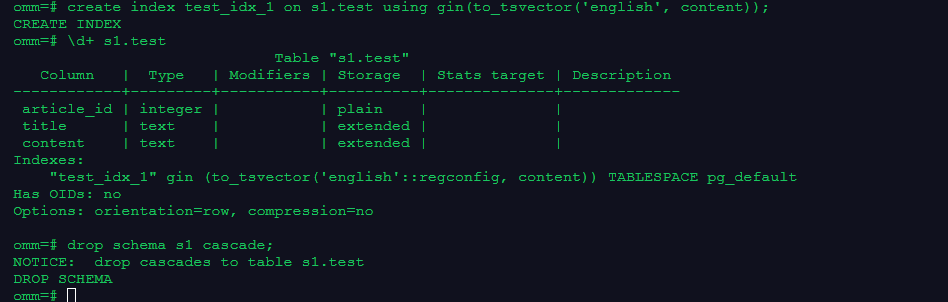
4. 创建GIN索引
create index test_idx_1 on s1.test using gin(to_tsvector('english', content));
\d+ s1.test
/
5. 清理数据
drop schema s1 cascade;
/
通过学习和作业,巩固了openGauss全文检索的知识。openGauss提供了两种数据类型用于支持全文检索。tsvector类型表示为文本搜索优化的文件格式,tsquery类型表示文本查询。
文本检索缺乏信息系统所要求的必要属性:
(1)没有语义支持,即使是英语。由于要识别派生词并不是那么容易,因此正则表达式也不能满足要求。当使用正则表达式寻找类似英语单词时,并不会查询到包含表达式类似英语的文档。用户可以使用OR搜索多种派生形式,但过程非常繁琐。并且有些词会有上千的派生词,因此容易出错。
(2)没有对搜索结果的分类(排序)。当搜索出成千的文档时,查找效率很低。
(3)由于没有索引的支持,每一次的搜索需要遍历所有的文档,整体搜索比较缓慢。
使用全文索引可以对文档进行预处理,并且可以使后续的搜索更快速。预处理过程包括:
(1)将文档解析成token:为每个文档标记不同类别的token是非常有必要的。
(2)将token转换为词素:词素像token一样是一个字符串,但它已经标准化处理,这样同一个词的不同形式是一样的。
(3)保存搜索优化后的预处理文档。
词典能够对token如何标准化做到细粒度控制。使用合适的词典,可以定义不被索引的停用词。
「喜欢这篇文章,您的关注和赞赏是给作者最好的鼓励」
关注作者
【版权声明】本文为墨天轮用户原创内容,转载时必须标注文章的来源(墨天轮),文章链接,文章作者等基本信息,否则作者和墨天轮有权追究责任。如果您发现墨天轮中有涉嫌抄袭或者侵权的内容,欢迎发送邮件至:contact@modb.pro进行举报,并提供相关证据,一经查实,墨天轮将立刻删除相关内容。
