



GaussDB SDR(Swift Data Replicator)是一款数据库实时同步软件,支持对多种关系型数据库的实时捕获、转换与加载,主要应用于数据迁移、数据复制、异地容灾、应急备份、双业务中心、实时数仓/数据湖等场景。
GaussDB SDR支持数据单向复制、双向复制、对等复制、数据分发、数据集中、级联复制等数据复制场景。目前支持Oracle、Mysql、Gaussdb T、Gaussdb A、Sql Server、HuaWei DWS等数据库的相互复制。
GaussDB SDR部署支持集中部署、分离部署两种场景。集中部署适用于源端、SDR服务器、目标端均在一个局域网的情况,SDR服务器完成源端数据抓取,目标端数据装载的整个过程;而分离部署则适用于源端和目标端不在同一局域网的场景,SDR软件分别部署与源端、目标端所在局域网内,源端SDR负责抓取源端数据库数据,目标端SDR负责装载数据至目标闸,抓取的数据则由专用传输组件完成。
注:由于本人拿到的版本未包含depend.tgz文件,所以需手工完成相关缺失文件补齐,会与官方部署方式略有差异。
下面演示GaussDB SDR在Rhel7.5上的集中部署场景部署过程。
1.部署环境要求
Gaussdb SDR部署服务器建议内存8GB以上,网卡建议千兆以上。磁盘空间按需扩容。
2.环境准备
1).操作系统内核确认>3.10.0-327
[root@gaussdb_sdr bin]# uname -a
Linux gaussdb_sdr 3.10.0-862.el7.x86_64 #1 SMP Wed Mar 21 18:14:51 EDT 2018 x86_64 x86_64 x86_64 GNU/Linux
2).主机名称
hostnamectl set-hostname gaussdb_sdr
3)./etc/hosts
vi /etc/hosts
192.168.2.88 gaussdb_sdr
4).必要rpm包安装
本次使用ISO介质配置yum源,用于数据库安装依赖包的安装。
a)挂载光驱
mount /dev/cdrom /mnt
b)、配置yum源
将原先的yum源备份,新建一个yum源
cd /etc/yum.repos.d
mkdir bak     mv redhat* ./bak
vi iso.repo
cat iso.repo
[rhel-iso]
name=Red Hat Enterprise Linux - Source
baseurl=file:///mnt
enabled=1
gpgcheck=0
gpgkey=file:///etc/pki/rpm-gpg/RPM-GPG-KEY-redhat-release
c)、通过本地yum源安装rpm包
yum install -y zlib readline gcc
yum install -y python python-devel
yum install -y perl-ExtUtils-Embed
yum install -y readline-devel
yum install -y zlib-devel
yum install -y lsof
yum install -y ntp
yum install -y net-tools
yum install -y telnet
yum install -y readline-devel
yum install -y unzip
yum install -y gcc
yum install -y sysstat
yum install -y lksctp-tools
yum install -y lrzsz
yum install -y libffi-devel
yum install -y wget
yum install -y  dstat
d).验证包是否安装:
rpm -qa --queryformat "%{NAME}-%{VERSION}-%{RELEASE} (%{ARCH})\n" | grep -E "zlib|readline|gcc\
|python|python-devel|perl-ExtUtils-Embed|readline-devel|zlib-devel|lsof|ntp|lrzsz|net-tools\
|telnet|readline-devel|unzip|gcc|sysstat|lksctp-tools"
e). 安装rlwrap,可解决zsql 上下翻页的问题
[root@gaussdb_sdr local]# cd /usr/local/
[root@gaussdb_sdr local]# tar -zxvf rlwrap-0.43.tar.gz
[root@gaussdb_sdr local]# mv rlwrap-0.43 rlwrap
[root@gaussdb_sdr rlwrap]# cd rlwrap
[root@gaussdb_sdr rlwrap]# ./configure; make install
5).sshd 参数调整
sed -i 's/#PermitRootLogin yes/PermitRootLogin yes/g' /etc/ssh/sshd_config
sed -i 's/#UseDNS yes/UseDNS no/g' /etc/ssh/sshd_config
sed -i 's/ GSSAPIAuthentication yes/ GSSAPIAuthentication no/g' /etc/ssh/sshd_config
systemctl restart sshd.service
6).关闭防火墙
systemctl stop firewalld.service
systemctl disable firewalld.service
sed -i 's/SELINUX=enforcing/SELINUX=disabled/g' /etc/selinux/config
7).limit设置
mkdir -p /gaussdb/corefile
echo 'ulimit -c unlimited'>>/etc/profile
echo 'kernel.core_pattern =/gaussdb/corefile/core-%e-%p-%t'>>/etc/sysctl.conf
sysctl -p
8).python安装,SDR需要版本>3.7.3
a).现有版本确认
[root@gaussdb_sdr gaussdb]# python --version
Python 2.7.5
安装python3.73+版本
b).下载最新python3包
https://www.python.org/ftp/python/3.8.1/Python-3.8.1.tgz
c).安装必要rpm包
yum -y install zlib-devel bzip2-devel openssl-devel ncurses-devel sqlite-devel readline-devel tk-devel gdbm-devel db4-devel libpcap-devel xz-devel libffi-devel -y
d).编译安装python3
[root@gaussdb_sdr ~]# mkdir -p /usr/local/python3
[root@gaussdb_sdr opt]# tar -zxvf Python-3.8.1.tgz
[root@gaussdb_sdr Python-3.8.1]# ./configure --prefix=/usr/local/python3
[root@gaussdb_sdr Python-3.8.1]# make && make install
e).建立软链接
[root@gaussdb_sdr Python-3.8.1]# ln -s /usr/local/python3/bin/python3 /usr/bin/python3
[root@gaussdb_sdr Python-3.8.1]# ln -s /usr/local/python3/bin/pip3 /usr/bin/pip3
f).通过pip3 安装sdr需要的python依赖库
若应用服务器无法直接上网,可通过pip3 download将依赖包下载至指定文件夹,再打包至目标服务器进行离线安装。
下面是离线安装过程。
首先,在可上网的机器下载依赖库:
[root@gaussdb_sdr Python-3.8.1]# pip3 download cryptography -d /tmp/packages/
[root@gaussdb_sdr Python-3.8.1]# pip3 download flask -d /tmp/packages/
然后通过pip3命令进行安装离线包。
[root@gaussdb_sdr packages]# pip3 install Click-7.0-py2.py3-none-any.whl
[root@gaussdb_sdr packages]# pip3 install Werkzeug-1.0.0-py2.py3-none-any.whl
[root@gaussdb_sdr packages]# pip3 install MarkupSafe-1.1.1-cp38-cp38-manylinux1_x86_64.whl
[root@gaussdb_sdr packages]# pip3 install Jinja2-2.11.1-py2.py3-none-any.whl
[root@gaussdb_sdr packages]# pip3 install Flask-1.1.1-py2.py3-none-any.whl
[root@gaussdb_sdr packages]# pip3 install pycparser-2.19.tar.gz
[root@gaussdb_sdr packages]# pip3 install six-1.14.0-py2.py3-none-any.whl
[root@gaussdb_sdr packages]# pip3 install cffi-1.14.0-cp38-cp38-manylinux1_x86_64.whl
[root@gaussdb_sdr packages]# pip3 install cryptography-2.8-cp34-abi3-manylinux2010_x86_64.whl
服务器中已安装信赖库查看
[sdr@gaussdb_sdr bin]$ pip3 list
Package      Version
------------ -------
cffi         1.14.0
Click        7.0
cryptography 2.8
Flask        1.1.1
itsdangerous 1.1.0
Jinja2       2.11.1
MarkupSafe   1.1.1
pip          19.2.3
pycparser    2.19
setuptools   41.2.0
six          1.14.0
Werkzeug     1.0.0
[sdr@gaussdb_sdr bin]$
g).设置python3环境变量
vi ~/.bashrc
export PATH=$PATH:$HOME/bin:/usr/local/python3/bin
source ~/.bashrc
h).python3安装完成后版本验证
[root@gaussdb_sdr Python-3.8.1]# python3 -V
Python 3.8.1
[root@gaussdb_sdr Python-3.8.1]# pip3 -V
pip 19.2.3 from /usr/local/python3/lib/python3.8/site-packages/pip (python 3.8)
9).odbc安装
[root@gaussdb_sdr unixODBC]# yum install -y unixODBC

[root@gaussdb_sdr unixODBC]# odbcinst -j
unixODBC 2.3.1
DRIVERS............: /etc/odbcinst.ini
SYSTEM DATA SOURCES: /etc/odbc.ini
FILE DATA SOURCES..: /etc/ODBCDataSources
USER DATA SOURCES..: /root/.odbc.ini
SQLULEN Size.......: 8
SQLLEN Size........: 8
SQLSETPOSIROW Size.: 8
10) glibc版本确认>2.17
[root@gaussdb_sdr ~]# rpm -qa|grep glibc
glibc-2.17-222.el7.x86_64
3.GaussDB SDR安装
1). 创建安装用户和目录
为SDR软件创建一个新用户, 例如新建一个sdr用户,并创建一个安装目录/gaussdb/sdr。
[root@gaussdb_sdr ~]# groupadd sdr
[root@gaussdb_sdr ~]# useradd -g sdr -m -d /home/sdr -s /bin/bash sdr
[root@gaussdb_sdr ~]# passwd sdr
Changing password for user sdr.
New password:
BAD PASSWORD: The password fails the dictionary check - it is too simplistic/systematic
Retype new password:
passwd: all authentication tokens updated successfully.
[root@gaussdb_sdr ~]# mkdir -p /gaussdb/sdr
[root@gaussdb_sdr ~]# chown  -R sdr:sdr /gaussdb/sdr
2). 赋予创建的用户crontab权限,将创建的sdr用户添加到/etc/cron.allow文件中
[root@gaussdb_sdr ~]# echo "sdr" >> /etc/cron.allow
3).切换到安装用户下,进入安装目录,解压安装包。
[root@gaussdb_sdr ~]# su - sdr
[sdr@gaussdb_sdr ~]$ cd /gaussdb/sdr/
[sdr@gaussdb_sdr sdr]$tar -zxf depend.tgz
[sdr@gaussdb_sdr sdr]$ tar -zxvf /opt/gaussdb/GaussDB_SDR_8.0.1_RHEL_X86_64.tar.gz
[sdr@gaussdb_sdr sdr]$ls -l
drwxr-xr-x 7 sdr sdr      4096 Dec 24 02:02 depend
-rw-r--r-- 1 sdr sdr 151578854 Dec 26 20:51 depend.tgz
-rwxrwxr-x 1 sdr sdr 131896221 Dec 26 20:18 GaussDB_SDR_8.0.1_INSTALL
-rw-r--r-- 1 sdr sdr 131908902 Dec 26 20:48 GaussDB_SDR_8.0.1_RHEL_X86_64.tar.gz
4).开始安装
a).安装命令帮助
其中-d参数为软件安装路径,必须指定,其它通过问答式完成。
[sdr@gaussdb_sdr ~]$ cd /gaussdb/sdr/
[sdr@gaussdb_sdr sdr]$ ./GaussDB_SDR_8.0.1_INSTALL

param error: Please Specify SDR installation home directory with option -d or --dir.
    Show help info with option -h or --help
b).开始安装
[sdr@gaussdb_sdr sdr]$ ./GaussDB_SDR_8.0.1_INSTALL -d /gaussdb/sdr/
c).安装日志
Creating directory GaussDB_SDR.pack
Verifying archive integrity... All good.
Uncompressing swift data replicator  100%

Swift Data Replicator(SDR) installation!
2019 Huawei Technologies Co., Ltd.

Swift Data Replicator software will install into directory  [/gaussdb/sdr]
Please input Swift Data Replicator web server IP address: [127.0.0.1]
Please input Swift Data Replicator web server port: [7008]
Please input Swift Data Replicator manager server IP address: [127.0.0.1]
Please input Swift Data Replicator manager server port: [7009]
Please input Swift Data Replicator queue transfer server port: [7007]
Please input Swift Data Replicator admin server port: [7006]
Please input Swift Data Replicator kafka component port: [7005]
Please input Swift Data Replicator database IP address: [127.0.0.1]
Please input Swift Data Replicator database port: [1888]
Please input Swift Data Replicator database user: [Sdr_user]sdr
Please input Swift Data Replicator database password:
Please confirm Swift Data Replicator database password:
Please set default Swift Data Replicator Share Memory Size:
[1]- 1GB
[2]- 4GB
[3]- 8GB
[4]-16GB
[5]-input other value(GB)
please choose 1,2,3,4: [1]2

Input value and choice list below, please confirm:
http IP address           : 127.0.0.1
http port                 : 7008
Manager IP address        : 127.0.0.1
Manager Port              : 7009
Transfer Port             : 7007
AdminServer Port          : 7006
Kafka component Port      : 7005
SDR Database IP           : 127.0.0.1
SDR Database Port         : 1888
Database Username         : sdr
Database Password         : ******
Share memory size         : 4G
Kafka Server Port         : 7005

Press any key to begin install. ( Ctrl-c to interrupt )

Uncompressing bin.tgz...
Uncompressing dbpkg.tgz...
Uncompressing etc.tgz...
Uncompressing lib.tgz...
Uncompressing web.tgz...
Wait a few of minutes, installing database...
Checking parameters.
End check parameters.
Checking user.
End check user.
Checking old install.
End check old install.
Checking kernel parameters.
Checking directory.
Checking integrality of run file...
Decompressing run file.
Setting user env.
Checking data dir and config file
Initialize db instance.
Creating database.
Creating database succeed.
Changing file permission due to security audit.
Install successfully, for more detail information see /home/sdr/zengineinstall.log.
Refreshing config...
Creating db user...
Initialize data...
all done
You have new mail in /var/spool/mail/sdr
[sdr@gaussdb_sdr sdr]$
5).安装后lib缺少lib文件补齐
lib文件可在oracle 12.1.2.0的$ORACLE_HOME/lib目录中找到,需要的包如下:
[root@gaussdb_sdr lib]# ls -l
total 73208
-rwxr-xr-x. 1 root root  6991296 Feb 19  2020 libclntshcore.so.12.1
-rwxr-xr-x. 1 root root 58843160 Feb 19  2020 libclntsh.so.12.1
-rw-r--r--. 1 root root  1768370 Feb 19  2020 libipc1.so
-rw-r--r--. 1 root root   544150 Feb 19  2020 libmql1.so
-rw-r--r--. 1 root root  6471505 Feb 19  2020 libnnz12.so
-rw-r--r--. 1 root root   337137 Feb 19  2020 libons.so
将这些lib文件复制到Gaussdb SDR的安装目录/gaussdb/sdr/lib下。
[sdr@gaussdb_sdr sdr]$ cd lib
[sdr@gaussdb_sdr lib]$ cp /gaussdb/software/packages/lib/* .
6). web_fork文件修改
注释原来的sdr_env_load环境变量,修正为.sdr_env
vi /gaussdb/sdr/bin/web_fork

#!/bin/bash
#source /gaussdb/sdr/sdr_env_load
source /gaussdb/sdr/.sdr_env
7).解决上下翻页的问题
vi ~/.bashrc
alias zsql="rlwrap zsql"
4. 启动服务及获取License。
1). 启动服务
[sdr@gaussdb_sdr bin]$ start_all
Successfully started instance.

Data Replication Software between Database.

Copyright (c) 2010-2019, Huawei Technologies Corp. all right reserved.
Release - 8.0.1 git commit:cce48ff, build at 2020-01-23 16:41:49 for Linux on i686

System Initializing ...

Start manager server ........................................... [  OK  ]
Start crontask ................................................. [  OK  ]
Start monitor .................................................. [  OK  ]

System startup OK ...
2). 访问Gaussdb SDR网站
网站地址为https://IP地址:7008,默认管理员及密码为:sdr_admin/admin@1234
网址:
https://192.168.2.88:7008/
登陆界面
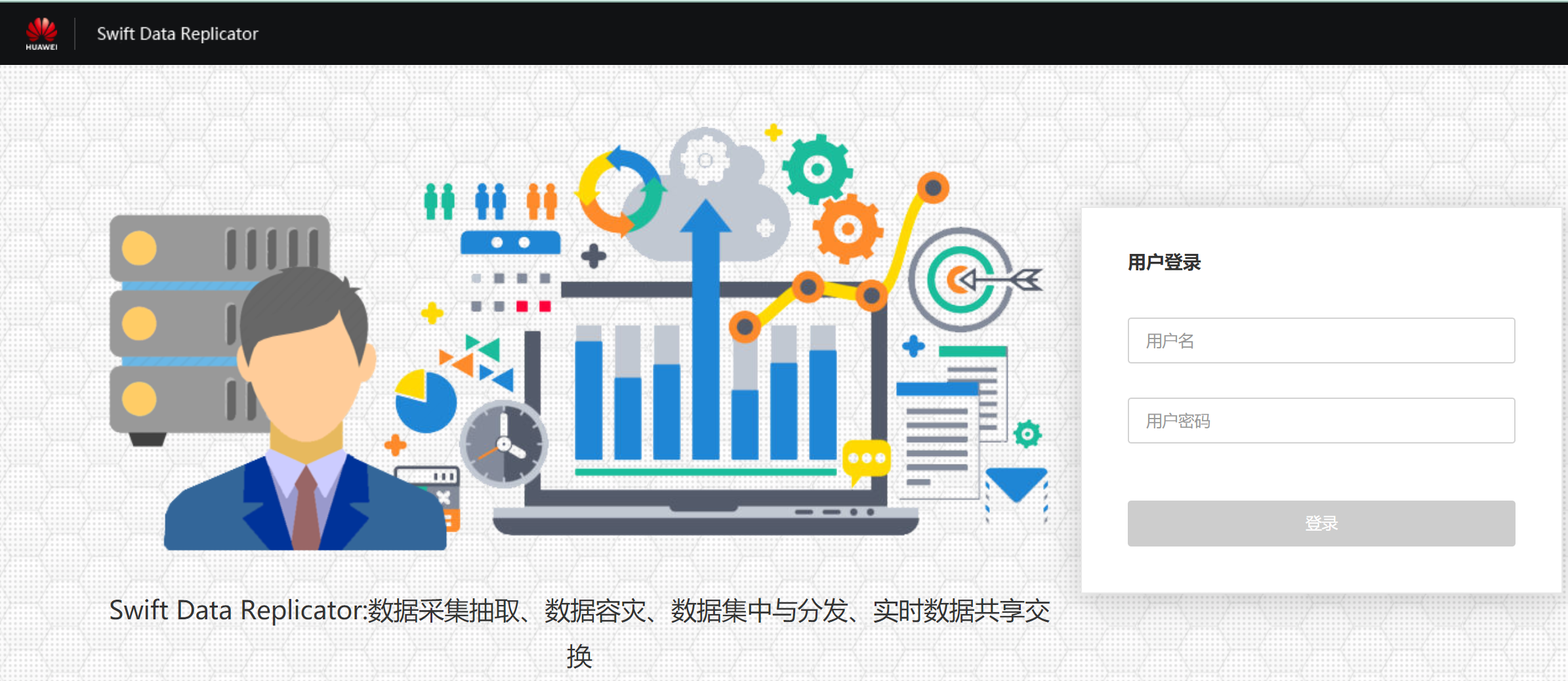
默认用户及密码:
sdr_admin/admin@1234
3). 获取ESN并通过华为网站申请LICENSE。
华为license申请网站:
http://app.huawei.com/isdp/
5. Gaussdb SDR维护命令
1). 启动服务
[sdr@gaussdb_sdr bin]$ start_all
Successfully started instance.

Data Replication Software between Database.

Copyright (c) 2010-2019, Huawei Technologies Corp. all right reserved.
Release - 8.0.1 git commit:cce48ff, build at 2020-01-23 16:41:49 for Linux on i686

System Initializing ...

Start manager server ........................................... [  OK  ]
Start crontask ................................................. [  OK  ]
Start monitor .................................................. [  OK  ]

System startup OK ...
2).服务状态检查
[sdr@gaussdb_sdr bin]$ ps -ef|grep -E 'dipserver|dip_manager|dip_crontask|dip_monitor|worker.js|zengine'
sdr      102771      1  5 12:31 pts/1    00:00:00 /gaussdb/sdr/db/app/bin/zengine open -D /gaussdb/sdr/db/data
sdr      102811      1  0 12:31 ?        00:00:00 /gaussdb/sdr/bin/dipserver startup
sdr      102812 102811  0 12:31 ?        00:00:00 /gaussdb/sdr/bin/dip_manager
sdr      102813 102811  1 12:31 ?        00:00:00 /gaussdb/sdr/bin/dip_crontask
sdr      102814 102811  2 12:31 ?        00:00:00 /gaussdb/sdr/bin/dip_monitor
sdr      102927 102914  8 12:31 pts/1    00:00:00 /gaussdb/sdr/web/node/bin/node worker.js
sdr      102928 102914  7 12:31 pts/1    00:00:00 /gaussdb/sdr/web/node/bin/node worker.js
sdr      102935 102914  8 12:31 pts/1    00:00:00 /gaussdb/sdr/web/node/bin/node worker.js
sdr      102938 102914  8 12:31 pts/1    00:00:00 /gaussdb/sdr/web/node/bin/node worker.js
sdr      103004 102310  0 12:31 pts/1    00:00:00 grep --color=auto -E dipserver|dip_manager|dip_crontask|dip_monitor|worker.js|zengine

#### 3).停止服务
```language
[root@gaussdb_sdr log]# su - sdr
Last login: Wed Feb 19 07:20:01 CST 2020 on pts/2
[sdr@gaussdb_sdr ~]$ stop_all

Data Replication Software between Database.

Copyright (c) 2010-2019, Huawei Technologies Corp. all right reserved.
Release - 8.0.1 git commit:cce48ff, build at 2020-01-23 16:41:49 for Linux on i686

System in Shutdown Routine ...

Stop crontask .................................................. [  OK  ]
Stop monitor ................................................... [  OK  ]
Stop manager server ............................................ [  OK  ]

System shutdown OK ...

stop all capture OK
/gaussdb/sdr/bin/stop_all: line 5:  6773 Killed                  $DIP_HOME/bin/stop_admin_server
Successfully stopped instance.
[sdr@gaussdb_sdr ~]$
4.GaussDB SDR卸载
[sdr@gaussdb_sdr sdr]$ uninstall.sh
Checking uninstall parameters...
Checking username in parameters...
Getting install path...
Checking uninstall.py position...
Getting user environment variables file path...
Checking whether install path in the user environment variables...
Getting data directory...
Stopping zenith instance...
Successfully stopped zenith instance.
Cleaning user environment variables...
Cleaning install path...
Zengine was successfully removed from your computer, for more message please see /home/sdr/zengineuninstall.log.
[sdr@gaussdb_sdr sdr]$
至此,Gaussdb SDR的安装部署过程演示完毕,后续将分享Gaussdb SDR的使用教程,敬请期待。
