



第二十课
openGauss全文检索
👉openGauss SQL学习参考资料
https://opengauss.org/zh/docs/2.1.0/docs/Developerguide/SQL%E8%AF%AD%E6%B3%95.html
学习目标
学习openGauss全文检索
- openGauss提供了两种数据类型用于支持全文检索。tsvector类型表示为文本搜索优化的文件格式,tsquery类型表示文本查询
数据库环境
是我个人自己安装部署的OpenGauss单机版
OpenGauss数据库版本:2.1.0
课程学习
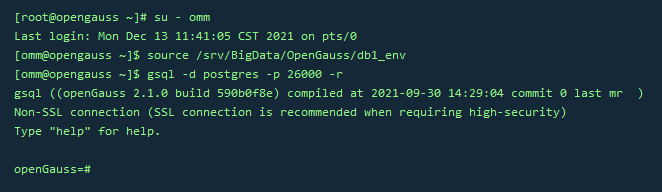
连接数据库
su - omm
source /srv/BigData/OpenGauss/db1_env
gsql -d postgres -p 26000 -r
1.tsvector
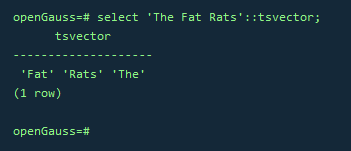
–把一个字符串按照空格进行分词,分词的顺序是按照长短和字母排序的, 自动去掉分词中重复的词条
SELECT 'The Fat Rats'::tsvector;
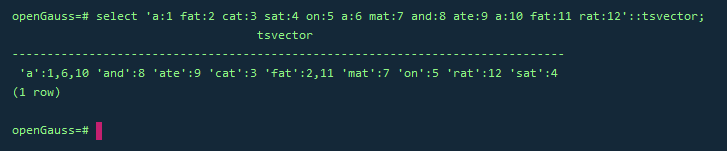
–词条位置常量也可以放到词汇中
SELECT 'a:1 fat:2 cat:3 sat:4 on:5 a:6 mat:7 and:8 ate:9 a:10 fat:11 rat:12'::tsvector;
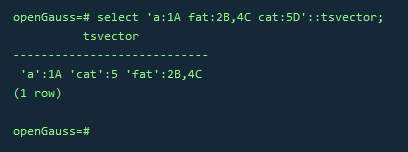
–拥有位置的词汇甚至可以用一个权来标记,反映文档结构,这个权可以是A,B,C或D。默认的是D,因此输出中不会出现
SELECT 'a:1A fat:2B,4C cat:5D'::tsvector;
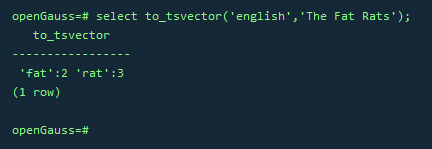
–to_tsvector函数对这些单词进行规范化处理, 罗列出词条并连同它们文档中的位置
SELECT to_tsvector('english', 'The Fat Rats');
2.tsquery
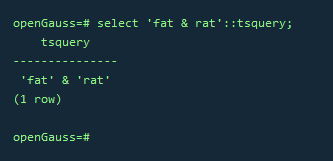
SELECT 'fat & rat'::tsquery;
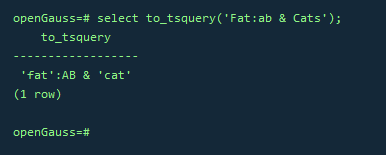
–规范化转为tsquery类型
SELECT to_tsquery('Fat:ab & Cats');
3.基本文本匹配
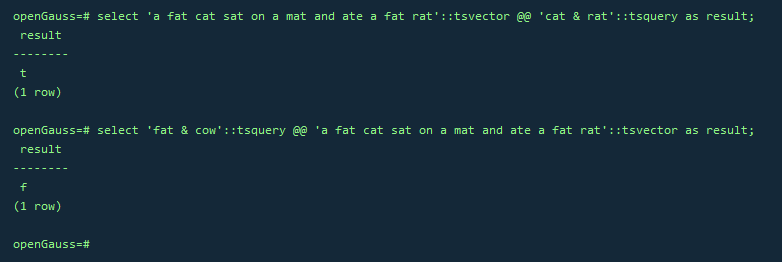
–全文检索基于匹配算子@@,当一个tsvector匹配到一个tsquery时,则返回true, tsvector和tsquery两种数据类型可以任意排序。
SELECT 'a fat cat sat on a mat and ate a fat rat'::tsvector @@ 'cat & rat'::tsquery AS RESULT;
SELECT 'fat & cow'::tsquery @@ 'a fat cat sat on a mat and ate a fat rat'::tsvector AS RESULT;
– to_tsvector和to_tsquery标准化处理
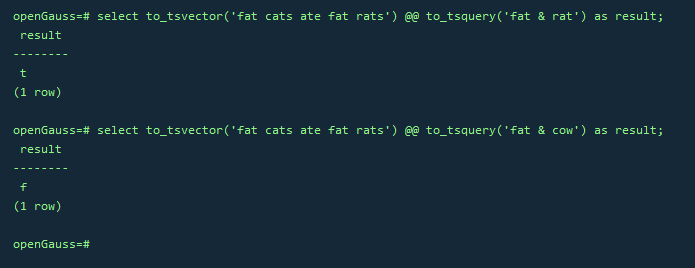
SELECT to_tsvector('fat cats ate fat rats') @@ to_tsquery('fat & rat') AS RESULT;
SELECT to_tsvector('fat cats ate fat rats') @@ to_tsquery('fat & cow') AS RESULT;
4.分词器
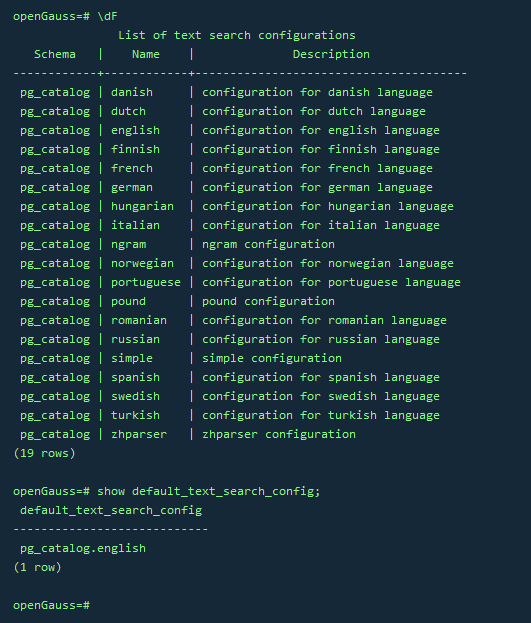
–查看所有分词器
\dF
–查看默认分词器
show default_text_search_config;
5.表和索引
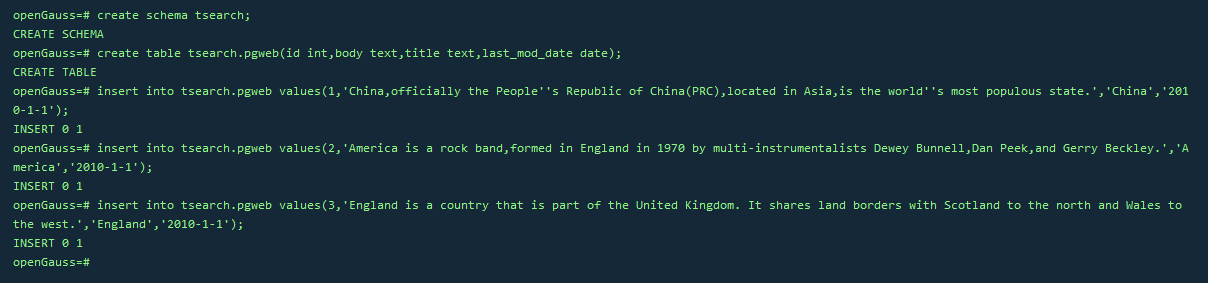
CREATE SCHEMA tsearch;
CREATE TABLE tsearch.pgweb(id int, body text, title text, last_mod_date date);
INSERT INTO tsearch.pgweb VALUES(1, 'China, officially the People''s Republic of China(PRC), located in Asia, is the world''s most populous state.', 'China', '2010-1-1');
INSERT INTO tsearch.pgweb VALUES(2, 'America is a rock band, formed in England in 1970 by multi-instrumentalists Dewey Bunnell, Dan Peek, and Gerry Beckley.', 'America', '2010-1-1');
INSERT INTO tsearch.pgweb VALUES(3, 'England is a country that is part of the United Kingdom. It shares land borders with Scotland to the north and Wales to the west.', 'England','2010-1-1');
–将body字段中包含america的行打印出来
SELECT id, body, title FROM tsearch.pgweb WHERE to_tsvector(body) @@ to_tsquery('america');

–检索出在title或者body字段中包含china和asia的行
SELECT title FROM tsearch.pgweb WHERE to_tsvector(title || ' ' || body) @@ to_tsquery('china & asia');

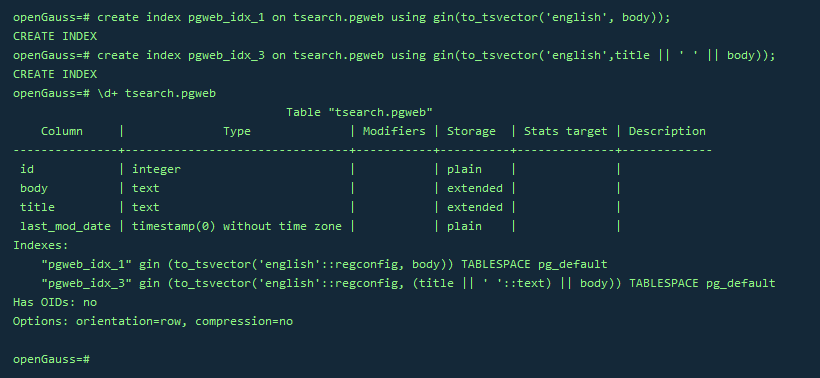
–为了加速文本搜索,可以创建GIN索引(指定english配置来解析和规范化字符串)
CREATE INDEX pgweb_idx_1 ON tsearch.pgweb USING gin(to_tsvector('english', body));–连接列的索引
CREATE INDEX pgweb_idx_3 ON tsearch.pgweb USING gin(to_tsvector('english', title || ' ' || body));–查看索引定义
\d+ tsearch.pgweb
6.清理数据
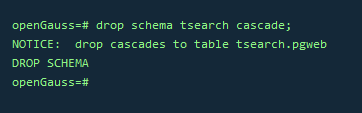
drop schema tsearch cascade;
课程作业
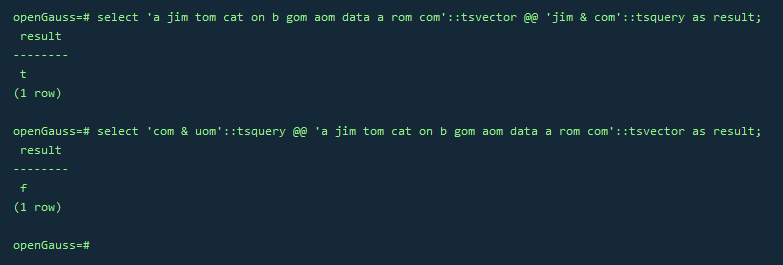
1.用tsvector @@ tsquery和tsquery @@ tsvector完成两个基本文本匹配
select 'a jim tom cat on b gom aom data a rom com'::tsvector @@ 'jim & com'::tsquery as result;
select 'com & uom'::tsquery @@ 'a jim tom cat on b gom aom data a rom com'::tsvector as result;
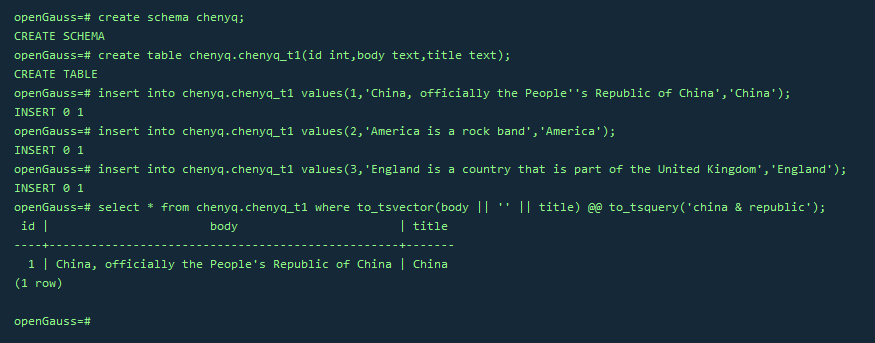
2.创建表且至少有两个字段的类型为 text类型,在创建索引前进行全文检索
create schema chenyq;
create table chenyq.chenyq_t1(id int,body text,title text);
insert into chenyq.chenyq_t1 values(1,'China, officially the People''s Republic of China','China');
insert into chenyq.chenyq_t1 values(2,'America is a rock band','America');
insert into chenyq.chenyq_t1 values(3,'England is a country that is part of the United Kingdom','England');
select * from chenyq.chenyq_t1 where to_tsvector(body || '' || title) @@ to_tsquery('china & republic');
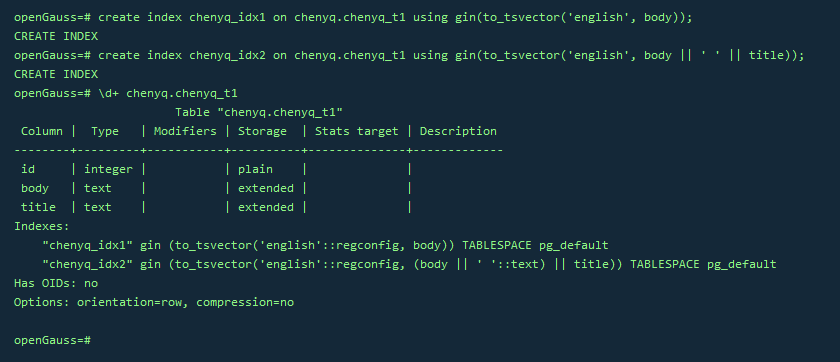
3.创建GIN索引
create index chenyq_idx1 on chenyq.chenyq_t1 using gin(to_tsvector('english', body));
create index chenyq_idx2 on chenyq.chenyq_t1 using gin(to_tsvector('english', body || ' ' || title));
\d+ chenyq.chenyq_t1
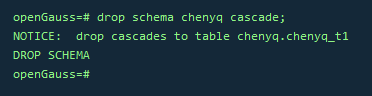
4.清理数据
drop schema chenyq cascade;
写在最后
今天的作业打卡结束!🎉
最后,宣传一下自己创建的社区的打卡活动:零基础 21 天速通 openGuass 打卡活动报名贴!
🏅 是同一个活动哦,但是可以额外获得本社区的福利奖品!还不来参与?
