



项目实战
<dependencies><dependency><groupId>org.springframework.cloud</groupId><artifactId>spring-cloud-starter-gateway</artifactId></dependency></dependencies>
<dependencies><dependency><groupId>com.alibaba.cloud</groupId><artifactId>spring-cloud-starter-alibaba-nacos-discovery</artifactId></dependency><dependency><groupId>com.alibaba.cloud</groupId><artifactId>spring-cloud-starter-alibaba-nacos-config</artifactId></dependency></dependencies>
package com.java955.gateway;import org.springframework.boot.SpringApplication;import org.springframework.boot.autoconfigure.SpringBootApplication;import org.springframework.cloud.client.discovery.EnableDiscoveryClient;@SpringBootApplication@EnableDiscoveryClientpublic class GatewayApplication {public static void main(String[] args) {SpringApplication.run(GatewayApplication.class, args);}}
server:port: 9001#配置应用服务名称spring:application:name: yh-blog-infrastructure-gatewaycloud:nacos:discovery:#配置nacos虚拟IP地址server-addr: 192.168.117.110:8848config:server-addr: 192.168.117.110:8848file-extension: yamlgroup: blog-gatewayprefix: ${spring.application.name}
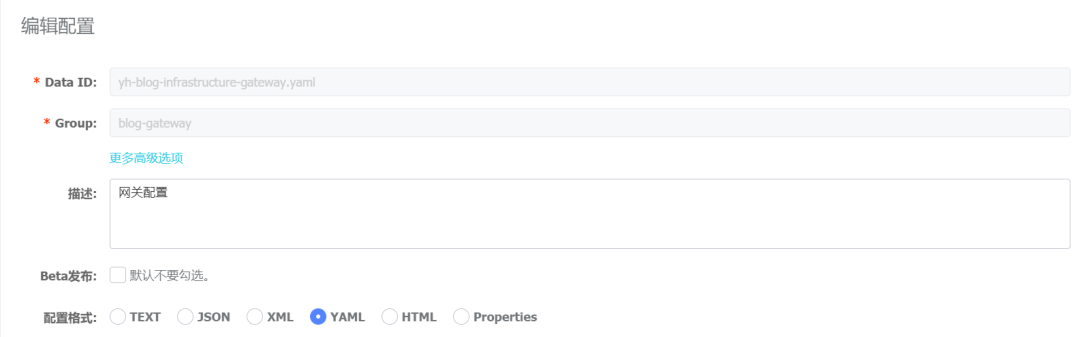
Data ID : yh-blog-infrastructure-gateway.yaml
Group : blog-gateway 【与本地配置中的 group 对应】
配置格式:yaml 【与本地配置中的 file-extension 对应】
spring:cloud:gateway:discovery:locator:enabled: falseroutes:- id: yh-blog-service-testuri: lb://yh-blog-service-testorder: 1filters:- StripPrefix=1predicates:- Path=/test/**
配置说明:
第6行 enable :配置为true后,gateway会与服务注册和发现组件相结合生成一套默认的配置,这里我们配置为false,显式地配置
第8行 id :路由唯一标识,这里建议使用服务名
第9行 uri : 表示转发的地址,lb:// 的意思是采用 LoadBalanceClient 的方式请求,后面是 nacos 注册中心中的服务名
第10行 order : 数字越小表示优先级越高
第12行 StripPrefix :去掉某一层前缀,这里设置为1,即去掉第一层前缀,否则用默认的地址无法转发
第13行 predicates : -Path=/test/** 表示当请求路径包含test时,会通过uri配置的负载均衡地址请求对应的服务
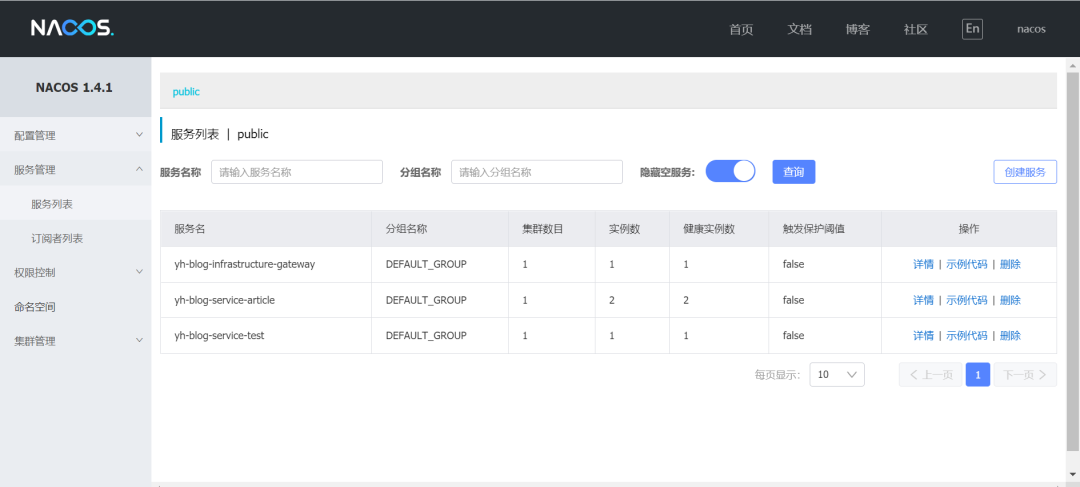
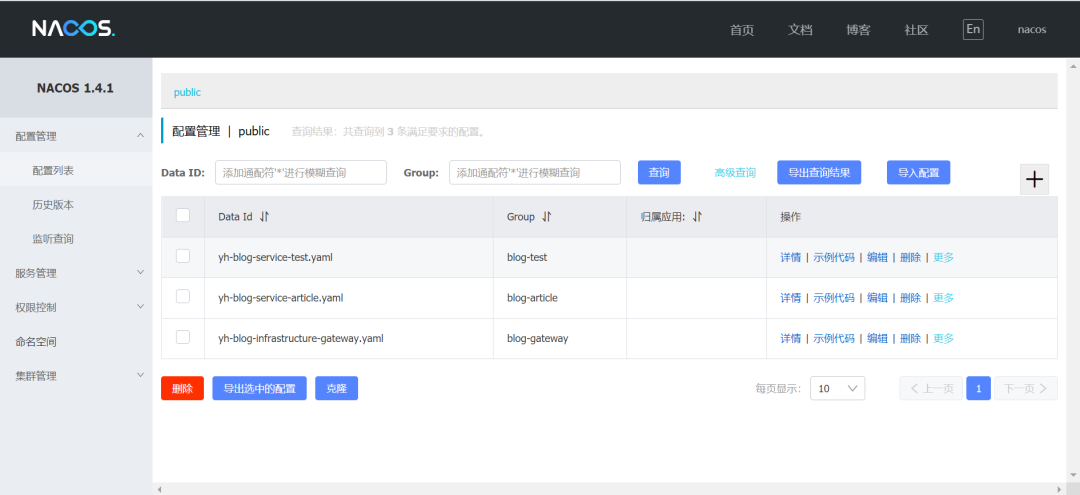
依次启动 article、test、gateway 服务,为了测试负载均衡,我们启动两个article服务,我们可以看到nacos中的配置列表和注册列表如下所示:
2. 使用原来的方式请求测试:http://localhost:8200/test

3. 使用网关地址访问:http://localhost:9001/test/test


文章转载自技术管理修行,如果涉嫌侵权,请发送邮件至:contact@modb.pro进行举报,并提供相关证据,一经查实,墨天轮将立刻删除相关内容。
