



学习目标:学习openGauss导入数据
学习内容部分如下:
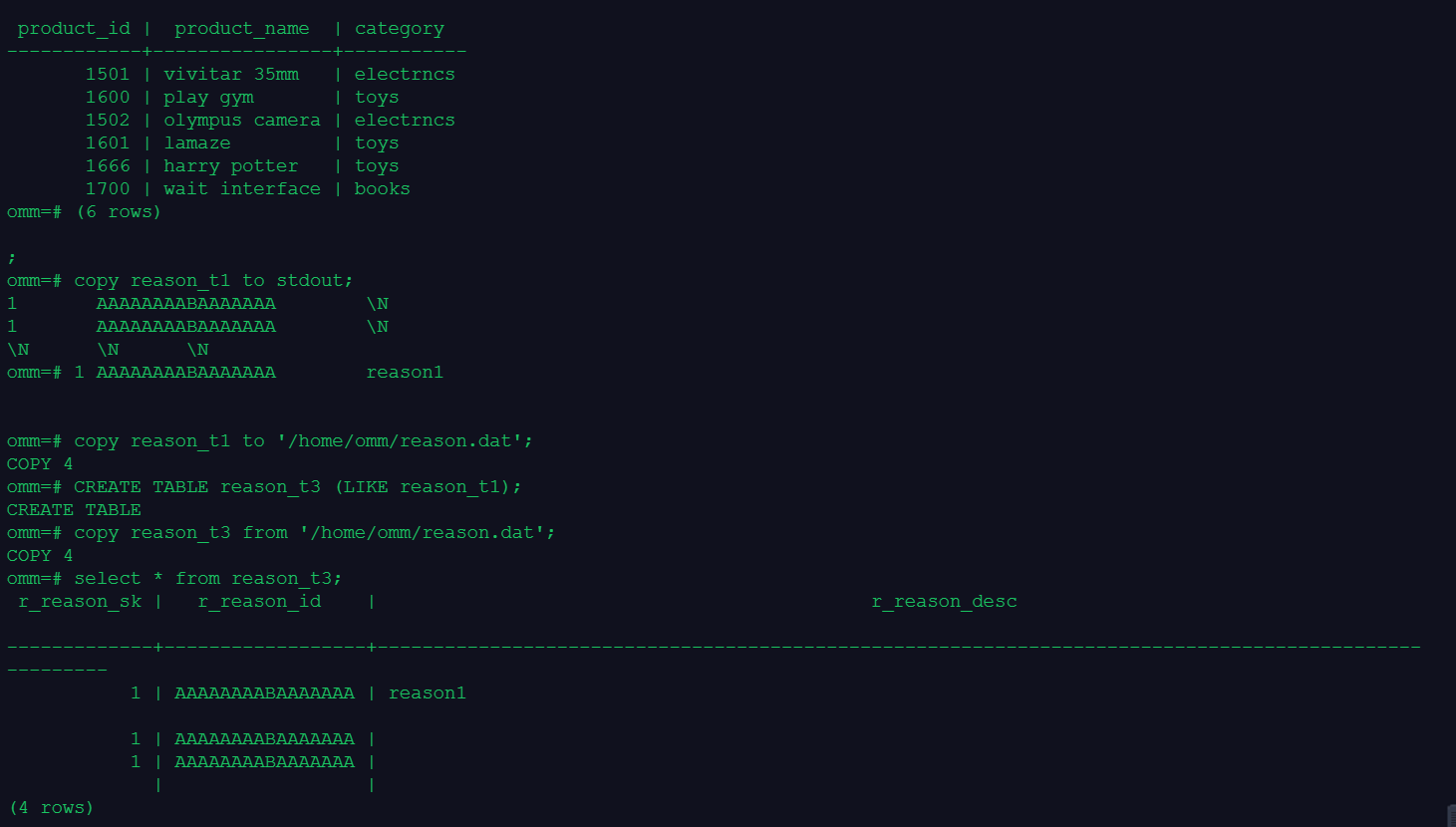
课程作业:
1.创建表1并在表中插入数据,分别指定字段和整行为缺省值
omm=# create table table0 (id int,name char(20));
CREATE TABLE
omm=# insert into table0(id,name)values(1,'opengauss');
INSERT 0 1
omm=# insert into table0 values(2);
omm=# INSERT 0 1
insert into table0 values(3,'gauss');
INSERT 0 1
omm=# insert into table0 values(4,default);
INSERT 0 1
omm=# insert into table0 values(default);
INSERT 0 1
2.创建表2并将表1的数据全部导入表2中
omm=# create table table1(like table0);
CREATE TABLE
omm=# insert into table1 select * from table0;
INSERT 0 5
omm=# select * from table1;
id | name
----+----------------------
1 | opengauss
2 |
3 | gauss
4 |
|
(5 rows
3.创建表3和表4,并合并两个表的数据到表3
omm=# create table table2(like table0);
CREATE TABLE
omm=# create table table3(like table0);
CREATE TABLE
omm=# insert into table2 values(6,'opengaussdata');
INSERT 0 1
omm=# insert into table2 values(7,'database');
INSERT 0 1
omm=# insert into table3 values(7,'data');
INSERT 0 1
omm=# insert into table3 values(8,'base');
INSERT 0 1
omm=# merge into table2 np using table3 p on(np.id = p.id )
omm-# when matched then update set np.name = p.name
omm-# when not matched then insert values(p.id,p.name);
MERGE 2
omm=# select * from table2;
id | name
----+----------------------
6 | opengaussdata
8 | base
7 | data
(3 rows)
4.将表3的数据输出到文件,再将文件中的数据导入到表5
omm=# create table table4(like table0);
CREATE TABLE
omm=# copy table2 to stdout;
6 opengaussdata
8 base
7 data
omm=# copy table2 to '/home/omm/table.dat';
COPY 3
omm=# copy table4 from '/home/omm/table.dat';
COPY 3
omm=# select * from table4;
8 | base
7 | data
(3 rows)
omm=# id | name
----+----------------------
6 | opengaussdata
omm=# drop table table0;
DROP TABLE
omm=# drop table table1;
DROP TABLE
omm=# drop table table2;
DROP TABLE
omm=# drop table table3;
DROP TABLE
omm=# drop table table4;
DROP TABLE
