



学习目标:学习openGauss存储模型-行存和列存
课程学习:
行存储是指将表按行存储到硬盘分区上,列存储是指将表按列存储到硬盘分区上。默认情况下,创建的表为行存储。
行、列存储模型各有优劣,通常用于TP场景的数据库,默认使用行存储,仅对执行复杂查询且数据量大的AP场景时,才使用列存储。
部分学习内容如下:
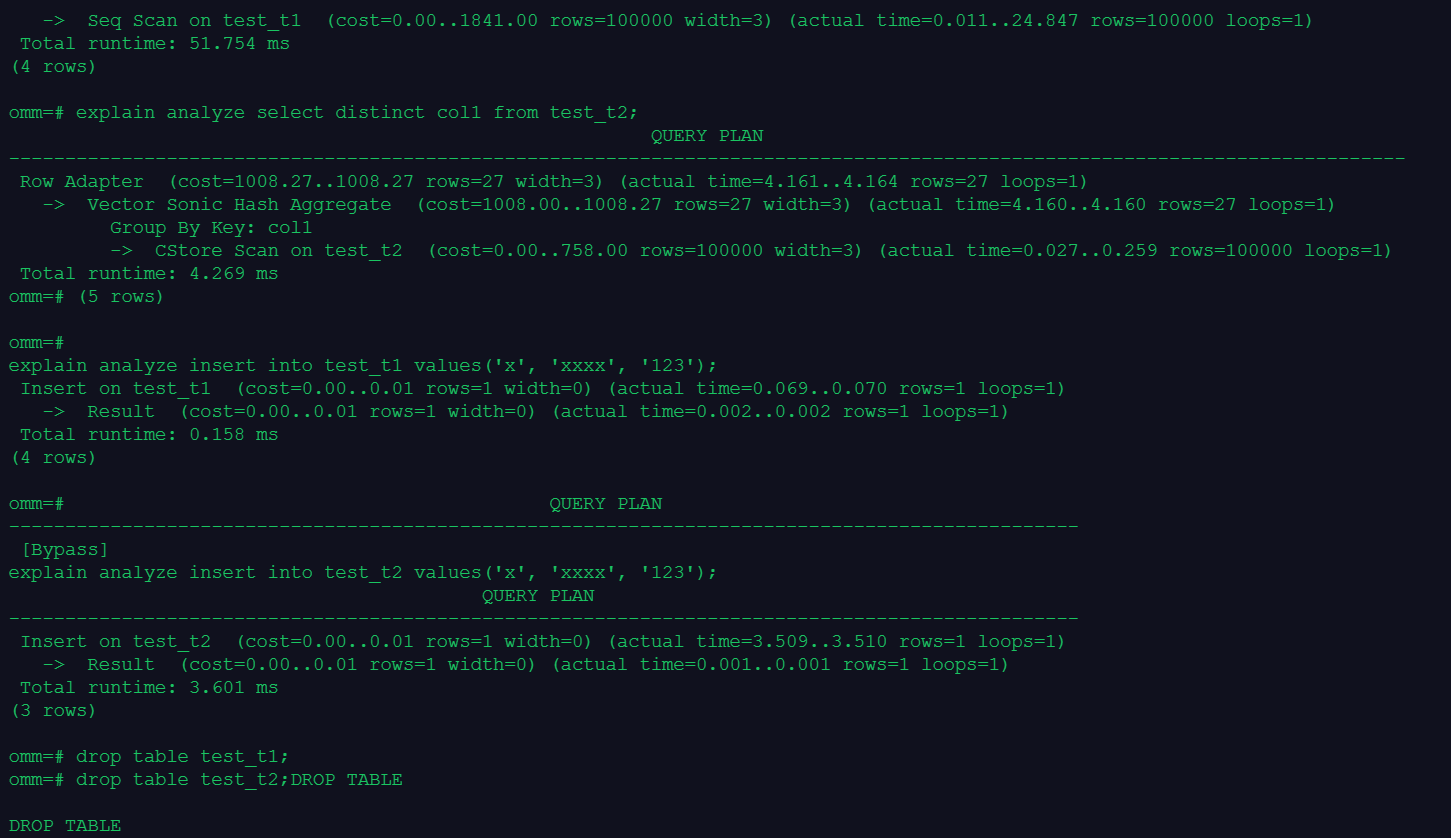
课程作业:
1.创建行存表和列存表,并批量插入10万条数据(行存表和列存表数据相同)
omm=# create table products(id int,name char(20));
CREATE TABLE
omm=# create table products_column(id int,name char(20)) with (orientation = column);
CREATE TABLE
omm=# insert into products values(generate_series(1,100000));
INSERT 0 100000
omm=# insert into products_column values(generate_series(1,100000));
INSERT 0 100000
2.对比行存表和列存表空间大小
omm=# \d+
List of relations
Schema | Name | Type | Owner | Size | Storage | Description
--------+-----------------+-------+-------+------------+--------------------------------------+-------------
public | customer_t | table | omm | 8192 bytes | {orientation=row,compression=no} |
public | products | table | omm | 3568 kB | {orientation=row,compression=no} |
public | products_column | table | omm | 33 MB | {orientation=column,compression=low} |
(3 rows)
3.对比查询一列和插入一行的速度
omm=# analyze verbose products;
INFO: analyzing "public.products"(gaussdb pid=1)
INFO: ANALYZE INFO : "products": scanned 443 of 443 pages, containing 100000 live rows and 0 dead rows; 30000 rows in sample, 100000 estimated total rows(gaussdb pid=1)
ANALYZE
omm=# analyze verbose products_column;
INFO: analyzing "public.products_column"(gaussdb pid=1)
INFO: ANALYZE INFO : estimate total rows of "pg_delta_16423": scanned 0 pages of total 0 pages with 1 retry times, containing 0 live rows and 0 dead rows, estimated 0 total rows(gaussdb pid=1)
INFO: ANALYZE INFO : "products_column": scanned 100000 of 100000 cus, sample 30000 rows, estimated total 100000 rows(gaussdb pid=1)
ANALYZE
插入速度更快。
omm=# explain analyze select distinct id from products;
QUERY PLAN
----------------------------------------------------------------------------------------------------------------------
HashAggregate (cost=1693.00..2693.00 rows=100000 width=4) (actual time=68.226..92.874 rows=100000 loops=1)
Group By Key: id
-> Seq Scan on products (cost=0.00..1443.00 rows=100000 width=4) (actual time=0.098..37.116 rows=100000 loops=1)
Total runtime: 103.055 ms
(4 rows)
omm=# explain analyze insert into products values(1,'row');
Insert on products (cost=0.00..0.01 rows=1 width=0) (actual time=0.108..0.109 rows=1 loops=1)
-> Result (cost=0.00..0.01 rows=1 width=0) (actual time=0.001..0.002 rows=1 loops=1)
Total runtime: 0.203 ms
(4 rows)
omm=# QUERY PLAN
------------------------------------------------------------------------------------------------
[Bypass]
omm=# explain analyze select distinct id from products_column;
Group By Key: id
-> CStore Scan on products_column (cost=0.00..158.00 rows=100000 width=4) (actual time=0.569..556.263 rows=100000 l
oops=1)
Total runtime: 618.054 ms
(5 rows)
QUERY PLAN
------------------------------------------------------------------------------------------------------------------------------
--------
Row Adapter (cost=1408.00..1408.00 rows=100000 width=4) (actual time=601.585..611.561 rows=100000 loops=1)
-> Vector Sonic Hash Aggregate (cost=408.00..1408.00 rows=100000 width=4) (actual time=601.574..602.972 rows=100000 loops
=1)
omm=# explain analyze insert into products_column values(2,'column');
QUERY PLAN
-------------------------------------------------------------------------------------------------------
Insert on products_column (cost=0.00..0.01 rows=1 width=0) (actual time=0.300..0.301 rows=1 loops=1)
-> Result (cost=0.00..0.01 rows=1 width=0) (actual time=0.001..0.002 rows=1 loops=1)
Total runtime: 0.370 ms
(3 rows)
4.清理数据
omm=# drop table products;
DROP TABLE
omm=# drop table products_column;
DROP TABLE
